carplay VOLVO XC60 TWIN ENGINE 2019 User Guide
[x] Cancel search | Manufacturer: VOLVO, Model Year: 2019, Model line: XC60 TWIN ENGINE, Model: VOLVO XC60 TWIN ENGINE 2019Pages: 695, PDF Size: 14.96 MB
Page 541 of 695
AUDIO, MEDIA AND INTERNET
}}
* Option/accessory.539
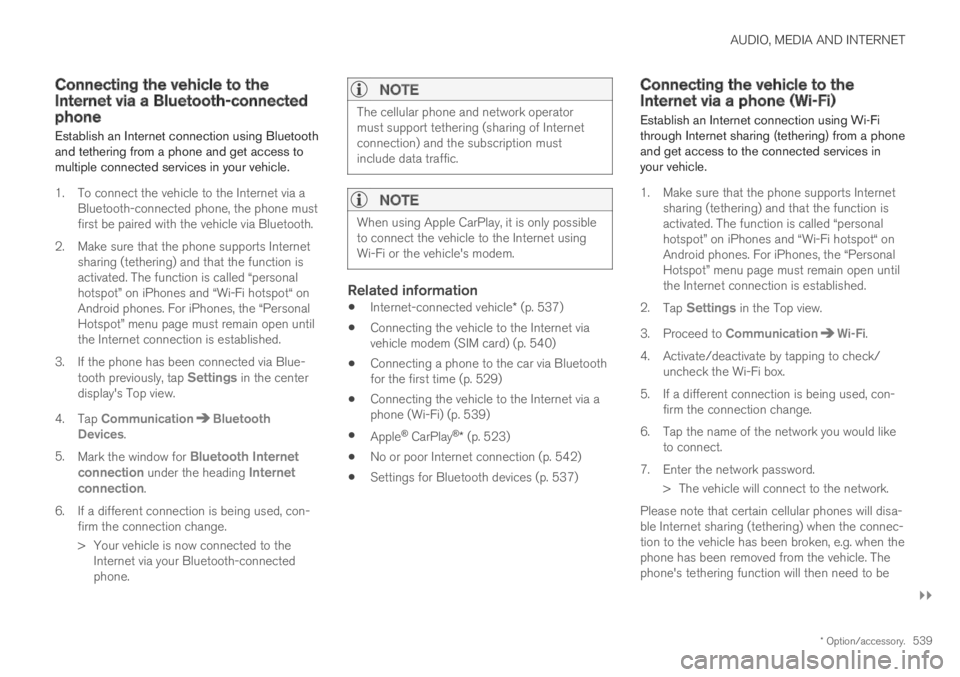
Connecting the vehicle to theInternet via a Bluetooth-connectedphone
Establish an Internet connection using Bluetoothand tethering from a phone and get access tomultiple connected services in your vehicle.
1. To connect the vehicle to the Internet via aBluetooth-connected phone, the phone mustfirst be paired with the vehicle via Bluetooth.
2.Make sure that the phone supports Internetsharing (tethering) and that the function isactivated. The function is called “personalhotspot” on iPhones and “Wi-Fi hotspot“ onAndroid phones. For iPhones, the “PersonalHotspot” menu page must remain open untilthe Internet connection is established.
3. If the phone has been connected via Blue-tooth previously, tap Settings in the centerdisplay's Top view.
4.Tap CommunicationBluetoothDevices.
5.Mark the window for Bluetooth Internetconnection under the heading Internetconnection.
6.If a different connection is being used, con-firm the connection change.
> Your vehicle is now connected to theInternet via your Bluetooth-connectedphone.
NOTE
The cellular phone and network operatormust support tethering (sharing of Internetconnection) and the subscription mustinclude data traffic.
NOTE
When using Apple CarPlay, it is only possibleto connect the vehicle to the Internet usingWi-Fi or the vehicle's modem.
Related information
Internet-connected vehicle* (p. 537)
Connecting the vehicle to the Internet viavehicle modem (SIM card) (p. 540)
Connecting a phone to the car via Bluetoothfor the first time (p. 529)
Connecting the vehicle to the Internet via aphone (Wi-Fi) (p. 539)
Apple® CarPlay®* (p. 523)
No or poor Internet connection (p. 542)
Settings for Bluetooth devices (p. 537)
Connecting the vehicle to theInternet via a phone (Wi-Fi)
Establish an Internet connection using Wi-Fithrough Internet sharing (tethering) from a phoneand get access to the connected services inyour vehicle.
1. Make sure that the phone supports Internetsharing (tethering) and that the function isactivated. The function is called “personalhotspot” on iPhones and “Wi-Fi hotspot“ onAndroid phones. For iPhones, the “PersonalHotspot” menu page must remain open untilthe Internet connection is established.
2.Tap Settings in the Top view.
3.Proceed to CommunicationWi-Fi.
4. Activate/deactivate by tapping to check/uncheck the Wi-Fi box.
5. If a different connection is being used, con-firm the connection change.
6. Tap the name of the network you would liketo connect.
7. Enter the network password.
> The vehicle will connect to the network.
Please note that certain cellular phones will disa-ble Internet sharing (tethering) when the connec-tion to the vehicle has been broken, e.g. when thephone has been removed from the vehicle. Thephone's tethering function will then need to be
Page 677 of 695
INDEX
675
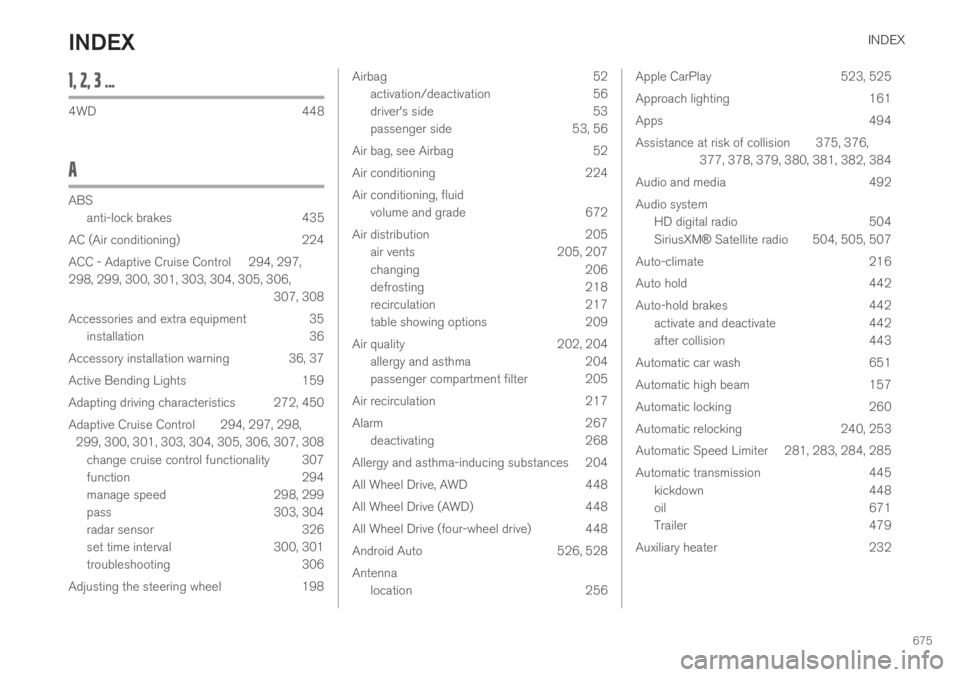
1, 2, 3 ...
4WD448
A
ABS
anti-lock brakes435
AC (Air conditioning) 224
ACC - Adaptive Cruise Control 294, 297,
298, 299, 300, 301, 303, 304, 305, 306,
307, 308
Accessories and extra equipment 35
installation 36
Accessory installation warning 36, 37
Active Bending Lights 159
Adapting driving characteristics 272, 450
Adaptive Cruise Control 294, 297, 298,
299, 300, 301, 303, 304, 305, 306, 307, 308
change cruise control functionality 307
function 294
manage speed 298, 299
pass 303, 304
radar sensor 326
set time interval 300, 301
troubleshooting 306
Adjusting the steering wheel 198
Airbag52
activation/deactivation56
driver's side53
passenger side53, 56
Air bag, see Airbag52
Air conditioning224
Air conditioning, fluid
volume and grade672
Air distribution205
air vents205, 207
changing206
defrosting218
recirculation217
table showing options209
Air quality202, 204
allergy and asthma204
passenger compartment filter 205
Air recirculation217
Alarm267
deactivating268
Allergy and asthma-inducing substances 204
All Wheel Drive, AWD448
All Wheel Drive (AWD)448
All Wheel Drive (four-wheel drive) 448
Android Auto526, 528
Antenna
location256
Apple CarPlay523, 525
Approach lighting161
Apps494
Assistance at risk of collision 375, 376,
377, 378, 379, 380, 381, 382, 384
Audio and media492
Audio system
HD digital radio504
SiriusXM® Satellite radio 504, 505, 507
Auto-climate216
Auto hold442
Auto-hold brakes442
activate and deactivate442
after collision443
Automatic car wash651
Automatic high beam157
Automatic locking260
Automatic relocking240, 253
Automatic Speed Limiter 281, 283, 284, 285
Automatic transmission445
kickdown448
oil671
Trailer479
Auxiliary heater232
INDEX