ignition VOLVO XC60 TWIN ENGINE 2019 User Guide
[x] Cancel search | Manufacturer: VOLVO, Model Year: 2019, Model line: XC60 TWIN ENGINE, Model: VOLVO XC60 TWIN ENGINE 2019Pages: 695, PDF Size: 14.96 MB
Page 157 of 695
LIGHTING
}}
* Option/accessory.155
With the steering wheel lever's lighting ring in the
position, the daytime running lights (DRL1)will illuminate when the vehicle is driven in day-light conditions. The headlights will switch auto-matically from daytime running lights to lowbeams in weak daylight or dark conditions. Theheadlights will also switch to low beams if thefront fog lights* and/or rear fog light are acti-vated.
US models: When mode is selected, thedaytime running lights can be deactivated in thecenter display. The parking lights will also bedeactivated. In weak daylight or dark conditions,the parking lights and low beams will be illumi-nated.
US models: With the lighting ring in the
or position, the daytime running lights willbe off.
Canadian models: With the lighting ring in the
or position, the daytime runninglights will be on.
NOTE
Volvo recommends use of Daytime RunningLights in the US. Its use is mandatory in Can-ada.
WARNING
The system is an energy saving aid – it cannotin all situations determine when the daylight istoo weak or not strong enough, e.g. whenthere is fog or rain.
The driver is always responsible for driving thevehicle with lighting that is safe for the trafficconditions and as specified by applicable traf-fic regulations.
Related information
Lighting panel and controls (p. 152)
Ignition modes (p. 433)
Low beams (p. 155)
Low beams
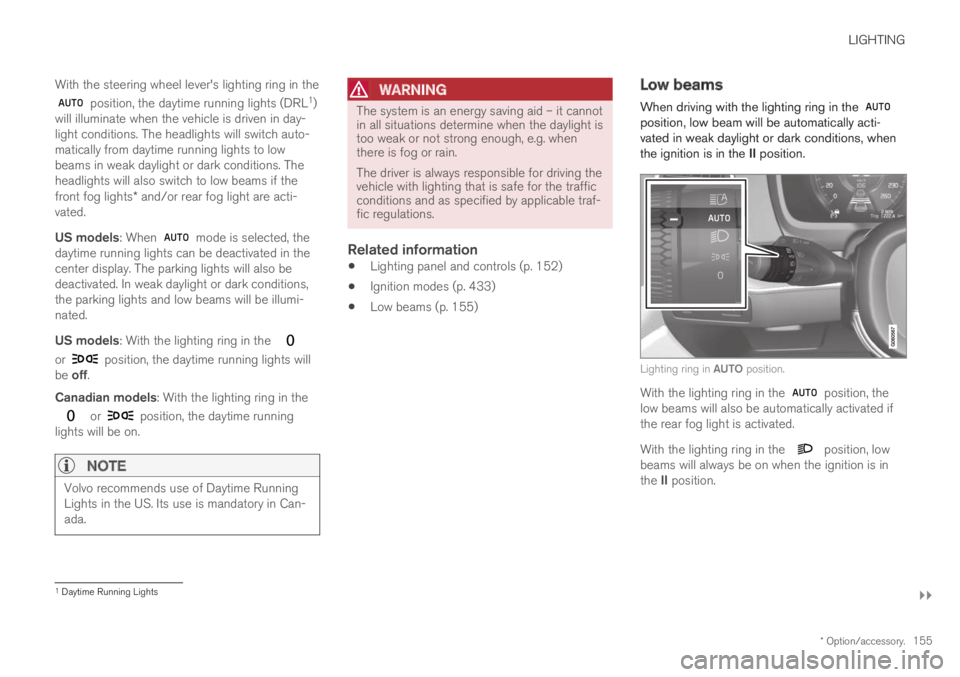
When driving with the lighting ring in the position, low beam will be automatically acti-vated in weak daylight or dark conditions, whenthe ignition is in the II position.
Lighting ring in AUTO position.
With the lighting ring in the position, thelow beams will also be automatically activated ifthe rear fog light is activated.
With the lighting ring in the position, lowbeams will always be on when the ignition is inthe II position.
1Daytime Running Lights
Page 158 of 695
||
LIGHTING
156
Tunnel detection
The vehicle will detect if it enters a tunnel andshift from daytime running lights to low beams.
Note that the left-hand steering wheel lever must
be in position for tunnel detection to work.
Related information
Lighting panel and controls (p. 152)
Ignition modes (p. 433)
Daytime running lights (p. 154)
Using high beam
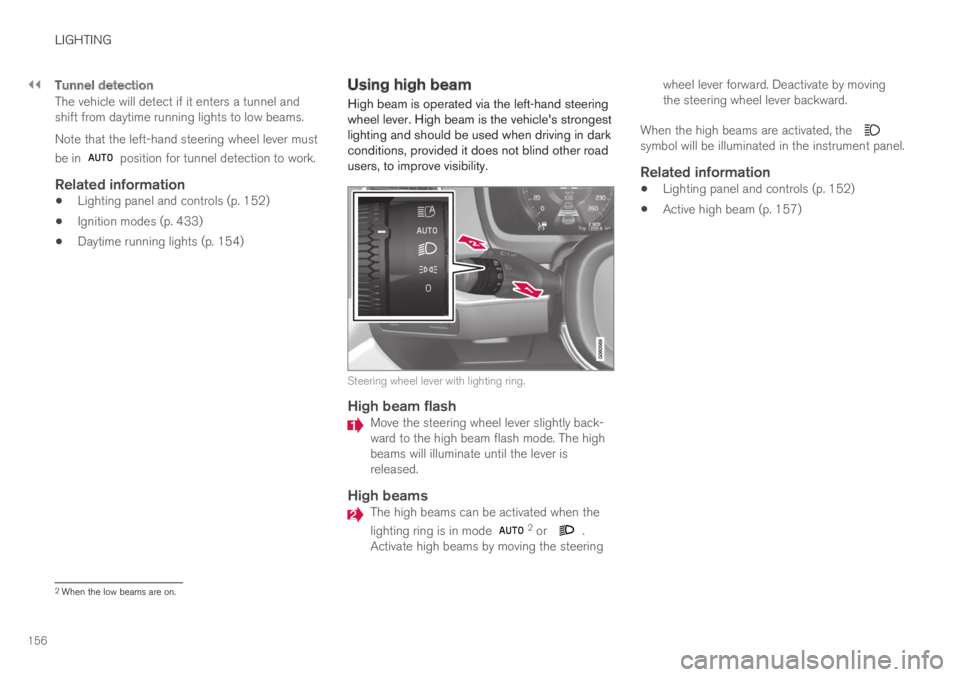
High beam is operated via the left-hand steeringwheel lever. High beam is the vehicle's strongestlighting and should be used when driving in darkconditions, provided it does not blind other roadusers, to improve visibility.
Steering wheel lever with lighting ring.
High beam flash
Move the steering wheel lever slightly back-ward to the high beam flash mode. The highbeams will illuminate until the lever isreleased.
High beams
The high beams can be activated when the
lighting ring is in mode 2 or .Activate high beams by moving the steering
wheel lever forward. Deactivate by movingthe steering wheel lever backward.
When the high beams are activated, the symbol will be illuminated in the instrument panel.
Related information
Lighting panel and controls (p. 152)
Active high beam (p. 157)
2When the low beams are on.
Page 161 of 695
LIGHTING
}}
* Option/accessory.159
Active Bending Lights*
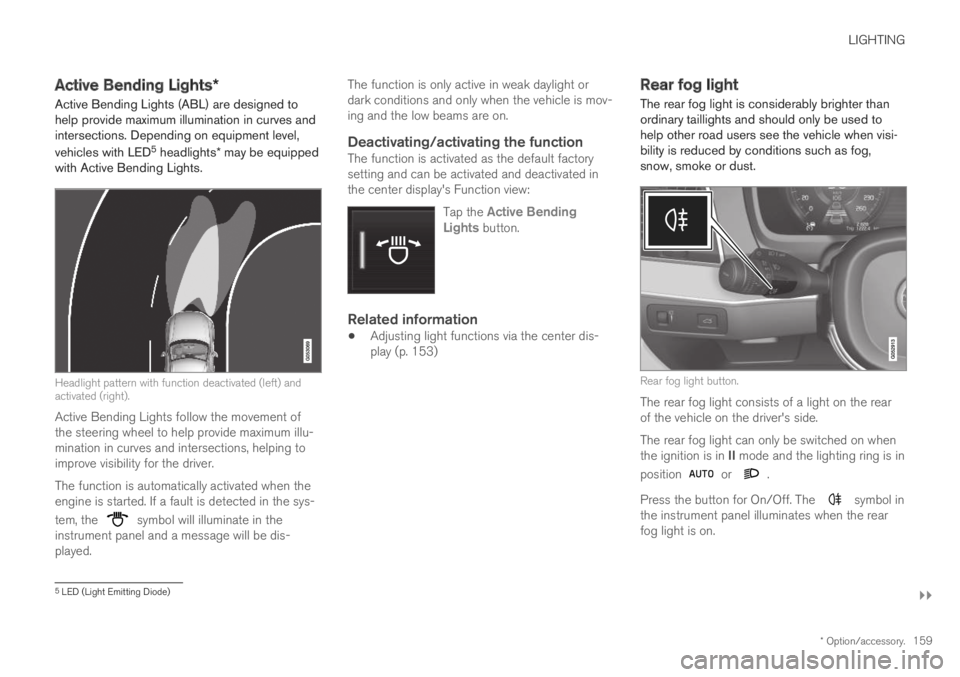
Active Bending Lights (ABL) are designed tohelp provide maximum illumination in curves andintersections. Depending on equipment level,
vehicles with LED5 headlights* may be equippedwith Active Bending Lights.
Headlight pattern with function deactivated (left) andactivated (right).
Active Bending Lights follow the movement ofthe steering wheel to help provide maximum illu-mination in curves and intersections, helping toimprove visibility for the driver.
The function is automatically activated when theengine is started. If a fault is detected in the sys-
tem, the symbol will illuminate in theinstrument panel and a message will be dis-played.
The function is only active in weak daylight ordark conditions and only when the vehicle is mov-ing and the low beams are on.
Deactivating/activating the function
The function is activated as the default factorysetting and can be activated and deactivated inthe center display's Function view:
Tap the Active BendingLights button.
Related information
Adjusting light functions via the center dis-play (p. 153)
Rear fog light
The rear fog light is considerably brighter thanordinary taillights and should only be used tohelp other road users see the vehicle when visi-bility is reduced by conditions such as fog,snow, smoke or dust.
Rear fog light button.
The rear fog light consists of a light on the rearof the vehicle on the driver's side.
The rear fog light can only be switched on whenthe ignition is in II mode and the lighting ring is in
position or .
Press the button for On/Off. The symbol inthe instrument panel illuminates when the rearfog light is on.
5LED (Light Emitting Diode)
Page 162 of 695
||
LIGHTING
160
The rear fog light turns off automatically whenthe ignition is switched off or when the steering
wheel lever lighting ring is in position or
.
NOTE
Regulations concerning rear fog light use varyfrom country to country.
Related information
Lighting panel and controls (p. 152)
Ignition modes (p. 433)
Brake lights
The brake lights are automatically illuminatedwhen braking.
The brake lights illuminate when the brake pedalis depressed. They also illuminate when thebrakes are automatically applied by one of thedriver support systems.
Related information
Emergency brake lights (p. 160)
Brake functions (p. 434)
Emergency brake lights
The emergency brake lights are activated towarn following vehicles of hard braking.
This function causes an additional taillight oneach side of the vehicle to illuminate.
The emergency brake lights are activated in theevent of hard braking or if the ABS system isactivated and the vehicle is traveling at a highspeed.
After the driver decelerates to a low speed andthen releases the brake, the brake lights resumetheir normal brightness.
Related information
Brake lights (p. 160)
Brakes (p. 435)
Hazard warning flashers (p. 161)
Page 163 of 695
LIGHTING
* Option/accessory.161
Hazard warning flashers
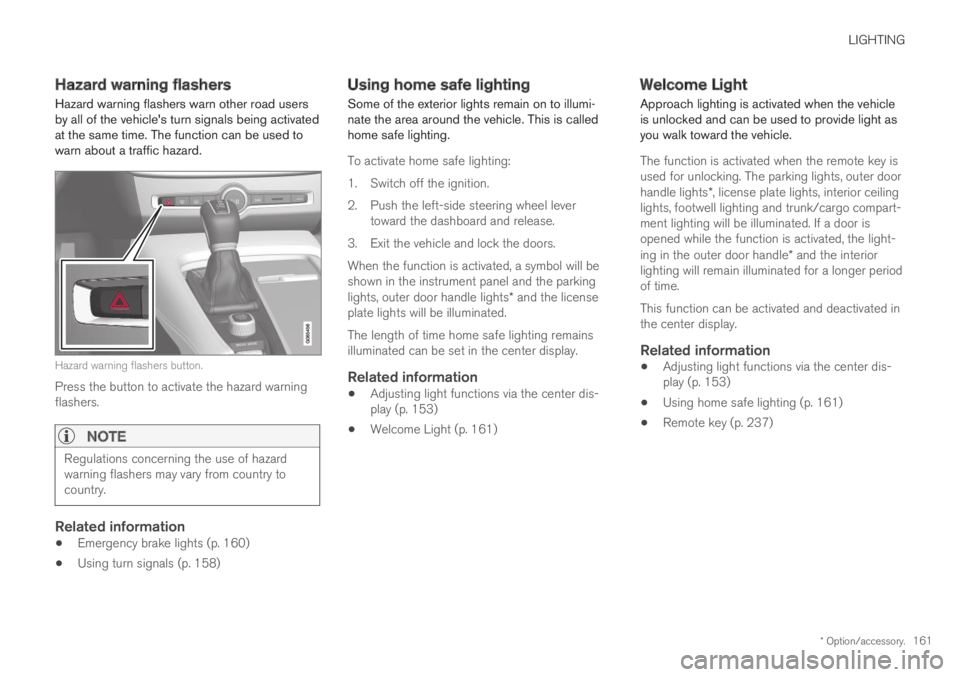
Hazard warning flashers warn other road usersby all of the vehicle's turn signals being activatedat the same time. The function can be used towarn about a traffic hazard.
Hazard warning flashers button.
Press the button to activate the hazard warningflashers.
NOTE
Regulations concerning the use of hazardwarning flashers may vary from country tocountry.
Related information
Emergency brake lights (p. 160)
Using turn signals (p. 158)
Using home safe lighting
Some of the exterior lights remain on to illumi-nate the area around the vehicle. This is calledhome safe lighting.
To activate home safe lighting:
1.Switch off the ignition.
2. Push the left-side steering wheel levertoward the dashboard and release.
3. Exit the vehicle and lock the doors.
When the function is activated, a symbol will beshown in the instrument panel and the parkinglights, outer door handle lights* and the licenseplate lights will be illuminated.
The length of time home safe lighting remainsilluminated can be set in the center display.
Related information
Adjusting light functions via the center dis-play (p. 153)
Welcome Light (p. 161)
Welcome Light
Approach lighting is activated when the vehicleis unlocked and can be used to provide light asyou walk toward the vehicle.
The function is activated when the remote key isused for unlocking. The parking lights, outer doorhandle lights*, license plate lights, interior ceilinglights, footwell lighting and trunk/cargo compart-ment lighting will be illuminated. If a door isopened while the function is activated, the light-ing in the outer door handle* and the interiorlighting will remain illuminated for a longer periodof time.
This function can be activated and deactivated inthe center display.
Related information
Adjusting light functions via the center dis-play (p. 153)
Using home safe lighting (p. 161)
Remote key (p. 237)
Page 164 of 695
LIGHTING
* Option/accessory.162
Interior Lighting
The interior is equipped with several differenttypes of lighting to improve the experience. Thisincludes reading lamps, glove box lighting andground lighting.
All lighting in the passenger compartment can beturned on and off manually within 5 minutesafter:
the engine has been switched off and theignition is in mode 0.
the vehicle is unlocked but the engine hasnot been started.
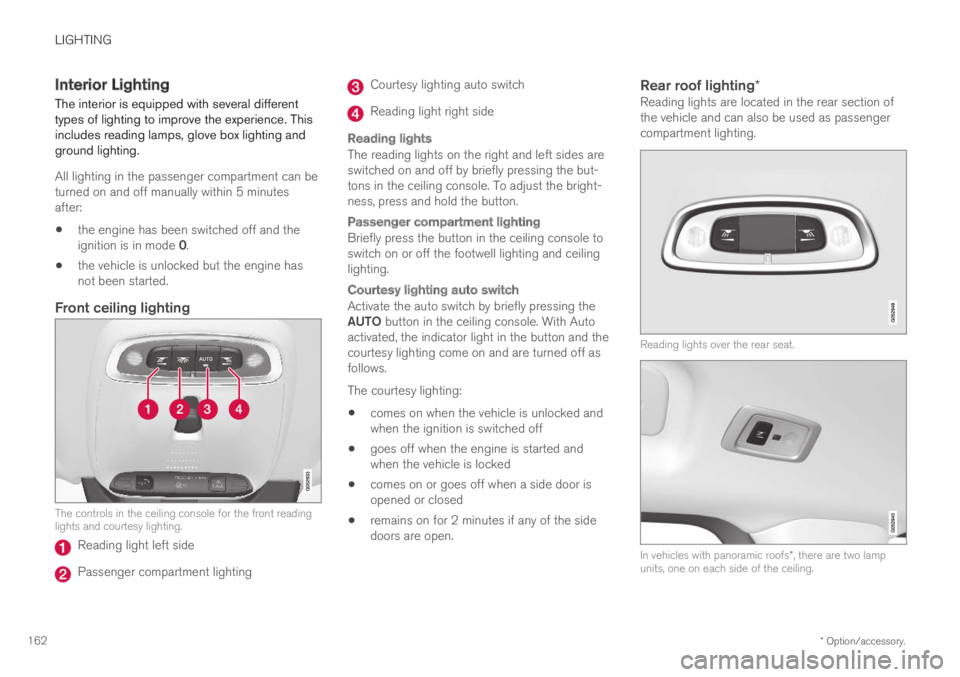
Front ceiling lighting
The controls in the ceiling console for the front readinglights and courtesy lighting.
Reading light left side
Passenger compartment lighting
Courtesy lighting auto switch
Reading light right side
Reading lights
The reading lights on the right and left sides areswitched on and off by briefly pressing the but-tons in the ceiling console. To adjust the bright-ness, press and hold the button.
Passenger compartment lighting
Briefly press the button in the ceiling console toswitch on or off the footwell lighting and ceilinglighting.
Courtesy lighting auto switch
Activate the auto switch by briefly pressing theAUTO button in the ceiling console. With Autoactivated, the indicator light in the button and thecourtesy lighting come on and are turned off asfollows.
The courtesy lighting:
comes on when the vehicle is unlocked andwhen the ignition is switched off
goes off when the engine is started andwhen the vehicle is locked
comes on or goes off when a side door isopened or closed
remains on for 2 minutes if any of the sidedoors are open.
Rear roof lighting *
Reading lights are located in the rear section ofthe vehicle and can also be used as passengercompartment lighting.
Reading lights over the rear seat.
In vehicles with panoramic roofs*, there are two lampunits, one on each side of the ceiling.
Page 165 of 695
LIGHTING
}}
* Option/accessory.163
Briefly press the button on the light to turn on oroff the reading lights. To adjust the brightness,press and hold the button.
Glove compartment lighting
The glove compartment lighting comes on orgoes off when the glove compartment is openedor closed.
Vanity mirror lighting *
The vanity mirror lighting comes on or goes offwhen the cover over the mirror is opened orclosed.
Ground lighting *
The ground lighting comes on or goes off when adoor is opened or closed.
Cargo compartment lighting
The cargo compartment lighting comes on orgoes off when the cargo compartment is openedor closed.
Ambient Lighting
The ambient lighting comes on when the doorsare opened and goes out when the vehicle islocked. Ambient lighting brightness can beadjusted in the center display and also fine-tunedusing the thumb wheel in the dashboard.
Mood lighting *
The vehicle is equipped with LEDs that providefaint lighting in various colors. This lighting is onwhen the engine is running. Mood lighting can be
adjusted in the center display and also fine-tunedusing the thumb wheel in the dashboard.
Lighting in the door storage
compartments
Lighting in the door storage compartmentscomes on when the doors are opened and goesout when the vehicle is locked. The brightnesscan be adjusted using the thumb wheel in thedashboard.
Lighting in the tunnel console's front
cup holder
The lighting in front console cup holdersswitches on when the vehicle is unlocked and offwhen the vehicle is locked. The brightness canbe adjusted using the thumb wheel in the dash-board.
Related information
Adjusting interior lighting (p. 163)
Lighting panel and controls (p. 152)
Ignition modes (p. 433)
Passenger compartment interior (p. 588)
Adjusting interior lighting
Illumination in the vehicle varies depending onignition mode. The interior lighting can beadjusted with a thumb wheel in the dashboardand certain light functions can also be adjustedvia the center display.
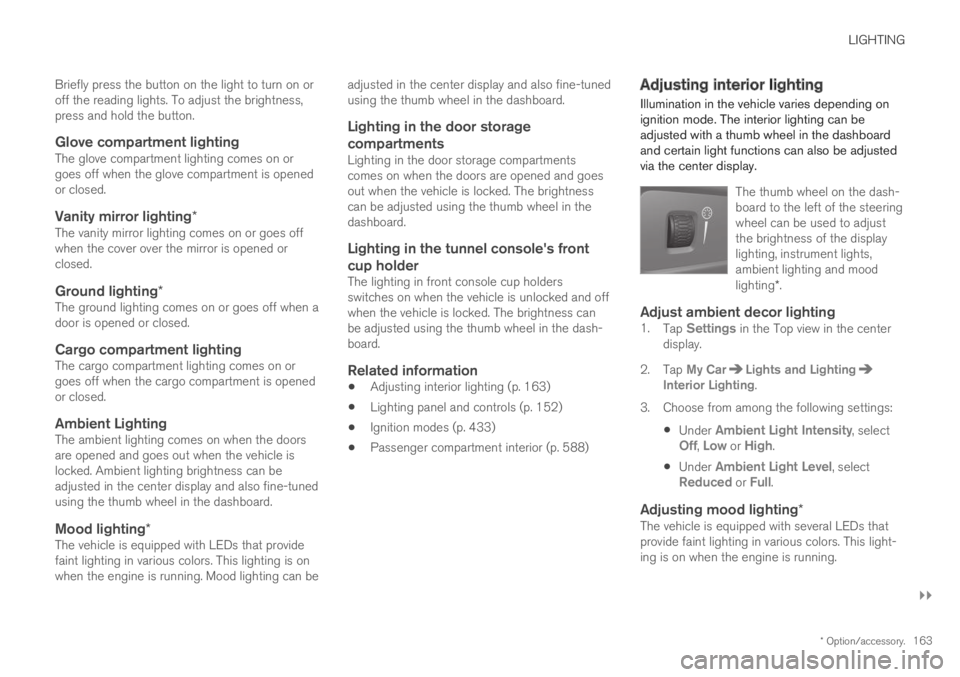
The thumb wheel on the dash-board to the left of the steeringwheel can be used to adjustthe brightness of the displaylighting, instrument lights,ambient lighting and moodlighting*.
Adjust ambient decor lighting
1.Tap Settings in the Top view in the centerdisplay.
2.Tap My CarLights and LightingInterior Lighting.
3. Choose from among the following settings:
Under Ambient Light Intensity, selectOff, Low or High.
Under Ambient Light Level, selectReduced or Full.
Adjusting mood lighting *
The vehicle is equipped with several LEDs thatprovide faint lighting in various colors. This light-ing is on when the engine is running.
Page 166 of 695
||
LIGHTING
164
Changing the brightness
1.Tap Settings in the Top view in the centerdisplay.
2.Tap My CarLights and Lighting
Interior LightingInterior Mood Lighting.
3.Under Interior Mood Light Intensity, selectOff, Low or High.
Changing the color of the light
1.Tap Settings in the Top view in the centerdisplay.
2.Tap My CarLights and Lighting
Interior LightingInterior Mood Lighting.
3.Choose By Temperature or By Color tochange the color of the light.
If By Temperature is selected, the light willchange according to the temperature set forthe passenger compartment.
If By Color is selected, the subcategoryTheme Colors can be used to make furtheradjustments.
Related information
Interior Lighting (p. 162)
Adjusting light functions via the center dis-play (p. 153)
Ignition modes (p. 433)
Page 170 of 695
||
WINDOWS, GLASS AND MIRRORS
* Option/accessory.168
WARNING
Children, other passengers or objects can betrapped by the moving parts.
Always operate the windows with caution.
Do not allow children to play with theoperating controls.
Never leave a child alone in the vehicle.
Remember to always cut the current tothe power windows by setting the vehi-cle's electrical system to ignition mode 0and then taking the remote key with youwhen leaving the vehicle.
Never stick objects or body parts outthrough the windows, even if the vehicleelectrical system is completely turned off.
Related information
Operating the power windows (p. 168)
Pinch protection for windows and sun cur-tains (p. 166)
Reset procedure for pinch protection(p. 167)
Operating the power windows
All power windows can be operated using thecontrol panel in the driver's door. The controlpanels in the other doors can be used to oper-ate that particular door.
The power windows have pinch protection. Ifthere is any problem with the pinch protection, arest procedure can be tested.
WARNING
Children, other passengers or objects can betrapped by the moving parts.
Always operate the windows with caution.
Do not allow children to play with theoperating controls.
Never leave a child alone in the vehicle.
Remember to always cut the current tothe power windows by setting the vehi-cle's electrical system to ignition mode 0and then taking the remote key with youwhen leaving the vehicle.
Never stick objects or body parts outthrough the windows, even if the vehicleelectrical system is completely turned off.
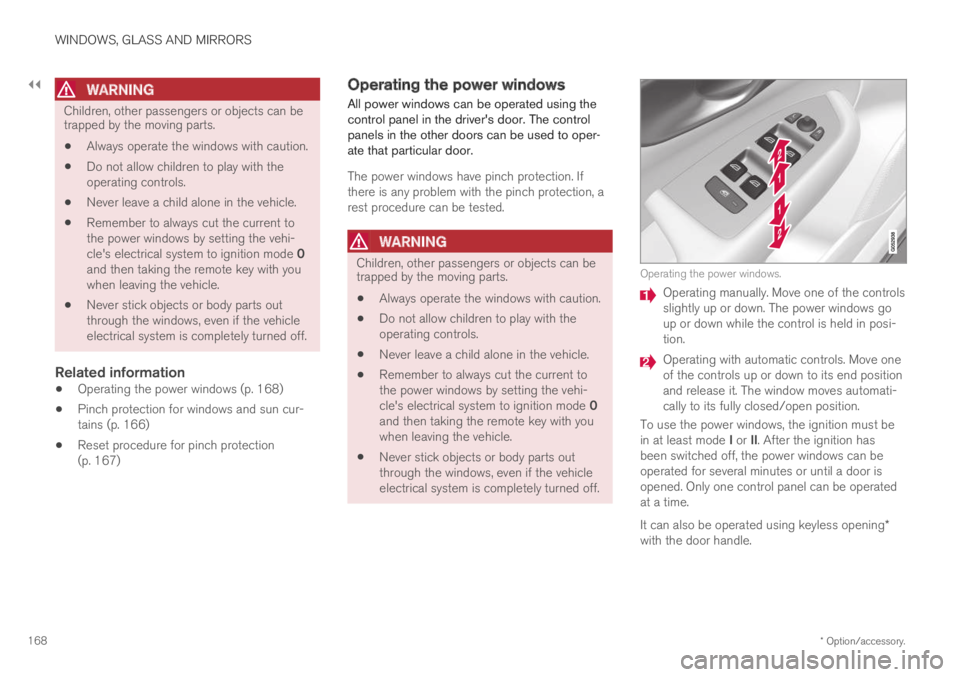
Operating the power windows.
Operating manually. Move one of the controlsslightly up or down. The power windows goup or down while the control is held in posi-tion.
Operating with automatic controls. Move oneof the controls up or down to its end positionand release it. The window moves automati-cally to its fully closed/open position.
To use the power windows, the ignition must bein at least mode I or II. After the ignition hasbeen switched off, the power windows can beoperated for several minutes or until a door isopened. Only one control panel can be operatedat a time.
It can also be operated using keyless opening*with the door handle.
Page 172 of 695
WINDOWS, GLASS AND MIRRORS
* Option/accessory.170
Adjusting the rearview mirrordimming function
Bright light entering the vehicle from behind, e.g.from the headlights of following vehicles, couldreflect in the rearview mirror and door mirrorsand cause a glare. Use the dimming functionwhen light from behind is distracting.
Auto-dim
If bright light enters the vehicle from behind, thedoor mirrors will automatically dim. Auto-dim isalways active when the engine is running, exceptwhen reverse gear is engaged.
NOTE
Adjustments to the sensitivity level will not benoticeable immediately but will instead takeeffect after a short period of time.
The sensitivity level for dimming will affect boththe rearview mirror and door mirrors.
To change the dimming sensitivity level:
1.Tap Settings in the Top view in the centerdisplay.
2.Tap My CarMirrors and Convenience.
3.Under Rearview Mirror Auto Dimming,select Normal, Dark or Light.
The rearview mirror instead has two sensors -one pointing forward and one pointing rearward -
which work together to identify and eliminateglare. The forward-pointing sensor monitorsambient light, while the rearward-pointing sensormonitors light from the headlights of followingvehicles.
For the door mirrors to be equipped with auto-dim, the rearview mirror must also be equippedwith auto-dim.
NOTE
If the sensors are obstructed by e.g. a parkingpermit, transponder, sunshade or objects onthe seats or in the cargo compartment in away that prevents light from reaching the sen-sors, the auto-dim function in the door andrearview mirrors will be reduced.
Related information
Rearview/door mirrors (p. 169)
Adjusting the door mirrors (p. 170)
Adjusting the door mirrors
To improve visibility to the rear, the door mirrorsneed to be adjusted to the driver's height andseating position. There are several automaticsettings that can also be connected to the mem-ory function buttons for the power seat*.
Controls used for door mirrors
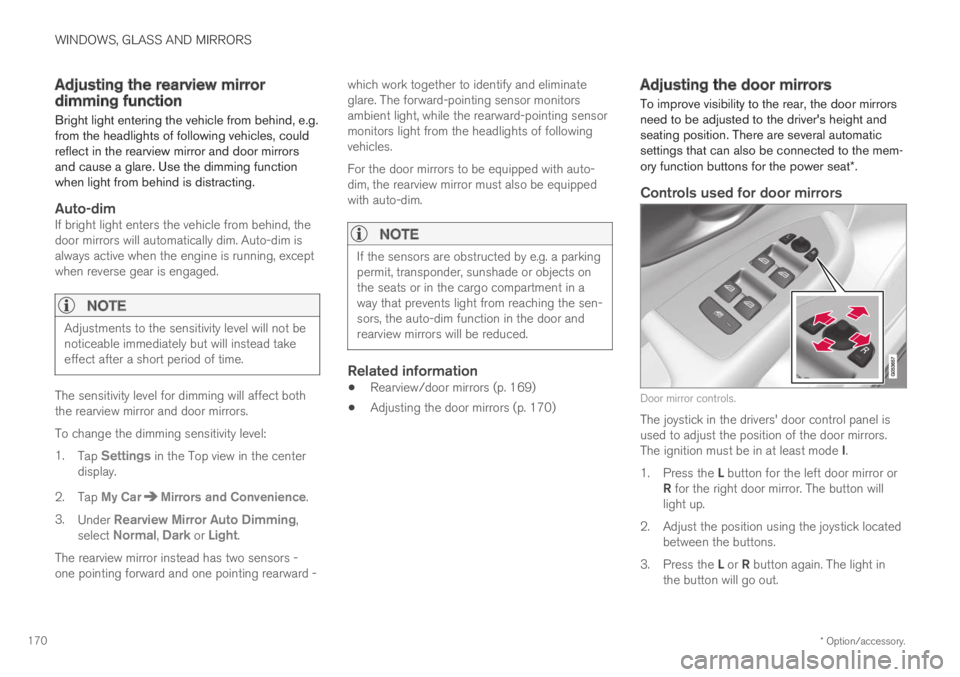
Door mirror controls.
The joystick in the drivers' door control panel isused to adjust the position of the door mirrors.The ignition must be in at least mode I.
1.Press the L button for the left door mirror orR for the right door mirror. The button willlight up.
2.Adjust the position using the joystick locatedbetween the buttons.
3.Press the L or R button again. The light inthe button will go out.