change time VOLVO XC60 TWIN ENGINE 2019 Owner's Guide
[x] Cancel search | Manufacturer: VOLVO, Model Year: 2019, Model line: XC60 TWIN ENGINE, Model: VOLVO XC60 TWIN ENGINE 2019Pages: 695, PDF Size: 14.96 MB
Page 358 of 695
DRIVER SUPPORT
* Option/accessory.356
Activating/deactivating Cross TrafficAlert
The driver can choose to deactivate the CTA85
function as follows:
Press the Cross Traffic Alertbutton in the center display'sFunction view.
GRAY button indicator light - CTA is deacti-vated.
GREEN button indicator light - CTA is acti-vated.
CTA is automatically activated each time theengine is started.
Related information
Cross Traffic Alert* (p. 355)
Cross Traffic Alert limitations
CTA86 functionality may be reduced in certainsituations.
CTA does not function optimally in all situationsand has certain limitations. The CTA sensors, forexample, cannot "see" through other parkedvehicles or objects blocking the vehicle.
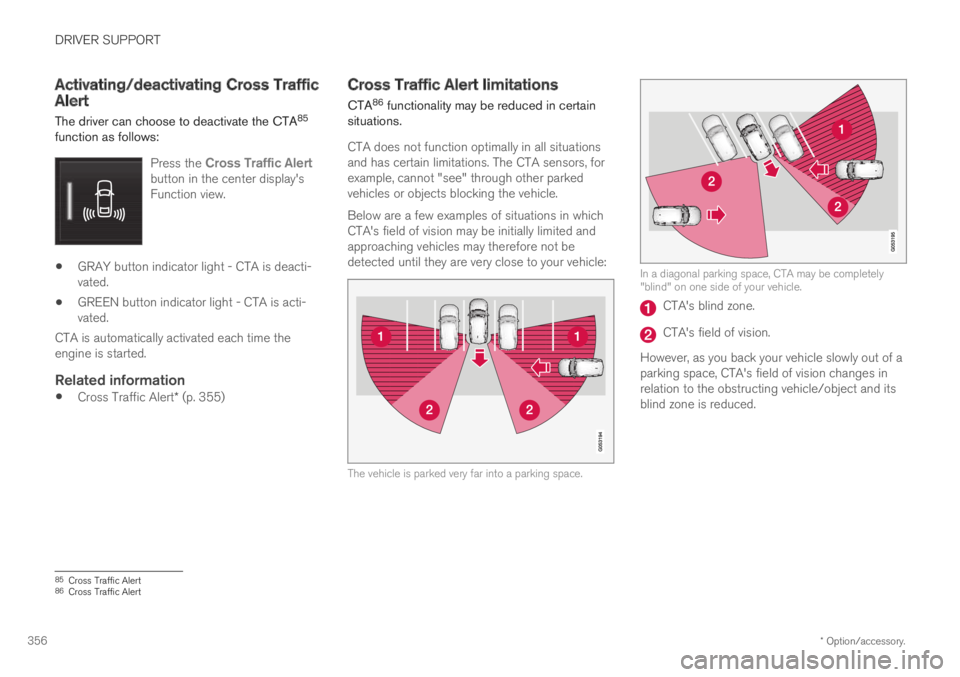
Below are a few examples of situations in whichCTA's field of vision may be initially limited andapproaching vehicles may therefore not bedetected until they are very close to your vehicle:
The vehicle is parked very far into a parking space.
In a diagonal parking space, CTA may be completely"blind" on one side of your vehicle.
CTA's blind zone.
CTA's field of vision.
However, as you back your vehicle slowly out of aparking space, CTA's field of vision changes inrelation to the obstructing vehicle/object and itsblind zone is reduced.
85Cross Traffic Alert86Cross Traffic Alert
Page 399 of 695
DRIVER SUPPORT
* Option/accessory.397
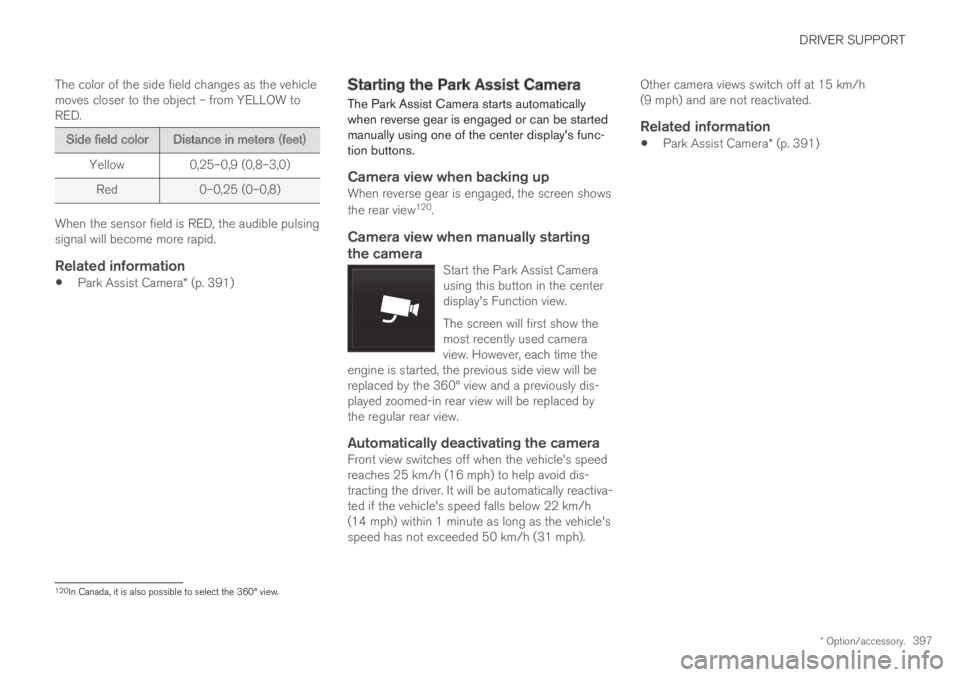
The color of the side field changes as the vehiclemoves closer to the object – from YELLOW toRED.
Side field colorDistance in meters (feet)
Yellow0,25–0,9 (0,8–3,0)
Red0–0,25 (0–0,8)
When the sensor field is RED, the audible pulsingsignal will become more rapid.
Related information
Park Assist Camera* (p. 391)
Starting the Park Assist Camera
The Park Assist Camera starts automaticallywhen reverse gear is engaged or can be startedmanually using one of the center display's func-tion buttons.
Camera view when backing up
When reverse gear is engaged, the screen shows
the rear view120.
Camera view when manually starting
the camera
Start the Park Assist Camerausing this button in the centerdisplay's Function view.
The screen will first show themost recently used cameraview. However, each time theengine is started, the previous side view will bereplaced by the 360° view and a previously dis-played zoomed-in rear view will be replaced bythe regular rear view.
Automatically deactivating the camera
Front view switches off when the vehicle's speedreaches 25 km/h (16 mph) to help avoid dis-tracting the driver. It will be automatically reactiva-ted if the vehicle's speed falls below 22 km/h(14 mph) within 1 minute as long as the vehicle'sspeed has not exceeded 50 km/h (31 mph).
Other camera views switch off at 15 km/h(9 mph) and are not reactivated.
Related information
Park Assist Camera* (p. 391)
120In Canada, it is also possible to select the 360° view.
Page 449 of 695
STARTING AND DRIVING
* Option/accessory.447
Using the steering wheel paddles*to shift
The steering wheel paddles are a supplement tothe gear selector and make it possible to shiftmanually without removing your hands from thesteering wheel.
Activating the steering wheel paddles
In order to shift gears using the paddles, theymust first be activated:
–Pull one of the paddles toward the steeringwheel.
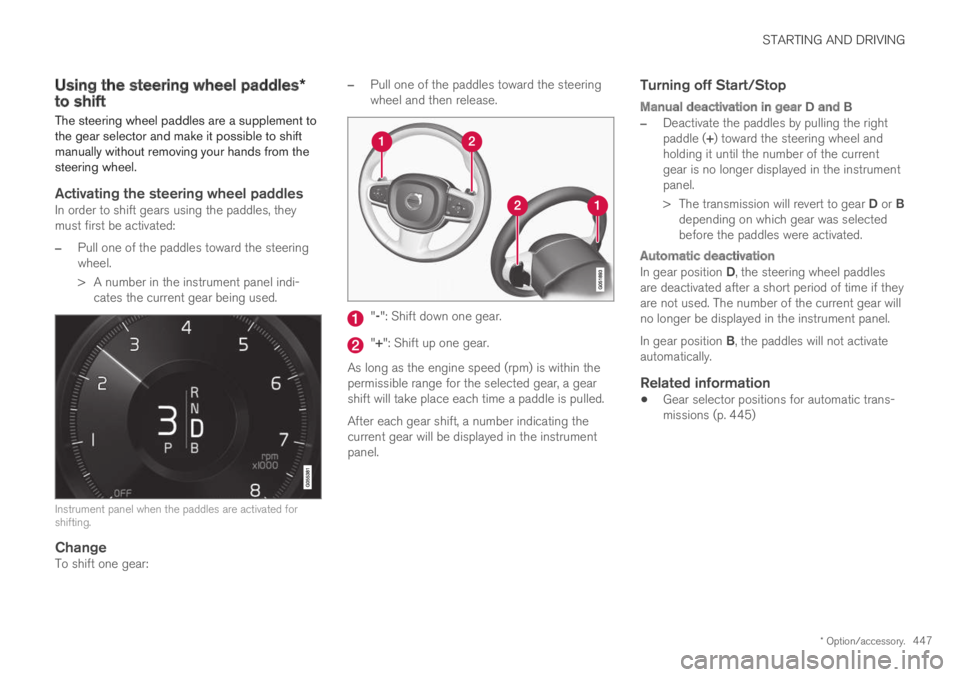
>A number in the instrument panel indi-cates the current gear being used.
Instrument panel when the paddles are activated forshifting.
Change
To shift one gear:
–Pull one of the paddles toward the steeringwheel and then release.
"-": Shift down one gear.
"+": Shift up one gear.
As long as the engine speed (rpm) is within thepermissible range for the selected gear, a gearshift will take place each time a paddle is pulled.
After each gear shift, a number indicating thecurrent gear will be displayed in the instrumentpanel.
Turning off Start/Stop
Manual deactivation in gear D and B
–Deactivate the paddles by pulling the rightpaddle (+) toward the steering wheel andholding it until the number of the currentgear is no longer displayed in the instrumentpanel.
>The transmission will revert to gear D or Bdepending on which gear was selectedbefore the paddles were activated.
Automatic deactivation
In gear position D, the steering wheel paddlesare deactivated after a short period of time if theyare not used. The number of the current gear willno longer be displayed in the instrument panel.
In gear position B, the paddles will not activateautomatically.
Related information
Gear selector positions for automatic trans-missions (p. 445)
Page 464 of 695
STARTING AND DRIVING
462
Hill Descent Control
The function for assisting when driving downhill,Hill Descent Control (HDC), is a low-speedfunction with increased engine braking. Thefunction makes it possible to increase ordecrease the vehicle's speed on steep downhillgradients by only using the accelerator pedal,without applying the brakes.
The function is included in the Off Road drivemode.
HDC is designed for driving on rough roads atlow speeds and downhill gradients with slipperyor otherwise difficult road surfaces. The driverdoes not need to use the brake pedal but caninstead focus on steering.
WARNING
HDC is only intended to be a supplementarybraking aid and it does not function in all sit-uations.
The driver is always ultimately responsible foroperating the vehicle in a safe manner.
Function
Hill Descent Control allows the vehicle to moveforward or backward at very low speeds assistedby the brake system. The driver can increase thespeed by pressing the accelerator pedal. Whenthe accelerator pedal is released, the vehicle willreturn to very low speed regardless of how steep
the hill is and without the brakes needing to beapplied. The brake lights will illuminate when thefunction is activated.
The driver can brake to stop or slow the vehicleat any time by depressing the brake pedal.
HDC is activated along with Low Speed Control(LSC), which facilitates and improves traction andcontrol on rough and slippery surfaces. The sys-tem is intended to be used at low speeds, up toapproximately 40 km/h (25 mph).
To keep in mind when using HDC
If the function is switched off while driving ona steep downhill gradient, braking effect willbe gradually reduced.
HDC can be used in gear positions D and R,and in manual gears 1 or 2.
It is not possible to manually shift to thirdgear or higher when HDC is active.
NOTE
When LSC with HDC is activated in the OFFROAD drive mode, the feel of the acceleratorpedal and engine response will change.
NOTE
This drive mode is not designed to be usedfor normal street driving.
NOTE
The function is deactivated when driving athigh speeds and must be reactivated at lowerspeeds if so desired.
Related information
Activating and deactivating Hill Descent Con-trol using the function button (p. 463)
Changing drive mode (p. 455)
Low Speed Control (p. 460)
All Wheel Drive (AWD) (p. 448)
Page 506 of 695
AUDIO, MEDIA AND INTERNET
* Option/accessory.504
HD Radio™ limitations
Limitations
Main channel vs. sub-channels (FM only):The main channel is the only channel thatcan receive in hybrid mode (both digital andanalog). If a frequency has sub-channels,they are broadcast in digital mode only. Themain FM channel will be displayed as, forexample, "WRIF-FM HD1". The sub-FMchannels will be displayed as"WRIF-FMHD2", "WRIF-FM HD3", etc.
Reception coverage area: Due to currentIBOC transmitter power limitations, thereception coverage area in digital mode issomewhat more limited than the station'sanalog coverage area. Be aware that, like allradio transmission technology, terrain, time ofday, vegetation and buildings can have apositive or negative effect on radio reception.
Analog to digital/digital to analog blend-ing: Analog to digital blending will occur asthe signal strength reaches a preset thresh-old in the receiver. This will be noticeable infringe areas (areas with weak reception) andis normal.
NOTE
There may be a noticeable difference insound quality when a change from analogueto digital or digital to analogue occurs, suchas:
Volume increase or decrease
Equalizer settings, i.e., Bass/ Midrange/Treble cut or boost
Time alignment (Digital program materialin extreme cases can be as much as 8seconds behind the analogue). This willnoticeable as a "stuttering" effect.
The above items are dependant on thebroadcaster's equipment settings and donot indicate a fault in the vehicle's radioreceiver or antenna systems.
Related information
HD Radio™ (p. 501)
Activating and deactivating the HD Radio™(p. 502)
HD Radio™ sub-channels (p. 503)
SiriusXM® Satellite radio*
The SiriusXM® Satellite system broadcasts fromof a number of high elevation satellites in geo-synchronous orbit.
Listening to satellite radio
The digital signals from the satellites are line-of-sight, which means that physical obstructionssuch as bridges, tunnels, etc, may temporarilyinterfere with signal reception.
Avoid any obstructions, such as metallic objectstransported on roof racks or in a ski box, or otherantennas that may impede signals from the
SiriusXM® satellites.
Selecting SiriusXM ®
Satellite radio
mode
1. From the center display's Home view, swipefrom right to left to come to App view.
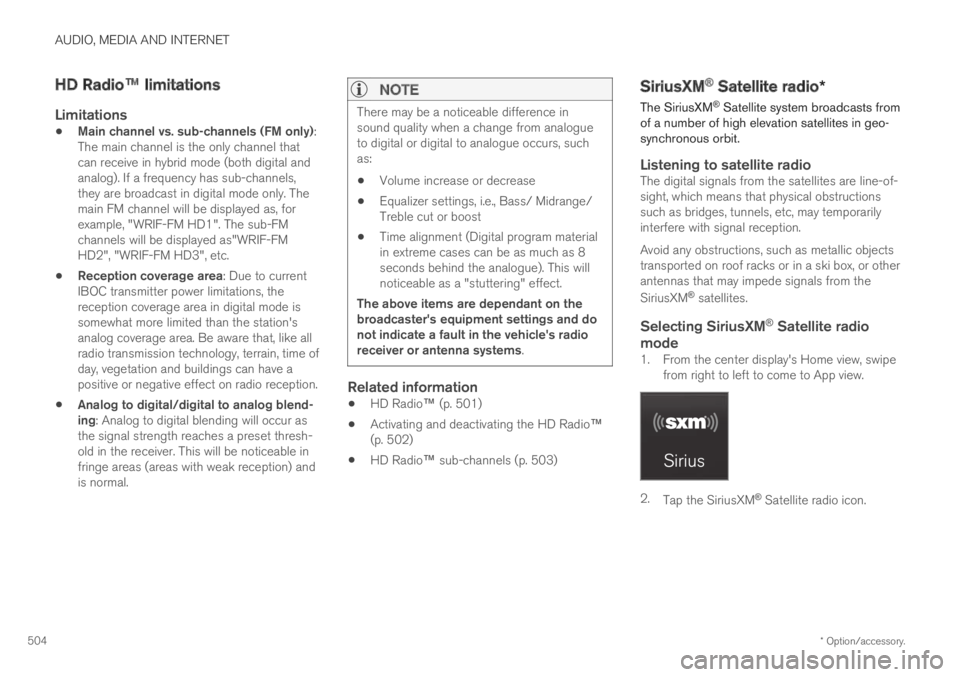
2.Tap the SiriusXM® Satellite radio icon.
Page 518 of 695
AUDIO, MEDIA AND INTERNET
516
Controlling and changing media
Media playback can be controlled using voicecommands, the steering wheel keypad or thecenter display.
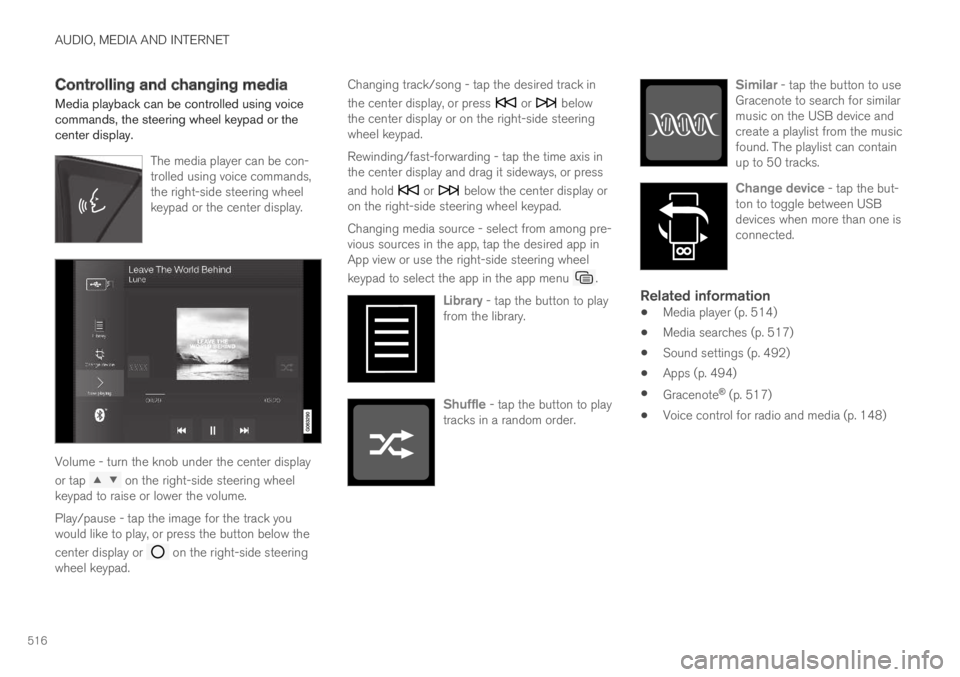
The media player can be con-trolled using voice commands,the right-side steering wheelkeypad or the center display.
Volume - turn the knob under the center display
or tap on the right-side steering wheelkeypad to raise or lower the volume.
Play/pause - tap the image for the track youwould like to play, or press the button below the
center display or on the right-side steeringwheel keypad.
Changing track/song - tap the desired track in
the center display, or press or belowthe center display or on the right-side steeringwheel keypad.
Rewinding/fast-forwarding - tap the time axis inthe center display and drag it sideways, or press
and hold or below the center display oron the right-side steering wheel keypad.
Changing media source - select from among pre-vious sources in the app, tap the desired app inApp view or use the right-side steering wheel
keypad to select the app in the app menu .
Library - tap the button to playfrom the library.
Shuffle - tap the button to playtracks in a random order.
Similar - tap the button to useGracenote to search for similarmusic on the USB device andcreate a playlist from the musicfound. The playlist can containup to 50 tracks.
Change device - tap the but-ton to toggle between USBdevices when more than one isconnected.
Related information
Media player (p. 514)
Media searches (p. 517)
Sound settings (p. 492)
Apps (p. 494)
Gracenote® (p. 517)
Voice control for radio and media (p. 148)
Page 531 of 695
AUDIO, MEDIA AND INTERNET
}}
529
Connecting a phone to the car via Bluetoothautomatically (p. 531)
Connecting a phone to the car via Bluetoothmanually (p. 531)
Disconnecting a Bluetooth-connected phone(p. 532)
Switch between phones connected via Blue-tooth (p. 532)
Disconnecting Bluetooth-connected devices(p. 532)
Phone settings (p. 536)
Voice control (p. 145)
Handling the App menu in the instrumentpanel (p. 104)
Sound settings (p. 492)
Connecting the vehicle to the Internet via aBluetooth-connected phone (p. 539)
Connecting a phone to the car viaBluetooth for the first time
Pair a Bluetooth-enabled phone to the vehicle tomake calls, send/receive text messages andwirelessly play media from the vehicle, or con-nect the vehicle to the Internet.
Two Bluetooth devices can be connected at thesame time, but in that case, only one will be usedfor wireless playback. The most recently pairedphone will be automatically connected to makecalls, send/receive text messages, play media oruse as an Internet connection. It is possible tochange what the phone is used for underBluetooth Devices via the settings menu in thecenter display's Top view.
After the device has been connected/registeredfor the first time via Bluetooth, the device nolonger needs to be visible/searchable. It justneeds to have Bluetooth activated. A maximum of20 paired Bluetooth devices can be stored in thevehicle.
There are two ways to pair a phone to the vehicle.Searching for the phone from the vehicle orsearching for the vehicle from the phone.
Option 1 - searching for the phone from
the vehicle
1. Make the phone discoverable/visible usingits Bluetooth function.
2. Open the phone tile in the center display.
If no phone has been paired to the vehi-cle, tap Add phone.
If a phone has been paired to the vehicle,
tap Change. Tap Add phone in thepop-up window.
>A list of available Bluetooth devices will bedisplayed. The list will be updated as newdevices are discovered.
3. Tap the name of the phone you would like toconnect.
4. Make sure that the code displayed in thevehicle matches the one in the phone. If itdoes, confirm the code in both places.
5. In the phone, accept or cancel the optionsfor selecting the phone's contacts and textmessages.
NOTE
The message function must be activatedin certain phones.
Not all cell phones are fully compatibleand may not be able to display contactsand messages in the vehicle.
Page 534 of 695
AUDIO, MEDIA AND INTERNET
532
Disconnecting a Bluetooth-connected phone
Disconnect a Bluetooth-connected phone fromthe vehicle by deactivating Bluetooth in thephone.
When the phone is out of range of the vehicle, itwill be automatically disconnected. If a call is inprogress when the phone is disconnected fromthe vehicle, the call will be transferred from thevehicle's speakers and microphone to the cellularphone.
Related information
Phone (p. 528)
Phone settings (p. 536)
Switch between phones connected via Blue-tooth (p. 532)
Disconnecting Bluetooth-connected devices(p. 532)
Settings for Bluetooth devices (p. 537)
Switch between phones connectedvia Bluetooth
It is possible to switch between Bluetooth-con-nected phones.
1. Open the phone tile.
2.Tap Change or pull down Top view and
tap SettingsCommunication
Bluetooth DevicesAdd device.
> A list of available Bluetooth devices will bedisplayed.
3. Tap the name of the phone you would like toconnect.
Related information
Phone (p. 528)
Connecting a phone to the car via Bluetoothfor the first time (p. 529)
Settings for Bluetooth devices (p. 537)
Disconnecting a Bluetooth-connected phone(p. 532)
Disconnecting Bluetooth-connected devices(p. 532)
Disconnecting Bluetooth-connecteddevices
Phones or other devices in the list of registeredBluetooth devices can be removed.
1.Tap Settings in the Top view.
2.Tap CommunicationBluetoothDevices.
>A list of registered Bluetooth devices isdisplayed.
3. Tap the name of the device you would like toremove.
4.Tap Remove device and confirm.
>The device is no longer registered in thevehicle.
Related information
Phone (p. 528)
Connecting a phone to the car via Bluetoothfor the first time (p. 529)
Disconnecting a Bluetooth-connected phone(p. 532)
Switch between phones connected via Blue-tooth (p. 532)
Settings for Bluetooth devices (p. 537)
Page 539 of 695
AUDIO, MEDIA AND INTERNET
}}
* Option/accessory.537
Settings for Bluetooth devices
Settings for Bluetooth-connected devices.
1.Tap Settings in the Top view.
2.Tap CommunicationBluetoothDevices and select settings:
Add device - start the procedure for pairinga new device.
Previously paired devices - lists regis-tered/paired devices.
Remove device - remove a connecteddevice.
Allowed services for this device - selectwhat the device will be used for: makingcalls, sending/receiving messages, stream-ing media, Internet connection.
Internet connection connect the vehicle tothe Internet using the device's Bluetoothconnection.
Bluetooth ®
declaration of conformity
USA
FCC CAUTION
Changes or modifications not expressly approvedby the party responsible for compliance couldvoid the user's authority to operate the equip-ment. This transmitter must not be co-located oroperated in conjunction with any other antennaor transmitter.
Canada
This device complies with Industry Canadalicense-exempt RSS standard(s). Operation issubject to the following two conditions:
(1) this device may not cause interference, and
(2) this device must accept any interference,including interference that may cause undesiredoperation of the device.
Related information
Phone (p. 528)
Phone settings (p. 536)
Internet-connected vehicle* (p. 537)
Connecting a phone to the car via Bluetoothfor the first time (p. 529)
Internet-connected vehicle*
When the vehicle is connected to the Internet, itis possible to use web radio and music servicesvia apps, download software and contact retail-ers from the vehicle.
The vehicle can be connected to the Internetusing Bluetooth, Wi-Fi or the vehicle's integratedmodem (SIM card).
When the vehicle is connected to the Internet, itis possible to share the vehicle's Internet connec-
Page 541 of 695
AUDIO, MEDIA AND INTERNET
}}
* Option/accessory.539
Connecting the vehicle to theInternet via a Bluetooth-connectedphone
Establish an Internet connection using Bluetoothand tethering from a phone and get access tomultiple connected services in your vehicle.
1. To connect the vehicle to the Internet via aBluetooth-connected phone, the phone mustfirst be paired with the vehicle via Bluetooth.
2.Make sure that the phone supports Internetsharing (tethering) and that the function isactivated. The function is called “personalhotspot” on iPhones and “Wi-Fi hotspot“ onAndroid phones. For iPhones, the “PersonalHotspot” menu page must remain open untilthe Internet connection is established.
3. If the phone has been connected via Blue-tooth previously, tap Settings in the centerdisplay's Top view.
4.Tap CommunicationBluetoothDevices.
5.Mark the window for Bluetooth Internetconnection under the heading Internetconnection.
6.If a different connection is being used, con-firm the connection change.
> Your vehicle is now connected to theInternet via your Bluetooth-connectedphone.
NOTE
The cellular phone and network operatormust support tethering (sharing of Internetconnection) and the subscription mustinclude data traffic.
NOTE
When using Apple CarPlay, it is only possibleto connect the vehicle to the Internet usingWi-Fi or the vehicle's modem.
Related information
Internet-connected vehicle* (p. 537)
Connecting the vehicle to the Internet viavehicle modem (SIM card) (p. 540)
Connecting a phone to the car via Bluetoothfor the first time (p. 529)
Connecting the vehicle to the Internet via aphone (Wi-Fi) (p. 539)
Apple® CarPlay®* (p. 523)
No or poor Internet connection (p. 542)
Settings for Bluetooth devices (p. 537)
Connecting the vehicle to theInternet via a phone (Wi-Fi)
Establish an Internet connection using Wi-Fithrough Internet sharing (tethering) from a phoneand get access to the connected services inyour vehicle.
1. Make sure that the phone supports Internetsharing (tethering) and that the function isactivated. The function is called “personalhotspot” on iPhones and “Wi-Fi hotspot“ onAndroid phones. For iPhones, the “PersonalHotspot” menu page must remain open untilthe Internet connection is established.
2.Tap Settings in the Top view.
3.Proceed to CommunicationWi-Fi.
4. Activate/deactivate by tapping to check/uncheck the Wi-Fi box.
5. If a different connection is being used, con-firm the connection change.
6. Tap the name of the network you would liketo connect.
7. Enter the network password.
> The vehicle will connect to the network.
Please note that certain cellular phones will disa-ble Internet sharing (tethering) when the connec-tion to the vehicle has been broken, e.g. when thephone has been removed from the vehicle. Thephone's tethering function will then need to be