change time VOLVO XC60 TWIN ENGINE 2019 Service Manual
[x] Cancel search | Manufacturer: VOLVO, Model Year: 2019, Model line: XC60 TWIN ENGINE, Model: VOLVO XC60 TWIN ENGINE 2019Pages: 695, PDF Size: 14.96 MB
Page 542 of 695
||
AUDIO, MEDIA AND INTERNET
* Option/accessory.540
reactivated the next time the phone's hotspot isused to connect to the Internet.
When a phone is connected to the vehicle, it willbe saved for future use. To display a list of savednetworks or to manually delete saved networks,
tap SettingsCommunicationWi-FiSaved networks.
NOTE
The cellular phone and network operatormust support tethering (sharing of Internetconnection) and the subscription mustinclude data traffic.
Technical and security requirements for Wi-Ficonnection are described in a separate section.
Related information
Internet-connected vehicle* (p. 537)
Deleting Wi-Fi networks (p. 543)
No or poor Internet connection (p. 542)
Wi-Fi technology and security (p. 543)
Connecting the vehicle to theInternet via vehicle modem (SIMcard)
For vehicles equipped with Volvo On Call, it ispossible to establish an Internet connection viathe vehicle modem and a personal SIM card (P-SIM).
When the vehicle is connected using the inte-grated modem, the Volvo On Call services willuse this connection.
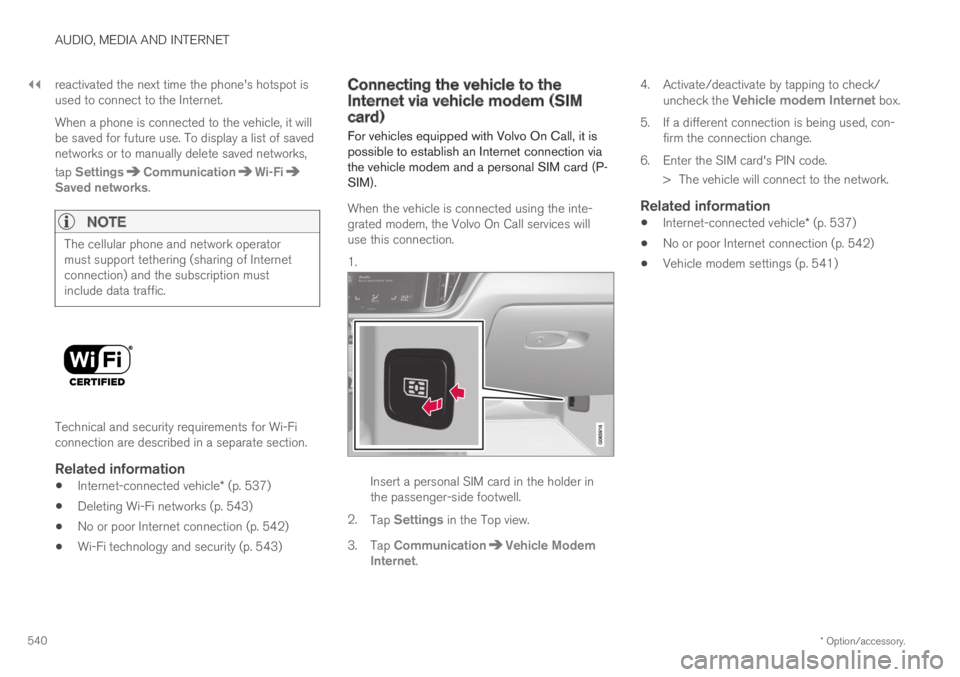
1.
Insert a personal SIM card in the holder inthe passenger-side footwell.
2.Tap Settings in the Top view.
3.Tap CommunicationVehicle ModemInternet.
4.Activate/deactivate by tapping to check/uncheck the Vehicle modem Internet box.
5.If a different connection is being used, con-firm the connection change.
6. Enter the SIM card's PIN code.
> The vehicle will connect to the network.
Related information
Internet-connected vehicle* (p. 537)
No or poor Internet connection (p. 542)
Vehicle modem settings (p. 541)
Page 548 of 695
||
AUDIO, MEDIA AND INTERNET
546
Portions of the content are copyright © ofGracenote or its providers.
Gracenote, the Gracenote logo and logotype,"Powered by Gracenote" and Gracenote MusicIDare either registered trademarks of Gracenote,Inc. in the United States and/or other countries.
Gracenote ®
End User License Agreement
This application or device contains software fromGracenote, Inc. in Emeryville, California, UnitedStates (“Gracenote”). The software from Grace-note (the “Gracenote Software”) enables thisapplication to perform disc and/or file identifica-tion and obtain music-related information, includ-ing name, artist, track, and title information(“Gracenote Data”) from online servers or embed-ded databases (collectively “Gracenote Servers”)and to perform other functions. You may useGracenote Data only by means of the intendedEnd-User functions of this application or device.
You agree that you will use Gracenote Data, theGracenote Software, and Gracenote Servers foryour own personal non-commercial use only. Youagree not to assign, copy, transfer or transmit theGracenote Software or any Gracenote Data toany third party. YOU AGREE NOT TO USE OREXPLOIT GRACENOTE DATA, THE GRACE-NOTE SOFTWARE, OR GRACENOTE SERVERS,EXCEPT AS EXPRESSLY PERMITTED HEREIN.
You agree that your non-exclusive license to usethe Gracenote Data, the Gracenote Software, andGracenote Servers will terminate if you violate
these restrictions. If your license terminates, youagree to cease any and all use of the GracenoteData, the Gracenote Software, and GracenoteServers. Gracenote reserves all rights in allGracenote Data, all Gracenote Software, and allGracenote Servers, including all ownership rights.Under no circumstances will Gracenote becomeliable for any payment to you for any informationthat you provide. You agree that Gracenote, Inc.may enforce its rights under this Agreementagainst you directly in its own name.
The Gracenote service uses a unique identifier totrack queries for statistical purposes. The pur-pose of a randomly assigned numeric identifier isto allow the Gracenote service to count querieswithout knowing anything about who you are. Formore information, see the web page for theGracenote Privacy Policy for the Gracenote serv-ice.
The Gracenote Software and each item of Grace-note Data are licensed to you “AS IS.” Gracenotemakes no representations or warranties, expressor implied, regarding the accuracy of any Grace-note Data from in the Gracenote Servers. Grace-note reserves the right to delete data from theGracenote Servers or to change data categoriesfor any cause that Gracenote deems sufficient.No warranty is made that the Gracenote Softwareor Gracenote Servers are error-free or that func-tioning of Gracenote Software or GracenoteServers will be uninterrupted. Gracenote is notobligated to provide you with new enhanced or
additional data types or categories that Grace-note may provide in the future and is free to dis-continue its services at any time.
GRACENOTE DISCLAIMS ALL WARRANTIESEXPRESS OR IMPLIED, INCLUDING, BUT NOTLIMITED TO, IMPLIED WARRANTIES OF MER-CHANTABILITY, FITNESS FOR A PARTICULARPURPOSE, TITLE, AND NON-INFRINGEMENT.GRACENOTE DOES NOT WARRANT THERESULTS THAT WILL BE OBTAINED BY YOURUSE OF THE GRACENOTE SOFTWARE ORANY GRACENOTE SERVER. IN NO CASE WILLGRACENOTE BE LIABLE FOR ANY CONSE-QUENTIAL OR INCIDENTAL DAMAGES ORFOR ANY LOST PROFITS OR LOST REVENUES.
© Gracenote, Inc. 2009
Sensus software
This software uses parts of sources from clib2and Prex Embedded Real-time OS - Source(Copyright (c) 1982, 1986, 1991, 1993, 1994),and Quercus Robusta (Copyright (c) 1990,1993), The Regents of the University ofCalifornia. All or some portions are derived frommaterial licensed to the University of California byAmerican Telephone and Telegraph Co. or UnixSystem Laboratories, Inc. and are reproducedherein with the permission of UNIX SystemLaboratories, Inc. Redistribution and use insource and binary forms, with or withoutmodification, are permitted provided that thefollowing conditions are met: Redistributions of
Page 565 of 695
WHEELS AND TIRES
* Option/accessory.563
Checking tire pressure
Correct inflation pressure helps improve drivingstability, save fuel and increase the service life ofthe tires.
Tire pressure decreases over time, which is nor-mal. Tire pressure also varies depending on theambient temperature. Driving on under-inflatedtires could cause the vehicle to overheat and leadto damage. Tire pressure affects traveling com-fort, road noise and driving characteristics.
Check the pressure in the tires every month. Usethe recommended inflation pressure for cold tiresfor optimal tire performance and wear. Under-inflated or over-inflated tires could cause uneventread wear.
Use an air pressure gauge and check the infla-tion pressure on all the tires, including the spare
tire4, at least once a month and before long trips.Volvo strongly recommends buying a reliable airpressure gauge, as the automatic gauges provi-ded at service stations may be inaccurate.
WARNING
Under-inflation is the most commoncause of tire failure and may result insevere tire cracking, tread separation, or"blow-out," with unexpected loss of vehi-cle control and increased risk of injury.
Under-inflated tires reduce the load car-rying capacity of your vehicle.
Cold tires
Inflation pressure should be checked when thetires are cold.
The tires are considered to be cold when theyhave the same temperature as the surrounding(ambient) air.
This temperature is normally reached after thevehicle has been parked for at least 3 hours.
After driving for approximately 1.6 km (1 mile),the tires are considered to be warm. If you needto drive longer than that to inflate the tires, checkand record the inflation pressure of the tires firstand inflate accordingly when you arrive at thepump.
When the ambient temperature changes, so doesthe inflation pressure. A 10-degree temperaturedrop causes a corresponding drop in inflationpressure of 1 psi (7 kPa). Check the inflationpressure of the tires regularly and adjust to the
correct pressure, which can be found on the vehi-cle's tire information placard or certification label.
If you check inflation pressure when the tires arewarm, you should never release air. The tiresbecome warm after driving and it is normal forwarm tires to have an inflation pressure abovethe recommended pressure for cold tires. A warmtire with an inflation pressure equal to or underthe recommended pressure for cold tires couldbe significantly under-inflated.
Related information
Adjusting tire pressure (p. 564)
Recommended tire pressure (p. 565)
Tire pressure monitoring system* (p. 565)
Tires (p. 556)
4Not available in all models.
Page 569 of 695
WHEELS AND TIRES
}}
* Option/accessory.567
Calibrating the tire pressure
monitoring system*
In order for the tire pressure monitoring system 9
to function correctly, tire pressure reference val-ues must be set correctly. This must be doneeach time the tires are changed or the tire pres-sure is adjusted.
For example, when driving with a heavy load or athigh speeds (over 160 km/h (100 mph)), tirepressure should be adjusted to the Volvo-recom-mended tire pressure values. The system shouldthen be recalibrated.
1.Switch off the ignition.
2. Inflate the tire to the correct inflation pres-sure; see the tire pressure placard on thedriver's side B pillar for recommended pres-sures for factory-mounted tires.
3. Start the vehicle.
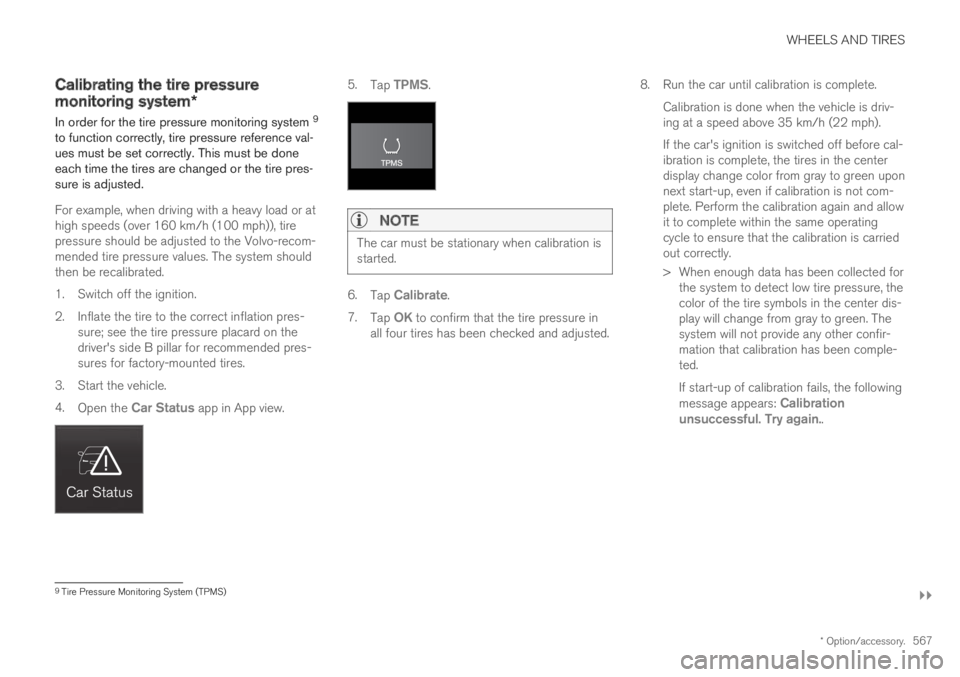
4.Open the Car Status app in App view.
5.Tap TPMS.
NOTE
The car must be stationary when calibration isstarted.
6.Tap Calibrate.
7.Tap OK to confirm that the tire pressure inall four tires has been checked and adjusted.
8.Run the car until calibration is complete.
Calibration is done when the vehicle is driv-ing at a speed above 35 km/h (22 mph).
If the car's ignition is switched off before cal-ibration is complete, the tires in the centerdisplay change color from gray to green uponnext start-up, even if calibration is not com-plete. Perform the calibration again and allowit to complete within the same operatingcycle to ensure that the calibration is carriedout correctly.
> When enough data has been collected forthe system to detect low tire pressure, thecolor of the tire symbols in the center dis-play will change from gray to green. Thesystem will not provide any other confir-mation that calibration has been comple-ted.
If start-up of calibration fails, the followingmessage appears: Calibrationunsuccessful. Try again..
9Tire Pressure Monitoring System (TPMS)
Page 618 of 695
MAINTENANCE AND SERVICE
* Option/accessory.616
Hoisting the vehicle
When hoisting the vehicle, it is important toensure the jack/vehicle hoist is correctlyengaged in the designated attachment pointsunder the vehicle.
For vehicles with self-leveling*, pneumatic sus-pension (if installed) must be turned off beforethe vehicle is lifted. Turning off the function in thecenter display.
WARNING
If the vehicle is lifted on a garage jack, thejack must be placed under one of the four lift-ing points. Make sure that the vehicle is cor-rectly positioned on the jack and that it can-not slide off. Make sure the jack plate has arubber pad to help keep the vehicle stableand prevent damage. Always use axle standsor similar.
NOTE
Volvo recommends only using the jackintended for your specific vehicle model. If ajack other than that recommended by Volvo isused, follow the instructions included with theequipment.
The vehicle's ordinary jack is only intended tobe used in temporary situations for short peri-ods of time, such as when changing wheels inthe event of a flat tire. If the vehicle needs tobe lifted more frequently, or for a longerperiod of time than for a wheel change, agarage jack or hoist is recommended. Alwaysfollow the instructions for use provided withthe equipment.
Page 648 of 695
||
MAINTENANCE AND SERVICE
* Option/accessory.646
WARNING
Never use more than one inlay mat at atime on the driver's floor. If any other typeof floor mat is used, remove the originalmat from the driver's seat floor beforedriving. All types of mats must be securelyanchored in the attachment points in thefloor. Make sure the floor mat does notimpede the movement of the brake pedalor accelerator pedal in any way, as thiscould be a serious safety hazard.
Volvo's floor mats are specially manufac-tured for your vehicle. They must be prop-erly secured in the attachment points inthe floor to help ensure they cannot slideand become trapped under the pedals.
After vacuuming, a specially designed textilecleaning agent should be used to remove stainson floor mats. Floor mats should be cleaned withproducts recommended by Volvo retailers.
Related information
Cleaning the interior (p. 643)
Cleaning the center display (p. 643)
Cleaning fabric upholstery and ceiling liner(p. 645)
Cleaning the seat belt (p. 645)
Cleaning leather upholstery (p. 646)
Cleaning the leather steering wheel(p. 647)
Cleaning interior plastic, metal and wood sur-faces (p. 648)
Cleaning leather upholstery
Only use cleaning agents and car care productsrecommended by Volvo. Clean regularly andtreat stains immediately for best results. It isimportant to vacuum before using a cleaningagent.
Leather upholstery *
Volvo's leather upholstery is treated to protect itsoriginal appearance. Over time, sunlight, grease,dirt, etc. could break down the protective layer.This could result in scratches and cracking.
Leather upholstery is a natural product thatchanges and acquires a beautiful patina overtime. Regular cleaning and treatments arerequired to preserve the qualities and color of theleather. Volvo offers a comprehensive product,Volvo Leather Care Kit/Wipes, for cleaning andtreating leather upholstery that, when used asdirected, preserves the leather's protective coa-ting.
For best results, Volvo recommends cleaning andapplying protective cream one to four times ayear (or more as needed). Volvo Leather Care Kit951 0251 and Volvo Leather Softener 9437429 are available for purchase at Volvo retailers.
Page 653 of 695
MAINTENANCE AND SERVICE
651
Automatic car washes
The vehicle should be washed as soon as itbecomes dirty. This makes the vehicle easier toclean because dirt does not attach as strongly. Italso reduces the risk of scratches and keeps thevehicle looking new.
An automatic car wash is a fast and easy way tokeep your vehicle clean, but it does not reach allareas of the vehicle. For best results, Volvo rec-ommends hand washing your vehicle or supple-menting automatic car washes with a hand wash.
NOTE
Volvo recommends not washing the vehicle inan automatic car wash during the first fewmonths; the paintwork on new vehicles takessome time to fully harden.
CAUTION
Before driving the vehicle into a car wash,deactivate the Automatic Braking when Sta-tionary and Automatic Parking Brake Applica-tion functions. If the functions are not deacti-vated, the brake system will seize when thevehicle is stationary and the vehicle will not beable to roll.
CAUTION
For automatic car washes in which the vehicleis pulled forward on rolling wheels:
1.Before washing the vehicle, make surethat the automatic rain sensor is deacti-vated. If it is not deactivated and inadver-tently starts, the wiper arms could bedamaged.
2. To help prevent damage from the auto-matic car wash machinery, make surethat the door mirrors are folded in, anten-nas retracted or removed, and any auxili-ary lights secured.
3. Drive into the automatic car wash.
4. Turn off the "Automatic Braking when
Stationary" function using the buttonin the tunnel console.
5.Turn off the "Automatic Parking BrakeApplication" function in the center dis-play's Top view.
6. Turn off the engine by turning the startknob in the tunnel console clockwise.Hold the knob in position for at least2 seconds.
The vehicle is now ready for the automatic carwash.
CAUTION
The system will automatically change to Pmode if the above steps are not followed. In Pmode, the wheels are locked, which theyshould not be when the vehicle is beingwashed in a car wash.
Related information
Cleaning the exterior (p. 648)
Polishing and waxing (p. 649)
Hand washing (p. 649)
High-pressure washing (p. 652)
Cleaning the wiper blades (p. 652)
Cleaning exterior plastic, rubber and trimcomponents (p. 653)
Cleaning rims (p. 654)
Corrosion protection (p. 654)
Page 677 of 695
INDEX
675
1, 2, 3 ...
4WD448
A
ABS
anti-lock brakes435
AC (Air conditioning) 224
ACC - Adaptive Cruise Control 294, 297,
298, 299, 300, 301, 303, 304, 305, 306,
307, 308
Accessories and extra equipment 35
installation 36
Accessory installation warning 36, 37
Active Bending Lights 159
Adapting driving characteristics 272, 450
Adaptive Cruise Control 294, 297, 298,
299, 300, 301, 303, 304, 305, 306, 307, 308
change cruise control functionality 307
function 294
manage speed 298, 299
pass 303, 304
radar sensor 326
set time interval 300, 301
troubleshooting 306
Adjusting the steering wheel 198
Airbag52
activation/deactivation56
driver's side53
passenger side53, 56
Air bag, see Airbag52
Air conditioning224
Air conditioning, fluid
volume and grade672
Air distribution205
air vents205, 207
changing206
defrosting218
recirculation217
table showing options209
Air quality202, 204
allergy and asthma204
passenger compartment filter 205
Air recirculation217
Alarm267
deactivating268
Allergy and asthma-inducing substances 204
All Wheel Drive, AWD448
All Wheel Drive (AWD)448
All Wheel Drive (four-wheel drive) 448
Android Auto526, 528
Antenna
location256
Apple CarPlay523, 525
Approach lighting161
Apps494
Assistance at risk of collision 375, 376,
377, 378, 379, 380, 381, 382, 384
Audio and media492
Audio system
HD digital radio504
SiriusXM® Satellite radio 504, 505, 507
Auto-climate216
Auto hold442
Auto-hold brakes442
activate and deactivate442
after collision443
Automatic car wash651
Automatic high beam157
Automatic locking260
Automatic relocking240, 253
Automatic Speed Limiter 281, 283, 284, 285
Automatic transmission445
kickdown448
oil671
Trailer479
Auxiliary heater232
INDEX
Page 687 of 695
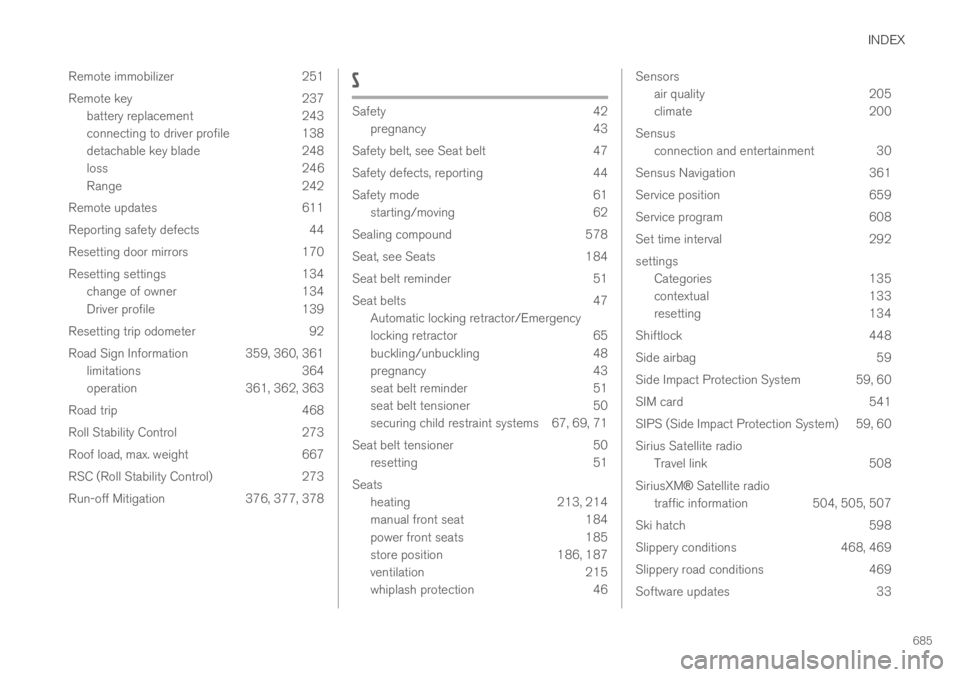
INDEX
685
Remote immobilizer 251
Remote key 237
battery replacement 243
connecting to driver profile 138
detachable key blade 248
loss 246
Range 242
Remote updates 611
Reporting safety defects 44
Resetting door mirrors 170
Resetting settings 134
change of owner 134
Driver profile 139
Resetting trip odometer 92
Road Sign Information 359, 360, 361
limitations 364
operation 361, 362, 363
Road trip 468
Roll Stability Control 273
Roof load, max. weight 667
RSC (Roll Stability Control) 273
Run-off Mitigation 376, 377, 378
S
Safety42
pregnancy43
Safety belt, see Seat belt 47
Safety defects, reporting 44
Safety mode 61
starting/moving 62
Sealing compound 578
Seat, see Seats 184
Seat belt reminder 51
Seat belts 47
Automatic locking retractor/Emergency
locking retractor 65
buckling/unbuckling 48
pregnancy 43
seat belt reminder 51
seat belt tensioner 50
securing child restraint systems 67, 69, 71
Seat belt tensioner 50
resetting 51
Seats
heating 213, 214
manual front seat 184
power front seats 185
store position 186, 187
ventilation 215
whiplash protection 46
Sensors
air quality205
climate200
Sensus
connection and entertainment 30
Sensus Navigation 361
Service position 659
Service program 608
Set time interval 292
settings
Categories 135
contextual 133
resetting 134
Shiftlock 448
Side airbag 59
Side Impact Protection System 59, 60
SIM card 541
SIPS (Side Impact Protection System) 59, 60
Sirius Satellite radio
Travel link 508
SiriusXM® Satellite radio
traffic information 504, 505, 507
Ski hatch 598
Slippery conditions 468, 469
Slippery road conditions 469
Software updates 33