light VOLVO XC60 TWIN ENGINE 2019 Workshop Manual
[x] Cancel search | Manufacturer: VOLVO, Model Year: 2019, Model line: XC60 TWIN ENGINE, Model: VOLVO XC60 TWIN ENGINE 2019Pages: 695, PDF Size: 14.96 MB
Page 197 of 695
SEATS AND STEERING WHEEL
195
Folding the backrests manually
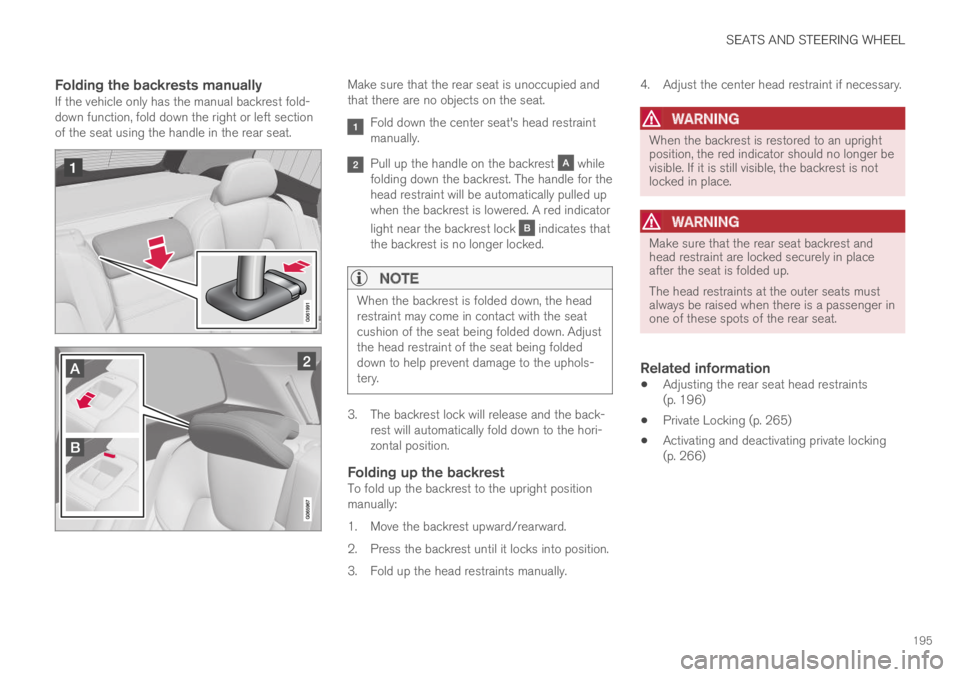
If the vehicle only has the manual backrest fold-down function, fold down the right or left sectionof the seat using the handle in the rear seat.
Make sure that the rear seat is unoccupied andthat there are no objects on the seat.
Fold down the center seat's head restraintmanually.
Pull up the handle on the backrest whilefolding down the backrest. The handle for thehead restraint will be automatically pulled upwhen the backrest is lowered. A red indicator
light near the backrest lock indicates thatthe backrest is no longer locked.
NOTE
When the backrest is folded down, the headrestraint may come in contact with the seatcushion of the seat being folded down. Adjustthe head restraint of the seat being foldeddown to help prevent damage to the uphols-tery.
3. The backrest lock will release and the back-rest will automatically fold down to the hori-zontal position.
Folding up the backrest
To fold up the backrest to the upright positionmanually:
1. Move the backrest upward/rearward.
2. Press the backrest until it locks into position.
3. Fold up the head restraints manually.
4. Adjust the center head restraint if necessary.
WARNING
When the backrest is restored to an uprightposition, the red indicator should no longer bevisible. If it is still visible, the backrest is notlocked in place.
WARNING
Make sure that the rear seat backrest andhead restraint are locked securely in placeafter the seat is folded up.
The head restraints at the outer seats mustalways be raised when there is a passenger inone of these spots of the rear seat.
Related information
Adjusting the rear seat head restraints(p. 196)
Private Locking (p. 265)
Activating and deactivating private locking(p. 266)
Page 200 of 695
||
SEATS AND STEERING WHEEL
* Option/accessory.198
Horn
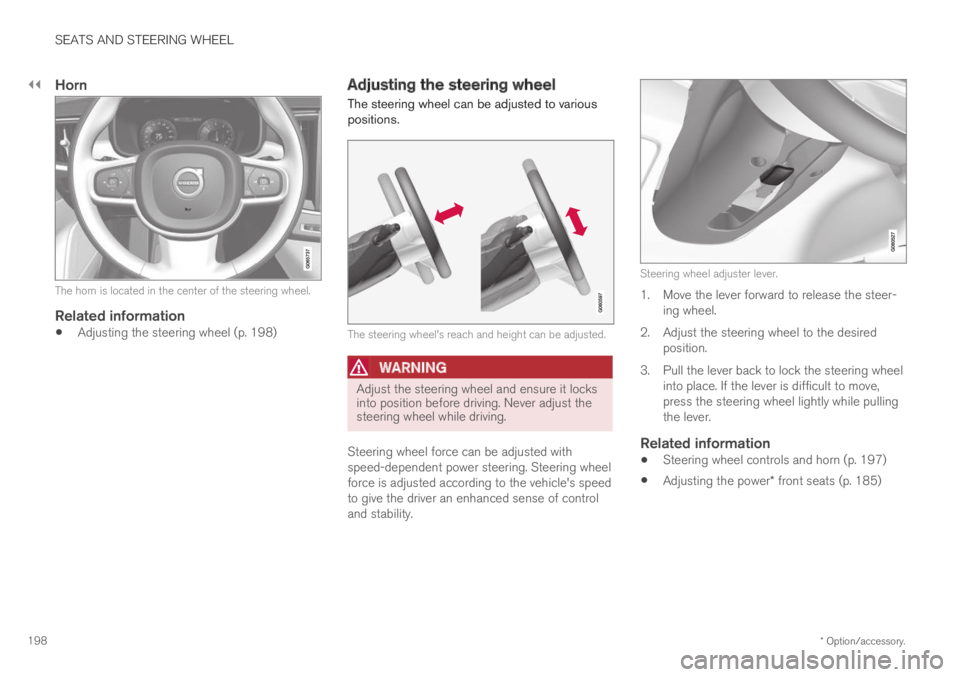
The horn is located in the center of the steering wheel.
Related information
Adjusting the steering wheel (p. 198)
Adjusting the steering wheel
The steering wheel can be adjusted to variouspositions.
The steering wheel's reach and height can be adjusted.
WARNING
Adjust the steering wheel and ensure it locksinto position before driving. Never adjust thesteering wheel while driving.
Steering wheel force can be adjusted withspeed-dependent power steering. Steering wheelforce is adjusted according to the vehicle's speedto give the driver an enhanced sense of controland stability.
Steering wheel adjuster lever.
1. Move the lever forward to release the steer-ing wheel.
2.Adjust the steering wheel to the desiredposition.
3. Pull the lever back to lock the steering wheelinto place. If the lever is difficult to move,press the steering wheel lightly while pullingthe lever.
Related information
Steering wheel controls and horn (p. 197)
Adjusting the power* front seats (p. 185)
Page 202 of 695
CLIMATE CONTROL
* Option/accessory.200
Climate
The vehicle is equipped with electronic climatecontrol. The climate system cools, heats anddehumidifies the air in the passenger compart-ment.
All of the climate system functions are controlledfrom the center display and the buttons on thecenter console.
Certain rear seat functions can also be controlledfrom the climate controls* on the rear of the tun-nel console.
Related information
Climate zones (p. 200)
Climate control sensors (p. 200)
Perceived temperature (p. 201)
Climate control system voice commands(p. 201)
Parking climate (p. 224)
Air quality (p. 202)
Air distribution (p. 205)
Climate system controls (p. 212)
Climate zones
The vehicle is divided into climate zones to makeit possible to set different temperatures for dif-ferent parts of the passenger compartment.
2-zone climate system
Climate zones with 2-zone climate system.
In 2-zone climate systems, the passenger com-partment temperature can be set separately forthe left and right sides of the vehicle.
Related information
Climate (p. 200)
Climate control sensors
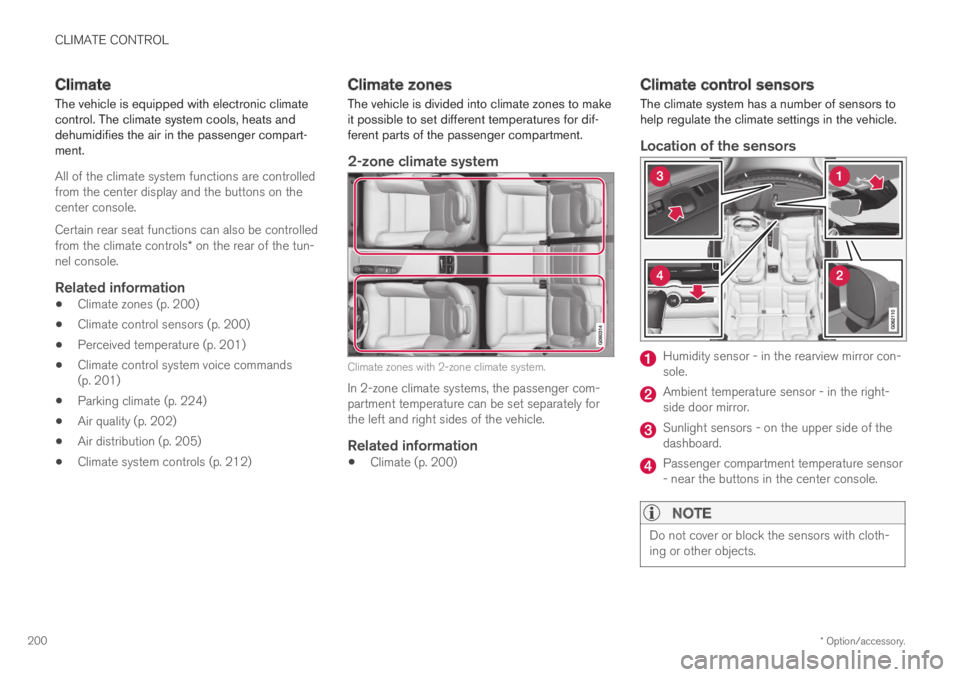
The climate system has a number of sensors tohelp regulate the climate settings in the vehicle.
Location of the sensors
Humidity sensor - in the rearview mirror con-sole.
Ambient temperature sensor - in the right-side door mirror.
Sunlight sensors - on the upper side of thedashboard.
Passenger compartment temperature sensor- near the buttons in the center console.
NOTE
Do not cover or block the sensors with cloth-ing or other objects.
Page 203 of 695
CLIMATE CONTROL
}}
* Option/accessory.201
On vehicles equipped with the Interior Air QualitySystem*, there is also an air quality sensor in theclimate system's air intake.
Related information
Climate (p. 200)
Interior Air Quality System* (p. 204)
Perceived temperature
The climate control system regulates the climatein the passenger compartment based on per-ceived temperature, not actual temperature.
The selected passenger compartment tempera-ture is based on the physical perception of thecurrent ambient temperature, airflow speed,humidity, sunlight in the passenger compartment,etc.
The system has a sunlight sensor that detectswhich side of the vehicle the sunlight is shiningon and adjusts the temperature accordingly. Thismeans that the temperature of the air coming outof the vents may be different for the left and rightsides, even if the temperature setting is the samefor both sides.
Related information
Climate (p. 200)
Climate control system voice
commands1
Voice commands can be used for the climatecontrol system to e.g. change temperature, acti-vate seat heating* or change blower speed.
Tap and say one of the following commands:
"Climate" - starts a command dialog for cli-mate controls and provides examples ofcommands that can be used.
"Set temperature to X degrees" - setsdesired temperature.
"Raise temperature"/"Lowertemperature" - raises/lowers the set tem-perature.
"Sync temperature" - synchronizes thetemperature for all climate zones in the vehi-cle with the temperature set for the driver'sside.
"Air on feet"/"Air on body" - opens thedesired air vent.
"Air on feet off"/"Air on body off" - closesthe desired air vent.
"Set fan to max"/"Turn off fan" - changesblower speed to Max/Off.
"Raise fan speed"/"Lower fan speed" -raises/lowers the set blower speed.
1Certain markets only.
Page 208 of 695
||
CLIMATE CONTROL
206
Related information
Climate (p. 200)
Adjusting air distribution (p. 206)
Opening, closing and directing air vents(p. 207)
Air distribution options (p. 209)
Adjusting air distribution
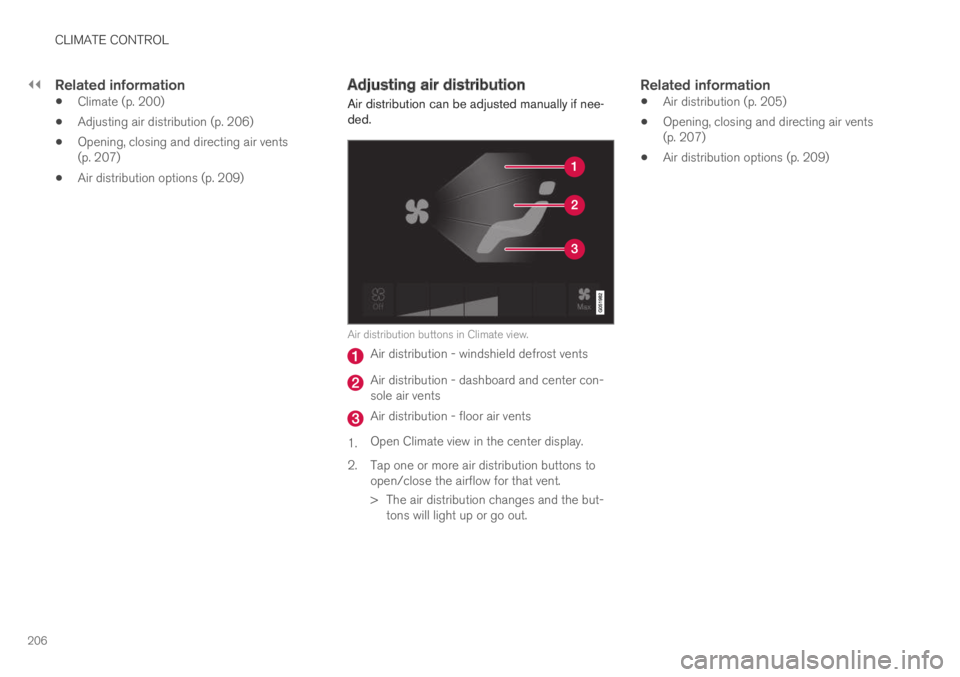
Air distribution can be adjusted manually if nee-ded.
Air distribution buttons in Climate view.
Air distribution - windshield defrost vents
Air distribution - dashboard and center con-sole air vents
Air distribution - floor air vents
1.Open Climate view in the center display.
2.Tap one or more air distribution buttons toopen/close the airflow for that vent.
> The air distribution changes and the but-tons will light up or go out.
Related information
Air distribution (p. 205)
Opening, closing and directing air vents(p. 207)
Air distribution options (p. 209)
Page 216 of 695
||
CLIMATE CONTROL
* Option/accessory.214
Related information
Climate system controls (p. 212)
Activating and deactivating the heated frontseat* (p. 214)
Activating and deactivating the
heated front seat*
The seats can be heated for added comfort forthe driver and passengers in cold weather.
Seat heating can be set to automatically activatewhen the engine is started. When set to automat-ically activate, heating will be turned on at lowambient temperatures.
1.Tap Settings in the Top view in the centerdisplay.
2.Tap Climate.
3.Select Auto Driver Seat Heating Leveland Auto Passenger Seat Heating Levelto activate/deactivate automatic start ofheated driver's and passenger seat.
4.Select Low, Medium or High to select levelafter the function has been activated.
Related information
Climate system controls (p. 212)
Activating and deactivating power frontseats* (p. 213)
Activating and deactivating the
heated rear seats*
The seats can be heated for added comfort forthe driver and passengers in cold weather.
Activating and deactivating the heated
rear seats from the rear seat
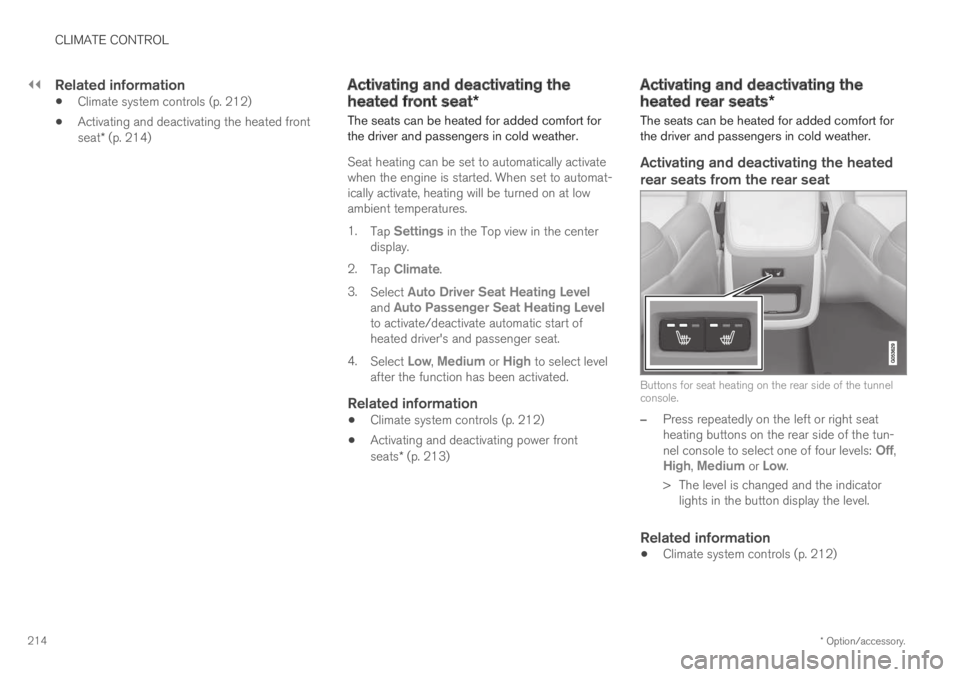
Buttons for seat heating on the rear side of the tunnelconsole.
–Press repeatedly on the left or right seatheating buttons on the rear side of the tun-nel console to select one of four levels: Off,High, Medium or Low.
>The level is changed and the indicatorlights in the button display the level.
Related information
Climate system controls (p. 212)
Page 218 of 695
||
CLIMATE CONTROL
* Option/accessory.216
Related information
Climate system controls (p. 212)
Activating and deactivating automatic steer-ing wheel heating* (p. 216)
Activating and deactivating
automatic steering wheel heating*
The steering wheel can be heated for addedcomfort in cold weather.
Steering wheel heating can be set to automati-cally activate when the engine is started. Whenset to automatically activate, heating will beturned on at low ambient temperatures.
1.Tap Settings in the Top view in the centerdisplay.
2.Tap Climate.
3.Select Auto Steering Wheel HeatingLevel to activate/deactivate automatic startof heated steering wheel.
4.Select Low, Medium or High to select levelafter the function has been activated.
Related information
Activating and deactivating the heated steer-ing wheel* (p. 215)
Activating auto climate control
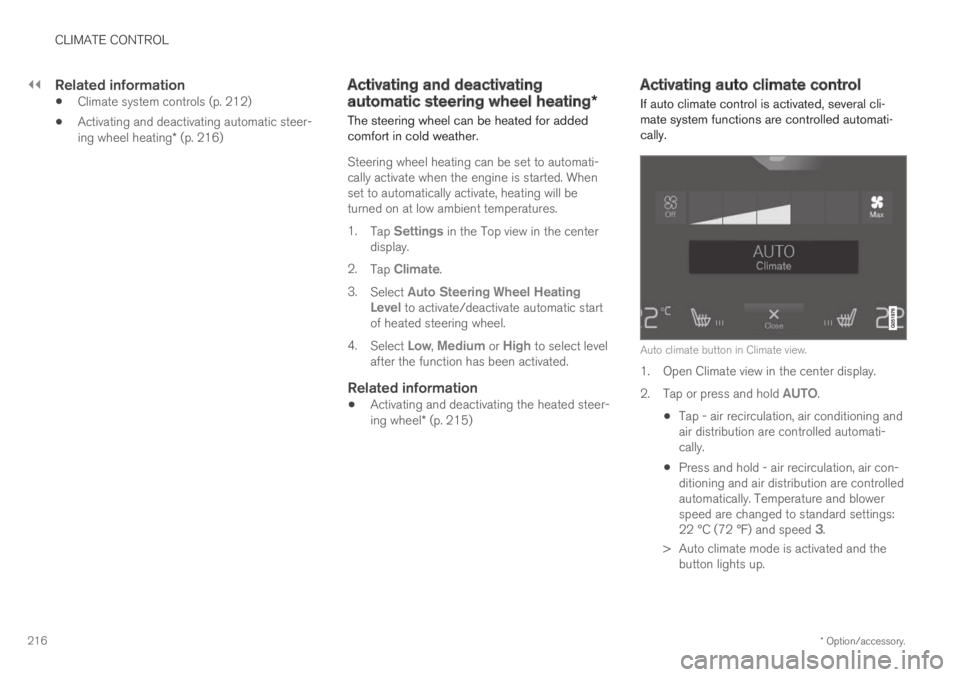
If auto climate control is activated, several cli-mate system functions are controlled automati-cally.
Auto climate button in Climate view.
1. Open Climate view in the center display.
2.Tap or press and hold AUTO.
Tap - air recirculation, air conditioning andair distribution are controlled automati-cally.
Press and hold - air recirculation, air con-ditioning and air distribution are controlledautomatically. Temperature and blowerspeed are changed to standard settings:22 °C (72 °F) and speed 3.
>Auto climate mode is activated and thebutton lights up.
Page 219 of 695
CLIMATE CONTROL
217
NOTE
It is possible to change the temperature andblower speed without deactivating automaticclimate control. Automatic climate control isdeactivated when the air distribution ischanged manually or when the max defrosteris activated.
Related information
Climate system controls (p. 212)
Activating and deactivatingrecirculation
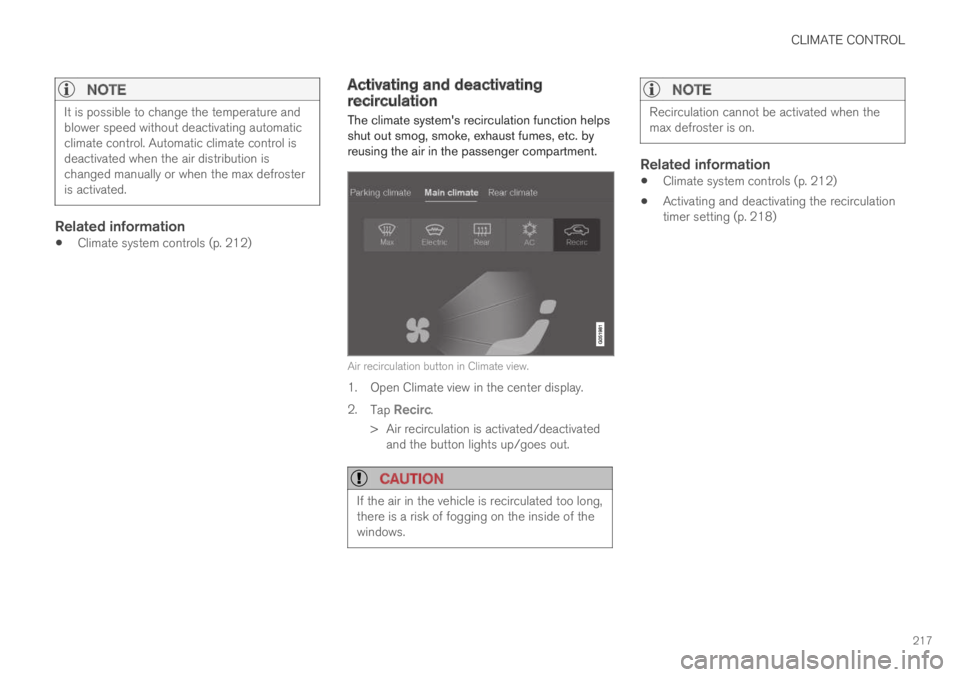
The climate system's recirculation function helpsshut out smog, smoke, exhaust fumes, etc. byreusing the air in the passenger compartment.
Air recirculation button in Climate view.
1. Open Climate view in the center display.
2.Tap Recirc.
>Air recirculation is activated/deactivatedand the button lights up/goes out.
CAUTION
If the air in the vehicle is recirculated too long,there is a risk of fogging on the inside of thewindows.
NOTE
Recirculation cannot be activated when themax defroster is on.
Related information
Climate system controls (p. 212)
Activating and deactivating the recirculationtimer setting (p. 218)
Page 220 of 695
CLIMATE CONTROL
* Option/accessory.218
Activating and deactivating therecirculation timer setting
The climate system's recirculation function helpsshut out smog, smoke, exhaust fumes, etc. byreusing the air in the passenger compartment.
When the recirculation timer is activated, air recir-culation will switch off automatically after 20minutes.
1.Tap Settings in the Top view in the centerdisplay.
2.Tap Climate.
3.Tap Recirculation Timer to activate/deacti-vate the recirculation timer.
Related information
Activating and deactivating recirculation(p. 217)
Activating and deactivating maxdefroster
Max defroster is used to quickly remove conden-sation and ice from windows.
Activating and deactivating max
defroster from the center console
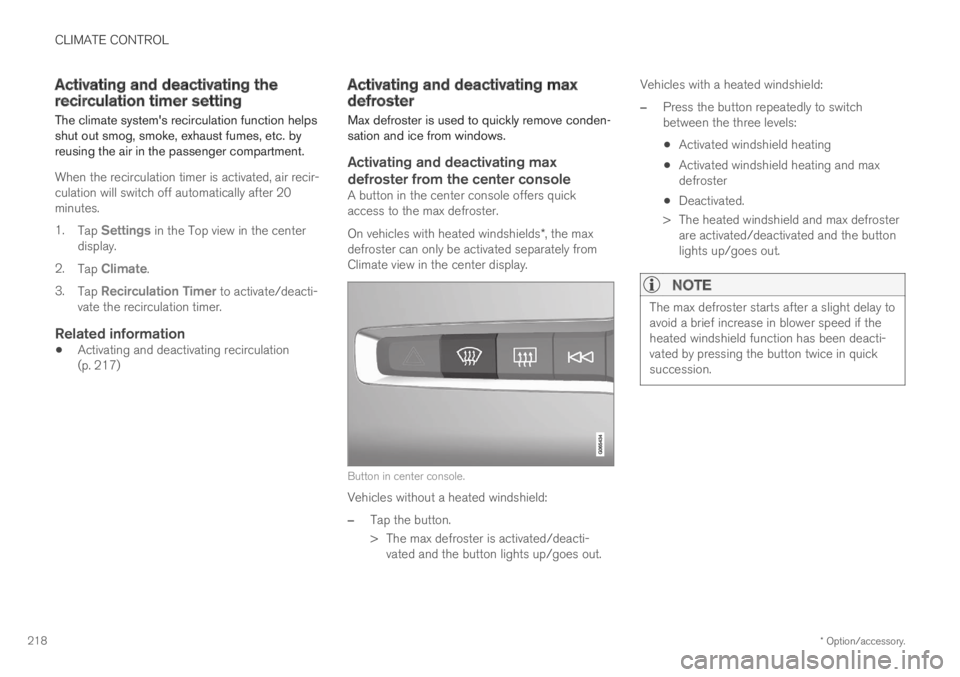
A button in the center console offers quickaccess to the max defroster.
On vehicles with heated windshields*, the maxdefroster can only be activated separately fromClimate view in the center display.
Button in center console.
Vehicles without a heated windshield:
–Tap the button.
>The max defroster is activated/deacti-vated and the button lights up/goes out.
Vehicles with a heated windshield:
–Press the button repeatedly to switchbetween the three levels:
Activated windshield heating
Activated windshield heating and maxdefroster
Deactivated.
>The heated windshield and max defrosterare activated/deactivated and the buttonlights up/goes out.
NOTE
The max defroster starts after a slight delay toavoid a brief increase in blower speed if theheated windshield function has been deacti-vated by pressing the button twice in quicksuccession.
Page 221 of 695
CLIMATE CONTROL
}}
* Option/accessory.219
Activating and deactivating max
defroster from the center display
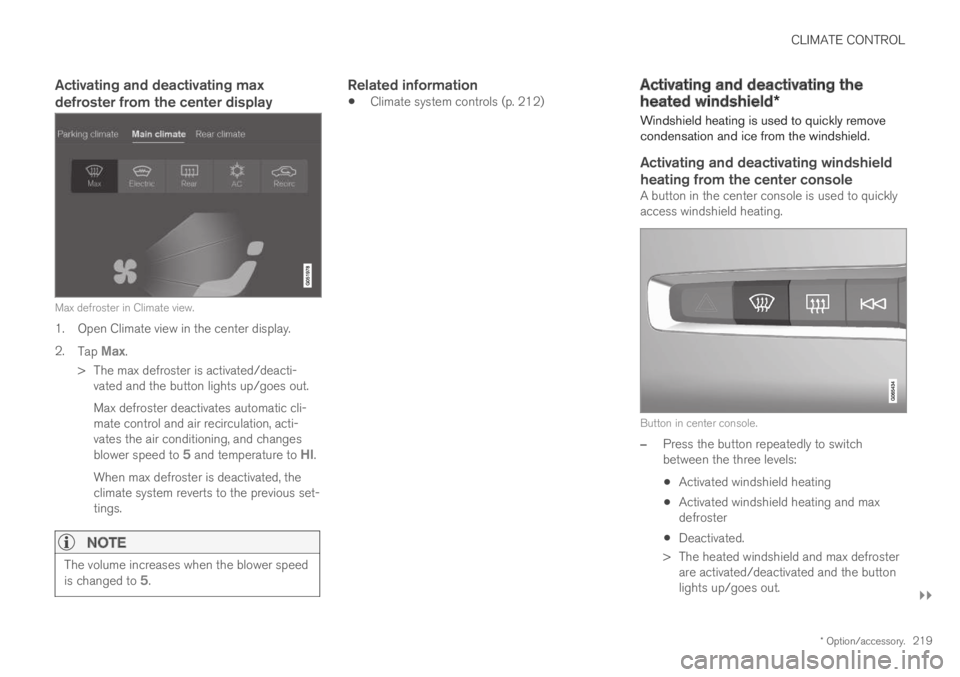
Max defroster in Climate view.
1. Open Climate view in the center display.
2.Tap Max.
>The max defroster is activated/deacti-vated and the button lights up/goes out.
Max defroster deactivates automatic cli-mate control and air recirculation, acti-vates the air conditioning, and changesblower speed to 5 and temperature to HI.
When max defroster is deactivated, theclimate system reverts to the previous set-tings.
NOTE
The volume increases when the blower speedis changed to 5.
Related information
Climate system controls (p. 212)Activating and deactivating the
heated windshield*
Windshield heating is used to quickly removecondensation and ice from the windshield.
Activating and deactivating windshield
heating from the center console
A button in the center console is used to quicklyaccess windshield heating.
Button in center console.
–Press the button repeatedly to switchbetween the three levels:
Activated windshield heating
Activated windshield heating and maxdefroster
Deactivated.
>The heated windshield and max defrosterare activated/deactivated and the buttonlights up/goes out.