steering wheel VOLVO XC60 TWIN ENGINE 2019 Workshop Manual
[x] Cancel search | Manufacturer: VOLVO, Model Year: 2019, Model line: XC60 TWIN ENGINE, Model: VOLVO XC60 TWIN ENGINE 2019Pages: 695, PDF Size: 14.96 MB
Page 199 of 695
SEATS AND STEERING WHEEL
}}
* Option/accessory.197
Folding the rear seat outboard head
restraints using the handle
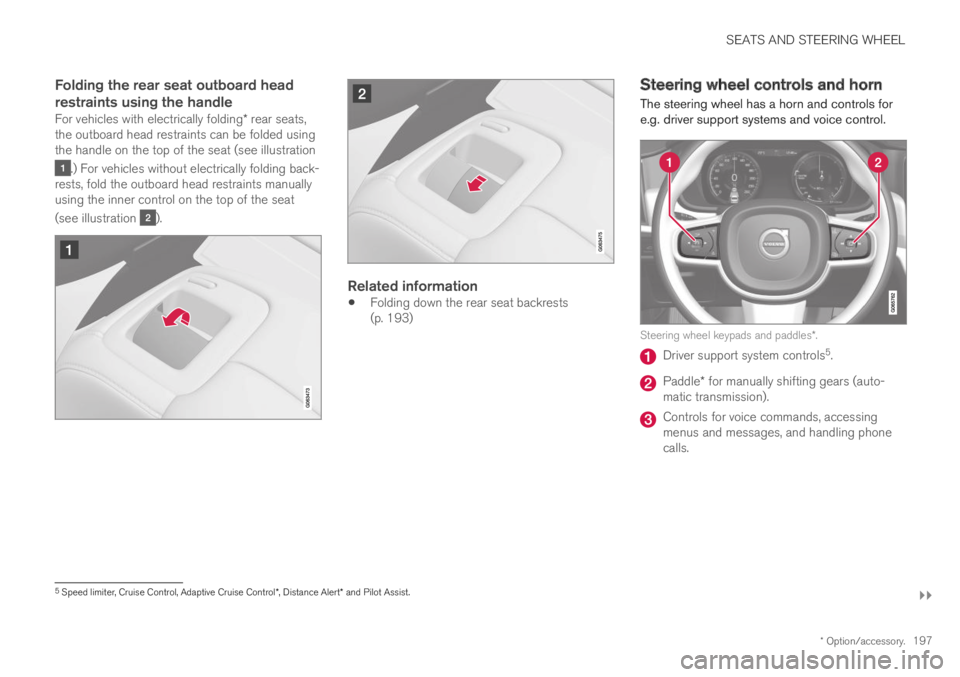
For vehicles with electrically folding* rear seats,the outboard head restraints can be folded usingthe handle on the top of the seat (see illustration
.) For vehicles without electrically folding back-rests, fold the outboard head restraints manuallyusing the inner control on the top of the seat
(see illustration ).
Related information
Folding down the rear seat backrests(p. 193)
Steering wheel controls and horn
The steering wheel has a horn and controls fore.g. driver support systems and voice control.
Steering wheel keypads and paddles*.
Driver support system controls5.
Paddle* for manually shifting gears (auto-matic transmission).
Controls for voice commands, accessingmenus and messages, and handling phonecalls.
5Speed limiter, Cruise Control, Adaptive Cruise Control*, Distance Alert* and Pilot Assist.
Page 200 of 695
||
SEATS AND STEERING WHEEL
* Option/accessory.198
Horn
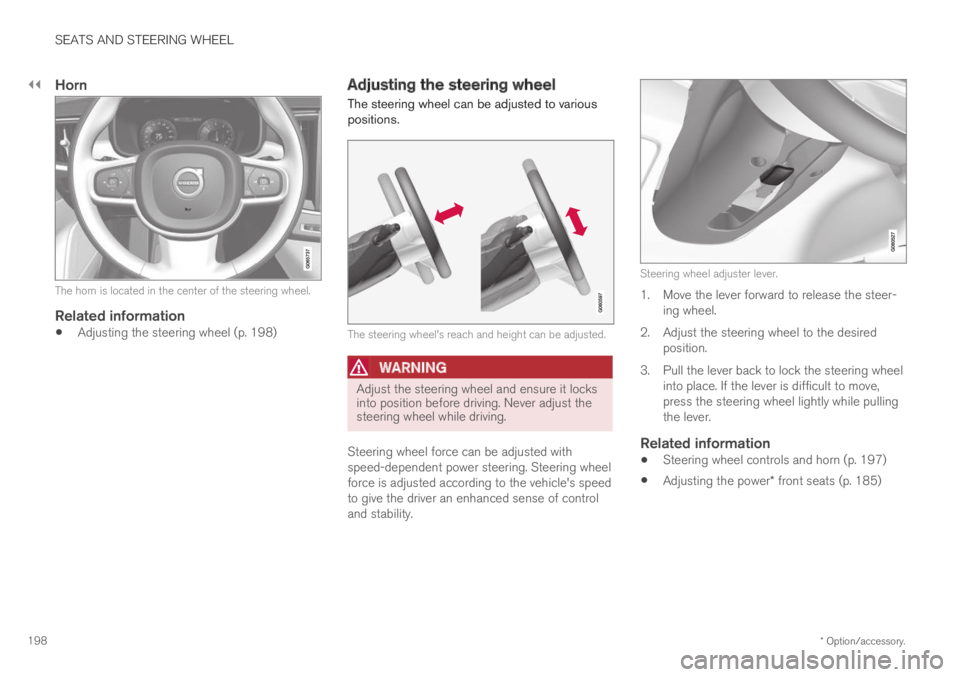
The horn is located in the center of the steering wheel.
Related information
Adjusting the steering wheel (p. 198)
Adjusting the steering wheel
The steering wheel can be adjusted to variouspositions.
The steering wheel's reach and height can be adjusted.
WARNING
Adjust the steering wheel and ensure it locksinto position before driving. Never adjust thesteering wheel while driving.
Steering wheel force can be adjusted withspeed-dependent power steering. Steering wheelforce is adjusted according to the vehicle's speedto give the driver an enhanced sense of controland stability.
Steering wheel adjuster lever.
1. Move the lever forward to release the steer-ing wheel.
2.Adjust the steering wheel to the desiredposition.
3. Pull the lever back to lock the steering wheelinto place. If the lever is difficult to move,press the steering wheel lightly while pullingthe lever.
Related information
Steering wheel controls and horn (p. 197)
Adjusting the power* front seats (p. 185)
Page 204 of 695
||
CLIMATE CONTROL
* Option/accessory.202
"Turn on auto" - activates automatic climatecontrol.
"Air condition on"/"Air condition off" -activates/deactivates air conditioning.
"Recirculation on"/"Recirculation off" -activates/deactivates air recirculation.
"Turn on defroster "/"Turn off defroster"- activates/deactivates window and door mir-ror defrosting.
"Turn on max defroster"/"Turn off maxdefroster" - activates/deactivates maxdefroster.
"Turn on electric defroster"/"Turn offelectric defroster" - activates/deactivatesheated windshield*.
"Turn on rear defroster"/"Turn off reardefroster" - Activates/deactivates heatedrear window and door mirrors.
"Turn steering wheel heat on"/"Turnsteering wheel heat off" - activates/deac-tivates heated steering wheel*.
"Raise steering wheel heat"/"Lowersteering wheel heat" - raises/lowers thelevel of steering wheel heating*.
"Turn on seat heat"/"Turn off seat heat"- activates/deactivates seat heating*.
"Raise seat heat"/"Lower seat heat" -raises/lowers the level of seat heating*.
"Turn on seat ventilation"/"Turn off seatventilation" - activates/deactivates seatventilation*.
"Raise seat ventilation"/"Lower seatventilation" - raises/lowers the level of seatventilation*.
Related information
Climate (p. 200)
Voice control (p. 145)
Using voice commands (p. 146)
Voice control settings (p. 148)
Air quality
The materials used in the passenger compart-ment and air filtering system have been selectedto ensure a high level of air quality in the passen-ger compartment.
Materials used in the passenger
compartment
The materials in the passenger compartment aredesigned to be pleasant and comfortable, evenfor people with asthma or allergies.
The materials have been developed and tested tominimize dust in the passenger compartment andmake it easier to keep clean.
The mats in both the passenger compartmentand cargo compartment can be easily removedfor cleaning.
Use Volvo-recommended cleaning agents andcar care products to clean the interior.
Air filtering systems
In addition to the passenger compartment filter,the Clean Zone Interior Package* and Interior AirQuality System* also help maintain high air qual-ity in the passenger compartment.
Related information
Climate (p. 200)
Clean Zone* (p. 203)
Clean Zone Interior Package* (p. 204)
Page 214 of 695
CLIMATE CONTROL
* Option/accessory.212
Climate system controls
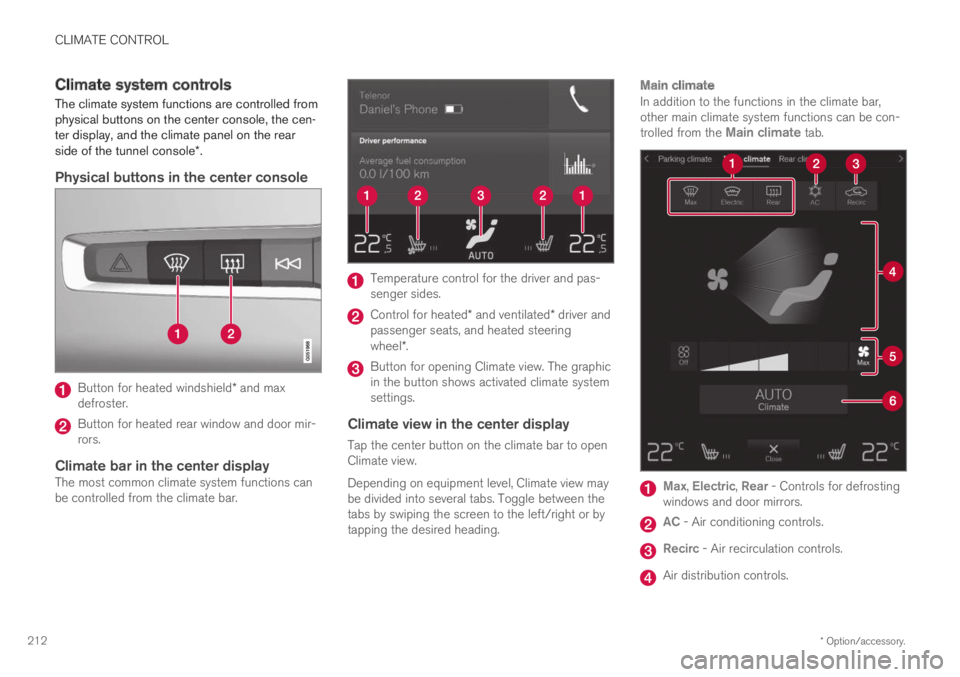
The climate system functions are controlled fromphysical buttons on the center console, the cen-ter display, and the climate panel on the rearside of the tunnel console*.
Physical buttons in the center console
Button for heated windshield* and maxdefroster.
Button for heated rear window and door mir-rors.
Climate bar in the center display
The most common climate system functions canbe controlled from the climate bar.
Temperature control for the driver and pas-senger sides.
Control for heated* and ventilated* driver andpassenger seats, and heated steeringwheel*.
Button for opening Climate view. The graphicin the button shows activated climate systemsettings.
Climate view in the center display
Tap the center button on the climate bar to openClimate view.
Depending on equipment level, Climate view maybe divided into several tabs. Toggle between thetabs by swiping the screen to the left/right or bytapping the desired heading.
Main climate
In addition to the functions in the climate bar,other main climate system functions can be con-trolled from the Main climate tab.
Max, Electric, Rear - Controls for defrostingwindows and door mirrors.
AC - Air conditioning controls.
Recirc - Air recirculation controls.
Air distribution controls.
Page 215 of 695
CLIMATE CONTROL
}}
* Option/accessory.213
Blower control.
AUTO - Automatic climate control.
Parking climate
Parking climate functions can be controlled fromthe Parking climate tab.
Climate controls on the rear side of the
tunnel console *
If the vehicle is equipped with heated rear seats*,there are physical buttons on the rear side of thetunnel console to control this.
Related information
Climate (p. 200)
Activating and deactivating power frontseats* (p. 213)
Activating and deactivating the heated rearseats* (p. 214)
Activating and deactivating front seat ventila-tion* (p. 215)
Activating and deactivating the heated steer-ing wheel* (p. 215)
Activating auto climate control (p. 216)
Activating and deactivating recirculation(p. 217)
Activating and deactivating max defroster(p. 218)
Activating and deactivating the heated wind-shield* (p. 219)
Activating and deactivating the heated rearwindow and door mirrors (p. 221)
Setting the blower speed for the front seats(p. 222)
Synchronize temperature (p. 223)
Activating and deactivating air conditioning(p. 224)
Activating and deactivating power
front seats*
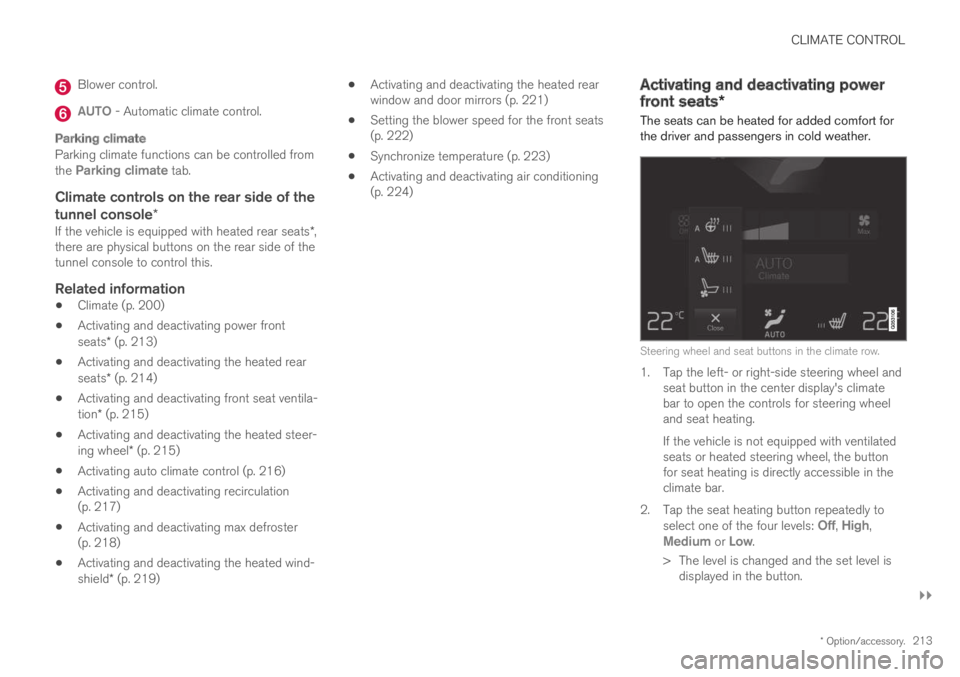
The seats can be heated for added comfort forthe driver and passengers in cold weather.
Steering wheel and seat buttons in the climate row.
1. Tap the left- or right-side steering wheel andseat button in the center display's climatebar to open the controls for steering wheeland seat heating.
If the vehicle is not equipped with ventilatedseats or heated steering wheel, the buttonfor seat heating is directly accessible in theclimate bar.
2.Tap the seat heating button repeatedly toselect one of the four levels: Off, High,Medium or Low.
>The level is changed and the set level isdisplayed in the button.
Page 217 of 695
CLIMATE CONTROL
}}
* Option/accessory.215
Activating and deactivating front
seat ventilation*
The seats can be ventilated to provide increasedcomfort in warm weather.
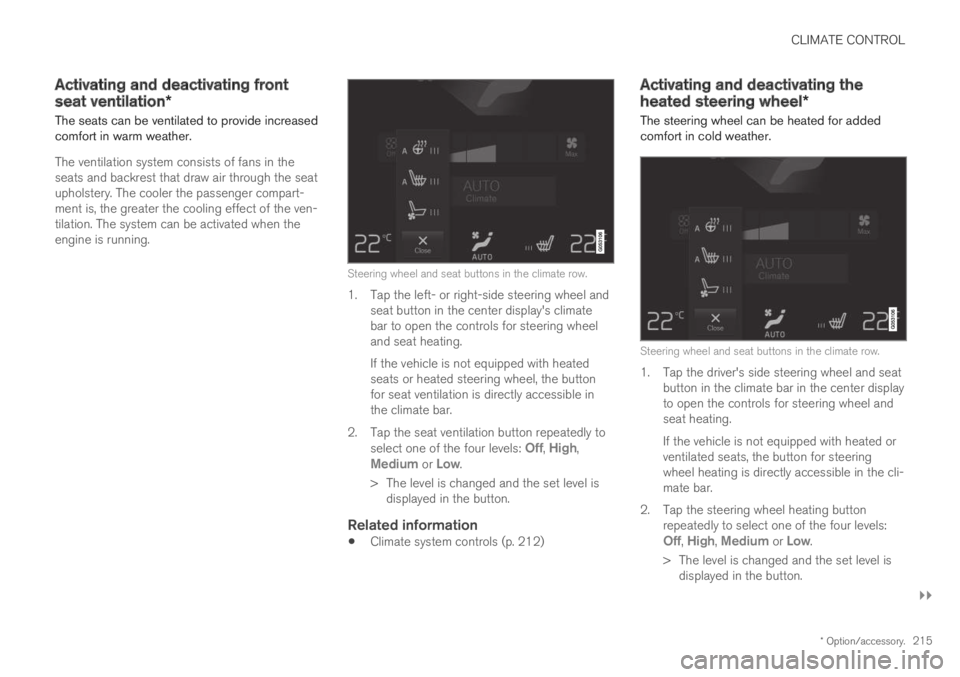
The ventilation system consists of fans in theseats and backrest that draw air through the seatupholstery. The cooler the passenger compart-ment is, the greater the cooling effect of the ven-tilation. The system can be activated when theengine is running.
Steering wheel and seat buttons in the climate row.
1. Tap the left- or right-side steering wheel andseat button in the center display's climatebar to open the controls for steering wheeland seat heating.
If the vehicle is not equipped with heatedseats or heated steering wheel, the buttonfor seat ventilation is directly accessible inthe climate bar.
2.Tap the seat ventilation button repeatedly toselect one of the four levels: Off, High,Medium or Low.
>The level is changed and the set level isdisplayed in the button.
Related information
Climate system controls (p. 212)
Activating and deactivating the
heated steering wheel*
The steering wheel can be heated for addedcomfort in cold weather.
Steering wheel and seat buttons in the climate row.
1. Tap the driver's side steering wheel and seatbutton in the climate bar in the center displayto open the controls for steering wheel andseat heating.
If the vehicle is not equipped with heated orventilated seats, the button for steeringwheel heating is directly accessible in the cli-mate bar.
2.Tap the steering wheel heating buttonrepeatedly to select one of the four levels:Off, High, Medium or Low.
>The level is changed and the set level isdisplayed in the button.
Page 218 of 695
||
CLIMATE CONTROL
* Option/accessory.216
Related information
Climate system controls (p. 212)
Activating and deactivating automatic steer-ing wheel heating* (p. 216)
Activating and deactivating
automatic steering wheel heating*
The steering wheel can be heated for addedcomfort in cold weather.
Steering wheel heating can be set to automati-cally activate when the engine is started. Whenset to automatically activate, heating will beturned on at low ambient temperatures.
1.Tap Settings in the Top view in the centerdisplay.
2.Tap Climate.
3.Select Auto Steering Wheel HeatingLevel to activate/deactivate automatic startof heated steering wheel.
4.Select Low, Medium or High to select levelafter the function has been activated.
Related information
Activating and deactivating the heated steer-ing wheel* (p. 215)
Activating auto climate control
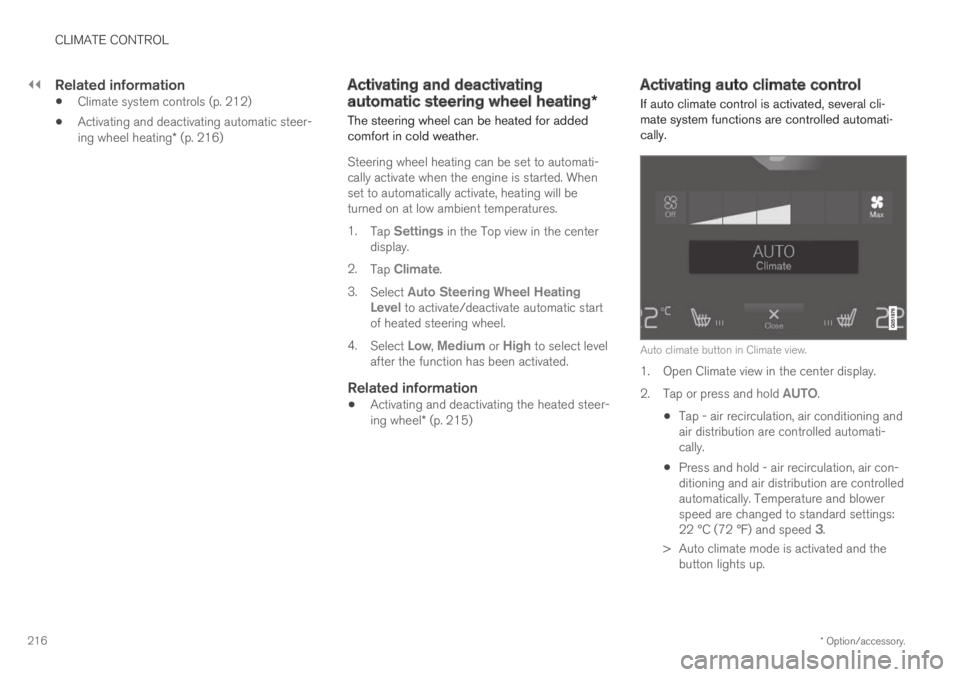
If auto climate control is activated, several cli-mate system functions are controlled automati-cally.
Auto climate button in Climate view.
1. Open Climate view in the center display.
2.Tap or press and hold AUTO.
Tap - air recirculation, air conditioning andair distribution are controlled automati-cally.
Press and hold - air recirculation, air con-ditioning and air distribution are controlledautomatically. Temperature and blowerspeed are changed to standard settings:22 °C (72 °F) and speed 3.
>Auto climate mode is activated and thebutton lights up.
Page 227 of 695

CLIMATE CONTROL
* Option/accessory.225
Climate comfort retaining function (p. 230)
Parking climate symbols and messages(p. 231)
Preconditioning
Preconditioning the vehicle before driving canhelp reduce wear and reduce energy consump-tion during a trip.
Preconditioning can be started immediately orstarted at a preset time using a timer.
The function utilizes several of the vehicle's sys-tems:
In cold weather, the parking heater heats thepassenger compartment to a comfortabletemperature.
In warm weather, air conditioning cools thepassenger compartment to a comfortabletemperature.
The electrically heated steering wheel* andseats* can be activated.
Heating for the windshield, rear window anddoor mirrors are automatically activated asneeded.
During preconditioning in a hot climate, conden-sation from the air conditions may drip under thevehicle. This is normal.
NOTE
Preconditioning is only available when the caris connected to an electrical outlet. A charg-ing post that is not always active, for examplebecause of a timer, can cause loss of functionfor preconditioning.
If the car is not connected to an electricalsocket it is still possible in a warm climate toachieve brief cooling of the passenger com-partment by direct starting preconditioning.
NOTE
During preconditioning of the passengercompartment, the vehicle works to reach acomfortable temperature and not the tem-perature set in the climate system.
Related information
Parking climate (p. 224)
Starting and stopping preconditioning(p. 226)
Preconditioning timer (p. 227)
Page 228 of 695
CLIMATE CONTROL
* Option/accessory.226
Starting and stoppingpreconditioning
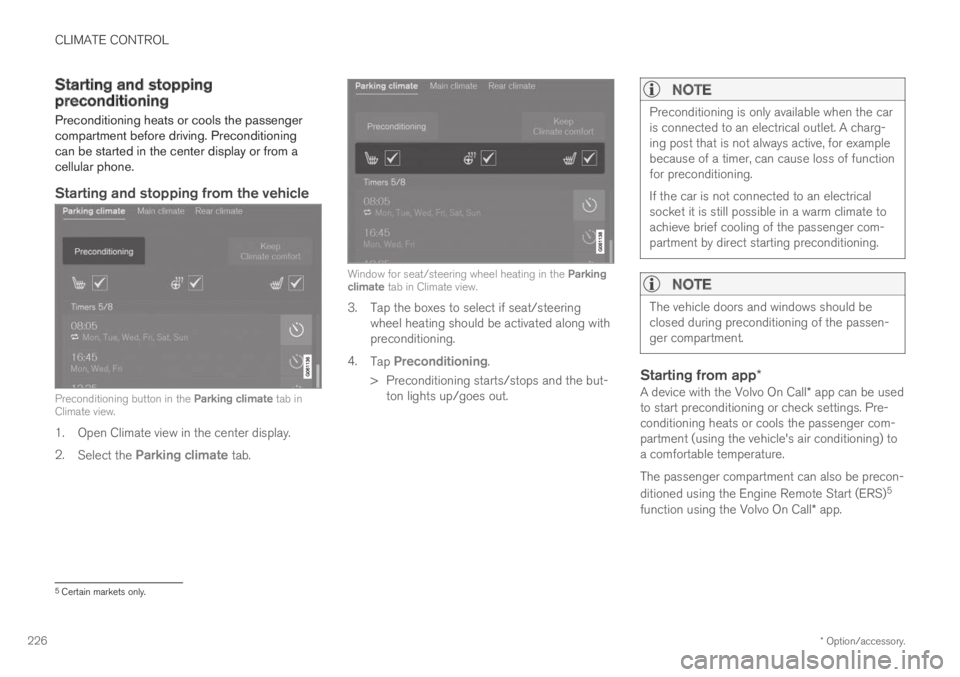
Preconditioning heats or cools the passengercompartment before driving. Preconditioningcan be started in the center display or from acellular phone.
Starting and stopping from the vehicle
Preconditioning button in the Parking climate tab inClimate view.
1. Open Climate view in the center display.
2.Select the Parking climate tab.
Window for seat/steering wheel heating in the Parkingclimate tab in Climate view.
3. Tap the boxes to select if seat/steeringwheel heating should be activated along withpreconditioning.
4.Tap Preconditioning.
>Preconditioning starts/stops and the but-ton lights up/goes out.
NOTE
Preconditioning is only available when the caris connected to an electrical outlet. A charg-ing post that is not always active, for examplebecause of a timer, can cause loss of functionfor preconditioning.
If the car is not connected to an electricalsocket it is still possible in a warm climate toachieve brief cooling of the passenger com-partment by direct starting preconditioning.
NOTE
The vehicle doors and windows should beclosed during preconditioning of the passen-ger compartment.
Starting from app *
A device with the Volvo On Call* app can be usedto start preconditioning or check settings. Pre-conditioning heats or cools the passenger com-partment (using the vehicle's air conditioning) toa comfortable temperature.
The passenger compartment can also be precon-
ditioned using the Engine Remote Start (ERS)5
function using the Volvo On Call* app.
5Certain markets only.
Page 244 of 695
||
KEY, LOCKS AND ALARM
* Option/accessory.242
1.Press the button on the remote key.
>The lock and alarm indicator on the dash-board will go out to indicate that the vehi-cle is no longer fully armed.
The tailgate will be unlocked but remainclosed. However, the side doors willremain locked and armed.
Press lightly on the rubberized pressureplate under the tailgate handle to openthe tailgate.
If the tailgate is not opened within2 minutes, it will be relocked and thealarm armed.
2.With the optional power tailgate* -
Hold and press (about 1.5 seconds) the button on the remote key
>The tailgate will unlock and open. How-ever, the side doors will remain locked andarmed.
Related information
Locking and unlocking using the remote key(p. 240)
Opening and closing the power tailgate*(p. 260)
Remote key range
In order to function correctly, the remote keymust be within a certain distance from the vehi-cle.
Manual use
The remote key's functions for e.g. locking and
unlocking, which are activated by pressing or
, have a range of approx. 20 meters (65 feet)from the vehicle.
If the vehicle's locks do not react, move closerand try again.
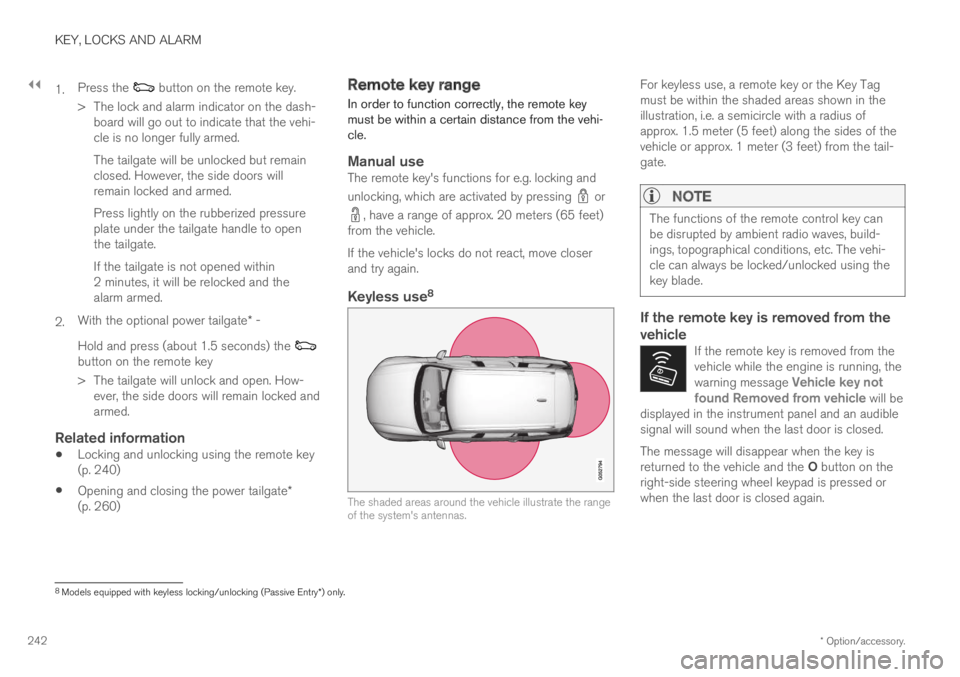
Keyless use 8
The shaded areas around the vehicle illustrate the rangeof the system's antennas.
For keyless use, a remote key or the Key Tagmust be within the shaded areas shown in theillustration, i.e. a semicircle with a radius ofapprox. 1.5 meter (5 feet) along the sides of thevehicle or approx. 1 meter (3 feet) from the tail-gate.
NOTE
The functions of the remote control key canbe disrupted by ambient radio waves, build-ings, topographical conditions, etc. The vehi-cle can always be locked/unlocked using thekey blade.
If the remote key is removed from the
vehicle
If the remote key is removed from thevehicle while the engine is running, thewarning message Vehicle key notfound Removed from vehicle will bedisplayed in the instrument panel and an audiblesignal will sound when the last door is closed.
The message will disappear when the key isreturned to the vehicle and the O button on theright-side steering wheel keypad is pressed orwhen the last door is closed again.
8
Models equipped with keyless locking/unlocking (Passive Entry * ) only.