ECU VOLVO XC60 TWIN ENGINE 2019 Repair Manual
[x] Cancel search | Manufacturer: VOLVO, Model Year: 2019, Model line: XC60 TWIN ENGINE, Model: VOLVO XC60 TWIN ENGINE 2019Pages: 695, PDF Size: 14.96 MB
Page 620 of 695
MAINTENANCE AND SERVICE
618
Opening and closing the hood
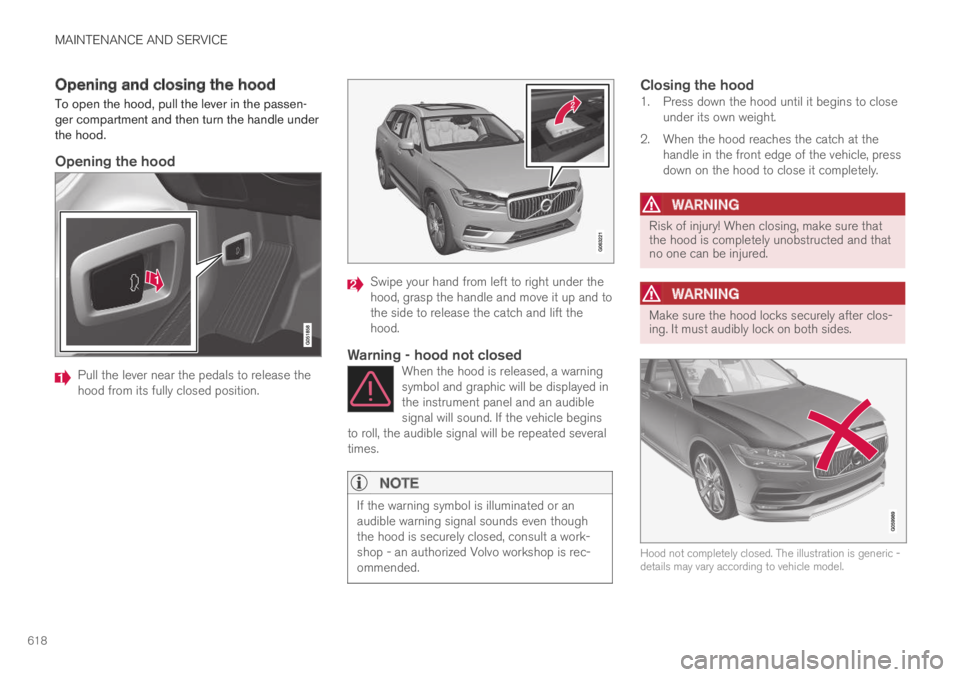
To open the hood, pull the lever in the passen-ger compartment and then turn the handle underthe hood.
Opening the hood
Pull the lever near the pedals to release thehood from its fully closed position.
Swipe your hand from left to right under thehood, grasp the handle and move it up and tothe side to release the catch and lift thehood.
Warning - hood not closed
When the hood is released, a warningsymbol and graphic will be displayed inthe instrument panel and an audiblesignal will sound. If the vehicle beginsto roll, the audible signal will be repeated severaltimes.
NOTE
If the warning symbol is illuminated or anaudible warning signal sounds even thoughthe hood is securely closed, consult a work-shop - an authorized Volvo workshop is rec-ommended.
Closing the hood
1. Press down the hood until it begins to closeunder its own weight.
2. When the hood reaches the catch at thehandle in the front edge of the vehicle, pressdown on the hood to close it completely.
WARNING
Risk of injury! When closing, make sure thatthe hood is completely unobstructed and thatno one can be injured.
WARNING
Make sure the hood locks securely after clos-ing. It must audibly lock on both sides.
Hood not completely closed. The illustration is generic -details may vary according to vehicle model.
Page 621 of 695
MAINTENANCE AND SERVICE
* Option/accessory.619
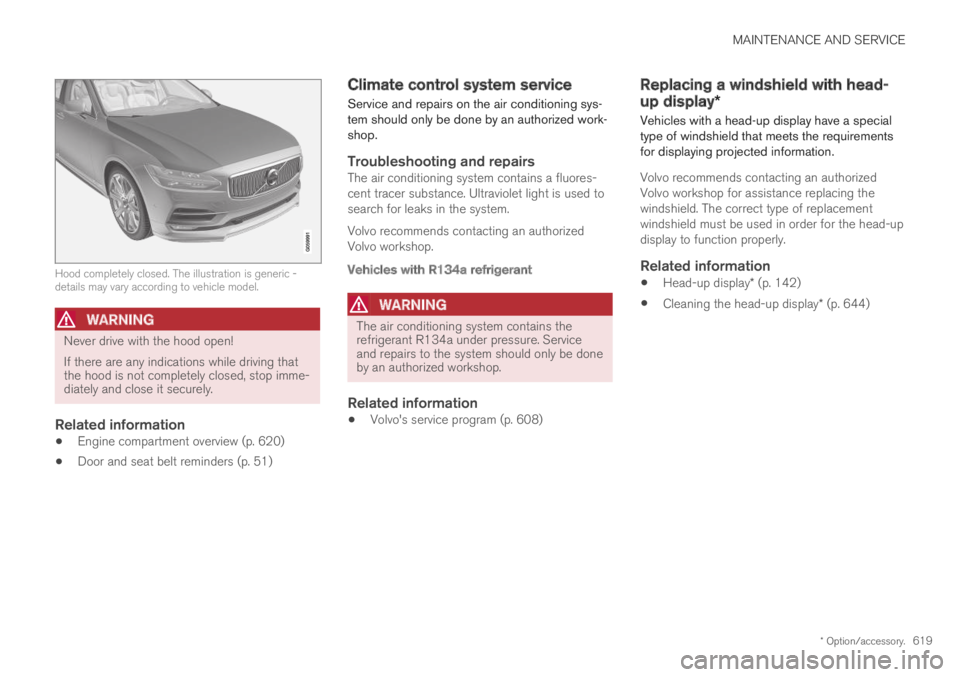
Hood completely closed. The illustration is generic -details may vary according to vehicle model.
WARNING
Never drive with the hood open!
If there are any indications while driving thatthe hood is not completely closed, stop imme-diately and close it securely.
Related information
Engine compartment overview (p. 620)
Door and seat belt reminders (p. 51)
Climate control system service
Service and repairs on the air conditioning sys-tem should only be done by an authorized work-shop.
Troubleshooting and repairs
The air conditioning system contains a fluores-cent tracer substance. Ultraviolet light is used tosearch for leaks in the system.
Volvo recommends contacting an authorizedVolvo workshop.
Vehicles with R134a refrigerant
WARNING
The air conditioning system contains therefrigerant R134a under pressure. Serviceand repairs to the system should only be doneby an authorized workshop.
Related information
Volvo's service program (p. 608)
Replacing a windshield with head-
up display*
Vehicles with a head-up display have a specialtype of windshield that meets the requirementsfor displaying projected information.
Volvo recommends contacting an authorizedVolvo workshop for assistance replacing thewindshield. The correct type of replacementwindshield must be used in order for the head-updisplay to function properly.
Related information
Head-up display* (p. 142)
Cleaning the head-up display* (p. 644)
Page 627 of 695
MAINTENANCE AND SERVICE
}}
625
Start battery
The vehicle has a single-pole electrical systemthat uses the chassis and engine mount as con-ductors.
The start battery is used to start the electricalsystem and power electrical equipment in thevehicle. The hybrid battery is used to start thecombustion engine.
The start battery should only be replaced by a
workshop15.
The start battery is a 12 V AGM (Absorbed GlassMat) battery, dimensioned for regenerative charg-ing and to support the function of the vehicle'svarious systems.
The service life and performance of the start bat-tery are affected by factors such as driving style,driving conditions, climate, battery discharges,number of starts, etc.
Never disconnect the start battery while theengine is running.
Make sure the cables to the start battery arecorrectly connected and the clamps aresecurely tightened.
WARNING
Batteries generate hydrogen gas, whichis flammable and explosive.
Do not connect the jumper cable to anypart of the fuel system or to any movingparts. Avoid touching hot manifolds.
Battery fluid contains sulfuric acid. Do notallow battery fluid to contact eyes, skin,fabrics or painted surfaces.
If contact occurs, flush the affected areaimmediately with water. Obtain medicalhelp immediately if eyes are affected.
Never expose the battery to open flameor electric spark. Do not smoke near thebattery. Failure to follow the instructionsfor jump starting can lead to injury.
Connection points
WARNING
PROPOSITION 65 WARNING
Battery posts, terminals, and related accesso-ries contain lead and lead compounds, chemi-cals known to the state of California to causecancer and reproductive harm. Wash handsafter handling.
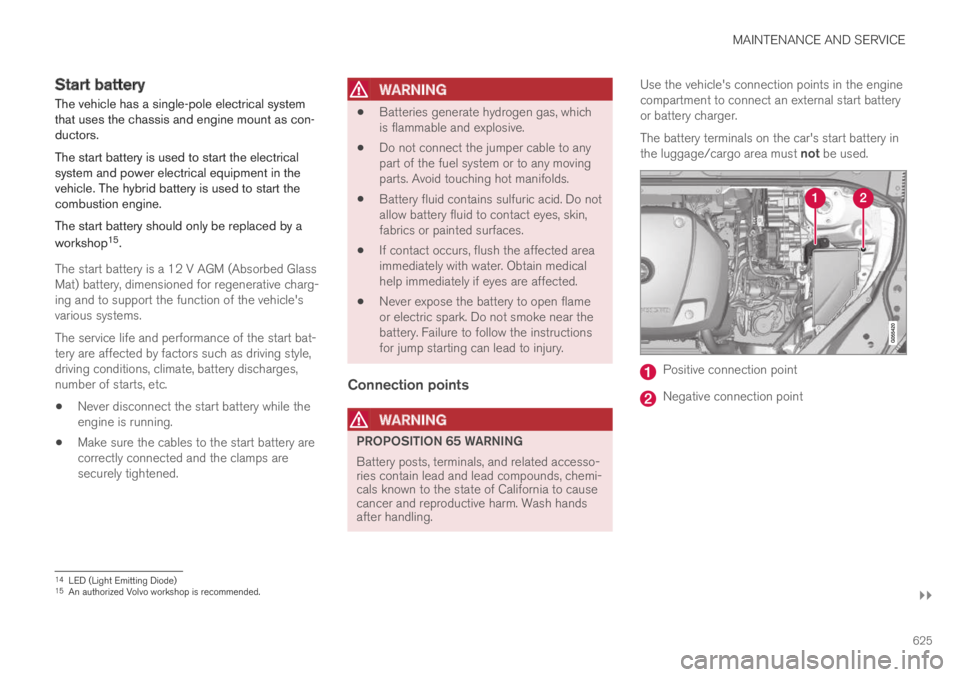
Use the vehicle's connection points in the enginecompartment to connect an external start batteryor battery charger.
The battery terminals on the car's start battery inthe luggage/cargo area must not be used.
Positive connection point
Negative connection point
14LED (Light Emitting Diode)15An authorized Volvo workshop is recommended.
Page 647 of 695
MAINTENANCE AND SERVICE
}}
645
Cleaning fabric upholstery andceiling liner
Only use cleaning agents and car care productsrecommended by Volvo. Clean regularly andtreat stains immediately for best results. It isimportant to vacuum before using a cleaningagent.
Fabric upholstery and ceiling liner
Never scrape or rub a stain, as this could damagethe upholstery. Never use strong stain removers,as this could change the color of the upholstery.
Use soapy water or a similar detergent. For moredifficult stains caused by oil, ice cream, shoe pol-ish, etc., use a stain remover. Consult with yourVolvo retailer.
Related information
Cleaning the interior (p. 643)
Cleaning the center display (p. 643)
Cleaning the seat belt (p. 645)
Cleaning floor mats and inlay mats (p. 645)
Cleaning leather upholstery (p. 646)
Cleaning the leather steering wheel(p. 647)
Cleaning interior plastic, metal and wood sur-faces (p. 648)
Cleaning the seat belt
Only use cleaning agents and car care productsrecommended by Volvo. Clean regularly andtreat stains immediately for best results. It isimportant to vacuum before using a cleaningagent.
Seat belts
Use water and a synthetic soap solution. Spe-cially designed textile cleaning agents are availa-ble for purchase at Volvo retailers. Make sure thebelt is dry before it is retracted.
Related information
Cleaning the interior (p. 643)
Cleaning the center display (p. 643)
Cleaning fabric upholstery and ceiling liner(p. 645)
Cleaning floor mats and inlay mats (p. 645)
Cleaning leather upholstery (p. 646)
Cleaning the leather steering wheel(p. 647)
Cleaning interior plastic, metal and wood sur-faces (p. 648)
Cleaning floor mats and inlay mats
Only use cleaning agents and car care productsrecommended by Volvo. Clean regularly andtreat stains immediately for best results. It isimportant to vacuum before using a cleaningagent.
Inlay mats and floor mats
Remove the inlay mats to clean the floor matsand inlay mats separately. Use a vacuum toremove dust and dirt. Each inlay mat is securedinto place with pins.
Remove the inlay mat by grasping the inlay matat each pin and lifting the mat straight up.
Put the inlay mat back into place by pressing it inat each pin.
Page 648 of 695
||
MAINTENANCE AND SERVICE
* Option/accessory.646
WARNING
Never use more than one inlay mat at atime on the driver's floor. If any other typeof floor mat is used, remove the originalmat from the driver's seat floor beforedriving. All types of mats must be securelyanchored in the attachment points in thefloor. Make sure the floor mat does notimpede the movement of the brake pedalor accelerator pedal in any way, as thiscould be a serious safety hazard.
Volvo's floor mats are specially manufac-tured for your vehicle. They must be prop-erly secured in the attachment points inthe floor to help ensure they cannot slideand become trapped under the pedals.
After vacuuming, a specially designed textilecleaning agent should be used to remove stainson floor mats. Floor mats should be cleaned withproducts recommended by Volvo retailers.
Related information
Cleaning the interior (p. 643)
Cleaning the center display (p. 643)
Cleaning fabric upholstery and ceiling liner(p. 645)
Cleaning the seat belt (p. 645)
Cleaning leather upholstery (p. 646)
Cleaning the leather steering wheel(p. 647)
Cleaning interior plastic, metal and wood sur-faces (p. 648)
Cleaning leather upholstery
Only use cleaning agents and car care productsrecommended by Volvo. Clean regularly andtreat stains immediately for best results. It isimportant to vacuum before using a cleaningagent.
Leather upholstery *
Volvo's leather upholstery is treated to protect itsoriginal appearance. Over time, sunlight, grease,dirt, etc. could break down the protective layer.This could result in scratches and cracking.
Leather upholstery is a natural product thatchanges and acquires a beautiful patina overtime. Regular cleaning and treatments arerequired to preserve the qualities and color of theleather. Volvo offers a comprehensive product,Volvo Leather Care Kit/Wipes, for cleaning andtreating leather upholstery that, when used asdirected, preserves the leather's protective coa-ting.
For best results, Volvo recommends cleaning andapplying protective cream one to four times ayear (or more as needed). Volvo Leather Care Kit951 0251 and Volvo Leather Softener 9437429 are available for purchase at Volvo retailers.
Page 653 of 695
MAINTENANCE AND SERVICE
651
Automatic car washes
The vehicle should be washed as soon as itbecomes dirty. This makes the vehicle easier toclean because dirt does not attach as strongly. Italso reduces the risk of scratches and keeps thevehicle looking new.
An automatic car wash is a fast and easy way tokeep your vehicle clean, but it does not reach allareas of the vehicle. For best results, Volvo rec-ommends hand washing your vehicle or supple-menting automatic car washes with a hand wash.
NOTE
Volvo recommends not washing the vehicle inan automatic car wash during the first fewmonths; the paintwork on new vehicles takessome time to fully harden.
CAUTION
Before driving the vehicle into a car wash,deactivate the Automatic Braking when Sta-tionary and Automatic Parking Brake Applica-tion functions. If the functions are not deacti-vated, the brake system will seize when thevehicle is stationary and the vehicle will not beable to roll.
CAUTION
For automatic car washes in which the vehicleis pulled forward on rolling wheels:
1.Before washing the vehicle, make surethat the automatic rain sensor is deacti-vated. If it is not deactivated and inadver-tently starts, the wiper arms could bedamaged.
2. To help prevent damage from the auto-matic car wash machinery, make surethat the door mirrors are folded in, anten-nas retracted or removed, and any auxili-ary lights secured.
3. Drive into the automatic car wash.
4. Turn off the "Automatic Braking when
Stationary" function using the buttonin the tunnel console.
5.Turn off the "Automatic Parking BrakeApplication" function in the center dis-play's Top view.
6. Turn off the engine by turning the startknob in the tunnel console clockwise.Hold the knob in position for at least2 seconds.
The vehicle is now ready for the automatic carwash.
CAUTION
The system will automatically change to Pmode if the above steps are not followed. In Pmode, the wheels are locked, which theyshould not be when the vehicle is beingwashed in a car wash.
Related information
Cleaning the exterior (p. 648)
Polishing and waxing (p. 649)
Hand washing (p. 649)
High-pressure washing (p. 652)
Cleaning the wiper blades (p. 652)
Cleaning exterior plastic, rubber and trimcomponents (p. 653)
Cleaning rims (p. 654)
Corrosion protection (p. 654)
Page 659 of 695
MAINTENANCE AND SERVICE
657
Changing rear window wipers
The wiper blades help remove water from thewindshield and rear window. Along with thewasher fluid, they clean the glass and helpimprove visibility while driving. The windshieldand rear window wiper blades can be replaced.
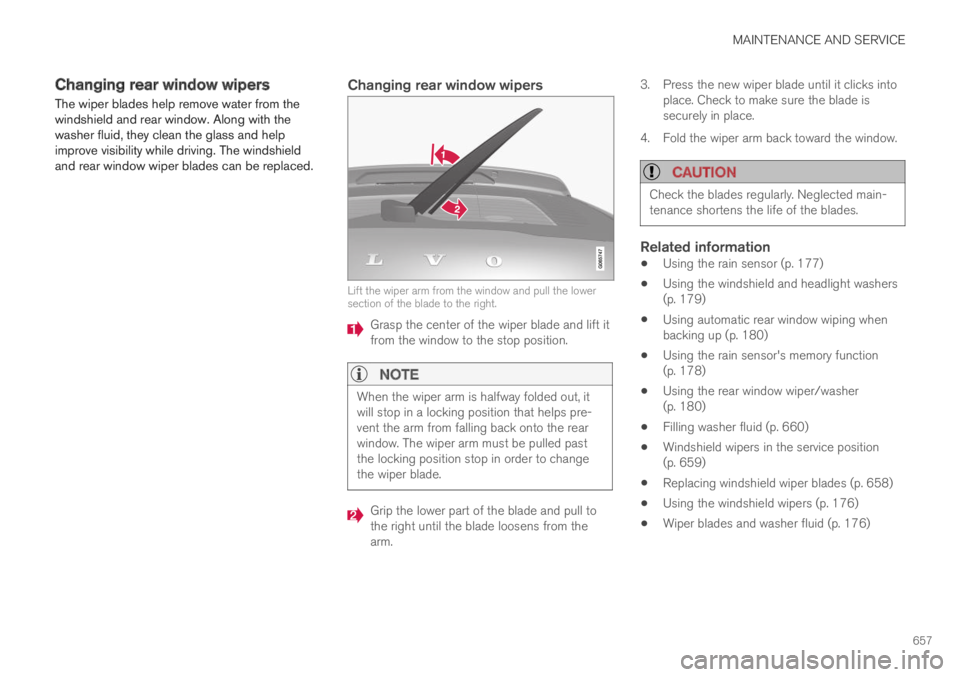
Changing rear window wipers
Lift the wiper arm from the window and pull the lowersection of the blade to the right.
Grasp the center of the wiper blade and lift itfrom the window to the stop position.
NOTE
When the wiper arm is halfway folded out, itwill stop in a locking position that helps pre-vent the arm from falling back onto the rearwindow. The wiper arm must be pulled pastthe locking position stop in order to changethe wiper blade.
Grip the lower part of the blade and pull tothe right until the blade loosens from thearm.
3.Press the new wiper blade until it clicks intoplace. Check to make sure the blade issecurely in place.
4. Fold the wiper arm back toward the window.
CAUTION
Check the blades regularly. Neglected main-tenance shortens the life of the blades.
Related information
Using the rain sensor (p. 177)
Using the windshield and headlight washers(p. 179)
Using automatic rear window wiping whenbacking up (p. 180)
Using the rain sensor's memory function(p. 178)
Using the rear window wiper/washer(p. 180)
Filling washer fluid (p. 660)
Windshield wipers in the service position(p. 659)
Replacing windshield wiper blades (p. 658)
Using the windshield wipers (p. 176)
Wiper blades and washer fluid (p. 176)
Page 660 of 695
MAINTENANCE AND SERVICE
658
Replacing windshield wiper blades
The wiper blades help remove water from thewindshield and rear window. Along with thewasher fluid, they clean the glass and helpimprove visibility while driving. The windshieldand rear window wiper blades can be replaced.
Replacing wiper blades
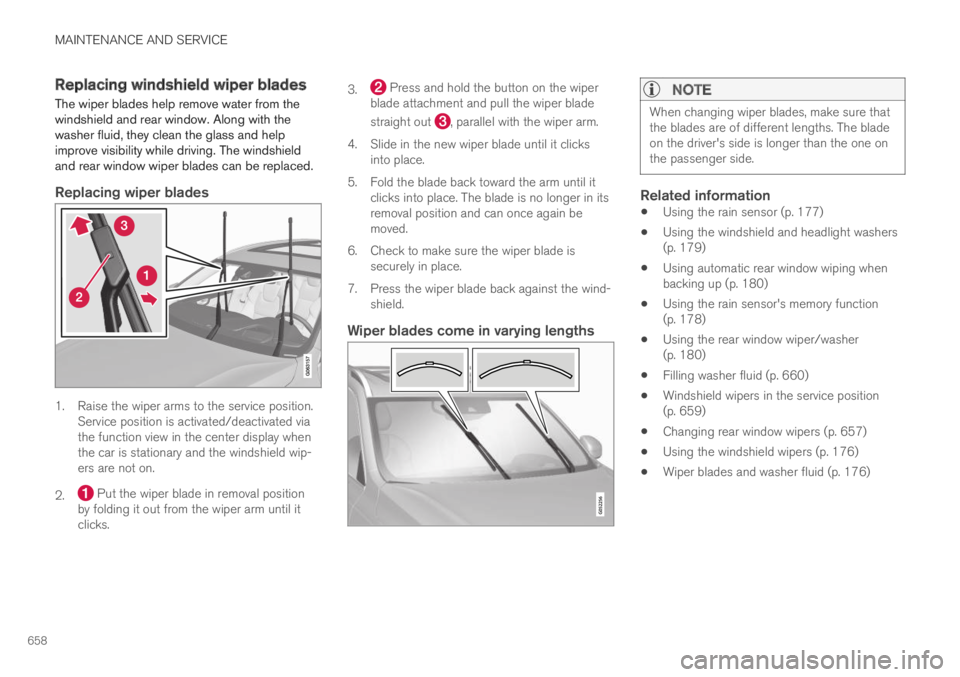
1. Raise the wiper arms to the service position.Service position is activated/deactivated viathe function view in the center display whenthe car is stationary and the windshield wip-ers are not on.
2. Put the wiper blade in removal positionby folding it out from the wiper arm until itclicks.
3. Press and hold the button on the wiperblade attachment and pull the wiper blade
straight out , parallel with the wiper arm.
4.Slide in the new wiper blade until it clicksinto place.
5. Fold the blade back toward the arm until itclicks into place. The blade is no longer in itsremoval position and can once again bemoved.
6. Check to make sure the wiper blade issecurely in place.
7. Press the wiper blade back against the wind-shield.
Wiper blades come in varying lengths NOTE
When changing wiper blades, make sure thatthe blades are of different lengths. The bladeon the driver's side is longer than the one onthe passenger side.
Related information
Using the rain sensor (p. 177)
Using the windshield and headlight washers(p. 179)
Using automatic rear window wiping whenbacking up (p. 180)
Using the rain sensor's memory function(p. 178)
Using the rear window wiper/washer(p. 180)
Filling washer fluid (p. 660)
Windshield wipers in the service position(p. 659)
Changing rear window wipers (p. 657)
Using the windshield wipers (p. 176)
Wiper blades and washer fluid (p. 176)
Page 687 of 695
INDEX
685
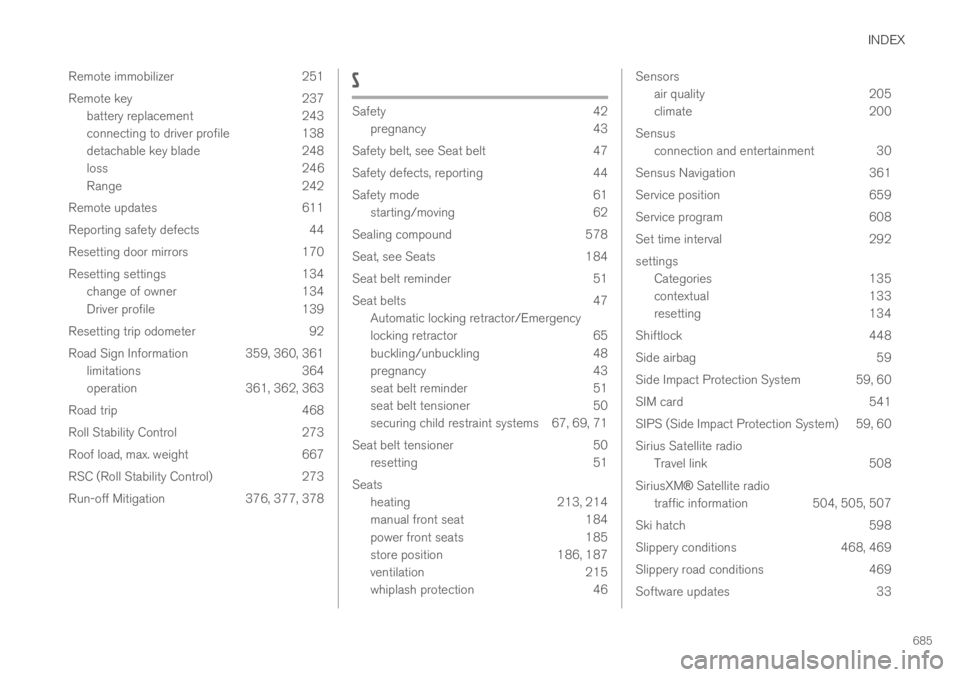
Remote immobilizer 251
Remote key 237
battery replacement 243
connecting to driver profile 138
detachable key blade 248
loss 246
Range 242
Remote updates 611
Reporting safety defects 44
Resetting door mirrors 170
Resetting settings 134
change of owner 134
Driver profile 139
Resetting trip odometer 92
Road Sign Information 359, 360, 361
limitations 364
operation 361, 362, 363
Road trip 468
Roll Stability Control 273
Roof load, max. weight 667
RSC (Roll Stability Control) 273
Run-off Mitigation 376, 377, 378
S
Safety42
pregnancy43
Safety belt, see Seat belt 47
Safety defects, reporting 44
Safety mode 61
starting/moving 62
Sealing compound 578
Seat, see Seats 184
Seat belt reminder 51
Seat belts 47
Automatic locking retractor/Emergency
locking retractor 65
buckling/unbuckling 48
pregnancy 43
seat belt reminder 51
seat belt tensioner 50
securing child restraint systems 67, 69, 71
Seat belt tensioner 50
resetting 51
Seats
heating 213, 214
manual front seat 184
power front seats 185
store position 186, 187
ventilation 215
whiplash protection 46
Sensors
air quality205
climate200
Sensus
connection and entertainment 30
Sensus Navigation 361
Service position 659
Service program 608
Set time interval 292
settings
Categories 135
contextual 133
resetting 134
Shiftlock 448
Side airbag 59
Side Impact Protection System 59, 60
SIM card 541
SIPS (Side Impact Protection System) 59, 60
Sirius Satellite radio
Travel link 508
SiriusXM® Satellite radio
traffic information 504, 505, 507
Ski hatch 598
Slippery conditions 468, 469
Slippery road conditions 469
Software updates 33
Page 689 of 695
INDEX
687
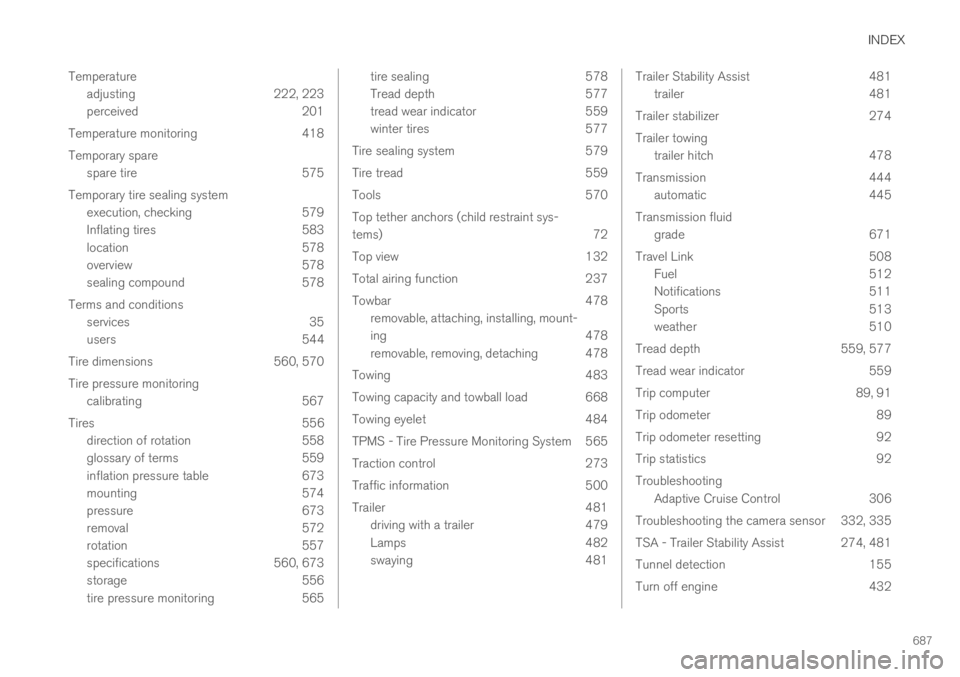
Temperature
adjusting 222, 223
perceived 201
Temperature monitoring 418
Temporary spare
spare tire 575
Temporary tire sealing system
execution, checking 579
Inflating tires 583
location 578
overview 578
sealing compound 578
Terms and conditions
services 35
users 544
Tire dimensions 560, 570
Tire pressure monitoring
calibrating 567
Tires 556
direction of rotation 558
glossary of terms 559
inflation pressure table 673
mounting 574
pressure 673
removal 572
rotation 557
specifications 560, 673
storage 556
tire pressure monitoring 565
tire sealing578
Tread depth577
tread wear indicator 559
winter tires 577
Tire sealing system 579
Tire tread 559
Tools 570
Top tether anchors (child restraint sys-
tems)72
Top view 132
Total airing function 237
Towbar 478
removable, attaching, installing, mount-
ing 478
removable, removing, detaching 478
Towing 483
Towing capacity and towball load 668
Towing eyelet 484
TPMS - Tire Pressure Monitoring System 565
Traction control 273
Traffic information 500
Trailer 481
driving with a trailer 479
Lamps 482
swaying 481
Trailer Stability Assist481
trailer481
Trailer stabilizer 274
Trailer towing
trailer hitch 478
Transmission 444
automatic 445
Transmission fluid
grade 671
Travel Link 508
Fuel 512
Notifications 511
Sports 513
weather 510
Tread depth 559, 577
Tread wear indicator 559
Trip computer 89, 91
Trip odometer 89
Trip odometer resetting 92
Trip statistics 92
Troubleshooting
Adaptive Cruise Control 306
Troubleshooting the camera sensor 332, 335
TSA - Trailer Stability Assist 274, 481
Tunnel detection 155
Turn off engine 432