keyless VOLVO XC60 TWIN ENGINE 2019 Owners Manual
[x] Cancel search | Manufacturer: VOLVO, Model Year: 2019, Model line: XC60 TWIN ENGINE, Model: VOLVO XC60 TWIN ENGINE 2019Pages: 695, PDF Size: 14.96 MB
Page 8 of 695
6
Preconditioning timer227
Adding and editing timer settings forpreconditioning227
Activating and deactivating precondi-tioning timer228
Deleting preconditioning timer settings229
Climate comfort retaining function230
Starting and switching off the cli-mate retaining function when parking230
Parking climate symbols and messages231
Heater232
Parking heater232
Additional heater232
Activating and deactivating the auxili-ary heater233
KEY, LOCKS AND ALARM
Lock indication236
Lock confirmation settings237
Remote key237
Locking and unlocking using theremote key240
Settings for remote and inside doorunlock241
Unlocking the tailgate using theremote key241
Remote key range242
Replacing the remote key's battery243
Ordering additional remote keys246
Red Key - restricted remote key*247
Red Key* settings247
Detachable key blade248
Locking and unlocking with detacha-ble key blade249
Electronic immobilizer251
Start and lock system type designations251
Keyless and touch-sensitive surfaces*252
Keyless locking and unlocking*253
Keyless unlock settings*255
Keyless tailgate unlock*255
Antenna locations for the start andlock system256
Locking and unlocking from insidethe vehicle256
Unlocking the tailgate from insidethe vehicle258
Activating and deactivating childsafety locks258
Automatic locking when driving260
Opening and closing the power tailgate*260
Setting a maximum height for thepower tailgate*263
Foot movement tailgate operation*264
Private Locking265
Activating and deactivating privatelocking266
Alarm267
Arming and disarming the alarm268
Page 170 of 695
||
WINDOWS, GLASS AND MIRRORS
* Option/accessory.168
WARNING
Children, other passengers or objects can betrapped by the moving parts.
Always operate the windows with caution.
Do not allow children to play with theoperating controls.
Never leave a child alone in the vehicle.
Remember to always cut the current tothe power windows by setting the vehi-cle's electrical system to ignition mode 0and then taking the remote key with youwhen leaving the vehicle.
Never stick objects or body parts outthrough the windows, even if the vehicleelectrical system is completely turned off.
Related information
Operating the power windows (p. 168)
Pinch protection for windows and sun cur-tains (p. 166)
Reset procedure for pinch protection(p. 167)
Operating the power windows
All power windows can be operated using thecontrol panel in the driver's door. The controlpanels in the other doors can be used to oper-ate that particular door.
The power windows have pinch protection. Ifthere is any problem with the pinch protection, arest procedure can be tested.
WARNING
Children, other passengers or objects can betrapped by the moving parts.
Always operate the windows with caution.
Do not allow children to play with theoperating controls.
Never leave a child alone in the vehicle.
Remember to always cut the current tothe power windows by setting the vehi-cle's electrical system to ignition mode 0and then taking the remote key with youwhen leaving the vehicle.
Never stick objects or body parts outthrough the windows, even if the vehicleelectrical system is completely turned off.
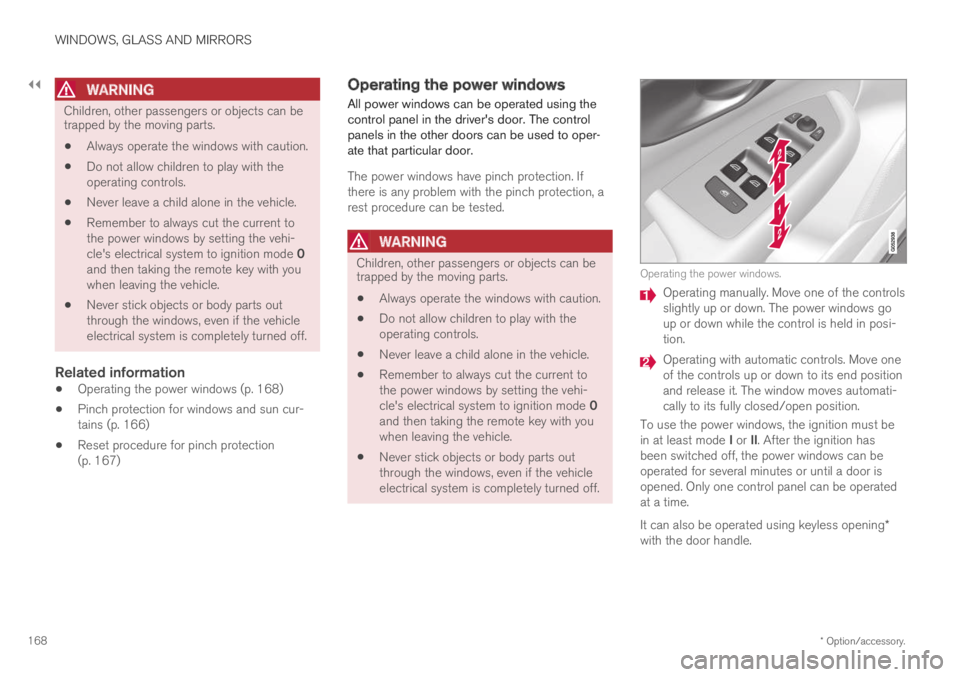
Operating the power windows.
Operating manually. Move one of the controlsslightly up or down. The power windows goup or down while the control is held in posi-tion.
Operating with automatic controls. Move oneof the controls up or down to its end positionand release it. The window moves automati-cally to its fully closed/open position.
To use the power windows, the ignition must bein at least mode I or II. After the ignition hasbeen switched off, the power windows can beoperated for several minutes or until a door isopened. Only one control panel can be operatedat a time.
It can also be operated using keyless opening*with the door handle.
Page 171 of 695
WINDOWS, GLASS AND MIRRORS
* Option/accessory.169
WARNING
Make sure that no child or other passengercomes into contact with the windows as theyare closing with keyless closing*.
NOTE
One way to reduce the pulsating wind noiseheard when the rear windows are open is toalso open the front windows slightly.
NOTE
The windows cannot be opened at speedsover approx. 180 km/h (ca112 mph), but theycan be closed.
The driver is always responsible for followingapplicable traffic regulations.
Related information
Power windows (p. 167)
Pinch protection for windows and sun cur-tains (p. 166)
Reset procedure for pinch protection(p. 167)
Keyless locking and unlocking* (p. 253)
Locking and unlocking using the remote key(p. 240)
Rearview/door mirrors
The rearview mirror and door mirrors can beused to improve the driver's visibility behind thevehicle.
Rearview mirror
The rearview mirror can be easily adjusted man-ually. The rearview mirror can be equipped withHomeLink*, auto-dim* and compass*.
Door mirrors
WARNING
The door mirror on the passenger side iscurved to improve visibility. Objects in the mir-ror may appear farther away than they actuallyare.
The joystick in the drivers' door control panel isused to adjust the position of the door mirrors.There are also several automatic settings thatcan also be connected to the memory functionbuttons for the power seat*.
Related information
HomeLink®* (p. 485)
Compass* (p. 489)
Adjusting the rearview mirror dimming func-tion (p. 170)
Adjusting the door mirrors (p. 170)
Storing positions for seats, mirrors and head-up display* (p. 186)
Activating and deactivating the heated rearwindow and door mirrors (p. 221)
Page 174 of 695
WINDOWS, GLASS AND MIRRORS
* Option/accessory.172
Panoramic roof*
The panoramic roof is divided into two glasssections. The front section can be opened verti-cally at the rear edge (ventilation position) or hor-izontally (open position). The rear section cannotbe moved.
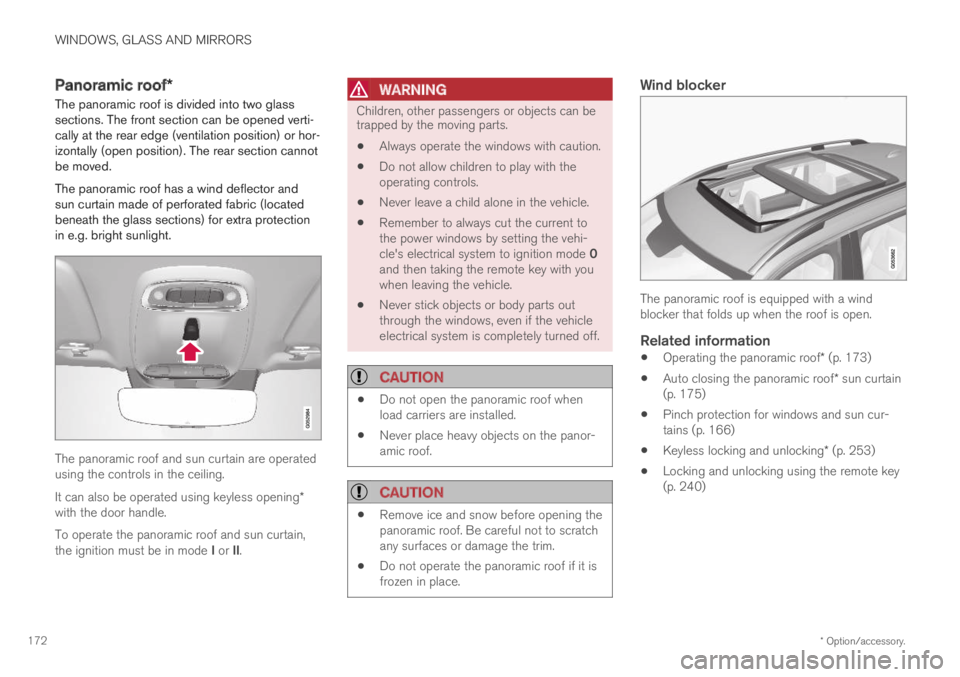
The panoramic roof has a wind deflector andsun curtain made of perforated fabric (locatedbeneath the glass sections) for extra protectionin e.g. bright sunlight.
The panoramic roof and sun curtain are operatedusing the controls in the ceiling.
It can also be operated using keyless opening*with the door handle.
To operate the panoramic roof and sun curtain,the ignition must be in mode I or II.
WARNING
Children, other passengers or objects can betrapped by the moving parts.
Always operate the windows with caution.
Do not allow children to play with theoperating controls.
Never leave a child alone in the vehicle.
Remember to always cut the current tothe power windows by setting the vehi-cle's electrical system to ignition mode 0and then taking the remote key with youwhen leaving the vehicle.
Never stick objects or body parts outthrough the windows, even if the vehicleelectrical system is completely turned off.
CAUTION
Do not open the panoramic roof whenload carriers are installed.
Never place heavy objects on the panor-amic roof.
CAUTION
Remove ice and snow before opening thepanoramic roof. Be careful not to scratchany surfaces or damage the trim.
Do not operate the panoramic roof if it isfrozen in place.
Wind blocker
The panoramic roof is equipped with a windblocker that folds up when the roof is open.
Related information
Operating the panoramic roof* (p. 173)
Auto closing the panoramic roof* sun curtain(p. 175)
Pinch protection for windows and sun cur-tains (p. 166)
Keyless locking and unlocking* (p. 253)
Locking and unlocking using the remote key(p. 240)
Page 175 of 695
WINDOWS, GLASS AND MIRRORS
}}
* Option/accessory.173
Operating the panoramic roof*
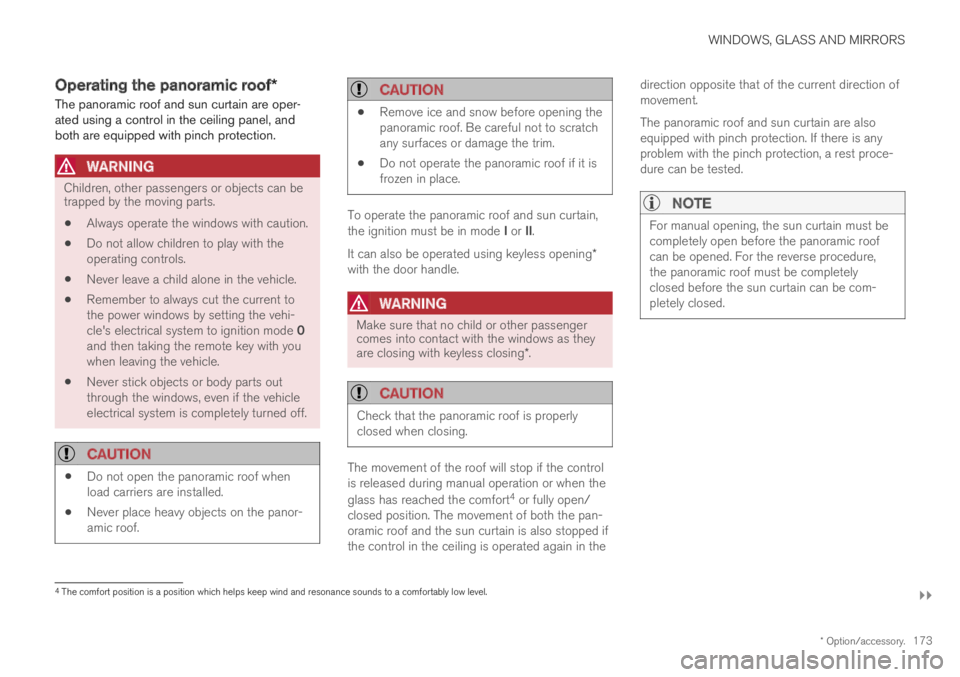
The panoramic roof and sun curtain are oper-ated using a control in the ceiling panel, andboth are equipped with pinch protection.
WARNING
Children, other passengers or objects can betrapped by the moving parts.
Always operate the windows with caution.
Do not allow children to play with theoperating controls.
Never leave a child alone in the vehicle.
Remember to always cut the current tothe power windows by setting the vehi-cle's electrical system to ignition mode 0and then taking the remote key with youwhen leaving the vehicle.
Never stick objects or body parts outthrough the windows, even if the vehicleelectrical system is completely turned off.
CAUTION
Do not open the panoramic roof whenload carriers are installed.
Never place heavy objects on the panor-amic roof.
CAUTION
Remove ice and snow before opening thepanoramic roof. Be careful not to scratchany surfaces or damage the trim.
Do not operate the panoramic roof if it isfrozen in place.
To operate the panoramic roof and sun curtain,the ignition must be in mode I or II.
It can also be operated using keyless opening*with the door handle.
WARNING
Make sure that no child or other passengercomes into contact with the windows as theyare closing with keyless closing*.
CAUTION
Check that the panoramic roof is properlyclosed when closing.
The movement of the roof will stop if the controlis released during manual operation or when the
glass has reached the comfort4 or fully open/closed position. The movement of both the pan-oramic roof and the sun curtain is also stopped ifthe control in the ceiling is operated again in the
direction opposite that of the current direction ofmovement.
The panoramic roof and sun curtain are alsoequipped with pinch protection. If there is anyproblem with the pinch protection, a rest proce-dure can be tested.
NOTE
For manual opening, the sun curtain must becompletely open before the panoramic roofcan be opened. For the reverse procedure,the panoramic roof must be completelyclosed before the sun curtain can be com-pletely closed.
4The comfort position is a position which helps keep wind and resonance sounds to a comfortably low level.
Page 177 of 695
WINDOWS, GLASS AND MIRRORS
* Option/accessory.175
Keyless locking and unlocking* (p. 253)
Locking and unlocking using the remote key(p. 240)
Auto closing the panoramic roof*sun curtain
With this function, the sun curtain closes auto-matically 15 minutes after the car has beenlocked if it is parked in hot weather. This is doneto lower the passenger compartment tempera-ture and protect the upholstery against beingbleached by the sun.
The function is deactivated as the default factorysetting and can be activated or deactivated usingthe center display.
1.Tap Settings in the Top view in the centerdisplay.
2.Tap My CarLocking.
Select Auto Close Sunroof Curtain toactivate/deactivate.
NOTE
The sun curtain also closes when all windowsare closed with keyless closing*.
Related information
Panoramic roof* (p. 172)
Operating the panoramic roof* (p. 173)
Pinch protection for windows and sun cur-tains (p. 166)
Keyless locking and unlocking* (p. 253)
Locking and unlocking using the remote key(p. 240)
Page 238 of 695
KEY, LOCKS AND ALARM
* Option/accessory.236
Lock indication
When the vehicle is locked or unlocked, the turnsignals will flash to indicate that the vehicle hasbeen locked or unlocked correctly.
Exterior confirmation
Locking
The turn signals will flash once and the door
mirrors will fold in1 to confirm the vehicle islocked.
Unlocking
The turn signals will flash twice and the door
mirrors will fold out1 to confirm the vehicle isunlocked.
All doors, tailgate and hood must be closed forconfirmation to be given. If only the driver's door
is closed when the vehicle is locked2, the vehiclewill be locked but the turn signals will only flashto indicate locking when all doors and the hoodand tailgate have been closed.
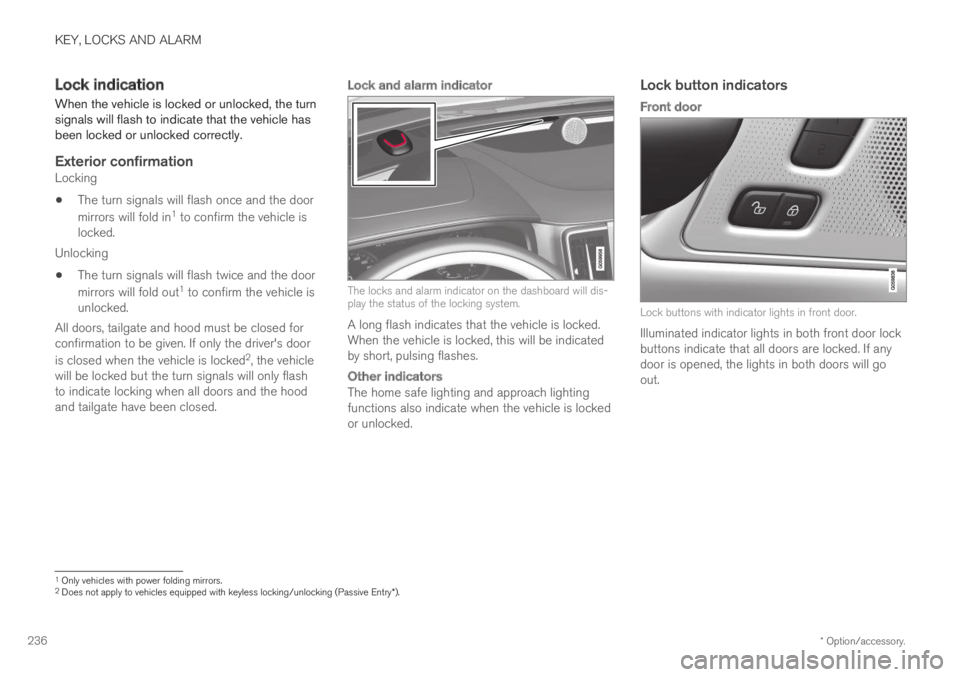
Lock and alarm indicator
The locks and alarm indicator on the dashboard will dis-play the status of the locking system.
A long flash indicates that the vehicle is locked.When the vehicle is locked, this will be indicatedby short, pulsing flashes.
Other indicators
The home safe lighting and approach lightingfunctions also indicate when the vehicle is lockedor unlocked.
Lock button indicators
Front door
Lock buttons with indicator lights in front door.
Illuminated indicator lights in both front door lockbuttons indicate that all doors are locked. If anydoor is opened, the lights in both doors will goout.
1Only vehicles with power folding mirrors.2Does not apply to vehicles equipped with keyless locking/unlocking (Passive Entry*).
Page 239 of 695
KEY, LOCKS AND ALARM
}}
* Option/accessory.237
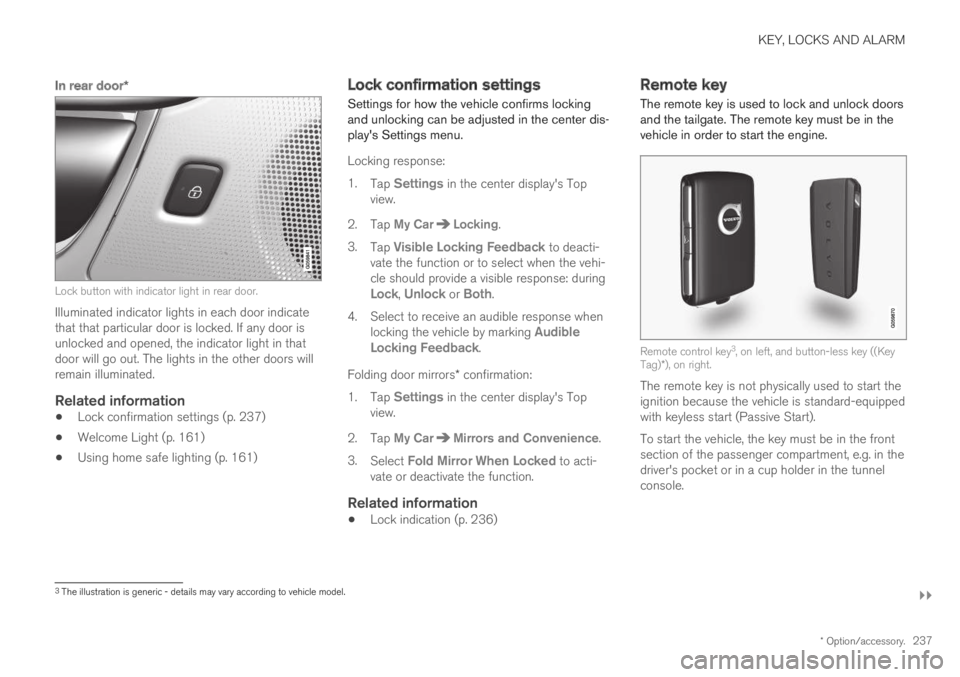
In rear door *
Lock button with indicator light in rear door.
Illuminated indicator lights in each door indicatethat that particular door is locked. If any door isunlocked and opened, the indicator light in thatdoor will go out. The lights in the other doors willremain illuminated.
Related information
Lock confirmation settings (p. 237)
Welcome Light (p. 161)
Using home safe lighting (p. 161)
Lock confirmation settings
Settings for how the vehicle confirms lockingand unlocking can be adjusted in the center dis-play's Settings menu.
Locking response:
1.Tap Settings in the center display's Topview.
2.Tap My CarLocking.
3.Tap Visible Locking Feedback to deacti-vate the function or to select when the vehi-cle should provide a visible response: duringLock, Unlock or Both.
4.Select to receive an audible response whenlocking the vehicle by marking AudibleLocking Feedback.
Folding door mirrors* confirmation:
1.Tap Settings in the center display's Topview.
2.Tap My CarMirrors and Convenience.
3.Select Fold Mirror When Locked to acti-vate or deactivate the function.
Related information
Lock indication (p. 236)
Remote key
The remote key is used to lock and unlock doorsand the tailgate. The remote key must be in thevehicle in order to start the engine.
Remote control key3, on left, and button-less key ((KeyTag)*), on right.
The remote key is not physically used to start theignition because the vehicle is standard-equippedwith keyless start (Passive Start).
To start the vehicle, the key must be in the frontsection of the passenger compartment, e.g. in thedriver's pocket or in a cup holder in the tunnelconsole.
3The illustration is generic - details may vary according to vehicle model.
Page 240 of 695
||
KEY, LOCKS AND ALARM
* Option/accessory.238
The keyless system for locking/unlocking thedoors and tailgate (Passive Entry*) is available asan option. This system has a range in a semicirclewith a radius of approximately 1.5 meter (5 feet)out from the driver's door and approx. 1 meter(3 feet) out from the tailgate.
With keyless start in combination with keylesslocking and unlocking, the remote key can belocated anywhere in the passenger compartmentor cargo compartment in order to start theengine.
Each remote key supplied with the vehicle can belinked to a driver profile with unique settings forthe vehicle. When a key with a specific profile isused, the vehicle settings are adjusted accordingto that profile.
Buttonless key, Key Tag
For vehicles equipped with keyless locking andunlocking*, a smaller, lighter and button-less key
(Key Tag4) is also provided. It works the sameway as the regular remote key as regard keylessstart and keyless locking and unlocking. The keyis waterproof up to a depth of approx. 10 meters(30 feet) for up to 60 minutes. It does not have adetachable key blade and its battery cannot bereplaced.
Remote key buttons
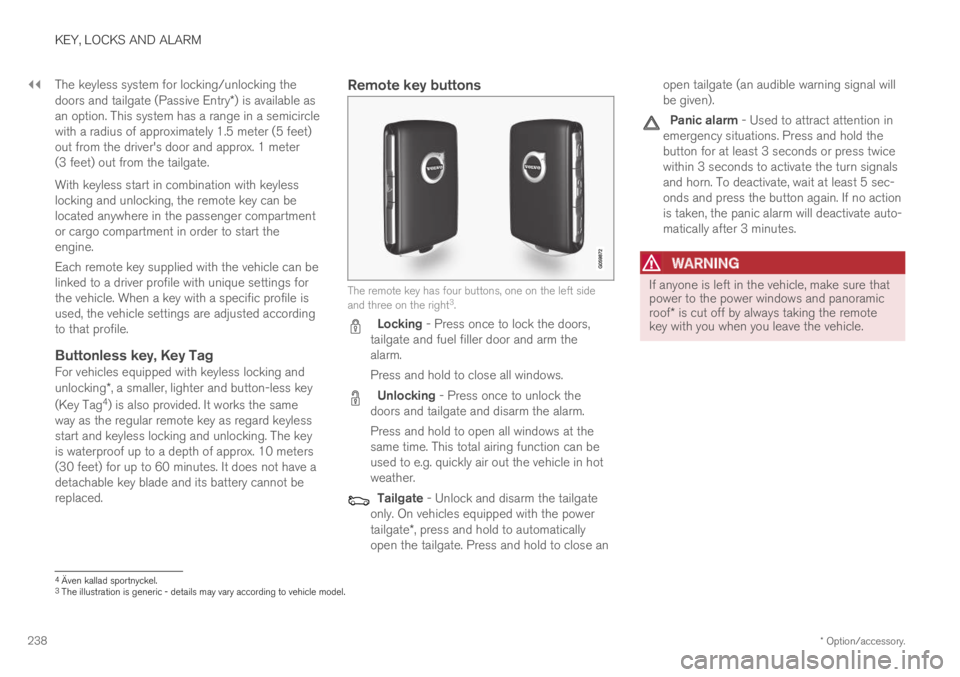
The remote key has four buttons, one on the left sideand three on the right3.
Locking - Press once to lock the doors,tailgate and fuel filler door and arm thealarm.
Press and hold to close all windows.
Unlocking - Press once to unlock thedoors and tailgate and disarm the alarm.
Press and hold to open all windows at thesame time. This total airing function can beused to e.g. quickly air out the vehicle in hotweather.
Tailgate - Unlock and disarm the tailgateonly. On vehicles equipped with the powertailgate*, press and hold to automaticallyopen the tailgate. Press and hold to close an
open tailgate (an audible warning signal willbe given).
Panic alarm - Used to attract attention inemergency situations. Press and hold thebutton for at least 3 seconds or press twicewithin 3 seconds to activate the turn signalsand horn. To deactivate, wait at least 5 sec-onds and press the button again. If no actionis taken, the panic alarm will deactivate auto-matically after 3 minutes.
WARNING
If anyone is left in the vehicle, make sure thatpower to the power windows and panoramicroof* is cut off by always taking the remotekey with you when you leave the vehicle.
4Även kallad sportnyckel.3The illustration is generic - details may vary according to vehicle model.
Page 241 of 695
KEY, LOCKS AND ALARM
* Option/accessory.239
NOTE
Be aware of the risk of locking the remotekey in the vehicle.
If the remote key or Key Tag is left in thevehicle, it will be deactivated when thevehicle is locked and the alarm set usinganother valid key. The deactivated key willbe reactivated when the vehicle isunlocked.
If the remote key or Red Key is left in thevehicle, it will be deactivated even if thevehicle is locked using Volvo On Call, andwill be reactivated when the vehicle isunlocked using Volvo On Call or bypressing the unlock button on the key.
Interference
Electromagnetic fields or obstructing objects mayinterfere with the remote key's functions for key-less start and keyless locking and unlocking*.
NOTE
Avoid storing the remote control key nearmetal objects or electronic devices, e.g. cellphones, tablets, laptops or chargers – pref-erably no closer than 10-15 cm (4-6 in.).
If you experience interference, use the remotekey's detachable blade to unlock the vehicle and
place the remote key in the backup key reader inthe tunnel console cup holder to disarm thealarm.
NOTE
When the remote control key is placed in thecup holder, make sure that no other vehiclekeys, metal objects or electronic devices (e.g.cell phones, tablets, laptops or chargers) arefound in the cup holder. Multiple vehicle keysclose to each other in the cup holder can dis-rupt their functionality.
WARNING
California Proposition 65
Operating, servicing and maintaining a pas-senger vehicle can expose you to chemicalsincluding engine exhaust, carbon monoxide,phthalates, and lead, which are known to theState of California to cause cancer and birthdefects or other reproductive harm. To mini-mize exposure, avoid breathing exhaust, donot idle the engine except as necessary, serv-ice your vehicle in a well ventilated area andwear gloves or wash your hands frequentlywhen servicing your vehicle. For more infor-mation go to www.P65Warnings.ca.gov/passenger-vehicle.
Related information
Locking and unlocking using the remote key(p. 240)
Remote key range (p. 242)
Replacing the remote key's battery (p. 243)
Detachable key blade (p. 248)
Electronic immobilizer (p. 251)
Linking a remote key to a driver profile(p. 138)