battery VOLVO XC60 TWIN ENGINE 2020 User Guide
[x] Cancel search | Manufacturer: VOLVO, Model Year: 2020, Model line: XC60 TWIN ENGINE, Model: VOLVO XC60 TWIN ENGINE 2020Pages: 687, PDF Size: 14.65 MB
Page 92 of 687

||
DISPLAYS AND VOICE CONTROL
90
For example:
The vehicle has been started, but is stationary and no power is being requested.
The electric motor cannot supply the requested power and the internal combustion engine will start.
The vehicle is generating current to recharge the bat- tery, e.g. during light braking or engine braking on adownslope.
Related information
Drive modes (p. 423)
Instrument panel (p. 86)
Brakes (p. 407)
Starting and stopping the combustion engine in Twin Engine vehicles (p. 423)
Hybrid battery gauge
The hybrid battery gauge shows how much current is left in the hybrid battery.
The current in the hybrid battery is used to power the electric motor, but can also be usedto heat or cool the vehicle. The trip computercalculates an approximate driving distancewith the remaining current in the hybrid bat-tery.
Page 93 of 687
DISPLAYS AND VOICE CONTROL
}}
91
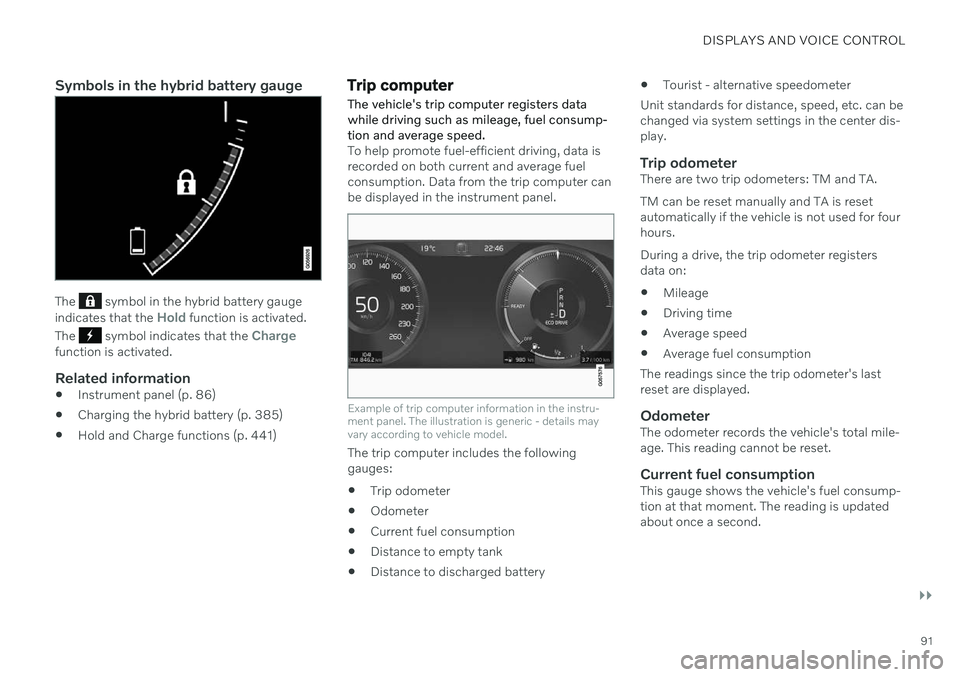
Symbols in the hybrid battery gauge
The symbol in the hybrid battery gauge
indicates that the Hold function is activated.
The
symbol indicates that the Chargefunction is activated.
Related information
Instrument panel (p. 86)
Charging the hybrid battery (p. 385)
Hold and Charge functions (p. 441)
Trip computer
The vehicle's trip computer registers data while driving such as mileage, fuel consump-tion and average speed.
To help promote fuel-efficient driving, data is recorded on both current and average fuelconsumption. Data from the trip computer canbe displayed in the instrument panel.
Example of trip computer information in the instru- ment panel. The illustration is generic - details mayvary according to vehicle model.
The trip computer includes the following gauges:
Trip odometer
Odometer
Current fuel consumption
Distance to empty tank
Distance to discharged battery
Tourist - alternative speedometer
Unit standards for distance, speed, etc. can bechanged via system settings in the center dis-play.
Trip odometerThere are two trip odometers: TM and TA. TM can be reset manually and TA is reset automatically if the vehicle is not used for fourhours. During a drive, the trip odometer registers data on:
Mileage
Driving time
Average speed
Average fuel consumption
The readings since the trip odometer's lastreset are displayed.
OdometerThe odometer records the vehicle's total mile-age. This reading cannot be reset.
Current fuel consumptionThis gauge shows the vehicle's fuel consump-tion at that moment. The reading is updatedabout once a second.
Page 94 of 687

||
DISPLAYS AND VOICE CONTROL
92
Distance to empty tankThe trip computer calculates the dis- tance that can be driven on the fuelremaining in the tank.
This calculation is based on average fuel con- sumption during the last 30 km (20 miles)and the amount of fuel remaining in the tank. When the gauge displays "----", there is not enough fuel remaining to calculate the remain-ing mileage. Refuel as soon as possible.
NOTE
The information will change based on your driving style.
An economical driving style will generally increase how far you can drive on a certainamount of fuel.
Distance to discharged batteryThis gauge shows the approximatedistance that can be driven with theremaining current in the hybrid bat-tery.
This calculation is based on average consump- tion with a normally loaded vehicle in normaldriving conditions, and takes into accountwhether the air conditioning is on or off. Changing drive modes from
Hybrid to Puremay increase the calculated distance because
Pure mode has reduced climate control set-
tings (ECO Climate). When the gauge displays "----", there is little charge remaining in the battery and electricmotor range cannot be reliably calculated.
NOTE
The information will change based on your driving style.
An economical driving style will generally increase how far you can drive on a certainamount of fuel.
Starting values for fully charged hybrid battery
Because it is difficult to predict driving style and other factors that affect the range of elec-tric motors, Volvo uses a starting value whenthe vehicle is fully charged. This starting valueprovides an "up to" amount instead of a pre-diction on the range of the electric current inthe motor. The difference in starting value between
Hybrid and Pure is because the
vehicle is permitted to use more current from the hybrid battery in
Pure mode, and because
the vehicle switches to ECO Climate.
Mileage when using electric motor
To achieve the longest possible mileage when using the electric motor, the driver of an elec-tric vehicle also needs to think about conserv- ing electricity. The more electricity consumers(stereo, heated windows/mirrors/seats, verycold air from climate control system, etc.) thatare active, the shorter the potential mileage.
NOTE
In addition to high electrical consumption in the passenger compartment, rapidacceleration, sudden braking, high speeds,heavy loads, low ambient temperaturesand driving up hills can reduce possibledriving distance.
Tourist - alternative speedometerThe alternative digital speedometer makes it easier to drive in countries where speed limitsigns are shown in a different measurementunit than the one shown in the vehicle'sgauges. When used, the digital speed is displayed in the opposite unit to that shown in the analogspeedometer. If
mph is used in the analog
speedometer, the equivalent speed in km/h
will be shown in the digital speedometer.
Related information
Displaying trip data in the instrumentpanel (p. 93)
Resetting the trip odometer (p. 94)
Displaying trip statistics in the center dis-play (p. 94)
Page 96 of 687

||
DISPLAYS AND VOICE CONTROL
943. Scroll down to the option buttons to
choose which information to show in the instrument panel: Odometer
Distance to empty tank
Distance to discharged battery
Tourist (alternative speedometer)
Mileage for trip odometer TM, TA or no display of mileage
Current fuel consumption, average fuelconsumption for TM or TA, or no dis-play of fuel consumption
Select or clear a selection using the O but-
ton (4). The change will apply immedi-ately.
Related information
Trip computer (p. 91)
Resetting the trip odometer (p. 94)
Resetting the trip odometer Resetting the trip odometer using the left- side steering wheel lever.
–Reset all information in trip odometer TM (i.e. mileage, average fuel consumption,average speed and driving time) by press-ing and holding the
RESET button on the
left-hand steering wheel lever. Tapping the RESET button only resets the
distance driven.
The TA trip odometer can not be manually reset. It resets automatically if the vehicle isnot used for four hours or more.
Related information
Trip computer (p. 91)
Displaying trip statistics in the center display Trip computer statistics can be displayed graphically in the center display, providing anoverview that facilitates more fuel-efficientdriving.
Open the Driver
performance app in the App
view to display trip statistics. Each bar in the graph repre- sents a driving distance of 1kilometers, 10 kilometers or
100 kilometers (or miles). The bars are addedfrom the right as you drive. The bar at the farright shows the data for the current trip. Average fuel consumption and total driving time are calculated from the most recent resetof the trip statistics. Fuel and electricity consumption are shown in separate graphs. The electricity consumptionshows "net" consumption, i.e. consumed cur-rent minus regenerated current generated bybraking.
Page 172 of 687

WINDOWS, GLASS AND MIRRORS
* Option/accessory.
170
Windows, glass and mirrors The vehicle is equipped with several different types of windows, glass and mirrors. Some ofthe windows in the car are laminated.
The windshield has laminated glass. Lamina- ted glass is also available as on option forsome other glass surfaces. Laminated glass isreinforced, which provides better protectionagainst break-ins and improved soundproofingin the passenger compartment. The panoramic roof * also has laminated glass.
The symbol shows the windows containing lamina- ted glass. 1
Related information
Pinch protection for windows and sun cur- tains (p. 170)
Panoramic roof
* (p. 176)
Power windows (p. 171)
Rearview/door mirrors (p. 173)
Head-up display
* (p. 145)
Using the windshield wipers (p. 180)
Using the windshield and headlight wash-ers (p. 183)
Activating and deactivating the heatedrear window and door mirrors (p. 221)
Pinch protection for windows and sun curtains All power windows and sun curtains
* have a
pinch protection function that is triggered if anything blocks them while they are openingor closing.
If pinch protection is activated, movement will stop and then retract automatically to approx.50 mm (2 inches) from the point at which itwas blocked (or to full ventilation position). It is still possible to override pinch protection when closing is interrupted (e.g. due to ice) bypressing and holding down the control in thesame direction. If there is any problem with the pinch protec- tion, a rest procedure can be tested.
WARNING
If the starter battery is disconnected, the function for automatic opening and closingmust be reset to function correctly. A resetis required in order for the pinch protectionto work.
Related information
Reset procedure for pinch protection (p. 171)
Operating the power windows (p. 172)
Operating the panoramic roof
* (p. 177)
1
Does not apply to windshield and panoramic roof *, which are always laminated and therefore do not have this symbol.
Page 173 of 687

WINDOWS, GLASS AND MIRRORS
* Option/accessory.171
Reset procedure for pinch protection
If you experience any problems with the elec- trical functions for the power windows, youcan try to perform a reset.
WARNING
If the starter battery is disconnected, the function for automatic opening and closingmust be reset to function correctly. A resetis required in order for the pinch protectionto work.
If the problem persists or if it affects the pan- oramic roof, contact a workshop 2
.
Resetting a power window
1. Start with the window in the closed posi-
tion.
2. Then move the control in manual mode three times upward toward the closed position.
> The system will be automatically acti-vated.
Related information
Pinch protection for windows and sun cur- tains (p. 170)
Operating the power windows (p. 172)
Power windows Every door has a control panel for the power windows. The driver's door has controls foroperating all windows and for activating thechild safety locks.
Driver's door control panel.
Electric child safety locks
* that deactivate
the controls in the rear doors to prevent the doors or windows from being openedfrom the inside.
Rear window controls.
Front window controls.
WARNING
Children, other passengers or objects can be trapped by the moving parts.
Always operate the windows with cau- tion.
Do not allow children to play with theoperating controls.
Never leave a child alone in the vehicle.
Remember to always cut the current tothe power windows by setting thevehicle's electrical system to ignitionmode
0 and then taking the remote
key with you when leaving the vehicle.
Never stick objects or body parts outthrough the windows, even if the vehi-cle electrical system is completelyturned off.
Related information
Operating the power windows (p. 172)
Pinch protection for windows and sun cur-tains (p. 170)
Reset procedure for pinch protection(p. 171)
2
An authorized Volvo workshop is recommended.
Page 234 of 687
CLIMATE CONTROL
* Option/accessory.
232
Parking climate symbols and messages
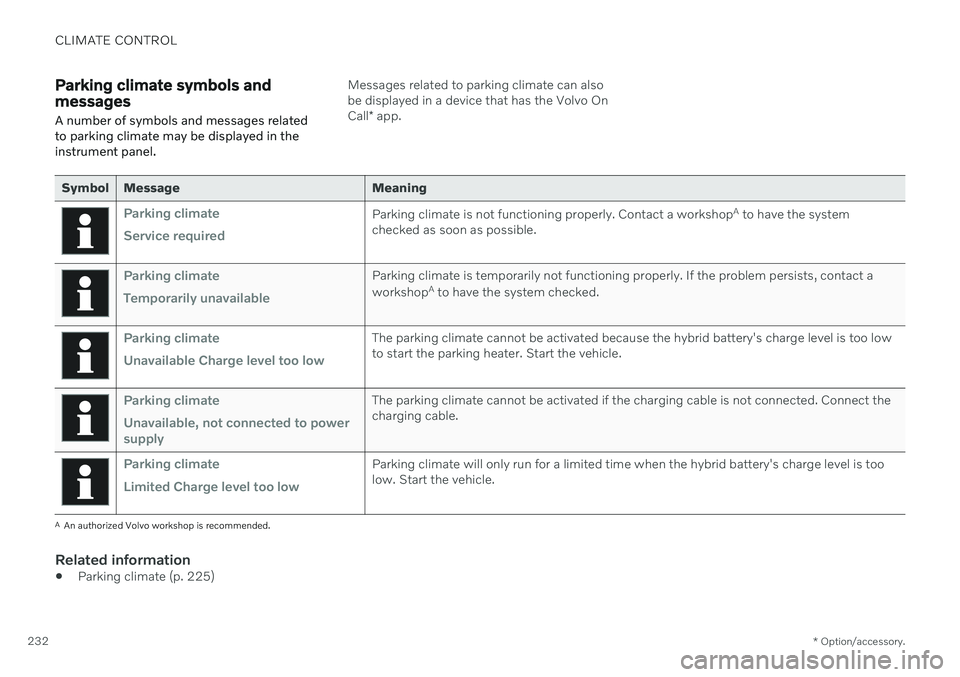
A number of symbols and messages related to parking climate may be displayed in theinstrument panel.Messages related to parking climate can also be displayed in a device that has the Volvo On Call * app.
Symbol Message Meaning
Parking climate Service requiredParking climate is not functioning properly. Contact a workshop A
to have the system
checked as soon as possible.
Parking climate Temporarily unavailableParking climate is temporarily not functioning properly. If the problem persists, contact a workshop A
to have the system checked.
Parking climate Unavailable Charge level too lowThe parking climate cannot be activated because the hybrid battery's charge level is too low to start the parking heater. Start the vehicle.
Parking climate Unavailable, not connected to power supplyThe parking climate cannot be activated if the charging cable is not connected. Connect the charging cable.
Parking climate Limited Charge level too lowParking climate will only run for a limited time when the hybrid battery's charge level is too low. Start the vehicle.
A An authorized Volvo workshop is recommended.
Related information
Parking climate (p. 225)
Page 235 of 687

CLIMATE CONTROL
233
HeaterThe heater has two sub-functions that help warm the passenger compartment or enginein various situations.
The heater has two sub-functions:
Parking heater - heats the passenger com- partment as needed when the parking cli-mate's preconditioning is activated.
Auxiliary heater - heats the passengercompartment and engine while driving.
The heater is a high-voltage coolant heaterand is mounted in the front right-side wheelhousing.
Battery and chargingThe heater is powered by the vehicle's hybridbattery. If the charge level in the hybrid batteryis too low, the heater will switch off automati-cally and a message will be displayed in theinstrument panel.
NOTE
Make sure that the battery has sufficient charge if the heater must be used.
Related information
Climate (p. 204)
Parking heater (p. 233)
Additional heater (p. 233)
Parking heater
The parking heater heats the passenger com- partment as needed before driving if precon-ditioning is activated.
The parking heater is one of two sub-functions of the vehicle's heater. The heater is mountedin the front right-side wheel housing. The parking heater starts automatically if the parking climate's preconditioning is activatedand the passenger compartment needs to beheated. Heater running time varies depending on fac- tors such as battery charge level, passengercompartment temperature and ambient tem-perature, but it will never run for longer than40 minutes.
Related information
Heater (p. 233)
Additional heater (p. 233)
Additional heater
The auxiliary heater helps heat the passenger compartment and engine while driving.
The auxiliary heater is one of two sub-func- tions of the vehicle's heater. The heater ismounted in the front right-side wheel housing. The auxiliary heater is started and controlled automatically when extra heat is requiredwhile the vehicle is being driven. It switches off automatically when the ignition is switched off.
Related information
Heater (p. 233)
Parking heater (p. 233)
Activating and deactivating the auxiliaryheater (p. 234)
Page 241 of 687

KEY, LOCKS AND ALARM
}}
* Option/accessory.239
NOTE
Be aware of the risk of locking the remote key in the vehicle. If the remote key or key tag is left in the vehicle, it will be deactivated whenthe vehicle is locked and the alarm setusing another valid key. The key will bereactivated when the vehicle isunlocked.
If the remote key or Red Key is left inthe vehicle, it will be deactivated evenif the vehicle is locked using Volvo OnCall, and will be reactivated when thevehicle is unlocked using Volvo On Callor another valid key.
Button-less key (Key Tag)
*
The button-less key4
provided with the keyless
locking and unlocking function works in the same way as the regular remote key for key-less start, locking and unlocking. The key iswaterproof up to a depth of approx. 10 meters(30 feet) for up to 60 minutes. It does nothave a detachable key blade and its batterycannot be replaced.
Red Key - restricted remote key *A Red Key is a key that makes it possible to set restrictions for some of the vehicle's func- tions, e.g. maximum speed and maximum audio system volume. It helps vehicle ownersensure that the vehicle is being operatedresponsibly by other drivers.
InterferenceElectromagnetic fields or obstructing objectsmay interfere with the remote key's functionsfor keyless start and keyless locking and unlocking
*.
NOTE
Avoid storing the remote control key near metal objects or electronic devices, e.g.cell phones, tablets, laptops or chargers –preferably no closer than 10-15 cm(4-6 in.).
If you experience interference, use the remote key's detachable blade to unlock the vehicleand then place the remote key in the backupreader in the tunnel console cup holder to dis-arm the alarm and start the vehicle.
NOTE
When the remote control key is placed in the cup holder, make sure that no othervehicle keys, metal objects or electronicdevices (e.g. cell phones, tablets, laptopsor chargers) are found in the cup holder.Multiple vehicle keys close to each other inthe cup holder can disrupt their functional-ity.
WARNING
California Proposition 65 Operating, servicing and maintaining a pas- senger vehicle can expose you to chemi-cals including engine exhaust, carbon mon-oxide, phthalates, and lead, which areknown to the State of California to causecancer and birth defects or other reproduc-tive harm. To minimize exposure, avoidbreathing exhaust, do not idle the engineexcept as necessary, service your vehicle ina well ventilated area and wear gloves orwash your hands frequently when servicingyour vehicle. For more information go towww.P65Warnings.ca.gov/passenger-vehicle.
4
Also called sport key.
Page 242 of 687

||
KEY, LOCKS AND ALARM
* Option/accessory.
240
Related information
Starting the vehicle (p. 402)
Locking and unlocking using the remote key (p. 240)
Remote key range (p. 242)
Replacing the remote key's battery(p. 243)
Detachable key blade (p. 249)
Electronic immobilizer (p. 251)
Linking a remote key to a driver profile(p. 141)
Locking and unlocking using the remote key
All doors and tailgate can be locked and unlocked simultaneously using the buttonson the remote key.
Locking with remote key
The illustration is generic - details may vary accord- ing to vehicle model.
–Press the button on the remote key to
lock the vehicle.
To activate the locking sequence, the driver's door must be closed 5
. If any of the other doors
or the tailgate are open, they will be locked and the alarm will be armed once they areclosed.
NOTE
Be aware of the risk of locking the remote key in the vehicle. If the remote key or key tag is left in the vehicle, it will be deactivated whenthe vehicle is locked and the alarm setusing another valid key. The key will bereactivated when the vehicle isunlocked.
If the remote key or Red Key is left inthe vehicle, it will be deactivated evenif the vehicle is locked using Volvo OnCall, and will be reactivated when thevehicle is unlocked using Volvo On Callor another valid key.
Locking when the tailgate is open
NOTE
If the vehicle is locked and the tailgate is still open, make sure that the remote key isnot left in the cargo compartment whenthe tailgate is closed and the entire vehicle is locked 6
.
5 If the vehicle is equipped with keyless locking/unlocking *, all side doors must be closed.
6 If the vehicle is equipped with keyless locking/unlocking and the key is detected inside the vehicle, the tailgate will not lock when it is closed. *