power steering VOLVO XC60 TWIN ENGINE 2020 Owner's Guide
[x] Cancel search | Manufacturer: VOLVO, Model Year: 2020, Model line: XC60 TWIN ENGINE, Model: VOLVO XC60 TWIN ENGINE 2020Pages: 687, PDF Size: 14.65 MB
Page 408 of 687
||
STARTING AND DRIVING
* Option/accessory.
406
Mode Functions
I The panoramic roof, power windows, 12-volt electricalsocket in the passenger com-partment, Bluetooth, naviga-tion, phone, blower and wind-shield wipers can be used.
The power seats can beadjusted.
The 12-volt electrical socket
* in
the cargo compartment can beused.
Electrical current will be taken
from the battery in this ignitionmode.
II The headlights illuminate.
Warning/indicator lights illumi-nate for 5 seconds.
A number of other systems areactivated. However, seat andrear window heating can onlybe activated when the engineis running.
This ignition mode uses a lot of
current from the battery andshould be avoided wheneverpossible!
A Also activated when the door is opened.
Related information
Starting the vehicle (p. 402)
Adjusting the steering wheel (p. 202)
Jump starting using another battery (p. 451)
Selecting ignition mode (p. 406)
Selecting ignition mode
The vehicle's ignition can be put in various modes (levels) to make different functionsavailable.
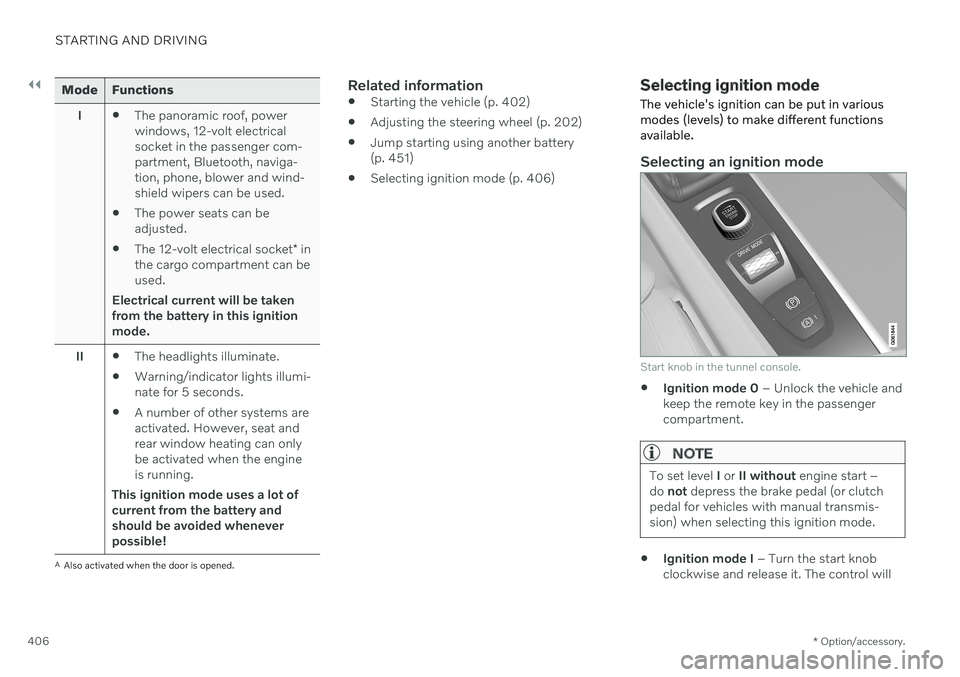
Selecting an ignition mode
Start knob in the tunnel console.
Ignition mode 0
– Unlock the vehicle and
keep the remote key in the passenger compartment.
NOTE
To set level I or II without engine start –
do not depress the brake pedal (or clutch
pedal for vehicles with manual transmis- sion) when selecting this ignition mode.
Ignition mode I
– Turn the start knob
clockwise and release it. The control will
Page 409 of 687

STARTING AND DRIVING
}}
407
automatically return to the original posi- tion.
Ignition mode II
– Turn the start knob
clockwise and hold it there forapprox. 5 seconds. Release the knob,which will automatically return to its origi-nal position.
Back to ignition mode 0
– To return to
ignition mode 0 from modes I and II, turn
the start knob clockwise and release it.The control will automatically return to theoriginal position.
Related information
Starting the vehicle (p. 402)
Switching off the vehicle (p. 404)
Ignition modes (p. 405)
Adjusting the steering wheel (p. 202)
Jump starting using another battery(p. 451)
Brake functions
The vehicle's brakes are used to reduce speed or prevent the vehicle from rolling.
In addition to the wheel brakes and parking brakes, the vehicle is also equipped with anumber of automatic brake assist functions.These systems provide assistance by e.g. thedriver not needing to depress the brake pedalat a traffic light, when starting up a hill orwhen driving down a hill. Depending on how the vehicle is equipped, the following brake assist functions may beincluded:
Auto-hold brake function at a standstill(Auto Hold)
Hill Start Assist (Hill Start Assist)
Braking assist after a collision
City Safety
Hill Descent Control (Hill Descent Control)
Related information
Brakes (p. 407)
Parking brake (p. 411)
Auto-hold brakes (p. 414)
Braking assist after a collision (p. 416)
Hill Start Assist (p. 416)
City Safety
™ (p. 318)
Hill Descent Control (p. 436)
Brakes
The brake pedal is used to apply the vehicle's regular brakes, which are part of the brakesystem.
The vehicle is equipped with two brake cir- cuits. If one brake circuit is damaged, thebrake pedal will go down further whendepressed. More pressure will then berequired from the driver for normal brakingeffect.
WARNING
The power brakes only work when the electric motor or combustion engine is run-ning.
If the brake pedal is used when the engine is switched off, greater pressure must be appliedto brake the vehicle. In very hilly areas or when driving with a heavy load, gear position B can be used to augment
the brakes with engine braking. Use the Off Road drive mode to increase the engine braking effect when driving on steepdowngrades at low speeds.
Anti-lock brakesThe vehicle is equipped with an Anti-lock Braking System (ABS 2
), which helps prevent
the wheels from locking and helps maintain steering control when braking. Vibrations may
Page 419 of 687

STARTING AND DRIVING
* Option/accessory.417
Automatic transmission
In vehicles with an automatic transmission, the system selects the gear so that drivingwill be as energy-efficient as possible. Thetransmission also has a manual mode.
Overview of gear selector and gear shift pattern in the instrument panel
The instrument panel shows which gear is cur- rently in use: R , N , D or B. P position is electric.
For manual shifting, the gear indicator in the instrument panel displays the gear currentlybeing used.
CAUTION
Check the operating temperature of the transmission to help avoid damage to anyof the drive system components. If there isa risk of overheating, a warning symbol willappear in the instrument panel and a textmessage will be displayed. Follow the rec-ommendations given.
Symbols in the instrument panelIf a problem should occur with the transmis- sion, a symbol and a message will appear inthe instrument panel.
Symbol Meaning
Information and messages rela- ted to the transmission. Followthe recommendations provided.
Hot or overheated transmission. Follow the recommendationsprovided.
Reduced performance/Accel-
eration performance reduced
In the event of a temporary fault in the driveline, the vehicle maygo into a "limp home" mode withreduced power output to helpavoid damage to the driveline.
Related information
Gear selector positions for automatic transmissions (p. 418)
Using the steering wheel paddles
* to shift
(p. 419)
Shiftlock (p. 420)
The kickdown function (p. 421)
Page 425 of 687

STARTING AND DRIVING
}}
* Option/accessory.423
Starting and stopping the combustion engine in Twin Enginevehicles An advanced control system determines the distance that the vehicle can be driven on thecombustion engine, electric motor, or both atthe same time. When driving on only theelectric motor, the vehicle may automaticallystart the combustion engine due to outsidecircumstances, e.g. low ambient tempera-tures. This is completely normal. The com-bustion engine will also always start whenthe hybrid battery is nearly fully discharged.
Climate settings at low temperaturesAt low ambient temperatures, the combustion engine will sometimes start automatically tohelp achieve the desired passenger compart-ment temperature and air quality. The amountof time the combustion engine is running canbe affected by lowering the temperature
reducing blower speed
activating
Pure drive mode.
Using the electric motor in hot or cold
weather
At very low or high ambient temperatures, the electric motor's driving range and power maybe reduced and affect how often the combus-tion engine automatically starts.
Emission control systemTo help ensure that the emission control sys-tem is as energy-efficient as possible, thecombustion engine will run for several minutesafter it is started. The amount of time the com-bustion engine needs to be used variesdepending on the temperature of the three-way catalytic converter.
WARNING
California Proposition 65 Operating, servicing and maintaining a pas- senger vehicle can expose you to chemi-cals including engine exhaust, carbon mon-oxide, phthalates, and lead, which areknown to the State of California to causecancer and birth defects or other reproduc-tive harm. To minimize exposure, avoidbreathing exhaust, do not idle the engineexcept as necessary, service your vehicle ina well ventilated area and wear gloves orwash your hands frequently when servicingyour vehicle. For more information go towww.P65Warnings.ca.gov/passenger-vehicle.
Related information
Drive systems (p. 422)
Economical driving (p. 438)
Drive modes (p. 423)
Drive modes
Drive modes affect the vehicle's driving cha- racteristics in different ways to enhance andsimplify the driving experience in certaintypes of situations.
Drive modes enable easy access to the vehi- cle's many functions and settings in differentdriving situations. Each drive mode is adaptedto help optimize driving characteristics. Steering
Engine/transmission/all-wheel drive
Brakes
Pneumatic suspension
* and shock absorb-
ers
Instrument panel
Climate control settings
Select the drive mode that is adapted to the current driving conditions. Keep in mind thatnot all drive modes are available in all situa-tions.
Page 428 of 687

||
STARTING AND DRIVING
* Option/accessory.
426 This drive mode is adapted for optimal control when driving at low speeds on very poor roads or difficult terrain. It raises the chassis
7
,
reduces driveline throttle response, and locks the vehicle in all-wheel drive. The Hill DescentControl function facilitates controlled drivingon steep downgrades.
NOTE
This drive mode is not designed to be used for normal street driving.
NOTE
Due to the increased ground clearance, if the Off Road mode was selected when
the engine was switched off, the suspen- sion will lower when the engine is restar-ted.
CAUTION
Do not use the Off Road drive mode when
towing a trailer without an electrical con- nection. This could result in damage to thepneumatic suspension system's bellows.
Constant AWD
Improves the vehicle's traction and han- dling by increasing all-wheel drive. This drive mode locks the vehicle in all-wheeldrive. An adapted distribution between frontand rear axle torque provides effective control,stability and traction, e.g. on slippery roads orwhen towing a heavy trailer or another vehicle. The
Constant AWD drive mode is always
available regardless of the hybrid battery's charge status. Both the combustion engine and the electric motor are engaged to enable all-wheel drive,which results in higher fuel consumption. In the other drive modes, the vehicle automati- cally adapts the need for all-wheel driveaccording to the road surface, and can acti-vate the electric motor or start the combustionengine as needed.
Power
The vehicle gets sportier driving characte- ristics and a faster acceleration response.
This drive mode adapts the combined powerfrom the combustion engine and the electricmotor by providing power to both the frontand rear wheels. Gear shifting will be fasterand more distinct and the transmission willprioritize gears with a higher traction force.Steering response is faster, suspension is stiffer and ground clearance is lower 7
to help
reduce body roll when cornering. Both the combustion engine and the electric motor are engaged to enable all-wheel drive,which results in higher fuel consumption. This drive mode is adapted for optimal per- formance and response during acceleration. Itchanges the throttle response, gear shiftingprogram and turbo boost system. Chassis set-tings and steering and brake response are also optimized. The
Power drive mode is always
available regardless of the hybrid battery's charge status.
Power mode is also available in a Polestar
Engineered* version.
7
For vehicles with pneumatic suspension.
Page 429 of 687
STARTING AND DRIVING
}}
* Option/accessory.427
Individual
Customizes drive mode to personal prefer- ences.
Select one of the drive modes as a basis andadjust the settings to achieve your preferreddriving characteristics. These settings will bestored in your driver profile. Individual drive mode is only available if it has been activated in the center display.
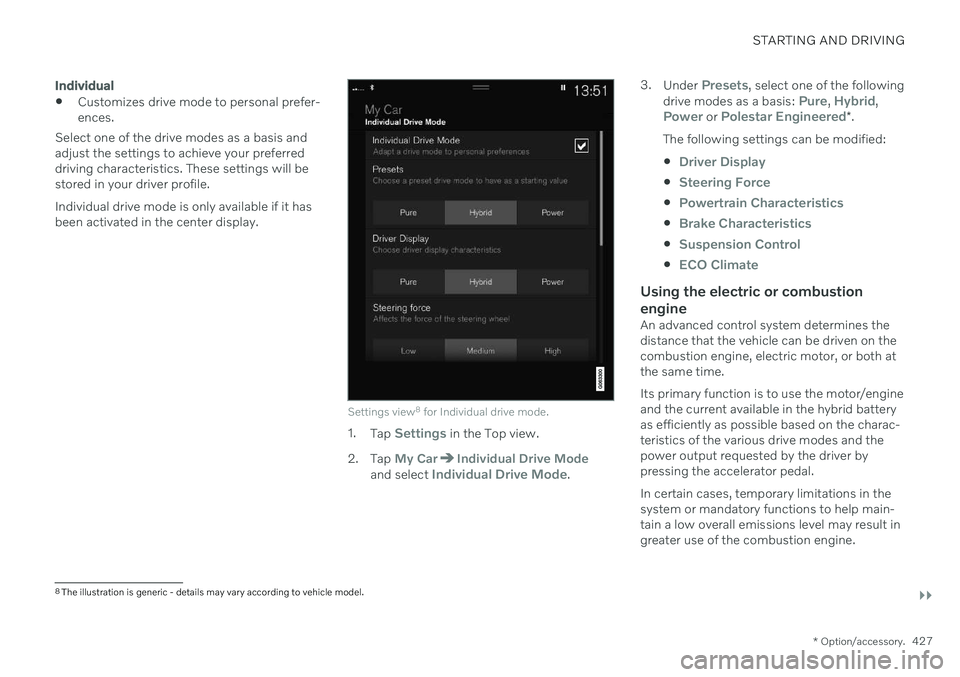
Settings view 8
for Individual drive mode.
1. Tap Settings in the Top view.
2. Tap
My CarIndividual Drive Modeand select Individual Drive Mode. 3.
Under
Presets, select one of the following
drive modes as a basis: Pure, Hybrid,Power or Polestar Engineered* .
The following settings can be modified:
Driver Display
Steering Force
Powertrain Characteristics
Brake Characteristics
Suspension Control
ECO Climate
Using the electric or combustion engine
An advanced control system determines the distance that the vehicle can be driven on thecombustion engine, electric motor, or both atthe same time. Its primary function is to use the motor/engine and the current available in the hybrid batteryas efficiently as possible based on the charac-teristics of the various drive modes and thepower output requested by the driver bypressing the accelerator pedal. In certain cases, temporary limitations in the system or mandatory functions to help main- tain a low overall emissions level may result in greater use of the combustion engine.
8 The illustration is generic - details may vary according to vehicle model.
Page 441 of 687

STARTING AND DRIVING
}}
* Option/accessory.439
Driving
Choose the Pure drive mode to help mini-
mize electric power consumption.
Maintain a steady speed and a generous following distance to traffic ahead to mini-mize braking. This drive mode has thelowest power consumption.
Balance energy requirements using theaccelerator pedal. Use the indicator on theinstrument panel to see available electricpower and avoid starting the combustionengine unnecessarily. The electric motor ismore effective than the combustionengine, especially at low speeds.
When braking is necessary, brake gentlyusing the brake pedal. This will helprecharge the hybrid battery. A regenerativefunction is integrated in the brake pedaland can be augmented by the electricmotor's braking capacity when the gearselector is in mode
B.
Higher speeds increase energy consump-tion - air resistance increases with speed.
Activate the
Hold function in the Function
view at high speeds when traveling farther than is possible using the hybrid battery'scapacity.
Whenever possible, avoid using the
Charge function to charge the hybrid bat-
tery. Charging the battery using the com- bustion engine increases fuel consump- tion and carbon dioxide emissions.
In a cold climate, reduce heating of thewindshield/rear window, mirrors, seatsand the steering wheel.
Maintain the correct pressure in the tiresand check pressure regularly.
The type of tires used could affect energyconsumption - consult a retailer for adviceon suitable tires.
Remove unnecessary items from the vehi-cle - the heavier the load, the higher thefuel consumption.
Roof loads increase air resistance andincrease fuel consumption. Remove roofboxes, ski racks, etc. that are not in use.
Avoid driving with the windows open.
Do not keep the vehicle still on an upwardgradient by using the accelerator pedal.Use the brakes instead.
Related information
Drive-E
‒ purer driving pleasure (p. 30)
Energy distribution in hybrid mode using map data
* (p. 429)
Factors affecting electric motor range (p. 439)
Hybrid gauge (p. 89)
Checking tire pressure (p. 545)
Factors affecting electric motor range
A number of factors affect the electric motor's driving range. The ability to achieve along driving range varies according to theoutside conditions and to how the vehicle isdriven.
The certified value for the distance that can be driven using the electric motor should not beconsidered an expected driving range. Theactual range is dependent on a number of fac-tors.
Factors affecting driving rangeThe driver can influence some factors affectingdriving range, but not all. The longest range is achieved under very favorable conditions when all factors positivelyinfluence range.
Page 461 of 687

STARTING AND DRIVING
* Option/accessory.459
Trailer Stability Assist *
Trailer Stability Assist (TSA 16
) is a function
designed to help stabilize a vehicle that is towing a trailer when the vehicle and trailerhave begun to sway. The function is part of the Electronic Stability Control system ESC 17
.
Reasons for swayingA vehicle towing a trailer may begin to sway for various reasons. Normally this only occursat high speeds. However, if the trailer is over-loaded or unevenly distributed, e.g. too farback, there is a risk of swaying even at lowspeeds. Swaying may be caused by factors such as:
The vehicle and trailer are hit by a sudden, strong crosswind.
The vehicle and trailer are traveling on anuneven road or over a bump.
Sudden movements of the steering wheel.
Once swaying has begun, it can be difficult orimpossible to stop it. This makes the vehicleand trailer difficult to control and there is a riskof swerving into oncoming traffic or driving offthe road.
Trailer Stability Assist functionTrailer Stability Assist continuously monitorsthe vehicle's movements, particularly lateral movements. If swaying is detected, the brakesare applied individually on the front wheels,which has a stabilizing effect on the vehicleand trailer. This is often enough to enable thedriver to regain control of the vehicle. If the Trailer Stability Assist function's first attempt is not adequate to stop the swayingmotion, the brakes are applied on all wheelsand engine power is temporarily reduced. Asthe swaying motion begins to decrease andthe vehicle and trailer have once againbecome stable, TSA stops regulating thebrakes/engine power and the driver regainscontrol of the vehicle.
NOTE
Trailer Stability Assist is deactivated if the driver selects the sport mode by deactivat- ing
ESC in the center display's menu sys-
tem.
Trailer Stability Assist may not intervene if the driver tries to compensate for the swayingmotion by moving the steering wheel rapidly,because the system will then not be able todetermine if it is the trailer or the driver caus-ing the swaying. When Trailer Stability Assistis activated, the ESC symbolis displayed in the instrumentpanel.
Related information
Driving with a trailer (p. 457)
Electronic Stability Control (p. 273)
16
Trailer Stability Assist
17 Electronic Stability Control
Page 483 of 687
AUDIO, MEDIA AND INTERNET
481
Selecting sub-channels
To listen to a station's sub-channel(s), tap the station on the screen or press the forward/back arrow keys on the right-side steeringwheel keypad or below the screen. Sub-channels can also be saved as radio favorites. If you tap a sub-channel favorite, it may take up to 6 seconds before the channel becomes
audible. If you tap a station while you are out of digital range of the transmitter,
No
reception will be displayed.
Related information
HD Radio
™
(p. 479)
Activating and deactivating the HD Radio
™ (p. 480)
Changing waveband and radio station(p. 476)
Searching for a radio station (p. 476)
HD Radio
™
limitations (p. 481)
HD Radio ™ limitations
Limitations
Main channel vs. sub-channels (FM only)
: The main channel is the only chan-
nel that can receive in hybrid mode (bothdigital and analog). If a frequency has sub-channels, they are broadcast in digitalmode only. The main FM channel will bedisplayed as, for example, "WRIF-FMHD1". The sub-FM channels will be dis-played as"WRIF-FM HD2", "WRIF-FMHD3", etc.
Reception coverage area
: Due to current
IBOC transmitter power limitations, thereception coverage area in digital mode issomewhat more limited than the station'sanalog coverage area. Be aware that, likeall radio transmission technology, terrain,time of day, vegetation and buildings canhave a positive or negative effect on radioreception.
Analog to digital/digital to analogblending
: Analog to digital blending will
occur as the signal strength reaches a pre-set threshold in the receiver. This will benoticeable in fringe areas (areas with weakreception) and is normal.
NOTE
There may be a noticeable difference in sound quality when a change from ana-logue to digital or digital to analogueoccurs, such as:
Volume increase or decrease
Equalizer settings, i.e., Bass/ Mid-range/Treble cut or boost
Time alignment (Digital program mate-rial in extreme cases can be as muchas 8 seconds behind the analogue).This will noticeable as a "stuttering"effect.
The above items are dependant on thebroadcaster's equipment settings anddo not indicate a fault in the vehicle'sradio receiver or antenna systems .
Related information
HD Radio
™ (p. 479)
Activating and deactivating the HD Radio
™ (p. 480)
HD Radio
™ sub-channels (p. 480)
Page 621 of 687
MAINTENANCE AND SERVICE
}}
619
FunctionAmpere Type
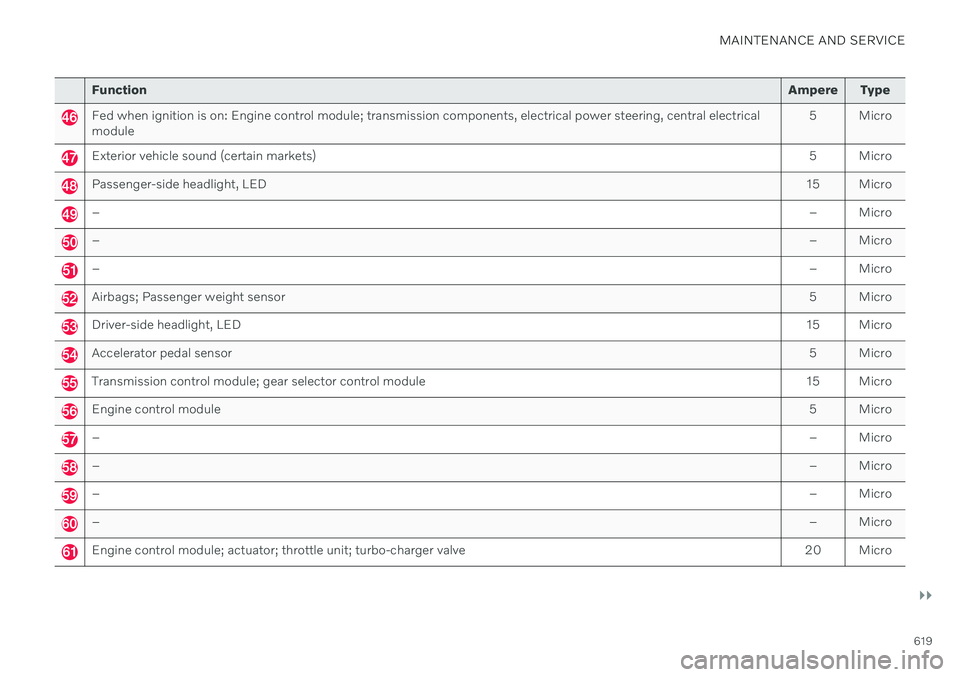
Fed when ignition is on: Engine control module; transmission components, electrical power steering, central electrical module 5 Micro
Exterior vehicle sound (certain markets)
5 Micro
Passenger-side headlight, LED15 Micro
– – Micro
–– Micro
–– Micro
Airbags; Passenger weight sensor 5 Micro
Driver-side headlight, LED15 Micro
Accelerator pedal sensor 5 Micro
Transmission control module; gear selector control module15 Micro
Engine control module 5 Micro
–– Micro
–– Micro
–– Micro
–– Micro
Engine control module; actuator; throttle unit; turbo-charger valve20 Micro