clock VOLVO XC70 2003 User Guide
[x] Cancel search | Manufacturer: VOLVO, Model Year: 2003, Model line: XC70, Model: VOLVO XC70 2003Pages: 257, PDF Size: 5.33 MB
Page 178 of 257
2003 VOLVO XC70
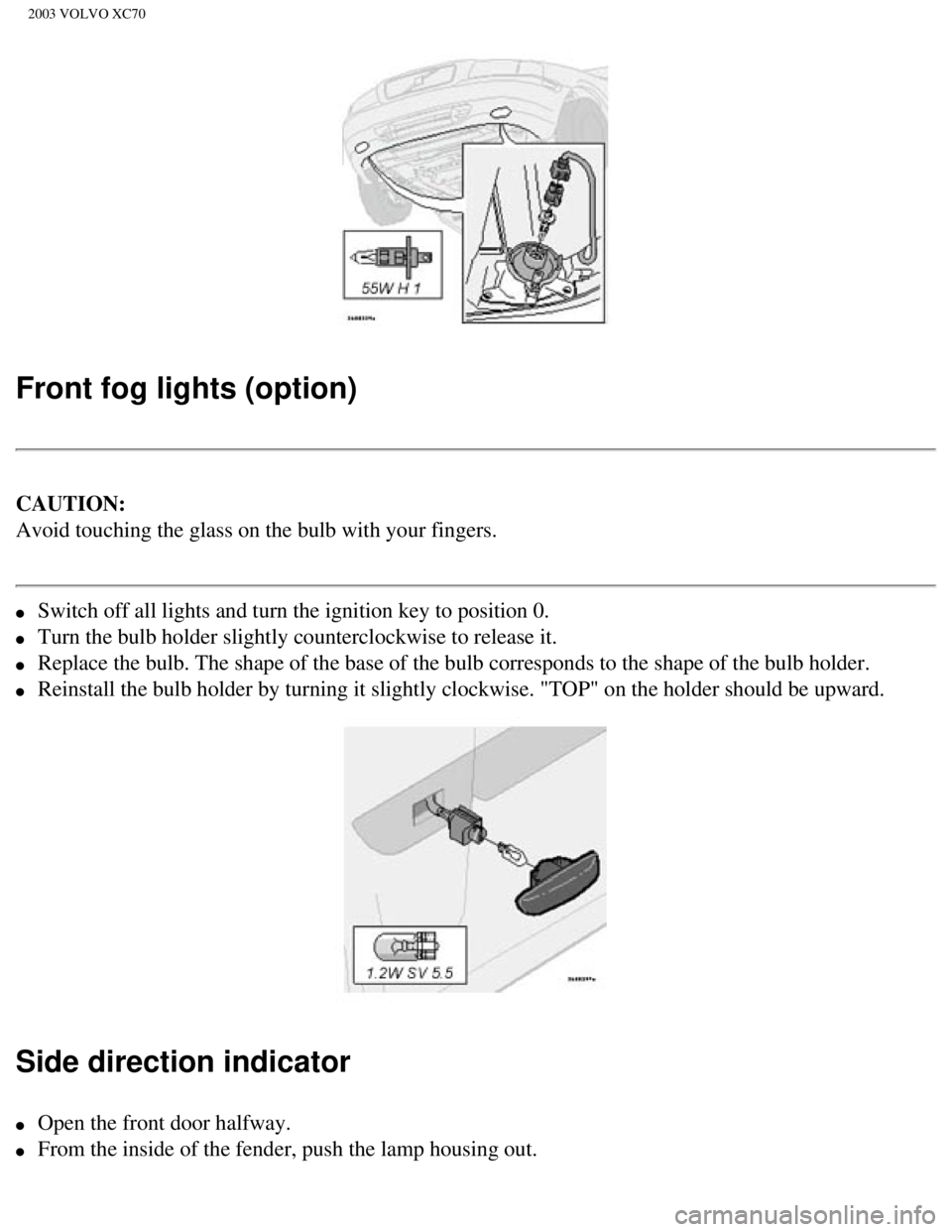
Front fog lights (option)
CAUTION:
Avoid touching the glass on the bulb with your fingers.
l Switch off all lights and turn the ignition key to position 0.
l Turn the bulb holder slightly counterclockwise to release it.
l Replace the bulb. The shape of the base of the bulb corresponds to the s\
hape of the bulb holder.
l Reinstall the bulb holder by turning it slightly clockwise. "TOP" on the\
holder should be upward.
Side direction indicator
l Open the front door halfway.
l From the inside of the fender, push the lamp housing out.
file:///K|/ownersdocs/2003/2003_XC70/03xc70_08a.htm (13 of 21)12/30/20\
06 4:18:03 PM
Page 179 of 257

2003 VOLVO XC70
l Turn the bulb holder 1/4 turn counterclockwise and pull it out from the \
lens.
l Remove the defective bulb by pulling it straight out.
l Insert a new bulb.
l Reinsert the bulb holder in the lens and press the entire unit back into\
place on the fender.
Door step courtesy lights
The door step courtesy lights are located under the dash on the driver's\
and passenger's sides.
To replace a bulb:
l Carefully insert a screwdriver and pry out the lens.
l Replace the defective bulb.
l Reinstall the lens.
pg. 124 Replacing bulbs
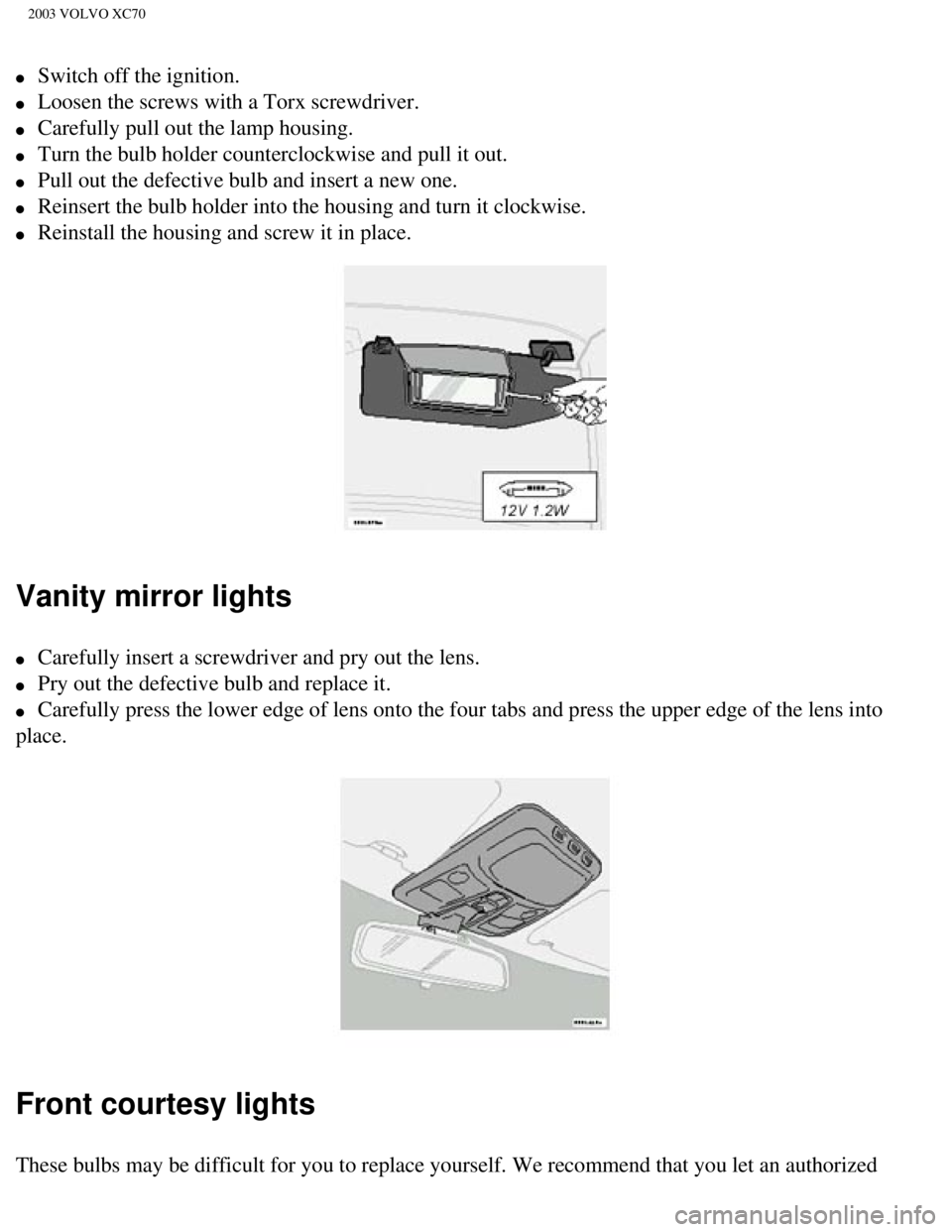
License plate lights
file:///K|/ownersdocs/2003/2003_XC70/03xc70_08a.htm (14 of 21)12/30/20\
06 4:18:03 PM
Page 180 of 257
2003 VOLVO XC70
l Switch off the ignition.
l Loosen the screws with a Torx screwdriver.
l Carefully pull out the lamp housing.
l Turn the bulb holder counterclockwise and pull it out.
l Pull out the defective bulb and insert a new one.
l Reinsert the bulb holder into the housing and turn it clockwise.
l Reinstall the housing and screw it in place.
Vanity mirror lights
l Carefully insert a screwdriver and pry out the lens.
l Pry out the defective bulb and replace it.
l Carefully press the lower edge of lens onto the four tabs and press the \
upper edge of the lens into
place.
Front courtesy lights
These bulbs may be difficult for you to replace yourself. We recommend t\
hat you let an authorized
file:///K|/ownersdocs/2003/2003_XC70/03xc70_08a.htm (15 of 21)12/30/20\
06 4:18:03 PM
Page 217 of 257
2003 VOLVO XC70
17. Traffic information
18. Automatic presetting of radio stations
19. Display
pg. 154 Audio systems HU-613/HU-803
Switch on/off
Press the knob to switch on or turn off the radio.
Volume control
Turn the knob clockwise to increase volume. Volume control is electronic\
and does not have an end
stop. If you have a key pad in the steering wheel, increase or decrease \
the volume with the + or -
buttons.
Bass
Adjust the bass by pressing the button to extend the control and turning\
it to the left (less bass) or to the
right (more bass). A "detent" indicates "equalized" bass. Press the bu\
tton back in when you have made
the adjustment.
file:///K|/ownersdocs/2003/2003_XC70/03xc70_10a.htm (4 of 10)12/30/200\
6 4:18:06 PM
Page 236 of 257

2003 VOLVO XC70
Volume control - Subwoofer
Turn the knob clockwise to increase volume. Turn the knob counterclockwi\
se to lower volume or switch
off the subwoofer.
Contents | Top of Page
file:///K|/ownersdocs/2003/2003_XC70/03xc70_10b.htm (13 of 13)12/30/20\
06 4:18:07 PM
Page 244 of 257

2003 VOLVO XC70
Capacities (oils and fluids) 141, 146
Cargo compartment cover
71
Cargo compartment lighting
67
Cargo eyelets
68
Cargo net
69
Catalytic converters - three-way
106
Center armrest - 3-section rear seat
65
Center backrest (3-section rear seat)
64
Center console - switches
31
Center head restraint - 3-section rear seat
64
Center head restraint - rear seat
3
Center seat head restraint
63
Central locking buttons
79
Chains - winter driving
109
Changing wheels
112, 113
Child booster cushion
12, 16
Child Restraint Anchorages
15
Child safety
11, 12, 14, 16
Child safety locks - rear doors
82
Climate controls
48-51
Climate system - general information
47
Clock
27
Clutch interlock
89
Coat hanger
61
Coin compartment
59
Cold weather driving
104
Combination filter
48, 51
Coolant
131
Cooling system - general information
96
Courtesy light
74
Courtesy lights (front) - replacing
124
Courtesy lights - exterior
76
file:///K|/ownersdocs/2003/2003_XC70/03xc70_12.htm (3 of 12)12/30/2006\
4:18:08 PM