light VOLVO XC70 2003 Owner's Manual
[x] Cancel search | Manufacturer: VOLVO, Model Year: 2003, Model line: XC70, Model: VOLVO XC70 2003Pages: 257, PDF Size: 5.33 MB
Page 54 of 257

2003 VOLVO XC70
E - Rear fog light
The rear fog light is considerably brighter than the normal tail lights \
and should be used only when
conditions such as fog, rain, snow, smoke or dust reduce visibility for \
other vehicles to less than 500 ft
(150 meters).
An LED in the switch indicates when the rear fog light is on.
The rear fog light will only function in combination with the high/low b\
eam head-lights.
By design, there is one rear fog light only, located in the driver's sid\
e tail light cluster.
Rear fog light in the instrument panel
This light indicates that the rear fog light is on.
pg. 35 Steering wheel adjustment, Ignition switch/steering wheel lock
Steering wheel adjustment
Both the height and the reach of the steering wheel can be adjusted to a\
comfortable position for the
driver. Pull down the lever on the left of the steering column. Adjust t\
he steering wheel to a suitable
position and press the lever back into place to lock the steering wheel \
in the new position. Check that the
steering wheel is locked in the new position.
WARNING!
Never adjust the steering wheel while
driving.
file:///K|/ownersdocs/2003/2003_XC70/03xc70_02b.htm (4 of 18)12/30/200\
6 4:17:54 PM
Page 55 of 257
ark position.
** Please be aware that leaving the key")
2003 VOLVO XC70
A chime will sound if the key is left in the ignition and the driver's d\
oor is opened.
* The gear selector must be in the (P)ark position.
** Please be aware that leaving the key in this position will increase b\
attery drain.
Steering wheel lock
The steering wheel lock might be under tension when the car is parked. T\
urn the steering wheel slightly
to free the ignition key.
In order to help reduce car theft, make sure the steering wheel lock is \
engaged before leaving the
car. WARNING!
Never switch off the ignition (turn the ignition key to position 0) or\
remove the key from the ignition
switch while the car is in motion. This could cause the steering wheel t\
o lock, which would make the
car impossible to steer.
pg. 36 Turn signals
file:///K|/ownersdocs/2003/2003_XC70/03xc70_02b.htm (5 of 18)12/30/200\
6 4:17:54 PM
Page 56 of 257

2003 VOLVO XC70
Turn signals
1 Lane change position. In maneuvers such as lane changing, the driver can flash the turn signal\
s by
moving the turn signal lever to the first stop and holding it there. The\
lever will return to the neutral
position when released.
2 Signal lever engaged for normal turns.
3 High beam/low beam switch (headlights on).
Move the lever towards the steering wheel and release it.
Headlight flasher (headlights off).
Move the lever towards the steering wheel. The headlight high beam will \
be on until the lever is
released.
NOTE: If the turn signal indicator flashes faster than normal, check for a bur\
ned-out turn signal bulb.
pg. 37Windshield/tailgate wipers/washers
file:///K|/ownersdocs/2003/2003_XC70/03xc70_02b.htm (6 of 18)12/30/200\
6 4:17:54 PM
Page 58 of 257
. Pull\
the lever toward you and
release. The wipers will make 2-3 sweeps across the windshield a")
2003 VOLVO XC70
High wiper speed
3 Windshield wiper/washer, headlight wiper/washer (certain models). Pull\
the lever toward you and
release. The wipers will make 2-3 sweeps across the windshield and headl\
ights (certain models) after the
lever is released.
"Single sweep" position: Move the lever slightly upward from the 0 position for one sweep of
the wipers. The lever returns automatically to 0 when released.
Tailgate wiper/washer
Tailgate washer/wiper
A - Intermittent wiping
B - normal wiping
To operate the tailgate washer: Move the lever forward to start the tailgate washer.
Tailgate wiper and reverse gear
If the front wipers are on and the car is put into reverse gear, then th\
e tailgate wiper will go into
intermittent wiping function*. If the tailgate wiper is already in norma\
l wiping function, the normal
wiping function will continue.
* Consult your Volvo retailer if you would like to have this function de\
activated.
file:///K|/ownersdocs/2003/2003_XC70/03xc70_02b.htm (8 of 18)12/30/200\
6 4:17:54 PM
Page 59 of 257

2003 VOLVO XC70
pg. 38 Warning flashers, Heated mirrors/rear window, Heated front seats
Hazard warning flashers
The four-way flasher should be used to indicate that the vehicle has bec\
ome a traffic hazard. To activate
the flashers, press the triangular button in the center dash. Press the \
button again to turn off the flashers.
NOTE: Regulations regarding the use of the hazard warning flasher may vary, de\
pending on where you
live.
Heated sideview mirrors/rear window
Press the switch to start heating the rear window and sideview mirrors t\
o remove ice or condensation.
An LED in the switch will light up.
file:///K|/ownersdocs/2003/2003_XC70/03xc70_02b.htm (9 of 18)12/30/200\
6 4:17:54 PM
Page 60 of 257

2003 VOLVO XC70
A timer automatically switches off the heating to the sideview mirrors a\
fter approximately 6 minutes and
to the rear window after approximately 12 minutes. The LED will go out c\
orrespondingly.
Heated front seats (option)
The front seat heating can be switched on and off as required.
l Press the switch once for maximum seat heating. Both LEDs in the switch \
will be lit.
l Press the switch a second time for comfort heating. One LED in the switc\
h will be lit.
l Press the switch a third time to turn the heating off completely.
The seat heating for the passenger seat should be switched off when the \
seat is not occupied.
pg. 39 Parking brake, Auxiliary socket, Ashtrays
Parking brake (hand brake)
The lever is situated between the front seats. The brake is applied to t\
he rear wheels. The indicator light
in the instrument panel will light up to indicate when the parking brake\
is applied. Apply the parking
file:///K|/ownersdocs/2003/2003_XC70/03xc70_02b.htm (10 of 18)12/30/20\
06 4:17:54 PM
Page 61 of 257

2003 VOLVO XC70
brake by pulling up firmly on the lever. Release the parking brake by de\
pressing the button at the end of
the lever and lowering the lever completely. WARNING!
l Always use the parking brake (hand brake) when parking. On hills, also\
turn the front wheels
toward the curb.
l The indicator light in the instrument panel will light up even if the pa\
rking brake is applied only
slightly. Be sure to pull the lever up sufficiently.
Front auxiliary socket
Rear auxiliary socket
Auxiliary sockets
file:///K|/ownersdocs/2003/2003_XC70/03xc70_02b.htm (11 of 18)12/30/20\
06 4:17:54 PM
Page 62 of 257
 for the auxiliary socket to function\
.")
2003 VOLVO XC70
These 12 volt sockets can be used to plug in certain accessories such as\
cellular telephones, etc. The key
must be in position I (or higher) for the auxiliary socket to function\
.
The auxiliary sockets can also be used for cigarette lighters, which are\
available at your Volvo retailer.
NOTE: The cover should be kept on when the auxiliary socket is not in use.
Ashtrays
Volvo cars in North America do not have an ashtray in the front seat as \
standard equipment. If you want
to have an ashtray in the front seat, please contact your Volvo retailer\
.
pg. 40 Electrically operated windows
Electrically operated windows
The electrically operated windows are controlled by buttons in the arm r\
ests. The ignition switch must
be ON * (ignition key in position I, II or the engine running) for the\
electrically operated windows to
function.
To lower: Press down the front edge of the button to the first detent ("stop").\
To raise: Lightly pull up the front edge of the button to the first detent ("sto\
p").
* The electrically operated windows will also function after the ignitio\
n has been switched off as long as
neither of the front doors has been opened.
file:///K|/ownersdocs/2003/2003_XC70/03xc70_02b.htm (12 of 18)12/30/20\
06 4:17:54 PM
Page 64 of 257

2003 VOLVO XC70
If the LED in the switch is OFF: The rear door windows can be raised or lowered with the buttons on
the rear door armrests or with the buttons on the driver's door armrest.\
If the LED in the switch is ON: The rear door windows can only be raised or lowered with the buttons
on the driver's door armrest.
pg. 41 Rearview/sideview mirrors
Rearview mirror
A Normal position
B Night position, reduces glare from following headlights
Autodim function (option)
The autodim function reacts to headlights from following traffic and aut\
omatically reduces glare.
NOTE: This function is automatically switched off when the gear selector is pl\
aced in the Reverse
position.
file:///K|/ownersdocs/2003/2003_XC70/03xc70_02b.htm (14 of 18)12/30/20\
06 4:17:54 PM
Page 65 of 257
2003 VOLVO XC70
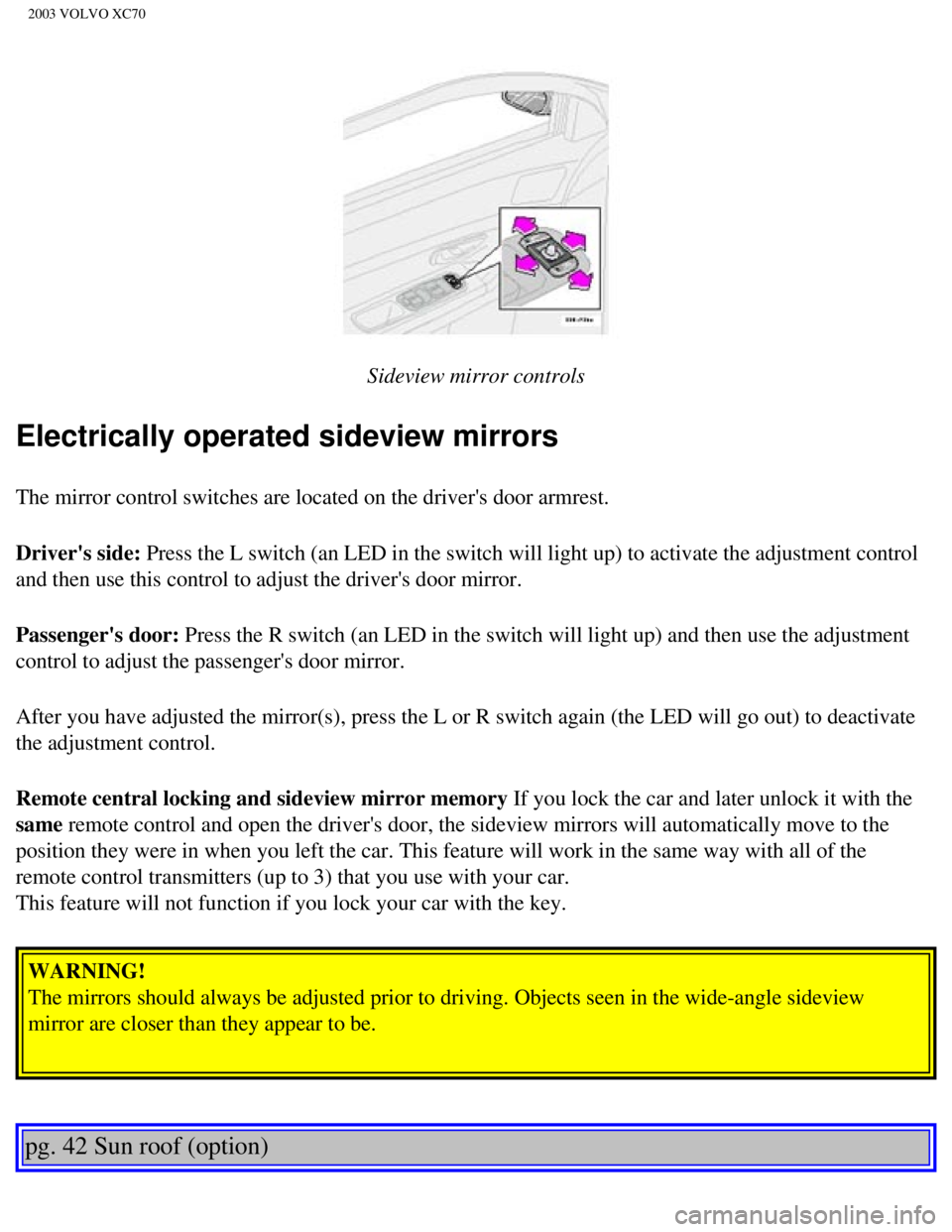
Sideview mirror controls
Electrically operated sideview mirrors
The mirror control switches are located on the driver's door armrest.
Driver's side: Press the L switch (an LED in the switch will light up) to activate th\
e adjustment control
and then use this control to adjust the driver's door mirror.
Passenger's door: Press the R switch (an LED in the switch will light up) and then use t\
he adjustment
control to adjust the passenger's door mirror.
After you have adjusted the mirror(s), press the L or R switch again (\
the LED will go out) to deactivate
the adjustment control.
Remote central locking and sideview mirror memory If you lock the car and later unlock it with the
same remote control and open the driver's door, the sideview mirrors will au\
tomatically move to the
position they were in when you left the car. This feature will work in t\
he same way with all of the
remote control transmitters (up to 3) that you use with your car.
This feature will not function if you lock your car with the key. WARNING!
The mirrors should always be adjusted prior to driving. Objects seen in \
the wide-angle sideview
mirror are closer than they appear to be.
pg. 42 Sun roof (option)
file:///K|/ownersdocs/2003/2003_XC70/03xc70_02b.htm (15 of 18)12/30/20\
06 4:17:54 PM