lights VOLVO XC70 2004 User Guide
[x] Cancel search | Manufacturer: VOLVO, Model Year: 2004, Model line: XC70, Model: VOLVO XC70 2004Pages: 241, PDF Size: 5.78 MB
Page 58 of 241
ark position.
** Please be aware that leaving the key")
2004 VOLVO XC70
A chime will sound if the key is left in the ignition and the driver's d\
oor is opened.
* The gear selector must be in the (P)ark position.
** Please be aware that leaving the key in this position will increase b\
attery drain.
Turn signals
1 Lane change position. In maneuvers such as lane changing, the driver can flash the turn signal\
s by
moving the turn signal lever to the first stop and holding it there. The\
lever will return to the neutral
position when released.
2 Signal lever engaged for normal turns.
3 High beam/low beam switch (headlights on).
Move the lever towards the steering wheel and release it.
Headlight flasher (headlights off).
Move the lever towards the steering wheel. The headlight high beam will \
be on until the lever is
released.
NOTE: If the turn signal indicator flashes faster than normal, check for a bur\
ned-out turn signal bulb.
pg. 37 Windshield/tailgate wipers/washers
file:///K|/ownersdocs/2004/2004_XC70/04xc70_02b.htm (6 of 18)12/30/200\
6 4:32:58 PM
Page 60 of 241
. Pull\
the lever toward you and
release it. The wipers will make 2-3 sweeps across the windshiel")
2004 VOLVO XC70
High wiper speed
3 Windshield wiper/washer, headlight wiper/washer (certain models). Pull\
the lever toward you and
release it. The wipers will make 2-3 sweeps across the windshield and he\
adlights (certain models) after
the lever is released.
"Single sweep" position: Move the lever slightly upward from the 0 position for one sweep of
the wipers. The lever returns automatically to 0 when released.
Tailgate wiper/washer
Tailgate washer/wiper
A - Intermittent wiping
B - normal wiping
To operate the tailgate washer: Move the lever forward to start the tailgate washer.
Tailgate wiper and reverse gear
If the front wipers are on and the car is put into reverse gear, then th\
e tailgate wiper will go into
intermittent wiping function*.
If the tailgate wiper is already in normal wiping function, the normal w\
iping function will continue.
* Consult your Volvo retailer if you would like to have this function de\
activated.
pg. 38 Warning flashers, Heated mirrors/rear window, Heated front seats
file:///K|/ownersdocs/2004/2004_XC70/04xc70_02b.htm (8 of 18)12/30/200\
6 4:32:58 PM
Page 66 of 241

2004 VOLVO XC70
pg. 41 Rearview/sideview mirrors
Rearview mirror
A Normal position
B Night position, reduces glare from following headlights
Autodim function (option)
The autodim function reacts to headlights from following traffic and aut\
omatically reduces glare.
NOTE: This function is automatically switched off when the gear selector is pl\
aced in the Reverse
position.
Sideview mirror controls
file:///K|/ownersdocs/2004/2004_XC70/04xc70_02b.htm (14 of 18)12/30/20\
06 4:32:58 PM
Page 81 of 241

2004 VOLVO XC70
l Press for more that 3 seconds. the LED flashes for 5 seconds. the air recircu\
lates in the car
for 3-12 minutes depending on the outside temperature.
l The timer function is activated each time you press .
To switch off the timer function :
l Press again for more than 3 seconds. The LED lights for 5 seconds to confirm \
your selection.
Recirculation is always disconnected when you select Defroster
.
Blower
Blower speed can be increases or decreased by turning the knob. If the k\
nob is set to 0, the air
conditioning function is automatically disengaged.
Temperature
Turn the control to set the temperature for the driver's and passenger's\
sides of the car. For cooler air, the
air conditioning function must be engaged.
Air distribution
Use the air distribution control positions (marked with dots) between \
the different symbols to fine-tune
air distribution for the maximum comfort.
pg. 54 Manual climate control with air conditioning, A/C
Air distribution
file:///K|/ownersdocs/2004/2004_XC70/04xc70_03.htm (11 of 12)12/30/200\
6 4:32:59 PM
Page 113 of 241
2004 VOLVO XC70
The courtesy light stays on for 10 minutes if one of the doors is left open after the car is unlocked.
The courtesy light switches off if:
l The engine is started.
l The car is locked from the outside with the key or remote control.
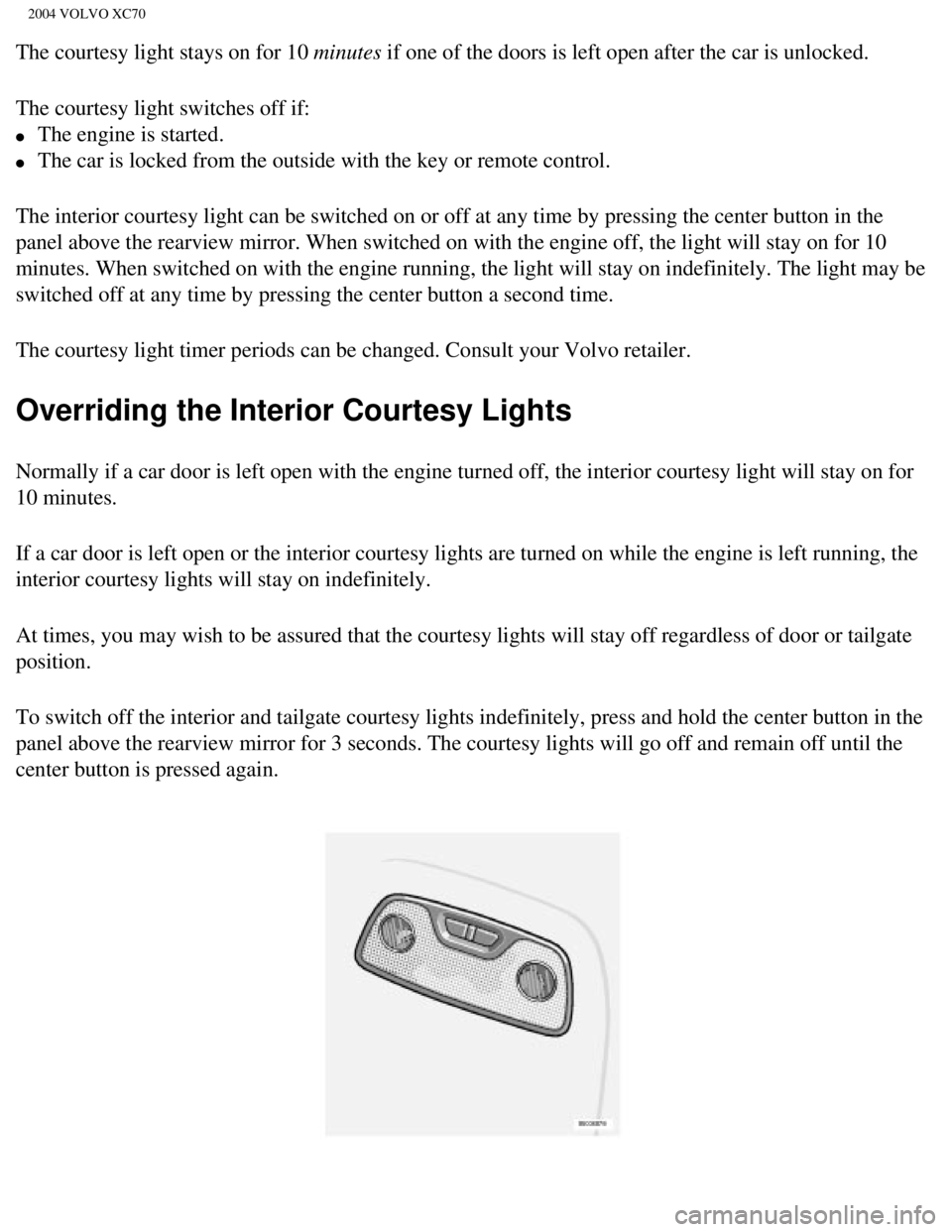
The interior courtesy light can be switched on or off at any time by pre\
ssing the center button in the
panel above the rearview mirror. When switched on with the engine off, t\
he light will stay on for 10
minutes. When switched on with the engine running, the light will stay o\
n indefinitely. The light may be
switched off at any time by pressing the center button a second time.
The courtesy light timer periods can be changed. Consult your Volvo reta\
iler.
Overriding the Interior Courtesy Lights
Normally if a car door is left open with the engine turned off, the inte\
rior courtesy light will stay on for
10 minutes.
If a car door is left open or the interior courtesy lights are turned on\
while the engine is left running, the
interior courtesy lights will stay on indefinitely.
At times, you may wish to be assured that the courtesy lights will stay \
off regardless of door or tailgate
position.
To switch off the interior and tailgate courtesy lights indefinitely, pr\
ess and hold the center button in the
panel above the rearview mirror for 3 seconds. The courtesy lights will \
go off and remain off until the
center button is pressed again.
file:///K|/ownersdocs/2004/2004_XC70/04xc70_04b.htm (20 of 21)12/30/20\
06 4:33:01 PM
Page 114 of 241

2004 VOLVO XC70
Rear reading lights
Reading lights - front/rear
The reading lights can be switched on or off by pressing the respective \
buttons. These lights switch off
automatically after 10 minutes if the engine is not running. If the engi\
ne is running, the lights stay on
indefinitely. The lights can be switched off at any time by pressing the\
button.
Contents | Top of Page
file:///K|/ownersdocs/2004/2004_XC70/04xc70_04b.htm (21 of 21)12/30/20\
06 4:33:01 PM
Page 115 of 241

2004 VOLVO XC70
2 0 0 4
VOLVO XC70
Chapter 5 - Keys, Locks, Alarm
pg.75 Keys, Locks, Alarm
Keys, Exterior courtesy lights, Locking and unlocking the
car 76
Remote keyless entry system 77
Unlocking the tailgate, Central locking buttons 79
Alarm 80
Child safety locks - rear doors 82
pg. 76 Keys, Exterior courtesy lights, Locking and unlocking the car
Keys
file:///K|/ownersdocs/2004/2004_XC70/04xc70_05.htm (1 of 11)12/30/2006\
4:33:01 PM
Page 117 of 241

2004 VOLVO XC70
Exterior courtesy lights
Home Safe System
When you leave your car at night, you can make use of the courtesy light\
ing function:
l Remove the key from the ignition switch.
l Pull the direction indicator lever towards the steering wheel (as when \
activating the high beams).
l Exit the car and lock the doors.
The headlights, parking lights, license plate lights and the lights in t\
he sideview mirrors will now come
on and remain on for 30, 60 or 90 seconds (the time interval is at your\
discretion and can be changed by
an authorized Volvo retailer).
Approach lighting
When approaching the car at night, press the yellow button in the centra\
l locking remote control (see
illustration on
page 77). This lights up the interior courtesy light, parking lights, license \
plate lights and
the lights in the sideview mirrors.
pg. 77 Remote keyless entry system
Remote keyless entry system
Your car is equipped with two coded remote control transmitters with int\
egrated ignition keys called
Key Integrated Remote (KIR). These transmitters use a radio frequency \
that will enable you to lock/
unlock all doors and the tailgate from a distance of 10-15 feet (3-5 me\
ters).
file:///K|/ownersdocs/2004/2004_XC70/04xc70_05.htm (3 of 11)12/30/2006\
4:33:01 PM
Page 118 of 241
.")
2004 VOLVO XC70
The transmitters will also activate or allow "keyless" entry into the pa\
ssenger compartment or the
tailgate. They will also activate or deactivate the vehicle's alarm syst\
em(s).
The car can also be locked/unlocked with the key.
If one of the transmitters is misplaced, contact your nearest authorized\
Volvo retailer for replacement.
Buttons in remote control
1 - Fold key in/out, 2 - Lock, 3 - Approach lighting
4 - "Panic" function *, 5 - Unlock tailgate, 6 - Unlock
Using the remote control
Button 1: Press to extend the key. This button must also be pressed when the key\
is folded back into the
slot in the side of the remote control unit.
Button 2 (Lock): Press once to lock all doors, and the tailgate.
Button 3 (Approach lighting): Press this button when approaching the car at night to light up the \
interior courtesy light, parking lights, license plate lights and the li\
ghts in the sideview mirrors.
Button 4 (Panic): See
page 80 for more information on this function.
Button 5 (Tailgate unlock): Press this button twice within 3 seconds to unlock the tailgate (wi\
thout
unlocking the other doors).
Button 6 (Unlock): Press this button once to unlock the driver's door only. Wait for at\
least 1 second
and press the button again (within 10 seconds) to unlock all doors, an\
d the tailgate.
NOTE:
file:///K|/ownersdocs/2004/2004_XC70/04xc70_05.htm (4 of 11)12/30/2006\
4:33:01 PM
Page 122 of 241

2004 VOLVO XC70
Press the LOCK button on the remote control, lock the car using the key \
in the driver's door or press the
central lock button on one of the front doors with the door open. One lo\
ng flash of the turn signals will
confirm that the alarm is armed.
Disarming the alarm
Press the UNLOCK button on the remote control or unlock the doors with t\
he key.
Turning off (stopping) the alarm
If the alarm is sounding, it can be stopped by pressing the UNLOCK butto\
n on the remote control or by
unlocking the driver's door with the key.
Visual alarm signal
The visual alarm signal is given by flashing all turn signals and turnin\
g on the interior lighting for
approximately 5 minutes.
Audible alarm signal
An audible alarm signal is given by a battery powered siren. One alarm c\
ycle lasts for 25 seconds.
"Panic" button
In an emergency situation, this feature can be used to attract attention\
. Activate the "panic" function by
pressing the red button on the remote control (see illustration on
page 77) for at least 3 seconds or by
pressing this button twice within 3 seconds. The turn signals will flash\
, the interior lights will go on and
the car's horn will sound.
The function can be turned off by pressing any of the buttons on the rem\
ote control or will stop
automatically after 25 seconds. When a button is pressed, there is a 5 s\
econd delay before the
panic alarm is deactivated.
NOTE: This function will NOT unlock the car.
pg. 81 Alarm
file:///K|/ownersdocs/2004/2004_XC70/04xc70_05.htm (8 of 11)12/30/2006\
4:33:01 PM