my car VOLVO XC70 2015 Owner´s Manual
[x] Cancel search | Manufacturer: VOLVO, Model Year: 2015, Model line: XC70, Model: VOLVO XC70 2015Pages: 408, PDF Size: 11.26 MB
Page 215 of 408
05 Comfort and driving pleasure
The MY CAR menus
05
}}
213
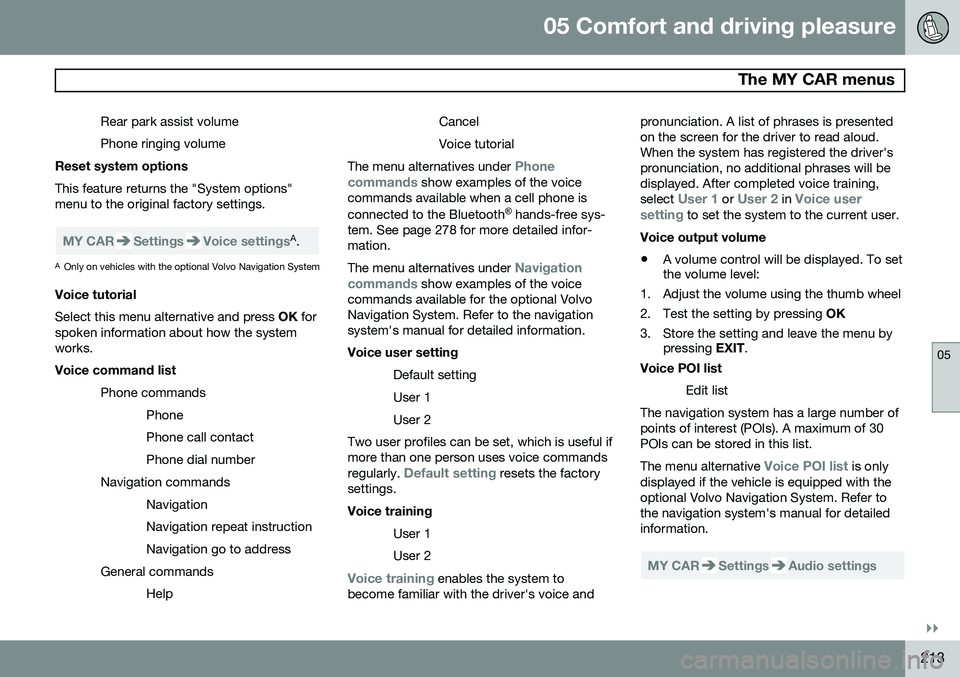
Rear park assist volume Phone ringing volume
Reset system options This feature returns the "System options" menu to the original factory settings.
MY CARSettingsVoice settingsA .
A Only on vehicles with the optional Volvo Navigation System
Voice tutorial Select this menu alternative and press OK for
spoken information about how the system works. Voice command list
Phone commandsPhone Phone call contactPhone dial number
Navigation commands NavigationNavigation repeat instructionNavigation go to address
General commands Help CancelVoice tutorial
The menu alternatives under
Phone
commands show examples of the voice
commands available when a cell phone is connected to the Bluetooth ®
hands-free sys-
tem. See page 278 for more detailed infor- mation. The menu alternatives under
Navigation
commands show examples of the voice
commands available for the optional Volvo Navigation System. Refer to the navigationsystem's manual for detailed information. Voice user setting
Default setting User 1User 2
Two user profiles can be set, which is useful if more than one person uses voice commands regularly.
Default setting resets the factory
settings. Voice training
User 1 User 2
Voice training enables the system to
become familiar with the driver's voice and pronunciation. A list of phrases is presented on the screen for the driver to read aloud.When the system has registered the driver'spronunciation, no additional phrases will bedisplayed. After completed voice training, select
User 1 or User 2 in Voice user
setting to set the system to the current user.
Voice output volume
• A volume control will be displayed. To set the volume level:
1. Adjust the volume using the thumb wheel
2. Test the setting by pressing OK
3. Store the setting and leave the menu by pressing EXIT.
Voice POI list
Edit list
The navigation system has a large number of points of interest (POIs). A maximum of 30POIs can be stored in this list. The menu alternative
Voice POI list is only
displayed if the vehicle is equipped with the optional Volvo Navigation System. Refer tothe navigation system's manual for detailedinformation.
MY CARSettingsAudio settings
Page 216 of 408
05 Comfort and driving pleasure
The MY CAR menus
05
214
See page 240 for more information about the infotainment system.
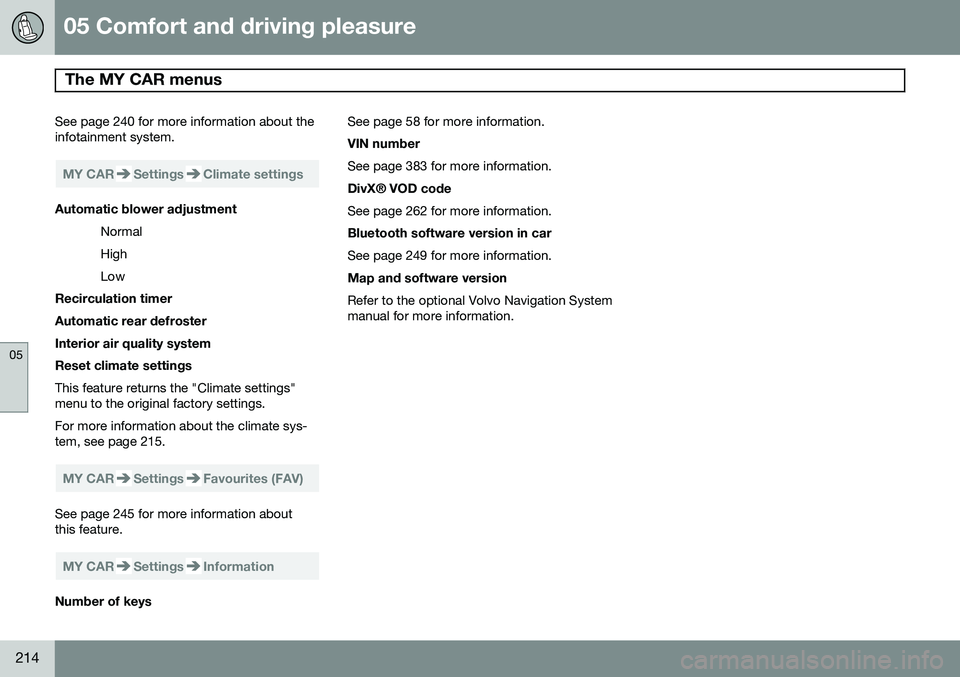
MY CARSettingsClimate settings
Automatic blower adjustmentNormal HighLow
Recirculation timerAutomatic rear defrosterInterior air quality systemReset climate settings This feature returns the "Climate settings" menu to the original factory settings. For more information about the climate sys- tem, see page 215.
MY CARSettingsFavourites (FAV)
See page 245 for more information about this feature.
MY CARSettingsInformation
Number of keys See page 58 for more information. VIN number See page 383 for more information. DivX® VOD code See page 262 for more information. Bluetooth software version in car See page 249 for more information. Map and software version Refer to the optional Volvo Navigation System manual for more information.
Page 217 of 408
05 Comfort and driving pleasure
Climate system
05
}}
* Option/accessory, for more information, see Introduction.215
Introduction
Air conditioningThe vehicle is equipped with Electronic Cli- mate Control (ECC). The climate control sys-tem cools, heats or dehumidifies the air in thepassenger compartment.
NOTE
• The air conditioning can be switched off, but to ensure the best possible cli-mate comfort in the passenger com-partment and to prevent the windowsfrom misting, it should always be on.
• In warm weather, a small amount ofwater may accumulate under the carwhen it has been parked. This water iscondensation from the A/C systemand is normal.
Sensor location
•
The sunlight sensor is located on the top side of the dashboard.
NOTE
The sunlight sensor monitors which side of the car that is most exposed to sunlight.This can mean that the temperature maydiffer between the right and left-side airvents, even if the temperatures set for bothsides of the passenger compartment arethe same.
•The temperature sensor for the passen- ger compartment is located below the cli-mate control panel.
• The outside (ambient) temperature sensoris located on the door mirror.
• The humidity sensor* is located in theinterior rearview mirror.
NOTE
Do not cover or block the sensors with clothing or other objects.
Side windows and moonroofTo ensure that the air conditioning works optimally, the side windows, and the optionalmoonroof should be closed.
Fog on the inside of the windowsThe defroster function should be used toremove fog or mist from the inside of the win-dows. Keeping the windows clean with acommercially available window washing spray will also help prevent fogging or mist-ing.
Temporary shut-off of the air
conditioning
The air conditioning is momentarily disen-gaged during full acceleration or when drivinguphill with a trailer. This may result in a tem-porary increase in cabin temperature.
Ice and snowAlways keep the air intake grille at the base ofthe windshield free of snow.
Climate system maintenanceSpecial tools and equipment are required tomaintain and carry out repairs on the climatesystem. Work of this type should only bedone by a trained and qualified Volvo servicetechnician.
RefrigerantVolvo cares about the environment. The airconditioning system in your car contains aCFC-free refrigerant – R134a. This substancewill not deplete the ozone layer. See page389 for the amount of refrigerant in the A/Csystem. The system uses PAG oil.
Passenger compartment filterReplace the cabin air filter with a new one atthe recommended intervals. Please refer to
Page 218 of 408
05 Comfort and driving pleasure
Climate system
05
216
your Warranty and Service Records Informa- tion booklet, or consult a trained and qualifiedVolvo service technician for these intervals.The filter should be replaced more often whendriving under dirty and dusty conditions. Thefilter cannot be cleaned and therefore shouldalways be replaced with a new one.
NOTE
There are different types of cabin air filters. Ensure that the correct type is installed.
Interior Air Quality System (IAQS)A multifilter helps reduce gases and particles in the incoming air, thereby reducing the lev-els of odors and contaminants entering thevehicle. The air quality sensor detectsincreased levels of contaminants in the out-side air. When the air quality sensor detectscontaminated outside air, the air intake closesand the air inside the passenger compart-ment is recirculated, i.e., no outside air entersthe vehicle. The filter also cleans recirculatedpassenger compartment air.
NOTE
Contact your Volvo retailer for IAQS air fil- ter replacement intervals.
Materials used in the cabinThe materials used in the cabin have been developed to help minimize the amount ofdust and make the cabin easier to keepclean. All floor mats can be easily removedfor cleaning. Use car cleaning products rec-ommended by Volvo. See also the informa-tion beginning on page 375.
Menu settingsThe default settings for four of the climatesystem's functions can be changed in themenu system.• Blower speed in automatic mode.
• Recirculation timer for passenger com- partment air.
• Automatic rear window defrosting.
• The optional Interior Air Quality System(IAQS).
The functions can also be returned to factory settings in the menu system. See page 209 for a description of the menu system.
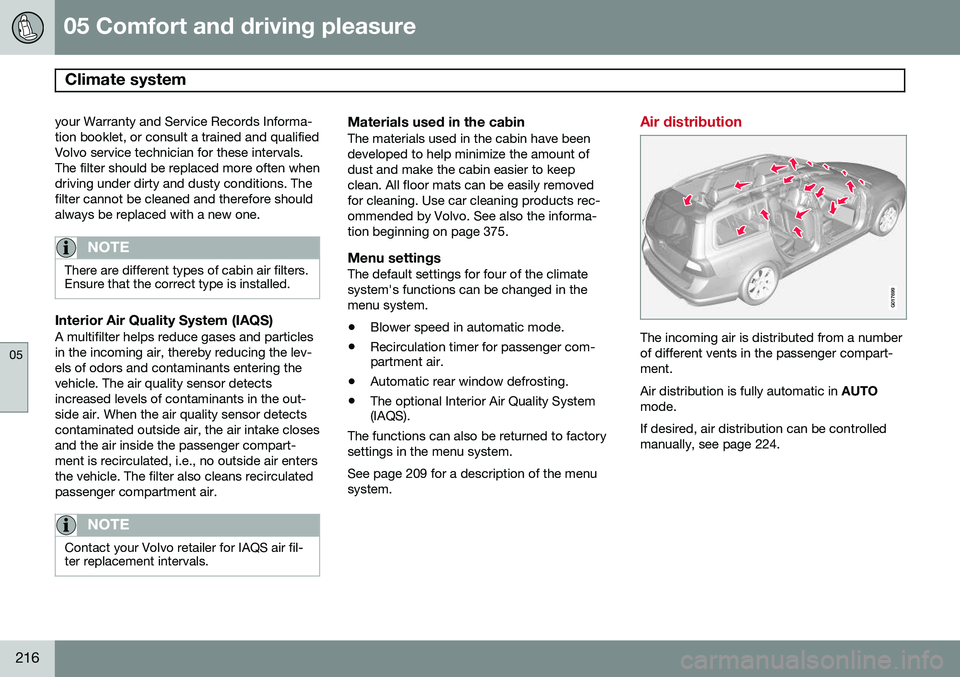
Air distribution
G017699
The incoming air is distributed from a number of different vents in the passenger compart-ment. Air distribution is fully automatic in AUTO
mode.If desired, air distribution can be controlled manually, see page 224.
Page 221 of 408
05 Comfort and driving pleasure
Climate system
05
}}
* Option/accessory, for more information, see Introduction.219
The ventilation can be used at the same time as seat heating. The ventilation system can be activated when the engine is running. There are three comfortlevels that produce different cooling anddehumidifying effects:
• Level three: press the button once for maximum output – three indicator lightscome on.
• Level two: press the button twice for alower output – two indicator lights comeon.
• Level one: press the button three timesfor the lowest output – one indicator lightcomes on.
• Press the button a fourth time to switchoff the function – the indicator light will goout.
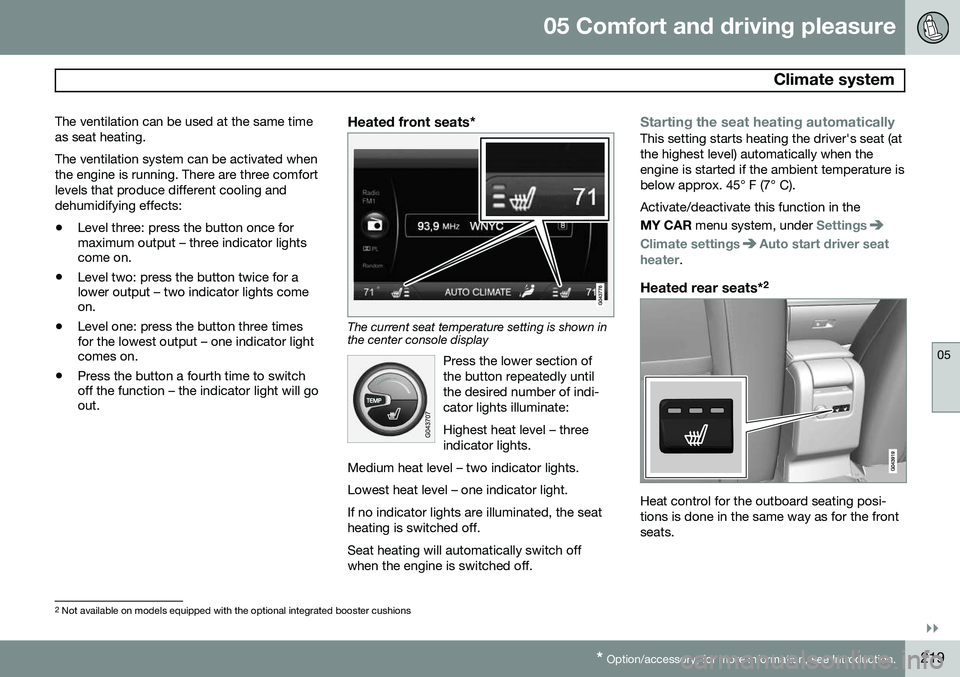
Heated front seats*
The current seat temperature setting is shown in the center console display
Press the lower section of the button repeatedly untilthe desired number of indi-cator lights illuminate: Highest heat level – three indicator lights.
Medium heat level – two indicator lights. Lowest heat level – one indicator light.If no indicator lights are illuminated, the seat heating is switched off.
Seat heating will automatically switch off when the engine is switched off.
Starting the seat heating automaticallyThis setting starts heating the driver's seat (at the highest level) automatically when theengine is started if the ambient temperature isbelow approx. 45° F (7° C). Activate/deactivate this function in the MY CAR menu system, under
Settings
Climate settingsAuto start driver seat
heater.
Heated rear seats* 2
Heat control for the outboard seating posi- tions is done in the same way as for the frontseats.
2
Not available on models equipped with the optional integrated booster cushions
Page 224 of 408
05 Comfort and driving pleasure
Climate system
05
222* Option/accessory, for more information, see Introduction.
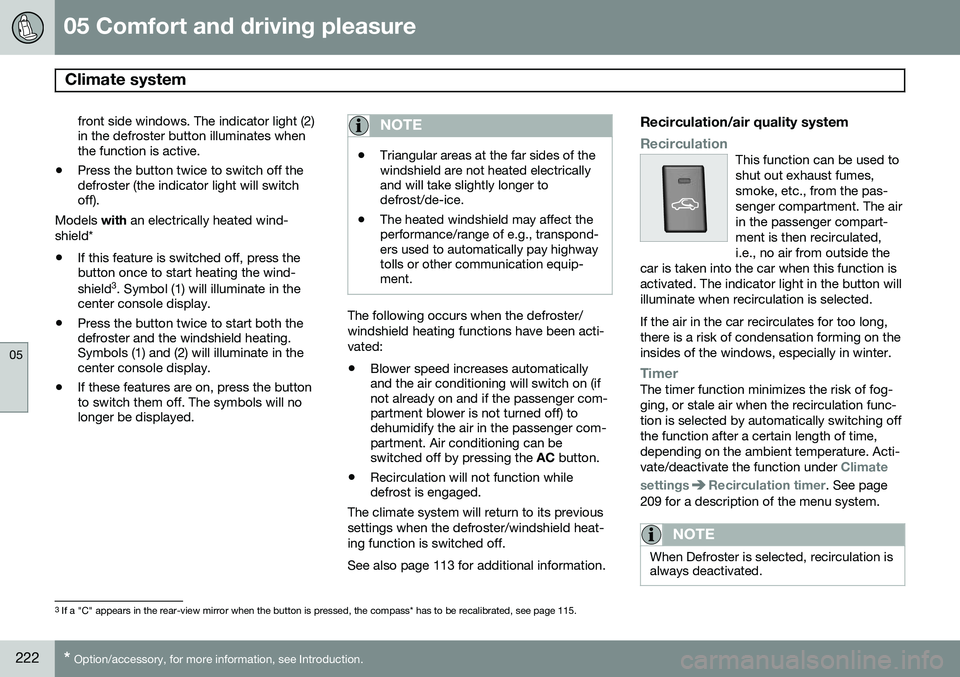
front side windows. The indicator light (2) in the defroster button illuminates whenthe function is active.
• Press the button twice to switch off thedefroster (the indicator light will switchoff).
Models with an electrically heated wind-
shield*
• If this feature is switched off, press thebutton once to start heating the wind- shield 3
. Symbol (1) will illuminate in the
center console display.
• Press the button twice to start both the defroster and the windshield heating.Symbols (1) and (2) will illuminate in thecenter console display.
• If these features are on, press the buttonto switch them off. The symbols will nolonger be displayed.NOTE
•Triangular areas at the far sides of the windshield are not heated electricallyand will take slightly longer todefrost/de-ice.
• The heated windshield may affect theperformance/range of e.g., transpond-ers used to automatically pay highwaytolls or other communication equip-ment.
The following occurs when the defroster/ windshield heating functions have been acti-vated: •
Blower speed increases automatically and the air conditioning will switch on (ifnot already on and if the passenger com-partment blower is not turned off) todehumidify the air in the passenger com-partment. Air conditioning can beswitched off by pressing the
AC button.
• Recirculation will not function whiledefrost is engaged.
The climate system will return to its previous settings when the defroster/windshield heat-ing function is switched off. See also page 113 for additional information.
Recirculation/air quality system
RecirculationThis function can be used to shut out exhaust fumes,smoke, etc., from the pas-senger compartment. The airin the passenger compart-ment is then recirculated,i.e., no air from outside the
car is taken into the car when this function isactivated. The indicator light in the button willilluminate when recirculation is selected. If the air in the car recirculates for too long, there is a risk of condensation forming on theinsides of the windows, especially in winter.
TimerThe timer function minimizes the risk of fog- ging, or stale air when the recirculation func-tion is selected by automatically switching offthe function after a certain length of time,depending on the ambient temperature. Acti-vate/deactivate the function under
Climate
settings
Recirculation timer. See page
209 for a description of the menu system.
NOTE
When Defroster is selected, recirculation is always deactivated.
3 If a "C" appears in the rear-view mirror when the button is pressed, the compass* has to be recalibrated, see page 115.
Page 232 of 408
05 Comfort and driving pleasure
Trip computer
05
230* Option/accessory, for more information, see Introduction.
Resetting a digital instrument panel
Trip odometer1. Turn the thumb wheel to select the com-
bination of headings containing the trip odometer to be reset.
2. Press and hold RESET until selected trip
odometer is reset.
Average speed and fuel consumption1. Select Trip computer reset and press
OK .
2. Select one of the following alternatives using the thumb wheel and press OK:
• mpg
• mph
• Reset both
3. Finish by pressing RESET.
Changing unitsTo change the unit (miles/km) used to meas- ure distance and speed, go to
MY CAR
SettingsSystem optionsDistance
and fuel units.
NOTE
In addition to changing units in the trip computer, this also changes the units usedin the Volvo Navigation System (VNS)*.
Trip statistics*
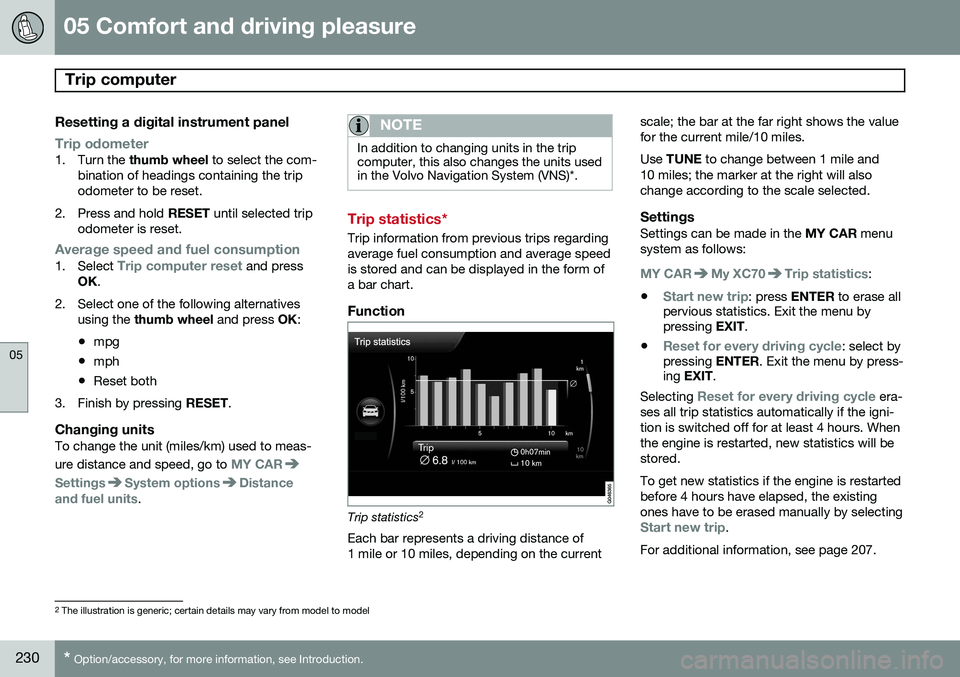
Trip information from previous trips regarding average fuel consumption and average speedis stored and can be displayed in the form ofa bar chart.
Function
Trip statistics 2
Each bar represents a driving distance of 1 mile or 10 miles, depending on the current scale; the bar at the far right shows the valuefor the current mile/10 miles. Use
TUNE to change between 1 mile and
10 miles; the marker at the right will also change according to the scale selected.
SettingsSettings can be made in the MY CAR menu
system as follows:
MY CARMy XC70Trip statistics:
•
Start new trip: press ENTER to erase all
pervious statistics. Exit the menu by pressing EXIT.
•
Reset for every driving cycle: select by
pressing ENTER. Exit the menu by press-
ing EXIT .
Selecting
Reset for every driving cycle era-
ses all trip statistics automatically if the igni- tion is switched off for at least 4 hours. Whenthe engine is restarted, new statistics will bestored. To get new statistics if the engine is restarted before 4 hours have elapsed, the existingones have to be erased manually by selecting
Start new trip.
For additional information, see page 207.
2 The illustration is generic; certain details may vary from model to model
Page 234 of 408
05 Comfort and driving pleasure
Active chassis system–Four C*
05
232* Option/accessory, for more information, see Introduction.
Active chassis (Four C)
Active chassis, Four-C (Continuously Con- trolled Chassis Concept), regulates the cha-racteristics of the shock absorbers so that thevehicle's driving characteristics can beadjusted. There are three settings: Comfort,Sport and Advanced.
NOTE
This system is available on Canadian mod- els only.
ComfortComfort mode offers a somewhat softer ride and the transmission shifts gears at lowerrpm. This mode is particularly suitable forlong-distance highway driving. The indicatorlight in the button will be on when this modeis selected.
SportIn this mode, the vehicle's body sway isreduced during cornering and steeringresponse is more immediate. The transmis-sion shifts up at higher rpm for sportier driv-ing. The indicator light in the button will be onto indicate that Sport mode has beenselected.
AdvancedIn this mode, body sway in curves is minimaland steering response is very direct. Gearshifting is done at high rpm in each gear fordynamic and active driving.
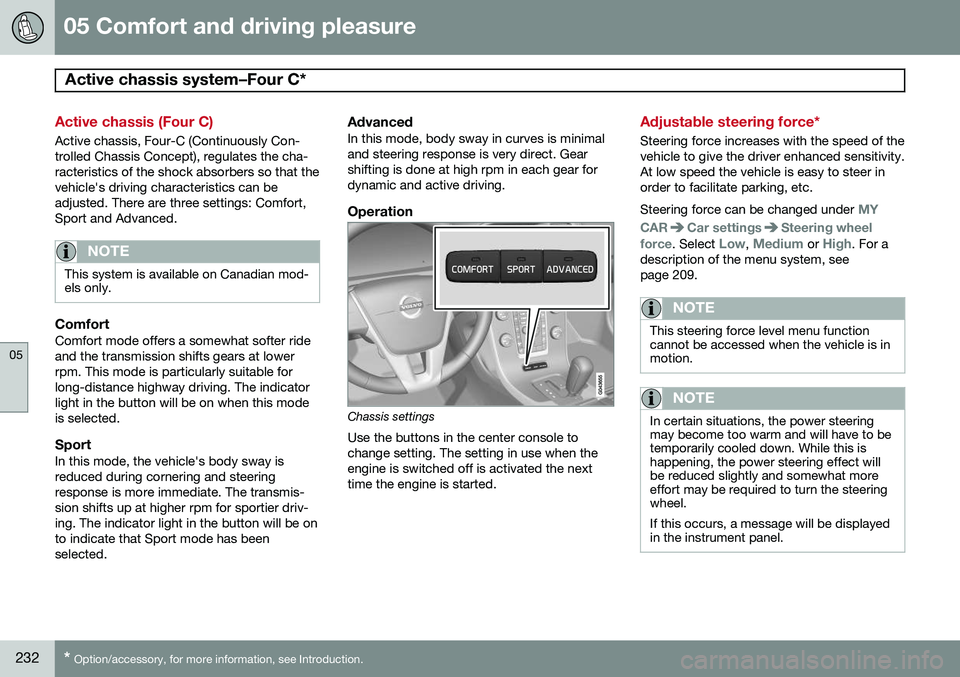
Operation
Chassis settings
Use the buttons in the center console to change setting. The setting in use when theengine is switched off is activated the nexttime the engine is started.
Adjustable steering force*
Steering force increases with the speed of the vehicle to give the driver enhanced sensitivity.At low speed the vehicle is easy to steer inorder to facilitate parking, etc. Steering force can be changed under
MY
CAR
Car settingsSteering wheel
force
. Select Low, Medium or High. For a
description of the menu system, see page 209.
NOTE
This steering force level menu function cannot be accessed when the vehicle is inmotion.
NOTE
In certain situations, the power steering may become too warm and will have to betemporarily cooled down. While this ishappening, the power steering effect willbe reduced slightly and somewhat moreeffort may be required to turn the steeringwheel. If this occurs, a message will be displayed in the instrument panel.
Page 236 of 408
05 Comfort and driving pleasure
Passenger compartment convenience
05
234
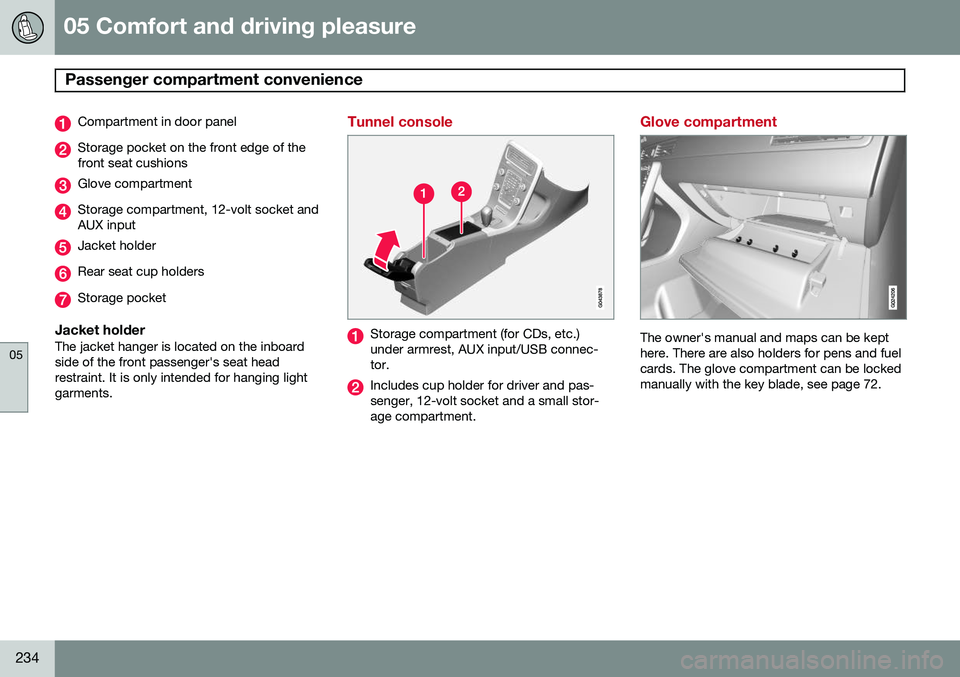
Compartment in door panel
Storage pocket on the front edge of the front seat cushions
Glove compartment
Storage compartment, 12-volt socket and AUX input
Jacket holder
Rear seat cup holders
Storage pocket
Jacket holderThe jacket hanger is located on the inboard side of the front passenger's seat headrestraint. It is only intended for hanging lightgarments.
Tunnel console
Storage compartment (for CDs, etc.) under armrest, AUX input/USB connec-tor.
Includes cup holder for driver and pas- senger, 12-volt socket and a small stor-age compartment.
Glove compartment
The owner's manual and maps can be kept here. There are also holders for pens and fuelcards. The glove compartment can be lockedmanually with the key blade, see page 72.
Page 238 of 408
05 Comfort and driving pleasure
Passenger compartment convenience
05
236* Option/accessory, for more information, see Introduction.
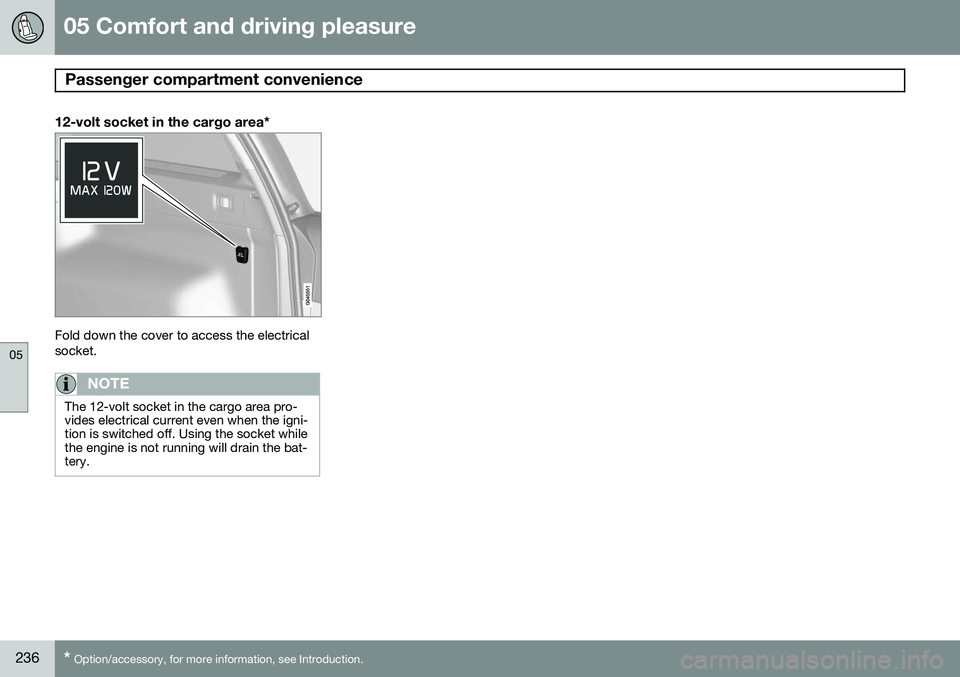
12-volt socket in the cargo area*
Fold down the cover to access the electrical socket.
NOTE
The 12-volt socket in the cargo area pro- vides electrical current even when the igni-tion is switched off. Using the socket whilethe engine is not running will drain the bat-tery.