rear view mirror VOLVO XC90 2006 Owners Manual
[x] Cancel search | Manufacturer: VOLVO, Model Year: 2006, Model line: XC90, Model: VOLVO XC90 2006Pages: 256, PDF Size: 6.87 MB
Page 6 of 256
2006 VOLVO XC90
9. Tachometer 22
10. Ambient temperature gauge, clock, gear indicator 22
11. Fuel gauge 22
12. Indicator and warning symbols 23
13. Panel vents 52
14. Glove compartment 69
15. Hazard warning flashers 36
16. Audio system 183
17. Switches in the center console 27
18. Climate system controls 53
19. Windshield wiper/washer lever 33
20. Audio control buttons in steering wheel 185
21. Instrument panel 22
22. Horn iv
23. Cruise control buttons in steering wheel 38
24. Turn signals, High/low beams 32
25. Front fog lights, Rear fog light 29
26. Parking brake pedal 41
27. Parking brake release handle 41
28. Button for unlocking fuel filler door 29
29. Hood open lever 41
30. Reading lights 65
31. Courtesy light 65
32. Moonroof control (option) 46
33. Seat belt reminder 25
34. Rearview mirror 44
35. Central locking button 79
36. Lockout switch for rear seat power windows 43
37. Power window controls 42
38. Sideview mirror controls 44
WARNING!
If your vehicle is involved in an accident, unseen damage may affect you\
r vehicle's driveability and
safety.
Contents
Contents
file:///K|/ownersdocs/2006/2006_XC90/06xc90_00.htm (6 of 7)12/30/2006 \
5:32:34 PM
Page 11 of 256
2006 VOLVO XC90
l if the vehicle is leaning excessively
l when driving in turns
When wearing the seat belt remember:
l The belt should not be twisted or turned.
l The lap section of the belt must be positioned low on the hips (not pre\
ssing against the abdomen).
l Make sure that the shoulder belt is rolled up into its retractor and tha\
t the shoulder and lap belts are
taut.
Unbuckling the seat belt
To remove the seat belt, press the red section on the seat belt receptac\
le. Before exiting the vehicle,
check that the seat belt retracts fully after being unbuckled. If necess\
ary, guide the belt back into the
retractor slot.
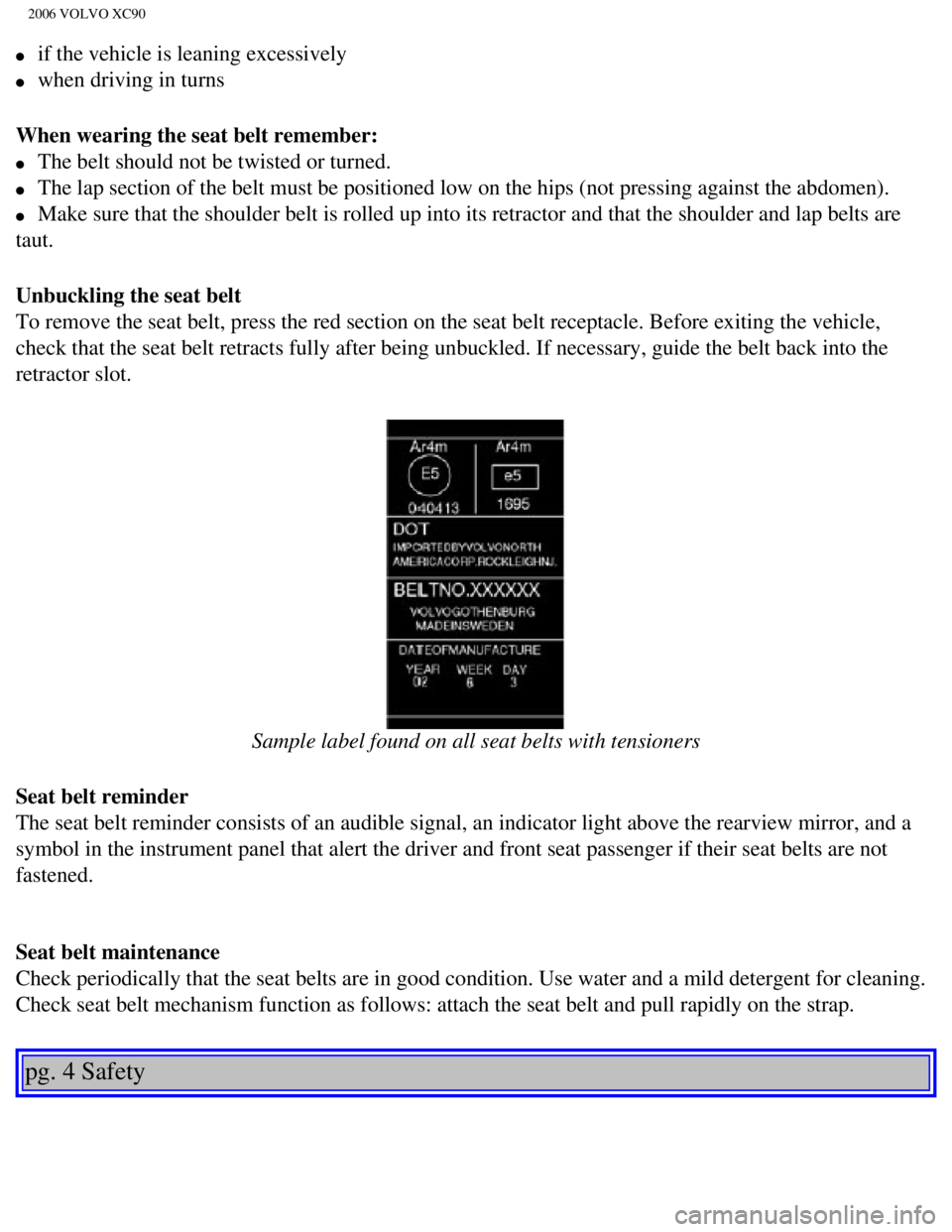
Sample label found on all seat belts with tensioners
Seat belt reminder
The seat belt reminder consists of an audible signal, an indicator light\
above the rearview mirror, and a
symbol in the instrument panel that alert the driver and front seat pass\
enger if their seat belts are not
fastened.
Seat belt maintenance
Check periodically that the seat belts are in good condition. Use water \
and a mild detergent for cleaning.
Check seat belt mechanism function as follows: attach the seat belt and \
pull rapidly on the strap.
pg. 4 Safety
file:///K|/ownersdocs/2006/2006_XC90/06xc90_01a.htm (4 of 17)12/30/200\
6 5:32:36 PM
Page 36 of 256
2006 VOLVO XC90
2 0 0 6
VOLVO XC90
Instruments and controls
pg. 21 Instruments and controls
Instrument panel22
Indicator and warning symbols23
Switches in center console27
Lighting panel29
Manually unlocking the fuel filler door30
Steering wheel adjustment31
Left-side steering wheel lever32
Right-side steering wheel lever33
Tailgate wiper/washer35
Hazard warning flashers, rear window/sideview mirror defroster, heated f\
ront seats36
Trip computer (option)37
Cruise control38
Opening the tailgate, Auxiliary 12-volt sockets40
Parking brake, Opening/closing the hood41
Electrically operated windows42
Rearview mirror/power folding sideview mirror44
Power moonroof (option)46
file:///K|/ownersdocs/2006/2006_XC90/06xc90_02a.htm (1 of 18)12/30/200\
6 5:32:38 PM
Page 44 of 256

This button is used to switch off DSTCs stability Control function. See\
pages 98 and 99 for additional
information.
WARNING!")
2006 VOLVO XC90
Dynamic Stability Traction Control system (DSTC)
This button is used to switch off DSTC's stability Control function. See\
pages 98 and 99 for additional
information.
WARNING!
Please be aware that the vehicle's handling characteristics may be affec\
ted if the Stability Control
function is switched off.
Rear seat air conditioning (option)
This button controls the optional rear seat air conditioning system on s\
even-seat models.
Folding sideview mirrors (option)
Press the button and release it to fold the sideview mirrors in or out. \
On certain models, when the button
is pressed, there may be a long pause before the mirrors move.
Pressing the button again during this pause may erase your first button \
press. If this happens, wait ten
seconds and press the button one more time.
The mirrors cannot be adjusted during the first ten seconds after they h\
ave been folded out.
NOTE: If the sideview mirrors have been inadvertently pushed out of position \
(in a car wash, parking
lot, etc.) manually return them to normal position. If mirror adjustmen\
t does not seem to operate after
manual folding, reset the folding mirrors as follows:
file:///K|/ownersdocs/2006/2006_XC90/06xc90_02a.htm (9 of 18)12/30/200\
6 5:32:38 PM
Page 54 of 256
2006 VOLVO XC90
pg. 35 Instruments and controls
Tailgate wiper/washer
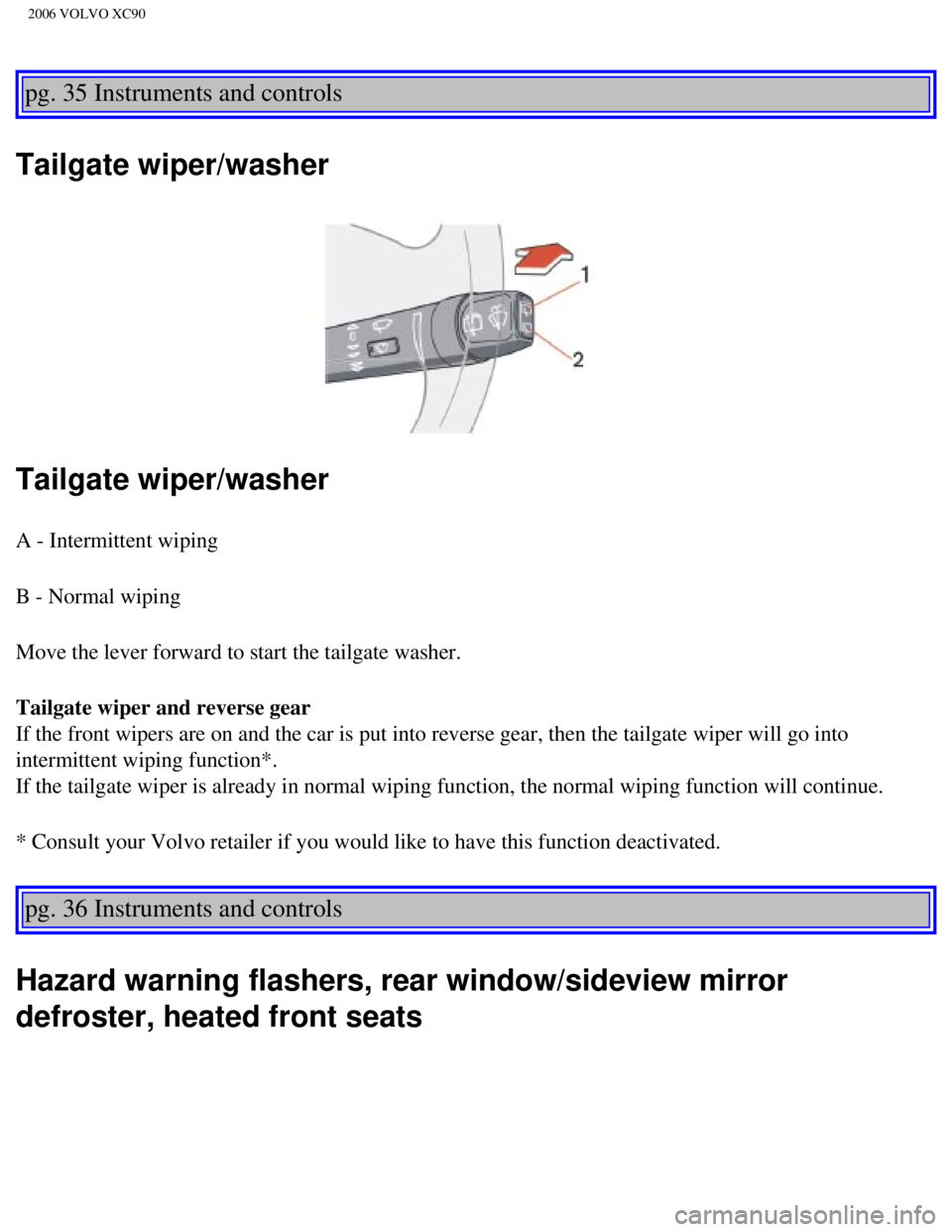
Tailgate wiper/washer
A - Intermittent wiping
B - Normal wiping
Move the lever forward to start the tailgate washer.
Tailgate wiper and reverse gear
If the front wipers are on and the car is put into reverse gear, then th\
e tailgate wiper will go into
intermittent wiping function*.
If the tailgate wiper is already in normal wiping function, the normal w\
iping function will continue.
* Consult your Volvo retailer if you would like to have this function de\
activated.
pg. 36 Instruments and controls
Hazard warning flashers, rear window/sideview mirror
defroster, heated front seats
file:///K|/ownersdocs/2006/2006_XC90/06xc90_02b.htm (1 of 17)12/30/200\
6 5:32:40 PM
Page 55 of 256

2006 VOLVO XC90
Hazard warning flashers
The four-way flasher should be used to indicate that the vehicle has bec\
ome a traffic hazard. To activate
the flashers, press the triangular button in the center dash. Press the \
button again to turn off the flashers.
NOTE: Regulations regarding the use of the hazard warning flasher may vary, de\
pending on where you
live.
Sideview mirror and rear window defroster
Press the switch to start heating the rear window and sideview mirrors t\
o remove ice or condensation.
An LED in the switch will light up.
A timer automatically switches off the heating to the sideview mirrors a\
fter approximately 4 minutes and
to the rear window after approximately 12 minutes. The LED will go out c\
orrespondingly.
Heated front seats (option)
file:///K|/ownersdocs/2006/2006_XC90/06xc90_02b.htm (2 of 17)12/30/200\
6 5:32:40 PM
Page 65 of 256

2006 VOLVO XC90
Electrically operated window in the front passenger's seat
The control for the electrically operated window in the front passenger'\
s seat operates that window only.
Electrically operated windows in the rear doors.
The rear door windows can be operated with the control on each door and \
the switch on the driver's
door. If the light in the switch for blocking electrically operated wind\
ows in the rear doors (located in
the driver's door control panel) is on, the rear door windows can only \
be operated from the driver's door.
pg. 44 Instruments and controls
Rearview mirror/power folding sideview mirrors
file:///K|/ownersdocs/2006/2006_XC90/06xc90_02b.htm (12 of 17)12/30/20\
06 5:32:40 PM
Page 66 of 256
2006 VOLVO XC90
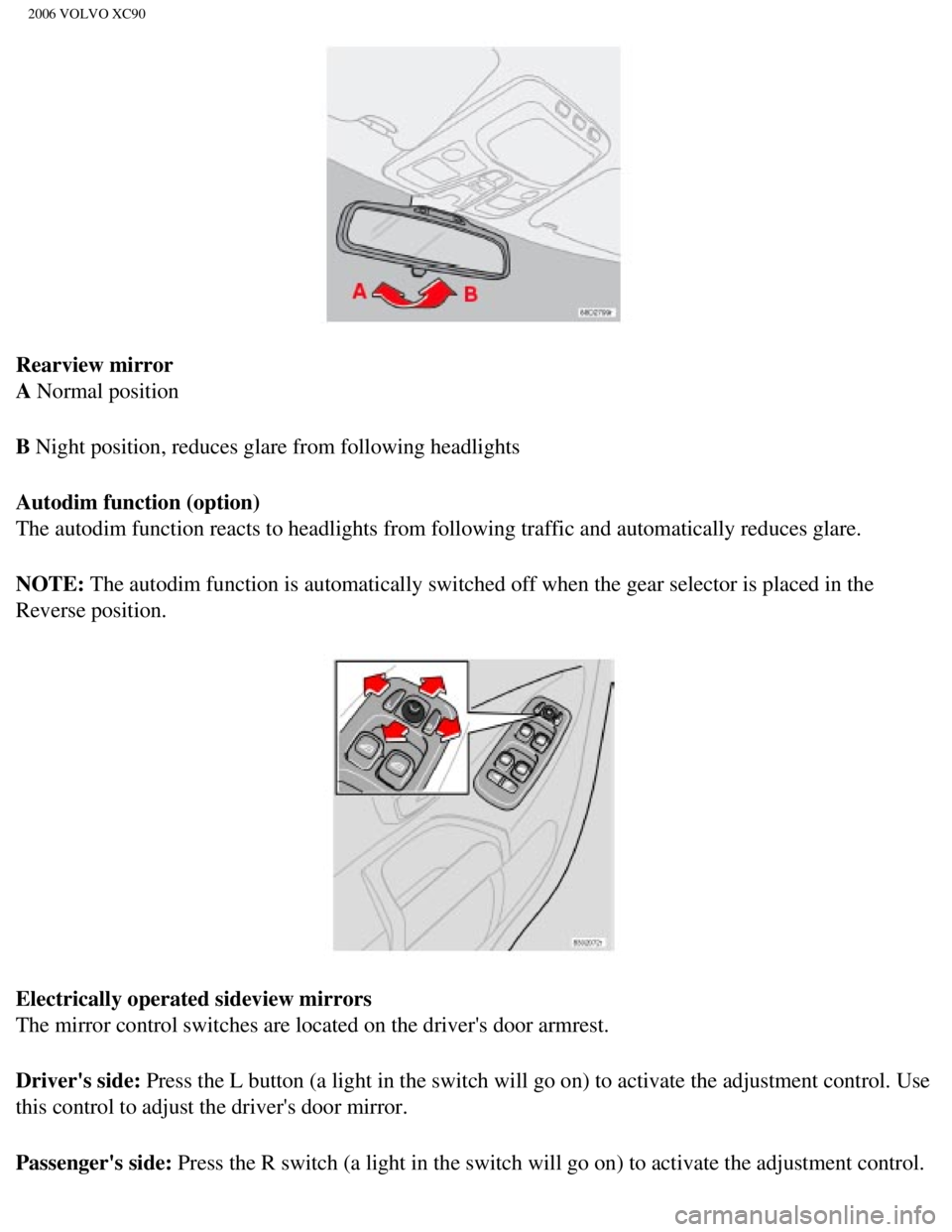
Rearview mirror
A Normal position
B Night position, reduces glare from following headlights
Autodim function (option)
The autodim function reacts to headlights from following traffic and aut\
omatically reduces glare.
NOTE: The autodim function is automatically switched off when the gear selecto\
r is placed in the
Reverse position.
Electrically operated sideview mirrors
The mirror control switches are located on the driver's door armrest.
Driver's side: Press the L button (a light in the switch will go on) to activate the \
adjustment control. Use
this control to adjust the driver's door mirror.
Passenger's side: Press the R switch (a light in the switch will go on) to activate the \
adjustment control.
file:///K|/ownersdocs/2006/2006_XC90/06xc90_02b.htm (13 of 17)12/30/20\
06 5:32:40 PM
Page 75 of 256
 (contd)
AUTO
This function automatically regulates the Electronic Climate Control sys\
tem so that the selected
temperature")
2006 VOLVO XC90
pg. 54 Climate control
Electronic Climate Control (ECC) (contd)
AUTO
This function automatically regulates the Electronic Climate Control sys\
tem so that the selected
temperatures are maintained. The blower, heating, air distribution (air\
flow) and air conditioning are
controlled.
If you prefer to manually set any of these functions, the remaining func\
tions will still be controlled
automatically. Pressing the AUTO button overrides any settings that were\
previously made manually.
Rear window and sideview mirror defrosters
This function defrosts/de-ices the rear window and sideview mirrors. The\
LED in the switch will light up to
indicate that the heating function is engaged. See
page 36 for additional information on this function.
file:///K|/ownersdocs/2006/2006_XC90/06xc90_03.htm (5 of 9)12/30/2006 \
5:32:40 PM
Page 104 of 256
: Press this button when approaching the car at night to light up the
interior courtesy light, parking lights, license plate lights and the li\
ghts in th")
2006 VOLVO XC90
Button 3 (Approach lighting): Press this button when approaching the car at night to light up the
interior courtesy light, parking lights, license plate lights and the li\
ghts in the sideview mirrors.
Button 4 (Panic): See
page 82 for more information on this function.
Button 5 (Tailgate unlock): Press this button twice within 3 seconds to unlock the tailgate (witho\
ut
unlocking the other doors).
Button 6 (Unlock): Press this button once to unlock the driver's door only. Wait for at le\
ast 1 second
and press the button again (within 10 seconds) to unlock all doors, an\
d the tailgate.
NOTE:
l If an airbag deploys, your vehicle's SRS control module will attempt to \
automatically unlock all
doors.
l The keys may also be used to lock and unlock the doors, and to activate \
and deactivate the alarm
system.
l To avoid leaving your keys in the vehicle, make a habit of always lockin\
g the vehicle with the remote
control.
Automatic re-locking If the doors are unlocked, the locks will automatically reengage (re-l\
ock) and the
alarm will rearm after 2 minutes unless a door or the tailgate has been \
opened.
Automatic locking (option)
The doors lock automatically when the vehicle's speed exceeds approximat\
ely 5 mph (7 km/h) and
remain locked a door is opened from the inside or until the car is unloc\
ked with the remote.
pg. 78 Locks and Alarms
l FCC ID:LQNP2T-APU This device complies with part 15 of the FCC rules. Op\
eration is subject to
the following conditions: (1) This device may not cause harmful interf\
erence, and (2) this device must
accept any interference received, including interference that may cause \
undesired operation.
l Canadian 2306104388 Model 504 2927 by Donnelly Operation is subject to t\
he following conditions:
(1) this device may not cause interference, and (2) this device must\
accept any interference, including
interference that may cause undesired operation of the device.
l Canadian 2306104388A Model 509 977 by Connaught Electronics Operation is\
subject to the
following conditions: (1) this device may not cause interference, and \
(2) this device must accept any
interference, including interference that may cause undesired operation \
of the device.
file:///K|/ownersdocs/2006/2006_XC90/06xc90_05.htm (5 of 13)12/30/2006\
5:32:43 PM