change time VOLVO XC90 2013 Owner´s Manual
[x] Cancel search | Manufacturer: VOLVO, Model Year: 2013, Model line: XC90, Model: VOLVO XC90 2013Pages: 310, PDF Size: 8.62 MB
Page 203 of 310
07 Wheels and tires
Tire Pressure Monitoring System (TPMS)
07
201
ensure that the replacement or alternate tires
and wheels allow the TPMS to continue to
function properly.
NOTE
TPMS indicates low tire pressure but does
not replace normal tire maintenance. For
information on correct tire pressure, please
refer to the tire inflation pressure table in this
chapter or consult your Volvo retailer.
Erasing warning messagesWhen a low tire pressure warning message has
been displayed, and the tire pressure warning
light has come on:
1. Use a tire pressure gauge to check the
inflation pressure of all four tires.
2. Re-inflate the tire(s) to the correct pressure
(consult the tire pressure placard or the
table see page 181).
3. Drive the vehicle for several minutes at a
speed of 20 mph (30 km/h) or faster.
> This will erase the warning text and the
warning light will go out.
WARNING
Incorrect inflation pressure could lead to tire
failure, resulting in a loss of control of the
vehicle.
Changing wheels with TPMSPlease note the following when changing or
replacing the factory installed TPMS wheels/
tires on the vehicle:
•Only the factory-mounted wheels are
equipped with TPMS sensors in the valves.
•If the vehicle is equipped with a temporary
spare tire, this tire does not have a TPMS
sensor.
•If wheels without TPMS sensors are moun-
ted on the vehicle, TIRE PRESS SYST.
SERVICE REQUIRED will be displayed
each time the vehicle is driven above
25 mph (40 km/h) for 10 minutes or more.
•Once TPMS sensors are properly installed,
the warning message should not reappear.
•Volvo recommends that TPMS sensors be
fitted on all wheels used on the vehicle.
Volvo does not recommend moving sen-
sors back and forth between sets of
wheels.
NOTE
If a tire is changed or if the TPMS sensor is
moved to another wheel, the sensor’s valve
and valve core should be replaced.
CAUTION
When inflating tires with TPMS valves, press
the pump's mouthpiece straight onto the
valve to help avoid bending or otherwise
damaging the valve.
Recalibrating TPMS (Canadian models
only)
In certain cases, it may be necessary to reca-
librate TPMS to conform to Volvo's recom-
mended tire inflation pressures (see the infla-
tion pressure table on page 181), for example,
if higher inflation pressure is necessary when
transporting heavy loads, etc.
To recalibrate:
1. Switch off the engine.
2. Inflate the tires to the desired pressure and
turn the ignition key to position I or II (see
page 145 for additional information).
3. Turn the thumb wheel on the left-side
steering wheel lever until
Tire pressure
Calibration appears in the display.
4.
Press and hold the Reset button on the
left-side steering wheel lever until
TIRE
PRESSURE CALIBRATED is displayed.
Page 254 of 310
10 Audio
Audio system controls
10
252* Option/accessory, for more information, see Introduction.
NOTE
The MY KEY buttons can only be pro-
grammed for one shortcut function at a
time.
Rear headphone connectors and
controls *
G026982
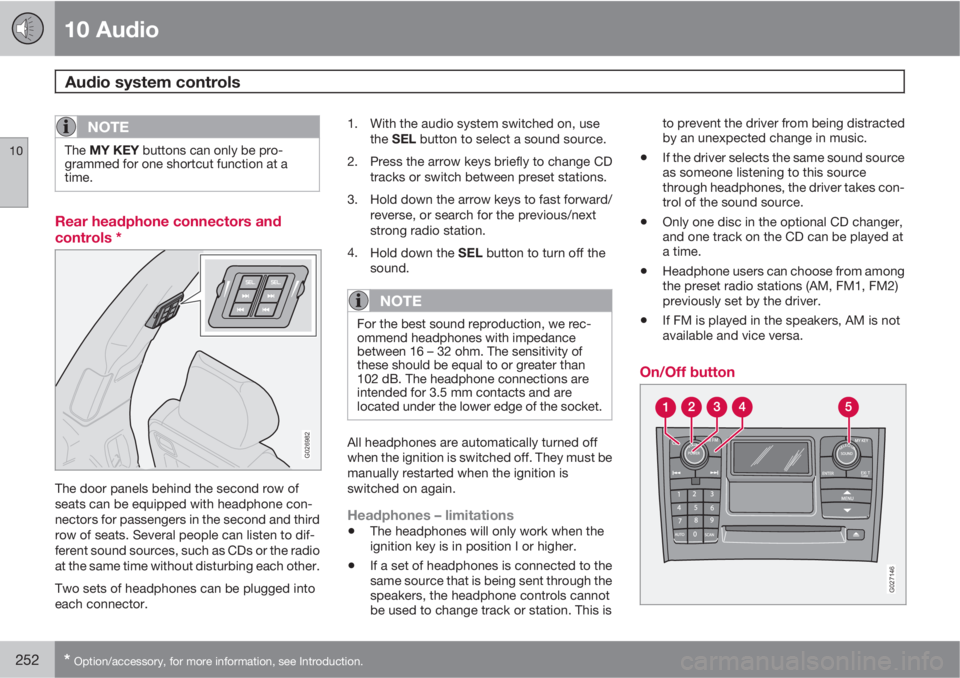
The door panels behind the second row of
seats can be equipped with headphone con-
nectors for passengers in the second and third
row of seats. Several people can listen to dif-
ferent sound sources, such as CDs or the radio
at the same time without disturbing each other.
Two sets of headphones can be plugged into
each connector.1. With the audio system switched on, use
the SEL button to select a sound source.
2. Press the arrow keys briefly to change CD
tracks or switch between preset stations.
3. Hold down the arrow keys to fast forward/
reverse, or search for the previous/next
strong radio station.
4.
Hold down the SEL button to turn off the
sound.
NOTE
For the best sound reproduction, we rec-
ommend headphones with impedance
between 16 – 32 ohm. The sensitivity of
these should be equal to or greater than
102 dB. The headphone connections are
intended for 3.5 mm contacts and are
located under the lower edge of the socket.
All headphones are automatically turned off
when the ignition is switched off. They must be
manually restarted when the ignition is
switched on again.
Headphones – limitations
•The headphones will only work when the
ignition key is in position I or higher.
•If a set of headphones is connected to the
same source that is being sent through the
speakers, the headphone controls cannot
be used to change track or station. This isto prevent the driver from being distracted
by an unexpected change in music.
•If the driver selects the same sound source
as someone listening to this source
through headphones, the driver takes con-
trol of the sound source.
•Only one disc in the optional CD changer,
and one track on the CD can be played at
a time.
•Headphone users can choose from among
the preset radio stations (AM, FM1, FM2)
previously set by the driver.
•If FM is played in the speakers, AM is not
available and vice versa.
On/Off button
G027146
Page 260 of 310
10 Audio
Radio functions
10
258
quency as the AM or FM station's present fre-
quency.
The IBOC system is referred to as a "hybrid"
since it is both analogue and digital. During
hybrid operation, receivers still continue to
receive the analogue (non-digital) signal. HD
radio receivers incorporate both modes of
reception, where the receiver will automatically
switch to the analogue signal if the digital signal
cannot be decoded or is lost by the receiver.
When you have tuned to an HD Radio station,
the
symbol will appear in the audio sys-
tem display.
More information about HD radio and IBOC
can be found on Ibiquity's website,
www.hdradio.com and www.ibiquity.com.
Benefits of digital broadcasting
•Better sound (FM sounds near CD quality
and AM as analogue FM).
•Some FM frequencies offer a greater num-
ber of listening choices through “multicast-
ing” (consisting of a frequency's main
channel and any sub-channels that may
also be available on that particular fre-
quency. See also the section "Sub-chan-
nels" below).
•When receiving a digital signal there is no
multipath disturbance or hisses/pops/
crackling due to outside influences.
How HD broadcasting worksHD Radio works similarly to conventional radio
and broadcasts of this type are available in
many areas of the United States. However,
there are a few key differences:
•Instead of transmitting one analogue sig-
nal, stations send out a bundled signal –
both analogue and digital.
•An HD radio receiver can receive both dig-
ital and analogue broadcasts. Depending
on the terrain and location of the vehicle
(which will influence the signal strength),
the receiver will determine which signal to
receive.
Limitations
•Main channel vs. sub-channels (FM
only): The main channel is the only channel
that can receive in hybrid mode (both dig-
ital and analogue). If a frequency has sub-
channels, they are broadcast in digital
mode only. The main FM channel will be
displayed as, for example, 93.9 WNYC
(Volvo uses the symbol > to indicate there
are sub-channels available) The sub-FM
channels will be displayed as 93.9 – 2
WNYC, 93.9 - 3 WNYC, etc.
•Reception coverage area: Due to current
IBOC transmitter power limitations, the
reception coverage area in digital mode is
somewhat more limited than the station's
analogue coverage area. Please be awarethat as with any radio broadcast technol-
ogy, terrain, time of day, foliage level and
building location can have positive or neg-
ative effects on radio reception.
•Analogue to digital/digital to analogue
blending: Analogue to digital blending will
occur as the signal strength reaches a pre-
set threshold in the receiver. This will be
noticeable in fringe areas (areas with weak
reception) and is normal.
NOTE
There may be a noticeable difference in
sound quality when a change from analogue
to digital or digital to analogue occurs, such
as:
•Volume increase or decrease
•Equalizer settings, i.e., Bass/ Midrange/
Treble cut or boost
•Time alignment (Digital program mate-
rial in extreme cases can be as much as
8 seconds behind the analogue). This
will noticeable as a "stuttering" effect.
The above items are dependant on the
broadcaster's equipment settings and do
not indicate a fault in the vehicle's radio
receiver or antenna systems.
Page 265 of 310
10 Audio
SiriusXM
E
E satellite radio
10
263
NOTE
When the song has ended, the radio will
remain tuned to the channel on which the
song was played.
Radio text
The text that is displayed about the song cur-
rently playing can be changed. Use the AUTO
button to switch between Artist, Title, Com-
poser, or to switch radio text off, or use the
menu to display and select among these cate-
gories.
Advanced settings
This menu function enables you to make set-
tings on certain SiriusXM
E satellite radio func-
tions. To access this menu:
1.
Press MENU.
2.
Select
Adv. settings.
WARNING
Settings should be made when the vehicle
is at a standstill.
The following settings can be made in the Sir-
iusXM
E menu.
•Songs can be added to the song list
•Channel skip settings can be made
•Channel lock settings can be made
•The channel access code can be displayed
or changed
•Your SiriusXM
E ID can be displayed
Skip optionsThis function is used to remove a channel from
the list of available channels.
Skip current channel1.
Select CHANNEL SKIP LIST and press
ENTER.
2.
Select a category in the list and press
ENTER.
3. Skip channels in the list presented by
pressing ENTER.
Unskip all channelsThis permanently removes all channels from
the skip list and makes them available for
selection.
Temp. unskip all ch.This function will temporarily unskip all chan-
nels and make them available for selection. The
channels remain on the skip list and will again
be skipped the next time the ignition is
switched on.
Channel lockAccess to specific channels can be restricted
(locked). A locked channel will not provide
audio, song titles, or artist information.
NOTE
All channels are initially unlocked at deliv-
ery.
Locking a channel:
1.
Select "
Adv. settings" in the menu and
select LOCK OPTIONS and press
ENTER.
2.
Select
CHANNEL LOCK LIST and press
ENTER
3.
Enter the channel access code
1 and press
ENTER.
4.
Select a category in the list and press
ENTER.
5. Lock channels in the list presented by
pressing ENTER.
The channel is now locked and a checked box
will be displayed to indicate this. It will be nec-
essary to enter the channel access code. See
the section "Unlocking a channel" in order to
listen to a locked channel.
1The default code is 0000. If you have changed the code and forgotten it, see the section "If you have forgotten the access code."
Page 266 of 310
10 Audio
SiriusXM
E
E satellite radio
10
264
Unlocking a channel
A channel's access code1 is required to unlock
a channel.
Unlock all channelsThis permanently removes all channels from
the locked list and makes them available for
selection.
Temp. unlock all ch.This function will temporarily unlock all chan-
nels and make them available for selection. The
channels remain on the locked list and will
again be locked the next time the ignition is
switched on.
CHANGE CODE
This function makes it possible to change the
channel access code. The default code is
0000.
To change the code:
1.
Select
CHANGE CODE and press
ENTER.
2.
Enter the current code and press ENTER.
3.
Enter the new code and press ENTER.
4.
Confirm the new code and press ENTER.If an incorrect code is entered, the text
"
Incorrect code!" is displayed.
If you have forgotten the access code1.
Select "SIRIUS ID" in the SiriusXM
E set-
tings menu and press ENTER.
2.
Press and hold the ENTER button for
2 seconds.
The current code will be displayed.
Your Volvo retailer can also provide you with
assistance.
1The default code is 0000. If you have changed the code and forgotten it, see the section "If you have forgotten the access code."
Page 268 of 310
10 Audio
Auxiliary equipment
10
266
2.
Connect the iPodŸ, MP3 player or USB
flash drive to the USB connector (see the
illustration).
>
The text
Loading will be displayed while
the system loads the files (folder struc-
ture) on the device. This may take a
short time.
When the information has been loaded, infor-
mation about the tracks on the device will be
displayed.
The
/ buttons can be used to fast
forward/reverse or change tracks:
•Press briefly to change tracks.
•Press slightly longer to fast forward/
reverse.
The arrow keys on the steering wheel keypad
can also be used in the same way.
NOTE
•The system supports a number of
iPodŸ models produced in 2005 or later.
•In order to help avoid damage to the
USB socket, it will be switched off if
there is a short circuit or if the con-
nected device uses too much current
(which can happen if the device does
not comply with the USB standard). The
USB socket will reactivate the next time
the ignition is switched on if the problem
no longer exists. If the problem persists,
contact a trained and authorized Volvo
service technician.
USB flash driveTo simplify the use of a USB flash drive, it is
advisable to only store music files on the drive.
It will take considerably longer for the system
to index the files on the drive if it contains any-
thing other than compatible music files.
NOTE
•The system supports removable media
that uses the USB 2.0 standard and the
FAT32 file system. It can index up to
1,000 folders and a maximum of 254
sub-folders/files for each folder. How-
ever, the highest folder level can sup-
port up to 1,000 sub-folders/files.
•When using a longer type of USB
device, connecting it with a USB
adapter cable will help reduce mechan-
ical wear on the USB socket and on the
device.
iPodŸ
An iPodŸ is charged and draws current if it is
connected to the USB connector. However, if
the battery is completely discharged, it should
be charged before the iPod
Ÿ is connected to
the USB connector.
BluetoothŸ streaming audio (BT)The vehicle's audio system is equipped with
BluetoothŸ, which makes it possible to play
streaming audio files from a BluetoothŸcon-
nected cell phone. Navigation and control of
the phone can be done through the vehicle's
center console control panel or the steering
wheel keypad. On certain cell phones, it is also
Page 270 of 310
10 Audio
CD player/changer
10
268* Option/accessory, for more information, see Introduction.
G027151
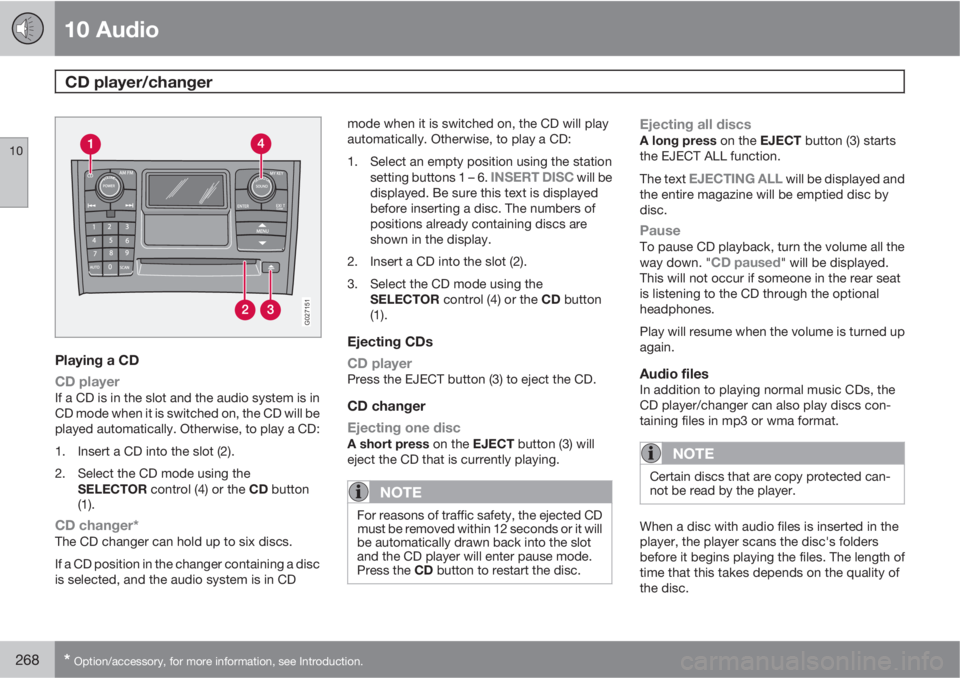
Playing a CD
CD player
If a CD is in the slot and the audio system is in
CD mode when it is switched on, the CD will be
played automatically. Otherwise, to play a CD:
1. Insert a CD into the slot (2).
2. Select the CD mode using the
SELECTOR control (4) or the CD button
(1).
CD changer*The CD changer can hold up to six discs.
If a CD position in the changer containing a disc
is selected, and the audio system is in CDmode when it is switched on, the CD will play
automatically. Otherwise, to play a CD:
1. Select an empty position using the station
setting buttons 1 – 6.
INSERT DISC will be
displayed. Be sure this text is displayed
before inserting a disc. The numbers of
positions already containing discs are
shown in the display.
2. Insert a CD into the slot (2).
3. Select the CD mode using the
SELECTOR control (4) or the CD button
(1).
Ejecting CDs
CD player
Press the EJECT button (3) to eject the CD.
CD changer
Ejecting one disc
A short press on the EJECT button (3) will
eject the CD that is currently playing.
NOTE
For reasons of traffic safety, the ejected CD
must be removed within 12 seconds or it will
be automatically drawn back into the slot
and the CD player will enter pause mode.
Press the CD button to restart the disc.
Ejecting all discsA long press on the EJECT button (3) starts
the EJECT ALL function.
The text
EJECTING ALL will be displayed and
the entire magazine will be emptied disc by
disc.
PauseTo pause CD playback, turn the volume all the
way down. "CD paused" will be displayed.
This will not occur if someone in the rear seat
is listening to the CD through the optional
headphones.
Play will resume when the volume is turned up
again.
Audio filesIn addition to playing normal music CDs, the
CD player/changer can also play discs con-
taining files in mp3 or wma format.
NOTE
Certain discs that are copy protected can-
not be read by the player.
When a disc with audio files is inserted in the
player, the player scans the disc's folders
before it begins playing the files. The length of
time that this takes depends on the quality of
the disc.
Page 277 of 310
10 Audio
Bluetooth® hands-free connection
10
275
Ringing volume
Go to PHONE MENUPHONE SETTINGS
SOUNDS AND VOLUMERing volume
and adjust the volume with the
/ keys on
the center console.
Ringing tonesThe hands-free system’s integrated ringing
tones can be selected in PHONE MENU
PHONE SETTINGSSOUNDS AND
VOLUME
Ring signalsRing signal 1,
etc.
NOTE
The connected cell phone’s ring tone may
not be switched off when one of the hands-
free system's ringing tones is used.
If you prefer to use the connected cell phone’s
ring tone1, go to PHONE MENUPHONE
SETTINGS
SOUNDS AND VOLUME
Ring signalsUse cell phone signal
More information about registering
and connecting cell phones
A maximum of 5 cell phones can be registered
in the hands-free system. Registration only
needs to be done once for each phone. After
registration, the cell phones can then be found
in the list of registered phones. Only one cell
phone can be connected to hands-free at a
time. Phones can be unregistered in PHONE
MENU
BLUETOOTHRemove phone.
Automatic connectionWhen the hands-free system is active and the
most recently connected cell phone is within
range, it is detected automatically. When the
audio system searches for the most recently
connected phone, this phone’s name appears
in the display. To manually connect a different
cell phone, press EXIT.
Manual connectionTo connect a phone other than the one that
was most recently connected or to switch
between cell phones that are already regis-
tered in the hands-free system:
Put the audio system in telephone mode
(
Phone) and follow the instructions in the dis-
play or change the connected cell by going into
the menu system under PHONE MENU
BLUETOOTHChange phoneAdd
phone.
Phone book
In order to use the hands-free system’s phone
book (list of contacts), PHONE must be dis-
played at the top of the center console display
and the
symbol must be visible.
The audio system stores a copy of the phone
book of each registered cell phone. The phone
book is automatically copied each time a
phone is connected. This function can be acti-
vated in PHONE SETTINGS
Sync ph
book. Searches for contacts are only made in
the phone book of the currently connected cell
phone.
NOTE
If a particular cell phone does not support
copying of the phone book, List is emptywill be displayed when copying has been
completed.
If the phone book contains information about
someone who is trying to call you, this infor-
mation will be shown in the display.
1Not supported by all cell phones.
Page 278 of 310
10 Audio
Bluetooth® hands-free connection
10
276
Searching for contactsThe easiest way to search for a contact in the
phone book is to press and hold any of the
buttons 2–9 in the center console (no. 8 in the
illustration on page 272). This starts a search
based on the first letter on the button that has
been pressed.
The phone book can also be accessed by
pressing the navigation buttons
/ on the
center console or by pressing
/ on
the steering wheel keypad. A search can also
be made in the phone book’s search menu in
PHONE BOOK
Search:
1. Enter the first letter of the contact’s name
and press ENTER or simply press ENTER.
2. Select the desired contact and press
ENTER to make a call to that person.
Voice mail numberThe phone number to your voice mail can be
changed in the menu CALL OPTIONS
Voice mail no.. If no number has been stored,
this menu can be accessed by a prolonged
press on button 1. Once a phone number has
been stored, press and hold 1 to dial this num-
ber.
Call listsLists of calls in a particular cell phone are cop-
ied to the hands-free system each time that
phone is connected. These lists are then upda-
ted while the phone is connected. Press
ENTER to show the most recently dialed num-
bers. Other call lists can be found under
Call
register….
NOTE
Certain cell phones display the list of the
most recently dialed numbers in reverse
order.
Entering textText is entered by using the number buttons in
the center console. Press a button once to
enter the first letter on the button, twice to enter
the second letter, etc. Continue to press the
button to display other characters.
Press EXIT briefly to erase a character. Press
and hold EXIT to erase all of the characters that
have been entered. Use the
/ buttons on
the center console to navigate among the char-
acters.
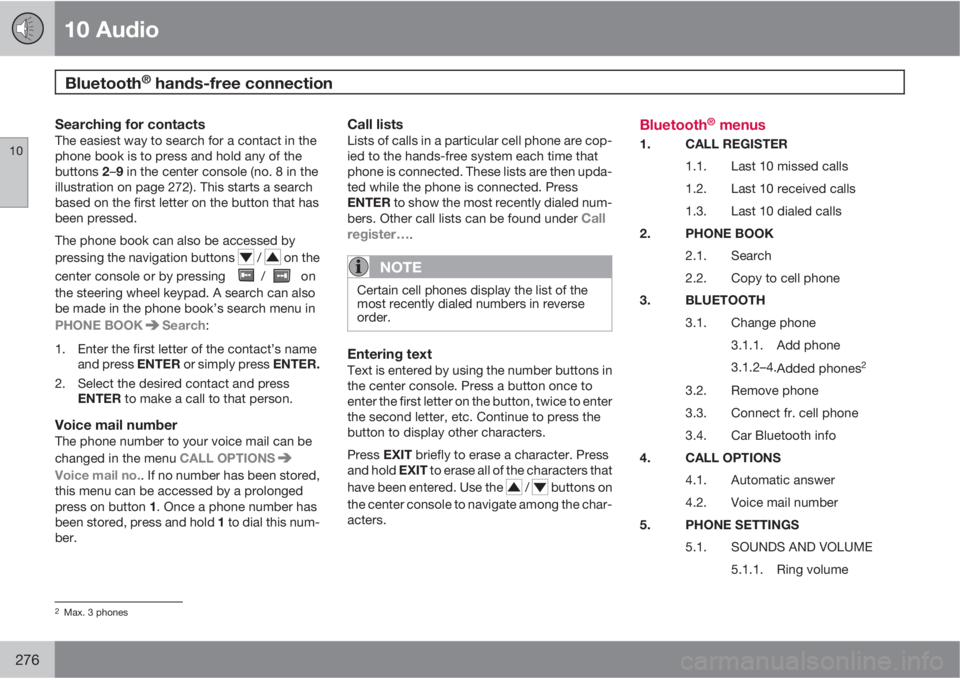
Bluetooth® menus
1. CALL REGISTER
1.1. Last 10 missed calls
1.2. Last 10 received calls
1.3. Last 10 dialed calls
2. PHONE BOOK
2.1. Search
2.2. Copy to cell phone
3. BLUETOOTH
3.1. Change phone
3.1.1. Add phone
3.1.2–4.
Added phones
2
3.2. Remove phone
3.3. Connect fr. cell phone
3.4. Car Bluetooth info
4. CALL OPTIONS
4.1. Automatic answer
4.2. Voice mail number
5. PHONE SETTINGS
5.1. SOUNDS AND VOLUME
5.1.1. Ring volume
2Max. 3 phones
Page 280 of 310
10 Audio
Rear Seat Entertainment – Dual Screen (RSE)*
10
278* Option/accessory, for more information, see Introduction.
Introduction
The RSE system can be used at the same time
as the vehicle’s audio system.
When the rear seat passengers play a DVD,
connect an external device to the RSE AUX
connectors, etc., and listen to the audio
through the cordless headphones, the driver
and front seat passenger can still use the vehi-
cle's audio system to listen to the radio, a CD,
music stored on an MP3 player, etc.
Please also refer to the Quick Guide provided
with the RSE system for additional information.
Electrical current - ignition keyThe RSE system can be activated with the igni-
tion in position I or II (see page 145 for infor-
mation on the ignition positions), or when the
engine is running. While the engine is being
started, a film or music that is currently being
played will pause momentarily and resume
playing when the engine has started.
When the RSE system has been used once
when the ignition is switched off, it will be then
be blocked for further use. RSE can be restar-
ted by turning the ignition key to position I.
NOTE
Using RSE for more than approximately
10 minutes with the engine switched off may
drain the vehicle’s battery and make it diffi-
cult or impossible to start the engine.
If this occurs, a message will be displayed
on the RSE system’s screens.
Music
Listening to a music CD1. Insert a CD into the RSE player’s slot with
the disc’s label facing upward.
> The CD will begin to play automatically.
2. Switch on the cordless headphones and
select CH A for the left screen or CH B for
the right screen.
> This will direct the sound to the head-
phones.
3. Adjust the headphone volume by using the
thumb wheel on the headphones.
To listen through the vehicle’s audio sys-
tem speakers, press MODE on the audio
system control panel and select
No new
ph. found. ENTER to retry. EXIT to
cancel.
. Press on the RSE remote to
route the sound through the speakers.
Selecting a folder on the CD1. Insert the CD in the player.
2.
Press
.
3. Use the navigation buttons (the arrow keys
surrounding the OK button on the RSE
remote control) to highlight a folder and/or
a specific track.
4.
Press
to select a sub-folder.
Playback alternativesThe CD can be played in several different ways.
Use the navigation buttons to select one of the
alternatives.
With the dialogue box displayed:
1. Press the right navigation button to access
the menu to the right..
2. Use the navigation keys to select one of the
alternatives.
3.
Confirm your choice by pressing
.
Changing tracks on the CD–Change tracks on the CD by pressing
or . Hold the respective buttons
down for fast forward or reverse.
Pause1. Pause and restart the CD by pressing
.
2.
Stop the CD by pressing
.