ECU VOLVO XC90 2014 Owner´s Manual
[x] Cancel search | Manufacturer: VOLVO, Model Year: 2014, Model line: XC90, Model: VOLVO XC90 2014Pages: 308, PDF Size: 13.31 MB
Page 50 of 308

01 Safety
Booster cushions 01
48
Securing a booster cushion
G026513
Position the child correctly on the booster cush- ion
Booster cushions are recommended for chil- dren who have outgrown convertible seats.
1. Place the booster cushion in the rear seat of the vehicle.
2. With the child properly seated on the booster cushion, attach the seat belt to or around the cushion according to themanufacturer's instructions.
3. Fasten the seat belt by inserting the latch plate into the buckle (lock) until a distinctclick is audible.
G026517
Positioning the seat belt
4. Ensure that the seat belt is pulled taut and fits snugly around the child.
WARNING
•The hip section of the three-point seat belt must fit snugly across the child'ships, not across the stomach.
• The shoulder section of the three-pointseat belt should be positioned acrossthe chest and shoulder.
• The shoulder belt must never beplaced behind the child's back orunder the arm.
Page 51 of 308

01 Safety
ISOFIX/LATCH lower anchors01
49
Using the ISOFIX/LATCH lower child seat anchors
G015268
ISOFIX/LATCH lower child restraint anchorsLower anchors for ISOFIX/LATCH-equipped child seats are located in the second row,outboard seats, hidden below the backrestcushions. Symbols on the seat back uphols-tery mark the anchor positions (see the illus-tration).
To access the anchors:1. Put the child restraint in position.
2. Kneel on the child restraint to press down the seat cushion and locate the anchors by feel. 3. Fasten the attachment on the child
restraint's lower straps to the ISOFIX/LATCH lower anchors.
4. Firmly tension the lower child seat straps according to the manufacturer's instruc-tions.
WARNING
Volvo's ISOFIX/LATCH anchors conform to FMVSS/CMVSS standards. Always refer tothe child restraint system's manual forweight and size ratings.
WARNING
The ISOFIX/LATCH lower child restraint anchors are only intended for use withchild seats positioned in the outboardseating positions. These anchors are notcertified for use with any child restraintthat is positioned in the center seatingposition. When securing a child restraint inthe center seating position, use only thevehicle's center seat belt.
NOTE
•The rear seat's center position is not equipped with ISOFIX/LATCH loweranchors. When installing a childrestraint in this position, attach therestraint's top tether strap (if it is soequipped) to the top tether anchoragepoint and secure the restraint with thevehicle's center seat belt.
• Always follow your child seat manufac-turer's installation instructions, anduse both ISOFIX/LATCH lower anchorsand top tethers whenever possible.
G031682
Fasten the attachment correctly to the ISOFIX/ LATCH lower anchors
Page 52 of 308
01 Safety
ISOFIX/LATCH lower anchors 01
50
WARNING
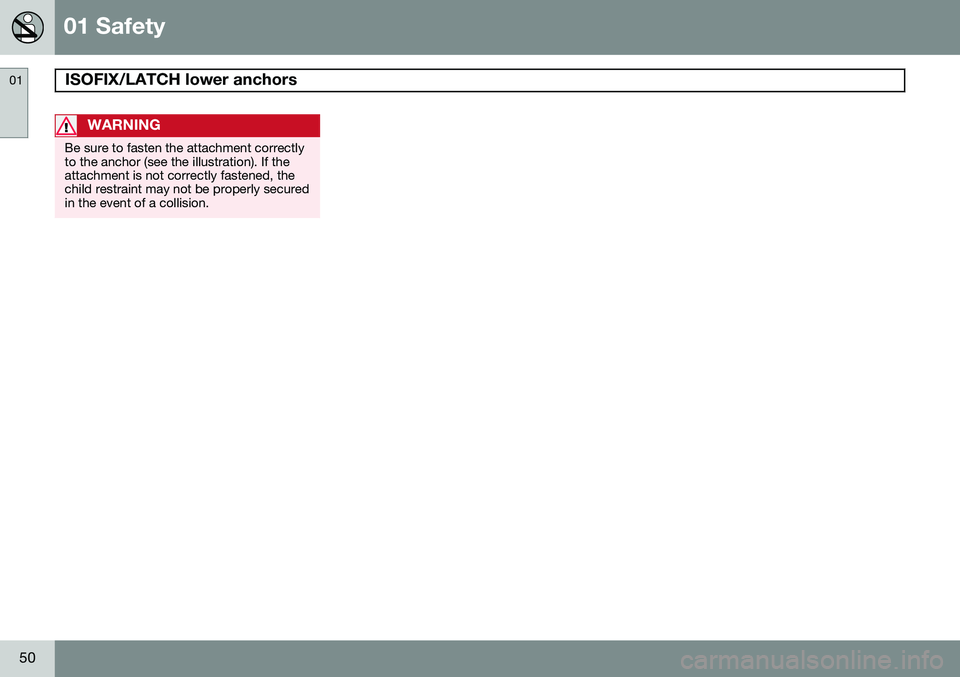
Be sure to fasten the attachment correctly to the anchor (see the illustration). If theattachment is not correctly fastened, thechild restraint may not be properly securedin the event of a collision.
Page 53 of 308
01 Safety
Top tether anchors01
51
Top tether anchors
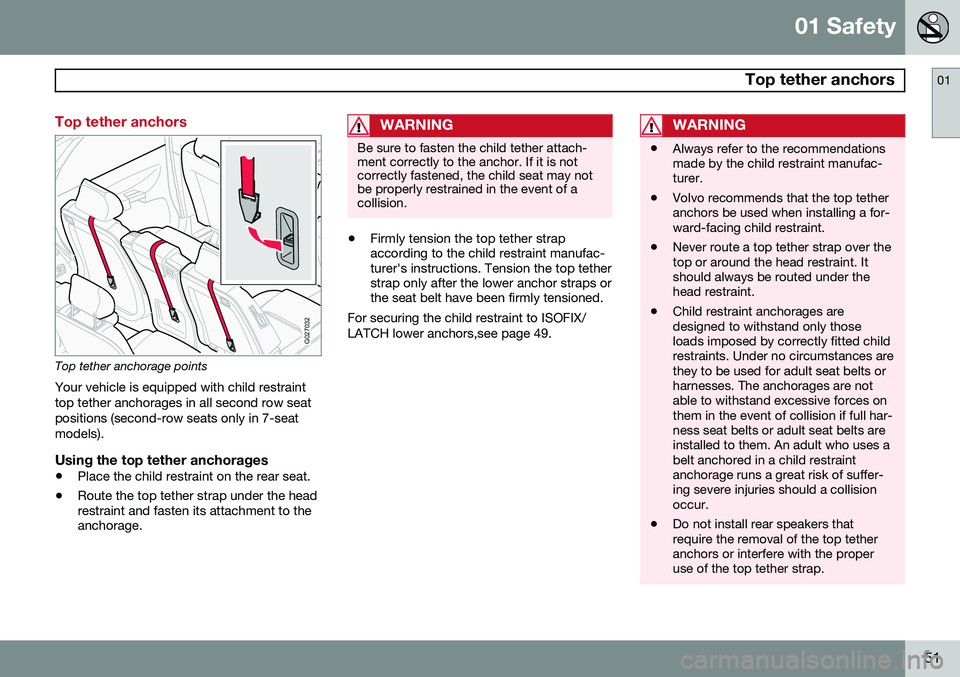
G027032
Top tether anchorage points
Your vehicle is equipped with child restraint top tether anchorages in all second row seatpositions (second-row seats only in 7-seatmodels).
Using the top tether anchorages
• Place the child restraint on the rear seat.
• Route the top tether strap under the head restraint and fasten its attachment to theanchorage.
WARNING
Be sure to fasten the child tether attach- ment correctly to the anchor. If it is notcorrectly fastened, the child seat may notbe properly restrained in the event of acollision.
•Firmly tension the top tether strap according to the child restraint manufac-turer's instructions. Tension the top tetherstrap only after the lower anchor straps orthe seat belt have been firmly tensioned.
For securing the child restraint to ISOFIX/ LATCH lower anchors,see page 49.
WARNING
• Always refer to the recommendations made by the child restraint manufac-turer.
• Volvo recommends that the top tetheranchors be used when installing a for-ward-facing child restraint.
• Never route a top tether strap over thetop or around the head restraint. Itshould always be routed under thehead restraint.
• Child restraint anchorages aredesigned to withstand only thoseloads imposed by correctly fitted childrestraints. Under no circumstances arethey to be used for adult seat belts orharnesses. The anchorages are notable to withstand excessive forces onthem in the event of collision if full har-ness seat belts or adult seat belts areinstalled to them. An adult who uses abelt anchored in a child restraintanchorage runs a great risk of suffer-ing severe injuries should a collisionoccur.
• Do not install rear speakers thatrequire the removal of the top tetheranchors or interfere with the properuse of the top tether strap.
Page 54 of 308
01 Safety
Integrated booster cushion 01
52* Option/accessory, for more information, see Introduction.
Integrated booster cushion*
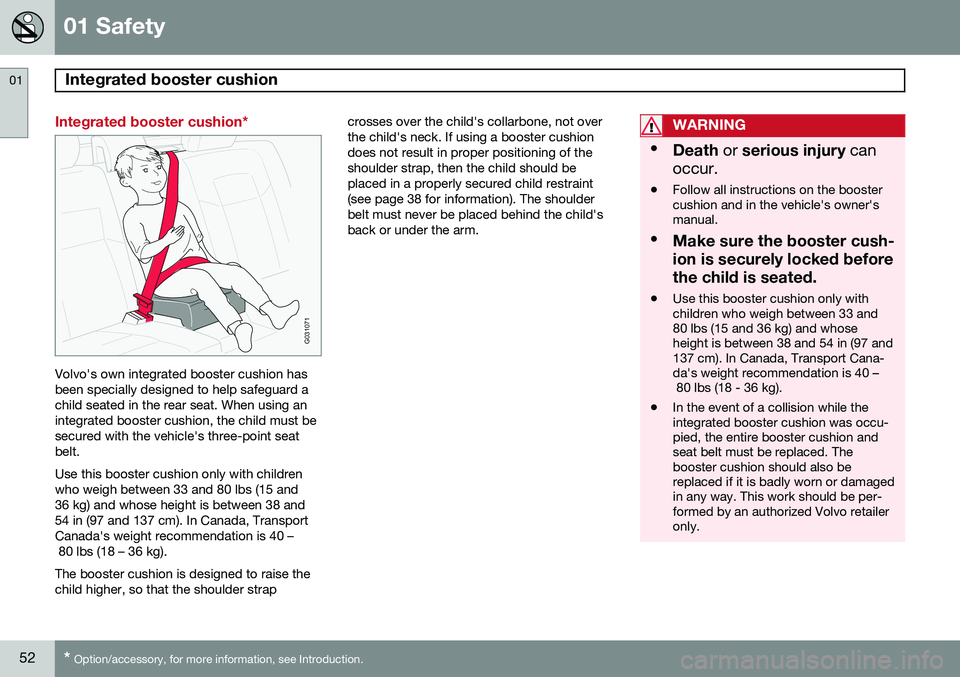
G031071
Volvo's own integrated booster cushion has been specially designed to help safeguard achild seated in the rear seat. When using anintegrated booster cushion, the child must besecured with the vehicle's three-point seatbelt. Use this booster cushion only with children who weigh between 33 and 80 lbs (15 and36 kg) and whose height is between 38 and54 in (97 and 137 cm). In Canada, TransportCanada's weight recommendation is 40 – 80 lbs (18 – 36 kg). The booster cushion is designed to raise the child higher, so that the shoulder strap crosses over the child's collarbone, not overthe child's neck. If using a booster cushiondoes not result in proper positioning of theshoulder strap, then the child should beplaced in a properly secured child restraint(see page 38 for information). The shoulderbelt must never be placed behind the child'sback or under the arm.
WARNING
•
Death or serious injury can
occur.
• Follow all instructions on the booster cushion and in the vehicle's owner'smanual.
• Make sure the booster cush- ion is securely locked beforethe child is seated.
• Use this booster cushion only with children who weigh between 33 and80 lbs (15 and 36 kg) and whoseheight is between 38 and 54 in (97 and137 cm). In Canada, Transport Cana-da's weight recommendation is 40 – 80 lbs (18 - 36 kg).
• In the event of a collision while theintegrated booster cushion was occu-pied, the entire booster cushion andseat belt must be replaced. Thebooster cushion should also bereplaced if it is badly worn or damagedin any way. This work should be per-formed by an authorized Volvo retaileronly.
Page 62 of 308
02 Instruments and controls
Instrument panel
02
60
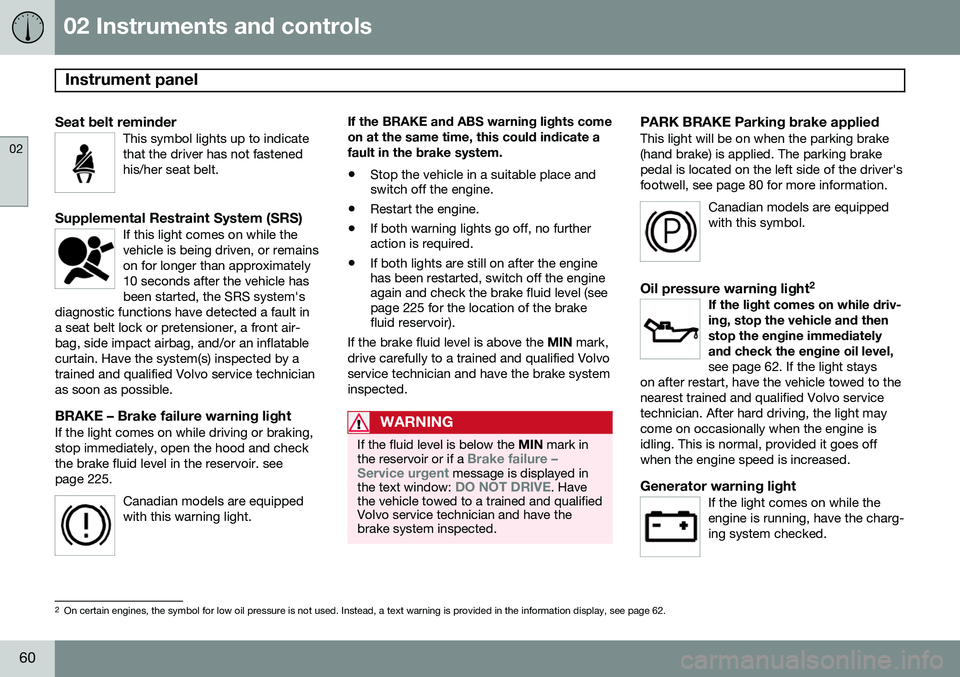
Seat belt reminderThis symbol lights up to indicate that the driver has not fastenedhis/her seat belt.
Supplemental Restraint System (SRS)If this light comes on while the vehicle is being driven, or remainson for longer than approximately10 seconds after the vehicle hasbeen started, the SRS system's
diagnostic functions have detected a fault ina seat belt lock or pretensioner, a front air-bag, side impact airbag, and/or an inflatablecurtain. Have the system(s) inspected by atrained and qualified Volvo service technicianas soon as possible.
BRAKE – Brake failure warning lightIf the light comes on while driving or braking, stop immediately, open the hood and checkthe brake fluid level in the reservoir. seepage 225.
Canadian models are equippedwith this warning light.
If the BRAKE and ABS warning lights come on at the same time, this could indicate afault in the brake system.
• Stop the vehicle in a suitable place and switch off the engine.
• Restart the engine.
• If both warning lights go off, no furtheraction is required.
• If both lights are still on after the enginehas been restarted, switch off the engineagain and check the brake fluid level (seepage 225 for the location of the brakefluid reservoir).
If the brake fluid level is above the MIN mark,
drive carefully to a trained and qualified Volvo service technician and have the brake systeminspected.
WARNING
If the fluid level is below the MIN mark in
the reservoir or if a Brake failure –
Service urgent message is displayed in
the text window: DO NOT DRIVE. Have
the vehicle towed to a trained and qualified Volvo service technician and have thebrake system inspected.
PARK BRAKE Parking brake appliedThis light will be on when the parking brake (hand brake) is applied. The parking brakepedal is located on the left side of the driver'sfootwell, see page 80 for more information.
Canadian models are equippedwith this symbol.
Oil pressure warning light 2If the light comes on while driv- ing, stop the vehicle and thenstop the engine immediatelyand check the engine oil level, see page 62. If the light stays
on after restart, have the vehicle towed to the nearest trained and qualified Volvo servicetechnician. After hard driving, the light maycome on occasionally when the engine isidling. This is normal, provided it goes offwhen the engine speed is increased.
Generator warning lightIf the light comes on while the engine is running, have the charg-ing system checked.
2 On certain engines, the symbol for low oil pressure is not used. Instead, a text warning is provided in the information display, see page 62.
Page 91 of 308
02 Instruments and controls
HomeLink®
Wireless Control System*
02
* Option/accessory, for more information, see Introduction.89
Introduction
G030070
The HomeLink 1
Wireless Control System pro-
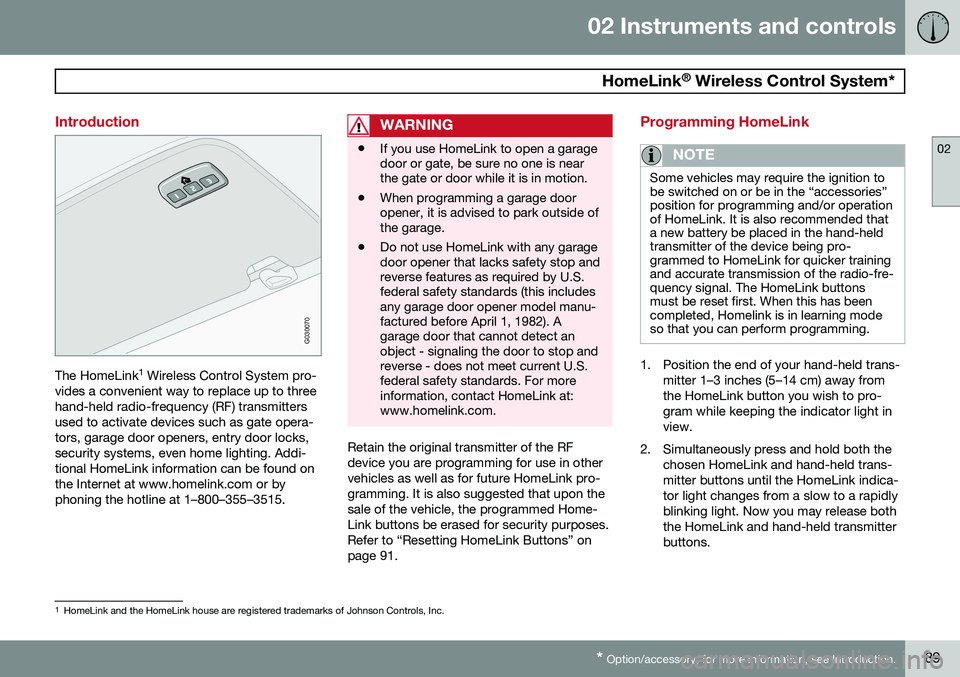
vides a convenient way to replace up to three hand-held radio-frequency (RF) transmittersused to activate devices such as gate opera-tors, garage door openers, entry door locks,security systems, even home lighting. Addi-tional HomeLink information can be found onthe Internet at www.homelink.com or byphoning the hotline at 1–800–355–3515.
WARNING
• If you use HomeLink to open a garage door or gate, be sure no one is nearthe gate or door while it is in motion.
• When programming a garage dooropener, it is advised to park outside ofthe garage.
• Do not use HomeLink with any garagedoor opener that lacks safety stop andreverse features as required by U.S.federal safety standards (this includesany garage door opener model manu-factured before April 1, 1982). Agarage door that cannot detect anobject - signaling the door to stop andreverse - does not meet current U.S.federal safety standards. For moreinformation, contact HomeLink at:www.homelink.com.
Retain the original transmitter of the RF device you are programming for use in othervehicles as well as for future HomeLink pro-gramming. It is also suggested that upon thesale of the vehicle, the programmed Home-Link buttons be erased for security purposes.Refer to “Resetting HomeLink Buttons” onpage 91.
Programming HomeLink
NOTE
Some vehicles may require the ignition to be switched on or be in the “accessories”position for programming and/or operationof HomeLink. It is also recommended thata new battery be placed in the hand-heldtransmitter of the device being pro-grammed to HomeLink for quicker trainingand accurate transmission of the radio-fre-quency signal. The HomeLink buttonsmust be reset first. When this has beencompleted, Homelink is in learning modeso that you can perform programming.
1. Position the end of your hand-held trans-
mitter 1–3 inches (5–14 cm) away from the HomeLink button you wish to pro-gram while keeping the indicator light inview.
2. Simultaneously press and hold both the chosen HomeLink and hand-held trans-mitter buttons until the HomeLink indica-tor light changes from a slow to a rapidlyblinking light. Now you may release boththe HomeLink and hand-held transmitterbuttons.
1HomeLink and the HomeLink house are registered trademarks of Johnson Controls, Inc.
Page 92 of 308
02 Instruments and controls
HomeLink®
Wireless Control System*
02
90* Option/accessory, for more information, see Introduction.
NOTE
Some devices may require you to replace this Programming Step 2 with proceduresnoted in the “Gate Operator / CanadianProgramming” section. If the HomeLinkindicator light does not change to a rapidlyblinking light after performing these steps,contact HomeLink at www.homelink.comor by phoning the hotline at1–800–355–3515.
3. Firmly press, hold for five seconds and
release the programmed HomeLink but-
ton up to two separate times to activate the door. If the door does not activate,press and hold the just-trained HomeLinkbutton and observe the indicator light.
• If the indicator light
stays on con-
stantly, programming is complete and your device should activate when the HomeLink button is pressed andreleased.
• If the indicator light blinks
rapidly for
two seconds and then turns to aconstant light continue with “Pro- gramming” steps 4-6 to complete the
programming of a rolling code equip- ped device (most commonly a garagedoor opener). 4. At the garage door opener receiver
(motor-head unit) in the garage, locate the “learn” or “smart” button. This canusually be found where the hangingantenna wire is attached to the motor-head unit.
5. Firmly press and release the “learn” or “smart” button. (The name and color ofthe button may vary by manufacturer.)There are 30 seconds to initiate step 6.
6. Return to the vehicle and firmly press, hold for two seconds and release the pro-grammed HomeLink button. Repeat the“press/hold/release” sequence a secondtime, and, depending on the brand of thegarage door opener (or other rolling codeequipped device), repeat this sequence athird time to complete the programmingprocess.
HomeLink should now activate your rollingcode equipped device.
Gate Operator/Canadian ProgrammingCanadian radio-frequency laws require trans-mitter signals to “time-out” (or quit) after sev-eral seconds of transmission – which may notbe long enough for HomeLink to pick up thesignal during programming. Similar to thisCanadian law, some U.S. gate operators aredesigned to “time-out” in the same manner. If you live in Canada or you are having diffi-culties programming a gate operator orgarage door opener by using the “Program-ming” procedures,
replace “Programming
HomeLink” step 2 with the following :
• Continue to press and hold the HomeLink button while you
press and release -
every two seconds (“cycle”) your hand-
held transmitter until the HomeLink indi-cator light changes from a slow to a rap-idly blinking light. Now you may releaseboth the HomeLink and hand-held trans-mitter buttons.
Proceed with “Programming” step 3 to com- plete.
Using HomeLink
To operate, simply press and hold the pro- grammed HomeLink button until the traineddevice begins to operate (this may take sev-eral seconds). Activation will now occur forthe trained device (i.e., garage door opener,gate operator, security system, entry doorlock, home/office lighting, etc.). For conven-ience, the hand-held transmitter of the devicemay also be used at any time. In the eventthat there are still programming difficulties orquestions, contact HomeLink at:www.homelink.com or by phoning the hotlineat 1–800–355–3515.
Page 102 of 308
03 Climate
Electronic climate control (ECC)
03
100* Option/accessory, for more information, see Introduction.
switch will light up to indicate that the defrost function is engaged.
• Blower speed increases automatically and the air conditioning will switch on (ifnot already on and if the passenger com-partment blower is not turned off) todehumidify the air in the passenger com-partment.
• Recirculation will not function whiledefrost is engaged.
The climate system will return to its previous settings when the defroster function isswitched off.
Rear window and door mirror
defrosters
This function defrosts/deices the rear window and door mirrors. The LED in the switch willlight up to indicate that the heating function isengaged. For additional information on thisfunction see page 75. Never use ice scrapers made of metal as they can easily scratch the mirror surface.
Heated front seats*
1. Press the switch once for maximum seat heating. Both LEDs in the switch will be lit. 2. Press the switch a second time for com-
fort heating. One LED in the switch will belit.
3. Press the switch a third time to turn the heating off completely. The LED will gooff.
The seat heating for the passenger seatshould be switched off when the seat is notoccupied.
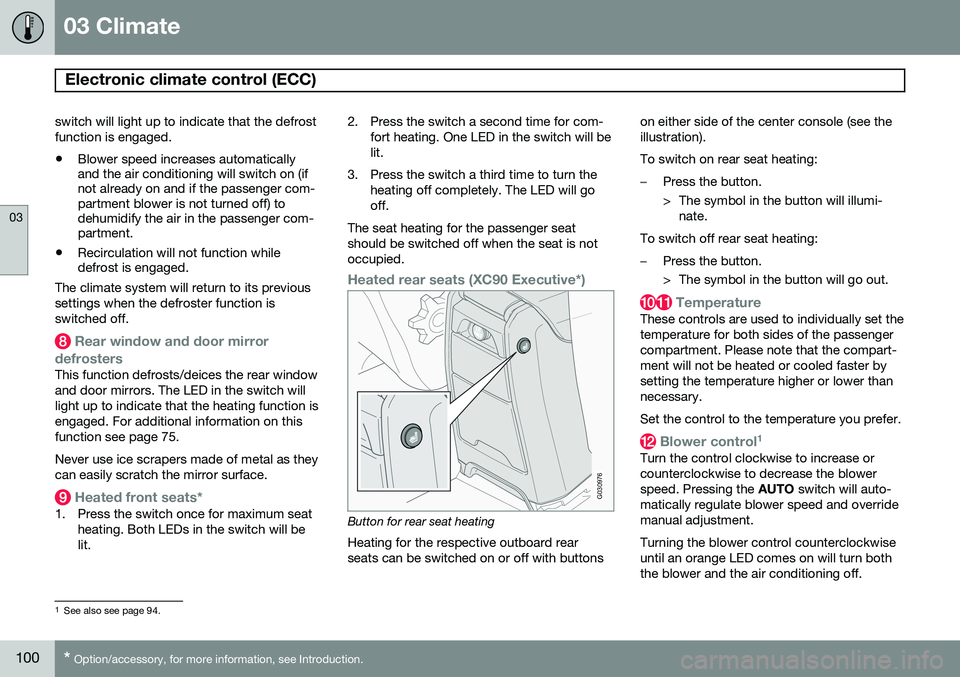
Heated rear seats (XC90 Executive*)
G030976
Button for rear seat heating Heating for the respective outboard rear seats can be switched on or off with buttons on either side of the center console (see theillustration). To switch on rear seat heating:
–Press the button.
> The symbol in the button will illumi-
nate.
To switch off rear seat heating:
–Press the button.
> The symbol in the button will go out.
Temperature
These controls are used to individually set the temperature for both sides of the passengercompartment. Please note that the compart-ment will not be heated or cooled faster bysetting the temperature higher or lower thannecessary. Set the control to the temperature you prefer.
Blower control 1
Turn the control clockwise to increase or counterclockwise to decrease the blowerspeed. Pressing the
AUTO switch will auto-
matically regulate blower speed and overridemanual adjustment. Turning the blower control counterclockwise until an orange LED comes on will turn boththe blower and the air conditioning off.
1 See also see page 94.
Page 104 of 308
102
Front seats............................................................................................ 104 Rear seats............................................................................................. 108Interior lighting...................................................................................... 111
Storage compartments......................................................................... 114
Securing cargo......................................................................................119