wheel VOLVO XC90 2015 Owners Manual
[x] Cancel search | Manufacturer: VOLVO, Model Year: 2015, Model line: XC90, Model: VOLVO XC90 2015Pages: 570, PDF Size: 12.44 MB
Page 392 of 570
INFOTAINMENT
3904.
Tap
Remove device and confirm.
> The phone or other device is no longer paired to the vehicle. Before this device can be used again, the pairing procedurewill have to be repeated.
Related information
• Pairing a cell phone (p. 387)
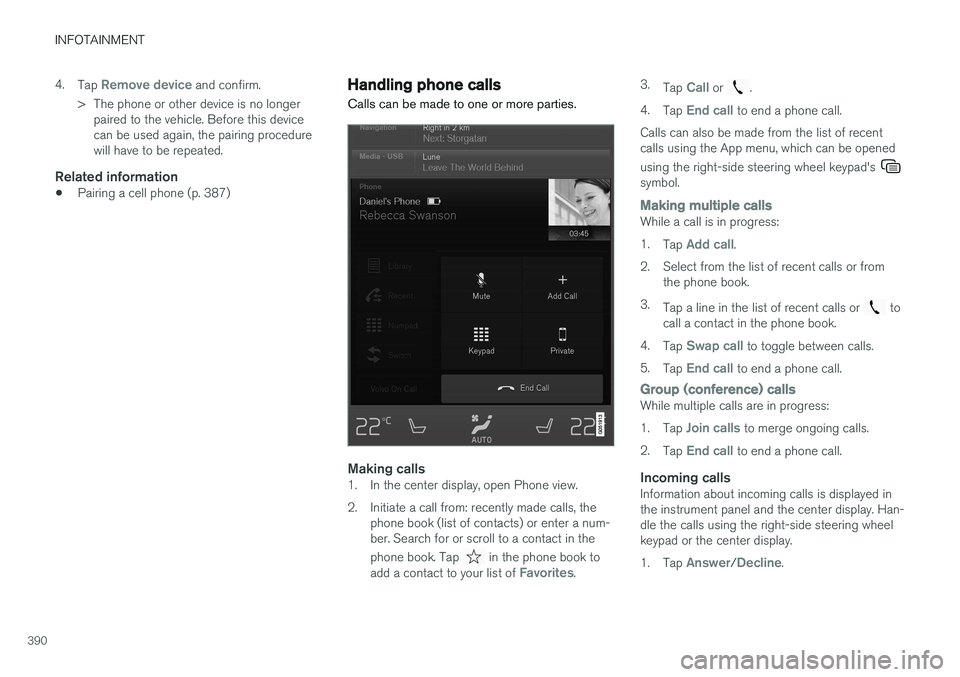
Handling phone calls Calls can be made to one or more parties.
Making calls1. In the center display, open Phone view.
2. Initiate a call from: recently made calls, the
phone book (list of contacts) or enter a num- ber. Search for or scroll to a contact in the phone book. Tap
in the phone book to
add a contact to your list of Favorites. 3.
Tap
Call or .
4. Tap
End call to end a phone call.
Calls can also be made from the list of recent calls using the App menu, which can be opened using the right-side steering wheel keypad's
symbol.
Making multiple callsWhile a call is in progress: 1. Tap
Add call.
2. Select from the list of recent calls or from the phone book.
3. Tap a line in the list of recent calls or
to
call a contact in the phone book.
4. Tap
Swap call to toggle between calls.
5. Tap
End call to end a phone call.
Group (conference) callsWhile multiple calls are in progress: 1.Tap
Join calls to merge ongoing calls.
2. Tap
End call to end a phone call.
Incoming callsInformation about incoming calls is displayed in the instrument panel and the center display. Han-dle the calls using the right-side steering wheelkeypad or the center display. 1.Tap
Answer/Decline.
Page 393 of 570
INFOTAINMENT
391
2.
Tap
End call to end a phone call.
Incoming calls while another call is in progress
1.Tap Answer/Decline.
2. Tap
End call to end a phone call.
PrivacyWhile a call is in progress:
–Tap Privacy.
> The vehicle's integrated microphone will be turned off.
•
Switch to mobile phone: the hands-free
function will be disconnected and the call will continue in the cell phone.
•
Driver only: the microphone in the ceiling
liner on the passenger's side will be muted and the call will continue using vehicle's thehands-free function on the driver's side.
Related information
• Phone (p. 387)
• Voice control for cell phones (p. 121)
• Using the center display (p. 46)
• Using the center display keyboard (p. 32)
• Phone settings (p. 392)
Handling text messages
Text messages can be received and sent from a connected cell phone.
Text message functionality has to be activated in certain cell phones and not all phones offer fullcompatibility/functionality. Go tosupport.volvocars.com for additional information.
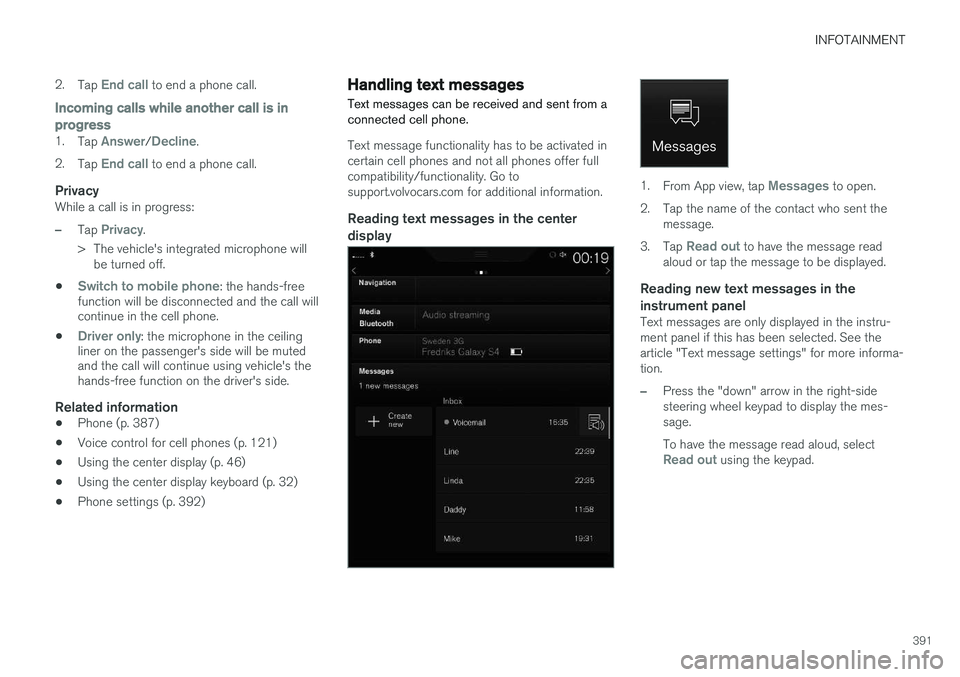
Reading text messages in the center display
1. From App view, tap Messages to open.
2. Tap the name of the contact who sent the message.
3. Tap
Read out to have the message read
aloud or tap the message to be displayed.
Reading new text messages in the instrument panel
Text messages are only displayed in the instru- ment panel if this has been selected. See thearticle "Text message settings" for more informa-tion.
–Press the "down" arrow in the right-side steering wheel keypad to display the mes-sage. To have the message read aloud, select
Read out using the keypad.
Page 394 of 570
INFOTAINMENT
* Option/accessory, for more information, see Introduction.
392
Sending text messages
1.
From App view, tap Messages to open.
2. •To reply to a message: tap the name of the contact who sent the message and then tap
Answer.
• To create a new message: tap
Create
new
+. Select the contact who will
receive the message or enter a phone number.
3. Write the message. 4. Tap
Send.
Message notificationSee the article "Text message settings" for a list of possible settings.
Related information
• Text message settings (p. 392)
Phone settings
The following settings can be made for a paired and connected cell phone.
Cell phones
–Pull down the center display's Top view and tap
SettingsCommunicationPhoneand choose among the following settings: •
Ringtones: select a ring tone (tones from
the cell phone or the vehicle can be used). Not all cell phones are fully com-patible and it may not be possible to usetheir ring tones in the vehicle. Go towww.volvocars.com for additional informa-tion.
•
Sort order for contacts: select sort cri-
teria for the phone book (list of contacts).
To show call notifications in the head-up dis- play *, see the article "Head-up display."
Related information
• Text message settings (p. 392)
• Bluetooth settings (p. 404)
• Phone (p. 387)
• Handling phone calls (p. 390)
• Head-up display (HUD)
* (p. 117)
Text message settings
The following settings can be made for text mes- sages received through a paired and connectedcell phone.
Text message settings
–Pull down the center display's Top view and tap
SettingsCommunicationText
Messages and choose among the following
settings:
•
Notification in center display: shows
text messages in the center display's sta- tus bar.
•
Notification in driver display: shows
text messages in the instrument panel. With this alternative active, incoming mes-sages can be handled from the right-sidesteering wheel keypad.
•
Text message tone: select an audible
signal for incoming text messages.
Related information
• Connecting/disconnecting a cell phone (p. 389)
• Pairing a cell phone (p. 387)
• Handling text messages (p. 391)
Page 396 of 570

INFOTAINMENT
* Option/accessory, for more information, see Introduction.
394
The media player is controlled from the center display but cer-tain functions can also be con-trolled from the right-sidesteering wheel keypad or byusing voice commands.
Related information
• Playing media (p. 395)
• Voice control for radio and media (p. 122)
• Radio (p. 377) •
Apps (applications) (p. 403)
• CD (media) player
* (p. 394)
• Playing media through the AUX/USB sock- ets (p. 397)
CD (media) player
*
The CD (media) player can play commercially purchased discs as well as ones that you haveburned yourself. See the article "Media playertechnical data" for information about compatiblefile formats.
Location of the CD player in the tunnel console
Disc slot
Eject button
Related information
• Media player technical data (p. 400)
Page 397 of 570
INFOTAINMENT
395
Playing media The media player can controlled from the right- side steering wheel keypad, the center display orby using voice commands. The radio is also controlled from the media player. See the articles relating to the radio.
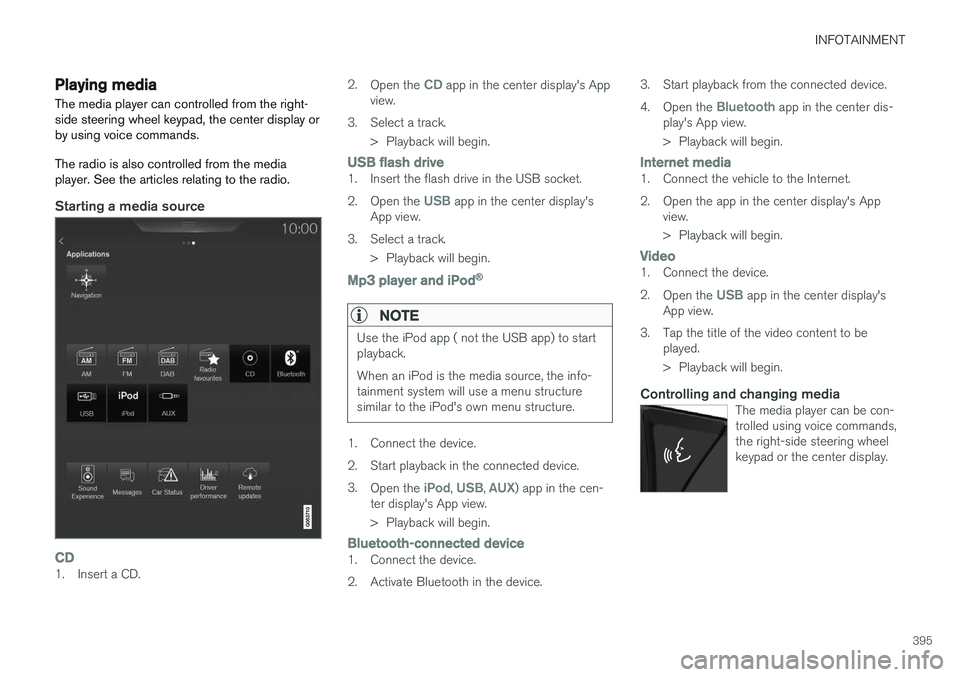
Starting a media source
CD1. Insert a CD.2.
Open the
CD app in the center display's App
view.
3. Select a track. > Playback will begin.
USB flash drive1. Insert the flash drive in the USB socket. 2.Open the
USB app in the center display's
App view.
3. Select a track. > Playback will begin.
Mp3 player and iPod®
NOTE
Use the iPod app ( not the USB app) to start playback. When an iPod is the media source, the info- tainment system will use a menu structuresimilar to the iPod's own menu structure.
1. Connect the device.
2. Start playback in the connected device.3.
Open the
iPod, USB, AUX) app in the cen-
ter display's App view.
> Playback will begin.
Bluetooth-connected device1. Connect the device.
2. Activate Bluetooth in the device. 3. Start playback from the connected device.4.
Open the
Bluetooth app in the center dis-
play's App view.
> Playback will begin.
Internet media1. Connect the vehicle to the Internet.
2. Open the app in the center display's App view.
> Playback will begin.
Video1. Connect the device. 2.Open the
USB app in the center display's
App view.
3. Tap the title of the video content to be played.
> Playback will begin.
Controlling and changing mediaThe media player can be con- trolled using voice commands,the right-side steering wheelkeypad or the center display.
Page 417 of 570
VOLVO ON CALL WITH SENSUS CONNECT *
* Option/accessory, for more information, see Introduction.
415
The ON CALL button: roadside assistancePress the ON CALL button for approx. 2 seconds
to activate the roadside assistance functions.
Alternative to the ON CALL button
In the center display's Phone view, tap On Call.
Select Call in the pop-up window that opens.
NOTE
The SOS button should only be used in an
emergency situation such as an accident, ill- ness or in the event of a threat to the occu-pants of the vehicle. Misusing this buttoncould result in extra charges. The ON CALL button can be used for all of
the other VOC services, including roadside assistance.
Canceling a callA service call that has been initiated can be can- celled within 10 seconds by pressing the EXIT
button on the steering wheel keypad.
SettingsSettings and selections can be made in the cen- ter display by going to s
Settings
CommunicationVolvo On Call. These set-
tings include activating/deactivating a subscrip- tion, button lock, etc.
Related information
• Volvo On Call (VOC)
* (p. 414)
• Volvo On Call (VOC) functions (p. 415)
• Volvo On Call manual safety service (p. 424)
• Volvo On Call roadside assistance (p. 425)
Volvo On Call (VOC) functions
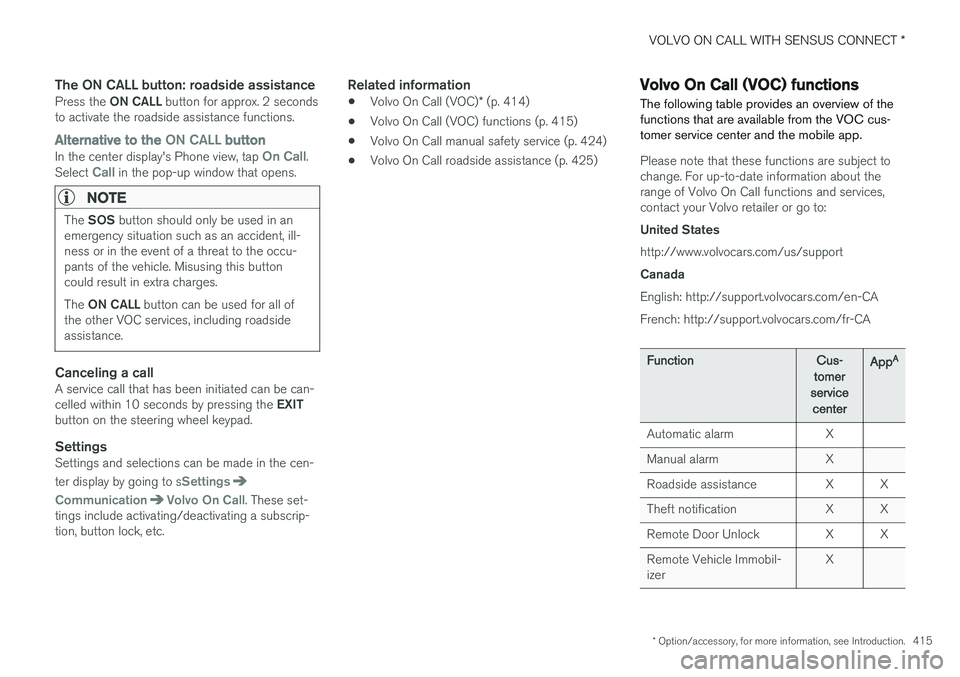
The following table provides an overview of the functions that are available from the VOC cus-tomer service center and the mobile app.
Please note that these functions are subject to change. For up-to-date information about therange of Volvo On Call functions and services,contact your Volvo retailer or go to: United States http://www.volvocars.com/us/support Canada English: http://support.volvocars.com/en-CA French: http://support.volvocars.com/fr-CA
FunctionCus-
tomer
service centerApp A
Automatic alarmX
Manual alarmX
Roadside assistanceXX
Theft notificationXX
Remote Door UnlockXX
Remote Vehicle Immobil- izerX
Page 435 of 570
NAVIGATION*
* Option/accessory, for more information, see Introduction.
433
StepCenter dis- play/menuAction
5Start navi- gation is
displayed on thescreen.Tap Start navigation.
6A map showingthe route toyour desti-nation isdisplayed.Guidance will begin. Fol- low the directions on theinstrument panel.
Related information
• Using the center display (p. 46)
• Center display overview (p. 29)
Navigation displays and controls
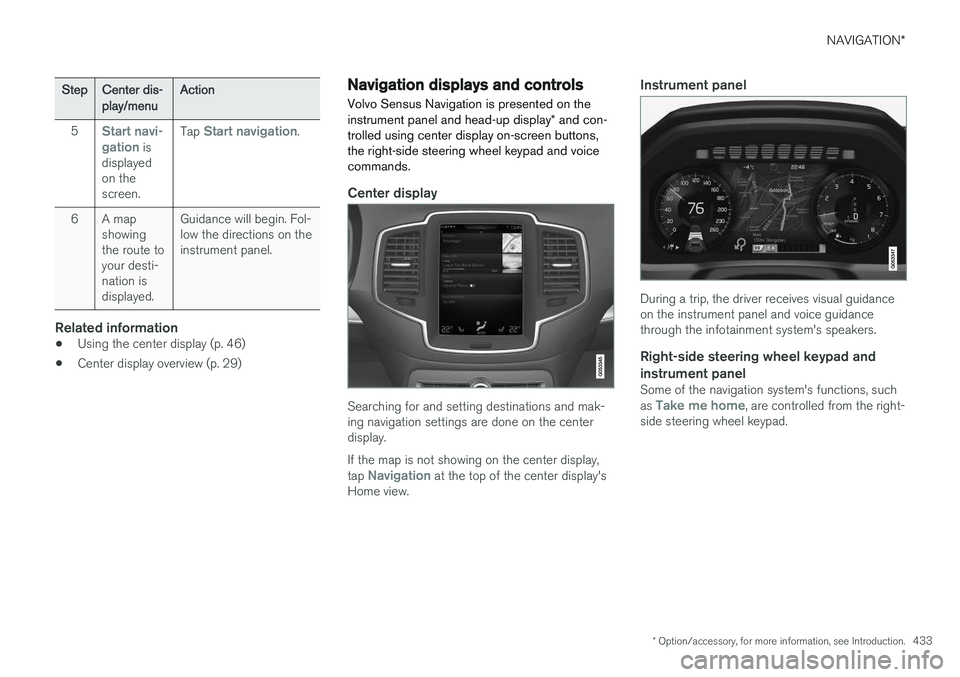
Volvo Sensus Navigation is presented on the instrument panel and head-up display * and con-
trolled using center display on-screen buttons, the right-side steering wheel keypad and voicecommands.
Center display
Searching for and setting destinations and mak- ing navigation settings are done on the centerdisplay. If the map is not showing on the center display, tap
Navigation at the top of the center display's
Home view.
Instrument panel
During a trip, the driver receives visual guidance on the instrument panel and voice guidancethrough the infotainment system's speakers.
Right-side steering wheel keypad and instrument panel
Some of the navigation system's functions, such as Take me home, are controlled from the right-
side steering wheel keypad.
Page 436 of 570
NAVIGATION*
* Option/accessory, for more information, see Introduction.
434
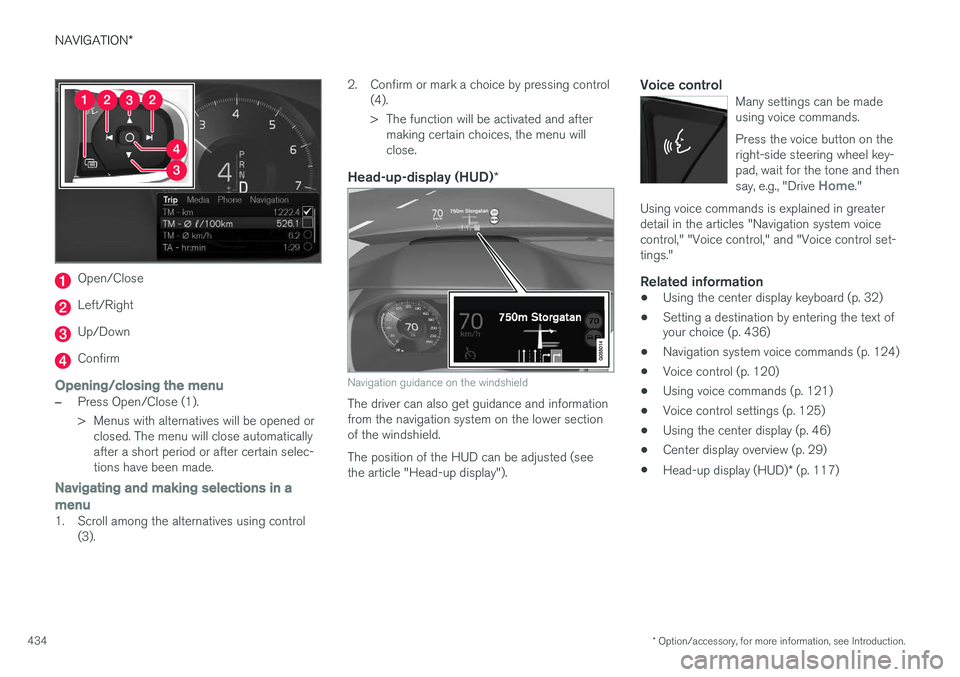
Open/Close
Left/Right
Up/Down
Confirm
Opening/closing the menu
–Press Open/Close (1).
> Menus with alternatives will be opened or
closed. The menu will close automatically after a short period or after certain selec-tions have been made.
Navigating and making selections in a menu
1. Scroll among the alternatives using control (3). 2. Confirm or mark a choice by pressing control
(4).
> The function will be activated and aftermaking certain choices, the menu will close.
Head-up-display (HUD) *
Navigation guidance on the windshield
The driver can also get guidance and information from the navigation system on the lower sectionof the windshield. The position of the HUD can be adjusted (see the article "Head-up display").
Voice controlMany settings can be madeusing voice commands. Press the voice button on the right-side steering wheel key-pad, wait for the tone and then say, e.g., "Drive
Home."
Using voice commands is explained in greater detail in the articles "Navigation system voicecontrol," "Voice control," and "Voice control set-tings."
Related information
•Using the center display keyboard (p. 32)
• Setting a destination by entering the text of your choice (p. 436)
• Navigation system voice commands (p. 124)
• Voice control (p. 120)
• Using voice commands (p. 121)
• Voice control settings (p. 125)
• Using the center display (p. 46)
• Center display overview (p. 29)
• Head-up display (HUD)
* (p. 117)
Page 440 of 570
NAVIGATION*
* Option/accessory, for more information, see Introduction.
438
CoordinatesA destination can also be set by entering its map coordinates.
• For example, enter: "N 58.1234 E 12.5678" and tap
Search/.
Map coordinates can be written in different ways, such as:
N 58.1234 E 12.5678 (with spaces)
N 58.1234 E12.5678 (without spaces)
58.1234 N 12.5678 E (with the points on the
compass after the coordinates)
58.1234 -12.5678 (with a hyphen without the
points on the compass)
Both periods [.] and commas [,] can be used.
Related information
• Entering a destination (p. 435)
• Navigation displays and controls (p. 433)
• Using the center display keyboard (p. 32)
• Information cards on the map (p. 446)
Setting a destination using Recent/ Favorites/Library Selecting from a list is one way of setting a des- tination.
To display these lists:
1. Tap
Set dest. in the lower
margin. A keyboard will be dis- played with search alternativesin the upper margin. 2. Continue by selecting one of the lists in the upper margin:
•Recent
•Favorites
•Library
After marking an alternative, it will be added as a destination by tapping the Start navigation orAdd as waypoint buttons.
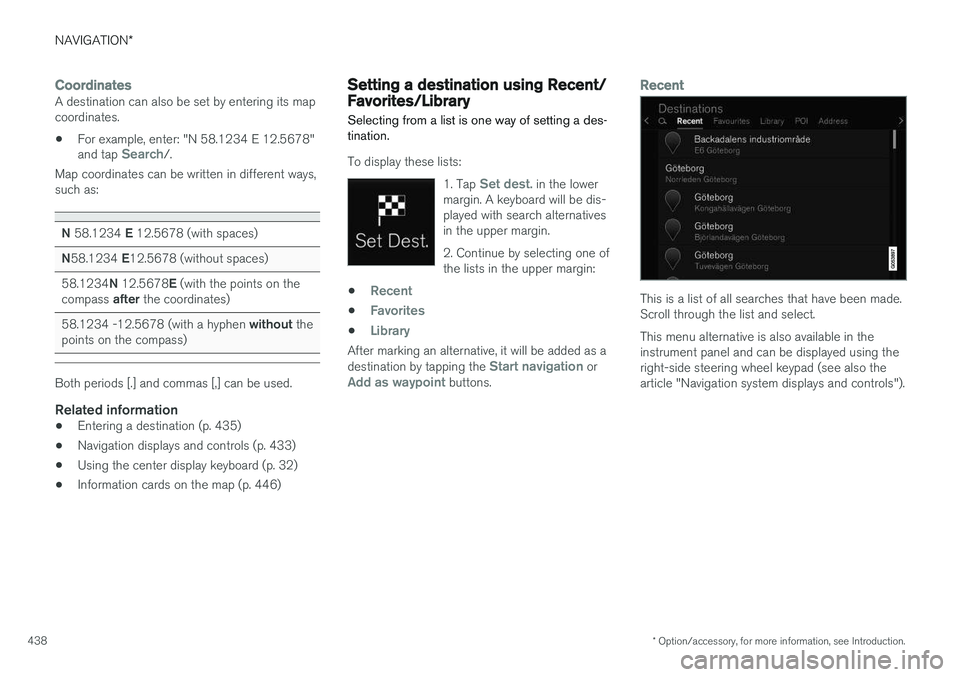
Recent
This is a list of all searches that have been made. Scroll through the list and select. This menu alternative is also available in the instrument panel and can be displayed using theright-side steering wheel keypad (see also thearticle "Navigation system displays and controls").
Page 441 of 570
NAVIGATION*
* Option/accessory, for more information, see Introduction.
439
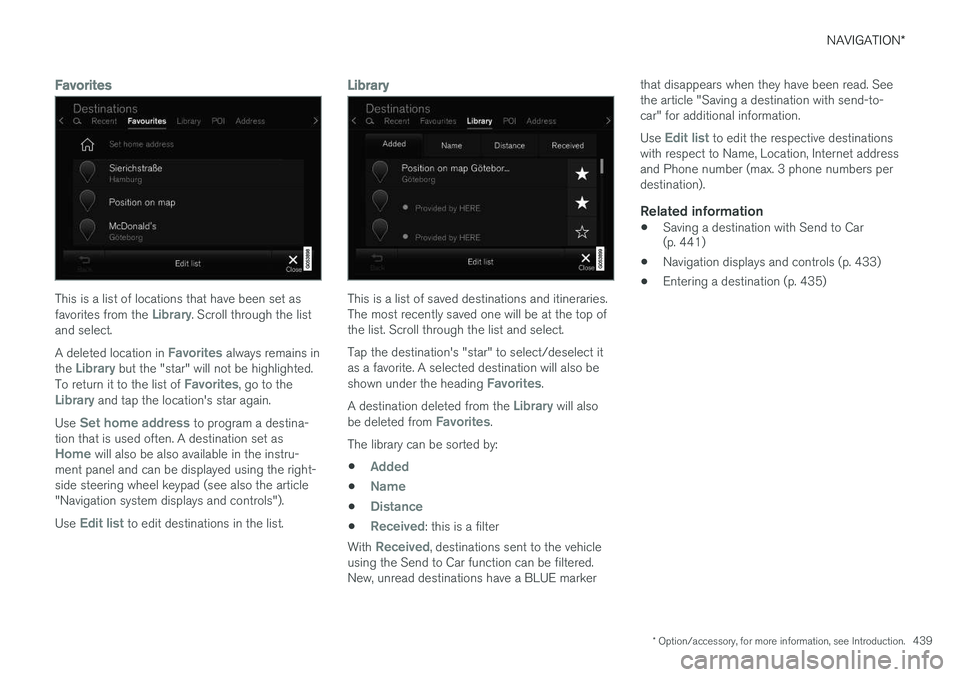
Favorites
This is a list of locations that have been set as favorites from the Library. Scroll through the list
and select. A deleted location in
Favorites always remains in
the Library but the "star" will not be highlighted.
To return it to the list of Favorites, go to theLibrary and tap the location's star again.
Use
Set home address to program a destina-
tion that is used often. A destination set as
Home will also be also available in the instru-
ment panel and can be displayed using the right- side steering wheel keypad (see also the article"Navigation system displays and controls"). Use
Edit list to edit destinations in the list.
Library
This is a list of saved destinations and itineraries. The most recently saved one will be at the top ofthe list. Scroll through the list and select. Tap the destination's "star" to select/deselect it as a favorite. A selected destination will also be shown under the heading
Favorites.
A destination deleted from the
Library will also
be deleted from Favorites.
The library can be sorted by:
•
Added
•Name
•Distance
•Received: this is a filter
With
Received, destinations sent to the vehicle
using the Send to Car function can be filtered. New, unread destinations have a BLUE marker that disappears when they have been read. Seethe article "Saving a destination with send-to-car" for additional information. Use
Edit list to edit the respective destinations
with respect to Name, Location, Internet address and Phone number (max. 3 phone numbers perdestination).
Related information
• Saving a destination with Send to Car (p. 441)
• Navigation displays and controls (p. 433)
• Entering a destination (p. 435)