warning VOLVO XC90 2015 Owners Manual
[x] Cancel search | Manufacturer: VOLVO, Model Year: 2015, Model line: XC90, Model: VOLVO XC90 2015Pages: 570, PDF Size: 12.44 MB
Page 520 of 570
MAINTENANCE AND SERVICING
518
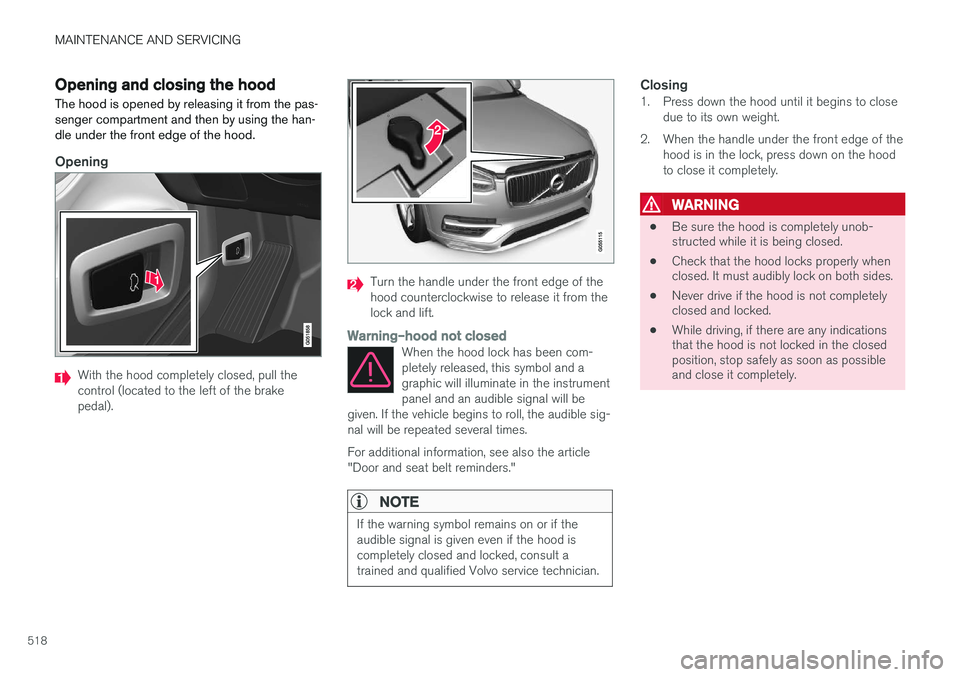
Opening and closing the hood The hood is opened by releasing it from the pas- senger compartment and then by using the han-dle under the front edge of the hood.
Opening
With the hood completely closed, pull the control (located to the left of the brakepedal).
Turn the handle under the front edge of the hood counterclockwise to release it from thelock and lift.
Warning
Page 521 of 570
MAINTENANCE AND SERVICING
519
Hood completely closed
Related information
•Engine compartment overview (p. 519)
• Door and seat belt reminders (p. 61)
Engine compartment overview
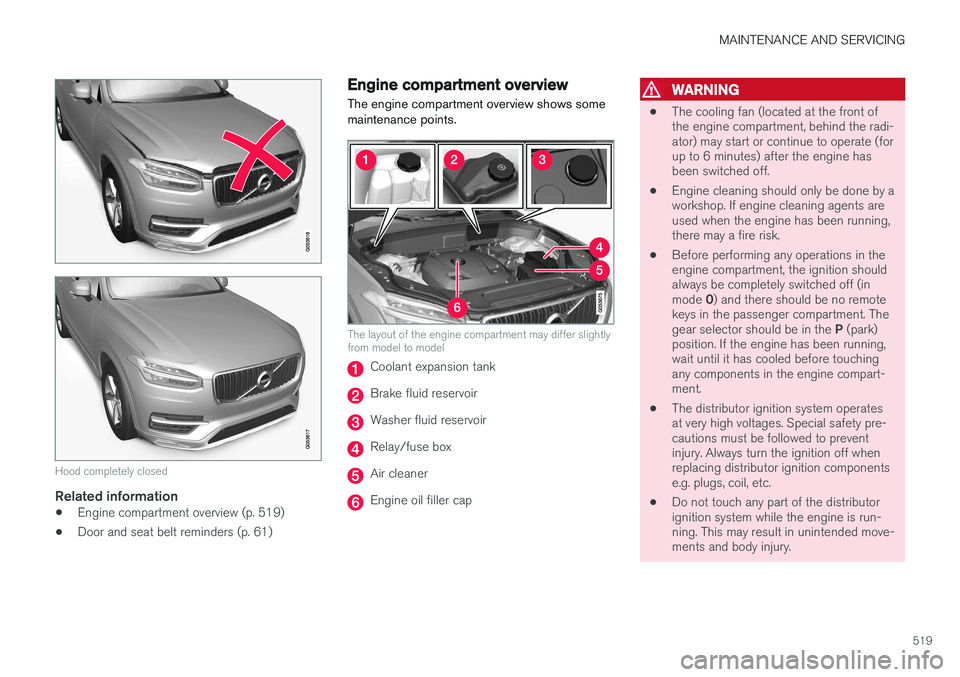
The engine compartment overview shows some maintenance points.
The layout of the engine compartment may differ slightly from model to model
Coolant expansion tank
Brake fluid reservoir
Washer fluid reservoir
Relay/fuse box
Air cleaner
Engine oil filler cap
WARNING
• The cooling fan (located at the front of the engine compartment, behind the radi-ator) may start or continue to operate (forup to 6 minutes) after the engine hasbeen switched off.
• Engine cleaning should only be done by aworkshop. If engine cleaning agents areused when the engine has been running,there may a fire risk.
• Before performing any operations in theengine compartment, the ignition shouldalways be completely switched off (in mode
0) and there should be no remote
keys in the passenger compartment. Thegear selector should be in the P (park)
position. If the engine has been running, wait until it has cooled before touchingany components in the engine compart-ment.
• The distributor ignition system operatesat very high voltages. Special safety pre-cautions must be followed to preventinjury. Always turn the ignition off whenreplacing distributor ignition componentse.g. plugs, coil, etc.
• Do not touch any part of the distributorignition system while the engine is run-ning. This may result in unintended move-ments and body injury.
Page 523 of 570
MAINTENANCE AND SERVICING
521
Checking and refilling engine oil The oil level is checked electronically.
Oil filler cap3
It may be necessary to top up engine oil between regularly scheduled services. No action is necessary until a message is dis- played in the instrument panel.
WARNING
•
Do not allow oil to spill onto or come into contact with hot exhaust pipe surfaces.
• If
Engine oil level Service required is
displayed, have the vehicle checked by a trained and qualified Volvo service techni-cian. The oil level may be too high.
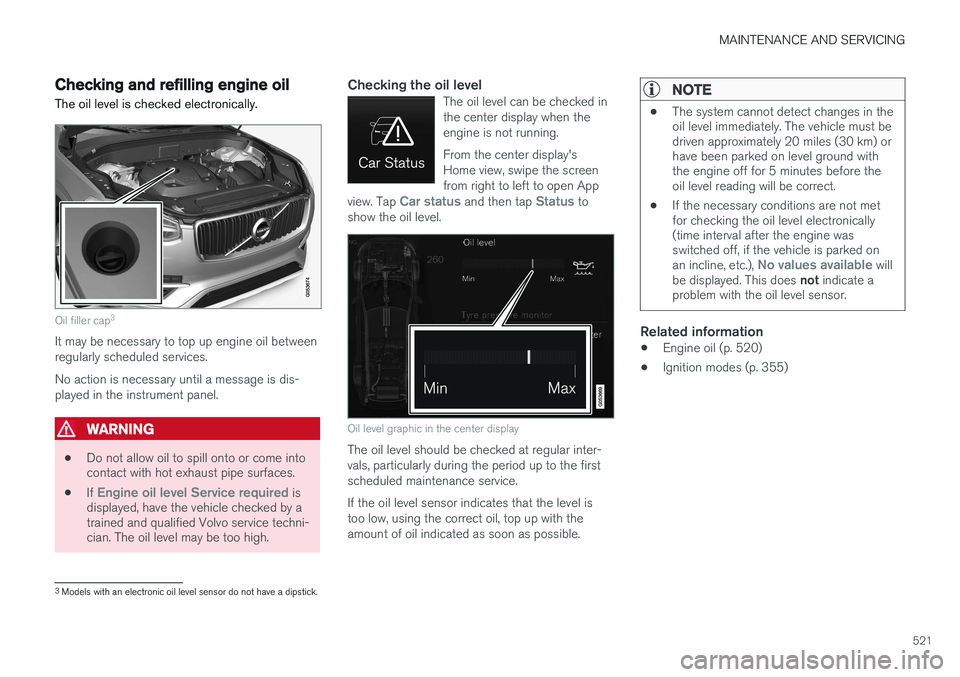
Checking the oil levelThe oil level can be checked in the center display when theengine is not running. From the center display's Home view, swipe the screenfrom right to left to open App
view. Tap
Car status and then tap Status to
show the oil level.
Oil level graphic in the center display
The oil level should be checked at regular inter- vals, particularly during the period up to the firstscheduled maintenance service. If the oil level sensor indicates that the level is too low, using the correct oil, top up with theamount of oil indicated as soon as possible.
NOTE
• The system cannot detect changes in the oil level immediately. The vehicle must bedriven approximately 20 miles (30 km) orhave been parked on level ground withthe engine off for 5 minutes before theoil level reading will be correct.
• If the necessary conditions are not metfor checking the oil level electronically(time interval after the engine wasswitched off, if the vehicle is parked on an incline, etc.),
No values available will
be displayed. This does not indicate a
problem with the oil level sensor.
Related information
• Engine oil (p. 520)
• Ignition modes (p. 355)
3
Models with an electronic oil level sensor do not have a dipstick.
Page 528 of 570
MAINTENANCE AND SERVICING
526
Automatic car washes
•We do NOT recommend washing your car in an automatic wash during the first fewmonths (because the paint will not havehardened sufficiently).
• An automatic wash is a simple and quick wayto clean your car, but it is worth rememberingthat it may not be as thorough as when youyourself go over the car with sponge andwater. Keeping the underbody clean is mostimportant, especially in the winter. Someautomatic washers do not have facilities forwashing the underbody.
NOTE
Condensation may form temporarily on the inside of the lenses of exterior lights such asheadlights, fog lights, or taillights. This is nor-mal and the lights are designed to withstandmoisture. Normally, condensation will dissi-pate after the lights have been on for a shorttime.
CAUTION
•Before driving into an automatic car wash, turn off the optional rain sensor toavoid damaging the windshield wipers.
• Make sure that side view mirrors, auxiliarylamps, etc, are secure, and that anyantenna(s) are retracted or removed. Oth-erwise there is risk of the machine dis-lodging them.
• Chromed wheels:
Clean chrome-plated
wheels using the same detergents usedfor the body of the vehicle. Aggressivewheel-cleaning agents can permanentlystain chrome-plated wheels.
WARNING
• When the vehicle is driven immediately after being washed, apply the brakes,including the parking brake, several timesin order to remove any moisture from thebrake linings.
• Engine cleaning agents should not beused when the engine is warm. This con-stitutes a fire risk.
Exterior componentsVolvo recommends the use of special cleaning products, available at your Volvo retailer, forcleaning colored plastic, rubber, or ornamentalcomponents such as chromed strips on the exte- rior of your vehicle. The instructions for usingthese products should be followed carefully. Sol-vents or stain removers should not be used.
CAUTION
•
Avoid waxing or polishing plastic or rub- ber components
• Polishing chromed strips can wear awayor damage the surface
• Polishes containing abrasive substancesshould not be used
Related information
•Paint damage (p. 530)
• Corrosion protection (p. 529)
• Polishing and waxing (p. 531)
• Windshield wipers in the service position (p. 522)
Page 530 of 570
MAINTENANCE AND SERVICING
* Option/accessory, for more information, see Introduction.
528 Type 3
(dry soil or dust)
1. Remove the soil/dust with a soft brush.
2. Same procedure as for type I stains.
CAUTION
Sharp objects, such as rings, could damage the leather on the steering wheel.
Leather panels *Leather should be allowed to breath. Never cover the upper side of the dashboard or door panelswith a plastic protector. Ask your Volvo retailerabout Leather Care Kit 951 0251 and LeatherSoftener 943 7429.
Spots on interior plastic, metal, or wood
surfaces
Cleaning interior plastic components should bedone with a cleaning agent specially designed forthis purpose. Consult your Volvo retailer.
CAUTION
• Do not use cleaning agents with high alcohol content such as washer fluid toclean instrument panel glass.
• Never spray cleaning agents or waterdirectly onto components with electricalbuttons or controls. Clean components ofthis type by applying the cleaning agent/water sparingly to a cloth and wiping thecomponents so that no liquid penetratesinto these components.
Cleaning the seat beltsClean only with lukewarm water and a mild soap solution.
Cleaning floor matsThe floor mats should be vacuumed or brushedclean regularly, especially during winter whenthey should be taken out for drying. Spots on tex-tile mats can be removed with a mild detergent.For best protection in winter, Volvo recommendsthe use of Volvo rubber floor mats. Consult yourVolvo retailer.
WARNING
•
Never use more than one floor mat at a time on the driver's floor. Before driving,remove the original mat from the driver'sseat floor before using any other type offloor mat. Any mat used in this positionshould be securely and properly anchoredin the attaching pins. An extra mat on thedriver's floor can cause the acceleratorand/or brake pedal to catch. Check thatthe movement of these pedals is notimpeded.
• Volvo's floor mats are specially manufac-tured for your car. They must be firmlysecured in the clips on the floor so thatthey cannot slide and become trappedunder the pedals on the driver's side.
Related information
• Cleaning the center display (p. 529)
Page 543 of 570
SPECIFICATIONS
* Option/accessory, for more information, see Introduction.541
Air conditioning refrigerant
The air conditioning system in your car contains a CFC-free refrigerant.
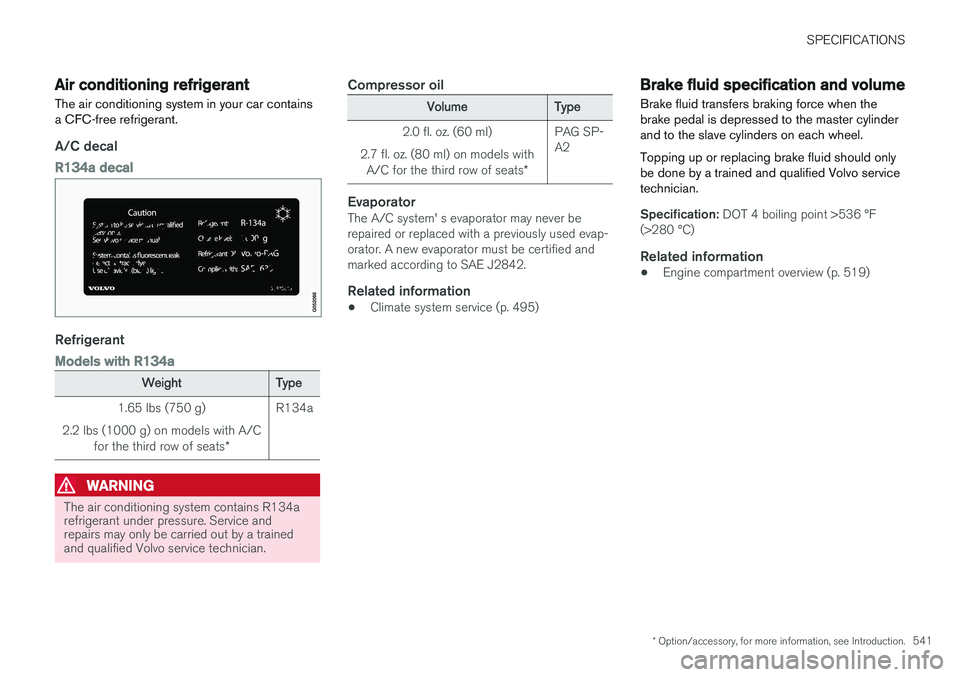
A/C decal
R134a decal
Refrigerant
Models with R134a
WeightType
1.65 lbs (750 g)
2.2 lbs (1000 g) on models with A/C for the third row of seats *R134a
WARNING
The air conditioning system contains R134a refrigerant under pressure. Service andrepairs may only be carried out by a trainedand qualified Volvo service technician.
Compressor oil
VolumeType
2.0 fl. oz. (60 ml)
2.7 fl. oz. (80 ml) on models with A/C for the third row of seats *PAG SP- A2
EvaporatorThe A/C system' s evaporator may never be repaired or replaced with a previously used evap-orator. A new evaporator must be certified andmarked according to SAE J2842.
Related information
•Climate system service (p. 495)
Brake fluid specification and volume
Brake fluid transfers braking force when the brake pedal is depressed to the master cylinderand to the slave cylinders on each wheel. Topping up or replacing brake fluid should only be done by a trained and qualified Volvo servicetechnician.
Specification: DOT 4 boiling point >536 °F
(>280 °C)
Related information
• Engine compartment overview (p. 519)
Page 557 of 570
555
INDEX
A
A/C (air conditioning) 190
Accessory installation warning 22, 24
Active high beams 141
Active yaw control 308
Adaptive brake lights 334
Adaptive cruise control 252, 254, 255,257, 258, 259, 268, 269, 270, 272
passing assistance 270
radar sensor 269, 270
Adaptive Cruise Control fault tracing 271
Airbags disconnecting the front passenger
Page 558 of 570
556Brake assist system 333
Brake lights 143, 334Brakes
auto-hold 332
Brake system Brake pad inspection 331
fluid 541
general information 330, 332, 333
Bulbs 514 replacing 510
specifications 515
C
Cameradriver support systems 240
limitations 241
Camera, Park Assist 296, 298, 300
Capacity weight 471, 539
Cargo area, steel grid 211
Cargo area cover 213Cargo compartment fuses 508
raising/lowering the level 207
Cargo net 209
Cargo space 200
Car wash 525
Catalytic converter 349CD, USB, iPod, AUX, Bluetooth, Recents, Library, Shuffle, Similar, Change device, Pri-mary Audio Default Language, Subtitle, Pri-mary Subtitle Default Language, Video, DivX ® VOD 395
CD player 394 Cell phone hands-free 387
Pairing 387
Cell phone voice control 121 Center display changing settings 31
cleaning 529
keyboard 32
navigating in 39
overview 29
screen in the center console 46
symbols in the status bar 44
Chains 473
Changing a wheel 475Child restraints recalls and registration 65
Child restraint systems 65 booster cushions 71
convertible seats 69
infant seats 67ISOFIX/LATCH anchors 72
top tether anchors 74
Child safety 63 booster cushions 71
child restraint systems 65, 73
convertible seats 69
infant seats 67
Child safety locks 218 Child seats lower attachment points 73
City safety 273, 278City Safety crossing traffic 277
detecting objects 275
limitations 278
rear collision warning 277
symbols and messages 282
troubleshooting 280
City Safety, On/Off 275 Cleaning exterior 525
interior 527
Clean Zone Interior Package 178
Climate system 180 air distribution 194, 195, 196
air filter 179
air vents 194
auto mode 179
Page 559 of 570

557
blower 183
center display controls 180
Electronic Climate Control 180
introduction 176, 180
passenger compartment filter 178
rear controls 180, 182
recirculation 186
refrigerant 541
service 495
setting the temperature 184
voice commands 122
Clock 116
Cold weather driving 342
Collision warning system 274
Compass in rearview mirror 136 calibrate 137
Connected service booking 491
Convertible seats 69
Coolant 542
copyright 462
Corrosion protection 529
Courtesy lighting 146
Crash event data 26
Crash mode 81, 82
Cross Traffic Alert 318, 319, 320, 322
Cruise control 248, 249, 250, 251 adaptive 252, 254, 255, 257, 258, 259 , 268 , 269 , 270 , 271 , 272
Curb weight 471, 539
D
Daytime running lights 138, 140 Defroster rear window and mirrors 187
Destination save 441
Detachable key blade 227, 237
Digital owner's manual 52, 53
Dimensions 537
Disconnecting the front passenger
Page 562 of 570
560
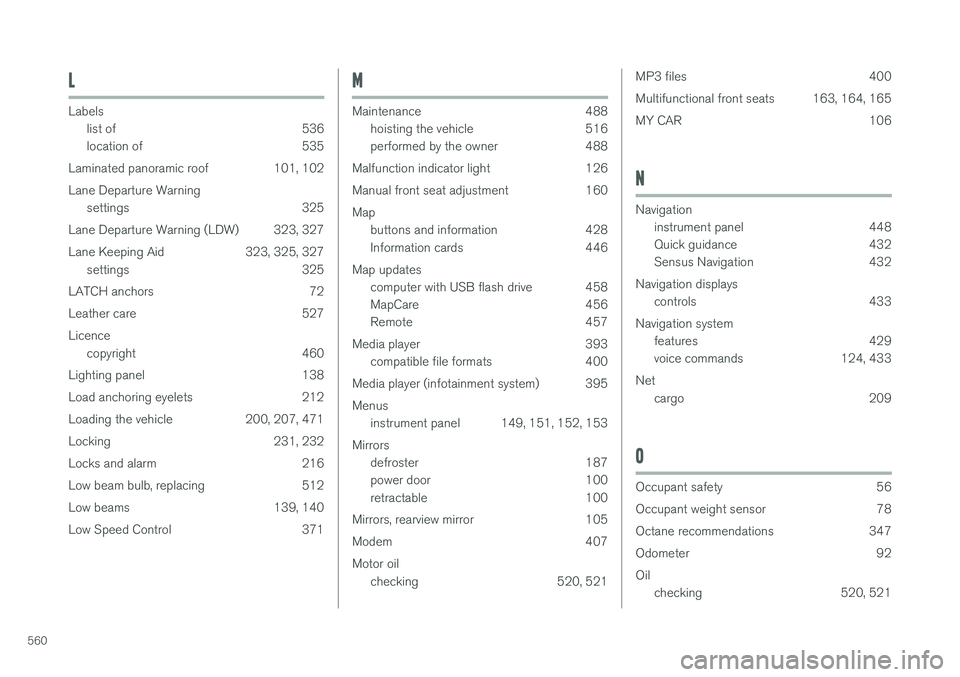
L
Labelslist of 536
location of 535
Laminated panoramic roof 101, 102 Lane Departure Warning settings 325
Lane Departure Warning (LDW) 323, 327
Lane Keeping Aid 323, 325, 327 settings 325
LATCH anchors 72
Leather care 527Licence copyright 460
Lighting panel 138
Load anchoring eyelets 212
Loading the vehicle 200, 207, 471
Locking 231, 232
Locks and alarm 216
Low beam bulb, replacing 512
Low beams 139, 140
Low Speed Control 371
M
Maintenance 488 hoisting the vehicle 516
performed by the owner 488
Malfunction indicator light 126
Manual front seat adjustment 160Map buttons and information 428
Information cards 446
Map updates computer with USB flash drive 458
MapCare 456
Remote 457
Media player 393 compatible file formats 400
Media player (infotainment system) 395 Menus instrument panel 149, 151, 152, 153
Mirrors defroster 187
power door 100
retractable 100
Mirrors, rearview mirror 105
Modem 407Motor oil checking 520, 521
MP3 files 400
Multifunctional front seats 163, 164, 165
MY CAR 106
N
Navigationinstrument panel 448
Quick guidance 432
Sensus Navigation 432
Navigation displays controls 433
Navigation system features 429
voice commands 124, 433
Net cargo 209
O
Occupant safety 56
Occupant weight sensor 78
Octane recommendations 347
Odometer 92Oilchecking 520, 521