engine VOLVO XC90 2015 User Guide
[x] Cancel search | Manufacturer: VOLVO, Model Year: 2015, Model line: XC90, Model: VOLVO XC90 2015Pages: 570, PDF Size: 12.44 MB
Page 112 of 570
INSTRUMENTS AND CONTROLS
110
Viewing the VIN (Vehicle Identification Number)
1. Pull down the center display's Top view andtap Settings.
2. Tap
SystemVehicle Identification
Number.
> The vehicle's VIN will be displayed.
Linking a remote key to a driver profile A remote key can be linked to a driver profile, which means that all of the settings stored in thedriver profile will apply each time that particularremote key is used with the vehicle.
A remote key is not initially linked to a specific driver profile. When the key is used to unlock thevehicle/start the engine for the first time, the
Guest profile will be used.
A driver profile can be selected manually each time the vehicle is unlocked/started without aremote key being linked to that profile. If the keyhas previously been linked to a driver profile, it isnot necessary to manually select a profile whenthat particular key is used.
Linking a remote key to a driver profile for the first time
1. Pull down the center display's Top view and tap Settings.
2. Tap
SystemDriver Profile.
3. Tap the profile to be linked to the remote key. The
Guest profile cannot be linked to a
remote key.
4. Tap
Edit Profile. 5.
Select
Connect key to link the selected pro-
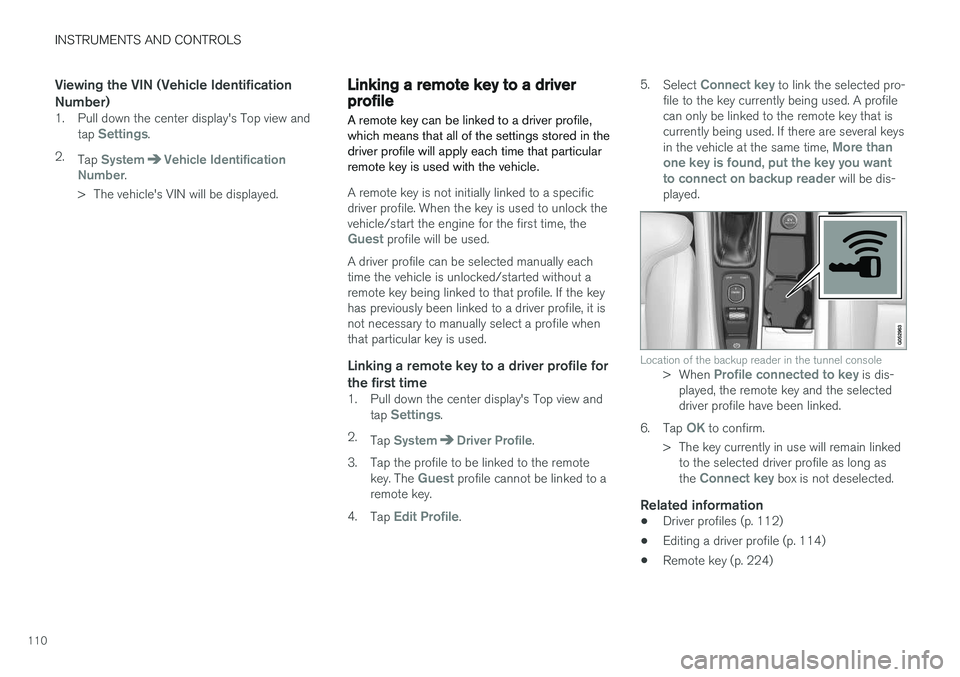
file to the key currently being used. A profile can only be linked to the remote key that iscurrently being used. If there are several keys in the vehicle at the same time,
More than
one key is found, put the key you want to connect on backup reader
will be dis-
played.
Location of the backup reader in the tunnel console> When Profile connected to key is dis-
played, the remote key and the selected driver profile have been linked.
6. Tap
OK to confirm.
> The key currently in use will remain linked to the selected driver profile as long as the
Connect key box is not deselected.
Related information
• Driver profiles (p. 112)
• Editing a driver profile (p. 114)
• Remote key (p. 224)
Page 120 of 570
INSTRUMENTS AND CONTROLS
* Option/accessory, for more information, see Introduction.
118
NOTE
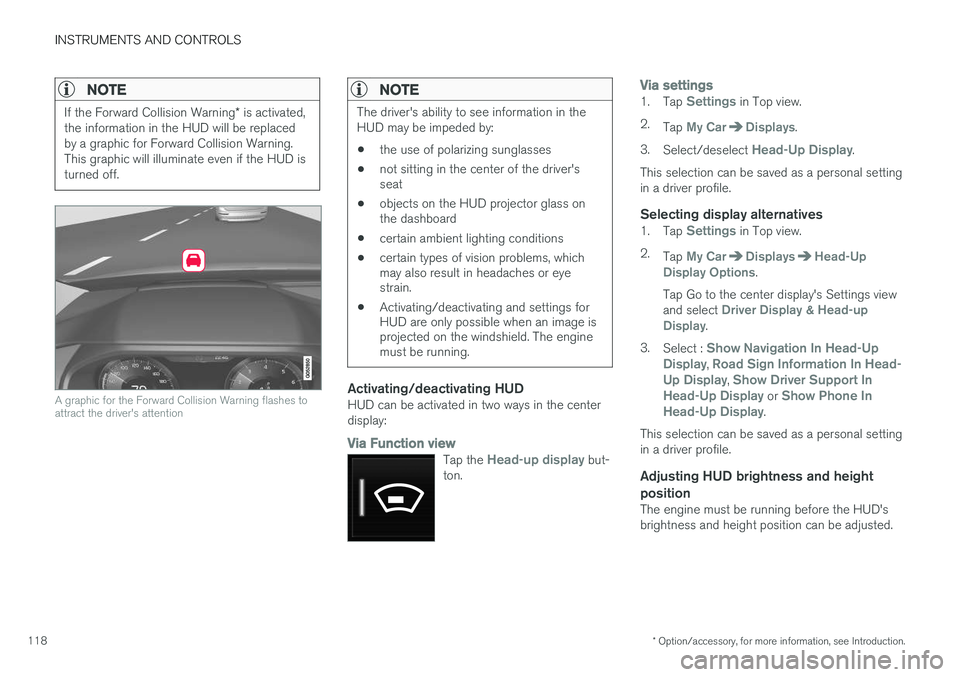
If the Forward Collision Warning * is activated,
the information in the HUD will be replaced by a graphic for Forward Collision Warning.This graphic will illuminate even if the HUD isturned off.
A graphic for the Forward Collision Warning flashes to attract the driver's attention
NOTE
The driver's ability to see information in the HUD may be impeded by: • the use of polarizing sunglasses
• not sitting in the center of the driver's seat
• objects on the HUD projector glass onthe dashboard
• certain ambient lighting conditions
• certain types of vision problems, whichmay also result in headaches or eyestrain.
• Activating/deactivating and settings forHUD are only possible when an image isprojected on the windshield. The enginemust be running.
Activating/deactivating HUDHUD can be activated in two ways in the center display:
Via Function view
Tap the Head-up display but-
ton.
Via settings1. Tap Settings in Top view.
2. Tap
My CarDisplays.
3. Select/deselect
Head-Up Display.
This selection can be saved as a personal setting in a driver profile.
Selecting display alternatives1. Tap Settings in Top view.
2. Tap
My CarDisplaysHead-Up
Display Options.
Tap Go to the center display's Settings view and select
Driver Display & Head-up
Display.
3. Select :
Show Navigation In Head-Up
Display, Road Sign Information In Head-
Up Display, Show Driver Support In
Head-Up Display or Show Phone In
Head-Up Display.
This selection can be saved as a personal setting in a driver profile.
Adjusting HUD brightness and height position
The engine must be running before the HUD'sbrightness and height position can be adjusted.
Page 128 of 570

INSTRUMENTS AND CONTROLS
126
Indicator symbols in the instrument panelThe indicator symbols alert the driver when cer- tain functions are activated, that a system isactively working or that a fault may have occur-red in a system or function.
SymbolExplanation
Information, see the text mes- sage in the instrument panel The information symbol illuminates in combination with a text mes-sage if one of the vehicle's sys-tems requires the driver's atten-tion. The information symbol canalso illuminate in combination withother symbols.
A
B
Brake system
SymbolExplanation
A
B
ABS brake system This symbol indicates a possible fault in the ABS braking function.The vehicle's normal brakes willstill function but without ABSbrake modulation.
A
B
Parking brake/Auto-brake This function keeps the vehicle at a standstill after it has stopped.The symbol is on when the func-tion is activated and the brakes orparking brake are being used.
Tire pressure system The symbol illuminates to indicate low tire pressure or a fault in thetire pressure system.
Malfunction indicator light (check engine light) This symbol will illuminate if there is a fault in the emissions controlsystem. If this happens, pleasehave your vehicle checked by atrained and qualified Volvo servicetechnician as soon as possible.
SymbolExplanation
Left/right turn signals Both turn signal indicators will flash when the hazard warningflashers are being used.
Forward lights
Active Bending Lights (ABL) This symbol will illuminate if there is a fault in the ABL system.
Automatic/active high beams on The symbol will be blue when the automatic high beams are on.
Automatic/active high beams off The symbol will be white when
the automatic high beams are off.
High beam indicator The symbol will illuminate when the high beams are on or whenhigh beam flash is being used.
Page 133 of 570
INSTRUMENTS AND CONTROLS
131
of them may contain, in addition to the FreeType font engine, various tools andcontributions which rely on, or relate to, theFreeType Project. This license applies to allfiles found in such packages, and which donot fall under their own explicit license. Thelicense affects thus the FreeType fontengine, the test programs, documentationand makefiles, at the very least. This licensewas inspired by the BSD, Artistic, and IJG(Independent JPEG Group) licenses, whichall encourage inclusion and use of freesoftware in commercial and freewareproducts alike. As a consequence, its mainpoints are that: o We don't promise that thissoftware works. However, we are beinterested in any kind of bug reports. (
Page 137 of 570

INSTRUMENTS AND CONTROLS
135
SymbolMeaning
Airbags Stop the vehicle in a safe place and do not continue driving. If this light comes on while the vehicle is being driven, or remainson after the vehicle has beenstarted, the airbag system's diag-nostic functions have detected afault. Have the system(s) inspec-ted by a trained and qualifiedVolvo service technician as soonas possible.
A
B
Brake system If this symbol illuminates, the brake fluid level may be too low.Stop the vehicle in a safe placeand check the level in the brakefluid reservoir. See also the warn-ing following this table.
SymbolMeaning
A
B
Parking brake This symbol flashes while the parking brake is being applied andthen glows steadily when theparking brake has been set. If the symbol flashes in any other situation, this indicates a fault. Seethe text message in the instru-ment panel.
SymbolMeaning
Oil pressure If the symbol illuminates during driving, stop the vehicle, theengine oil level is too low. Stop theengine immediately and check theengine oil level. Add oil if neces-sary. If the oil level is normal andthe symbol remains illuminated,have the vehicle towed to thenearest authorized Volvo work-shop or trained and qualified Volvoservice technician.
Generator not charging This symbol illuminates during driving if a fault has occurred inthe electrical system. Contact anauthorized Volvo workshop ortrained and qualified Volvo servicetechnician.
AUS models
B Canadian models
Page 140 of 570
INSTRUMENTS AND CONTROLS
* Option/accessory, for more information, see Introduction.
138
Lighting panel and controls
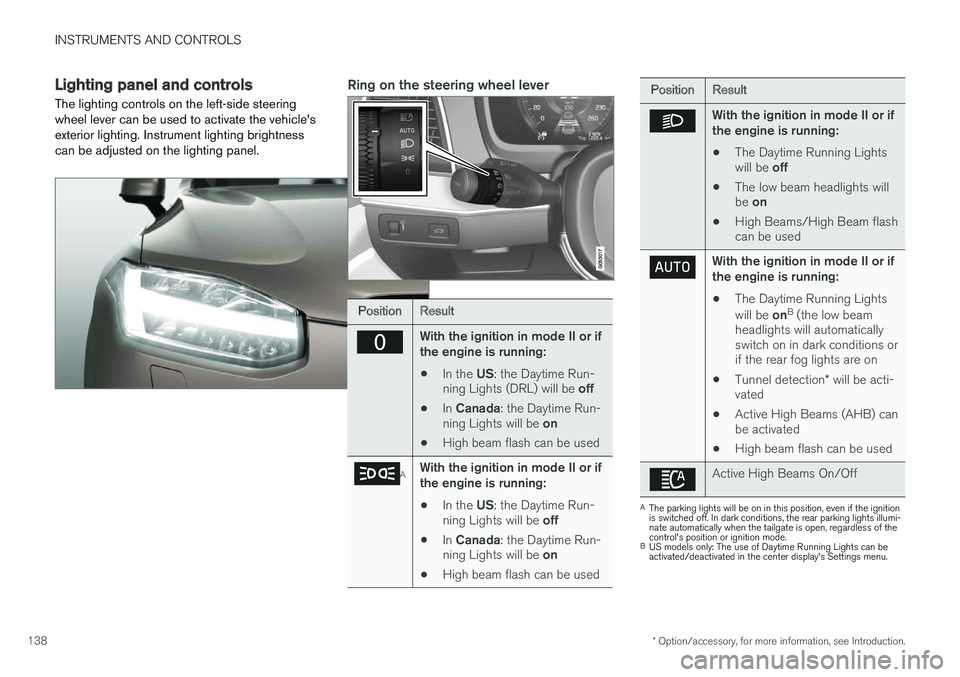
The lighting controls on the left-side steering wheel lever can be used to activate the vehicle'sexterior lighting. Instrument lighting brightnesscan be adjusted on the lighting panel.Ring on the steering wheel lever
PositionResult
With the ignition in mode II or if the engine is running:
• In the
US: the Daytime Run-
ning Lights (DRL) will be off
• In
Canada : the Daytime Run-
ning Lights will be on
• High beam flash can be used
AWith the ignition in mode II or if the engine is running:
• In the
US: the Daytime Run-
ning Lights will be off
• In
Canada : the Daytime Run-
ning Lights will be on
• High beam flash can be used
PositionResult
With the ignition in mode II or if the engine is running:
• The Daytime Running Lights will be
off
• The low beam headlights willbe
on
• High Beams/High Beam flash can be used
With the ignition in mode II or if the engine is running:
• The Daytime Running Lights will be
onB
(the low beam
headlights will automatically switch on in dark conditions orif the rear fog lights are on
• Tunnel detection
* will be acti-
vated
• Active High Beams (AHB) canbe activated
• High beam flash can be used
Active High Beams On/Off
A
The parking lights will be on in this position, even if the ignition is switched off. In dark conditions, the rear parking lights illumi-nate automatically when the tailgate is open, regardless of thecontrol's position or ignition mode.
B US models only: The use of Daytime Running Lights can beactivated/deactivated in the center display's Settings menu.
Page 141 of 570
INSTRUMENTS AND CONTROLS
139
NOTE
The use of Daytime Running Lights is recom- mended in the United States and is manda-
tory in Canada .
Volvo recommends using the position
whenever possible.
WARNING
• Daytime Running Lights are a driving aid designed to help make the vehicle visibleto other roads users.
• The driver is always responsible foradapting the use of Daytime RunningLights/headlights according to ambientlighting and weather conditions.
Lighting panel
Instrument lighting
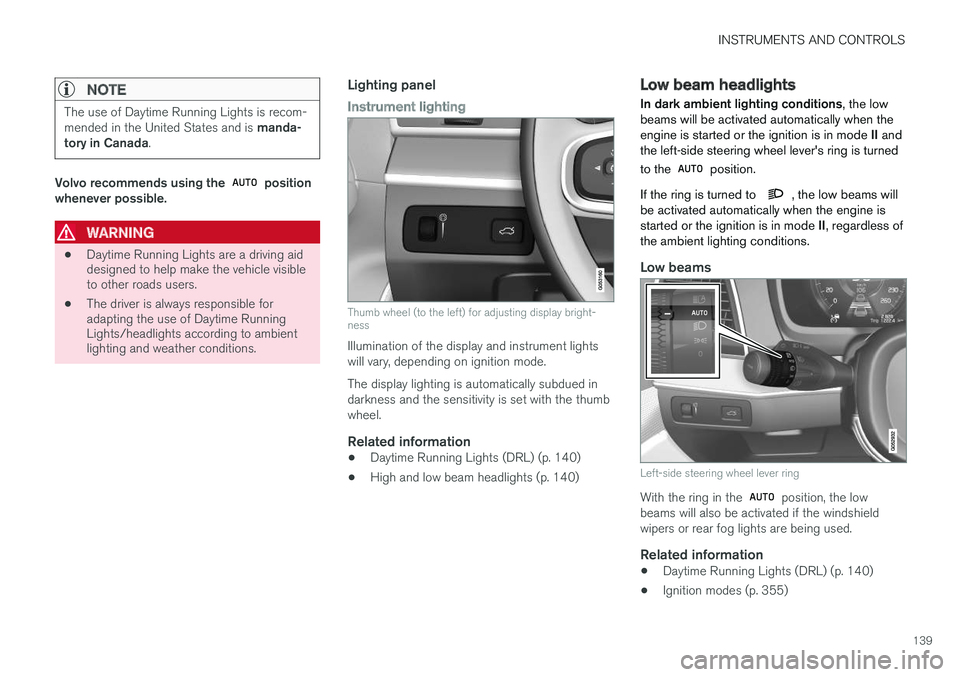
Thumb wheel (to the left) for adjusting display bright- ness
Illumination of the display and instrument lights will vary, depending on ignition mode. The display lighting is automatically subdued in darkness and the sensitivity is set with the thumbwheel.
Related information
• Daytime Running Lights (DRL) (p. 140)
• High and low beam headlights (p. 140)
Low beam headlights In dark ambient lighting conditions
, the low
beams will be activated automatically when the engine is started or the ignition is in mode II and
the left-side steering wheel lever's ring is turned to the
position.
If the ring is turned to
, the low beams will
be activated automatically when the engine is started or the ignition is in mode II, regardless of
the ambient lighting conditions.
Low beams
Left-side steering wheel lever ring
With the ring in the position, the low
beams will also be activated if the windshield wipers or rear fog lights are being used.
Related information
• Daytime Running Lights (DRL) (p. 140)
• Ignition modes (p. 355)
Page 142 of 570
INSTRUMENTS AND CONTROLS
140
Daytime Running Lights (DRL)
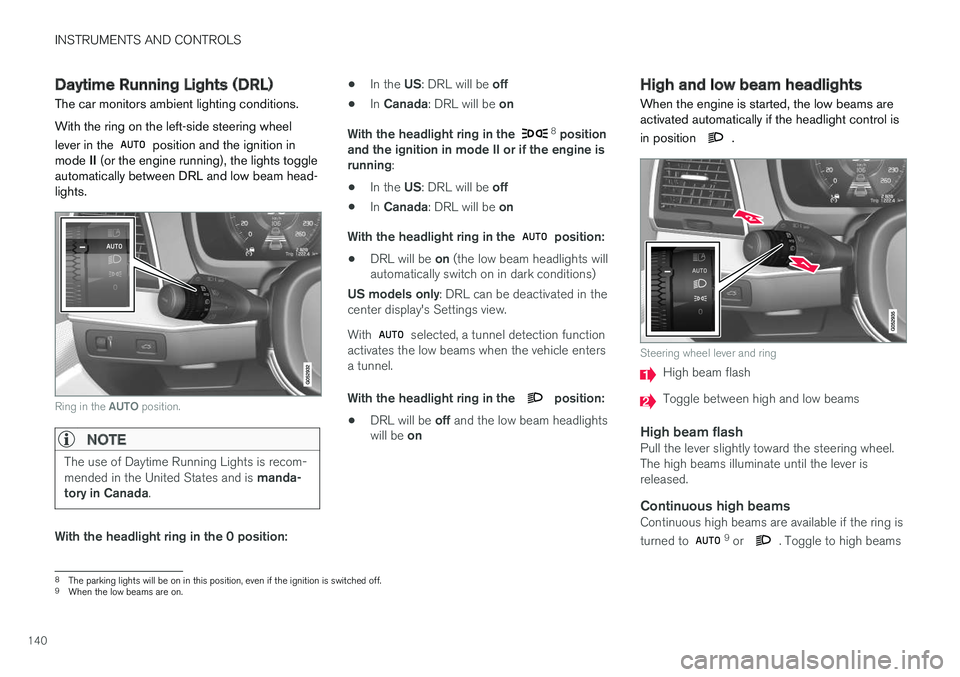
The car monitors ambient lighting conditions. With the ring on the left-side steering wheel lever in the
position and the ignition in
mode II (or the engine running), the lights toggle
automatically between DRL and low beam head- lights.
Ring in the AUTO position.
NOTE
The use of Daytime Running Lights is recom- mended in the United States and is manda-
tory in Canada .
With the headlight ring in the 0 position: •
In the
US: DRL will be off
• In
Canada : DRL will be on
With the headlight ring in the
8
position
and the ignition in mode II or if the engine is running :
• In the
US: DRL will be off
• In
Canada : DRL will be on
With the headlight ring in the
position:
• DRL will be
on (the low beam headlights will
automatically switch on in dark conditions)
US models only : DRL can be deactivated in the
center display's Settings view. With
selected, a tunnel detection function
activates the low beams when the vehicle enters a tunnel. With the headlight ring in the
position:
• DRL will be
off and the low beam headlights
will be on
High and low beam headlights
When the engine is started, the low beams are activated automatically if the headlight control is in position
.
Steering wheel lever and ring
High beam flash
Toggle between high and low beams
High beam flashPull the lever slightly toward the steering wheel. The high beams illuminate until the lever isreleased.
Continuous high beamsContinuous high beams are available if the ring is turned to 9 or . Toggle to high beams
8 The parking lights will be on in this position, even if the ignition is switched off.
9 When the low beams are on.
Page 144 of 570
INSTRUMENTS AND CONTROLS
* Option/accessory, for more information, see Introduction.
142
• When there are vehicles on connecting roads
• At the top of hills or in dips in the road
• In sharp curves
Auxiliary lights
*If the vehicle is equipped with auxiliary lights, the driver can use the center display to activate/deactivate them or decide if they will go on/off along with the high beams 10
.
Related information
• City Safety
™ troubleshooting (p. 280)
• Lighting panel and controls (p. 138)
Active Bending Lights
*
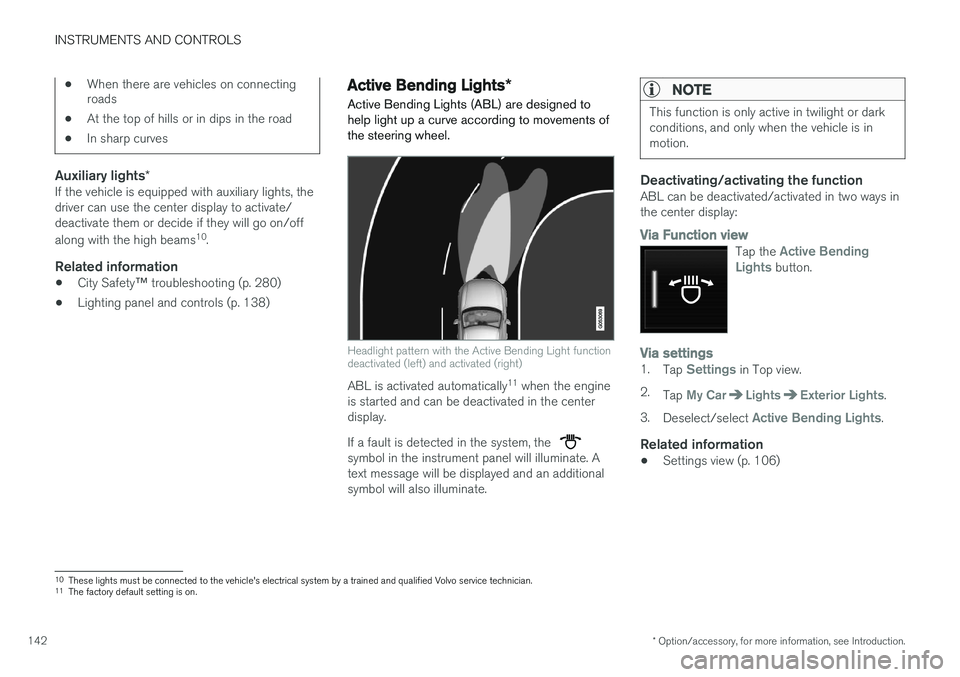
Active Bending Lights (ABL) are designed to help light up a curve according to movements ofthe steering wheel.
Headlight pattern with the Active Bending Light function deactivated (left) and activated (right)
ABL is activated automatically 11
when the engine
is started and can be deactivated in the center display. If a fault is detected in the system, the
symbol in the instrument panel will illuminate. A text message will be displayed and an additionalsymbol will also illuminate.
NOTE
This function is only active in twilight or dark conditions, and only when the vehicle is inmotion.
Deactivating/activating the functionABL can be deactivated/activated in two ways in the center display:
Via Function view
Tap the Active Bending
Lights button.
Via settings1. Tap Settings in Top view.
2. Tap
My CarLightsExterior Lights.
3. Deselect/select
Active Bending Lights.
Related information
• Settings view (p. 106)
10
These lights must be connected to the vehicle's electrical system by a trained and qualified Volvo service technician.
11 The factory default setting is on.
Page 146 of 570
INSTRUMENTS AND CONTROLS
144
Rear fog lights
The rear fog lights are considerably brighter than the normal taillights and should be used onlywhen conditions such as fog, rain, snow, smokeor dust reduce visibility for other vehicles to lessthan 500 ft. (150 meters).
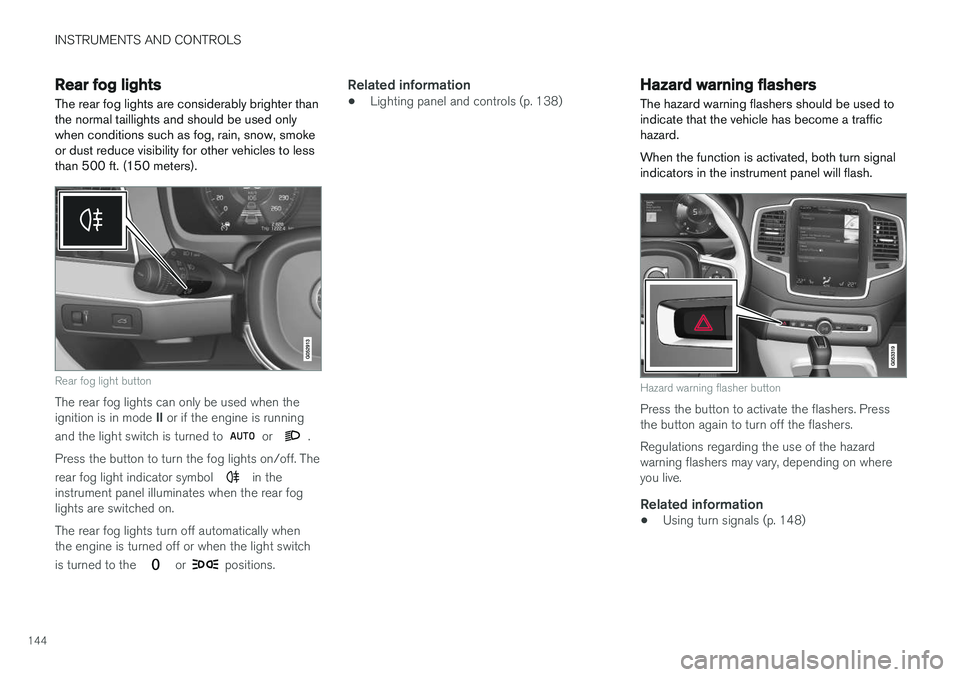
Rear fog light button
The rear fog lights can only be used when the ignition is in mode II or if the engine is running
and the light switch is turned to
or .
Press the button to turn the fog lights on/off. The rear fog light indicator symbol
in the
instrument panel illuminates when the rear fog lights are switched on. The rear fog lights turn off automatically when the engine is turned off or when the light switch is turned to the
or positions.
Related information
• Lighting panel and controls (p. 138)
Hazard warning flashers
The hazard warning flashers should be used to indicate that the vehicle has become a traffichazard. When the function is activated, both turn signal indicators in the instrument panel will flash.
Hazard warning flasher button
Press the button to activate the flashers. Press the button again to turn off the flashers. Regulations regarding the use of the hazard warning flashers may vary, depending on whereyou live.
Related information
• Using turn signals (p. 148)