navigation system VOLVO XC90 2015 Owner's Guide
[x] Cancel search | Manufacturer: VOLVO, Model Year: 2015, Model line: XC90, Model: VOLVO XC90 2015Pages: 570, PDF Size: 12.44 MB
Page 451 of 570
NAVIGATION*
* Option/accessory, for more information, see Introduction.
449
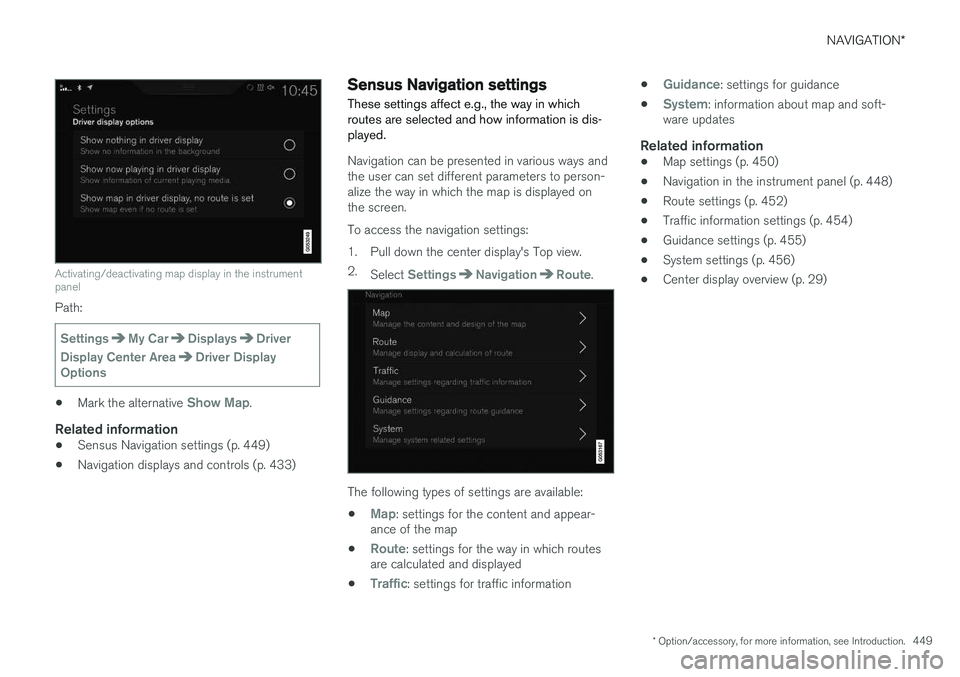
Activating/deactivating map display in the instrument panel
Path:
SettingsMy CarDisplaysDriver
Display Center Area
Driver Display
Options
• Mark the alternative Show Map.
Related information
•Sensus Navigation settings (p. 449)
• Navigation displays and controls (p. 433)
Sensus Navigation settings
These settings affect e.g., the way in which routes are selected and how information is dis-played.
Navigation can be presented in various ways and the user can set different parameters to person-alize the way in which the map is displayed onthe screen. To access the navigation settings:
1. Pull down the center display's Top view. 2. Select
SettingsNavigationRoute.
The following types of settings are available:
•
Map: settings for the content and appear-
ance of the map
•
Route: settings for the way in which routes
are calculated and displayed
•
Traffic: settings for traffic information •
Guidance: settings for guidance
•
System: information about map and soft-
ware updates
Related information
• Map settings (p. 450)
• Navigation in the instrument panel (p. 448)
• Route settings (p. 452)
• Traffic information settings (p. 454)
• Guidance settings (p. 455)
• System settings (p. 456)
• Center display overview (p. 29)
Page 453 of 570
NAVIGATION*
* Option/accessory, for more information, see Introduction.
451
Map design
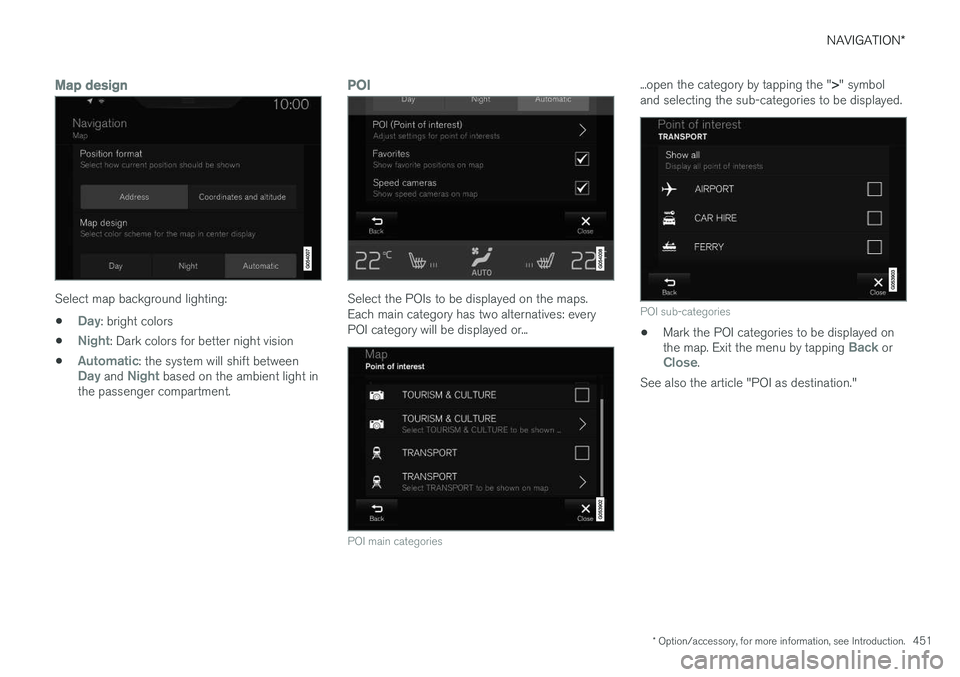
Select map background lighting:
•
Day: bright colors
•
Night: Dark colors for better night vision
•
Automatic: the system will shift betweenDay and Night based on the ambient light in
the passenger compartment.
POI
Select the POIs to be displayed on the maps. Each main category has two alternatives: everyPOI category will be displayed or...
POI main categories
...open the category by tapping the " >" symbol
and selecting the sub-categories to be displayed.
POI sub-categories
• Mark the POI categories to be displayed on the map. Exit the menu by tapping Back orClose.
See also the article "POI as destination."
Page 456 of 570
NAVIGATION*
* Option/accessory, for more information, see Introduction.
454
Traffic information settings 9
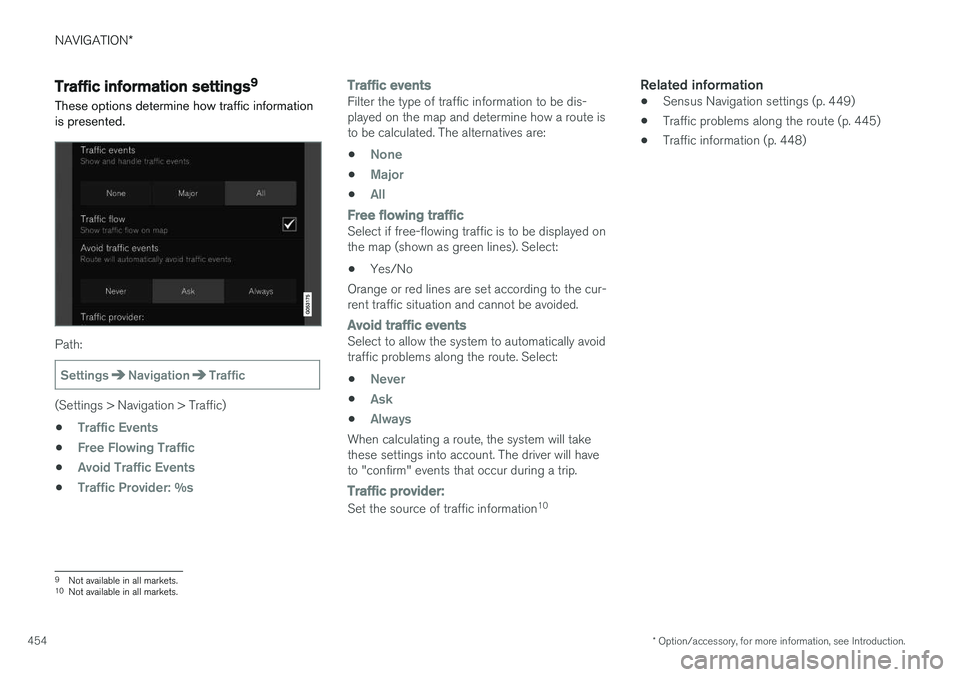
These options determine how traffic information is presented.
Path:
SettingsNavigationTraffic
(Settings > Navigation > Traffic) •
Traffic Events
•Free Flowing Traffic
•Avoid Traffic Events
•Traffic Provider: %s
Traffic eventsFilter the type of traffic information to be dis- played on the map and determine how a route isto be calculated. The alternatives are:
•
None
•Major
•All
Free flowing trafficSelect if free-flowing traffic is to be displayed on the map (shown as green lines). Select: • Yes/No
Orange or red lines are set according to the cur-rent traffic situation and cannot be avoided.
Avoid traffic eventsSelect to allow the system to automatically avoid traffic problems along the route. Select:
•
Never
•Ask
•Always
When calculating a route, the system will take these settings into account. The driver will haveto "confirm" events that occur during a trip.
Traffic provider:
Set the source of traffic information 10
Related information
•
Sensus Navigation settings (p. 449)
• Traffic problems along the route (p. 445)
• Traffic information (p. 448)
9
Not available in all markets.
10 Not available in all markets.
Page 458 of 570
NAVIGATION*
* Option/accessory, for more information, see Introduction.
456
System settings
This article describes settings for the navigation system software and map versions.
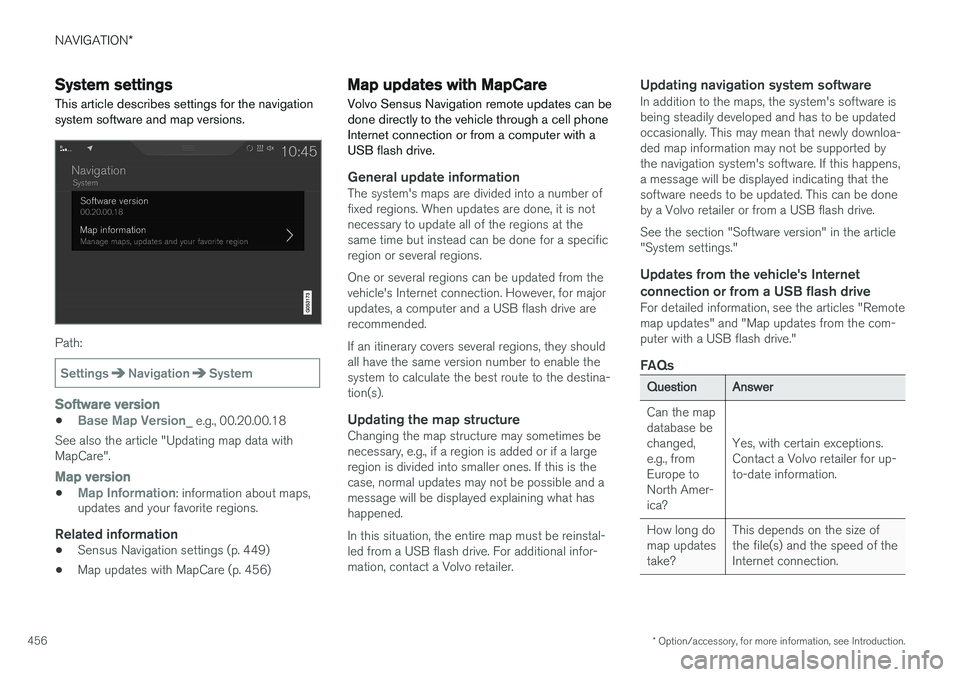
Path:
SettingsNavigationSystem
Software version
•Base Map Version_ e.g., 00.20.00.18
See also the article "Updating map data with MapCare".
Map version
•Map Information: information about maps,
updates and your favorite regions.
Related information
• Sensus Navigation settings (p. 449)
• Map updates with MapCare (p. 456)
Map updates with MapCare
Volvo Sensus Navigation remote updates can be done directly to the vehicle through a cell phoneInternet connection or from a computer with aUSB flash drive.
General update informationThe system's maps are divided into a number of fixed regions. When updates are done, it is notnecessary to update all of the regions at thesame time but instead can be done for a specificregion or several regions. One or several regions can be updated from the vehicle's Internet connection. However, for majorupdates, a computer and a USB flash drive arerecommended. If an itinerary covers several regions, they should all have the same version number to enable thesystem to calculate the best route to the destina-tion(s).
Updating the map structureChanging the map structure may sometimes benecessary, e.g., if a region is added or if a largeregion is divided into smaller ones. If this is thecase, normal updates may not be possible and amessage will be displayed explaining what hashappened. In this situation, the entire map must be reinstal- led from a USB flash drive. For additional infor-mation, contact a Volvo retailer.
Updating navigation system softwareIn addition to the maps, the system's software isbeing steadily developed and has to be updatedoccasionally. This may mean that newly downloa-ded map information may not be supported bythe navigation system's software. If this happens,a message will be displayed indicating that thesoftware needs to be updated. This can be doneby a Volvo retailer or from a USB flash drive. See the section "Software version" in the article "System settings."
Updates from the vehicle's Internet
connection or from a USB flash drive
For detailed information, see the articles "Remotemap updates" and "Map updates from the com-puter with a USB flash drive."
FAQs
QuestionAnswer
Can the map database bechanged,e.g., fromEurope toNorth Amer-ica?
Yes, with certain exceptions. Contact a Volvo retailer for up-to-date information.
How long do map updatestake?This depends on the size of the file(s) and the speed of theInternet connection.
Page 459 of 570
NAVIGATION*
* Option/accessory, for more information, see Introduction.
457
QuestionAnswer
How big is an update?This varies from market to market. Consult a Volvoretailer.
Updating has not worked.What shouldI do?Try the Volvo Cars support site (support.volvocars.com) orcontact a Volvo retailer.
Related information
•Remote map updates (p. 457)
• Map updates from a computer with a USB flash drive (p. 458)
• Sensus Navigation troubleshooting (p. 462)
• Copyright (p. 462)
• Navigation license agreements (p. 460)
• System updates (p. 490)
• Internet connected vehicle (p. 401)
• Connecting to the Internet (p. 402)
• System settings (p. 456)
Remote map updates
Some preparation is necessary before a remote update can be made through the vehicle's cellphone Internet connection.
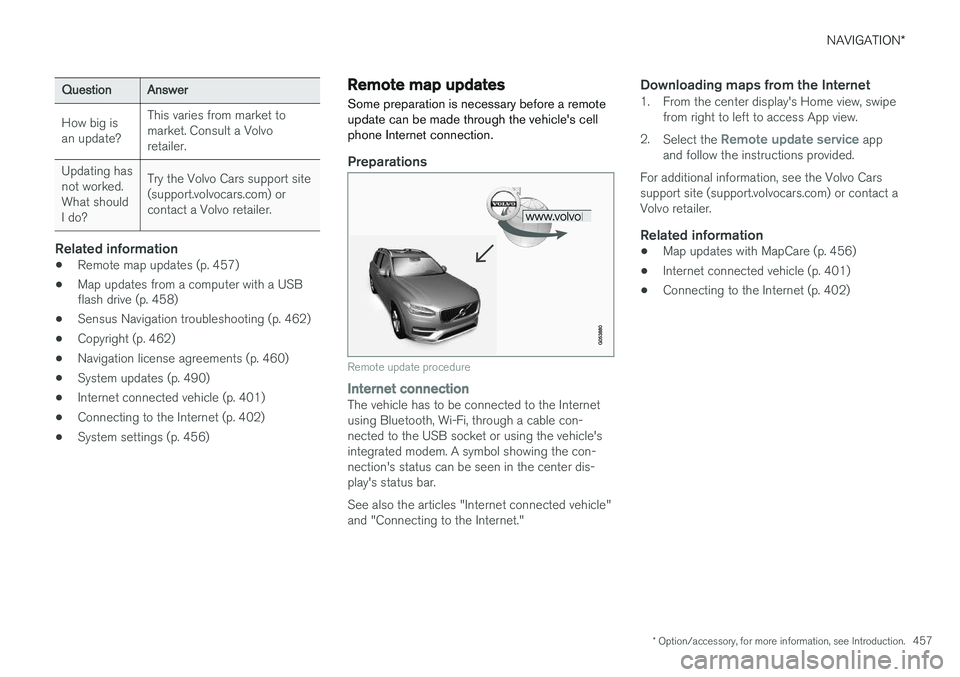
Preparations
Remote update procedure
Internet connectionThe vehicle has to be connected to the Internet using Bluetooth, Wi-Fi, through a cable con-nected to the USB socket or using the vehicle'sintegrated modem. A symbol showing the con-nection's status can be seen in the center dis-play's status bar. See also the articles "Internet connected vehicle" and "Connecting to the Internet."
Downloading maps from the Internet1. From the center display's Home view, swipe from right to left to access App view.
2. Select the
Remote update service app
and follow the instructions provided.
For additional information, see the Volvo Cars support site (support.volvocars.com) or contact aVolvo retailer.
Related information
• Map updates with MapCare (p. 456)
• Internet connected vehicle (p. 401)
• Connecting to the Internet (p. 402)
Page 460 of 570
NAVIGATION*
* Option/accessory, for more information, see Introduction.
458
Map updates from a computer with a USB flash drive
Some preparation is necessary before a USB map update can be carried out.
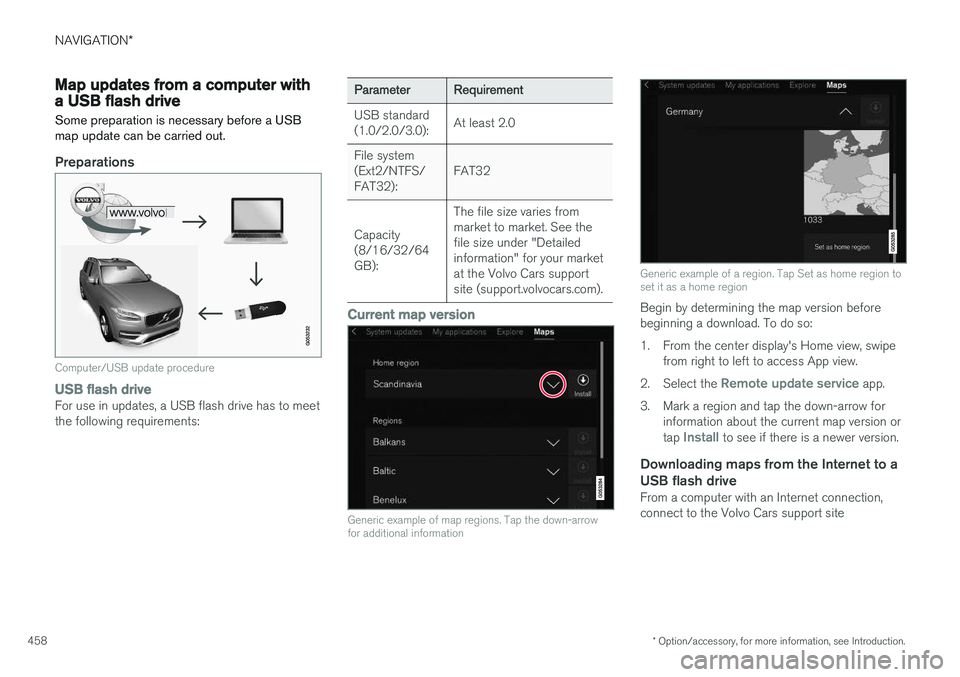
Preparations
Computer/USB update procedure
USB flash driveFor use in updates, a USB flash drive has to meet the following requirements:
ParameterRequirement
USB standard (1.0/2.0/3.0):At least 2.0
File system (Ext2/NTFS/FAT32):FAT32
Capacity (8/16/32/64GB):
The file size varies from market to market. See thefile size under "Detailedinformation" for your marketat the Volvo Cars supportsite (support.volvocars.com).
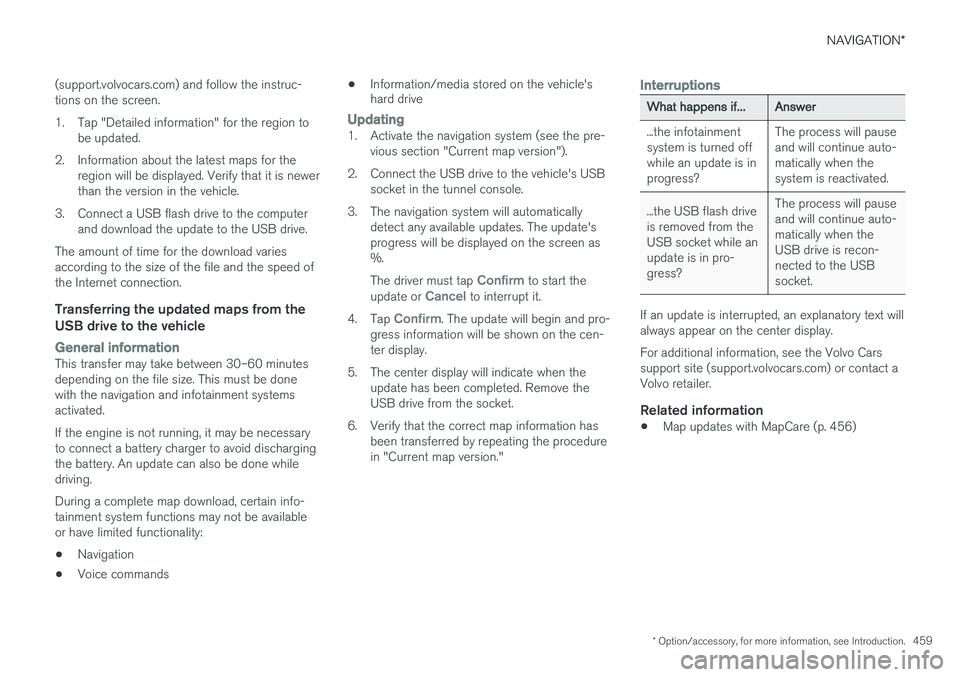
Current map version
Generic example of map regions. Tap the down-arrow for additional information
Generic example of a region. Tap Set as home region to set it as a home region
Begin by determining the map version before beginning a download. To do so:
1. From the center display's Home view, swipe from right to left to access App view.
2. Select the
Remote update service app.
3. Mark a region and tap the down-arrow for information about the current map version or tap
Install to see if there is a newer version.
Downloading maps from the Internet to a USB flash drive
From a computer with an Internet connection, connect to the Volvo Cars support site
Page 461 of 570
NAVIGATION*
* Option/accessory, for more information, see Introduction.
459
(support.volvocars.com) and follow the instruc- tions on the screen.
1. Tap "Detailed information" for the region to
be updated.
2. Information about the latest maps for the region will be displayed. Verify that it is newer than the version in the vehicle.
3. Connect a USB flash drive to the computer and download the update to the USB drive.
The amount of time for the download variesaccording to the size of the file and the speed ofthe Internet connection.
Transferring the updated maps from the USB drive to the vehicle
General informationThis transfer may take between 30–60 minutes depending on the file size. This must be donewith the navigation and infotainment systemsactivated. If the engine is not running, it may be necessary to connect a battery charger to avoid dischargingthe battery. An update can also be done whiledriving. During a complete map download, certain info- tainment system functions may not be availableor have limited functionality:
• Navigation
• Voice commands •
Information/media stored on the vehicle's hard drive
Updating1. Activate the navigation system (see the pre-
vious section "Current map version").
2. Connect the USB drive to the vehicle's USB socket in the tunnel console.
3. The navigation system will automatically detect any available updates. The update's progress will be displayed on the screen as%. The driver must tap
Confirm to start the
update or Cancel to interrupt it.
4. Tap
Confirm. The update will begin and pro-
gress information will be shown on the cen- ter display.
5. The center display will indicate when the update has been completed. Remove theUSB drive from the socket.
6. Verify that the correct map information has been transferred by repeating the procedurein "Current map version."
Interruptions
What happens if...Answer
...the infotainment system is turned offwhile an update is inprogress?The process will pause and will continue auto-matically when thesystem is reactivated.
...the USB flash drive is removed from theUSB socket while anupdate is in pro-gress?The process will pause and will continue auto-matically when theUSB drive is recon-nected to the USBsocket.
If an update is interrupted, an explanatory text will always appear on the center display. For additional information, see the Volvo Cars support site (support.volvocars.com) or contact aVolvo retailer.
Related information
• Map updates with MapCare (p. 456)
Page 462 of 570
NAVIGATION*
* Option/accessory, for more information, see Introduction.
460
Navigation license agreements
The following is information for the end-user of the Sensus Navigation system.
END USER LICENSE AGREEMENT FOR DISTRIBUTION BY HERE
FOR THE AMERICAS/ASIA PACIFIC
END-USER TERMSThe content provided (
Page 465 of 570
NAVIGATION*
* Option/accessory, for more information, see Introduction.
463
The types of roads that you have chosen to avoid will not be used if there are viable alternatives.
After being transported, the vehicle's location on the map is not correct
If the vehicle has been transported (e.g., on a ferry or train) where GPS signals have beenblocked, it may take up to 5 minutes before itslocation will be shown correctly.
The car symbol moves erratically after
new tires have been installed
In addition to GPS signals, the navigation systemalso uses the speedometer and a gyroscopicsensor to calculate the vehicle's current locationand speed. If e.g., a spare tire or snow tires havebeen installed, the system has to "learn" the newtire dimensions. To do so, drive for a short periodon a road with unobstructed GPS reception.
The map does not correspond to actual road conditions
Due to road changes/additions/rerouting/newtraffic regulations, the map database may not beup-to-date. The database is continuously beingupdated. Consult your Volvo retailer.
The car symbol jumps forward or spinsBefore you begin to drive, the system may needseveral seconds to determine the vehicle's loca-tion. Switch off the navigation system and the ignition.Restart but remain at a standstill for a minute orso before driving.
The map information is not up-to-dateSee the next heading.
How can I check which map version I
have?
1. From the center display's Home view, swipe from right to left to display App view.
2. Select the
Remote update service app.
This contains information about the current map version. See also "Updating map data with Map-Care" for additional information or contact yourVolvo retailer.
Related information
• Getting started with Sensus Navigation (p. 432)
• Map updates with MapCare (p. 456)
Page 493 of 570
MAINTENANCE AND SERVICING
491
Remote updates With the vehicle connected to the Internet, updates for a number of the vehicle's systemscan be downloaded from the center display.
The Remote updates app is
started from the center dis- play's App view and makes itpossible to:
• search for and update system software
• update the Sensus Navigation maps
• download, update and uninstall apps
Related information
•Downloading, updating and uninstalling apps (p. 404)
• System updates (p. 490)
• Map updates with MapCare (p. 456)
Vehicle status
The vehicle's general status can be displayed in the center display along with the possibility to book service 1
The Car status app is started
in the center display's App view and has three tabs:
•Messages: stored messages
•
Status: tire pressure and engine oil level
•
Appointments: booking service or repairs 1
Related information
•
Using the center display (p. 46)
• Booking service and repairs (p. 491)
• Checking inflation pressure (p. 482)
• Checking and refilling engine oil (p. 521)
Booking service and repairs Connected Service Booking (CSB) makes it possible to use the vehicle's Internet connectionto set up a time for service, maintenance and/orrepairs.
The information is handled through the Car
status app, which can be opened from the cen-
ter display's App view. Information about your vehicle is sent to your retailer, who will contact you to make a workshopappointment. The system will also send areminder as the appointment approaches and theSensus Navigation system will provide directionsto the workshop if necessary. This feature makes it convenient to book a work- shop appointment directly from your vehicle.Vehicle-related information is sent to yourretailer, who prepares your visit to the workshop.The retailer will send you an email with a link tothe Volvo On-Line Service Scheduler where youcan book a workshop appointment at a conven-ient time. Information about your retailer is alsoavailable in the vehicle so that you can contactthe retailer/workshop at any time.
1 Certain markets only.