infotainment VOLVO XC90 2015 Service Manual
[x] Cancel search | Manufacturer: VOLVO, Model Year: 2015, Model line: XC90, Model: VOLVO XC90 2015Pages: 570, PDF Size: 12.44 MB
Page 408 of 570
INFOTAINMENT
406
Tethering (Wi-Fi sharing)When the vehicle is connected to the Internet, this connection can be shared (tethered) with other devices 5
.
The network service provider (the SIM card) must support tethering.
1. Open the center display's Top view.2. Tap
SettingsCommunicationVehicle Wi-Fi Hotspot.
3. Tap
Network name and assign a name to
the hotspot.
4. Tap
Password and create a password to be
used by devices trying to connect (tether) to the hotspot.
5. Tap
Frequency band and select a fre-
quency that the hotspot will use to transmit data. This may not be possible in all markets.
6. Activate/deactivate by tapping the
Vehicle
Wi-Fi Hotspot box.
7. If another connection has been used previ- ously, confirm the change of connections.
> It is now possible for external devices toconnect to the vehicle's Wi-Fi hotspot.
Connection status will be indicated in a symbol in the center display's status bar. Tap
Connected devices to see a list of con-
nected devices.
Related information
• Internet connected vehicle (p. 401)
• Wi-Fi technology and security (p. 407)
• Symbols in the center display status bar (p. 44)
• Internet connection troubleshooting (p. 405)
Deleting Wi-Fi networks
Networks that are not used can be deleted.
1. Tap Settings in the center display's Top
view.
2. Tap
Wi-FiSaved networks.
3. Tap
Forget to remove the network.
4. Confirm the selection. > The vehicle will no longer connect to thedeleted network.
Deleting all networksAll networks can be deleted at the same time by returning (resetting) to factory settings. If this is done, all user data and settings will be reset to their default settings.
Related information
• Internet connected vehicle (p. 401)
• Connecting to the Internet (p. 402)
5
Does not apply for a Wi-Fi connection.
Page 409 of 570
INFOTAINMENT
407
Wi-Fi technology and security
The following are types of networks can be con- nect to.
It is possible to connect to the following types of networks:
• Frequency: 2.4 or 5 GHz 6
.
• Standards: 802.11 a/b/g/n.
• Security type: WPA2-AES-CCMP.
The vehicle's Wi-Fi system is designed to man-age Wi-Fi devices in the vehicle. If several devices are using a frequency at the same time, this may result in poorer performance.
Related information
• Internet connected vehicle (p. 401)
• Connecting to the Internet (p. 402)
• Tethering (Wi-Fi sharing) (p. 406)
• Internet connection troubleshooting (p. 405)
Vehicle modem settings
The vehicle is equipped with a modem that can be used to connect the vehicle to the Internet. Itis also possible to share (tether) this connectionvia Wi-Fi.
1. Tap Settings in the center display's Top
view.
2. Tap
CommunicationVehicle Modem
Internet and choose among the following
settings:
•
Vehicle modem Internet: select to use the
vehicle's modem to connect to the Internet.
•
Data usage: %s: Tap Reset to restart
(reset) the counter for the amount of data sent/received.
•
Network Select carrier
: select a service provider automati-
cally or manually.
Data roaming: select to allow the vehicle to con-
nect to another network if the standard net- work is not available (e.g., if you are driving inanother country). This could entail additionalcharges, consult your service provider.
•
SIM card PIN Change PIN
: enter max. 4 digits.
Disable PIN: Allow access to the SIM card without
requiring a PIN code.
•
Send request code: this is used to down-
load the balance remaining on a SIM card. This is specific to your service provider.
Related information
• Internet connected vehicle (p. 401)
• Connecting to the Internet (p. 402)
6
Selecting a frequency is not possible in all markets.
Page 410 of 570
INFOTAINMENT
408
Infotainment system license informationThe following license information pertains to Vol- vo's agreements with certain manufacturers/developers.
Bowers & Wilkins
Bowers & Wilkins and B&W are trademarks of the B&W Group Ltd. Nautilus is a trademark ofB&W Group Ltd. Kevlar is a registered trademarkof DuPont.
Dirac Live
Dirac Live technology has been used in the development and tuning of the sound in order toensure a world-class sound experience. DiracLive and the D-symbol are registered trademarksof Dirac Research AB.
DivX ®
DivX
®
, DivX Certified ®
and asociated logos are
trademarks of DivZ, LLC and are used under license. och associerade logotyper är varumärkensom tillhör Rovi Corporation eller dess dotterbo-lag och används på licens.
Patent numberCovered by one or more of the following U.S. pat- ents: 7,295,673; 7,460,668; 7,515,710;7,519,274
Gracenote ®
Gracenote, Gracenote logo and logotype, "Powered by Gracenote" and Gracenote MusicIDare either registered trademarks or trademarks ofGracenote, Inc in the United States and/or othercountries.
Page 411 of 570

INFOTAINMENT
409
Gracenote®
End User License AgreementThis application or device contains software from Gracenote, Inc. of Emeryville, California (
Page 412 of 570
INFOTAINMENT
410with the distribution. Neither the name of the
Original Code is Copyright (c) 1991-2000 SiliconGraphics, Inc. Copyright in any portions createdby third parties is as indicated elsewhere herein.All Rights Reserved. Copyright (C) [1991-2000]Silicon Graphics, Inc. All Rights Reserved.Permission is hereby granted, free of charge, toany person obtaining a copy of this software andassociated documentation files (the "Software"),to deal in the Software without restriction,including without limitation the rights to use,copy, modify, merge, publish, distribute,sublicense, and/or sell copies of the Software,and to permit persons to whom the Software isfurnished to do so, subject to the followingconditions: The above copyright notice includingthe dates of first publication and either thispermission notice or a reference to http://oss.sgi.com/projects/FreeB/ shall be included inall copies or substantial portions of the Software.THE SOFTWARE IS PROVIDED "AS IS",WITHOUT WARRANTY OF ANY KIND,EXPRESS OR IMPLIED, INCLUDING BUT NOTLIMITED TO THE WARRANTIES OFMERCHANTABILITY, FITNESS FOR APARTICULAR PURPOSE ANDNONINFRINGEMENT. IN NO EVENT SHALLSILICON GRAPHICS, INC. BE LIABLE FOR ANYCLAIM, DAMAGES OR OTHER LIABILITY,WHETHER IN AN ACTION OF CONTRACT,TORT OR OTHERWISE, ARISING FROM, OUTOF OR IN CONNECTION WITH THE SOFTWAREOR THE USE OR OTHER DEALINGS IN THESOFTWARE. Except as contained in this notice,the name of Silicon Graphics, Inc. shall not beused in advertising or otherwise to promote thesale, use or other dealings in this Softwarewithout prior written authorization from SiliconGraphics, Inc. This software is based in parts on the work of the FreeType Team. This software uses parts of SSLeay Library: Copyright (C) 1995-1998 Eric Young([email protected]). All rights reserved
Linux software
This product contains software licensed underGNU General Public License (GPL) or GNULesser General Public License (LGPL), etc. You have the right of acquisition, modification, and distribution of the source code of the GPL/LGPL software. You may download Source Code from the following website at no charge: http://www.embedded-carmultimedia.jp/linux/oss/download/TVM_8351_013 The website provides the Source Code "As Is" and without warranty of any kind. By downloading Source Code, you expressly assume all risk and liability associated withdownloading and using the Source Code andcomplying with the user agreements thataccompany each Source Code.
Page 413 of 570
INFOTAINMENT
411
Please note that we cannot respond to any inquiries regarding the source code.
camellia:1.2.0Copyright (c) 2006, 2007 NTT (Nippon Telegraph and Telephone Corporation). All rights reserved. Redistribution and use in source and binary forms, with or without modification, are permittedprovided that the following conditions are met:
1. Redistributions of source code must retain
the above copyright notice, this list of conditions and the following disclaimer asthe first lines of this file unmodified.
2. Redistributions in binary form must reproduce the above copyright notice, this listof conditions and the following disclaimer inthe documentation and/or other materialsprovided with the distribution.
THIS SOFTWARE IS PROVIDED BY NTT
Page 414 of 570
INFOTAINMENT
412Changes or modifications not expressly approved by the party responsible for compliance couldvoid the user's authority to operate the equip-ment. This transmitter must not be co-located oroperated in conjunction with any other antennaor transmitter. CanadaThis device complies with Industry Canada licence-exempt RSS standard(s). Operation issubject to the following two conditions: (1) thisdevice may not cause interference, and (2) thisdevice must accept any interference, includinginterference that may cause undesired operationof the device.
Terms, conditions and confidentiality
See terms and conditions for services and cus- tomer privacy policy at support.volvocars.com.
Terms & Conditions for ServicesVolvo offers the best possible services to make owning and operating a Volvo safe, convenient,comfortable and enjoyable. Volvo offers a widearray of services, ranging from emergency assis-tance to navigation and infotainment.
Customer privacy policyThis policy applies to the way in which customer-related and personal information are handled. Itspurpose is to provide our present, previous andfuture customers a general understanding of: • The circumstances under which we gather and process your personal information.
• The types of personal information gathered.
• The reasons for gathering your personalinformation.
• How we deal with your personal information.
This policy can be read in its entirety at support.volvocars.com.
Page 435 of 570
NAVIGATION*
* Option/accessory, for more information, see Introduction.
433
StepCenter dis- play/menuAction
5Start navi- gation is
displayed on thescreen.Tap Start navigation.
6A map showingthe route toyour desti-nation isdisplayed.Guidance will begin. Fol- low the directions on theinstrument panel.
Related information
• Using the center display (p. 46)
• Center display overview (p. 29)
Navigation displays and controls
Volvo Sensus Navigation is presented on the instrument panel and head-up display * and con-
trolled using center display on-screen buttons, the right-side steering wheel keypad and voicecommands.
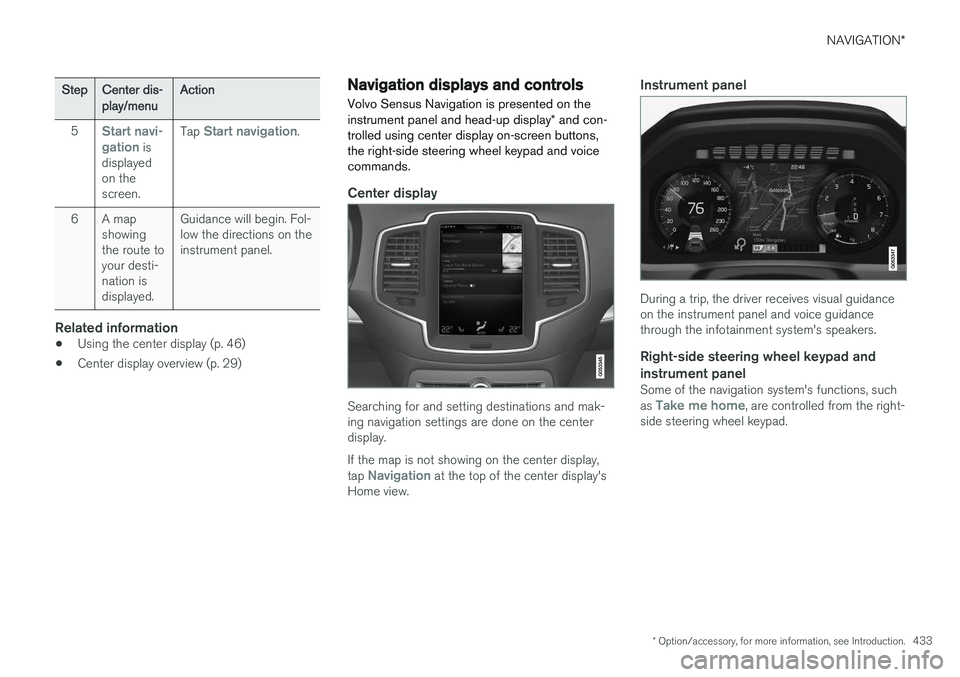
Center display
Searching for and setting destinations and mak- ing navigation settings are done on the centerdisplay. If the map is not showing on the center display, tap
Navigation at the top of the center display's
Home view.
Instrument panel
During a trip, the driver receives visual guidance on the instrument panel and voice guidancethrough the infotainment system's speakers.
Right-side steering wheel keypad and instrument panel
Some of the navigation system's functions, such as Take me home, are controlled from the right-
side steering wheel keypad.
Page 461 of 570
NAVIGATION*
* Option/accessory, for more information, see Introduction.
459
(support.volvocars.com) and follow the instruc- tions on the screen.
1. Tap "Detailed information" for the region to
be updated.
2. Information about the latest maps for the region will be displayed. Verify that it is newer than the version in the vehicle.
3. Connect a USB flash drive to the computer and download the update to the USB drive.
The amount of time for the download variesaccording to the size of the file and the speed ofthe Internet connection.
Transferring the updated maps from the USB drive to the vehicle
General informationThis transfer may take between 30–60 minutes depending on the file size. This must be donewith the navigation and infotainment systemsactivated. If the engine is not running, it may be necessary to connect a battery charger to avoid dischargingthe battery. An update can also be done whiledriving. During a complete map download, certain info- tainment system functions may not be availableor have limited functionality:
• Navigation
• Voice commands •
Information/media stored on the vehicle's hard drive
Updating1. Activate the navigation system (see the pre-
vious section "Current map version").
2. Connect the USB drive to the vehicle's USB socket in the tunnel console.
3. The navigation system will automatically detect any available updates. The update's progress will be displayed on the screen as%. The driver must tap
Confirm to start the
update or Cancel to interrupt it.
4. Tap
Confirm. The update will begin and pro-
gress information will be shown on the cen- ter display.
5. The center display will indicate when the update has been completed. Remove theUSB drive from the socket.
6. Verify that the correct map information has been transferred by repeating the procedurein "Current map version."
Interruptions
What happens if...Answer
...the infotainment system is turned offwhile an update is inprogress?The process will pause and will continue auto-matically when thesystem is reactivated.
...the USB flash drive is removed from theUSB socket while anupdate is in pro-gress?The process will pause and will continue auto-matically when theUSB drive is recon-nected to the USBsocket.
If an update is interrupted, an explanatory text will always appear on the center display. For additional information, see the Volvo Cars support site (support.volvocars.com) or contact aVolvo retailer.
Related information
• Map updates with MapCare (p. 456)
Page 492 of 570
MAINTENANCE AND SERVICING
490
System updatesUpdates are available for infotainment-related services and Internet connections. If system soft-ware updates are available, they can be to bedownloaded all at once or separately.
System (software) updates are handled through the Remote
update service app in the
center display's App view. Tap once to start a download app inHome view's lower sub-view. Ifno search for updates has
been performed since the last time the infotain-ment system was started, a search will be initi-ated. No search will begin if a software download is underway. An icon in the
System updates button indicates
the number of updates that are currently availa- ble. Tap the button to display a list of updatesthat can be installed in the vehicle. For additional information and answers to com- monly asked questions pertaining to the functionand downloading system updates, go to sup-port.volvocars.com. Background searches for software updates is activated by default when the vehicle isdelivered from the factory.
NOTE
Downloading data may affect other system features that share the Internet connection. Adownload can be cancelled at any time or theother features can be temporarily turned offwhile the software download is underway.
NOTE
An update may be interrupted when the igni- tion is switched off. However, an update does not have to be completed when the ignition is switched off; itwill resume automatically when the ignition isswitched on again.
Updating all system software
–Select Install all at the bottom of the list.
To avoid displaying a list, select
Install all by theSystem updates button.
Updating individual programs
–Select Install to choose the software to be
downloaded.
Cancelling a download
–Tap the activity indicator that replaced theInstall button on the screen when the down-
load began. Keep in mind that a download can be cancelled but an installation that has already begun cannotbe interrupted.
Allowing background searches or
software updates
This function can be deactivated from the centerdisplay:
1. Go to the Settings in the center display's Top view and select
Remote Update Service.
2. Tap
SystemRemote Update Service.
3. Tap to deselect
Auto Software Update.
If an update is available,
New software updates
available will appear in the center display's sta-
tus bar. Tap the message to start a download app in Home view's lower sub-view. As soon as the download app has started, an icon in the
System
updates button will indicate the number of
downloads available.
Related information
• Center display overview (p. 29)
• Navigating in the center display's views (p. 39)