navigation update VOLVO XC90 2015 Owners Manual
[x] Cancel search | Manufacturer: VOLVO, Model Year: 2015, Model line: XC90, Model: VOLVO XC90 2015Pages: 570, PDF Size: 12.44 MB
Page 11 of 570

9
NAVIGATION*
Sensus Navigation
428
Buttons and information on the map 428
Common navigation system features 429
Getting started with Sensus Navigation 432
Quick guidance to a destination 432
Navigation displays and controls 433
Entering a destination 435
Setting a destination by tapping the map 435
Setting a destination by entering the text of your choice 436
Setting a destination using Recent/Favorites/Library 438
Using a point of interest (POI) as adestination 440
Setting a destination by entering anaddress 441
Saving a destination with Send to Car 441
Viewing the itinerary and alternate routes 442
Guidance points in the itinerary 444
POIs along the route 445
Traffic problems along the route 445
Information cards on the map 446
Choosing a detour 447
Traffic information 448
Navigation in the instrument panel 448
Sensus Navigation settings 449
Map settings450
Route settings 452
Traffic information settings 454
Guidance settings 455
System settings 456
Map updates with MapCare 456
Remote map updates 457
Map updates from a computer with a USB flash drive 458
Navigation license agreements 460
Copyright 462
Sensus Navigation troubleshooting 462
WHEELS AND TIRES
Tires466
Tire sidewall designations 467
Wheel (rim) designations 469
Tire terminology 469
Tire direction of rotation 470
Tread wear indicator 471
Loading specifications 471
Uniform Tire Quality Grading 472
Snow tires and chains 473
Checking tire inflation pressure 473
Changing tires 475
Tools in the cargo compartment 475
Jack 476
Spare tire 476
Wheel bolts 477
Removing a wheel 478
Installing a wheel 479
Tire Pressure Monitoring System (TPMS) 480
Checking inflation pressure 482
Reinflating tires equipped with the Tire Pressure Monitoring System (TPMS) 483
Calibrating the Tire PressureMonitoring System (TPMS) 484
Tire Pressure Monitoring Systemtype approval 484
Page 109 of 570
INSTRUMENTS AND CONTROLS
107
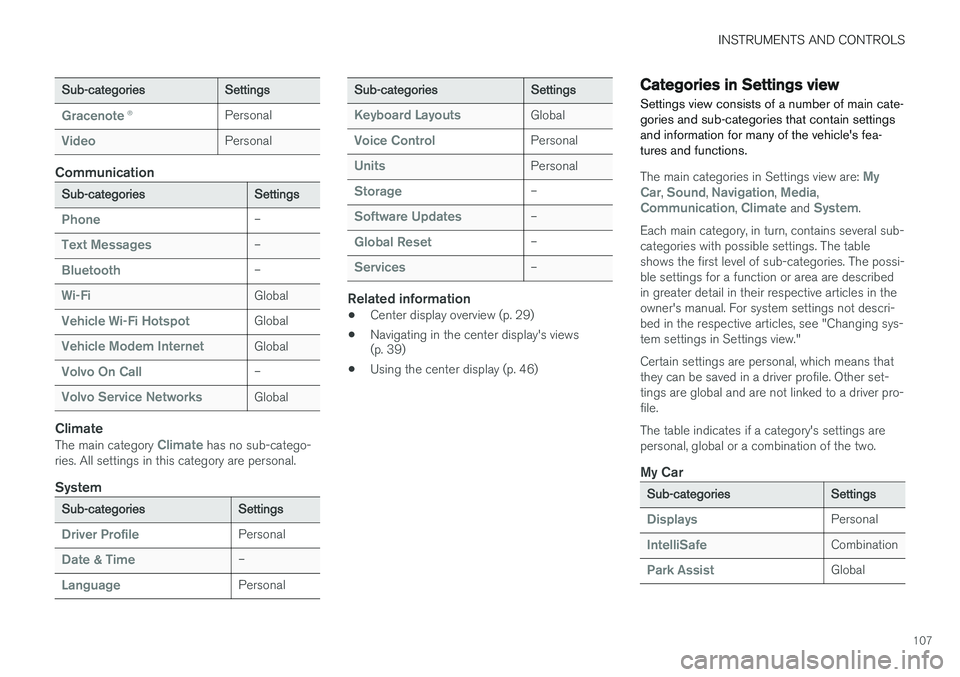
Sub-categoriesSettings
Gracenote®Personal
VideoPersonal
Communication
Sub-categoriesSettings
Phone–
Text Messages–
Bluetooth–
Wi-FiGlobal
Vehicle Wi-Fi HotspotGlobal
Vehicle Modem InternetGlobal
Volvo On Call–
Volvo Service NetworksGlobal
Climate
The main category Climate has no sub-catego-
ries. All settings in this category are personal.
System
Sub-categoriesSettings
Driver ProfilePersonal
Date & Time–
LanguagePersonal
Sub-categoriesSettings
Keyboard LayoutsGlobal
Voice ControlPersonal
UnitsPersonal
Storage–
Software Updates–
Global Reset–
Services–
Related information
• Center display overview (p. 29)
• Navigating in the center display's views (p. 39)
• Using the center display (p. 46)
Categories in Settings view
Settings view consists of a number of main cate- gories and sub-categories that contain settingsand information for many of the vehicle's fea-tures and functions.
The main categories in Settings view are: My
Car, Sound, Navigation, Media,Communication, Climate and System.
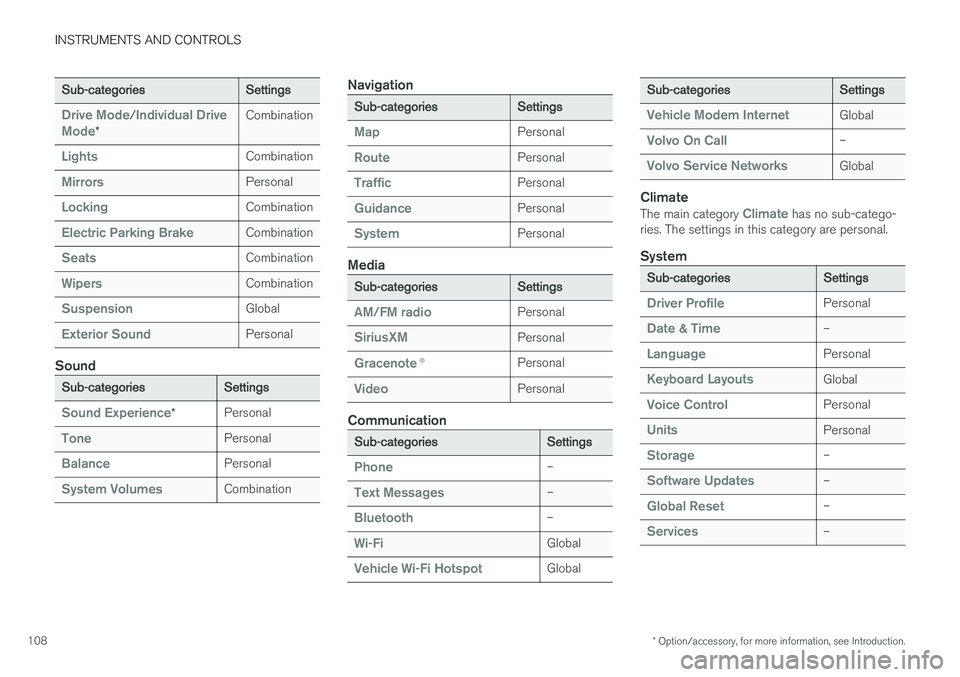
Each main category, in turn, contains several sub- categories with possible settings. The tableshows the first level of sub-categories. The possi-ble settings for a function or area are describedin greater detail in their respective articles in theowner's manual. For system settings not descri-bed in the respective articles, see "Changing sys-tem settings in Settings view." Certain settings are personal, which means that they can be saved in a driver profile. Other set-tings are global and are not linked to a driver pro-file. The table indicates if a category's settings are personal, global or a combination of the two.
My Car
Sub-categoriesSettings
DisplaysPersonal
IntelliSafeCombination
Park AssistGlobal
Page 110 of 570
INSTRUMENTS AND CONTROLS
* Option/accessory, for more information, see Introduction.
108
Sub-categoriesSettings
Drive Mode/Individual Drive
Mode*
Combination
LightsCombination
MirrorsPersonal
LockingCombination
Electric Parking BrakeCombination
SeatsCombination
WipersCombination
SuspensionGlobal
Exterior SoundPersonal
Sound
Sub-categoriesSettings
Sound Experience*Personal
TonePersonal
BalancePersonal
System VolumesCombination
Navigation
Sub-categoriesSettings
MapPersonal
RoutePersonal
TrafficPersonal
GuidancePersonal
SystemPersonal
Media
Sub-categoriesSettings
AM/FM radioPersonal
SiriusXMPersonal
Gracenote ®Personal
VideoPersonal
Communication
Sub-categoriesSettings
Phone–
Text Messages–
Bluetooth–
Wi-FiGlobal
Vehicle Wi-Fi HotspotGlobal
Sub-categoriesSettings
Vehicle Modem InternetGlobal
Volvo On Call–
Volvo Service NetworksGlobal
Climate
The main category Climate has no sub-catego-
ries. The settings in this category are personal.
System
Sub-categoriesSettings
Driver ProfilePersonal
Date & Time–
LanguagePersonal
Keyboard LayoutsGlobal
Voice ControlPersonal
UnitsPersonal
Storage–
Software Updates–
Global Reset–
Services–
Page 122 of 570
INSTRUMENTS AND CONTROLS
* Option/accessory, for more information, see Introduction.
120 Never use strong stain removers. For difficult cleaning conditions, a special cleaning agent canbe purchased at a Volvo retailer.
Related information
•
Driver profiles (p. 112)
• Center display overview (p. 29)
• Navigating in the center display's views (p. 39)
Voice control
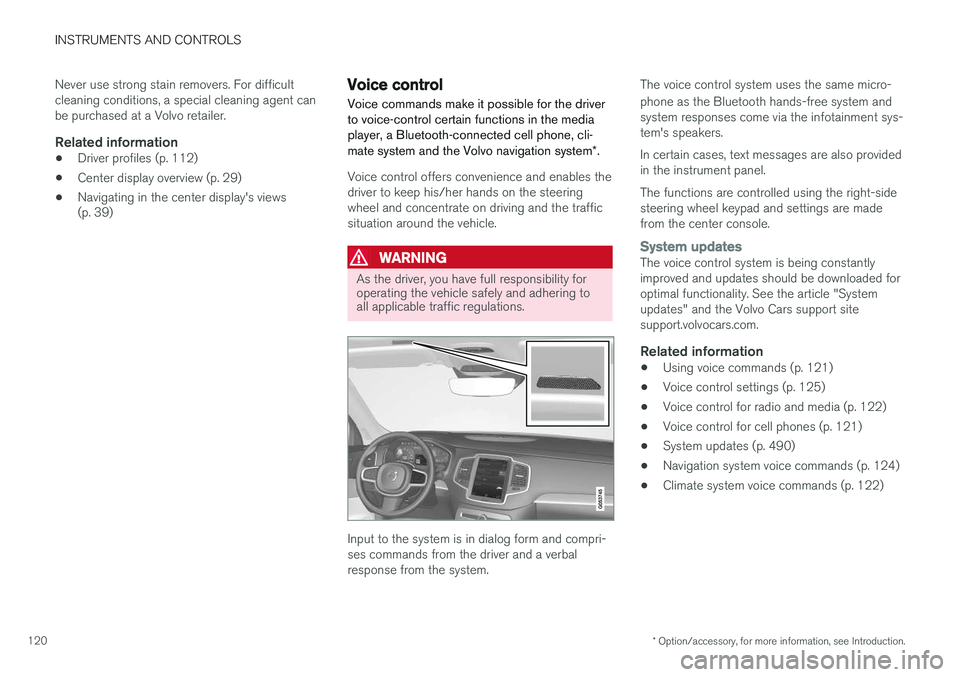
Voice commands make it possible for the driver to voice-control certain functions in the mediaplayer, a Bluetooth-connected cell phone, cli- mate system and the Volvo navigation system *.
Voice control offers convenience and enables the driver to keep his/her hands on the steeringwheel and concentrate on driving and the trafficsituation around the vehicle.
WARNING
As the driver, you have full responsibility for operating the vehicle safely and adhering toall applicable traffic regulations.
Input to the system is in dialog form and compri- ses commands from the driver and a verbalresponse from the system. The voice control system uses the same micro- phone as the Bluetooth hands-free system and system responses come via the infotainment sys-tem's speakers. In certain cases, text messages are also provided in the instrument panel. The functions are controlled using the right-side steering wheel keypad and settings are madefrom the center console.
System updatesThe voice control system is being constantly improved and updates should be downloaded foroptimal functionality. See the article "Systemupdates" and the Volvo Cars support sitesupport.volvocars.com.
Related information
•
Using voice commands (p. 121)
• Voice control settings (p. 125)
• Voice control for radio and media (p. 122)
• Voice control for cell phones (p. 121)
• System updates (p. 490)
• Navigation system voice commands (p. 124)
• Climate system voice commands (p. 122)
Page 403 of 570
INFOTAINMENT
* Option/accessory, for more information, see Introduction.401
Max. number
Tracks in a playlist1,000
SubfoldersNo limit
Related information
•CD (media) player
* (p. 394)
Internet connected vehicle
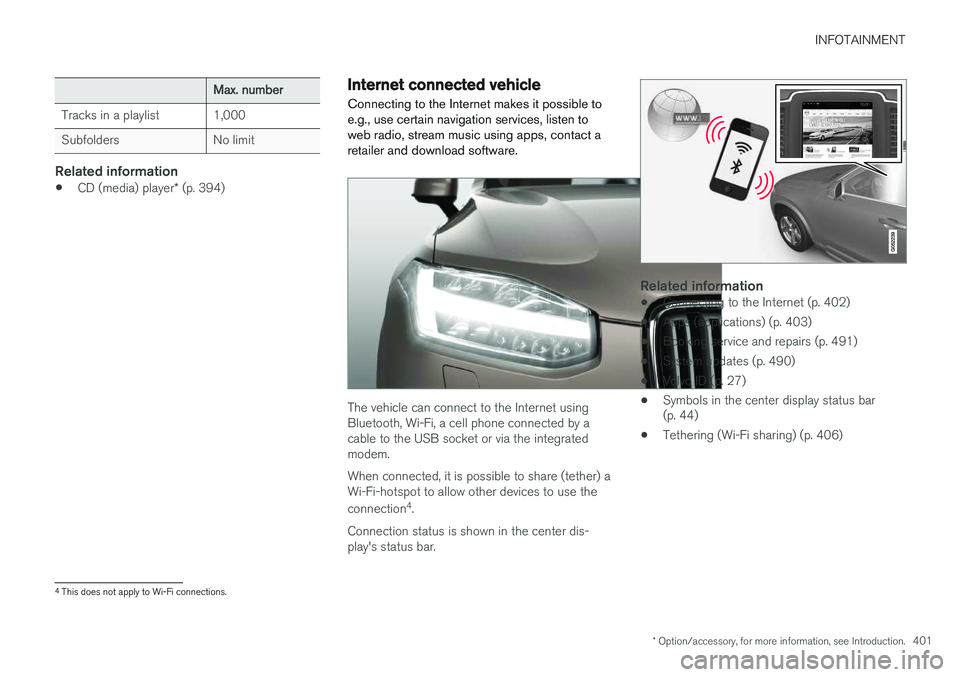
Connecting to the Internet makes it possible to e.g., use certain navigation services, listen toweb radio, stream music using apps, contact aretailer and download software.
The vehicle can connect to the Internet using Bluetooth, Wi-Fi, a cell phone connected by acable to the USB socket or via the integratedmodem. When connected, it is possible to share (tether) a Wi-Fi-hotspot to allow other devices to use the connection 4
.
Connection status is shown in the center dis- play's status bar.
Related information
• Connecting to the Internet (p. 402)
• Apps (applications) (p. 403)
• Booking service and repairs (p. 491)
• System updates (p. 490)
• Volvo ID (p. 27)
• Symbols in the center display status bar (p. 44)
• Tethering (Wi-Fi sharing) (p. 406)
4
This does not apply to Wi-Fi connections.
Page 442 of 570
NAVIGATION*
* Option/accessory, for more information, see Introduction.
440
Using a point of interest (POI) as a destination
Selecting a point of interest (POI) is one way of setting a destination.
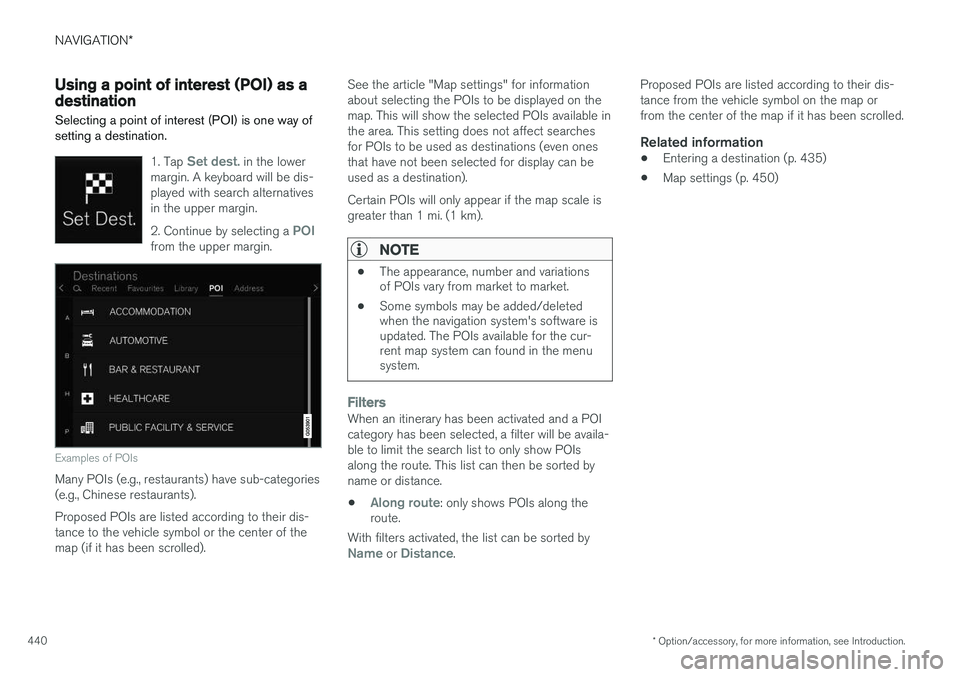
1. Tap Set dest. in the lower
margin. A keyboard will be dis- played with search alternativesin the upper margin. 2. Continue by selecting a
POIfrom the upper margin.
Examples of POIs
Many POIs (e.g., restaurants) have sub-categories (e.g., Chinese restaurants). Proposed POIs are listed according to their dis- tance to the vehicle symbol or the center of themap (if it has been scrolled). See the article "Map settings" for informationabout selecting the POIs to be displayed on themap. This will show the selected POIs available inthe area. This setting does not affect searchesfor POIs to be used as destinations (even onesthat have not been selected for display can beused as a destination). Certain POIs will only appear if the map scale is greater than 1 mi. (1 km).
NOTE
•
The appearance, number and variations of POIs vary from market to market.
• Some symbols may be added/deletedwhen the navigation system's software isupdated. The POIs available for the cur-rent map system can found in the menusystem.
FiltersWhen an itinerary has been activated and a POI category has been selected, a filter will be availa-ble to limit the search list to only show POIsalong the route. This list can then be sorted byname or distance.
•
Along route: only shows POIs along the
route.
With filters activated, the list can be sorted by
Name or Distance. Proposed POIs are listed according to their dis- tance from the vehicle symbol on the map orfrom the center of the map if it has been scrolled.
Related information
•
Entering a destination (p. 435)
• Map settings (p. 450)
Page 446 of 570
NAVIGATION*
* Option/accessory, for more information, see Introduction.
444 4. Tap the map. The updated itinerary will be
shown on the map and guidance will resume.
See also the section "Alternate routes" in the article "Route settings."
Related information
• Guidance points in the itinerary (p. 444)
• Choosing a detour (p. 447)
• Information cards on the map (p. 446)
• Route settings (p. 452)
Guidance points in the itinerary
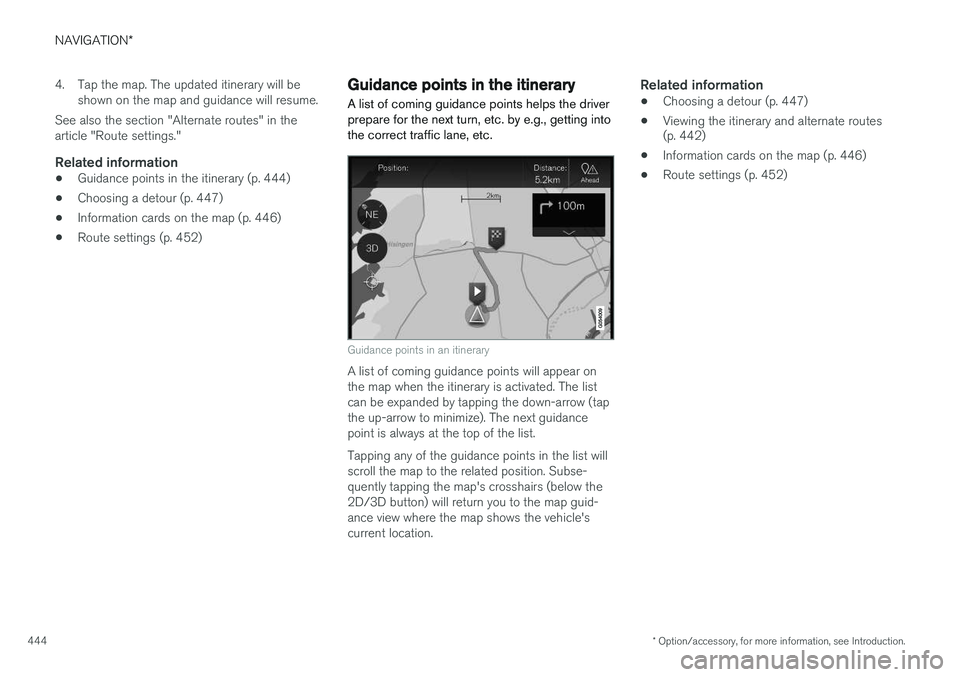
A list of coming guidance points helps the driver prepare for the next turn, etc. by e.g., getting intothe correct traffic lane, etc.
Guidance points in an itinerary
A list of coming guidance points will appear on the map when the itinerary is activated. The listcan be expanded by tapping the down-arrow (tapthe up-arrow to minimize). The next guidancepoint is always at the top of the list. Tapping any of the guidance points in the list will scroll the map to the related position. Subse-quently tapping the map's crosshairs (below the2D/3D button) will return you to the map guid-ance view where the map shows the vehicle'scurrent location.
Related information
• Choosing a detour (p. 447)
• Viewing the itinerary and alternate routes (p. 442)
• Information cards on the map (p. 446)
• Route settings (p. 452)
Page 449 of 570
NAVIGATION*
* Option/accessory, for more information, see Introduction.
447
Choosing a detour Select
Detour to avoid the next section of a
route if e.g., a road is closed.
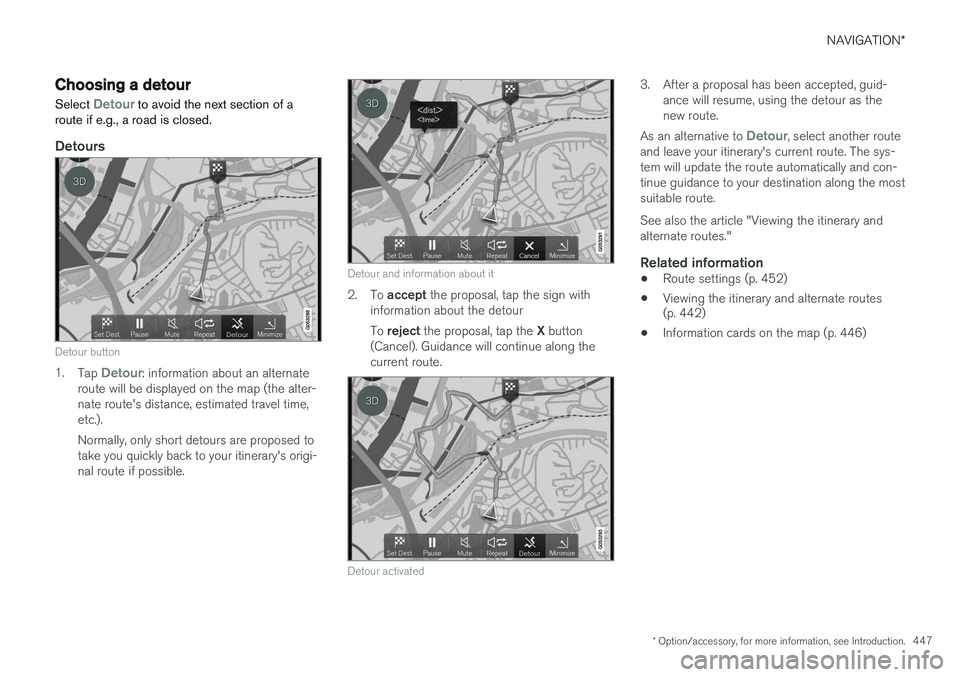
Detours
Detour button
1. Tap Detour: information about an alternate
route will be displayed on the map (the alter- nate route's distance, estimated travel time,etc.). Normally, only short detours are proposed to take you quickly back to your itinerary's origi-nal route if possible.
Detour and information about it
2. To accept the proposal, tap the sign with
information about the detour To reject the proposal, tap the X button
(Cancel). Guidance will continue along the current route.
Detour activated
3. After a proposal has been accepted, guid- ance will resume, using the detour as the new route.
As an alternative to
Detour, select another route
and leave your itinerary's current route. The sys- tem will update the route automatically and con-tinue guidance to your destination along the mostsuitable route. See also the article "Viewing the itinerary and alternate routes."
Related information
• Route settings (p. 452)
• Viewing the itinerary and alternate routes (p. 442)
• Information cards on the map (p. 446)
Page 451 of 570
NAVIGATION*
* Option/accessory, for more information, see Introduction.
449
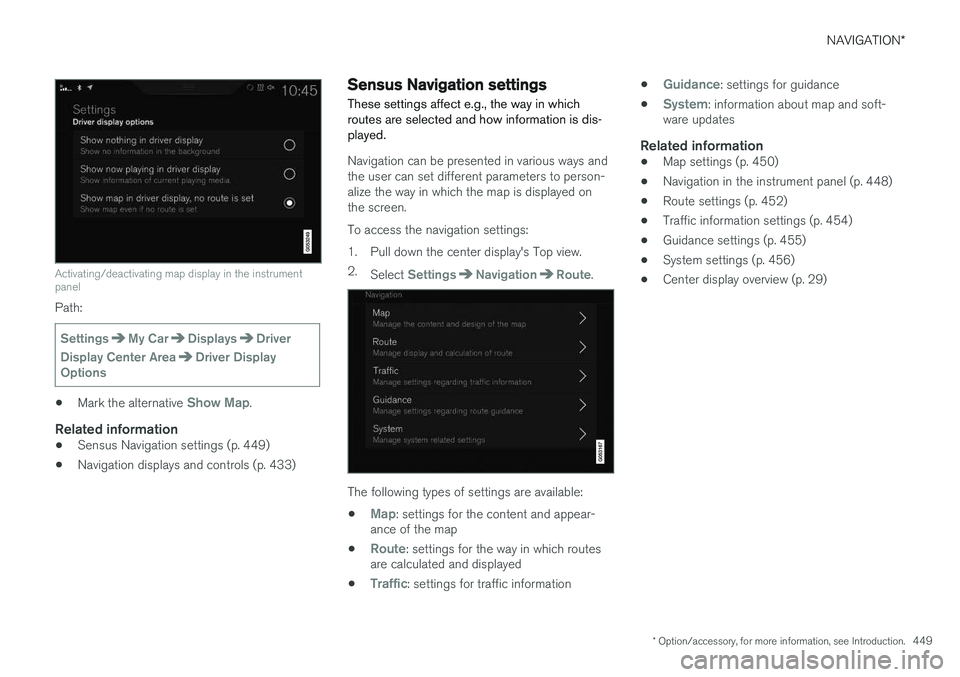
Activating/deactivating map display in the instrument panel
Path:
SettingsMy CarDisplaysDriver
Display Center Area
Driver Display
Options
• Mark the alternative Show Map.
Related information
•Sensus Navigation settings (p. 449)
• Navigation displays and controls (p. 433)
Sensus Navigation settings
These settings affect e.g., the way in which routes are selected and how information is dis-played.
Navigation can be presented in various ways and the user can set different parameters to person-alize the way in which the map is displayed onthe screen. To access the navigation settings:
1. Pull down the center display's Top view. 2. Select
SettingsNavigationRoute.
The following types of settings are available:
•
Map: settings for the content and appear-
ance of the map
•
Route: settings for the way in which routes
are calculated and displayed
•
Traffic: settings for traffic information •
Guidance: settings for guidance
•
System: information about map and soft-
ware updates
Related information
• Map settings (p. 450)
• Navigation in the instrument panel (p. 448)
• Route settings (p. 452)
• Traffic information settings (p. 454)
• Guidance settings (p. 455)
• System settings (p. 456)
• Center display overview (p. 29)
Page 458 of 570
NAVIGATION*
* Option/accessory, for more information, see Introduction.
456
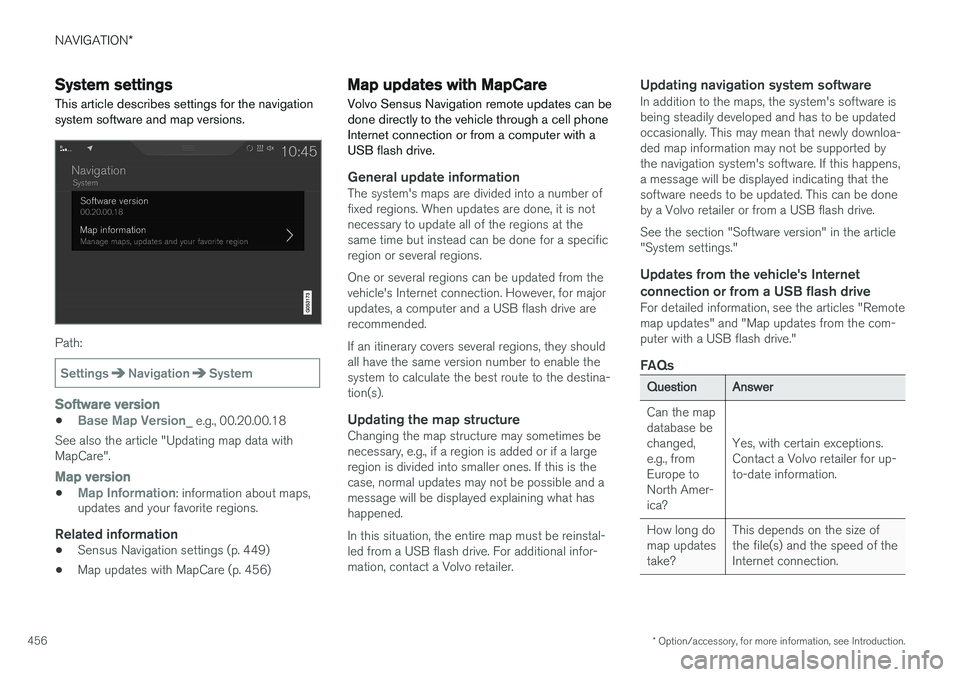
System settings
This article describes settings for the navigation system software and map versions.
Path:
SettingsNavigationSystem
Software version
•Base Map Version_ e.g., 00.20.00.18
See also the article "Updating map data with MapCare".
Map version
•Map Information: information about maps,
updates and your favorite regions.
Related information
• Sensus Navigation settings (p. 449)
• Map updates with MapCare (p. 456)
Map updates with MapCare
Volvo Sensus Navigation remote updates can be done directly to the vehicle through a cell phoneInternet connection or from a computer with aUSB flash drive.
General update informationThe system's maps are divided into a number of fixed regions. When updates are done, it is notnecessary to update all of the regions at thesame time but instead can be done for a specificregion or several regions. One or several regions can be updated from the vehicle's Internet connection. However, for majorupdates, a computer and a USB flash drive arerecommended. If an itinerary covers several regions, they should all have the same version number to enable thesystem to calculate the best route to the destina-tion(s).
Updating the map structureChanging the map structure may sometimes benecessary, e.g., if a region is added or if a largeregion is divided into smaller ones. If this is thecase, normal updates may not be possible and amessage will be displayed explaining what hashappened. In this situation, the entire map must be reinstal- led from a USB flash drive. For additional infor-mation, contact a Volvo retailer.
Updating navigation system softwareIn addition to the maps, the system's software isbeing steadily developed and has to be updatedoccasionally. This may mean that newly downloa-ded map information may not be supported bythe navigation system's software. If this happens,a message will be displayed indicating that thesoftware needs to be updated. This can be doneby a Volvo retailer or from a USB flash drive. See the section "Software version" in the article "System settings."
Updates from the vehicle's Internet
connection or from a USB flash drive
For detailed information, see the articles "Remotemap updates" and "Map updates from the com-puter with a USB flash drive."
FAQs
QuestionAnswer
Can the map database bechanged,e.g., fromEurope toNorth Amer-ica?
Yes, with certain exceptions. Contact a Volvo retailer for up-to-date information.
How long do map updatestake?This depends on the size of the file(s) and the speed of theInternet connection.