tow VOLVO XC90 2015 Workshop Manual
[x] Cancel search | Manufacturer: VOLVO, Model Year: 2015, Model line: XC90, Model: VOLVO XC90 2015Pages: 570, PDF Size: 12.44 MB
Page 360 of 570
STARTING AND DRIVING
358If
Vehicle key not found is displayed in the
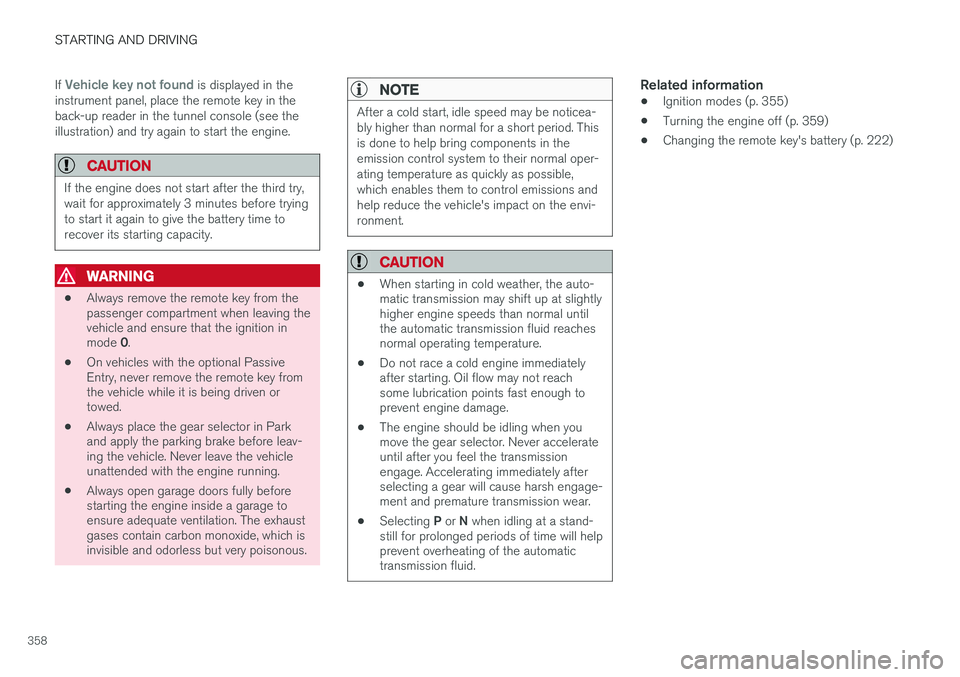
instrument panel, place the remote key in the back-up reader in the tunnel console (see theillustration) and try again to start the engine.
CAUTION
If the engine does not start after the third try, wait for approximately 3 minutes before tryingto start it again to give the battery time torecover its starting capacity.
WARNING
• Always remove the remote key from the passenger compartment when leaving thevehicle and ensure that the ignition in mode
0.
• On vehicles with the optional Passive Entry, never remove the remote key fromthe vehicle while it is being driven ortowed.
• Always place the gear selector in Parkand apply the parking brake before leav-ing the vehicle. Never leave the vehicleunattended with the engine running.
• Always open garage doors fully beforestarting the engine inside a garage toensure adequate ventilation. The exhaustgases contain carbon monoxide, which isinvisible and odorless but very poisonous.
NOTE
After a cold start, idle speed may be noticea- bly higher than normal for a short period. Thisis done to help bring components in theemission control system to their normal oper-ating temperature as quickly as possible,which enables them to control emissions andhelp reduce the vehicle's impact on the envi-ronment.
CAUTION
•
When starting in cold weather, the auto- matic transmission may shift up at slightlyhigher engine speeds than normal untilthe automatic transmission fluid reachesnormal operating temperature.
• Do not race a cold engine immediatelyafter starting. Oil flow may not reachsome lubrication points fast enough toprevent engine damage.
• The engine should be idling when youmove the gear selector. Never accelerateuntil after you feel the transmissionengage. Accelerating immediately afterselecting a gear will cause harsh engage-ment and premature transmission wear.
• Selecting
P or N when idling at a stand-
still for prolonged periods of time will helpprevent overheating of the automatictransmission fluid.
Related information
• Ignition modes (p. 355)
• Turning the engine off (p. 359)
• Changing the remote key's battery (p. 222)
Page 361 of 570
STARTING AND DRIVING
* Option/accessory, for more information, see Introduction.359
Turning the engine off
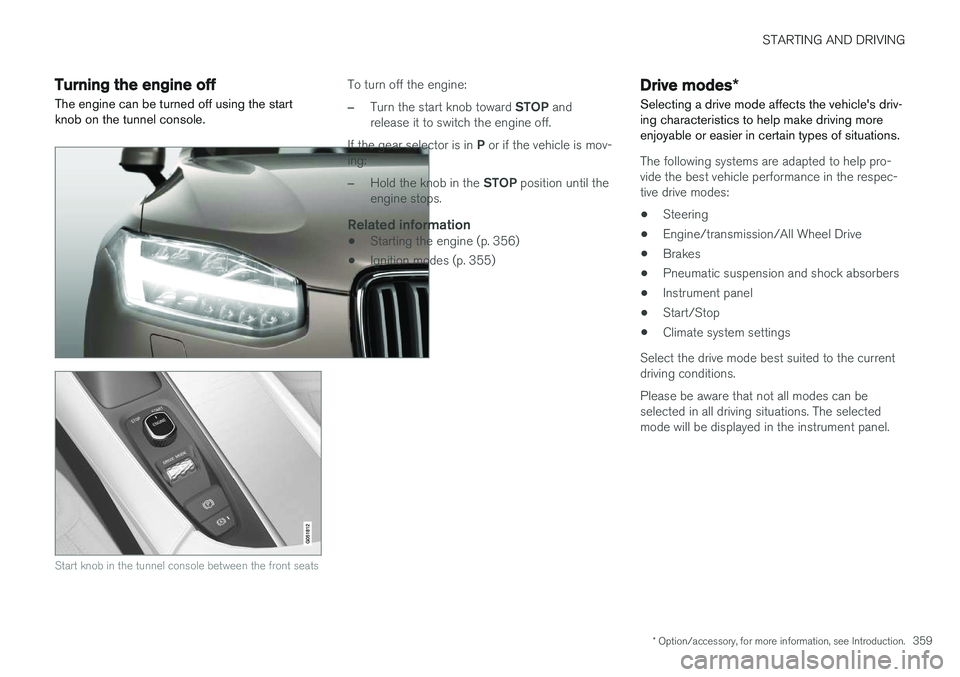
The engine can be turned off using the start knob on the tunnel console.
Start knob in the tunnel console between the front seats
To turn off the engine:
–Turn the start knob toward STOP and
release it to switch the engine off.
If the gear selector is in P or if the vehicle is mov-
ing:
–Hold the knob in the STOP position until the
engine stops.
Related information
• Starting the engine (p. 356)
• Ignition modes (p. 355)
Drive modes
*
Selecting a drive mode affects the vehicle's driv- ing characteristics to help make driving moreenjoyable or easier in certain types of situations.
The following systems are adapted to help pro- vide the best vehicle performance in the respec-tive drive modes: • Steering
• Engine/transmission/All Wheel Drive
• Brakes
• Pneumatic suspension and shock absorbers
• Instrument panel
• Start/Stop
• Climate system settings
Select the drive mode best suited to the current driving conditions. Please be aware that not all modes can be selected in all driving situations. The selectedmode will be displayed in the instrument panel.
Page 362 of 570
STARTING AND DRIVING
360
Selecting a drive mode
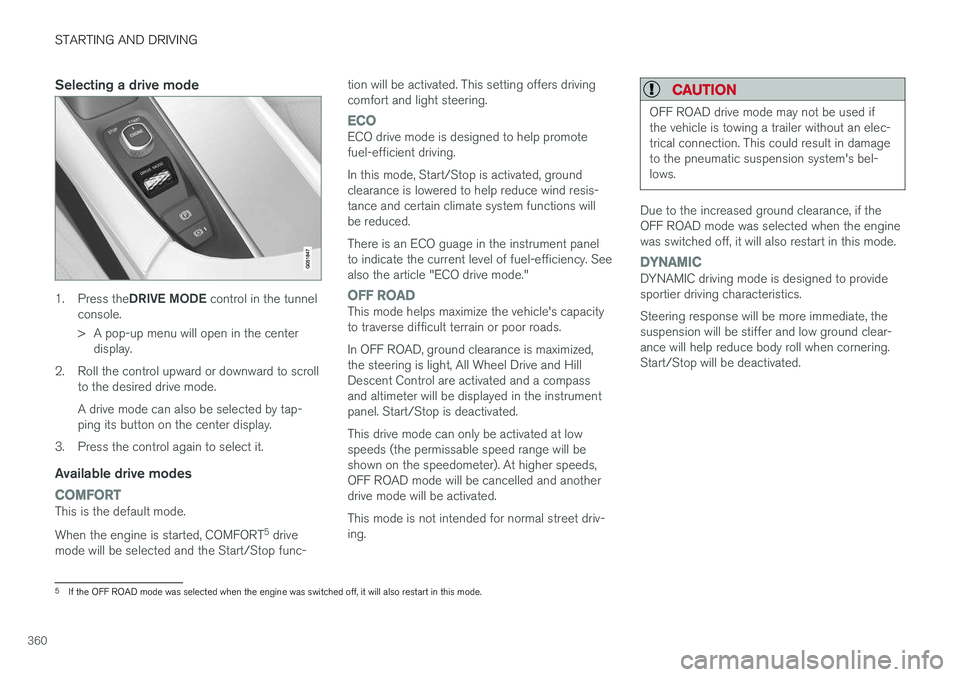
1.Press the DRIVE MODE control in the tunnel
console.
> A pop-up menu will open in the center display.
2. Roll the control upward or downward to scroll to the desired drive mode. A drive mode can also be selected by tap- ping its button on the center display.
3. Press the control again to select it.
Available drive modes
COMFORTThis is the default mode. When the engine is started, COMFORT 5
drive
mode will be selected and the Start/Stop func- tion will be activated. This setting offers driving comfort and light steering.
ECOECO drive mode is designed to help promote fuel-efficient driving. In this mode, Start/Stop is activated, ground clearance is lowered to help reduce wind resis-tance and certain climate system functions willbe reduced. There is an ECO guage in the instrument panel to indicate the current level of fuel-efficiency. Seealso the article "ECO drive mode."
OFF ROADThis mode helps maximize the vehicle's capacity to traverse difficult terrain or poor roads. In OFF ROAD, ground clearance is maximized, the steering is light, All Wheel Drive and HillDescent Control are activated and a compassand altimeter will be displayed in the instrumentpanel. Start/Stop is deactivated. This drive mode can only be activated at low speeds (the permissable speed range will beshown on the speedometer). At higher speeds,OFF ROAD mode will be cancelled and anotherdrive mode will be activated. This mode is not intended for normal street driv- ing.
CAUTION
OFF ROAD drive mode may not be used if the vehicle is towing a trailer without an elec-trical connection. This could result in damageto the pneumatic suspension system's bel-lows.
Due to the increased ground clearance, if the OFF ROAD mode was selected when the enginewas switched off, it will also restart in this mode.
DYNAMICDYNAMIC driving mode is designed to provide sportier driving characteristics. Steering response will be more immediate, the suspension will be stiffer and low ground clear-ance will help reduce body roll when cornering.Start/Stop will be deactivated.
5
If the OFF ROAD mode was selected when the engine was switched off, it will also restart in this mode.
Page 367 of 570
STARTING AND DRIVING
* Option/accessory, for more information, see Introduction.365
Symbols in the instrument panel
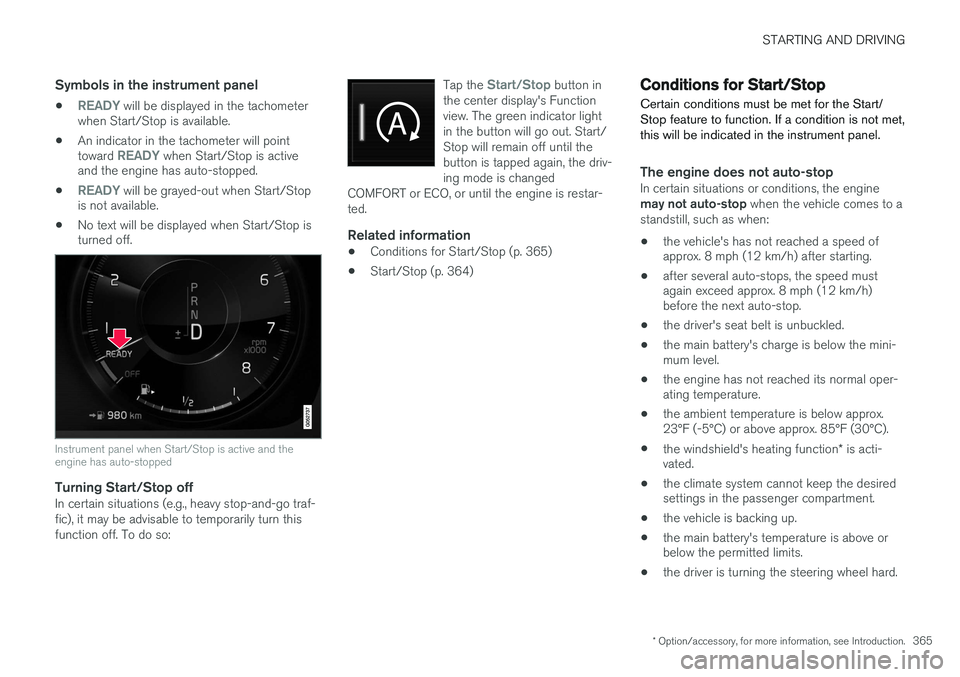
•READY will be displayed in the tachometer
when Start/Stop is available.
• An indicator in the tachometer will point toward
READY when Start/Stop is active
and the engine has auto-stopped.
•
READY will be grayed-out when Start/Stop
is not available.
• No text will be displayed when Start/Stop is turned off.
Instrument panel when Start/Stop is active and the engine has auto-stopped
Turning Start/Stop offIn certain situations (e.g., heavy stop-and-go traf- fic), it may be advisable to temporarily turn thisfunction off. To do so: Tap the
Start/Stop button in
the center display's Function view. The green indicator lightin the button will go out. Start/Stop will remain off until thebutton is tapped again, the driv-ing mode is changed
COMFORT or ECO, or until the engine is restar-ted.
Related information
• Conditions for Start/Stop (p. 365)
• Start/Stop (p. 364)
Conditions for Start/Stop
Certain conditions must be met for the Start/ Stop feature to function. If a condition is not met,this will be indicated in the instrument panel.
The engine does not auto-stopIn certain situations or conditions, the engine may not auto-stop when the vehicle comes to a
standstill, such as when:
• the vehicle's has not reached a speed of approx. 8 mph (12 km/h) after starting.
• after several auto-stops, the speed mustagain exceed approx. 8 mph (12 km/h)before the next auto-stop.
• the driver's seat belt is unbuckled.
• the main battery's charge is below the mini-mum level.
• the engine has not reached its normal oper-ating temperature.
• the ambient temperature is below approx.23°F (-5°C) or above approx. 85°F (30°C).
• the windshield's heating function
* is acti-
vated.
• the climate system cannot keep the desiredsettings in the passenger compartment.
• the vehicle is backing up.
• the main battery's temperature is above orbelow the permitted limits.
• the driver is turning the steering wheel hard.
Page 368 of 570
STARTING AND DRIVING
366•
the road's incline is very steep.
• the hood is opened.
• the transmission has not reached its normal operating temperature.
• driving at high altitude and the engine hasnot reached its normal operating tempera-ture.
• the gear selector is in the manual shiftingposition.
• the ABS brakes have activated.
• hard braking (even if the ABS brakes havenot activated).
• many starts during a short time period havetriggered the starter motor's overheating pro-tection.
• a trailer's electrical system is connected tothe vehicle's electrical system.
The engine does not auto-startIn certain situations or conditions, the engine may not auto-start
after an auto-stop, such as:
• if the driver is not wearing a seat belt
• the gear selector is in the
P position and the
driver's door is open. The engine must be started normally.
The engine auto-starts while the brake
pedal is depressed
In the following situations, the engine will auto-
start even though the brake pedal is depressed: •
condensation forms on the inside of the win-dows.
• the climate system cannot keep the desiredsettings in the passenger compartment.
• electrical current consumption is temporarilyhigh or the main battery's charge is belowthe minimum level.
• the brake pedal is pumped repeatedly.
• the hood is opened.
• the vehicle begins to move or increasesspeed slightly (if the engine auto-stoppedbefore the vehicle was at a standstill).
• the driver's seat belt is unbuckled while the gear selector is in the
D or N positions.
• the gear selector is moved from
D to R or ±.
• the driver's door is opened with the gearselector in
D: an audible signal and a text
message will inform the driver that the igni- tion is on.
WARNING
Do not open the hood if the engine has auto- stopped. The engine could suddenly auto-start. Before opening the hood:
• Switch off the ignition by turning the start knob in the tunnel console toward
STOP.
• Be aware that if the engine has been run- ning, components in the engine compart-ment will be very hot.
Related information
• Using the Start/Stop function (p. 364)
Page 372 of 570
STARTING AND DRIVING
* Option/accessory, for more information, see Introduction.
370
Gear shift indicator
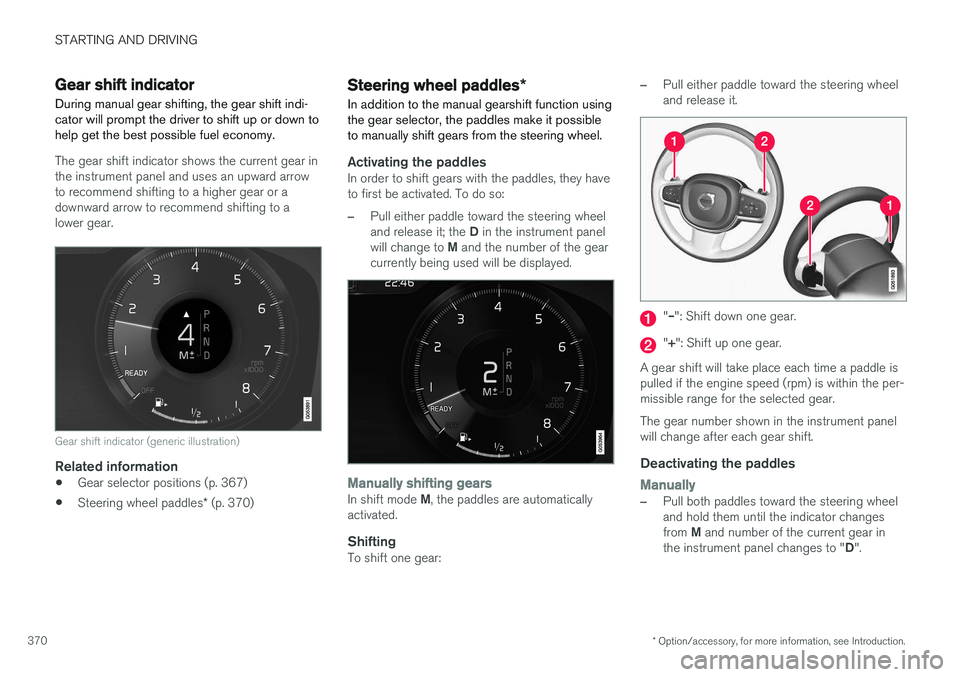
During manual gear shifting, the gear shift indi- cator will prompt the driver to shift up or down tohelp get the best possible fuel economy.
The gear shift indicator shows the current gear in the instrument panel and uses an upward arrowto recommend shifting to a higher gear or adownward arrow to recommend shifting to alower gear.
Gear shift indicator (generic illustration)
Related information
• Gear selector positions (p. 367)
• Steering wheel paddles
* (p. 370)
Steering wheel paddles *
In addition to the manual gearshift function using the gear selector, the paddles make it possibleto manually shift gears from the steering wheel.
Activating the paddlesIn order to shift gears with the paddles, they have to first be activated. To do so:
–Pull either paddle toward the steering wheel and release it; the D in the instrument panel
will change to M and the number of the gear
currently being used will be displayed.
Manually shifting gearsIn shift mode M, the paddles are automatically
activated.
ShiftingTo shift one gear:
–Pull either paddle toward the steering wheel and release it.
"
Page 373 of 570
STARTING AND DRIVING
* Option/accessory, for more information, see Introduction.371
AutomaticallyIf the paddles are not used for a period of time, they will deactivate automatically. The number ofthe current gear in the instrument panel changes to "D".
The paddles will remain active if engine braking is currently being used.
Related information
• Gear selector positions (p. 367)
• Gear shift indicator (p. 370)
Low Speed Control (LSC) Low Speed Control (LSC) helps make off-road driving easier on slippery surfaces when towinga trailer on grass, etc. This feature is part of the
Off Road drive mode.
When driving at low speeds, LSC prioritizes low gears and all wheel drive to help avoid wheel spinand to improve the vehicle's tractive force. Theaccelerator pedal and engine react differently tomake low-speed driving easier. It is activated along with Hill Descent Control (HDC), which increases engine braking to helpkeep vehicle speed low and smooth, even drivingdown steep hills.
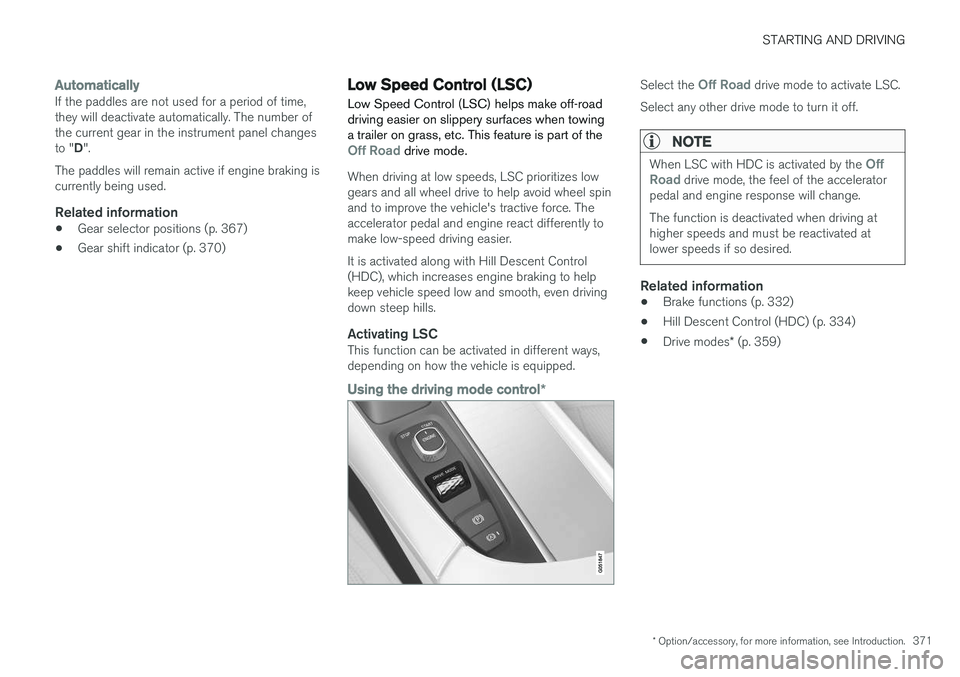
Activating LSCThis function can be activated in different ways,depending on how the vehicle is equipped.
Using the driving mode control
*
Select the Off Road drive mode to activate LSC.
Select any other drive mode to turn it off.
NOTE
When LSC with HDC is activated by the Off
Road drive mode, the feel of the accelerator
pedal and engine response will change. The function is deactivated when driving at higher speeds and must be reactivated atlower speeds if so desired.
Related information
• Brake functions (p. 332)
• Hill Descent Control (HDC) (p. 334)
• Drive modes
* (p. 359)
Page 375 of 570
STARTING AND DRIVING
* Option/accessory, for more information, see Introduction.373
Loading modeUse the buttons in the cargo compartment to raise or lower the vehicle to make loading orunloading easier or when attaching a trailer.
Parking the vehicleWhen parking, be sure that there is adequatespace above and below the vehicle since itsground clearance may vary, e.g., depending onthe ambient temperature, how the vehicle is loa-ded, if loading mode is being used or the drivemode selected after the engine is started. The level may also be adjusted for a certain time after the vehicle has been parked to compensatefor possible height adjustments due to tempera-ture changes in the pneumatic suspension whenthe vehicle has cooled.
TransportWhen transporting the vehicle on a ferry, train ora tow truck, it may only be secured (lashed)around the tires, not using any other chassiscomponents. Changes in the pneumatic suspen-sion may occur during transport that could nega-tively affect the lashing and result in damage.
Related information
•Drive modes
* (p. 359)
• Driving with a trailer (p. 351)
• Loading (p. 207)
Page 394 of 570
INFOTAINMENT
* Option/accessory, for more information, see Introduction.
392
Sending text messages
1.
From App view, tap Messages to open.
2. •To reply to a message: tap the name of the contact who sent the message and then tap
Answer.
• To create a new message: tap
Create
new
+. Select the contact who will
receive the message or enter a phone number.
3. Write the message. 4. Tap
Send.
Message notificationSee the article "Text message settings" for a list of possible settings.
Related information
• Text message settings (p. 392)
Phone settings
The following settings can be made for a paired and connected cell phone.
Cell phones
–Pull down the center display's Top view and tap
SettingsCommunicationPhoneand choose among the following settings: •
Ringtones: select a ring tone (tones from
the cell phone or the vehicle can be used). Not all cell phones are fully com-patible and it may not be possible to usetheir ring tones in the vehicle. Go towww.volvocars.com for additional informa-tion.
•
Sort order for contacts: select sort cri-
teria for the phone book (list of contacts).
To show call notifications in the head-up dis- play *, see the article "Head-up display."
Related information
• Text message settings (p. 392)
• Bluetooth settings (p. 404)
• Phone (p. 387)
• Handling phone calls (p. 390)
• Head-up display (HUD)
* (p. 117)
Text message settings
The following settings can be made for text mes- sages received through a paired and connectedcell phone.
Text message settings
–Pull down the center display's Top view and tap
SettingsCommunicationText
Messages and choose among the following
settings:
•
Notification in center display: shows
text messages in the center display's sta- tus bar.
•
Notification in driver display: shows
text messages in the instrument panel. With this alternative active, incoming mes-sages can be handled from the right-sidesteering wheel keypad.
•
Text message tone: select an audible
signal for incoming text messages.
Related information
• Connecting/disconnecting a cell phone (p. 389)
• Pairing a cell phone (p. 387)
• Handling text messages (p. 391)
Page 403 of 570
INFOTAINMENT
* Option/accessory, for more information, see Introduction.401
Max. number
Tracks in a playlist1,000
SubfoldersNo limit
Related information
•CD (media) player
* (p. 394)
Internet connected vehicle
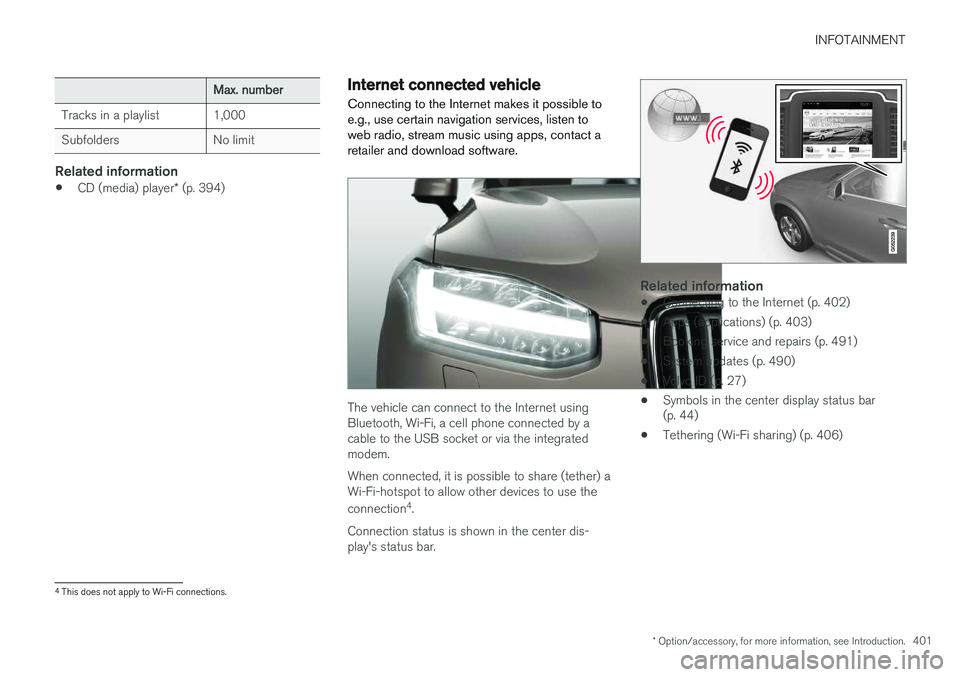
Connecting to the Internet makes it possible to e.g., use certain navigation services, listen toweb radio, stream music using apps, contact aretailer and download software.
The vehicle can connect to the Internet using Bluetooth, Wi-Fi, a cell phone connected by acable to the USB socket or via the integratedmodem. When connected, it is possible to share (tether) a Wi-Fi-hotspot to allow other devices to use the connection 4
.
Connection status is shown in the center dis- play's status bar.
Related information
• Connecting to the Internet (p. 402)
• Apps (applications) (p. 403)
• Booking service and repairs (p. 491)
• System updates (p. 490)
• Volvo ID (p. 27)
• Symbols in the center display status bar (p. 44)
• Tethering (Wi-Fi sharing) (p. 406)
4
This does not apply to Wi-Fi connections.