display VOLVO XC90 2017 Owner´s Manual
[x] Cancel search | Manufacturer: VOLVO, Model Year: 2017, Model line: XC90, Model: VOLVO XC90 2017Pages: 560, PDF Size: 9.97 MB
Page 268 of 560
DRIVER SUPPORT
* Option/accessory.
266
Switching between Cruise Control and Adaptive Cruise Control *
In models equipped with the optional ACC, the driver can toggle between CC and ACC.
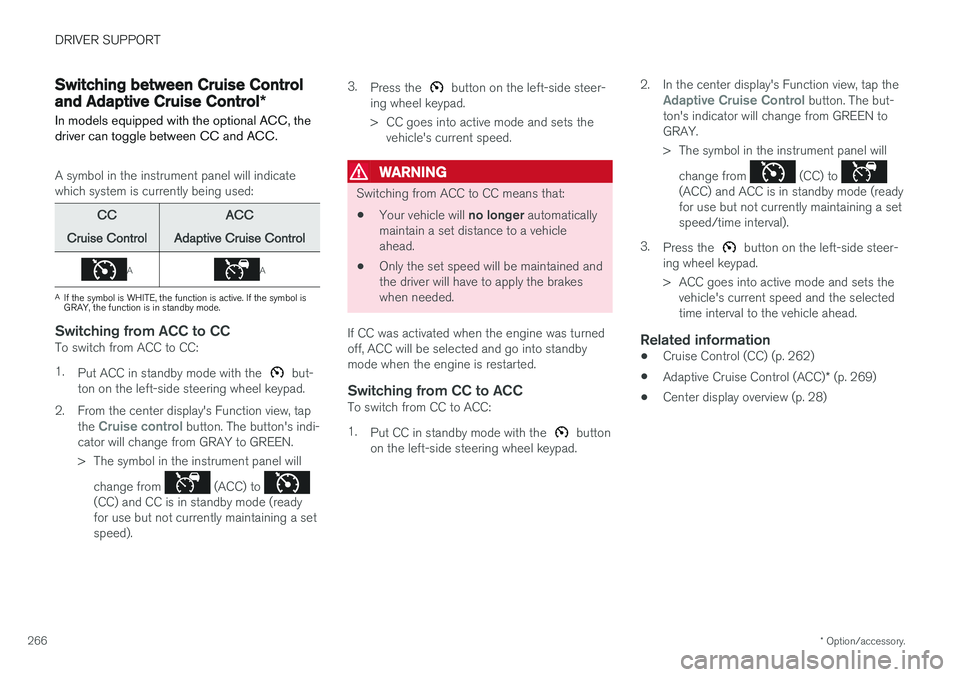
A symbol in the instrument panel will indicate which system is currently being used:
CC
Cruise Control ACC
Adaptive Cruise Control
AA
A If the symbol is WHITE, the function is active. If the symbol is GRAY, the function is in standby mode.
Switching from ACC to CCTo switch from ACC to CC: 1. Put ACC in standby mode with the
but-
ton on the left-side steering wheel keypad.
2. From the center display's Function view, tap the
Cruise control button. The button's indi-
cator will change from GRAY to GREEN.
> The symbol in the instrument panel will
change from
(ACC) to (CC) and CC is in standby mode (ready for use but not currently maintaining a setspeed). 3.
Press the
button on the left-side steer-
ing wheel keypad.
> CC goes into active mode and sets the vehicle's current speed.
WARNING
Switching from ACC to CC means that:
• Your vehicle will
no longer automatically
maintain a set distance to a vehicle ahead.
• Only the set speed will be maintained andthe driver will have to apply the brakeswhen needed.
If CC was activated when the engine was turnedoff, ACC will be selected and go into standbymode when the engine is restarted.
Switching from CC to ACCTo switch from CC to ACC: 1. Put CC in standby mode with the
button
on the left-side steering wheel keypad. 2. In the center display's Function view, tap the
Adaptive Cruise Control button. The but-
ton's indicator will change from GREEN to GRAY.
> The symbol in the instrument panel will
change from
(CC) to (ACC) and ACC is in standby mode (ready for use but not currently maintaining a setspeed/time interval).
3. Press the
button on the left-side steer-
ing wheel keypad.
> ACC goes into active mode and sets the vehicle's current speed and the selected time interval to the vehicle ahead.
Related information
• Cruise Control (CC) (p. 262)
• Adaptive Cruise Control (ACC)
* (p. 269)
• Center display overview (p. 28)
Page 269 of 560
DRIVER SUPPORT
}}
* Option/accessory.267
Distance Alert *
Distance Alert is a function that alerts the driver if the time interval to the vehicle ahead is too short.
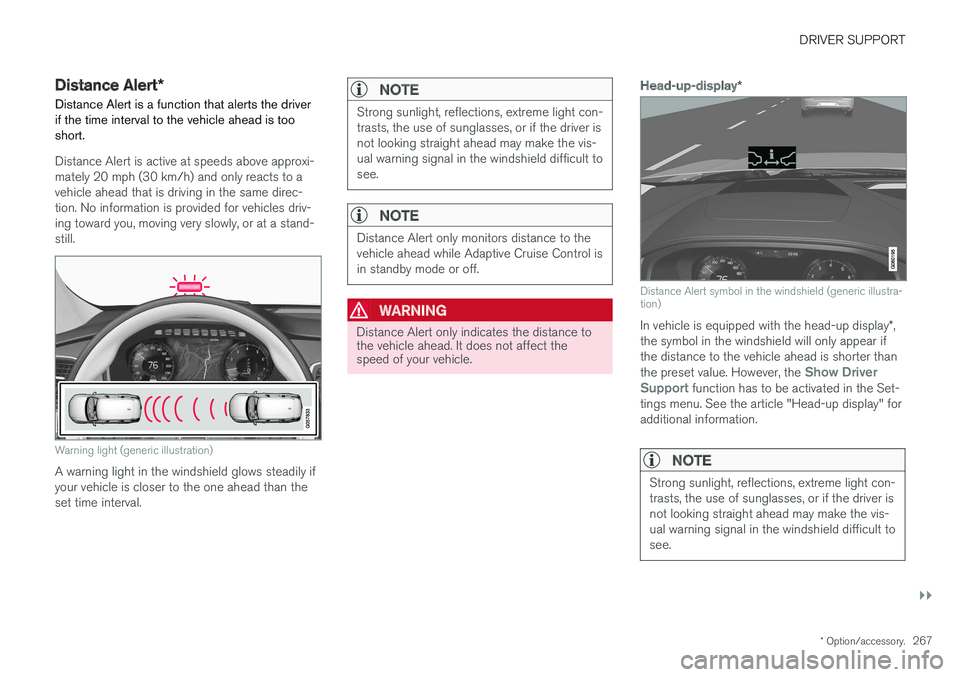
Distance Alert is active at speeds above approxi- mately 20 mph (30 km/h) and only reacts to avehicle ahead that is driving in the same direc-tion. No information is provided for vehicles driv-ing toward you, moving very slowly, or at a stand-still.
Warning light (generic illustration)
A warning light in the windshield glows steadily if your vehicle is closer to the one ahead than theset time interval.
NOTE
Strong sunlight, reflections, extreme light con- trasts, the use of sunglasses, or if the driver isnot looking straight ahead may make the vis-ual warning signal in the windshield difficult tosee.
NOTE
Distance Alert only monitors distance to the vehicle ahead while Adaptive Cruise Control isin standby mode or off.
WARNING
Distance Alert only indicates the distance to the vehicle ahead. It does not affect thespeed of your vehicle.
Head-up-display *
Distance Alert symbol in the windshield (generic illustra- tion)
In vehicle is equipped with the head-up display *,
the symbol in the windshield will only appear if the distance to the vehicle ahead is shorter than the preset value. However, the
Show Driver
Support function has to be activated in the Set-
tings menu. See the article "Head-up display" for additional information.
NOTE
Strong sunlight, reflections, extreme light con- trasts, the use of sunglasses, or if the driver isnot looking straight ahead may make the vis-ual warning signal in the windshield difficult tosee.
Page 270 of 560
||
DRIVER SUPPORT
* Option/accessory.
268
Related information
• Distance Alert
* limitations (p. 269)
• Using Distance Alert
* (p. 268)
• Head-up display (HUD)
* (p. 116)
• Adaptive Cruise Control (ACC)
* (p. 269)
Using Distance Alert *
Distance Alert is used as follows:
OperationPull down the center display's Top view and select Settingsfollowed by Distance alert.
Tap to turn the function On or Off.
Setting a time interval
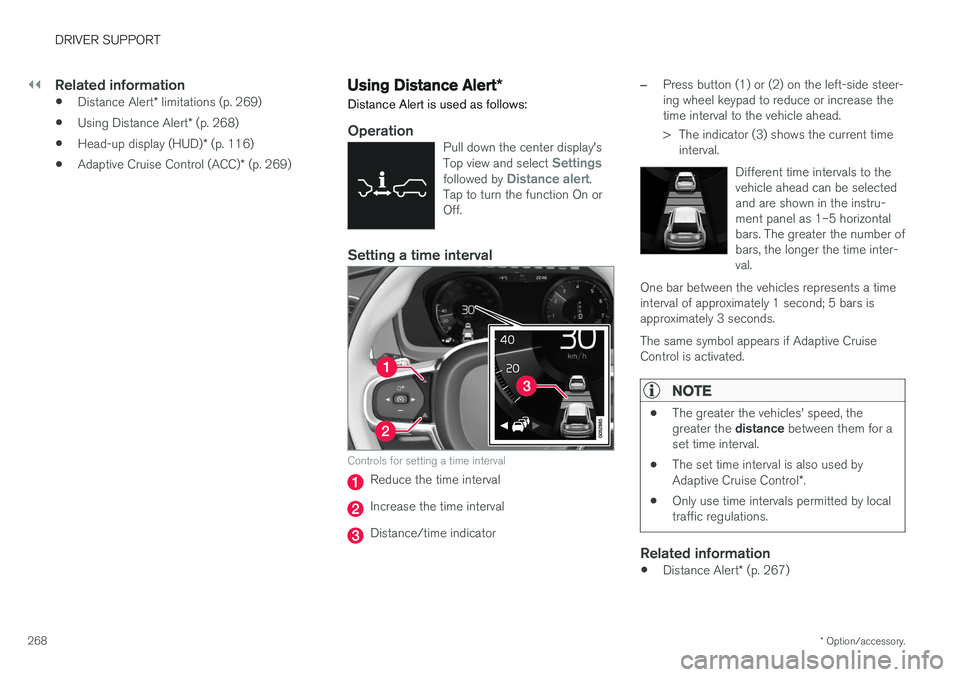
Controls for setting a time interval
Reduce the time interval
Increase the time interval
Distance/time indicator
–Press button (1) or (2) on the left-side steer- ing wheel keypad to reduce or increase thetime interval to the vehicle ahead.
> The indicator (3) shows the current time interval.
Different time intervals to the vehicle ahead can be selectedand are shown in the instru-ment panel as 1–5 horizontalbars. The greater the number ofbars, the longer the time inter-val.
One bar between the vehicles represents a timeinterval of approximately 1 second; 5 bars isapproximately 3 seconds. The same symbol appears if Adaptive Cruise Control is activated.
NOTE
• The greater the vehicles' speed, the greater the
distance between them for a
set time interval.
• The set time interval is also used by Adaptive Cruise Control
*.
• Only use time intervals permitted by local traffic regulations.
Related information
•
Distance Alert
* (p. 267)
Page 274 of 560
||
DRIVER SUPPORT
* Option/accessory.
272
WARNING
Adaptive Cruise Control only warns of vehicles detected by the radar sensor. In some casesthere may be no warning or the warning maybe delayed. The driver should always apply thebrakes when necessary.
Head-up-display *
A flashing light alerts the driver
A flashing icon will appear in the head-up display to alert the driver of a collision risk.
NOTE
Strong sunlight, reflections, extreme light con- trasts, the use of sunglasses, or if the driver isnot looking straight ahead may make the vis-ual warning signal in the windshield difficult tosee.
Related information
•Starting and activating Adaptive Cruise Control (ACC)
* (p. 272)
• Changing Adaptive Cruise Control (ACC) speed (p. 275)
• Setting an Adaptive Cruise Control timeinterval (p. 276)
• Changing target vehicles and automaticbraking with Adaptive Cruise Control (ACC)(p. 277)
• Switching between Cruise Control and Adaptive Cruise Control
* (p. 266)
• Passing Assistance with Adaptive Cruise Control or Pilot Assist (p. 277)
• Deactivating/resuming Adaptive CruiseControl (ACC) (p. 273)
• Adaptive Cruise Control (ACC) - trouble-shooting (p. 279)
• Adaptive Cruise Control (ACC) symbols andmessages (p. 281)
• Pilot Assist
* (p. 283)
• Distance Alert
* (p. 267)
• Head-up display (HUD)
* (p. 116)
• Radar sensor limitations (p. 297)
Starting and activating Adaptive Cruise Control (ACC)
*
ACC must first be put in active mode before it can be started in order to regulate speed or aset time interval to the vehicle ahead.
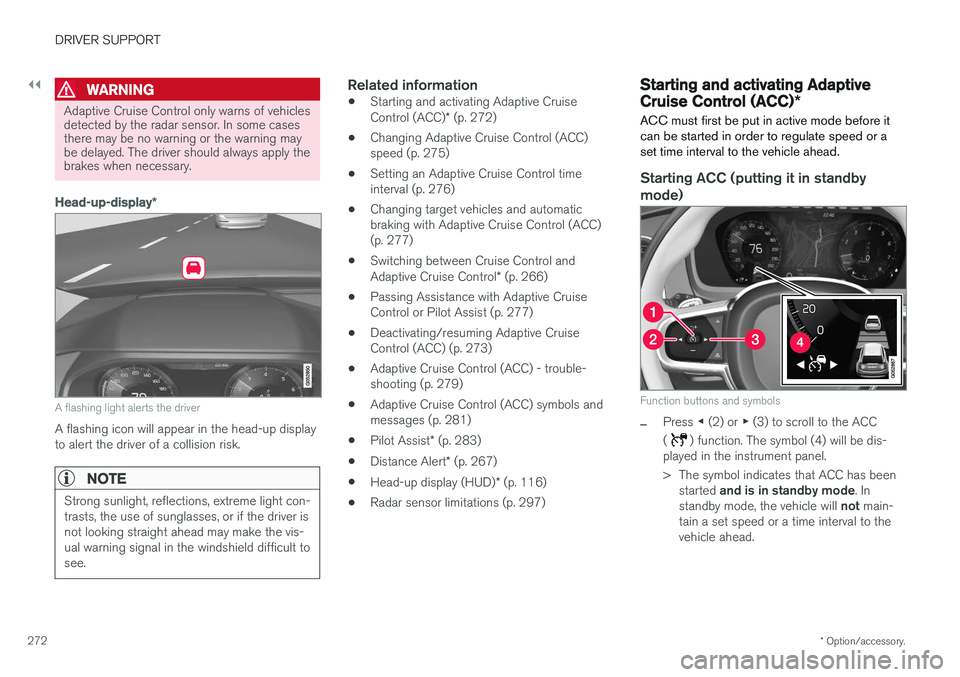
Starting ACC (putting it in standby
mode)
Function buttons and symbols
–Press ◀ (2) or ▶ (3) to scroll to the ACC
(
) function. The symbol (4) will be dis-
played in the instrument panel.
> The symbol indicates that ACC has been
started and is in standby mode . In
standby mode, the vehicle will not main-
tain a set speed or a time interval to the vehicle ahead.
Page 275 of 560
DRIVER SUPPORT
}}
* Option/accessory.273
Activating ACC (putting it in active mode and setting a speed)
Before ACC can be put in active mode:
• The driver's seat belt must be buckled and the driver's door must be closed.
• There must be a vehicle ahead (a target vehi-cle) within a reasonable distance or yourvehicle's current speed must be at least9 mph (15 km/h).
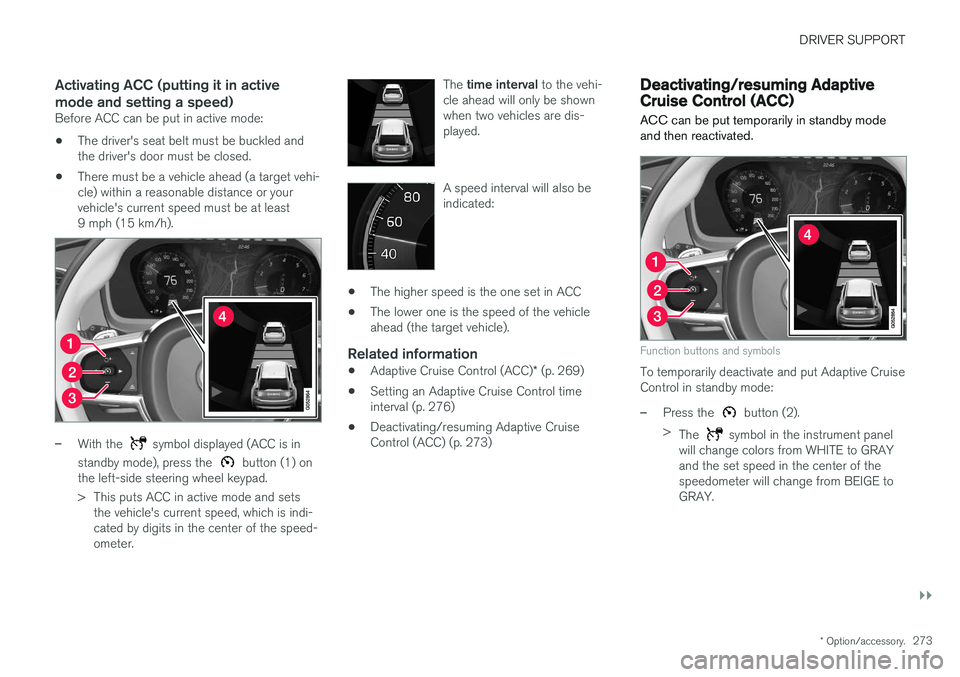
–With the symbol displayed (ACC is in
standby mode), press the
button (1) on
the left-side steering wheel keypad.
> This puts ACC in active mode and sets the vehicle's current speed, which is indi- cated by digits in the center of the speed-ometer. The
time interval to the vehi-
cle ahead will only be shownwhen two vehicles are dis-played.
A speed interval will also be indicated:
• The higher speed is the one set in ACC
• The lower one is the speed of the vehicle ahead (the target vehicle).
Related information
•
Adaptive Cruise Control (ACC)
* (p. 269)
• Setting an Adaptive Cruise Control timeinterval (p. 276)
• Deactivating/resuming Adaptive CruiseControl (ACC) (p. 273)
Deactivating/resuming Adaptive Cruise Control (ACC)
ACC can be put temporarily in standby mode and then reactivated.
Function buttons and symbols
To temporarily deactivate and put Adaptive Cruise Control in standby mode:
–Press the button (2).
> The
symbol in the instrument panel
will change colors from WHITE to GRAY and the set speed in the center of thespeedometer will change from BEIGE toGRAY.
Page 278 of 560
DRIVER SUPPORT
* Option/accessory.
276
Setting an Adaptive Cruise Control time interval
ACC makes it possible to set various time inter- vals to the vehicle ahead.
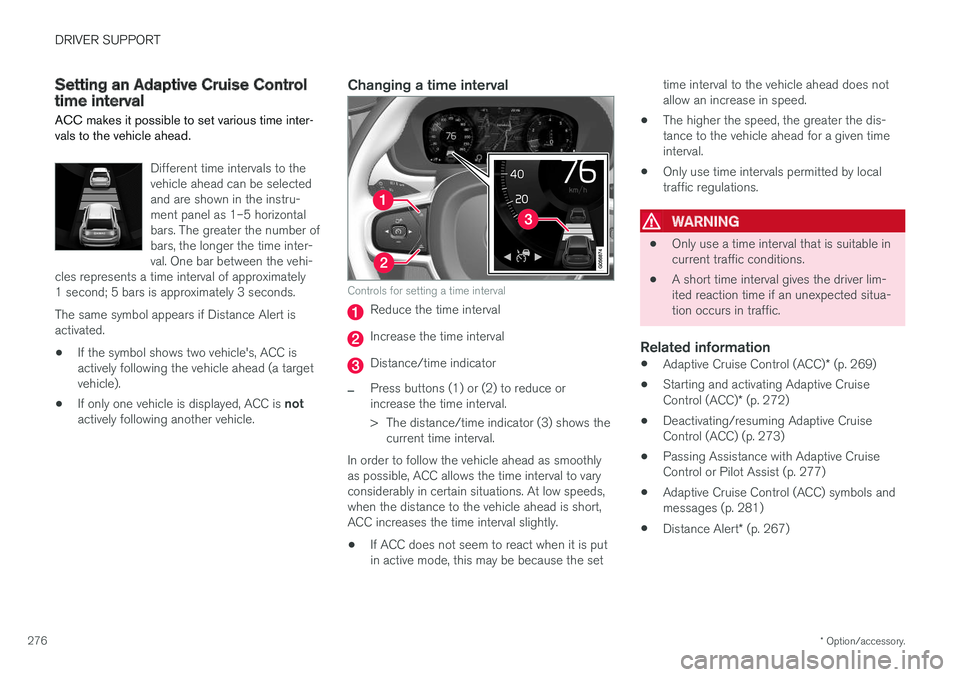
Different time intervals to the vehicle ahead can be selectedand are shown in the instru-ment panel as 1–5 horizontalbars. The greater the number ofbars, the longer the time inter-val. One bar between the vehi-
cles represents a time interval of approximately1 second; 5 bars is approximately 3 seconds. The same symbol appears if Distance Alert is activated.
• If the symbol shows two vehicle's, ACC is actively following the vehicle ahead (a targetvehicle).
• If only one vehicle is displayed, ACC is
not
actively following another vehicle.
Changing a time interval
Controls for setting a time interval
Reduce the time interval
Increase the time interval
Distance/time indicator
–Press buttons (1) or (2) to reduce or increase the time interval.
> The distance/time indicator (3) shows the current time interval.
In order to follow the vehicle ahead as smoothly as possible, ACC allows the time interval to varyconsiderably in certain situations. At low speeds,when the distance to the vehicle ahead is short,ACC increases the time interval slightly. • If ACC does not seem to react when it is put in active mode, this may be because the set time interval to the vehicle ahead does notallow an increase in speed.
• The higher the speed, the greater the dis-tance to the vehicle ahead for a given timeinterval.
• Only use time intervals permitted by localtraffic regulations.
WARNING
•
Only use a time interval that is suitable in current traffic conditions.
• A short time interval gives the driver lim-ited reaction time if an unexpected situa-tion occurs in traffic.
Related information
•
Adaptive Cruise Control (ACC)
* (p. 269)
• Starting and activating Adaptive Cruise Control (ACC)
* (p. 272)
• Deactivating/resuming Adaptive Cruise Control (ACC) (p. 273)
• Passing Assistance with Adaptive CruiseControl or Pilot Assist (p. 277)
• Adaptive Cruise Control (ACC) symbols andmessages (p. 281)
• Distance Alert
* (p. 267)
Page 281 of 560
DRIVER SUPPORT
* Option/accessory.279
Adaptive Cruise Control (ACC) - troubleshooting
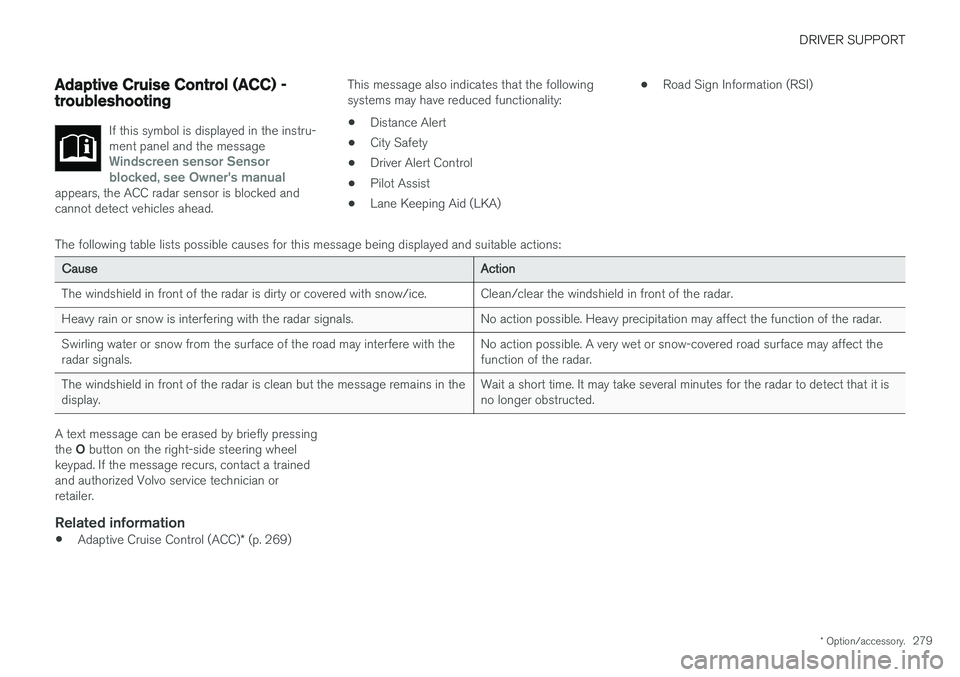
If this symbol is displayed in the instru- ment panel and the message
Windscreen sensor Sensor
blocked, see Owner's manual
appears, the ACC radar sensor is blocked and cannot detect vehicles ahead.
This message also indicates that the following systems may have reduced functionality:
• Distance Alert
• City Safety
• Driver Alert Control
• Pilot Assist
• Lane Keeping Aid (LKA) •
Road Sign Information (RSI)
The following table lists possible causes for this message being displayed and suitable actions:
Cause Action
The windshield in front of the radar is dirty or covered with snow/ice. Clean/clear the windshield in front of the radar.
Heavy rain or snow is interfering with the radar signals. No action possible. Heavy precipitation may affect the function of the radar.Swirling water or snow from the surface of the road may interfere with the radar signals. No action possible. A very wet or snow-covered road surface may affect thefunction of the radar.
The windshield in front of the radar is clean but the message remains in thedisplay. Wait a short time. It may take several minutes for the radar to detect that it isno longer obstructed.
A text message can be erased by briefly pressing the
O button on the right-side steering wheel
keypad. If the message recurs, contact a trained and authorized Volvo service technician orretailer.
Related information
• Adaptive Cruise Control (ACC)
* (p. 269)
Page 283 of 560
DRIVER SUPPORT
}}
* Option/accessory.281
Adaptive Cruise Control (ACC) symbols and messages A number of ACC symbols and/or messages may appear in the instrument panel or the head- up display*.
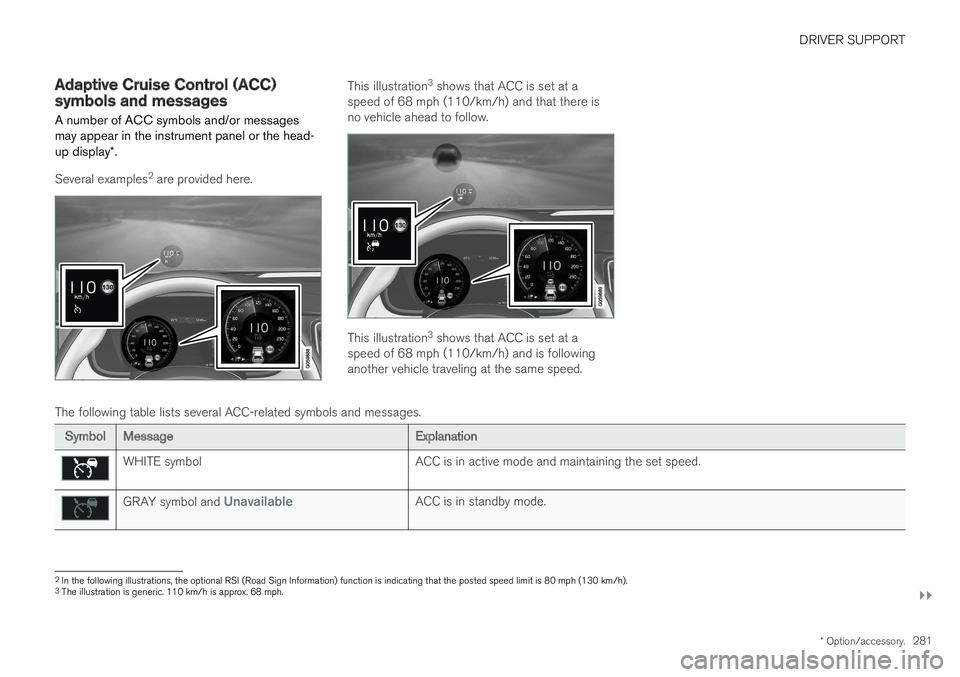
Several examples 2
are provided here.
This illustration 3
shows that ACC is set at a
speed of 68 mph (110/km/h) and that there is no vehicle ahead to follow.
This illustration 3
shows that ACC is set at a
speed of 68 mph (110/km/h) and is following another vehicle traveling at the same speed.
The following table lists several ACC-related symbols and messages.
Symbol Message Explanation
WHITE symbolACC is in active mode and maintaining the set speed.
GRAY symbol and UnavailableACC is in standby mode.
2
In the following illustrations, the optional RSI (Road Sign Information) function is indicating that the posted speed limit is 80 mph (130 km/h).
3 The illustration is generic. 110 km/h is approx. 68 mph.
Page 288 of 560
||
DRIVER SUPPORT
* Option/accessory.
286
Head-up-display *
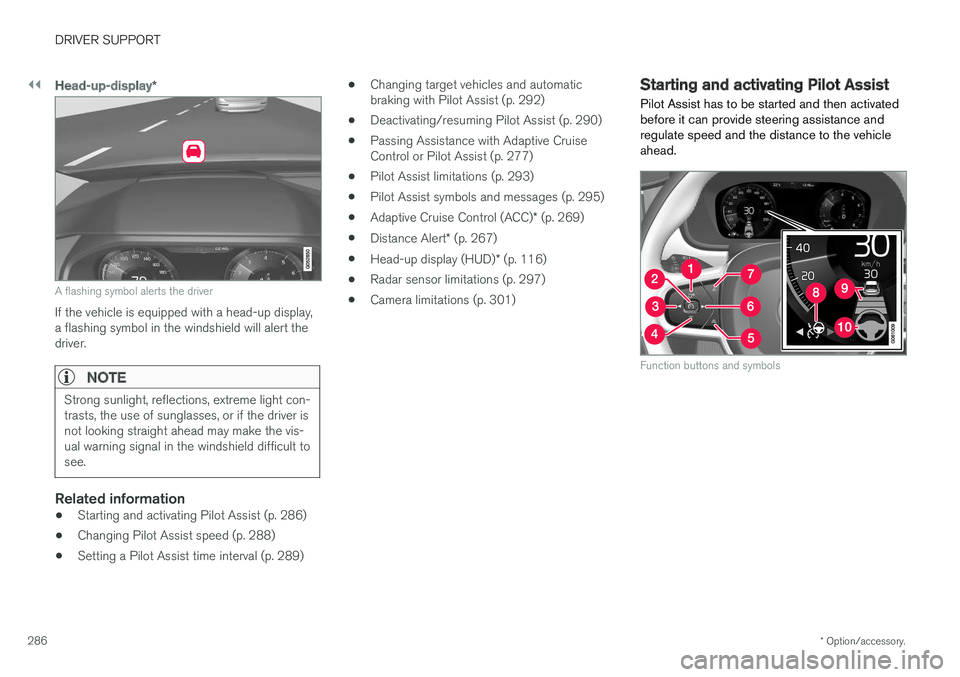
A flashing symbol alerts the driver
If the vehicle is equipped with a head-up display, a flashing symbol in the windshield will alert thedriver.
NOTE
Strong sunlight, reflections, extreme light con- trasts, the use of sunglasses, or if the driver isnot looking straight ahead may make the vis-ual warning signal in the windshield difficult tosee.
Related information
•Starting and activating Pilot Assist (p. 286)
• Changing Pilot Assist speed (p. 288)
• Setting a Pilot Assist time interval (p. 289) •
Changing target vehicles and automatic braking with Pilot Assist (p. 292)
• Deactivating/resuming Pilot Assist (p. 290)
• Passing Assistance with Adaptive CruiseControl or Pilot Assist (p. 277)
• Pilot Assist limitations (p. 293)
• Pilot Assist symbols and messages (p. 295)
• Adaptive Cruise Control (ACC)
* (p. 269)
• Distance Alert
* (p. 267)
• Head-up display (HUD)
* (p. 116)
• Radar sensor limitations (p. 297)
• Camera limitations (p. 301)
Starting and activating Pilot Assist
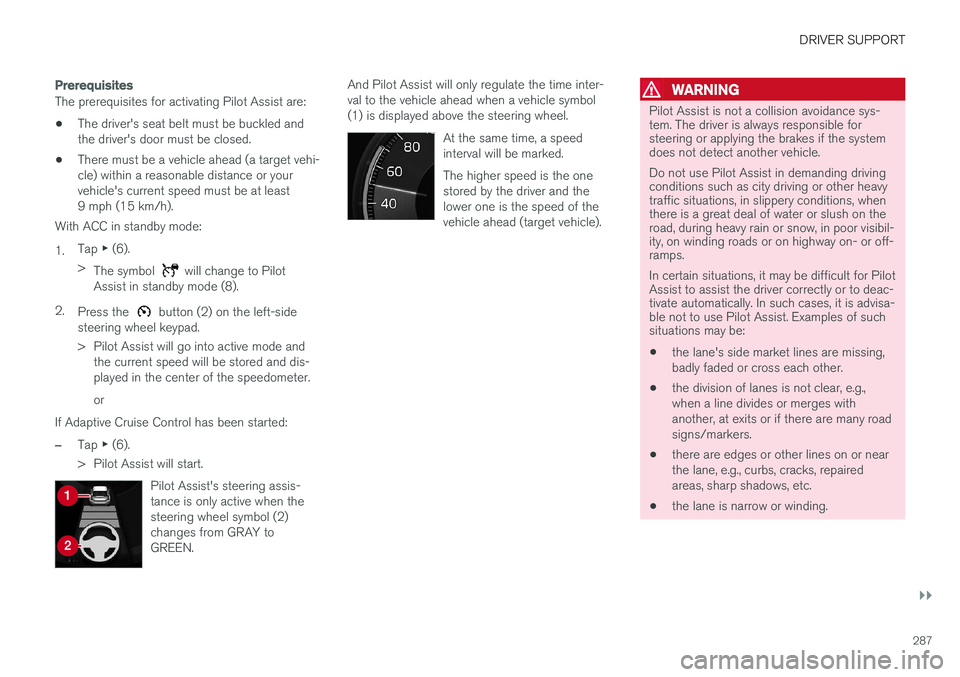
Pilot Assist has to be started and then activated before it can provide steering assistance andregulate speed and the distance to the vehicleahead.
Function buttons and symbols
Page 289 of 560
DRIVER SUPPORT
}}}}
287
Prerequisites
The prerequisites for activating Pilot Assist are:• The driver's seat belt must be buckled and the driver's door must be closed.
• There must be a vehicle ahead (a target vehi-cle) within a reasonable distance or yourvehicle's current speed must be at least9 mph (15 km/h).
With ACC in standby mode: 1. Tap
▶ (6).
> The symbol
will change to Pilot
Assist in standby mode (8).
2. Press the
button (2) on the left-side
steering wheel keypad.
> Pilot Assist will go into active mode and the current speed will be stored and dis- played in the center of the speedometer. or
If Adaptive Cruise Control has been started:
–Tap ▶ (6).
> Pilot Assist will start.
Pilot Assist's steering assis- tance is only active when thesteering wheel symbol (2)changes from GRAY toGREEN.
And Pilot Assist will only regulate the time inter- val to the vehicle ahead when a vehicle symbol(1) is displayed above the steering wheel. At the same time, a speedinterval will be marked. The higher speed is the one stored by the driver and thelower one is the speed of thevehicle ahead (target vehicle).WARNING
Pilot Assist is not a collision avoidance sys- tem. The driver is always responsible forsteering or applying the brakes if the systemdoes not detect another vehicle. Do not use Pilot Assist in demanding driving conditions such as city driving or other heavytraffic situations, in slippery conditions, whenthere is a great deal of water or slush on theroad, during heavy rain or snow, in poor visibil-ity, on winding roads or on highway on- or off-ramps. In certain situations, it may be difficult for Pilot Assist to assist the driver correctly or to deac-tivate automatically. In such cases, it is advisa-ble not to use Pilot Assist. Examples of suchsituations may be:
• the lane's side market lines are missing, badly faded or cross each other.
• the division of lanes is not clear, e.g.,when a line divides or merges withanother, at exits or if there are many roadsigns/markers.
• there are edges or other lines on or nearthe lane, e.g., curbs, cracks, repairedareas, sharp shadows, etc.
• the lane is narrow or winding.