light VOLVO XC90 2017 Owner´s Manual
[x] Cancel search | Manufacturer: VOLVO, Model Year: 2017, Model line: XC90, Model: VOLVO XC90 2017Pages: 560, PDF Size: 9.97 MB
Page 373 of 560
STARTING AND DRIVING
371
Fuel Volvo recommends the use of detergent gaso- line to control engine deposits.
Deposit control gasoline (detergentadditives)
Detergent gasoline is effective in keeping injec- tors and intake valves clean. Consistent use ofdeposit control gasolines will help ensure gooddrivability and fuel economy. If you are not surewhether the gasoline contains deposit controladditives, check with the service station operator.
NOTE
Volvo does not recommend the use of exter- nal fuel injector cleaning systems.
Unleaded fuelEach Volvo has a three-way catalytic converter and must use only unleaded gasoline. U.S. andCanadian regulations require that pumps deliver-ing unleaded gasoline be labeled "UNLEADED".Only these pumps have nozzles which fit yourvehicle's filler inlet. It is unlawful to dispense lea-ded fuel into a vehicle labeled "unleaded gaso-line only". Leaded gasoline damages the three-way catalytic converter and the heated oxygensensor system. Repeated use of leaded gasolinewill lessen the effectiveness of the emission con-trol system and could result in loss of emissionwarranty coverage. State and local vehicle inspection programs will make detection of mis-fueling easier, possibly resulting in emission testfailure for misfueled vehicles.
NOTE
Some U.S. and Canadian gasolines contain an octane enhancing additive called methyl-cyclopentadienyl manganese tricarbonyl(MMT). If such fuels are used, your EmissionControl System performance may be affected,and the Check Engine Light (malfunctionindicator light) located on your instrumentpanel may light. If this occurs, please returnyour vehicle to a trained and qualified Volvoservice technician for service.
Gasoline containing alcohol and ethers, "Oxygenated fuels"
Some fuel suppliers sell gasoline containing "oxygenates" which are usually alcohols orethers. In some areas, state or local laws requirethat the service pump be marked indicating useof alcohols or ethers. However, there are areas inwhich the pumps are unmarked. If you are notsure whether there is alcohol or ethers in thegasoline you buy, check with the service stationoperator. To meet seasonal air quality standards,some areas require the use of "oxygenated" fuel. Volvo allows the use of the following "oxygen- ated" fuels; however, the octane ratings listedmust still be met.
Alcohol – Ethanol
Fuels containing up to 10% ethanol by volume may be used. Ethanol may also be referred to asEthyl alcohol, or "Gasohol". Ethers – MTBE: Fuels containing up to 15% MTBE may be used.
MethanolDo not use gasolines containing methanol(methyl alcohol, wood alcohol). This practice canresult in vehicle performance deterioration andcan damage critical parts in the fuel system. Suchdamage may not be covered under the NewVehicle Limited Warranty.
Related information
•
Octane rating (p. 372)
• Opening/closing the fuel filler door (p. 373)
Page 375 of 560
STARTING AND DRIVING
373
Opening/closing the fuel filler door The fuel tank has a filling system that does not have a cover.
Opening/closing the fuel filler doorThe vehicle must be unlocked before the fuel filler door can be opened.An arrow next to the fuel pumpsymbol in the instrument panelindicates the side of the vehiclewhere the fuel filler door islocated.
1. Open the fuel filler door by pressing lightlyon its rear edge.
2. After refueling, close the fuel filler door by pressing lightly.
Refueling from a service station pump
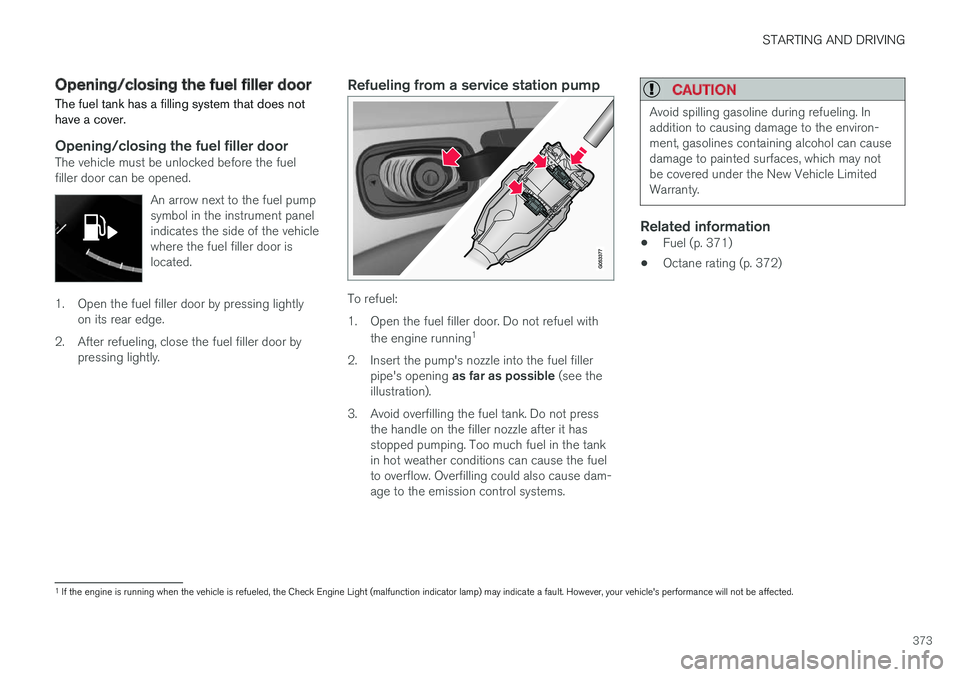
To refuel:
1. Open the fuel filler door. Do not refuel with
the engine running 1
2. Insert the pump's nozzle into the fuel filler pipe's opening as far as possible (see the
illustration).
3. Avoid overfilling the fuel tank. Do not press the handle on the filler nozzle after it has stopped pumping. Too much fuel in the tankin hot weather conditions can cause the fuelto overflow. Overfilling could also cause dam-age to the emission control systems.
CAUTION
Avoid spilling gasoline during refueling. In addition to causing damage to the environ-ment, gasolines containing alcohol can causedamage to painted surfaces, which may notbe covered under the New Vehicle LimitedWarranty.
Related information
• Fuel (p. 371)
• Octane rating (p. 372)
1
If the engine is running when the vehicle is refueled, the Check Engine Light (malfunction indicator lamp) may indicate a fault. However, your vehicle's performance will not be affected.
Page 379 of 560
STARTING AND DRIVING
}}
377
CAUTION
The maximum trailer weights listed are only applicable for altitudes up to 3,280 ft(1000 m) above sea level. With increasingaltitude the engine power and therefore thecar's climbing ability are impaired because ofthe reduced air density, so the maximumtrailer weight has to be reduced accordingly.The weight of the vehicle and trailer must bereduced by 10% for every further 3,280 ft(1,000 m) (or part thereof). When towing5,000 lbs (2,250 kg) hill inclination is restric-ted to 14%.
WARNING
•Bumper-attached trailer hitches must not be used on Volvos, nor should safetychains be attached to the bumper.
• Trailer hitches attaching to the vehiclerear axle must not be used.
• Never connect a trailer's hydraulic brakesystem directly to the vehicle brake sys-tem, nor a trailer's lighting system directlyto the vehicle lighting system. Consultyour nearest authorized Volvo retailer forcorrect installation.
• When towing a trailer, the trailer's safetychains or wire must be correctly fastenedto the attachment points provided in thetrailer hitch on the vehicle. The safetychain or wire must never be fastened toor wound around the towing ball.
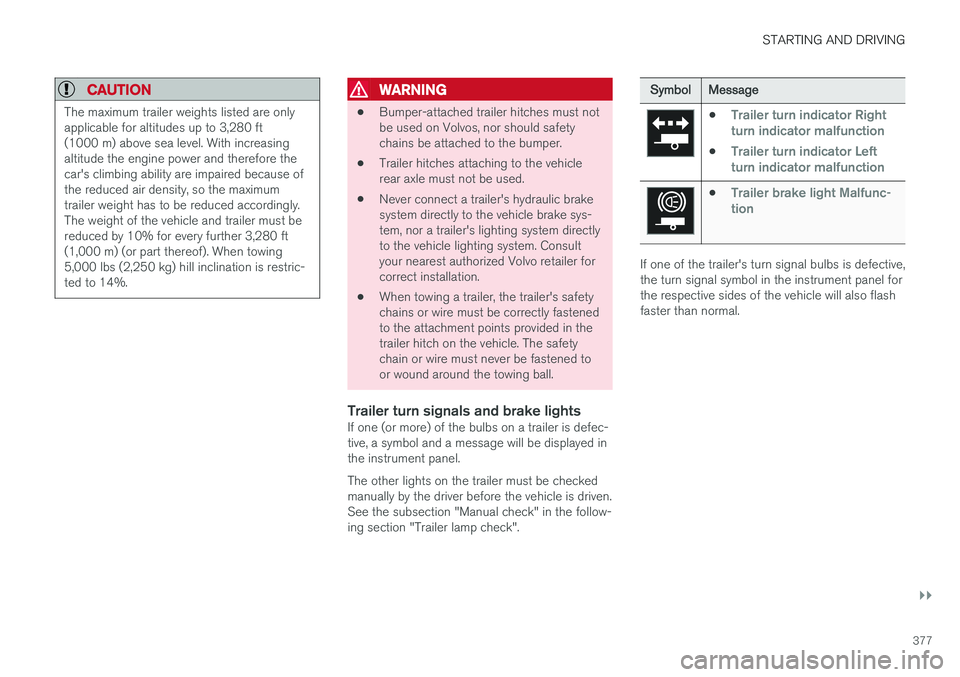
Trailer turn signals and brake lightsIf one (or more) of the bulbs on a trailer is defec-tive, a symbol and a message will be displayed inthe instrument panel. The other lights on the trailer must be checked manually by the driver before the vehicle is driven.See the subsection "Manual check" in the follow-ing section "Trailer lamp check".
Symbol
Message
•Trailer turn indicator Right
turn indicator malfunction
•Trailer turn indicator Left
turn indicator malfunction
•Trailer brake light Malfunc-
tion
If one of the trailer's turn signal bulbs is defective, the turn signal symbol in the instrument panel forthe respective sides of the vehicle will also flashfaster than normal.
Page 380 of 560
||
STARTING AND DRIVING
* Option/accessory.
378
Trailer lamp check *
Automatic check
When the trailer has been connected to the vehi- cle's electrical system, its lamps can be checkedby automatically activating them. This helps thedriver to ensure that the trailer's lamps are func-tioning correctly before starting to drive. In order to perform this check, the engine must not be running.
1. When a trailer is connected to a trailer hitch
or towbar,
Automatic Trailer Lamp Checkwill appear in the instrument panel.
2. Confirm this message by pressing the O but-
ton on the right-side steering wheel keypad.
> The lamp check will begin.
3. Leave the vehicle to perform the trailer lamp check.
> All of the trailer's lamps will begin to flashand then each lamp will illuminate one at a time.
4. Visually check that all of the trailer's lamps are functioning correctly.
5. After a short time, all of the trailer's lamps will begin to flash again.
> The lamp check is completed.
Disabling the automatic check
The automatic lamp check function can be disa- bled in the center display. 1.
Tap
Settings in Top view.
2. Tap
My CarLights and Lighting.
3. Deselect
Automatic Trailer Lamp Check.
Manual check
If the automatic lamp check has been disabled, the function can be started manually. 1.Tap
Settings in Top view.
2. Tap
My CarLights and Lighting.
3. Select
Manual Trailer Lamp Check.
> The lamp check will begin. Leave the vehi- cle to perform the trailer lamp check as described in the section "Automaticcheck" above.
Self-leveling suspension *The self-leveling system attempts to keep thevehicle at a constant level, regardless of the load(up to the max. permissible load). When theengine is not running, the rear of the vehiclesinks down slightly, which is normal.
Related information
•Detachable trailer hitch
* (p. 378)
• Trailer Stability Assist (TSA) (p. 379)
• Weights (p. 537)
Detachable trailer hitch
*
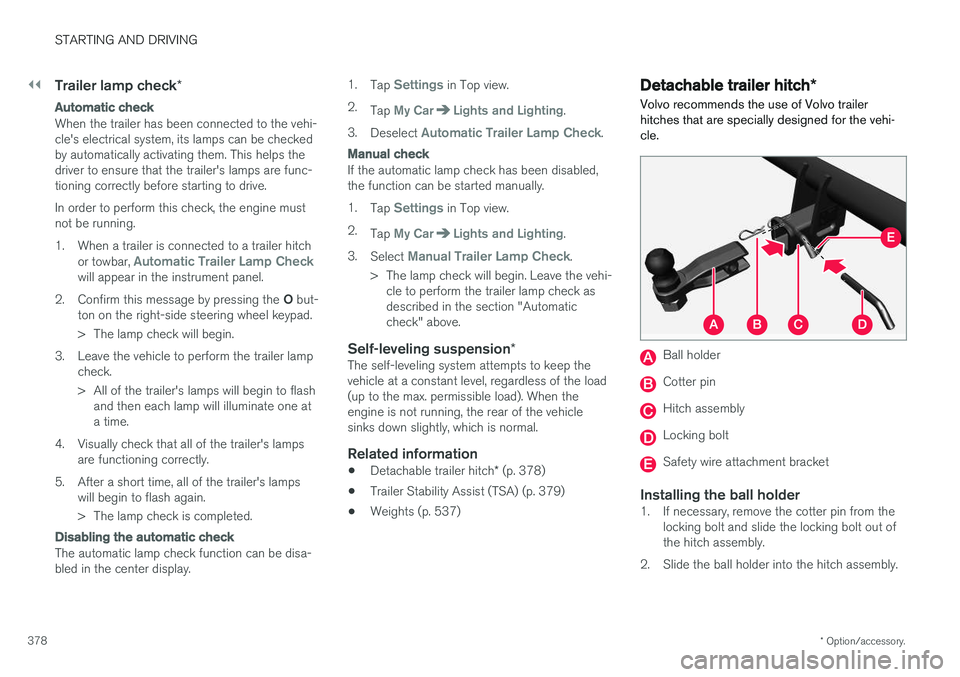
Volvo recommends the use of Volvo trailer hitches that are specially designed for the vehi-cle.
Ball holder
Cotter pin
Hitch assembly
Locking bolt
Safety wire attachment bracket
Installing the ball holder1. If necessary, remove the cotter pin from the locking bolt and slide the locking bolt out of the hitch assembly.
2. Slide the ball holder into the hitch assembly.
Page 383 of 560
STARTING AND DRIVING
* Option/accessory.381
ModeFunctions available
0 •The odometer, clock and tem- perature gauge are illuminated
• Power seats
* can be adjusted
• The power windows can be oper-ated
• The 12-volt socket in the cargocompartment can be used
• The center display is activatedand can be used
• The infotainment system can beused for a limited time
In this mode, certain functions canonly be used for a limited time to helpminimize battery drain
I •The laminated panoramic roof
*,
power seats */windows,12-volt
sockets in the passenger com-partment, Bluetooth, navigation system *, climate system blower,
windshield wipers can be oper- ated
• The infotainment system will start(if it was started when the ignitionwas switched off)Mode
Functions available
II •The headlights illuminate
• Warning/indicator lights illumi- nate for 5 seconds
• A number of other functions willalso be activated. However, the heated seats
* and heated rear
window functions can only be activated when the engine is run-ning.
This mode should only be used forvery short periods to help avoiddraining the battery.
Selecting an ignition mode
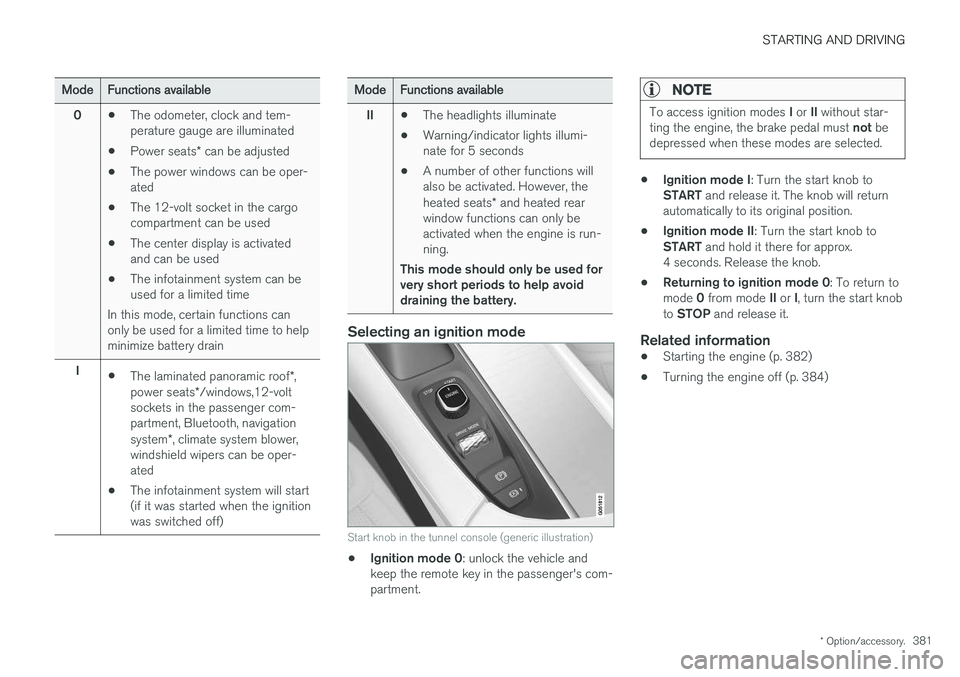
Start knob in the tunnel console (generic illustration)
• Ignition mode 0
: unlock the vehicle and
keep the remote key in the passenger's com- partment.
NOTE
To access ignition modes I or II without star-
ting the engine, the brake pedal must not be
depressed when these modes are selected.
• Ignition mode I
: Turn the start knob to
START and release it. The knob will return
automatically to its original position.
• Ignition mode II
: Turn the start knob to
START and hold it there for approx.
4 seconds. Release the knob.
• Returning to ignition mode 0
: To return to
mode 0 from mode II or I, turn the start knob
to STOP and release it.
Related information
•Starting the engine (p. 382)
• Turning the engine off (p. 384)
Page 384 of 560
STARTING AND DRIVING
382
Battery drain Your vehicle's electrical functions drain the bat- tery to varying extents.
Avoid using ignition mode II as much as posssi-
ble, or electrical functions that require a great deal of electrical current when the engine is notrunning. Using ignition mode I whenever possible con-
sumes less electrical current. Functions that require a great deal of electrical current include:
• the climate system blower
• headlights
• wipers
• infotainment system (especially at high vol-ume).
If the battery's charge level is low, a text messagewill appear in the instrument panel. The vehicle'senergy-saving function will then turn off orreduce certain functions that are currently con-suming electrical current. If the battery needs to be recharged, start the engine and let it idle for at least 15 minutes ordrive the vehicle (driving charges the batteryfaster than letting the engine idle).
Related information
• Ignition modes (p. 380)
Starting the engine
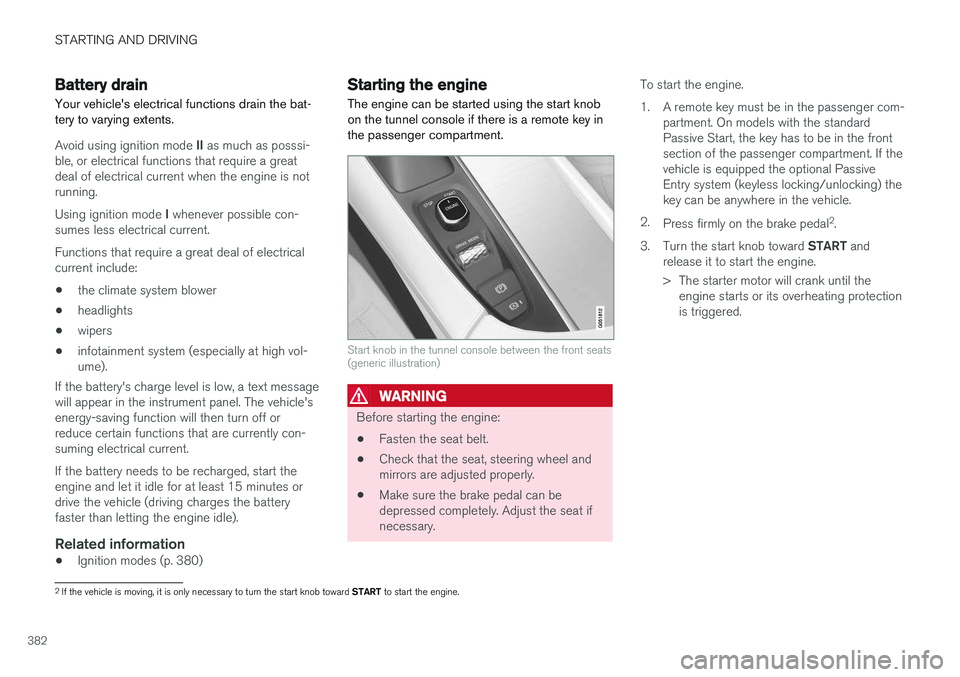
The engine can be started using the start knob on the tunnel console if there is a remote key inthe passenger compartment.
Start knob in the tunnel console between the front seats (generic illustration)
WARNING
Before starting the engine:
• Fasten the seat belt.
• Check that the seat, steering wheel and mirrors are adjusted properly.
• Make sure the brake pedal can bedepressed completely. Adjust the seat ifnecessary. To start the engine.
1. A remote key must be in the passenger com-
partment. On models with the standard Passive Start, the key has to be in the frontsection of the passenger compartment. If thevehicle is equipped the optional PassiveEntry system (keyless locking/unlocking) thekey can be anywhere in the vehicle.
2. Press firmly on the brake pedal 2
.
3. Turn the start knob toward START and
release it to start the engine.
> The starter motor will crank until the engine starts or its overheating protection is triggered.
2If the vehicle is moving, it is only necessary to turn the start knob toward START to start the engine.
Page 386 of 560
||
STARTING AND DRIVING
* Option/accessory.
384
CAUTION
• When starting in cold weather, the auto- matic transmission may shift up at slightlyhigher engine speeds than normal untilthe automatic transmission fluid reachesnormal operating temperature.
• Do not race a cold engine immediatelyafter starting. Oil flow may not reachsome lubrication points fast enough toprevent engine damage.
• The engine should be idling when youmove the gear selector. Never accelerateuntil after you feel the transmissionengage. Accelerating immediately afterselecting a gear will cause harsh engage-ment and premature transmission wear.
• Selecting
P or N when idling at a stand-
still for prolonged periods of time will helpprevent overheating of the automatictransmission fluid.
Related information
• Ignition modes (p. 380)
• Turning the engine off (p. 384)
• Changing the remote key's battery (p. 225)
• Jump starting (p. 374)
Turning the engine off
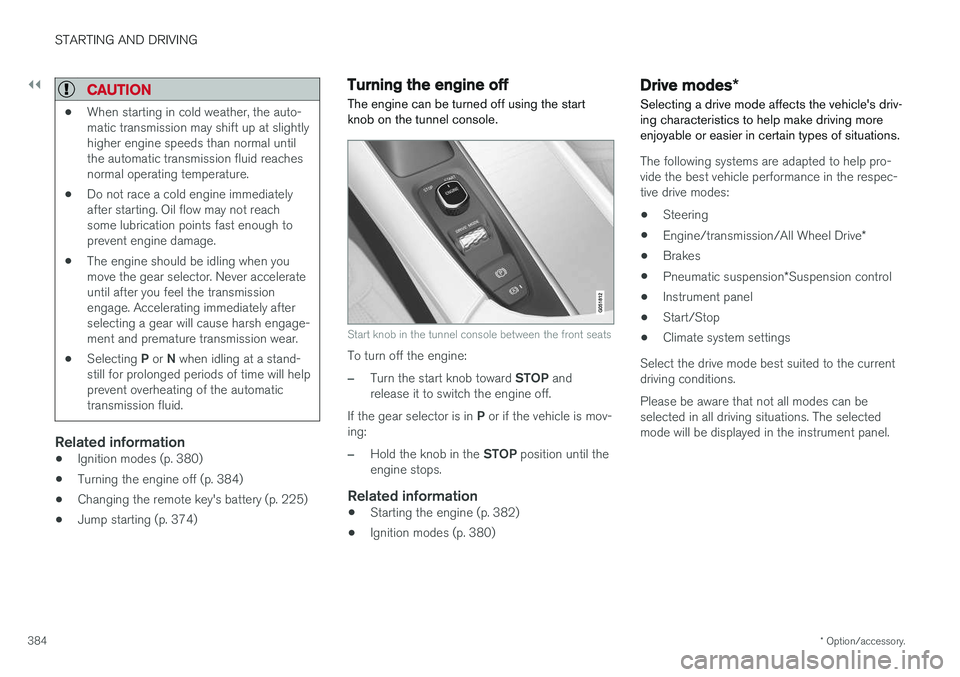
The engine can be turned off using the start knob on the tunnel console.
Start knob in the tunnel console between the front seats
To turn off the engine:
–Turn the start knob toward STOP and
release it to switch the engine off.
If the gear selector is in P or if the vehicle is mov-
ing:
–Hold the knob in the STOP position until the
engine stops.
Related information
• Starting the engine (p. 382)
• Ignition modes (p. 380)
Drive modes
*
Selecting a drive mode affects the vehicle's driv- ing characteristics to help make driving moreenjoyable or easier in certain types of situations.
The following systems are adapted to help pro- vide the best vehicle performance in the respec-tive drive modes: • Steering
• Engine/transmission/All Wheel Drive
*
• Brakes
• Pneumatic suspension
*Suspension control
• Instrument panel
• Start/Stop
• Climate system settings
Select the drive mode best suited to the current driving conditions. Please be aware that not all modes can be selected in all driving situations. The selectedmode will be displayed in the instrument panel.
Page 387 of 560
STARTING AND DRIVING
}}
385
Selecting a drive mode
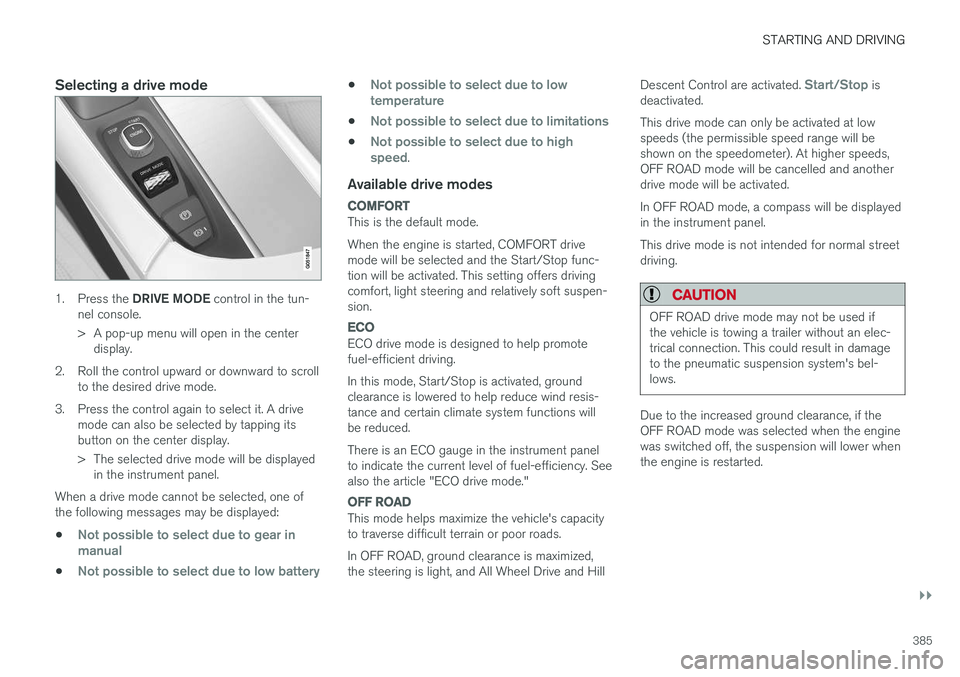
1.Press the DRIVE MODE control in the tun-
nel console.
> A pop-up menu will open in the center display.
2. Roll the control upward or downward to scroll to the desired drive mode.
3. Press the control again to select it. A drive mode can also be selected by tapping its button on the center display.
> The selected drive mode will be displayedin the instrument panel.
When a drive mode cannot be selected, one of the following messages may be displayed:
•
Not possible to select due to gear in manual
•Not possible to select due to low battery
•Not possible to select due to low temperature
•Not possible to select due to limitations
•Not possible to select due to high speed.
Available drive modes
COMFORT
This is the default mode. When the engine is started, COMFORT drive mode will be selected and the Start/Stop func-tion will be activated. This setting offers drivingcomfort, light steering and relatively soft suspen-sion.
ECO
ECO drive mode is designed to help promote fuel-efficient driving. In this mode, Start/Stop is activated, ground clearance is lowered to help reduce wind resis-tance and certain climate system functions willbe reduced. There is an ECO gauge in the instrument panel to indicate the current level of fuel-efficiency. Seealso the article "ECO drive mode."
OFF ROAD
This mode helps maximize the vehicle's capacity to traverse difficult terrain or poor roads. In OFF ROAD, ground clearance is maximized, the steering is light, and All Wheel Drive and Hill Descent Control are activated.
Start/Stop is
deactivated. This drive mode can only be activated at low speeds (the permissible speed range will beshown on the speedometer). At higher speeds,OFF ROAD mode will be cancelled and anotherdrive mode will be activated. In OFF ROAD mode, a compass will be displayed in the instrument panel. This drive mode is not intended for normal street driving.
CAUTION
OFF ROAD drive mode may not be used if the vehicle is towing a trailer without an elec-trical connection. This could result in damageto the pneumatic suspension system's bel-lows.
Due to the increased ground clearance, if the OFF ROAD mode was selected when the enginewas switched off, the suspension will lower whenthe engine is restarted.
Page 389 of 560
STARTING AND DRIVING
}}
* Option/accessory.387
ECO drive mode
The Eco drive mode is a function designed to give the driver the opportunity to drive more eco-nomically and to help reduce fuel consumption.
When this mode is activated, the following cha- racteristics are modified:
• The automatic transmission's shifting points
• The engine management system and accel-erator pedal response
• Eco Coast functionality is activated: enginebraking is disabled at speeds betweenapprox. 40 and 87 mph(65 and 140 km/h)
• Climate system settings: certain functionswill be temporarily reduced or deactivated
• The suspension's self-leveling function
* low-
ers ground clearance to help reduce windresistance
• Information is shown in an ECO gauge in theinstrument panel to help promote more eco-nomical driving
NOTE
When Eco is activated, several climate system parameters are changed and the function ofcertain current-consuming systems will bereduced. Some of these functions can be restarted manually but full functionality will not berestored until Eco is deactivated.
Selecting ECO modeWhen the engine is switched off, ECO mode is deactivated and must be reactivated each time the engine is started.
ECO will appear in the
instrument panel when the function is activated.
Via Function view
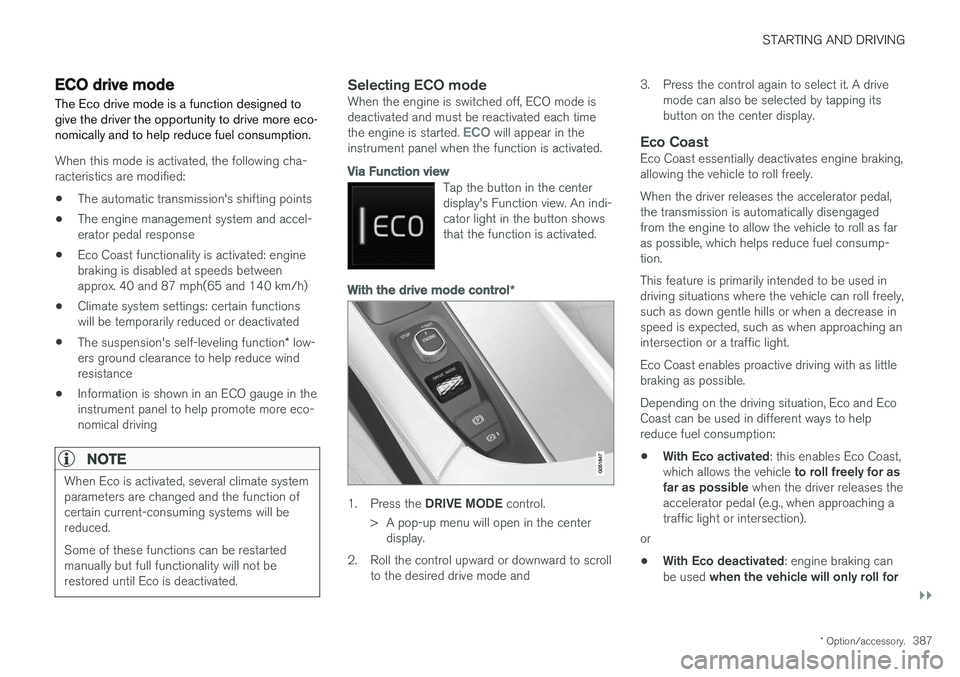
Tap the button in the center display's Function view. An indi-cator light in the button showsthat the function is activated.
With the drive mode control *
1.
Press the DRIVE MODE control.
> A pop-up menu will open in the center display.
2. Roll the control upward or downward to scroll to the desired drive mode and 3. Press the control again to select it. A drive
mode can also be selected by tapping its button on the center display.
Eco CoastEco Coast essentially deactivates engine braking,allowing the vehicle to roll freely. When the driver releases the accelerator pedal, the transmission is automatically disengagedfrom the engine to allow the vehicle to roll as faras possible, which helps reduce fuel consump-tion. This feature is primarily intended to be used in driving situations where the vehicle can roll freely,such as down gentle hills or when a decrease inspeed is expected, such as when approaching anintersection or a traffic light. Eco Coast enables proactive driving with as little braking as possible. Depending on the driving situation, Eco and Eco Coast can be used in different ways to helpreduce fuel consumption: • With Eco activated
: this enables Eco Coast,
which allows the vehicle to roll freely for as
far as possible when the driver releases the
accelerator pedal (e.g., when approaching a traffic light or intersection).
or
• With Eco deactivated
: engine braking can
be used when the vehicle will only roll for
Page 391 of 560
STARTING AND DRIVING
}}
* Option/accessory.389
•
A low reading in the green area indicates economical driving.
• A higher reading indicates higher fuel con-sumption.
The ECO gauge also has an indicator showinghow a "reference" driver would drive in the samesituation. This is indicated by a diamond in thegauge.
Eco climate
In the Eco drive mode, eco climate is automati-
cally activated in the passenger compartment to help minimize energy consumption. To restart the climate system functions that may have been reduced, press the
AUTO or defroster
buttons. In order to return to full functionality for all of the systems that may have been reduced to helpimprove economical driving, select another drivemode or adapt the climate system functions using the
Individual mode to full functionality.
Related information
• Driving economically (p. 364)
• Drive modes
* (p. 384)
• Start/Stop (p. 389)
Start/Stop
Start/Stop is a function that temporarily switches off the engine when the vehicle is not moving,for instance in heavy traffic or at a traffic light, tohelp reduce fuel consumption. The engine startsagain automatically when the brake pedal isreleased.
Start/Stop is one of several fuel-conserving fea- tures that also help reduce emissions. This feature helps make it possible to drive more economically by allowing the engine to auto-stopin certain situations.
Related information
• Conditions for Start/Stop (p. 391)
• Using the Start/Stop function (p. 389)
• ECO drive mode (p. 387)
Using the Start/Stop function Start/Stop is a function that temporarily switches off the engine when the vehicle is not moving,for instance in heavy traffic or at a traffic light, tohelp reduce fuel consumption. The engine startsagain automatically when the brake pedal isreleased.
Start/Stop is available when the engine has been started. The instrument panel will indicate if thefunction is available/unavailable/active. All of the vehicle's normal systems such as light- ing, infotainment, etc., function normally when theengine has auto-stopped. However, certain func-tions, such as climate system blower speed orvery high infotainment system volume, will betemporarily reduced.
Auto-stopThe following conditions must be met for theengine to auto-stop:
• Stop the vehicle by applying the brakes andkeep the brake pedal depressed. The engine will auto-stop. If the COMFORT 4
or ECO driv-
ing modes are activated, the engine can auto-stop before the vehicle has come to astandstill.
If the
Adaptive cruise or Pilot Assist functions
are activated, the engine will auto-stop after
4 The default driving mode.