light VOLVO XC90 2017 Owner´s Manual
[x] Cancel search | Manufacturer: VOLVO, Model Year: 2017, Model line: XC90, Model: VOLVO XC90 2017Pages: 560, PDF Size: 9.97 MB
Page 525 of 560
MAINTENANCE AND SERVICING
}}
523
CAUTION
•During high pressure washing, the spray mouthpiece must never be closer to thevehicle than 13" (30 cm). Do not sprayinto the locks.
• Dirt, snow, etc., on the headlights canreduce lighting capacity considerably.Clean the headlights regularly, for exam-ple when refueling.
Special laminated panoramic roof cau-
tions:
• Always close the laminated panoramicroof and sun shade before washing yourvehicle.
• Never use abrasive cleaning agents onthe laminated panoramic roof.
• Never use wax on the rubber sealsaround the laminated panoramic roof.
NOTE
When washing the vehicle, remember to remove dirt from the drain holes in the doorsand sills.
Automatic car washes
• We do NOT recommend washing your vehi- cle in an automatic wash during the first few months (because the paint will not havehardened sufficiently).
• An automatic wash is a simple and quick wayto clean your vehicle, but it is worth remem-bering that it may not be as thorough aswhen you yourself go over the vehicle withsponge and water. Keeping the underbodyclean is most important, especially in the win-ter. Some automatic washers do not havefacilities for washing the underbody.
NOTE
Condensation may form temporarily on the inside of the lenses of exterior lights such asheadlights or taillights. This is normal and thelights are designed to withstand moisture.Normally, condensation will dissipate after thelights have been on for a short time.
CAUTION
When using an automatic car wash in which the vehicle has to be able to roll freely, theauto-hold brake function must be deactivated.If this is not done, the brakes will automati-cally be applied when the vehicle is stationary. To deactivate this function:
1. Drive the vehicle into the car wash
2. Turn off the auto-hold function using the
control on the center console
3. Turn off the parking brake's automatic function in the center display's Top view (tap
Settings, tap My CarParking
Brake and Suspension and deselectAuto Activate Parking Brake)
4. Put the gear selector in N
5. Switch off the ignition by turning the start knob to STOP and holding it in this posi-
tion for at least 4 seconds
The vehicle will then be able to roll freely.
Page 527 of 560
MAINTENANCE AND SERVICING
}}
* Option/accessory.525
Cleaning the interior
Only use cleaning agents and car care products recommended by Volvo. Clean regularly and fol-low the instructions included with the car careproduct.
CAUTION
• Under no circumstances should gasoline, naphtha or similar cleaning agents beused on the plastic or the leather sincethese can cause damage.
• Take extra care when removing stainssuch as ink or lipstick since the coloringcan spread.
• Use solvents sparingly. Too much solventcan damage the seat padding.
• Start from the outside of the stain andwork toward the center.
• Sharp objects (e.g. pencils or pens in apocket) or Velcro fasteners on clothingmay damage the textile upholstery.
• Clothing that is not colorfast, such asnew jeans or suede garments, may stainthe upholstery.
Fabric upholstery and ceiling linerClean with soapy water or a detergent. For more difficult spots caused by oil, ice cream, shoe pol-ish, grease, etc., use a clothing/fabric stainremover. Consult your Volvo retailer.
Leather
* careVolvo's leather upholstery is manufactured with aprotectant to repel soiling. Over time, sunlight,grease and dirt can break down the protection.Staining, cracking, scuffing, and fading can result. Volvo offers an easy-to-use, non-greasy leather care kit formulated to clean and beautify yourvehicle's leather, and to renew the protectivequalities of its finish. The cleaner removes dirtand oil buildup. The light cream protectantrestores a barrier against soil and sunlight. Volvo also offers a special leather softener that should be applied after the cleaner and protec-tant. It leaves leather soft and smooth, andreduces friction between leather and other fin-ishes in the vehicle. Volvo recommends cleaning, protecting and con- ditioning your vehicle's leather two to four times ayear. Ask your Volvo retailer about Leather CareKit 951 0251 and Leather Softener 943 7429.
Cleaning leather upholstery
1. Pour leather cleaner on a damp sponge and
squeeze it until the cleaner foams.
2. Apply the foam to the stain by moving the sponge with circular movements.
3. Dampen the stain thoroughly with the sponge. Let the sponge absorb the stain, do not rub.
4. Dry the stain with soft paper towels or a towel, and allow the leather to dry completely.
Protecting leather upholstery
1. Put a small amount of protectant cream on a cloth and apply a thin coating of cream to the upholstery with light circular movements.
2. Allow the leather to dry for 20 minutes. This will help the leather resist staining and pro- tect against sunlight's harmful UV rays.
Cleaning a leather-covered steering
wheel
• Remove soil, dust, etc., with a damp spongeand a neutral soap solution.
• Leather should be allowed to breath. Nevercover the steering wheel with a plastic pro-tector.
• Volvo recommends cleaning, protecting andconditioning the steering wheel with Volvo'sLeather Care Kit 951 0251 and LeatherSoftener 943 7429.
If there are stains on the steering wheel: Type 1 (ink, wine, coffee, milk, sweat or blood)
–Use a soft cloth or sponge. Wipe the wheel with a solution with 5% ammonia. For bloodstains, mix approx. 1 cup (2 dl) of water andone ounce (25g) of salt and wipe the stain.
Type 2 (fat, oil, sauces, or chocolate)
1. Same procedure as for type I stains.
Page 529 of 560
MAINTENANCE AND SERVICING
527
Cleaning the center display
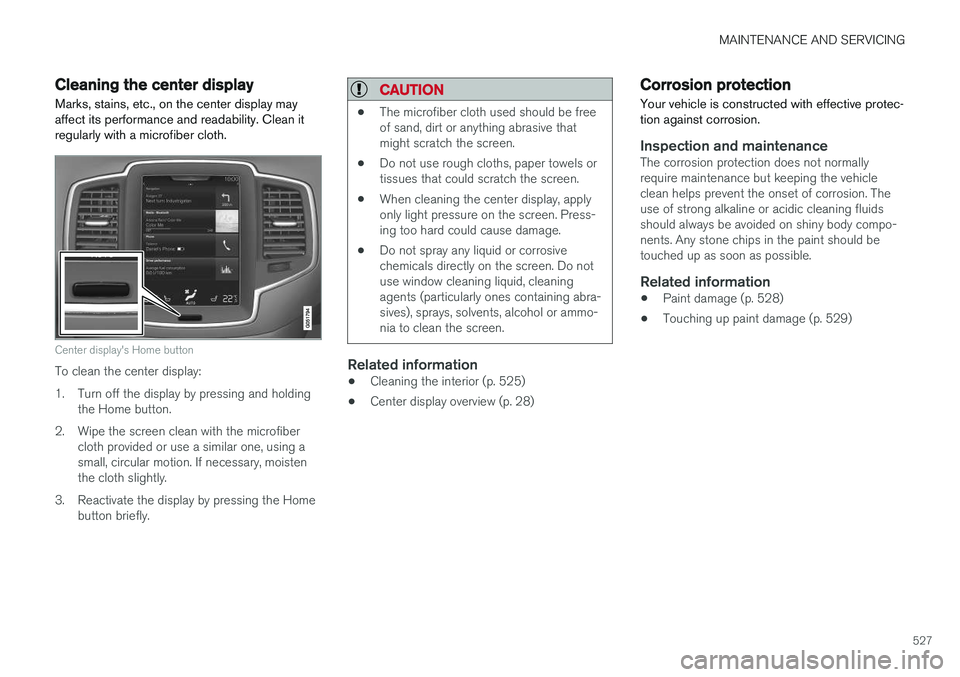
Marks, stains, etc., on the center display may affect its performance and readability. Clean itregularly with a microfiber cloth.
Center display's Home button
To clean the center display:
1. Turn off the display by pressing and holding the Home button.
2. Wipe the screen clean with the microfiber cloth provided or use a similar one, using a small, circular motion. If necessary, moistenthe cloth slightly.
3. Reactivate the display by pressing the Home button briefly.
CAUTION
• The microfiber cloth used should be free of sand, dirt or anything abrasive thatmight scratch the screen.
• Do not use rough cloths, paper towels ortissues that could scratch the screen.
• When cleaning the center display, applyonly light pressure on the screen. Press-ing too hard could cause damage.
• Do not spray any liquid or corrosivechemicals directly on the screen. Do notuse window cleaning liquid, cleaningagents (particularly ones containing abra-sives), sprays, solvents, alcohol or ammo-nia to clean the screen.
Related information
•Cleaning the interior (p. 525)
• Center display overview (p. 28)
Corrosion protection
Your vehicle is constructed with effective protec- tion against corrosion.
Inspection and maintenanceThe corrosion protection does not normally require maintenance but keeping the vehicleclean helps prevent the onset of corrosion. Theuse of strong alkaline or acidic cleaning fluidsshould always be avoided on shiny body compo-nents. Any stone chips in the paint should betouched up as soon as possible.
Related information
• Paint damage (p. 528)
• Touching up paint damage (p. 529)
Page 531 of 560
MAINTENANCE AND SERVICING
}}
529
Touching up paint damage
Stone chips or other minor paint damage can be repaired by the vehicle's owner.
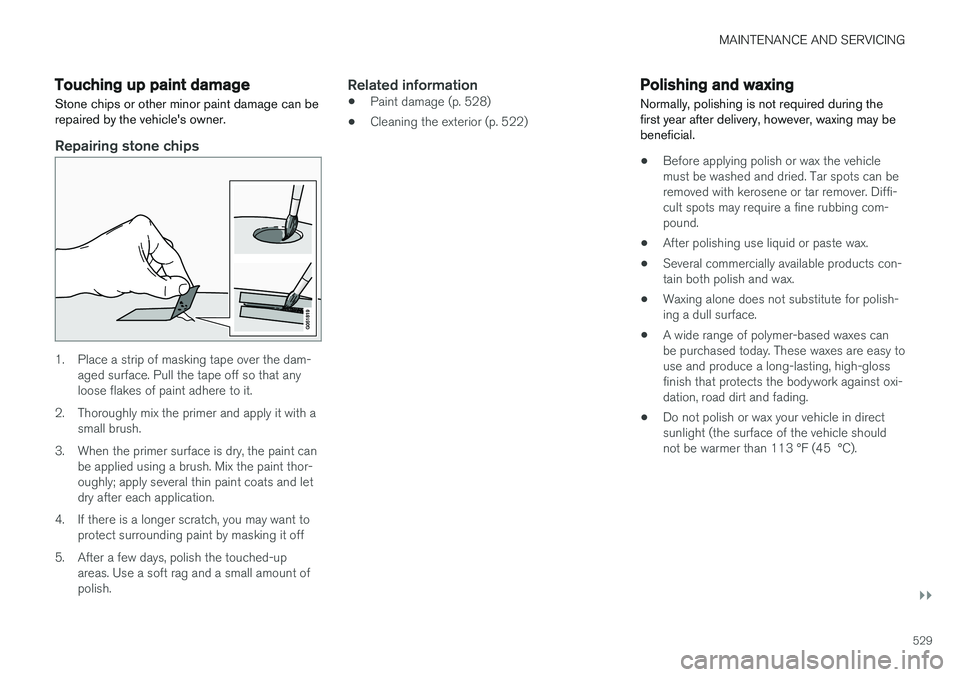
Repairing stone chips
1. Place a strip of masking tape over the dam- aged surface. Pull the tape off so that any loose flakes of paint adhere to it.
2. Thoroughly mix the primer and apply it with a small brush.
3. When the primer surface is dry, the paint can be applied using a brush. Mix the paint thor-oughly; apply several thin paint coats and letdry after each application.
4. If there is a longer scratch, you may want to protect surrounding paint by masking it off
5. After a few days, polish the touched-up areas. Use a soft rag and a small amount ofpolish.
Related information
• Paint damage (p. 528)
• Cleaning the exterior (p. 522)
Polishing and waxing
Normally, polishing is not required during the first year after delivery, however, waxing may bebeneficial.
• Before applying polish or wax the vehicle must be washed and dried. Tar spots can beremoved with kerosene or tar remover. Diffi-cult spots may require a fine rubbing com-pound.
• After polishing use liquid or paste wax.
• Several commercially available products con-tain both polish and wax.
• Waxing alone does not substitute for polish-ing a dull surface.
• A wide range of polymer-based waxes canbe purchased today. These waxes are easy touse and produce a long-lasting, high-glossfinish that protects the bodywork against oxi-dation, road dirt and fading.
• Do not polish or wax your vehicle in directsunlight (the surface of the vehicle shouldnot be warmer than 113 °F (45 °C).
Page 538 of 560
||
SPECIFICATIONS
536
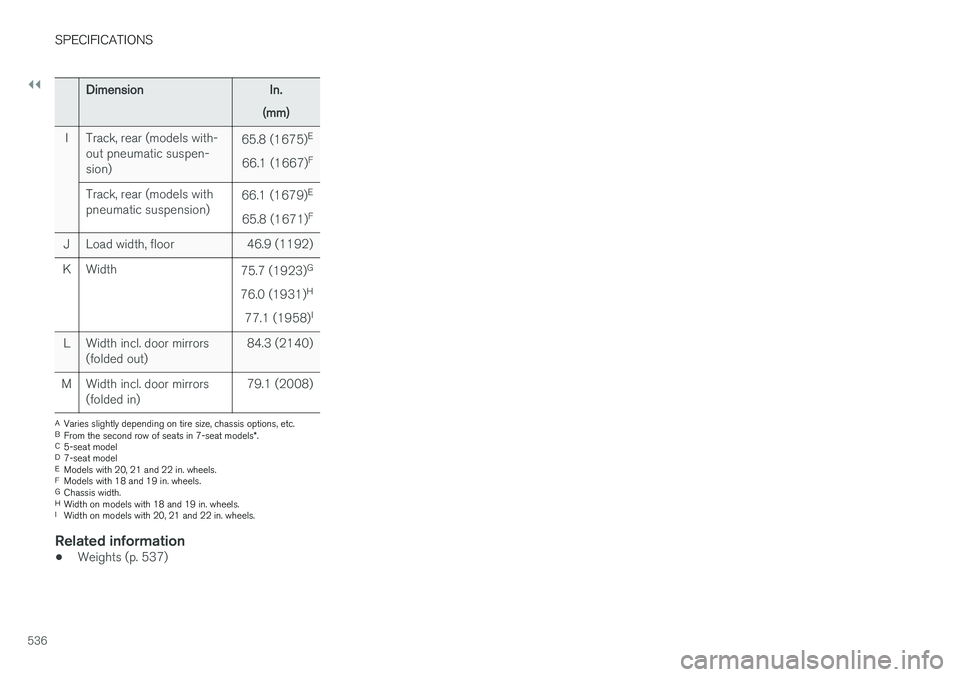
DimensionIn.
(mm)
I Track, rear (models with- out pneumatic suspen- sion) 65.8 (1675)
E
66.1 (1667) F
Track, rear (models withpneumatic suspension) 66.1 (1679)
E
65.8 (1671) F
J Load width, floor 46.9 (1192)
K Width 75.7 (1923)G
76.0 (1931) H
77.1 (1958) I
L Width incl. door mirrors (folded out) 84.3 (2140)
M Width incl. door mirrors (folded in) 79.1 (2008)
A
Varies slightly depending on tire size, chassis options, etc.
B From the second row of seats in 7-seat models *.
C 5-seat model
D 7-seat model
E Models with 20, 21 and 22 in. wheels.
F Models with 18 and 19 in. wheels.
G Chassis width.
H Width on models with 18 and 19 in. wheels.
I Width on models with 20, 21 and 22 in. wheels.
Related information
• Weights (p. 537)
Page 549 of 560
INDEX
547
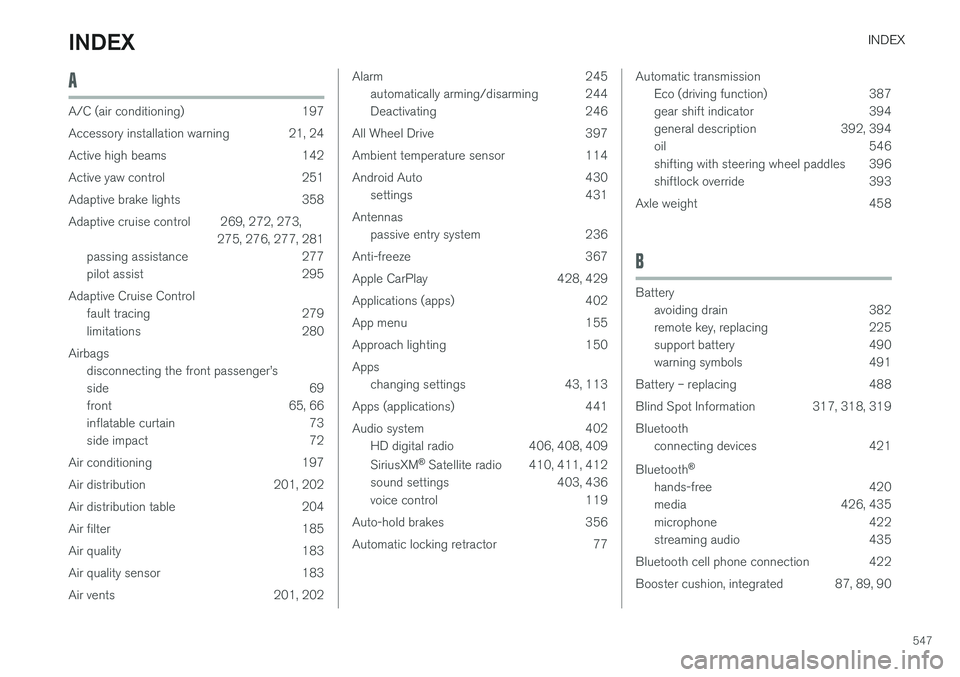
A
A/C (air conditioning) 197
Accessory installation warning 21, 24
Active high beams 142
Active yaw control 251
Adaptive brake lights 358
Adaptive cruise control 269, 272, 273,275, 276, 277, 281
passing assistance 277
pilot assist 295
Adaptive Cruise Control fault tracing 279
limitations 280
Airbags disconnecting the front passenger
Page 550 of 560
INDEX
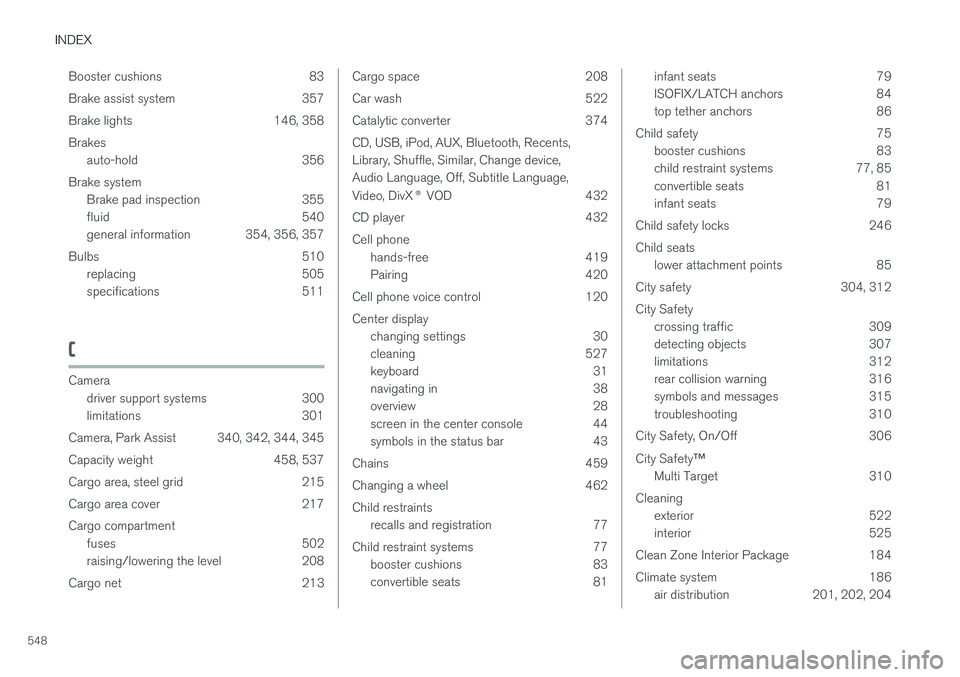
548Booster cushions 83
Brake assist system 357
Brake lights 146, 358Brakes
auto-hold 356
Brake system Brake pad inspection 355
fluid 540
general information 354, 356, 357
Bulbs 510 replacing 505
specifications 511
C
Cameradriver support systems 300
limitations 301
Camera, Park Assist 340, 342, 344, 345
Capacity weight 458, 537
Cargo area, steel grid 215
Cargo area cover 217Cargo compartment fuses 502
raising/lowering the level 208
Cargo net 213
Cargo space 208
Car wash 522
Catalytic converter 374CD, USB, iPod, AUX, Bluetooth, Recents, Library, Shuffle, Similar, Change device,Audio Language, Off, Subtitle Language, Video, DivX ® VOD 432
CD player 432 Cell phone hands-free 419
Pairing 420
Cell phone voice control 120 Center display changing settings 30
cleaning 527
keyboard 31
navigating in 38
overview 28
screen in the center console 44
symbols in the status bar 43
Chains 459
Changing a wheel 462Child restraints recalls and registration 77
Child restraint systems 77 booster cushions 83
convertible seats 81infant seats 79
ISOFIX/LATCH anchors 84
top tether anchors 86
Child safety 75 booster cushions 83
child restraint systems 77, 85
convertible seats 81
infant seats 79
Child safety locks 246 Child seats lower attachment points 85
City safety 304, 312City Safety crossing traffic 309
detecting objects 307
limitations 312
rear collision warning 316
symbols and messages 315
troubleshooting 310
City Safety, On/Off 306 City Safety ™
Multi Target 310
Cleaning exterior 522
interior 525
Clean Zone Interior Package 184
Climate system 186 air distribution 201, 202, 204
Page 551 of 560
INDEX
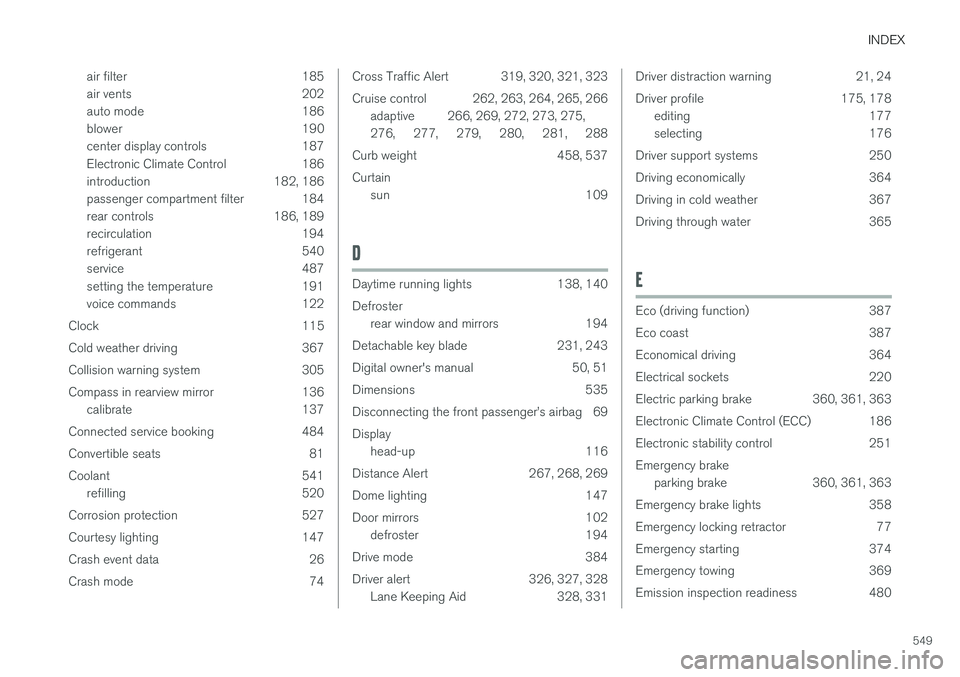
549
air filter 185
air vents 202
auto mode 186
blower 190
center display controls 187
Electronic Climate Control 186
introduction 182, 186
passenger compartment filter 184
rear controls 186, 189
recirculation 194
refrigerant 540
service 487
setting the temperature 191
voice commands 122
Clock 115
Cold weather driving 367
Collision warning system 305
Compass in rearview mirror 136 calibrate 137
Connected service booking 484
Convertible seats 81
Coolant 541 refilling 520
Corrosion protection 527
Courtesy lighting 147
Crash event data 26
Crash mode 74
Cross Traffic Alert 319, 320, 321, 323
Cruise control 262, 263, 264, 265, 266 adaptive 266, 269, 272, 273, 275, 276 , 277 , 279 , 280 , 281 , 288
Curb weight 458, 537 Curtain sun 109
D
Daytime running lights 138, 140 Defrosterrear window and mirrors 194
Detachable key blade 231, 243
Digital owner's manual 50, 51
Dimensions 535
Disconnecting the front passenger
Page 552 of 560
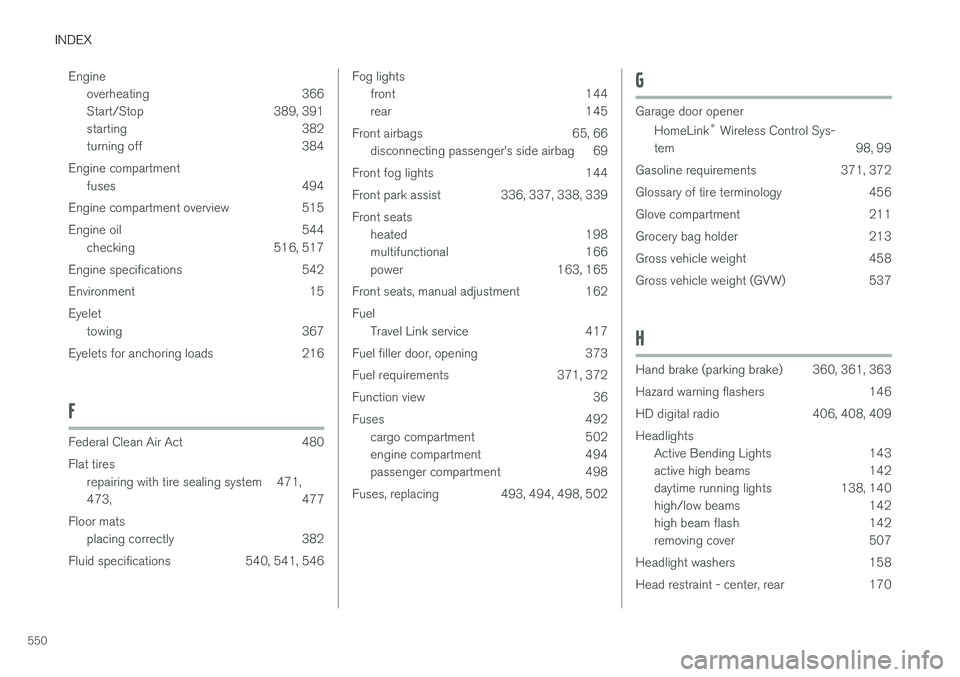
INDEX
550Engine
overheating 366
Start/Stop 389, 391
starting 382
turning off 384
Engine compartment fuses 494
Engine compartment overview 515
Engine oil 544 checking 516, 517
Engine specifications 542
Environment 15Eyelet towing 367
Eyelets for anchoring loads 216
F
Federal Clean Air Act 480 Flat tires repairing with tire sealing system 471, 473 , 477
Floor mats placing correctly 382
Fluid specifications 540, 541, 546
Fog lights front 144
rear 145
Front airbags 65, 66 disconnecting passenger
Page 553 of 560
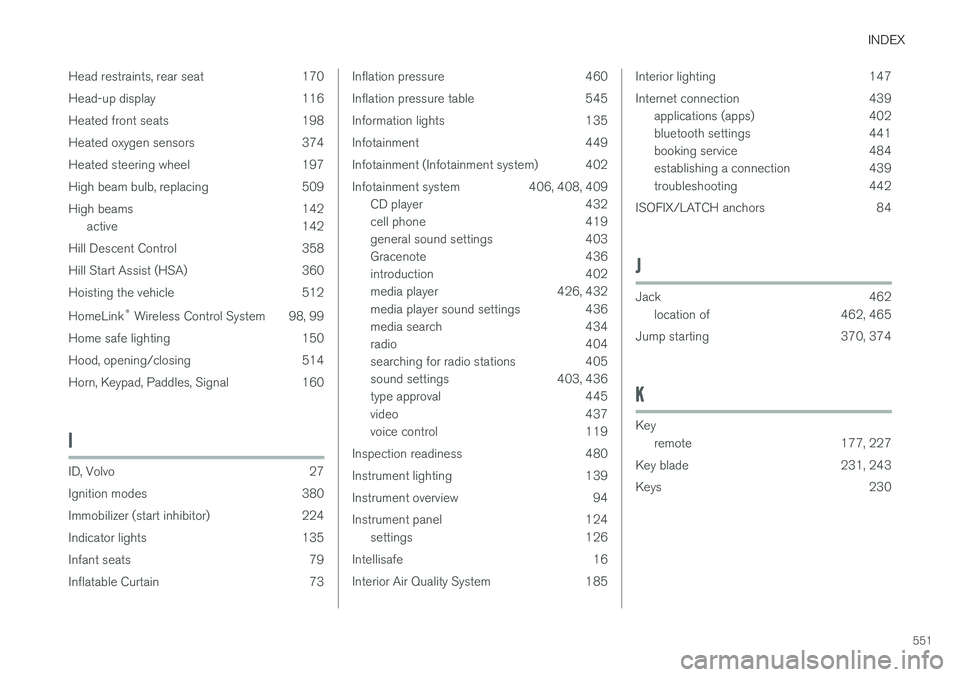
INDEX
551
Head restraints, rear seat 170
Head-up display 116
Heated front seats 198
Heated oxygen sensors 374
Heated steering wheel 197
High beam bulb, replacing 509
High beams 142
active 142
Hill Descent Control 358
Hill Start Assist (HSA) 360
Hoisting the vehicle 512 HomeLink ®
Wireless Control System 98, 99
Home safe lighting 150
Hood, opening/closing 514
Horn, Keypad, Paddles, Signal 160
I
ID, Volvo 27
Ignition modes 380
Immobilizer (start inhibitor) 224
Indicator lights 135
Infant seats 79
Inflatable Curtain 73
Inflation pressure 460
Inflation pressure table 545
Information lights 135
Infotainment 449
Infotainment (Infotainment system) 402
Infotainment system 406, 408, 409 CD player 432
cell phone 419
general sound settings 403
Gracenote 436
introduction 402
media player 426, 432
media player sound settings 436
media search 434
radio 404
searching for radio stations 405
sound settings 403, 436
type approval 445
video 437
voice control 119
Inspection readiness 480
Instrument lighting 139
Instrument overview 94
Instrument panel 124 settings 126
Intellisafe 16
Interior Air Quality System 185Interior lighting 147
Internet connection 439 applications (apps) 402
bluetooth settings 441
booking service 484
establishing a connection 439
troubleshooting 442
ISOFIX/LATCH anchors 84
J
Jack 462 location of 462, 465
Jump starting 370, 374
K
Key remote 177, 227
Key blade 231, 243
Keys 230