Seat VOLVO XC90 2018 Owner´s Manual
[x] Cancel search | Manufacturer: VOLVO, Model Year: 2018, Model line: XC90, Model: VOLVO XC90 2018Pages: 666, PDF Size: 11.32 MB
Page 232 of 666
||
CLIMATE CONTROL
230
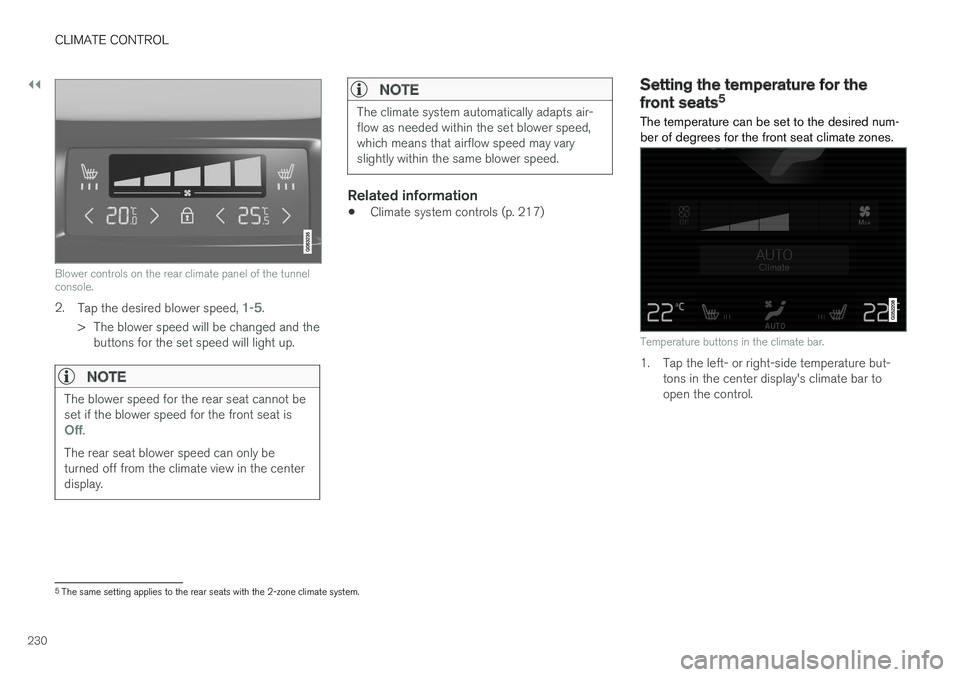
Blower controls on the rear climate panel of the tunnel console.
2.Tap the desired blower speed, 1-5.
> The blower speed will be changed and the buttons for the set speed will light up.
NOTE
The blower speed for the rear seat cannot be set if the blower speed for the front seat is
Off.
The rear seat blower speed can only be turned off from the climate view in the centerdisplay.
NOTE
The climate system automatically adapts air- flow as needed within the set blower speed,which means that airflow speed may varyslightly within the same blower speed.
Related information
• Climate system controls (p. 217)
Setting the temperature for the
front seats5
The temperature can be set to the desired num- ber of degrees for the front seat climate zones.
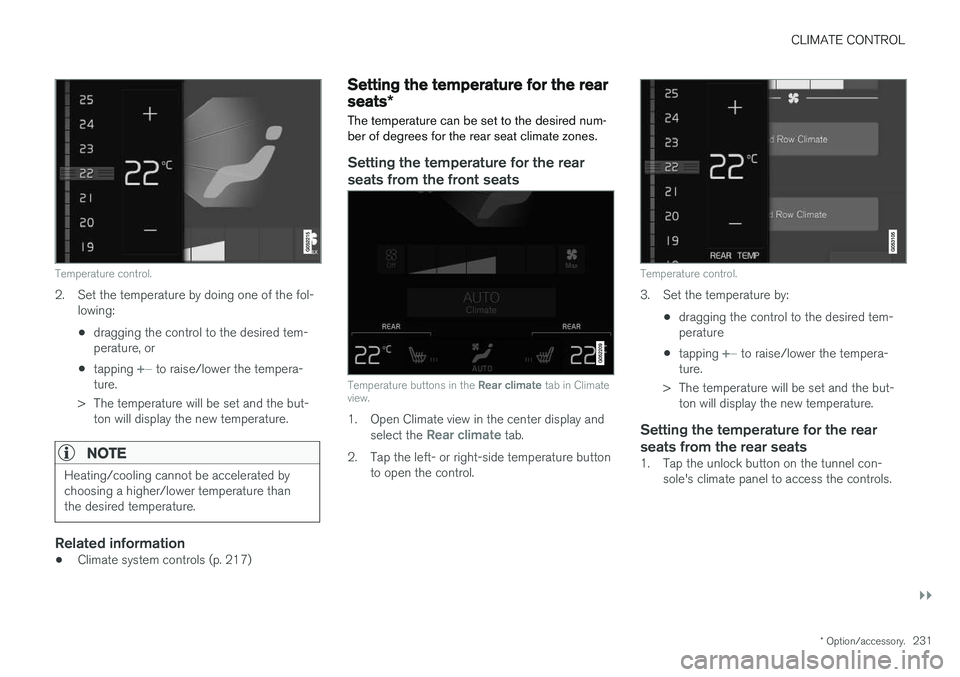
Temperature buttons in the climate bar.
1. Tap the left- or right-side temperature but- tons in the center display's climate bar to open the control.
5The same setting applies to the rear seats with the 2-zone climate system.
Page 233 of 666
CLIMATE CONTROL
}}
* Option/accessory.231
Temperature control.
2. Set the temperature by doing one of the fol-
lowing:
• dragging the control to the desired tem- perature, or
• tapping
+
− to raise/lower the tempera-
ture.
> The temperature will be set and the but- ton will display the new temperature.
NOTE
Heating/cooling cannot be accelerated by choosing a higher/lower temperature thanthe desired temperature.
Related information
• Climate system controls (p. 217)
Setting the temperature for the rear
seats
*
The temperature can be set to the desired num- ber of degrees for the rear seat climate zones.
Setting the temperature for the rear seats from the front seats
Temperature buttons in the Rear climate tab in Climate
view.
1. Open Climate view in the center display and
select the Rear climate tab.
2. Tap the left- or right-side temperature button to open the control.
Temperature control.
3. Set the temperature by:
•dragging the control to the desired tem- perature
• tapping
+
− to raise/lower the tempera-
ture.
> The temperature will be set and the but- ton will display the new temperature.
Setting the temperature for the rear seats from the rear seats
1. Tap the unlock button on the tunnel con- sole's climate panel to access the controls.
Page 235 of 666
CLIMATE CONTROL
}}
* Option/accessory.233
Activating and deactivating airconditioning
The air conditioning cools and dehumidifies incoming air as needed.
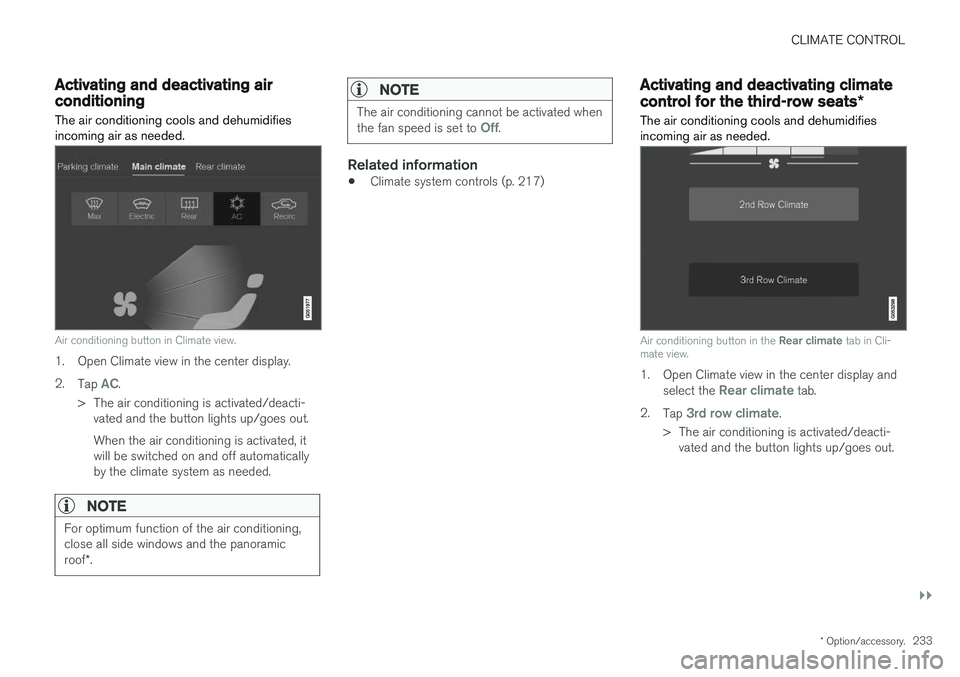
Air conditioning button in Climate view.
1. Open Climate view in the center display. 2. Tap
AC.
> The air conditioning is activated/deacti- vated and the button lights up/goes out. When the air conditioning is activated, it will be switched on and off automaticallyby the climate system as needed.
NOTE
For optimum function of the air conditioning, close all side windows and the panoramic roof *.
NOTE
The air conditioning cannot be activated when the fan speed is set to Off.
Related information
• Climate system controls (p. 217)
Activating and deactivating climate
control for the third-row seats
*
The air conditioning cools and dehumidifies incoming air as needed.
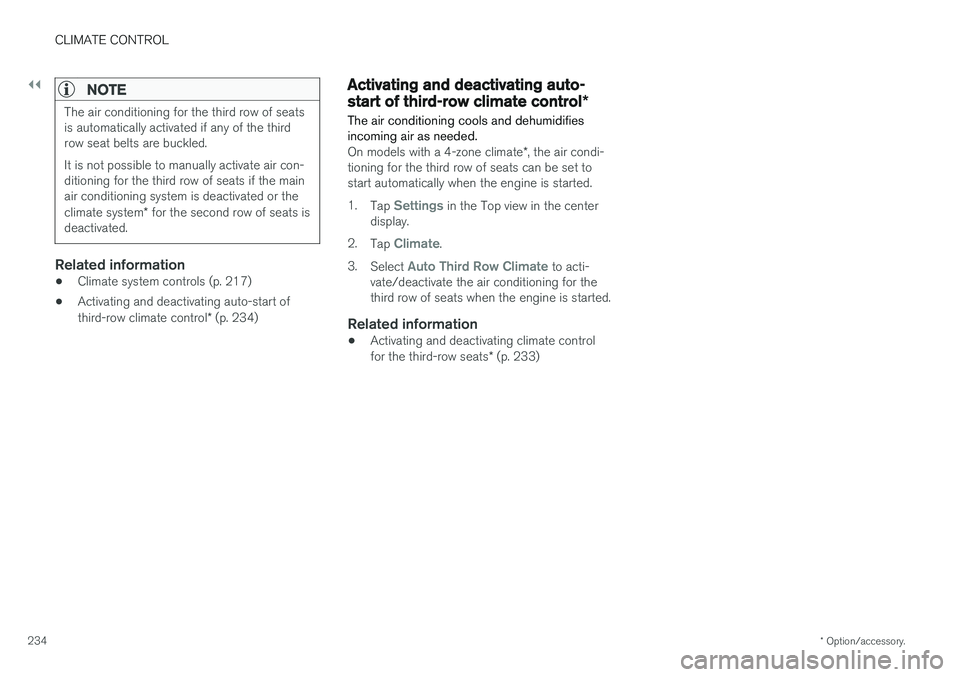
Air conditioning button in the Rear climate tab in Cli-
mate view.
1. Open Climate view in the center display and
select the Rear climate tab.
2. Tap
3rd row climate.
> The air conditioning is activated/deacti- vated and the button lights up/goes out.
Page 236 of 666
||
CLIMATE CONTROL
* Option/accessory.
234
NOTE
The air conditioning for the third row of seats is automatically activated if any of the thirdrow seat belts are buckled. It is not possible to manually activate air con- ditioning for the third row of seats if the mainair conditioning system is deactivated or the climate system * for the second row of seats is
deactivated.
Related information
• Climate system controls (p. 217)
• Activating and deactivating auto-start of third-row climate control
* (p. 234)
Activating and deactivating auto-
start of third-row climate control *
The air conditioning cools and dehumidifies incoming air as needed.
On models with a 4-zone climate *, the air condi-
tioning for the third row of seats can be set to start automatically when the engine is started. 1. Tap
Settings in the Top view in the center
display.
2. Tap
Climate.
3. Select
Auto Third Row Climate to acti-
vate/deactivate the air conditioning for the third row of seats when the engine is started.
Related information
• Activating and deactivating climate control for the third-row seats
* (p. 233)
Page 257 of 666
KEY, LOCKS AND ALARM
}}
* Option/accessory.255
Antenna locations for the start andlock system
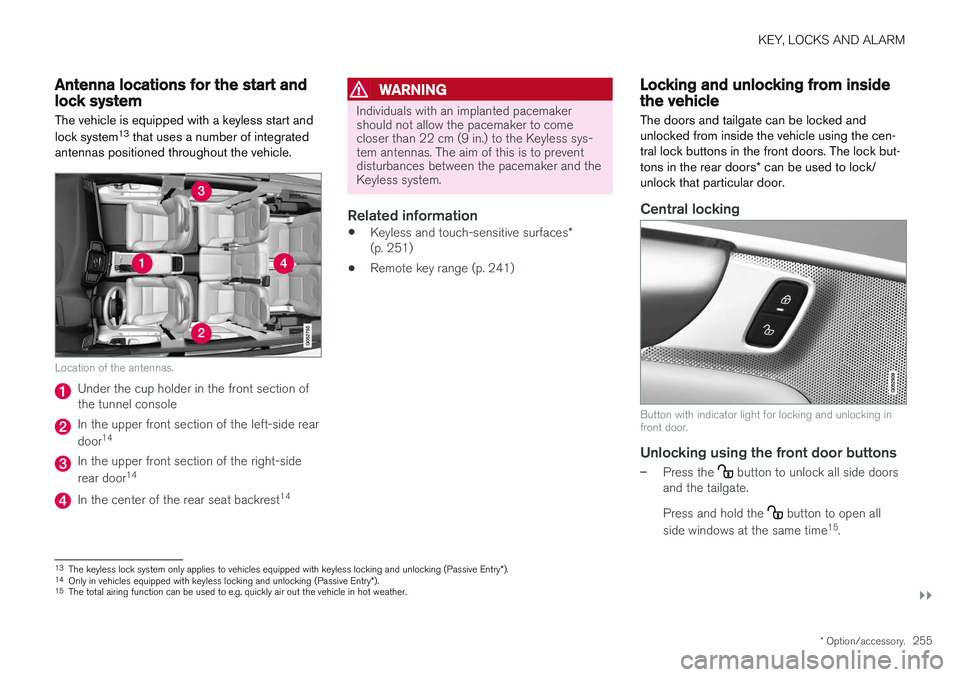
The vehicle is equipped with a keyless start and lock system 13
that uses a number of integrated
antennas positioned throughout the vehicle.
Location of the antennas.
Under the cup holder in the front section of the tunnel console
In the upper front section of the left-side rear door 14
In the upper front section of the right-side rear door 14
In the center of the rear seat backrest 14
WARNING
Individuals with an implanted pacemaker should not allow the pacemaker to comecloser than 22 cm (9 in.) to the Keyless sys-tem antennas. The aim of this is to preventdisturbances between the pacemaker and theKeyless system.
Related information
•
Keyless and touch-sensitive surfaces
*
(p. 251)
• Remote key range (p. 241)
Locking and unlocking from insidethe vehicle
The doors and tailgate can be locked and unlocked from inside the vehicle using the cen-tral lock buttons in the front doors. The lock but- tons in the rear doors * can be used to lock/
unlock that particular door.
Central locking
Button with indicator light for locking and unlocking in front door.
Unlocking using the front door buttons
–Press the button to unlock all side doors
and the tailgate. Press and hold the
button to open all
side windows at the same time 15
.
13 The keyless lock system only applies to vehicles equipped with keyless locking and unlocking (Passive Entry *).
14 Only in vehicles equipped with keyless locking and unlocking (Passive Entry *).
15 The total airing function can be used to e.g. quickly air out the vehicle in hot weather.
Page 299 of 666
DRIVER SUPPORT
}}
* Option/accessory.297
Head-up display for Adaptive CruiseControl with collision warning
In vehicles equipped with a head-up display *, a
flashing warning symbol will be displayed on the windshield.
Collision warning symbol on the windshield 44
.
NOTE
Visual warnings on the windshield may be dif- ficult to notice in cases of strong sunlight,reflections, extreme light contrasts, or if thedriver is wearing sunglasses or is not lookingstraight ahead.
Related information
• Adaptive Cruise Control
* (p. 293)
Activating and starting AdaptiveCruise Control Adaptive Cruise Control (ACC 45
) must first be
activated and then started before it can regulate speed and distance.
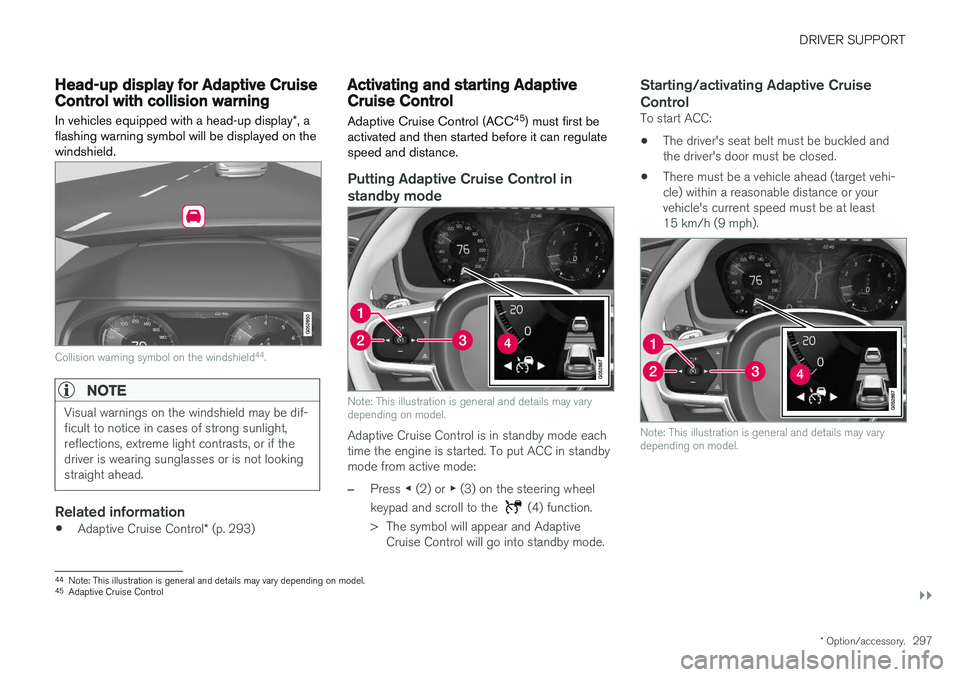
Putting Adaptive Cruise Control in standby mode
Note: This illustration is general and details may vary depending on model.
Adaptive Cruise Control is in standby mode each time the engine is started. To put ACC in standbymode from active mode:
–Press ◀ (2) or ▶ (3) on the steering wheel
keypad and scroll to the
(4) function.
> The symbol will appear and Adaptive Cruise Control will go into standby mode.
Starting/activating Adaptive Cruise Control
To start ACC:
• The driver's seat belt must be buckled and the driver's door must be closed.
• There must be a vehicle ahead (target vehi-cle) within a reasonable distance or yourvehicle's current speed must be at least15 km/h (9 mph).
Note: This illustration is general and details may vary depending on model.
44
Note: This illustration is general and details may vary depending on model.
45 Adaptive Cruise Control
Page 303 of 666
DRIVER SUPPORT
}}
301
To temporarily deactivate Adaptive Cruise Control and put it in standby mode:
–Press the button on the steering wheel
(2). > The
symbol in the instrument panel
changes color from WHITE to GRAY and the set speed in the center of the speed-ometer will change from BEIGE to GRAY.
WARNING
• If Adaptive Cruise Control is in standby mode, the driver must intervene and regu-late both speed and distance to the vehicleahead.
• If the vehicle comes too close to a vehicleahead when Adaptive Cruise Control is instandby mode, the driver is instead warnedof the short distance by the Distance Alertfunction.
Standby mode due to action by the driver
Adaptive Cruise Control will be temporarily deac- tivated and put in standby mode if:
• the brakes are applied.
• the gear selector is moved to
N
• the vehicle is driven faster than the setspeed for more than 1 minute Temporarily increasing speed using the accelera-
tor pedal, e.g. when passing another vehicle, willnot affect the setting. The vehicle will return tothe set speed when the accelerator pedal isreleased.
Automatic standby mode
Adaptive Cruise Control is dependent on other systems, such as Electronic Stability Control (ESC 50
). If any of these other systems stops
working, Adaptive Cruise Control will automati- cally switch off.
WARNING
With automatic standby mode, the driver is warned by an acoustic signal and a messageon the instrument panel. • The driver must then regulate vehicle speed, apply the brakes if necessary, andmaintain a safe distance to other vehicles.
Adaptive Cruise Control may go into standbymode if: • your vehicle's speed goes below 5 km/h(3 mph) and ACC cannot determine if thevehicle ahead is stationary or if it is anotherobject, e.g. a speed bump.
• your vehicle's speed goes under 5 km/h(3 mph) and the vehicle ahead turns so thatACC no longer has a vehicle to follow. •
the driver opens the door.
• the driver unbuckles the seat belt.
• the engine speed (rpm) is too low/high.
• one or more of the wheels lose traction.
• the brake temperature is high.
• the parking brake is applied.
• the camera/radar sensor is covered by snowor heavy rain (the camera lens/radar wavesare blocked)
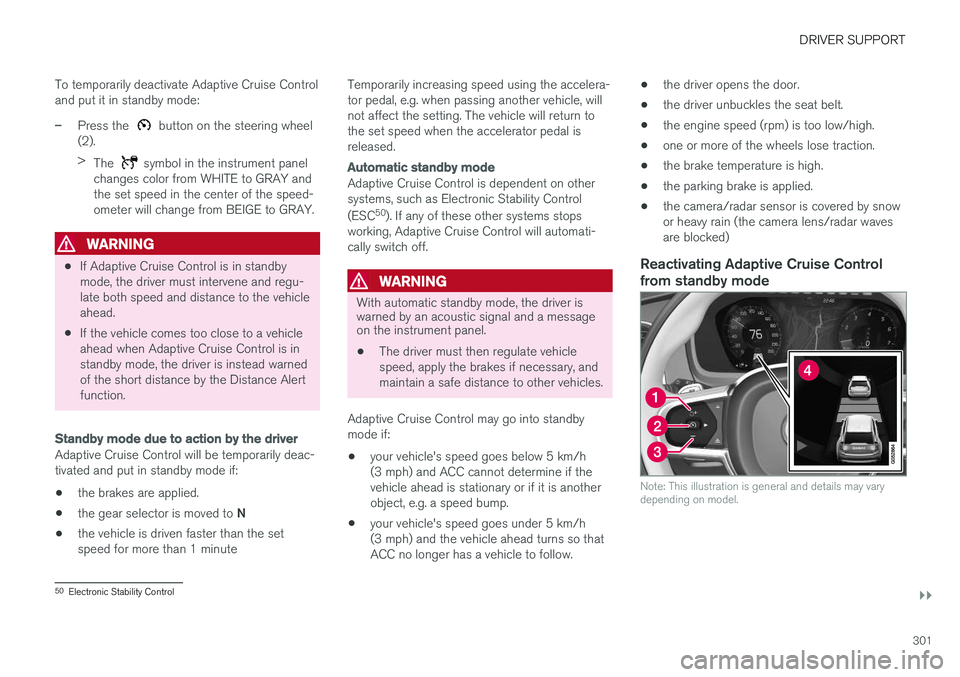
Reactivating Adaptive Cruise Control
from standby mode
Note: This illustration is general and details may vary depending on model.
50 Electronic Stability Control
Page 306 of 666
DRIVER SUPPORT
* Option/accessory.
304
Automatic braking with AdaptiveCruise Control The Adaptive cruise control (ACC 55
) has a spe-
cial brake function in slow traffic and while sta- tionary.
Braking function in slow traffic and at a standstill
In slow-moving, stop-and-go traffic or when stop- ped at a traffic light, driving will resume automati-cally if the vehicle is stopped for less thanapprox. 3 seconds. If it takes more than 3 sec-onds for the vehicle ahead to begin moving again,Adaptive Cruise Control will go into standbymode and the Auto-hold brake function will acti-vate.
–Adaptive Cruise Control can be reactivated in one of the following ways:
• Pressing the
button on the steering
wheel keypad.
• Pressing the accelerator pedal.
> Adaptive Cruise Control will resume fol- lowing the vehicle ahead if it begins to move within approx. 6 seconds.
NOTE
ACC can keep the vehicle stationary for no more than 5 minutes – after that time theparking brake is applied and Adaptive CruiseControl is deactivated. The parking brake must be released before Adaptive Cruise Control can be reactivated.
Deactivation of the Auto-hold brake function
In certain situations, Auto-hold will be deactivated when the vehicle is at a standstill and AdaptiveCruise Control will go into standby mode. Thismeans that the brakes will be released and thevehicle could begin to roll. The driver mustactively apply the brakes to keep the vehicle sta-tionary. This can occur if:
• the driver depresses the brake pedal
• the parking brake is applied
• the gear selector is moved to the
P
, N
or R
positions
• the driver puts Adaptive Cruise Control in standby mode.
Auto Activate Parking BrakeIn certain situations, the parking brake will beapplied to keep the vehicle at a standstill. This occurs if Adaptive Cruise Control is keepingthe vehicle stationary using the brakes and:
• the driver opens the door or unbuckleshis/her seat belt
• ACC has kept the vehicle at a standstill formore than approx. 5 minutes
• the brakes overheat
• the driver switches off the engine manually.
Related information
•
Adaptive Cruise Control
* (p. 293)
55
Adaptive Cruise Control
Page 315 of 666
DRIVER SUPPORT
}}
* Option/accessory.313
NOTE
Visual warnings on the windshield may be dif- ficult to notice in cases of strong sunlight,reflections, extreme light contrasts, or if thedriver is wearing sunglasses or is not lookingstraight ahead.
WARNING
Pilot Assist only issues a warning for vehicles detected by its camera and radar unit – thus,a warning may come after a delay or not at all. •Never wait for a warning. Apply the brakes when necessary!
Related information
• Pilot Assist (p. 309)
Head-up display for Pilot Assistduring collision risks
In vehicles equipped with a head-up display *, a
flashing warning symbol will be displayed on the windshield.
Collision warning symbol on the windshield 64
.
NOTE
Visual warnings on the windshield may be dif- ficult to notice in cases of strong sunlight,reflections, extreme light contrasts, or if thedriver is wearing sunglasses or is not lookingstraight ahead.
Related information
• Pilot Assist (p. 309)
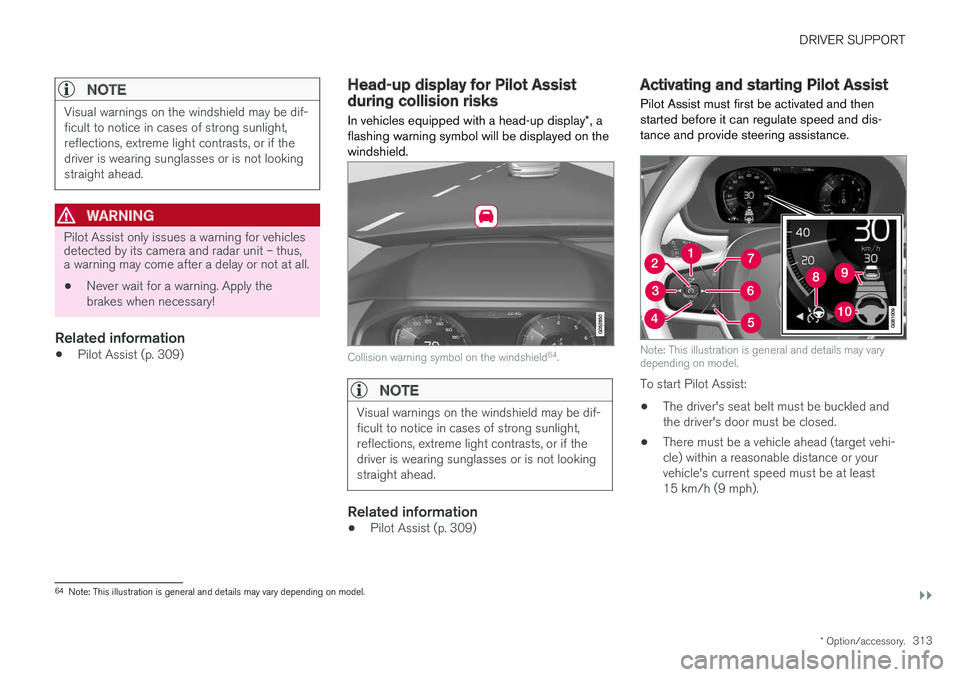
Activating and starting Pilot Assist Pilot Assist must first be activated and then started before it can regulate speed and dis-tance and provide steering assistance.
Note: This illustration is general and details may vary depending on model.
To start Pilot Assist: •
The driver's seat belt must be buckled and the driver's door must be closed.
• There must be a vehicle ahead (target vehi-cle) within a reasonable distance or yourvehicle's current speed must be at least15 km/h (9 mph).
64
Note: This illustration is general and details may vary depending on model.
Page 320 of 666
||
DRIVER SUPPORT
318
Automatic standby mode
Pilot Assist is dependent on other systems, such as Electronic Stability Control (ESC66
). If any of
these other systems stops working, Pilot Assist will automatically switch off.
WARNING
With automatic standby mode, the driver is warned by an acoustic signal and a messageon the instrument panel. • The driver must then regulate vehicle speed, apply the brakes if necessary, andmaintain a safe distance to other vehicles.
Adaptive Cruise Control may go into standbymode if, e.g.: • the driver opens the door.
• the brake temperature is high.
• the driver's hands are not on the steering wheel.
• the parking brake is applied.
• the engine speed (rpm) is too low/high.
• the driver unbuckles the seat belt.
• one or more of the wheels lose traction.
• the camera/radar sensor is covered by snowor heavy rain (the camera lens/radar wavesare blocked) •
your vehicle's speed goes below 5 km/h(3 mph) and Pilot Assist cannot determine ifthe vehicle ahead is stationary or if it isanother object, e.g. a speed bump.
• your vehicle's speed goes under 5 km/h(3 mph) and the vehicle ahead turns so thatPilot Assist no longer has a vehicle to follow.Reactivating Pilot Assist from standby
mode
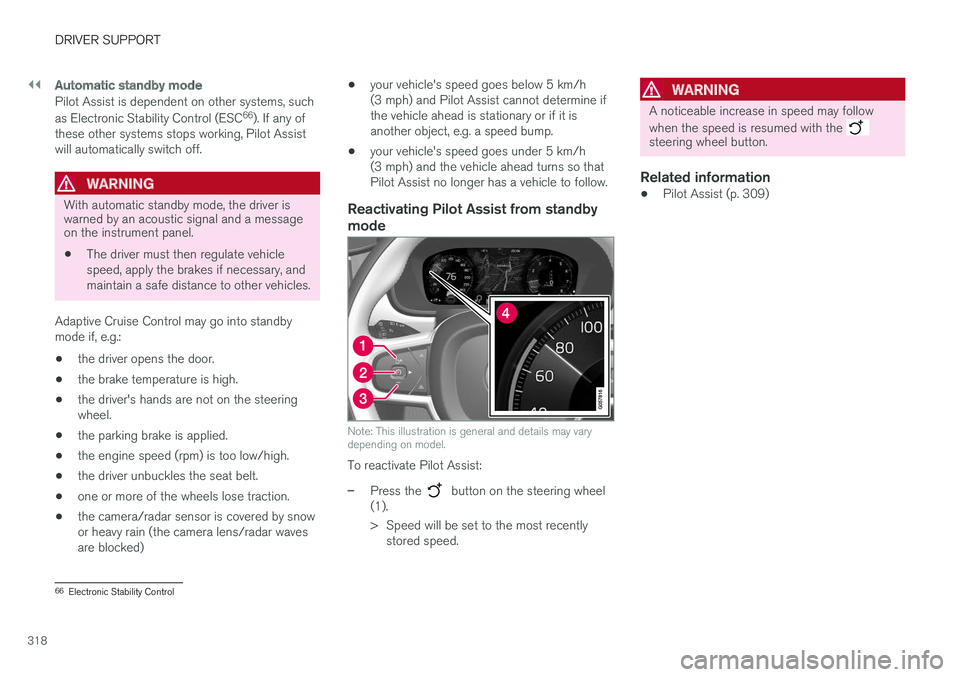
Note: This illustration is general and details may vary depending on model.
To reactivate Pilot Assist:
–Press the button on the steering wheel
(1).
> Speed will be set to the most recently stored speed.
WARNING
A noticeable increase in speed may follow when the speed is resumed with the
steering wheel button.
Related information
• Pilot Assist (p. 309)
66
Electronic Stability Control