lock VOLVO XC90 2018 Owner´s Manual
[x] Cancel search | Manufacturer: VOLVO, Model Year: 2018, Model line: XC90, Model: VOLVO XC90 2018Pages: 666, PDF Size: 11.32 MB
Page 266 of 666
||
KEY, LOCKS AND ALARM
* Option/accessory.
264
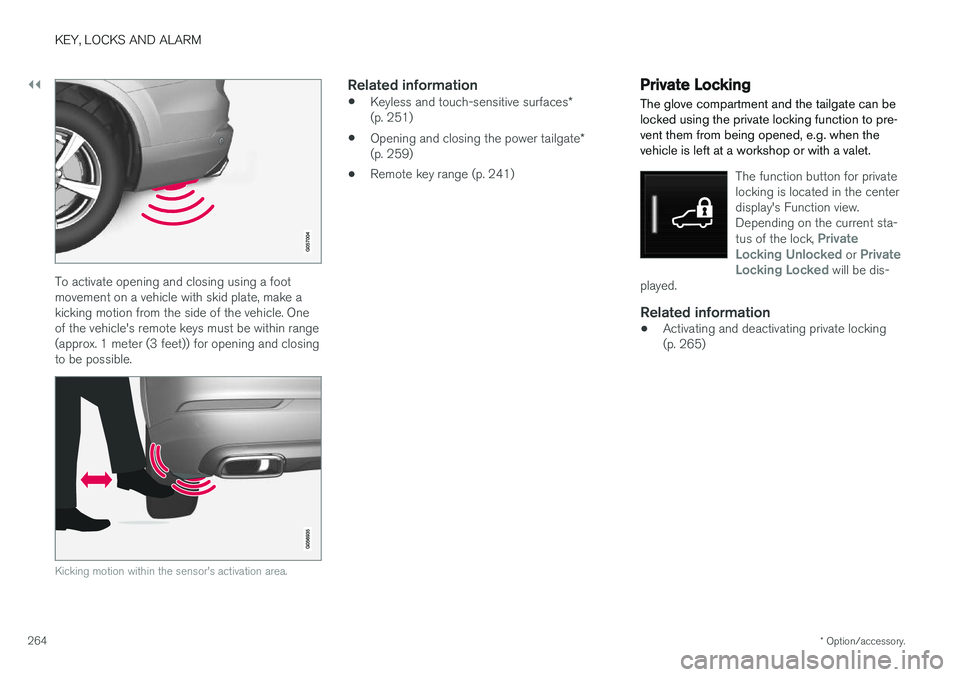
To activate opening and closing using a foot movement on a vehicle with skid plate, make akicking motion from the side of the vehicle. Oneof the vehicle's remote keys must be within range(approx. 1 meter (3 feet)) for opening and closingto be possible.
Kicking motion within the sensor's activation area.
Related information
• Keyless and touch-sensitive surfaces
*
(p. 251)
• Opening and closing the power tailgate
*
(p. 259)
• Remote key range (p. 241)
Private Locking The glove compartment and the tailgate can be locked using the private locking function to pre-vent them from being opened, e.g. when thevehicle is left at a workshop or with a valet.
The function button for private locking is located in the centerdisplay's Function view.Depending on the current sta- tus of the lock,
Private
Locking Unlocked or Private
Locking Locked will be dis-
played.
Related information
• Activating and deactivating private locking (p. 265)
Page 267 of 666
KEY, LOCKS AND ALARM
}}
* Option/accessory.265
Activating and deactivating privatelocking
Private locking is activated using the function button in the center display and a PIN code.
NOTE
For the valet lock function to be activated the car must be in at least ignition mode I.
Entering security code before initial useThe first time the function is used, a security code must be selected. This code can then beused to deactivate private locking if the selectedPIN code has been lost or forgotten. The securitycode functions as a PUK (security) code for allPIN codes used for private locking. Save the security code in a safe place.To create a security code:
1. Tap the button for private locking in Function
view.
> A pop-up window will appear. 2. Enter your security code.
> The security code is saved. The privatelocking function is now ready for activa- tion.
If the system has been reset, the above proce-dure will need to be repeated.
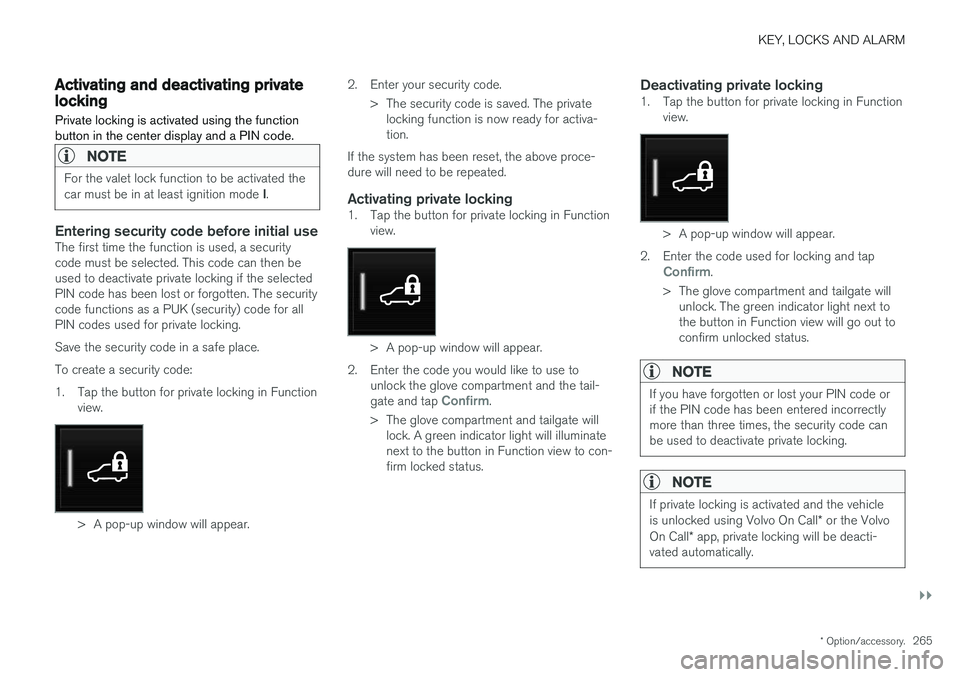
Activating private locking1. Tap the button for private locking in Function view.
> A pop-up window will appear.
2. Enter the code you would like to use to unlock the glove compartment and the tail- gate and tap
Confirm.
> The glove compartment and tailgate will lock. A green indicator light will illuminate next to the button in Function view to con-firm locked status.
Deactivating private locking1. Tap the button for private locking in Function view.
> A pop-up window will appear.
2. Enter the code used for locking and tap
Confirm.
> The glove compartment and tailgate will unlock. The green indicator light next to the button in Function view will go out toconfirm unlocked status.
NOTE
If you have forgotten or lost your PIN code or if the PIN code has been entered incorrectlymore than three times, the security code canbe used to deactivate private locking.
NOTE
If private locking is activated and the vehicle is unlocked using Volvo On Call * or the Volvo
On Call * app, private locking will be deacti-
vated automatically.
Page 268 of 666
||
KEY, LOCKS AND ALARM
266
Related information
•Private Locking (p. 264)
Alarm
The alarm emits sound and light signals if any- one without a valid remote key attempts to breakinto the vehicle or interferes with the start batteryor alarm siren.
When armed, the alarm will be triggered if:
• the hood, tailgate or any door is opened.
• a battery cable is disconnected
• the alarm siren is disconnected.
Alarm signalsThe following occurs if the alarm is triggered:
• A siren will sound for 30 seconds or until the alarm is turned off.
• All turn signals will flash for 5 minutes oruntil the alarm is turned off.
If the reason the alarm was triggered is not recti- fied, the alarm cycle will repeat up to 10 times 20
.
Alarm indicator
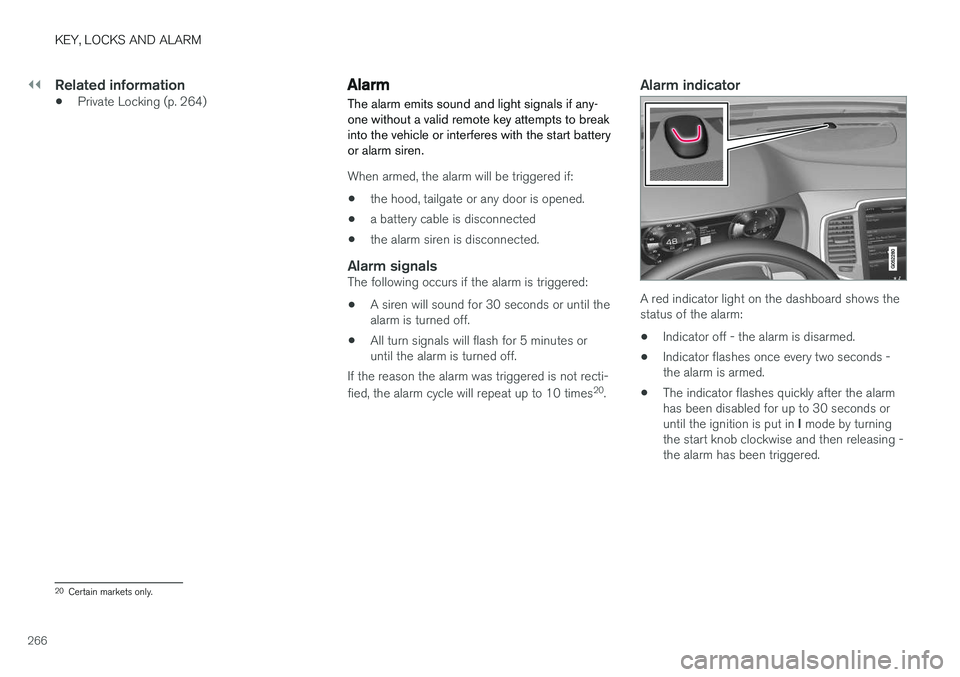
A red indicator light on the dashboard shows the status of the alarm:
• Indicator off - the alarm is disarmed.
• Indicator flashes once every two seconds -the alarm is armed.
• The indicator flashes quickly after the alarmhas been disabled for up to 30 seconds or until the ignition is put in
I mode by turning
the start knob clockwise and then releasing - the alarm has been triggered.
20 Certain markets only.
Page 269 of 666
KEY, LOCKS AND ALARM
}}
* Option/accessory.267
In the event of alarm system failureIf a problem is detected in the alarm system, a symbol and the message
Alarm system failure Service
required will appear in the instrument
panel. Contact a workshop - an authorized Volvo workshop is recommended.
NOTE
Do not attempt to repair or alter any of the components in the alarm system yourself. Anysuch attempt could affect the terms and con-ditions of your insurance policy.
Related information
• Arming and disarming the alarm (p. 267)
Arming and disarming the alarm
The alarm is armed when the vehicle is locked.
Arming the alarmLock and arm the vehicle by:
• pressing the lock button on the remote key
• touch the marked surface on the outside of the door handle or the rubberized pressure plate on the tailgate 21
.
If the vehicle is equipped with both keyless lock- ing/unlocking * and power tailgate *, the button
on the lower edge of the tailgate can also
be used to lock and arm the vehicle.
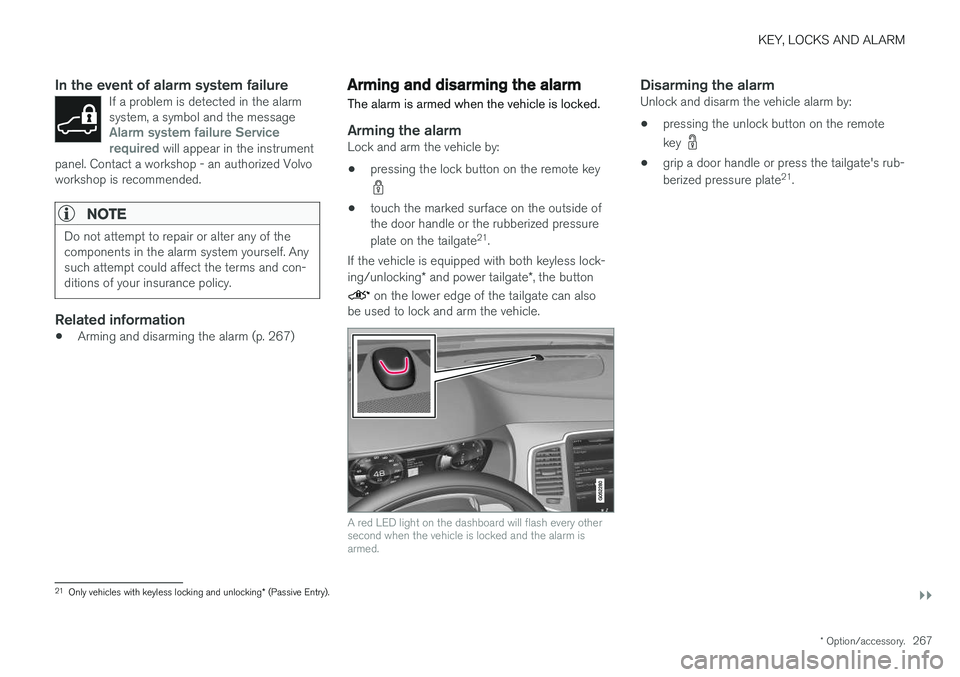
A red LED light on the dashboard will flash every other second when the vehicle is locked and the alarm isarmed.
Disarming the alarmUnlock and disarm the vehicle alarm by:
• pressing the unlock button on the remote key
•
grip a door handle or press the tailgate's rub- berized pressure plate 21
.
21 Only vehicles with keyless locking and unlocking * (Passive Entry).
Page 270 of 666
||
KEY, LOCKS AND ALARM
* Option/accessory.
268
Disarming the alarm without a functioning
remote key
The vehicle can be unlocked and disarmed even if the remote key is not functioning, e.g. if thebattery is discharged.
1. Open the driver's door using the detachable
key blade.
> This will trigger the alarm.
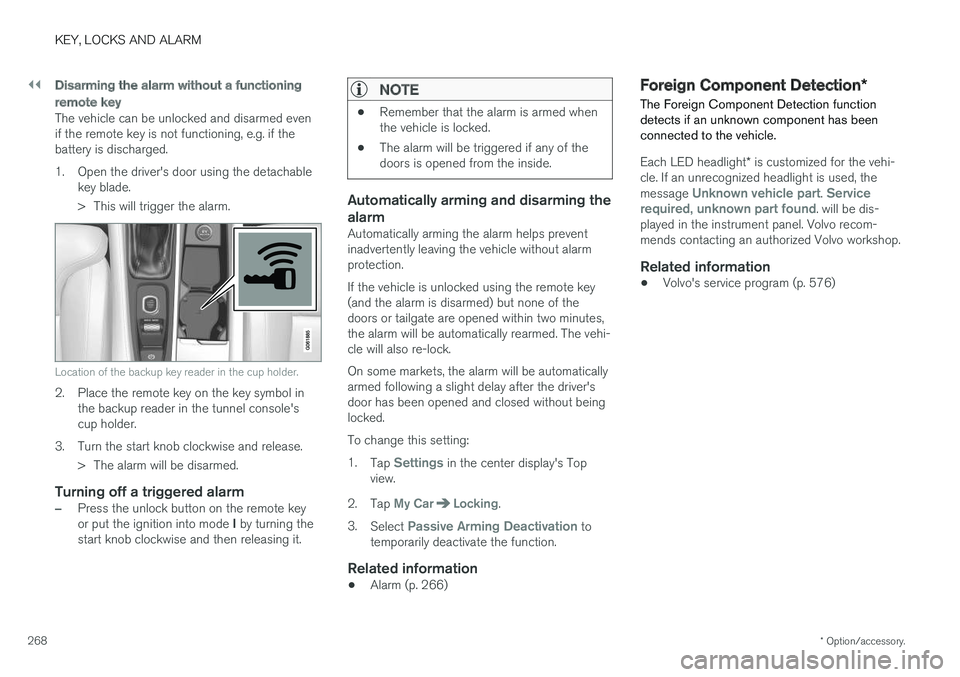
Location of the backup key reader in the cup holder.
2. Place the remote key on the key symbol inthe backup reader in the tunnel console's cup holder.
3. Turn the start knob clockwise and release. > The alarm will be disarmed.
Turning off a triggered alarm
–Press the unlock button on the remote key or put the ignition into mode I by turning the
start knob clockwise and then releasing it.
NOTE
• Remember that the alarm is armed when the vehicle is locked.
• The alarm will be triggered if any of thedoors is opened from the inside.
Automatically arming and disarming the alarm
Automatically arming the alarm helps prevent inadvertently leaving the vehicle without alarmprotection. If the vehicle is unlocked using the remote key (and the alarm is disarmed) but none of thedoors or tailgate are opened within two minutes,the alarm will be automatically rearmed. The vehi-cle will also re-lock. On some markets, the alarm will be automatically armed following a slight delay after the driver'sdoor has been opened and closed without beinglocked. To change this setting:1.
Tap
Settings in the center display's Top
view.
2. Tap
My CarLocking.
3. Select
Passive Arming Deactivation to
temporarily deactivate the function.
Related information
• Alarm (p. 266)
Foreign Component Detection
*
The Foreign Component Detection function detects if an unknown component has beenconnected to the vehicle.
Each LED headlight * is customized for the vehi-
cle. If an unrecognized headlight is used, the message
Unknown vehicle part. Service
required, unknown part found. will be dis-
played in the instrument panel. Volvo recom- mends contacting an authorized Volvo workshop.
Related information
• Volvo's service program (p. 576)
Page 274 of 666
DRIVER SUPPORT
* Option/accessory.
272
Electronic Stability Control
The Electronic Stability Control (ESC 2
) function
helps the driver avoid skidding and improves the vehicle's directional stability.
This symbol will be displayed in the instrument panel when theESC system is intervening. When the ESC has intervened to apply the brakes, a pulsingsound may be heard and the
vehicle may accelerate more slowly than expec-ted when the accelerator pedal is depressed.
The ESC system consists of the following sub- functions: • Stability control 3
• Spin control and active yaw control
• Engine drag control
• Trailer Stability Assist
WARNING
•The Electronic Stability Control system ESC is supplementary driver supportintended to facilitate driving and make itsafer – it cannot handle all situations inall traffic, weather and road conditions.
• ESC is not a substitute for the driver'sattention and judgment. The driver isalways responsible for ensuring the vehi-cle is driven in a safe manner, at theappropriate speed, with an appropriatedistance to other vehicles, and in accord-ance with current traffic rules and regula-tions.
Stability control 3This function helps control the driving and brak-ing force of each individual wheel in an attemptto stabilize the vehicle.
Spin control and active yaw controlThis function is active at low speeds and brakesthe wheels that are spinning to transfer additionalpower from wheels that are not spinning. This function also helps prevent the wheels from spinning while the vehicle is accelerating.
Engine drag control
Engine drag control (EDC
4
) helps prevent inad-
vertent wheel lock, e.g. after downshifting orusing engine braking when driving at low speedson a slippery surface. Inadvertent wheel lock while driving could impair the driver's ability to steer the vehicle.
Trailer Stability Assist *5
Trailer Stability Assist (TSA
6
) is designed to help
stabilize a vehicle that is towing a trailer if thevehicle and trailer have begun to sway. For moreinformation, see "Trailer Stability Assist".
NOTE
The TSA function is deactivated if ESC Sport
Mode is activated.
Related information
• Electronic Stability Control Sport mode (p. 273)
• Activating/deactivating Sport mode in Elec-tronic Stability Control (p. 273)
1
Roll Stability Control
2 Electronic Stability Control
3 Also called traction control.
4 Engine Drag Control
5Trailer Stability Assist is included if the vehicle is equipped with a Volvo original towbar.6
Trailer Stability Assist
Page 303 of 666
DRIVER SUPPORT
}}
301
To temporarily deactivate Adaptive Cruise Control and put it in standby mode:
–Press the button on the steering wheel
(2). > The
symbol in the instrument panel
changes color from WHITE to GRAY and the set speed in the center of the speed-ometer will change from BEIGE to GRAY.
WARNING
• If Adaptive Cruise Control is in standby mode, the driver must intervene and regu-late both speed and distance to the vehicleahead.
• If the vehicle comes too close to a vehicleahead when Adaptive Cruise Control is instandby mode, the driver is instead warnedof the short distance by the Distance Alertfunction.
Standby mode due to action by the driver
Adaptive Cruise Control will be temporarily deac- tivated and put in standby mode if:
• the brakes are applied.
• the gear selector is moved to
N
• the vehicle is driven faster than the setspeed for more than 1 minute Temporarily increasing speed using the accelera-
tor pedal, e.g. when passing another vehicle, willnot affect the setting. The vehicle will return tothe set speed when the accelerator pedal isreleased.
Automatic standby mode
Adaptive Cruise Control is dependent on other systems, such as Electronic Stability Control (ESC 50
). If any of these other systems stops
working, Adaptive Cruise Control will automati- cally switch off.
WARNING
With automatic standby mode, the driver is warned by an acoustic signal and a messageon the instrument panel. • The driver must then regulate vehicle speed, apply the brakes if necessary, andmaintain a safe distance to other vehicles.
Adaptive Cruise Control may go into standbymode if: • your vehicle's speed goes below 5 km/h(3 mph) and ACC cannot determine if thevehicle ahead is stationary or if it is anotherobject, e.g. a speed bump.
• your vehicle's speed goes under 5 km/h(3 mph) and the vehicle ahead turns so thatACC no longer has a vehicle to follow. •
the driver opens the door.
• the driver unbuckles the seat belt.
• the engine speed (rpm) is too low/high.
• one or more of the wheels lose traction.
• the brake temperature is high.
• the parking brake is applied.
• the camera/radar sensor is covered by snowor heavy rain (the camera lens/radar wavesare blocked)
Reactivating Adaptive Cruise Control
from standby mode
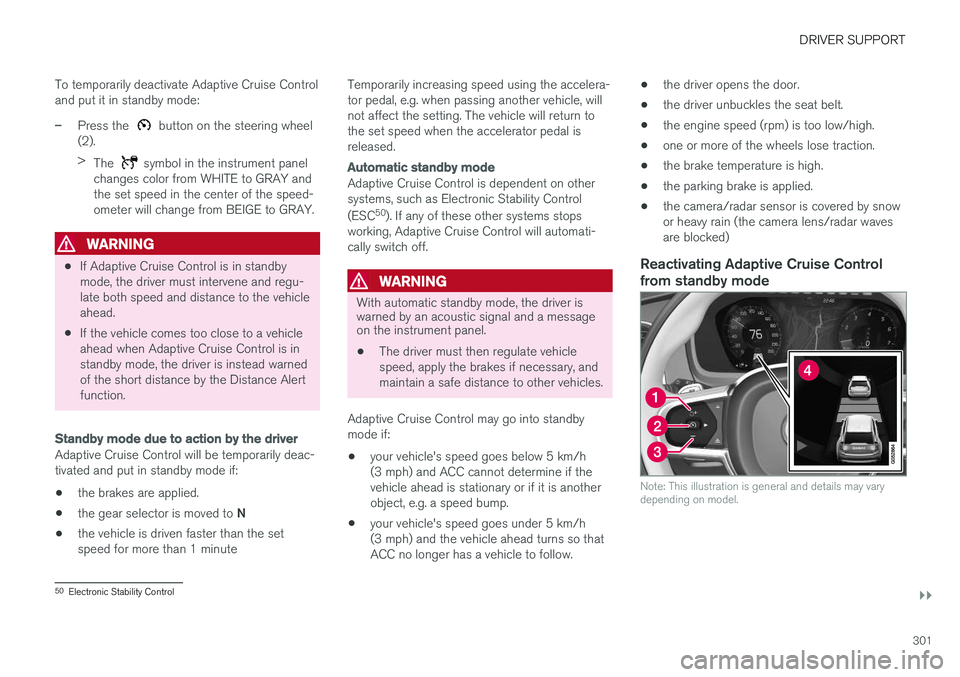
Note: This illustration is general and details may vary depending on model.
50 Electronic Stability Control
Page 310 of 666
||
DRIVER SUPPORT
* Option/accessory.
308
SymbolMessageMeaning
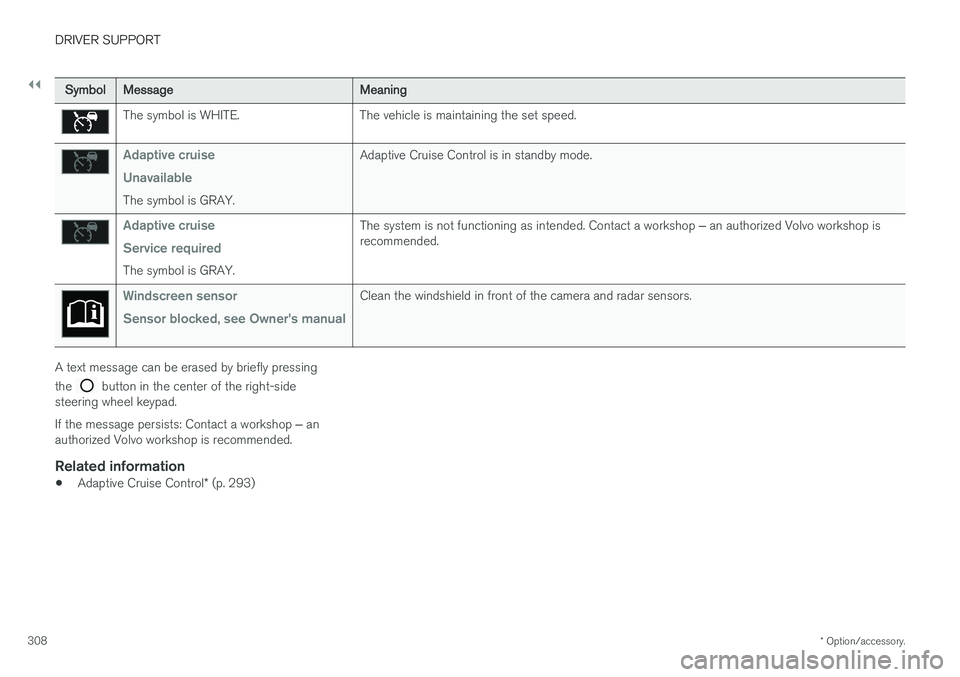
The symbol is WHITE. The vehicle is maintaining the set speed.
Adaptive cruise Unavailable
The symbol is GRAY. Adaptive Cruise Control is in standby mode.
Adaptive cruise Service required
The symbol is GRAY.
The system is not functioning as intended. Contact a workshop
‒ an authorized Volvo workshop is
recommended.
Windscreen sensor Sensor blocked, see Owner's manualClean the windshield in front of the camera and radar sensors.
A text message can be erased by briefly pressing the
button in the center of the right-side
steering wheel keypad. If the message persists: Contact a workshop ‒ an
authorized Volvo workshop is recommended.
Related information
• Adaptive Cruise Control
* (p. 293)
Page 320 of 666
||
DRIVER SUPPORT
318
Automatic standby mode
Pilot Assist is dependent on other systems, such as Electronic Stability Control (ESC66
). If any of
these other systems stops working, Pilot Assist will automatically switch off.
WARNING
With automatic standby mode, the driver is warned by an acoustic signal and a messageon the instrument panel. • The driver must then regulate vehicle speed, apply the brakes if necessary, andmaintain a safe distance to other vehicles.
Adaptive Cruise Control may go into standbymode if, e.g.: • the driver opens the door.
• the brake temperature is high.
• the driver's hands are not on the steering wheel.
• the parking brake is applied.
• the engine speed (rpm) is too low/high.
• the driver unbuckles the seat belt.
• one or more of the wheels lose traction.
• the camera/radar sensor is covered by snowor heavy rain (the camera lens/radar wavesare blocked) •
your vehicle's speed goes below 5 km/h(3 mph) and Pilot Assist cannot determine ifthe vehicle ahead is stationary or if it isanother object, e.g. a speed bump.
• your vehicle's speed goes under 5 km/h(3 mph) and the vehicle ahead turns so thatPilot Assist no longer has a vehicle to follow.Reactivating Pilot Assist from standby
mode
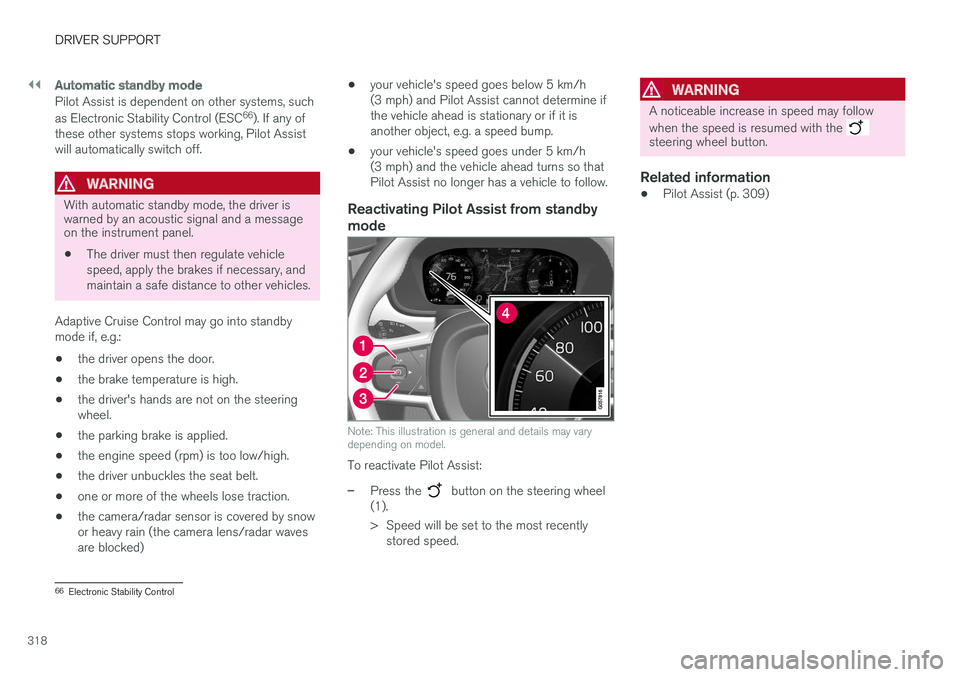
Note: This illustration is general and details may vary depending on model.
To reactivate Pilot Assist:
–Press the button on the steering wheel
(1).
> Speed will be set to the most recently stored speed.
WARNING
A noticeable increase in speed may follow when the speed is resumed with the
steering wheel button.
Related information
• Pilot Assist (p. 309)
66
Electronic Stability Control
Page 324 of 666
||
DRIVER SUPPORT
* Option/accessory.
322
The driver is responsible for ensuring that the vehicle maintains a suitable distancefrom such obstacles.
• The camera and radar sensors do nothave the capacity to detect all oncomingobjects and obstacles in traffic environ-ments, e.g. potholes, stationary obstaclesor objects that completely or partiallyblock the route.
• Pilot Assist does not "see" pedestrians,animals, etc.
• The recommended steering input is lim-ited in force, which means that it cannotalways help the driver to steer and keepthe vehicle within the lane.
• Pilot Assist is switched off if the powersteering is working with reduced power -e.g. during cooling due to overheating(see section "Speed-dependent steeringforce").
The driver can always correct or adjust steeringassistance provided by Pilot Assist by turning thesteering wheel to the desired position.
Steep roads and/or heavy loadsPilot Assist is primarily intended to be driven onflat roads. The function may not be able to main-tain the correct time interval to the vehicle aheadwhen driving down steep hills. The driver should be extra attentive and prepared to apply thebrakes.
• Do not use Pilot Assist if the vehicle is carry-ing a heavy load or towing a trailer.
NOTE
Pilot Assist cannot be activated if a trailer, bike carrier or similar is connected to thevehicle electrical system.
Other limitations
•
The Off Road drive mode cannot be
selected when Pilot Assist is activated.
NOTE
The function uses the vehicle's camera unit, which has some general limitations – see thesection "Camera unit limitations".
NOTE
The function uses the vehicle's radar unit, which has some general limitations – see thesection "Radar unit limitations".
Related information
• Pilot Assist (p. 309)
• Speed-dependent steering wheel resistance (p. 270)
Pilot Assist
* symbols and messages
A number of symbols and messages relating to Pilot Assist may be displayed in the instrument panel and/or the head-up display *.