warning VOLVO XC90 2018 Owner´s Manual
[x] Cancel search | Manufacturer: VOLVO, Model Year: 2018, Model line: XC90, Model: VOLVO XC90 2018Pages: 666, PDF Size: 11.32 MB
Page 347 of 666
DRIVER SUPPORT
345
Rear Collision Warning
The Rear Collision Warning (RCW) function can help the driver avoid rear-end collisions fromvehicles approaching from behind.
RCW is automatically activated each time the engine is started. RCW can warn the driver of a potential collision with vehicles approaching from behind by rapidlyflashing the turn signals. If, at a speed below 30 km/h (20 mph), the RCW function detects that the car is in danger of beinghit from behind, the seatbelt tensioners may ten-sion the front seatbelts and activate the WhiplashProtection System safety system. Immediately before a collision from behind, RCW may also activate the foot brake in order toreduce the forward acceleration of the car duringthe collision. However, the brakes will only beapplied if your vehicle is stationary. The brakeswill be immediately released if the acceleratorpedal is depressed.
Related information
• Rear Collision Warning limitations (p. 345)
• Whiplash Protection System (p. 46)
Rear Collision Warning limitations
In some situations, it may be difficult for RCW to warn the driver of a collision risk.
This may be the case if:
• the vehicle approaching from the rear is detected at a late stage
• the vehicle approaching from the rearchanges lanes at a late stage
• the vehicle approaching from the rear is mov-ing at a speed above 80 km/h (50 mph)
• a trailer, bicycle holder or similar is con-nected to the vehicle's electrical system - theRCW function will then be automaticallydeactivated.
NOTE
In certain markets RCW does
not warn with
the direction indicators due to local traffic regulations – in such cases, that part of thefunction is deactivated.
NOTE
The warning with direction indicators for Rear Collision Warning is deactivated if the colli-sion warning distance in the City Safety func- tion is set to the lowest level "
Late".
The seat belt tensioning and braking func- tions remain active.
Related information
• Rear Collision Warning (p. 345)
Page 348 of 666
DRIVER SUPPORT
* Option/accessory.
346
BLIS *
The BLIS 78
function is designed to help provide
assistance in heavy traffic with several lanes moving in the same direction by helping thedriver to detect the presence of vehicles in the"blind spot" area behind and to the side of thevehicle.
BLIS is a driver support system designed to alert the driver of:
• vehicles in your "blind spot"
• vehicles approaching rapidly in adjacentlanes.
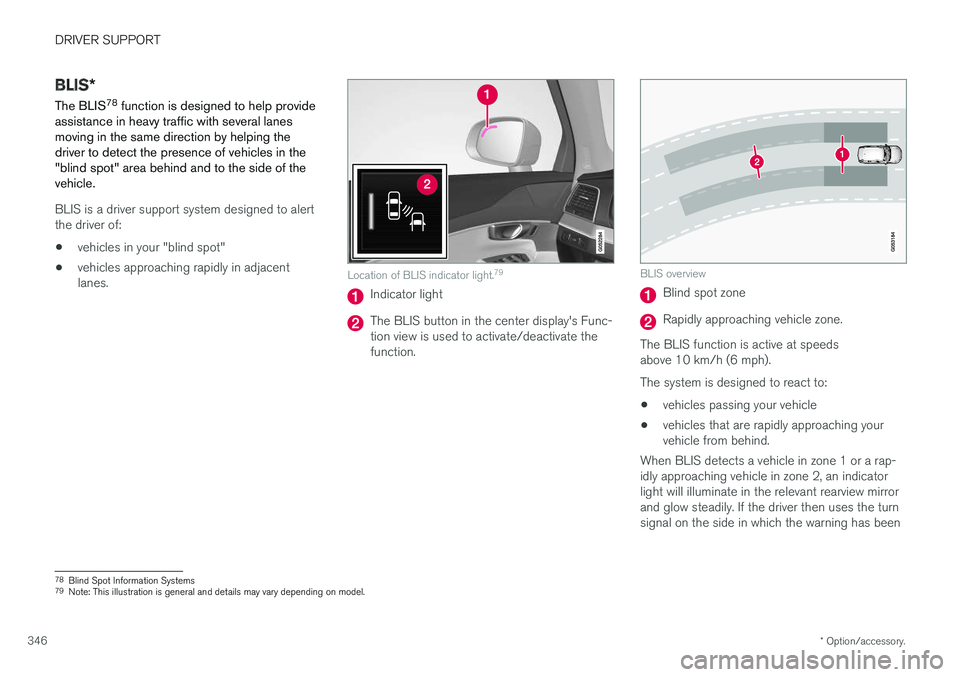
Location of BLIS indicator light. 79
Indicator light
The BLIS button in the center display's Func- tion view is used to activate/deactivate thefunction.
BLIS overview
Blind spot zone
Rapidly approaching vehicle zone.
The BLIS function is active at speeds above 10 km/h (6 mph). The system is designed to react to: • vehicles passing your vehicle
• vehicles that are rapidly approaching your vehicle from behind.
When BLIS detects a vehicle in zone 1 or a rap- idly approaching vehicle in zone 2, an indicatorlight will illuminate in the relevant rearview mirrorand glow steadily. If the driver then uses the turnsignal on the side in which the warning has been
78 Blind Spot Information Systems
79 Note: This illustration is general and details may vary depending on model.
Page 349 of 666
DRIVER SUPPORT
}}
347
given, the indicator light will become brighter and begin flashing.
NOTE
The light illuminates on the side of the vehicle where the system has detected the vehicle. Ifthe vehicle is passed on both sides simulta-neously, both lights come on.
WARNING
•
The BLIS function is supplementary driver support intended to facilitate driving andhelp make it safer – it cannot handle allsituations in all traffic, weather and roadconditions.
• The responsibility for changing lanessafely and using good judgment alwaysrests with the driver.
• BLIS is not a substitute for the driver'sattention and judgment. The driver isalways responsible for ensuring the vehi-cle is driven in a safe manner, at theappropriate speed, with an appropriatedistance to other vehicles, and in accord-ance with current traffic rules and regula-tions.
Related information
• Activating/deactivating BLIS (p. 347)
• BLIS limitations (p. 348) •
Recommended maintenance for BLIS(p. 349)
• BLIS messages (p. 350)
Activating/deactivating BLIS The BLIS 80
function can be activated/deacti-
vated.
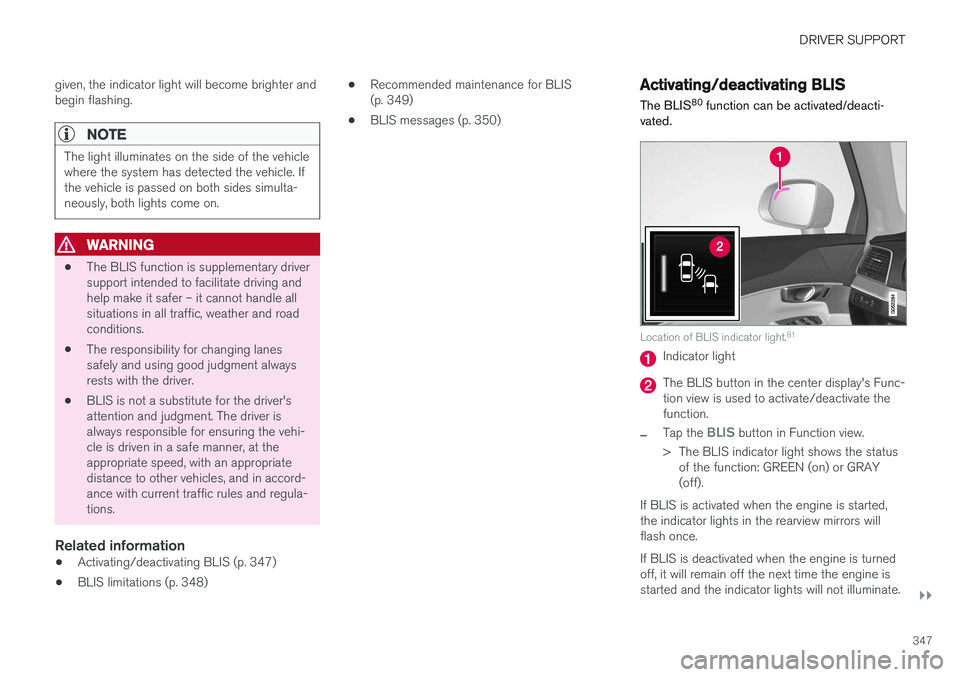
Location of BLIS indicator light. 81
Indicator light
The BLIS button in the center display's Func- tion view is used to activate/deactivate thefunction.
–Tap the BLIS button in Function view.
> The BLIS indicator light shows the status of the function: GREEN (on) or GRAY (off).
If BLIS is activated when the engine is started,the indicator lights in the rearview mirrors willflash once. If BLIS is deactivated when the engine is turned off, it will remain off the next time the engine isstarted and the indicator lights will not illuminate.
Page 350 of 666
||
DRIVER SUPPORT
* Option/accessory.
348
Related information
• BLIS
* (p. 346)
BLIS limitations
BLIS 82
functionality may be reduced in certain
situations.
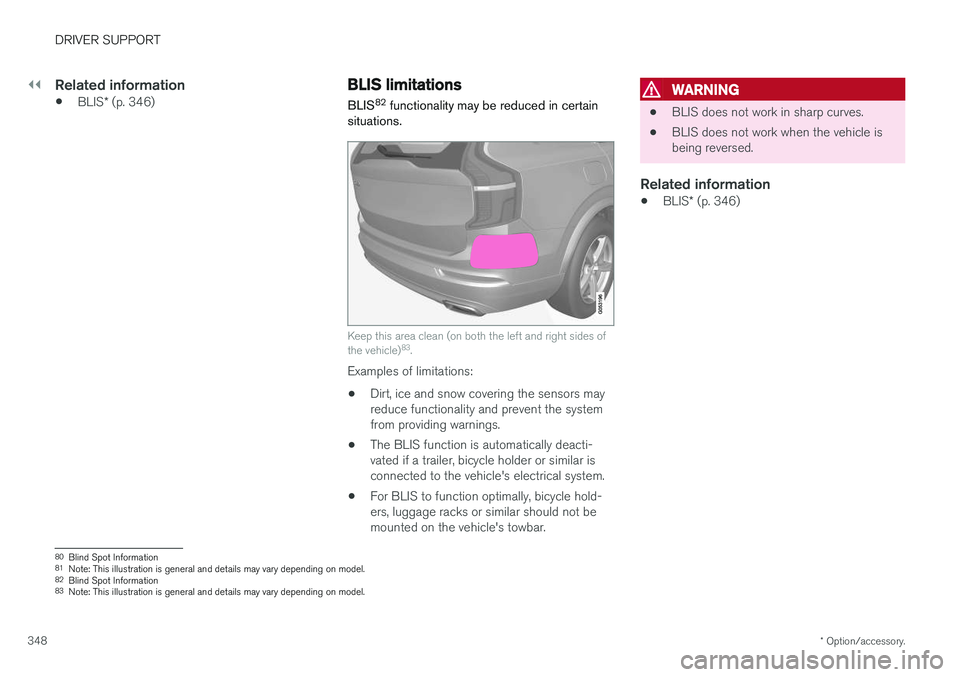
Keep this area clean (on both the left and right sides of the vehicle) 83
.
Examples of limitations:
• Dirt, ice and snow covering the sensors may reduce functionality and prevent the systemfrom providing warnings.
• The BLIS function is automatically deacti-vated if a trailer, bicycle holder or similar isconnected to the vehicle's electrical system.
• For BLIS to function optimally, bicycle hold-ers, luggage racks or similar should not bemounted on the vehicle's towbar.
WARNING
•BLIS does not work in sharp curves.
• BLIS does not work when the vehicle is being reversed.
Related information
•
BLIS
* (p. 346)
80
Blind Spot Information
81 Note: This illustration is general and details may vary depending on model.
82 Blind Spot Information
83 Note: This illustration is general and details may vary depending on model.
Page 351 of 666
DRIVER SUPPORT
* Option/accessory.349
Recommended maintenance forBLIS
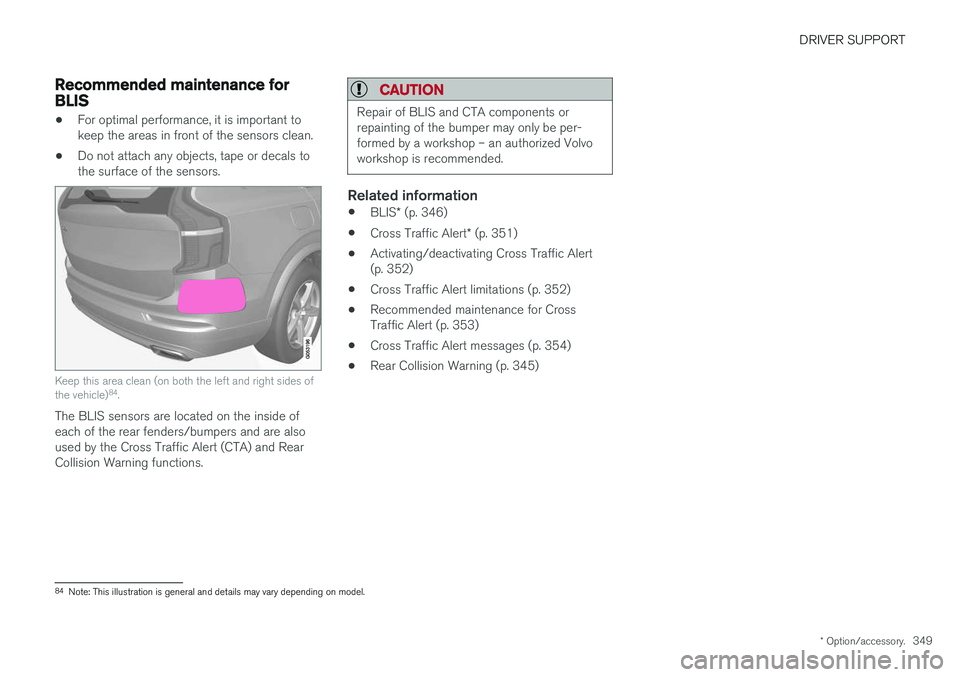
•For optimal performance, it is important to keep the areas in front of the sensors clean.
• Do not attach any objects, tape or decals tothe surface of the sensors.
Keep this area clean (on both the left and right sides of the vehicle) 84
.
The BLIS sensors are located on the inside of each of the rear fenders/bumpers and are alsoused by the Cross Traffic Alert (CTA) and RearCollision Warning functions.
CAUTION
Repair of BLIS and CTA components or repainting of the bumper may only be per-formed by a workshop – an authorized Volvoworkshop is recommended.
Related information
• BLIS
* (p. 346)
• Cross Traffic Alert
* (p. 351)
• Activating/deactivating Cross Traffic Alert (p. 352)
• Cross Traffic Alert limitations (p. 352)
• Recommended maintenance for CrossTraffic Alert (p. 353)
• Cross Traffic Alert messages (p. 354)
• Rear Collision Warning (p. 345)
84
Note: This illustration is general and details may vary depending on model.
Page 353 of 666
DRIVER SUPPORT
* Option/accessory.351
Cross Traffic Alert *
CTA 86
is a supplementary driver support system
to BLIS 87
that is intended to help the driver
detect vehicles crossing behind the vehicle while backing up.
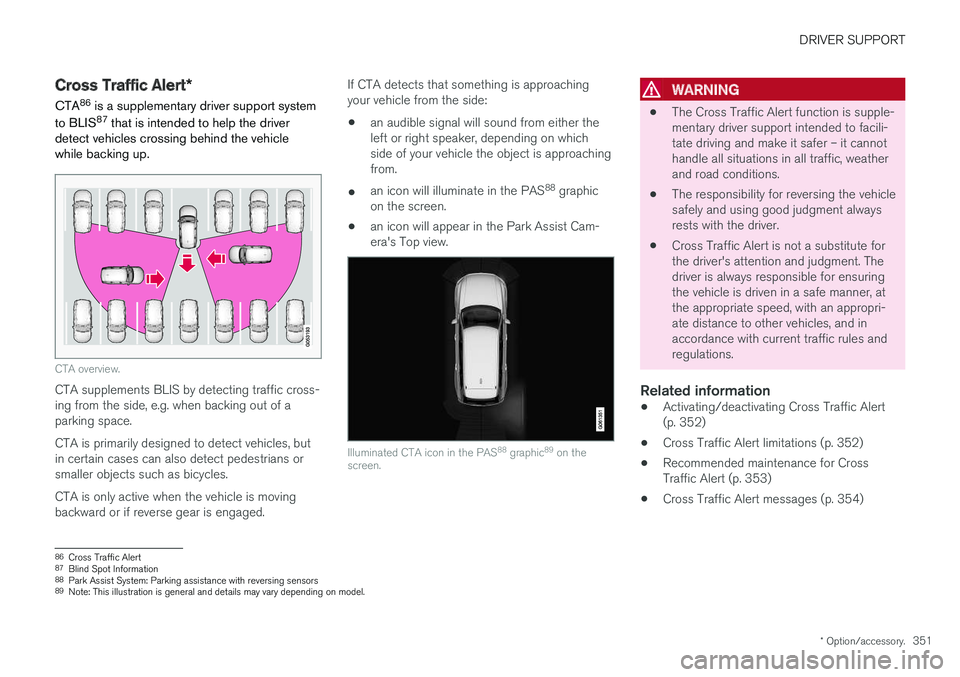
CTA overview.
CTA supplements BLIS by detecting traffic cross- ing from the side, e.g. when backing out of aparking space. CTA is primarily designed to detect vehicles, but in certain cases can also detect pedestrians orsmaller objects such as bicycles. CTA is only active when the vehicle is moving backward or if reverse gear is engaged. If CTA detects that something is approachingyour vehicle from the side:
• an audible signal will sound from either theleft or right speaker, depending on whichside of your vehicle the object is approachingfrom.
• an icon will illuminate in the PAS 88
graphic
on the screen.
• an icon will appear in the Park Assist Cam-era's Top view.
Illuminated CTA icon in the PAS 88
graphic 89
on the
screen.
WARNING
• The Cross Traffic Alert function is supple- mentary driver support intended to facili-tate driving and make it safer – it cannothandle all situations in all traffic, weatherand road conditions.
• The responsibility for reversing the vehiclesafely and using good judgment alwaysrests with the driver.
• Cross Traffic Alert is not a substitute forthe driver's attention and judgment. Thedriver is always responsible for ensuringthe vehicle is driven in a safe manner, atthe appropriate speed, with an appropri-ate distance to other vehicles, and inaccordance with current traffic rules andregulations.
Related information
•
Activating/deactivating Cross Traffic Alert(p. 352)
• Cross Traffic Alert limitations (p. 352)
• Recommended maintenance for CrossTraffic Alert (p. 353)
• Cross Traffic Alert messages (p. 354)
86
Cross Traffic Alert
87 Blind Spot Information
88 Park Assist System: Parking assistance with reversing sensors
89 Note: This illustration is general and details may vary depending on model.
Page 355 of 666
DRIVER SUPPORT
* Option/accessory.353
Examples of further limitations
•Dirt, ice and snow covering the sensors may reduce functionality and prevent the systemfrom providing warnings. For additional infor-mation, see the section "Recommendedmaintenance for Cross Traffic Alert".
• CTA is automatically deactivated if a trailer,bicycle holder or similar is connected to thevehicle's electrical system.
• For CTA to function optimally, bicycle hold-ers, luggage racks or similar should not bemounted on the vehicle's towbar.
Related information
•
Cross Traffic Alert
* (p. 351)
Recommended maintenance forCross Traffic Alert
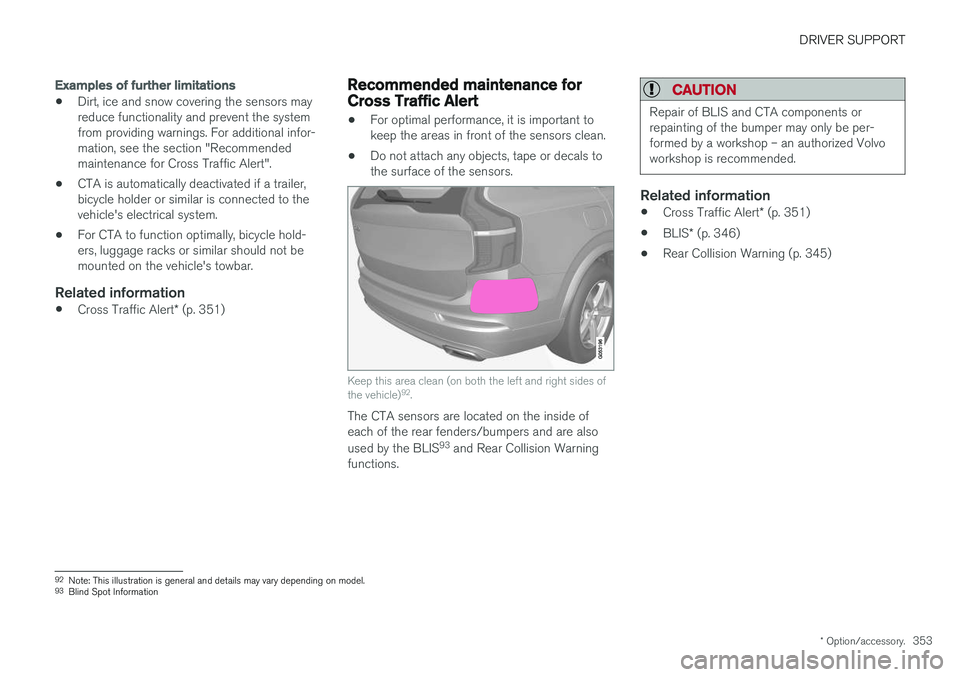
• For optimal performance, it is important to keep the areas in front of the sensors clean.
• Do not attach any objects, tape or decals tothe surface of the sensors.
Keep this area clean (on both the left and right sides of the vehicle) 92
.
The CTA sensors are located on the inside of each of the rear fenders/bumpers and are also used by the BLIS 93
and Rear Collision Warning
functions.
CAUTION
Repair of BLIS and CTA components or repainting of the bumper may only be per-formed by a workshop – an authorized Volvoworkshop is recommended.
Related information
• Cross Traffic Alert
* (p. 351)
• BLIS
* (p. 346)
• Rear Collision Warning (p. 345)
92
Note: This illustration is general and details may vary depending on model.
93 Blind Spot Information
Page 357 of 666
DRIVER SUPPORT
* Option/accessory.355
Road Sign Information *
The Road Sign Information (RSI 95
) function noti-
fies the driver of speed-related road signs the vehicle is passing.
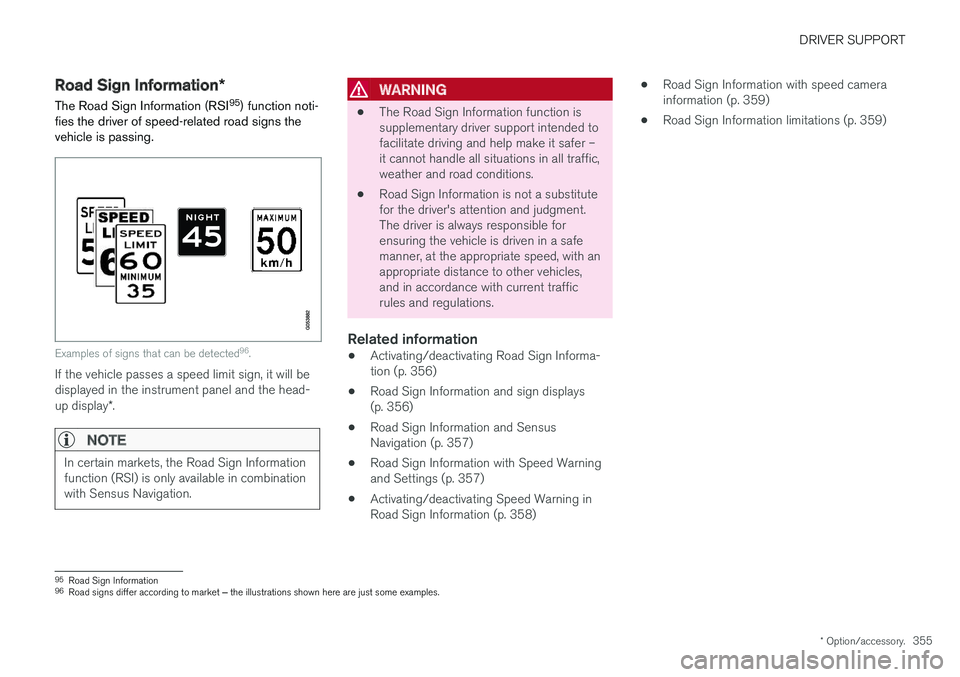
Examples of signs that can be detected 96
.
If the vehicle passes a speed limit sign, it will be displayed in the instrument panel and the head- up display *.
NOTE
In certain markets, the Road Sign Information function (RSI) is only available in combinationwith Sensus Navigation.
WARNING
• The Road Sign Information function is supplementary driver support intended tofacilitate driving and help make it safer –it cannot handle all situations in all traffic,weather and road conditions.
• Road Sign Information is not a substitutefor the driver's attention and judgment.The driver is always responsible forensuring the vehicle is driven in a safemanner, at the appropriate speed, with anappropriate distance to other vehicles,and in accordance with current trafficrules and regulations.
Related information
•Activating/deactivating Road Sign Informa-tion (p. 356)
• Road Sign Information and sign displays(p. 356)
• Road Sign Information and SensusNavigation (p. 357)
• Road Sign Information with Speed Warningand Settings (p. 357)
• Activating/deactivating Speed Warning inRoad Sign Information (p. 358) •
Road Sign Information with speed camerainformation (p. 359)
• Road Sign Information limitations (p. 359)
95
Road Sign Information
96 Road signs differ according to market ‒ the illustrations shown here are just some examples.
Page 358 of 666
DRIVER SUPPORT
* Option/accessory.
356
Activating/deactivating Road SignInformation
The Road Sign Information function can be switched On or Off .
Press the
Road Sign
Information button in the cen-
ter display's Function view.
• GREEN button indicator light - RSI is acti- vated.
• GRAY button indicator light - RSI is deacti-vated.
NOTE
•If the Automatic Speed Limiter function is activated, road sign information is shownin the driver display even if RSI is notactivated.
• To remove road sign information from the driver display, you must deactivate
both
Automatic Speed Limiter and RSI.
• When the Automatic Speed Limiter func- tion is activated but RSI is deactivated, nowarnings are given from RSI. In this situa-tion, settings for RSI cannot be adjustedeither - to be able to adjust settings aswell as receive warnings, RSI must beactivated.
Related information
•
Road Sign Information
* (p. 355)
Road Sign Information and signdisplays
Road Sign Information (RSI 97
) displays road
signs in different ways depending on the sign and situation.
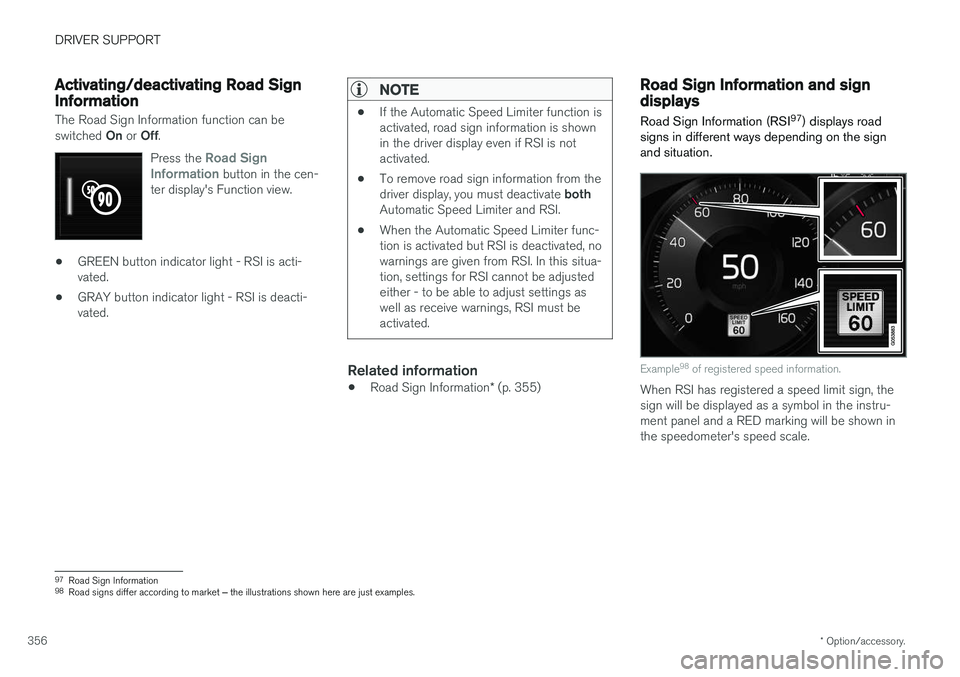
Example 98
of registered speed information.
When RSI has registered a speed limit sign, the sign will be displayed as a symbol in the instru-ment panel and a RED marking will be shown inthe speedometer's speed scale.
97 Road Sign Information
98 Road signs differ according to market ‒ the illustrations shown here are just examples.
Page 359 of 666
DRIVER SUPPORT
}}
* Option/accessory.357
Signs for "School" and "Children playing"
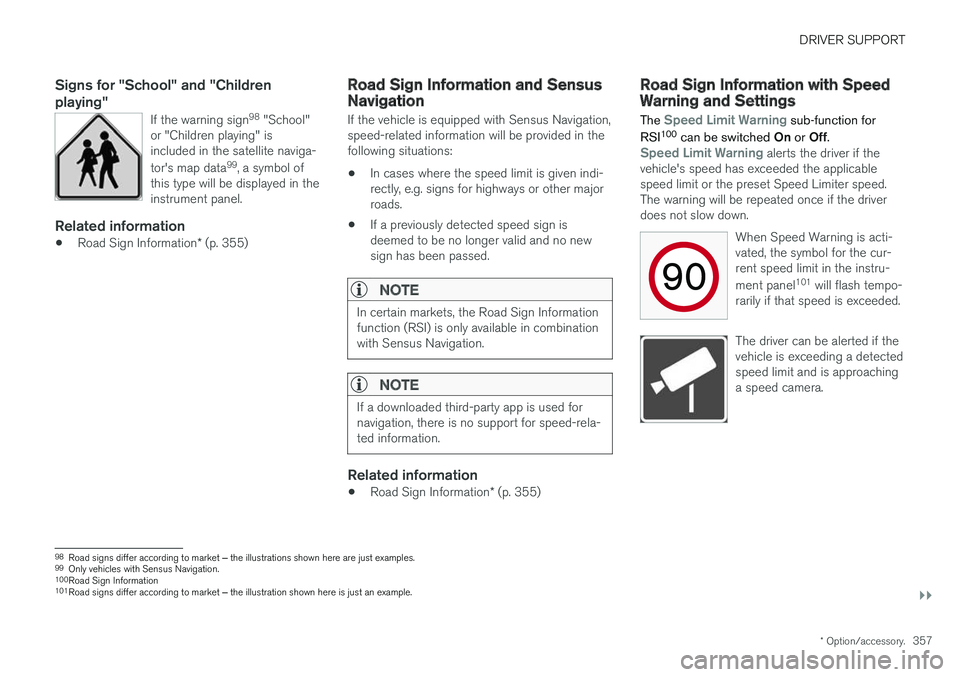
If the warning sign 98
"School"
or "Children playing" is included in the satellite naviga- tor's map data 99
, a symbol of
this type will be displayed in the instrument panel.
Related information
• Road Sign Information
* (p. 355)
Road Sign Information and SensusNavigation
If the vehicle is equipped with Sensus Navigation, speed-related information will be provided in thefollowing situations:
• In cases where the speed limit is given indi-rectly, e.g. signs for highways or other majorroads.
• If a previously detected speed sign isdeemed to be no longer valid and no newsign has been passed.
NOTE
In certain markets, the Road Sign Information function (RSI) is only available in combinationwith Sensus Navigation.
NOTE
If a downloaded third-party app is used for navigation, there is no support for speed-rela-ted information.
Related information
•
Road Sign Information
* (p. 355)
Road Sign Information with SpeedWarning and Settings
The
Speed Limit Warning sub-function for
RSI 100
can be switched On or Off.
Speed Limit Warning alerts the driver if the
vehicle's speed has exceeded the applicable speed limit or the preset Speed Limiter speed.The warning will be repeated once if the driverdoes not slow down.
When Speed Warning is acti-vated, the symbol for the cur-rent speed limit in the instru- ment panel101
will flash tempo-
rarily if that speed is exceeded.
The driver can be alerted if the vehicle is exceeding a detectedspeed limit and is approachinga speed camera.
98 Road signs differ according to market ‒ the illustrations shown here are just examples.
99 Only vehicles with Sensus Navigation.
100 Road Sign Information
101 Road signs differ according to market ‒ the illustration shown here is just an example.