key battery VOLVO XC90 2018 Owner´s Manual
[x] Cancel search | Manufacturer: VOLVO, Model Year: 2018, Model line: XC90, Model: VOLVO XC90 2018Pages: 666, PDF Size: 11.32 MB
Page 268 of 666
||
KEY, LOCKS AND ALARM
266
Related information
•Private Locking (p. 264)
Alarm
The alarm emits sound and light signals if any- one without a valid remote key attempts to breakinto the vehicle or interferes with the start batteryor alarm siren.
When armed, the alarm will be triggered if:
• the hood, tailgate or any door is opened.
• a battery cable is disconnected
• the alarm siren is disconnected.
Alarm signalsThe following occurs if the alarm is triggered:
• A siren will sound for 30 seconds or until the alarm is turned off.
• All turn signals will flash for 5 minutes oruntil the alarm is turned off.
If the reason the alarm was triggered is not recti- fied, the alarm cycle will repeat up to 10 times 20
.
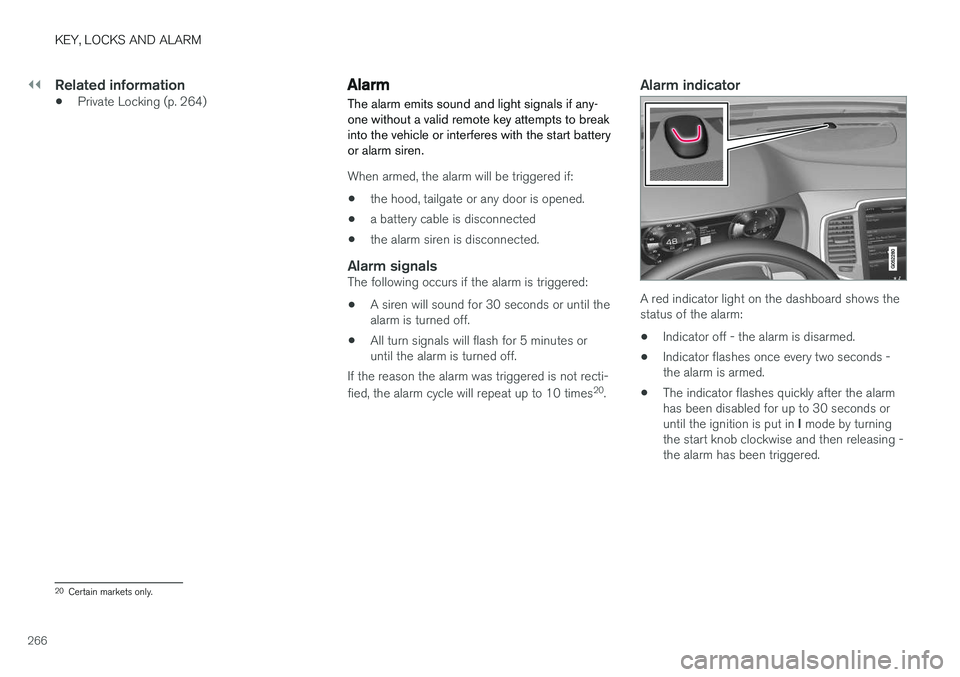
Alarm indicator
A red indicator light on the dashboard shows the status of the alarm:
• Indicator off - the alarm is disarmed.
• Indicator flashes once every two seconds -the alarm is armed.
• The indicator flashes quickly after the alarmhas been disabled for up to 30 seconds or until the ignition is put in
I mode by turning
the start knob clockwise and then releasing - the alarm has been triggered.
20 Certain markets only.
Page 270 of 666
||
KEY, LOCKS AND ALARM
* Option/accessory.
268
Disarming the alarm without a functioning
remote key
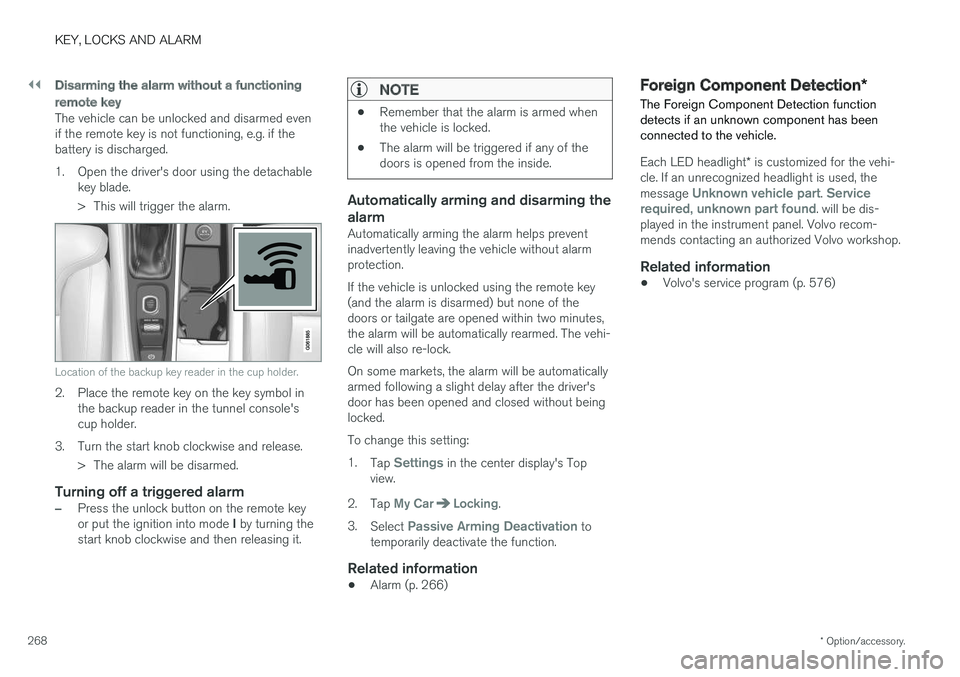
The vehicle can be unlocked and disarmed even if the remote key is not functioning, e.g. if thebattery is discharged.
1. Open the driver's door using the detachable
key blade.
> This will trigger the alarm.
Location of the backup key reader in the cup holder.
2. Place the remote key on the key symbol inthe backup reader in the tunnel console's cup holder.
3. Turn the start knob clockwise and release. > The alarm will be disarmed.
Turning off a triggered alarm
–Press the unlock button on the remote key or put the ignition into mode I by turning the
start knob clockwise and then releasing it.
NOTE
• Remember that the alarm is armed when the vehicle is locked.
• The alarm will be triggered if any of thedoors is opened from the inside.
Automatically arming and disarming the alarm
Automatically arming the alarm helps prevent inadvertently leaving the vehicle without alarmprotection. If the vehicle is unlocked using the remote key (and the alarm is disarmed) but none of thedoors or tailgate are opened within two minutes,the alarm will be automatically rearmed. The vehi-cle will also re-lock. On some markets, the alarm will be automatically armed following a slight delay after the driver'sdoor has been opened and closed without beinglocked. To change this setting:1.
Tap
Settings in the center display's Top
view.
2. Tap
My CarLocking.
3. Select
Passive Arming Deactivation to
temporarily deactivate the function.
Related information
• Alarm (p. 266)
Foreign Component Detection
*
The Foreign Component Detection function detects if an unknown component has beenconnected to the vehicle.
Each LED headlight * is customized for the vehi-
cle. If an unrecognized headlight is used, the message
Unknown vehicle part. Service
required, unknown part found. will be dis-
played in the instrument panel. Volvo recom- mends contacting an authorized Volvo workshop.
Related information
• Volvo's service program (p. 576)
Page 407 of 666
STARTING AND DRIVING
}}
405
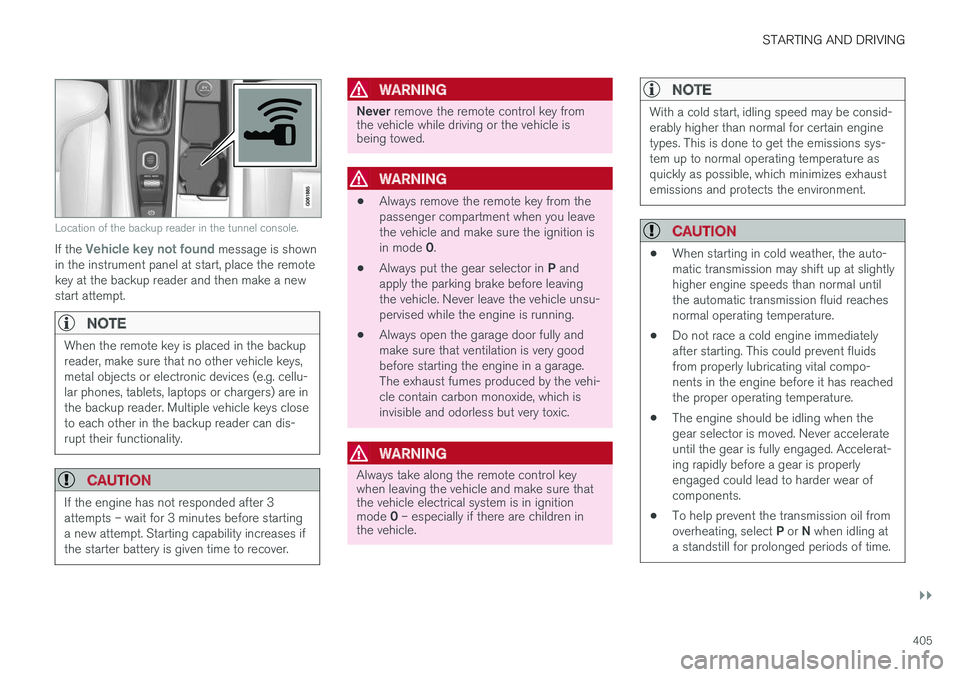
Location of the backup reader in the tunnel console.
If the Vehicle key not found message is shown
in the instrument panel at start, place the remote key at the backup reader and then make a newstart attempt.
NOTE
When the remote key is placed in the backup reader, make sure that no other vehicle keys,metal objects or electronic devices (e.g. cellu-lar phones, tablets, laptops or chargers) are inthe backup reader. Multiple vehicle keys closeto each other in the backup reader can dis-rupt their functionality.
CAUTION
If the engine has not responded after 3 attempts – wait for 3 minutes before startinga new attempt. Starting capability increases ifthe starter battery is given time to recover.
WARNING
Never remove the remote control key from
the vehicle while driving or the vehicle is being towed.
WARNING
• Always remove the remote key from the passenger compartment when you leavethe vehicle and make sure the ignition is in mode
0.
• Always put the gear selector in
P and
apply the parking brake before leaving the vehicle. Never leave the vehicle unsu-pervised while the engine is running.
• Always open the garage door fully andmake sure that ventilation is very goodbefore starting the engine in a garage.The exhaust fumes produced by the vehi-cle contain carbon monoxide, which isinvisible and odorless but very toxic.
WARNING
Always take along the remote control key when leaving the vehicle and make sure thatthe vehicle electrical system is in ignition mode
0 – especially if there are children in
the vehicle.
NOTE
With a cold start, idling speed may be consid- erably higher than normal for certain enginetypes. This is done to get the emissions sys-tem up to normal operating temperature asquickly as possible, which minimizes exhaustemissions and protects the environment.
CAUTION
• When starting in cold weather, the auto- matic transmission may shift up at slightlyhigher engine speeds than normal untilthe automatic transmission fluid reachesnormal operating temperature.
• Do not race a cold engine immediatelyafter starting. This could prevent fluidsfrom properly lubricating vital compo-nents in the engine before it has reachedthe proper operating temperature.
• The engine should be idling when thegear selector is moved. Never accelerateuntil the gear is fully engaged. Accelerat-ing rapidly before a gear is properlyengaged could lead to harder wear ofcomponents.
• To help prevent the transmission oil from overheating, select
P or N when idling at
a standstill for prolonged periods of time.
Page 410 of 666
STARTING AND DRIVING
* Option/accessory.
408
Selecting ignition mode
The vehicle's ignition can be put in various modes (levels) to make different functions availa-ble.
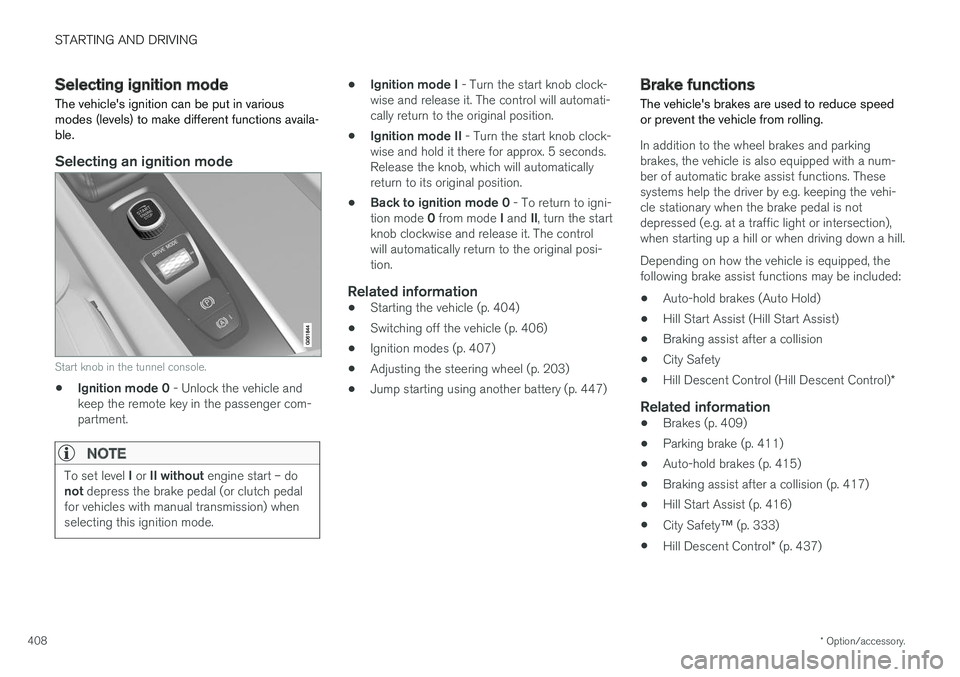
Selecting an ignition mode
Start knob in the tunnel console.
• Ignition mode 0
- Unlock the vehicle and
keep the remote key in the passenger com- partment.
NOTE
To set level I or II without engine start – do
not depress the brake pedal (or clutch pedal
for vehicles with manual transmission) when selecting this ignition mode.
• Ignition mode I
- Turn the start knob clock-
wise and release it. The control will automati- cally return to the original position.
• Ignition mode II
- Turn the start knob clock-
wise and hold it there for approx. 5 seconds.Release the knob, which will automaticallyreturn to its original position.
• Back to ignition mode 0
- To return to igni-
tion mode 0 from mode I and II, turn the start
knob clockwise and release it. The controlwill automatically return to the original posi-tion.
Related information
• Starting the vehicle (p. 404)
• Switching off the vehicle (p. 406)
• Ignition modes (p. 407)
• Adjusting the steering wheel (p. 203)
• Jump starting using another battery (p. 447)
Brake functions
The vehicle's brakes are used to reduce speed or prevent the vehicle from rolling.
In addition to the wheel brakes and parking brakes, the vehicle is also equipped with a num-ber of automatic brake assist functions. Thesesystems help the driver by e.g. keeping the vehi-cle stationary when the brake pedal is notdepressed (e.g. at a traffic light or intersection),when starting up a hill or when driving down a hill. Depending on how the vehicle is equipped, the following brake assist functions may be included:
• Auto-hold brakes (Auto Hold)
• Hill Start Assist (Hill Start Assist)
• Braking assist after a collision
• City Safety
• Hill Descent Control (Hill Descent Control)
*
Related information
•Brakes (p. 409)
• Parking brake (p. 411)
• Auto-hold brakes (p. 415)
• Braking assist after a collision (p. 417)
• Hill Start Assist (p. 416)
• City Safety
™ (p. 333)
• Hill Descent Control
* (p. 437)
Page 455 of 666
STARTING AND DRIVING
}}
453
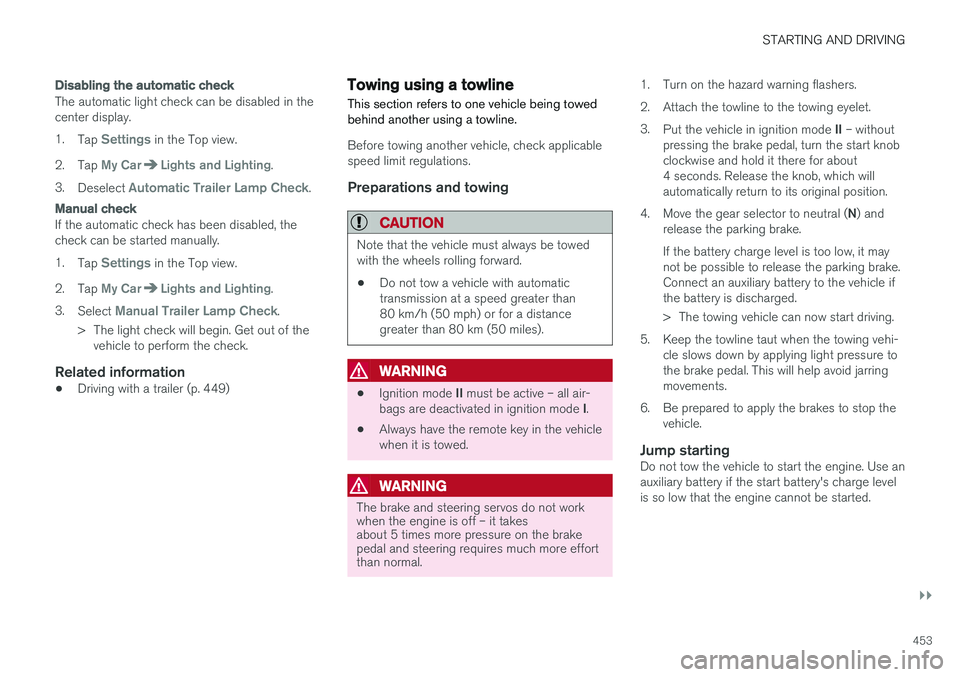
Disabling the automatic check
The automatic light check can be disabled in the center display. 1.Tap
Settings in the Top view.
2. Tap
My CarLights and Lighting.
3. Deselect
Automatic Trailer Lamp Check.
Manual check
If the automatic check has been disabled, the check can be started manually. 1.Tap
Settings in the Top view.
2. Tap
My CarLights and Lighting.
3. Select
Manual Trailer Lamp Check.
> The light check will begin. Get out of the vehicle to perform the check.
Related information
• Driving with a trailer (p. 449)
Towing using a towline
This section refers to one vehicle being towed behind another using a towline.
Before towing another vehicle, check applicable speed limit regulations.
Preparations and towing
CAUTION
Note that the vehicle must always be towed with the wheels rolling forward.
• Do not tow a vehicle with automatictransmission at a speed greater than80 km/h (50 mph) or for a distancegreater than 80 km (50 miles).
WARNING
•
Ignition mode
II must be active – all air-
bags are deactivated in ignition mode I.
• Always have the remote key in the vehicle when it is towed.
WARNING
The brake and steering servos do not work when the engine is off – it takesabout 5 times more pressure on the brakepedal and steering requires much more effortthan normal. 1. Turn on the hazard warning flashers.
2. Attach the towline to the towing eyelet.3.
Put the vehicle in ignition mode II – without
pressing the brake pedal, turn the start knob clockwise and hold it there for about4 seconds. Release the knob, which willautomatically return to its original position.
4. Move the gear selector to neutral ( N) and
release the parking brake. If the battery charge level is too low, it may not be possible to release the parking brake.Connect an auxiliary battery to the vehicle ifthe battery is discharged.
> The towing vehicle can now start driving.
5. Keep the towline taut when the towing vehi- cle slows down by applying light pressure to the brake pedal. This will help avoid jarringmovements.
6. Be prepared to apply the brakes to stop the vehicle.
Jump startingDo not tow the vehicle to start the engine. Use anauxiliary battery if the start battery's charge levelis so low that the engine cannot be started.
Page 652 of 666
INDEX
650
B
Backrestfront seat, adjusting 188, 189, 192, 193 , 194
rear seat, adjusting 200, 201
rear seat, folding 196, 201, 202
Battery jump-start 447
Maintenance 598
start 598
support 601
symbols on the battery 602
warning symbols 602
BLIS 346, 347, 348, 349 Blower adjusting 228, 229
air distribution 212
air vents 213
Bluetooth connect 491
connecting vehicle to Internet 509
phone 498
settings 507
Book service and repair 580
Booster cushions 71 Brake assist after collision 417
Brake fluid
grade 645
Brake functions 408
Brake light 163
Brakes 409 anti-lock brakes, ABS 409
automatic when stationary 415
Brake Assist System, BAS 410
brake lights 163
brake system 408
emergency brake lights 163
handbrake 411
Maintenance 411
on salted roads 411
on wet roads 410
brake system fluid 645
C
Camera sensor 342
Camera unit 329
Capacity weight 556, 641
Cargo compartment 564
attachment points 567
cargo net 571
electrical outlet 560, 562
Lighting 166
Cargo compartment cover 567, 568
cargo net 571
Car wash 620, 621, 623, 624, 625, 626
Catalytic converter 445 recovery 453
CD player 489
Cell phone, see Phone 499
Center console 559Center display change appearance 133
cleaning 615
climate controls 217
Function view 124
keyboard 128
messages 142, 143, 144
operation 114, 117, 121, 126
overview 111
settings 134, 135, 136
switch off and change volume 133
symbols in status bar 126
views 117
Central locking 255
Change of owner 136
Changing a wheel 542
Checking engine oil level 589
Page 660 of 666
INDEX
658
R
Radar sensor 296, 324limitations 325
Radar unit 324
Radio 468 changing radio waveband and radio sta-
tion 469
HD radio 472
RBDS 472
search radio station 470
settings 471 SiriusXM ®
Satellite radio 476, 477, 478
start 469
voice control 150
Radio favorites 471
Rain sensor 181, 182
Rain sensor's memory function 182
Raise the rear end 565
Rear camera 384, 385, 386, 388, 389, 391, 392
Rear door sun shade 173
Rear seat adjusting backrest tilt 200
blower 229
climate 217
folding backrest 196, 202
getting in/getting out 201
head restraint 198
heating 220
moving forward/rearward 199
temperature 231
Rear sensors 379, 380, 381, 382, 383 Rearview/door mirrors dimming 174
heating 227
interior 173
Rearview mirror 173 dimming 174
Rear window heating 227
washers 184, 185
wipers 184, 185
Recalls 45
Recommendations when driving 439
Recommendations when loading 564
Recovery 455
Red Key 246 settings 247
Refrigerant 586 climate system 646
Refueling filling 442
fuel filler door, fuel flap 441Remote immobilizer 250
Remote key 237battery replacement 242
connecting to driver profile 141
detachable key blade 248
loss 246
Range 241
Remote updates 579
Reporting safety defects 44
Resetting door mirrors 175
Resetting settings 137 change of owner 136
Driver profile 141
Resetting trip odometer 92
Road Sign Information 355, 356, 357 limitations 359
operation 356, 357, 358, 359
Road trip 439
Roll Stability Control 271
Roof load, max. weight 641
RSC (Roll Stability Control) 271
Run-off Mitigation 371, 372
Page 662 of 666
INDEX
660Starting the engine
after a collision 62
Start the vehicle 404
Steel cargo grid 570Steering assistance at risk of colli-
sion 370, 371, 372, 373, 374, 375, 376, 378 Steering assistance at risk of rear-end col-
lision 375, 376 Steering power level, see Steering wheel
resistance 270 Steering resistance at risk of head-on colli-
sion 373, 374
Steering wheel 203 heating 222, 223
keypad 203
paddle 203
steering wheel adjustment 203
Steering wheel keypad 203
Steering wheel paddles 419Steering wheel resistance, speed-depend- ent 270
Stone chips and scratches 627, 628
Stop/start function 428
Storage compartments 558 center console 559
glove compartment 563
sun visor 564
Sunroof
pinch protection 170
Sun shade panoramic roof 176, 179
pinch protection 170
rear door 173
Sun visor 564 mirror lighting 166
Support battery 601 Symbols indicator symbols 95
Symbols and messages Adaptive Cruise Control 307
center display's status bar 126
Collision warner with auto-brake 344
Symbols and messages for Assistance at
risk of collision 378
system updates 579
T
Tailgate locking/unlocking 241, 254
open/close with foot movement 263
power 259
unlocking from inside 257
Technician certification 37
Temperature adjusting 230, 231, 232
perceived 207
Temporary spare spare tire 547
Temporary tire sealing system execution, checking 551
Inflating tires 555
location 550
overview 550
sealing compound 550
Terms and conditions services 34
users 514
Tire dimensions 532, 542
Tire pressure decal 537 Tire pressure monitoring calibrating 539
Tires 528 direction of rotation 530
glossary of terms 531
inflation pressure table 647
mounting 546
pressure 647
removal 544
rotation 529
specifications 532, 647
storage 528
tire pressure monitoring 537