phone VOLVO XC90 2018 Owner´s Manual
[x] Cancel search | Manufacturer: VOLVO, Model Year: 2018, Model line: XC90, Model: VOLVO XC90 2018Pages: 666, PDF Size: 11.32 MB
Page 129 of 666
DISPLAYS AND VOICE CONTROL
127
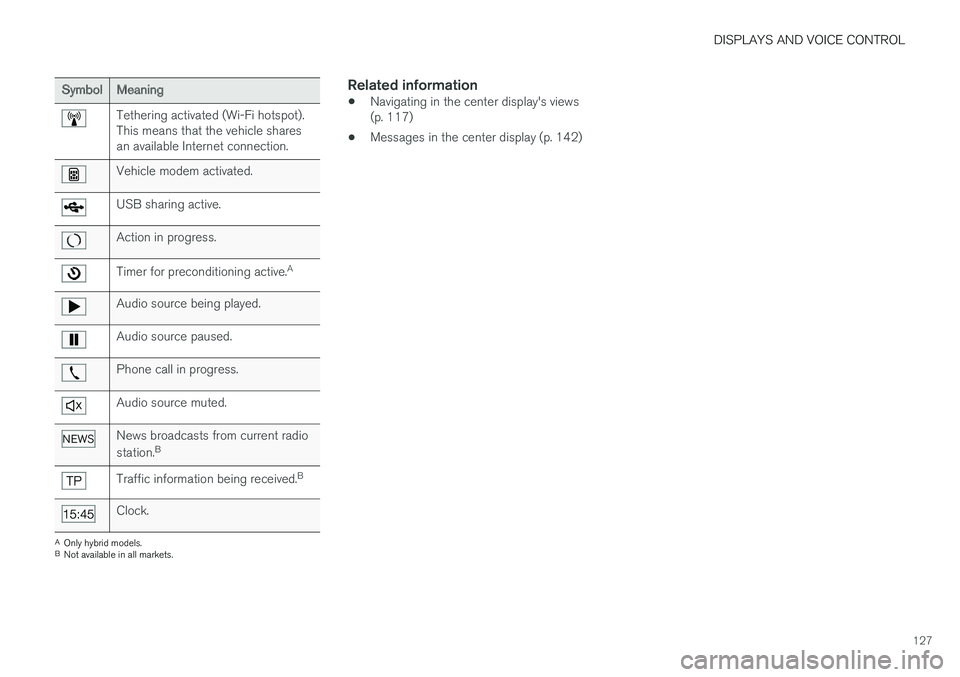
SymbolMeaning
Tethering activated (Wi-Fi hotspot). This means that the vehicle sharesan available Internet connection.
Vehicle modem activated.
USB sharing active.
Action in progress.
Timer for preconditioning active.A
Audio source being played.
Audio source paused.
Phone call in progress.
Audio source muted.
News broadcasts from current radio station.B
Traffic information being received. B
Clock.
A
Only hybrid models.
B Not available in all markets.
Related information
• Navigating in the center display's views (p. 117)
• Messages in the center display (p. 142)
Page 141 of 666
DISPLAYS AND VOICE CONTROL
}}
* Option/accessory.139
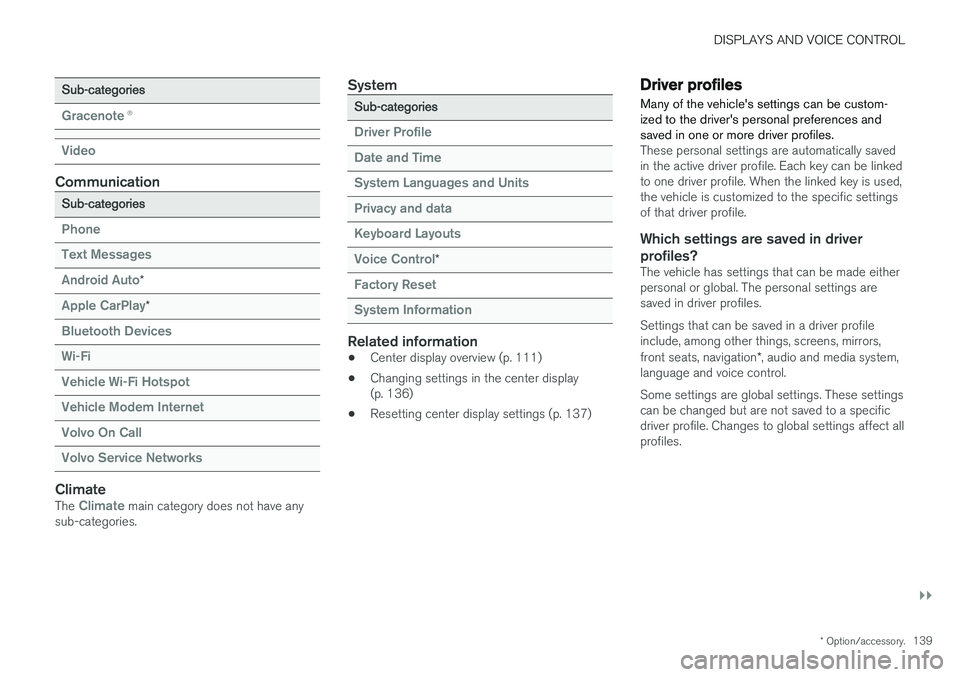
Sub-categories
Gracenote®
Video
Communication
Sub-categories
Phone Text Messages Android Auto
*
Apple CarPlay*
Bluetooth Devices Wi-FiVehicle Wi-Fi HotspotVehicle Modem Internet Volvo On Call Volvo Service Networks
ClimateThe Climate main category does not have any
sub-categories.
System
Sub-categories
Driver Profile Date and TimeSystem Languages and UnitsPrivacy and dataKeyboard Layouts Voice Control
*
Factory Reset System Information
Related information
• Center display overview (p. 111)
• Changing settings in the center display (p. 136)
• Resetting center display settings (p. 137)
Driver profiles
Many of the vehicle's settings can be custom- ized to the driver's personal preferences andsaved in one or more driver profiles.
These personal settings are automatically saved in the active driver profile. Each key can be linkedto one driver profile. When the linked key is used,the vehicle is customized to the specific settingsof that driver profile.
Which settings are saved in driver profiles?
The vehicle has settings that can be made eitherpersonal or global. The personal settings aresaved in driver profiles. Settings that can be saved in a driver profile include, among other things, screens, mirrors, front seats, navigation *, audio and media system,
language and voice control. Some settings are global settings. These settings can be changed but are not saved to a specificdriver profile. Changes to global settings affect allprofiles.
Page 146 of 666
DISPLAYS AND VOICE CONTROL
* Option/accessory.
144
Handling messages saved from thecenter display
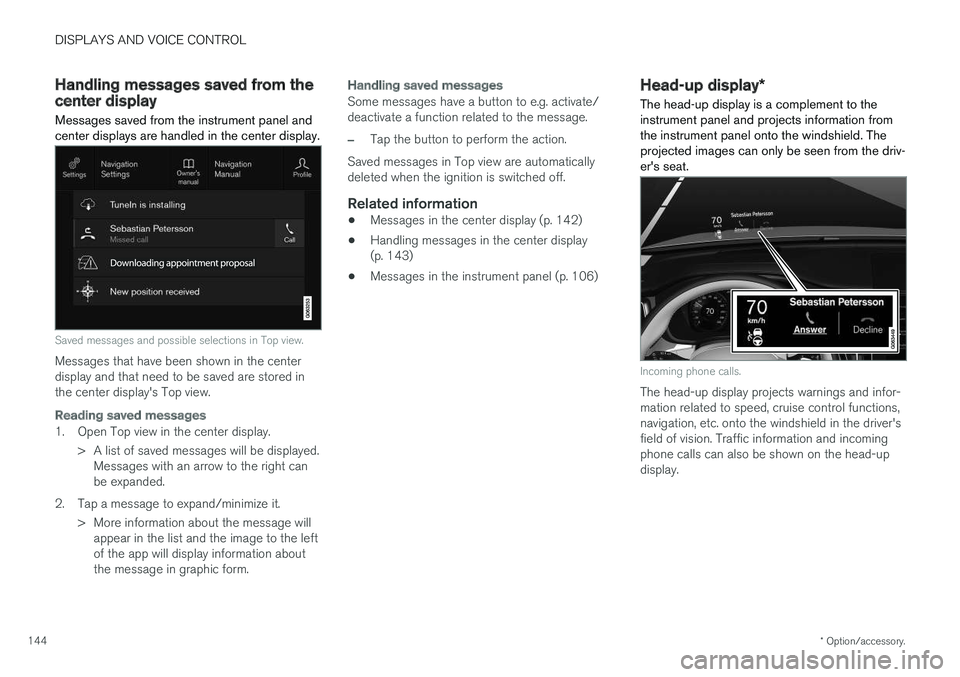
Messages saved from the instrument panel and center displays are handled in the center display.
Saved messages and possible selections in Top view.
Messages that have been shown in the center display and that need to be saved are stored inthe center display's Top view.
Reading saved messages
1. Open Top view in the center display.
> A list of saved messages will be displayed.Messages with an arrow to the right can be expanded.
2. Tap a message to expand/minimize it. > More information about the message willappear in the list and the image to the leftof the app will display information aboutthe message in graphic form.
Handling saved messages
Some messages have a button to e.g. activate/ deactivate a function related to the message.
–Tap the button to perform the action.
Saved messages in Top view are automatically deleted when the ignition is switched off.
Related information
• Messages in the center display (p. 142)
• Handling messages in the center display(p. 143)
• Messages in the instrument panel (p. 106)
Head-up display
*
The head-up display is a complement to the instrument panel and projects information fromthe instrument panel onto the windshield. Theprojected images can only be seen from the driv-er's seat.
Incoming phone calls.
The head-up display projects warnings and infor- mation related to speed, cruise control functions,navigation, etc. onto the windshield in the driver'sfield of vision. Traffic information and incomingphone calls can also be shown on the head-updisplay.
Page 148 of 666
DISPLAYS AND VOICE CONTROL
* Option/accessory.
146
Activating and deactivating the
head-up display *
The head-up display can be activated and deac- tivated when the vehicle has been started.
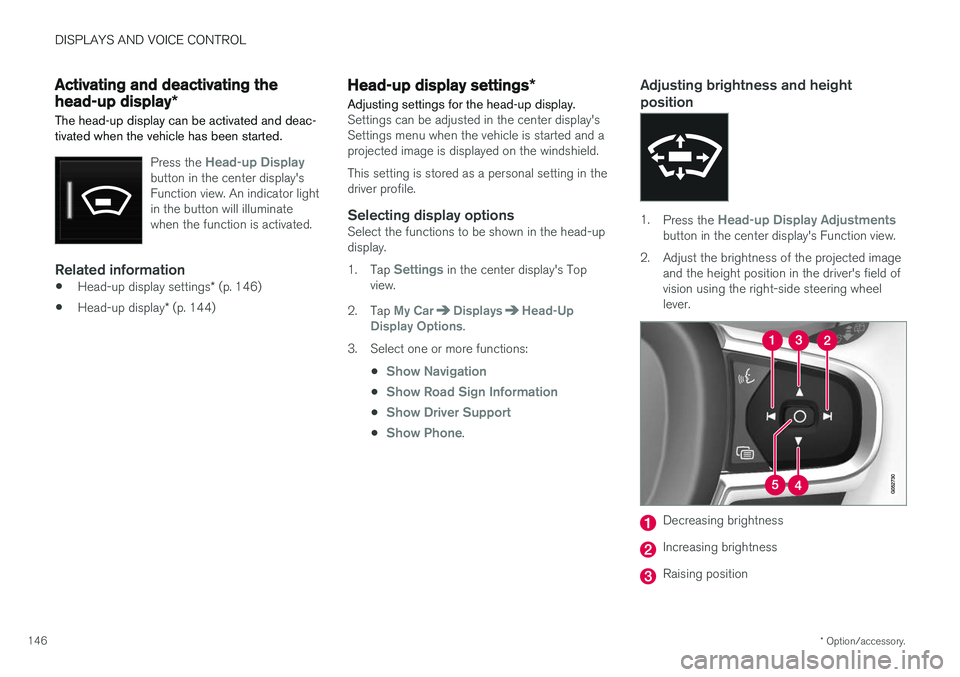
Press the Head-up Displaybutton in the center display's Function view. An indicator lightin the button will illuminatewhen the function is activated.
Related information
• Head-up display settings
* (p. 146)
• Head-up display
* (p. 144)
Head-up display settings *
Adjusting settings for the head-up display.
Settings can be adjusted in the center display's Settings menu when the vehicle is started and aprojected image is displayed on the windshield. This setting is stored as a personal setting in the driver profile.
Selecting display optionsSelect the functions to be shown in the head-updisplay. 1. Tap
Settings in the center display's Top
view.
2. Tap
My CarDisplaysHead-Up
Display Options.
3. Select one or more functions:
•
Show Navigation
•Show Road Sign Information
•Show Driver Support
•Show Phone.
Adjusting brightness and height position
1.Press the Head-up Display Adjustmentsbutton in the center display's Function view.
2. Adjust the brightness of the projected image and the height position in the driver's field of vision using the right-side steering wheellever.
Decreasing brightness
Increasing brightness
Raising position
Page 149 of 666
DISPLAYS AND VOICE CONTROL
}}
* Option/accessory.147
Lowering position
Confirm
The brightness of the graphic is automatically adapted to the light conditions in its background.Brightness is also affected by adjustments to thebrightness of the other displays in the vehicle. The height position can be stored in the front power seat's * memory function.
Calibrating the horizontal positionIf the windshield or display unit has been replaced, the head-up display's horizontal posi-tion may need to be calibrated. Calibration meansthat the projected image is rotated clockwise orcounterclockwise. 1.
Tap
Settings in the center display's Top
view.
2. Select
My CarDisplaysHead-Up
Display Options
Head-Up Display
Calibration.
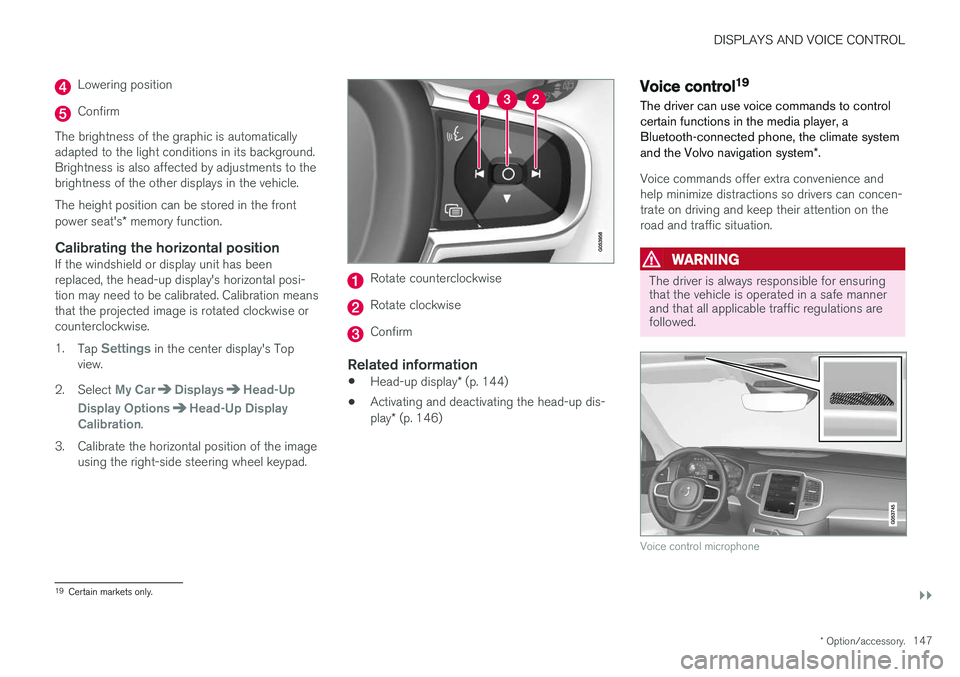
3. Calibrate the horizontal position of the image using the right-side steering wheel keypad.
Rotate counterclockwise
Rotate clockwise
Confirm
Related information
• Head-up display
* (p. 144)
• Activating and deactivating the head-up dis- play
* (p. 146)
Voice control19
The driver can use voice commands to control certain functions in the media player, aBluetooth-connected phone, the climate system and the Volvo navigation system *.
Voice commands offer extra convenience and help minimize distractions so drivers can concen-trate on driving and keep their attention on theroad and traffic situation.
WARNING
The driver is always responsible for ensuring that the vehicle is operated in a safe mannerand that all applicable traffic regulations arefollowed.
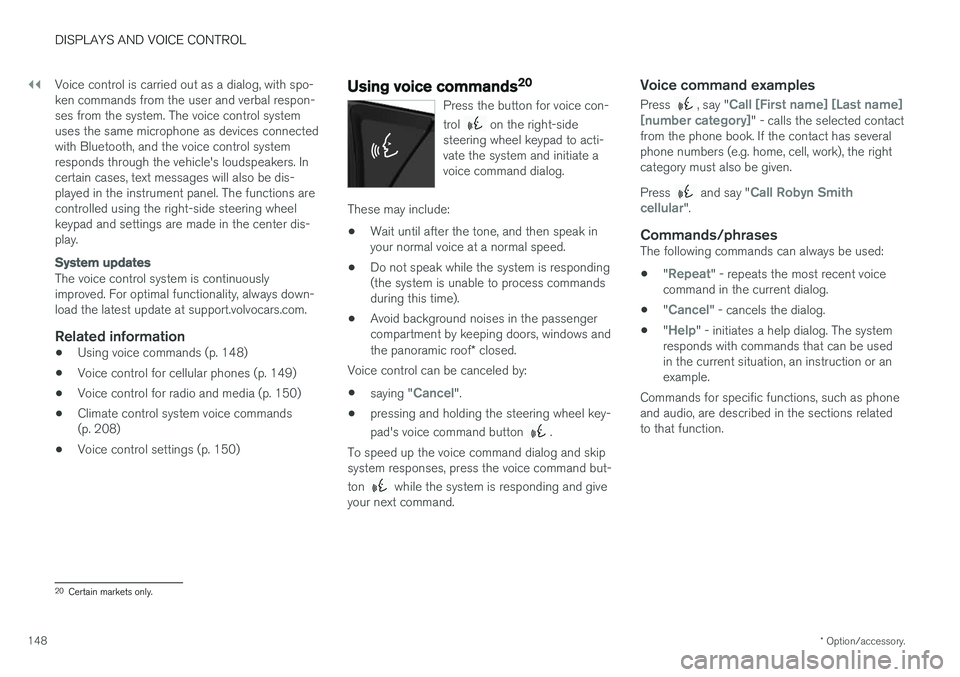
Voice control microphone
19
Certain markets only.
Page 150 of 666
||
DISPLAYS AND VOICE CONTROL
* Option/accessory.
148 Voice control is carried out as a dialog, with spo- ken commands from the user and verbal respon-ses from the system. The voice control systemuses the same microphone as devices connectedwith Bluetooth, and the voice control systemresponds through the vehicle's loudspeakers. Incertain cases, text messages will also be dis-played in the instrument panel. The functions arecontrolled using the right-side steering wheelkeypad and settings are made in the center dis-play.
System updates
The voice control system is continuously improved. For optimal functionality, always down-load the latest update at support.volvocars.com.
Related information
•
Using voice commands (p. 148)
• Voice control for cellular phones (p. 149)
• Voice control for radio and media (p. 150)
• Climate control system voice commands(p. 208)
• Voice control settings (p. 150)
Using voice commands20
Press the button for voice con- trol
on the right-side
steering wheel keypad to acti- vate the system and initiate avoice command dialog.
These may include:
• Wait until after the tone, and then speak in your normal voice at a normal speed.
• Do not speak while the system is responding(the system is unable to process commandsduring this time).
• Avoid background noises in the passengercompartment by keeping doors, windows and the panoramic roof
* closed.
Voice control can be canceled by:
• saying "
Cancel".
• pressing and holding the steering wheel key- pad's voice command button
.
To speed up the voice command dialog and skip system responses, press the voice command but- ton
while the system is responding and give
your next command.
Voice command examples
Press , say "Call [First name] [Last name]
[number category]" - calls the selected contact
from the phone book. If the contact has several phone numbers (e.g. home, cell, work), the rightcategory must also be given. Press
and say "Call Robyn Smith
cellular".
Commands/phrasesThe following commands can always be used: • "
Repeat" - repeats the most recent voice
command in the current dialog.
• "
Cancel" - cancels the dialog.
• "
Help" - initiates a help dialog. The system
responds with commands that can be used in the current situation, an instruction or anexample.
Commands for specific functions, such as phoneand audio, are described in the sections relatedto that function.
20 Certain markets only.
Page 151 of 666
DISPLAYS AND VOICE CONTROL
* Option/accessory.149
Numbers
Number commands can be given in different ways depending on the function to be controlled: •Phone numbers and zip codes
should be
given by stating each number individually, e.g. zero three one two two four four three(03122443).
• Addresses
can be given by stating each
number individually or in a group, e.g. two twoor twenty-two (22). For English and Dutchlanguage settings, groups of numbers canalso be said in sequence, e.g. twenty-twotwenty-two (22 22). For English, double ortriple digits can also be used, e.g. doublezero (00). Numbers in the range 0-2300 canbe used.
• Frequencies
can be given as ninety-eight
point eight (98.8), one hundred four pointtwo, or hundred four point two (104.2).
Related information
• Voice control (p. 147)
• Voice control for cellular phones (p. 149)
• Voice control for radio and media (p. 150)
• Climate control system voice commands(p. 208)
• Voice control settings (p. 150)
Voice control for cellular phones21
Call a contact in the phone book, have a text message read aloud or dictate short messagesusing voice commands to a Bluetooth-con-nected phone.
To access a contact in the phone book, the voice command must contain the contact informationentered in the phone book. If a contact, e.g.
Robyn Smith, has several phone numbers listed
in the phone book, a number category such as
home or cellular can also be specified, i.e. "Call
Robyn Smith cellular".
Tap
and say one of the following commands:
• "
Call [contact]" - call the selected contact
from the phone book.
• "
Call [phone number]" - call a phone num-
ber.
• "
Recent calls" - display the list of recent
calls.
• "
Read message" - read a text message
aloud. If there are several messages, select the message to read aloud.
• "
Message to [contact]" - the user is
prompted to dictate a short message. The message will then be read aloud and the user can choose to send 22
or re-dictate the
message. The vehicle must be connected to the Internet to access this function.
Related information
• Voice control (p. 147)
• Using voice commands (p. 148)
• Voice control for radio and media (p. 150)
• Climate control system voice commands(p. 208)
• Voice control settings (p. 150)
• Internet-connected vehicle
* (p. 507)
21
Certain markets only.
22 Only certain phones can send messages via the vehicle. For additional information on compatibility, see support.volvocars.com.
Page 152 of 666
DISPLAYS AND VOICE CONTROL
* Option/accessory.
150
Voice control for radio and media23
Voice commands for the radio and media play- ers are shown below.
Tap and say one of the following commands:
• "
Media" - initiates a dialog for media and
radio and displays examples of commands.
• "
Play [artist]" - plays music by the selected
artist.
• "
Play [song title]" - plays the selected
song.
• "
Play [song title] from [album]" - plays
the selected song from the selected album.
• "
Play [radio station]" - starts the selected
radio station.
• "
Tune to [frequency]" - tunes to the
selected radio frequency in the currently active waveband. If no radio source is active,the FM band will be started as default.
• "
Tune to [frequency] [waveband]" - tunes
to the selected radio frequency on the selected waveband.
• "
Radio" - starts FM radio.
• "
Radio FM" - starts FM radio.
• "
Radio AM" - starts AM radio.
• "
SiriusXM" - starts SiriusXM radio
*
• "
CD" - starts playback from CD
*. •
"
USB" - starts playback from USB.
• "
iPod" - starts playback from iPod.
• "
Bluetooth" - starts playback from a Blue-
tooth-connected media source.
• "
Similar music" - plays music from a USB-
connected device with music similar to that currently playing.
Related information
• Voice control (p. 147)
• Using voice commands (p. 148)
• Voice control for cellular phones (p. 149)
• Climate control system voice commands(p. 208)
• Voice control settings (p. 150)
Voice control settings24
Settings for the voice control system are made here.
SettingsSystemVoice Control
Settings can be personalized in the following areas:
•
Repeat Voice Command
•Gender
•Speech Rate
Sound settingsSelect sound settings under:
SettingsSoundSystem VolumesVoice Control
Language settingsThe voice control system is not available for all languages. The languages available for voice commands are indicated by the
icon in the
list of languages. Changing the language here will also change the language in the menus, messages and help texts.
SettingsSystemSystem Languages
and Units
System Language
23 Certain markets only.
24 Certain markets only.
Page 153 of 666
DISPLAYS AND VOICE CONTROL
151
Related information
•Voice control (p. 147)
• Using voice commands (p. 148)
• Voice control for cellular phones (p. 149)
• Climate control system voice commands (p. 208)
• Voice control for radio and media (p. 150)
• Sound settings (p. 464)
• Changing system language (p. 134)
Page 205 of 666
SEATS AND STEERING WHEEL
}}
* Option/accessory.203
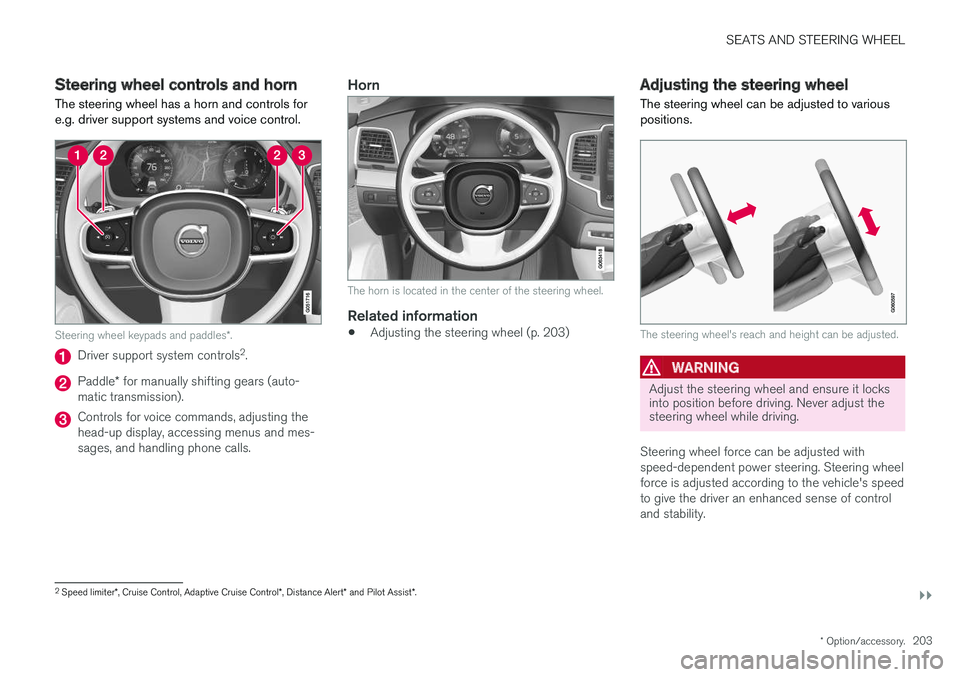
Steering wheel controls and horn The steering wheel has a horn and controls for e.g. driver support systems and voice control.
Steering wheel keypads and paddles *.
Driver support system controls 2
.
Paddle * for manually shifting gears (auto-
matic transmission).
Controls for voice commands, adjusting the head-up display, accessing menus and mes-sages, and handling phone calls.
Horn
The horn is located in the center of the steering wheel.
Related information
• Adjusting the steering wheel (p. 203)
Adjusting the steering wheel
The steering wheel can be adjusted to various positions.
The steering wheel's reach and height can be adjusted.
WARNING
Adjust the steering wheel and ensure it locks into position before driving. Never adjust thesteering wheel while driving.
Steering wheel force can be adjusted with speed-dependent power steering. Steering wheelforce is adjusted according to the vehicle's speedto give the driver an enhanced sense of controland stability.
2 Speed limiter *, Cruise Control, Adaptive Cruise Control *, Distance Alert * and Pilot Assist *.