stop start VOLVO XC90 2018 Owner´s Manual
[x] Cancel search | Manufacturer: VOLVO, Model Year: 2018, Model line: XC90, Model: VOLVO XC90 2018Pages: 666, PDF Size: 11.32 MB
Page 430 of 666
STARTING AND DRIVING
* Option/accessory.
428
Activating and deactivating ECOdrive mode using the functionbutton
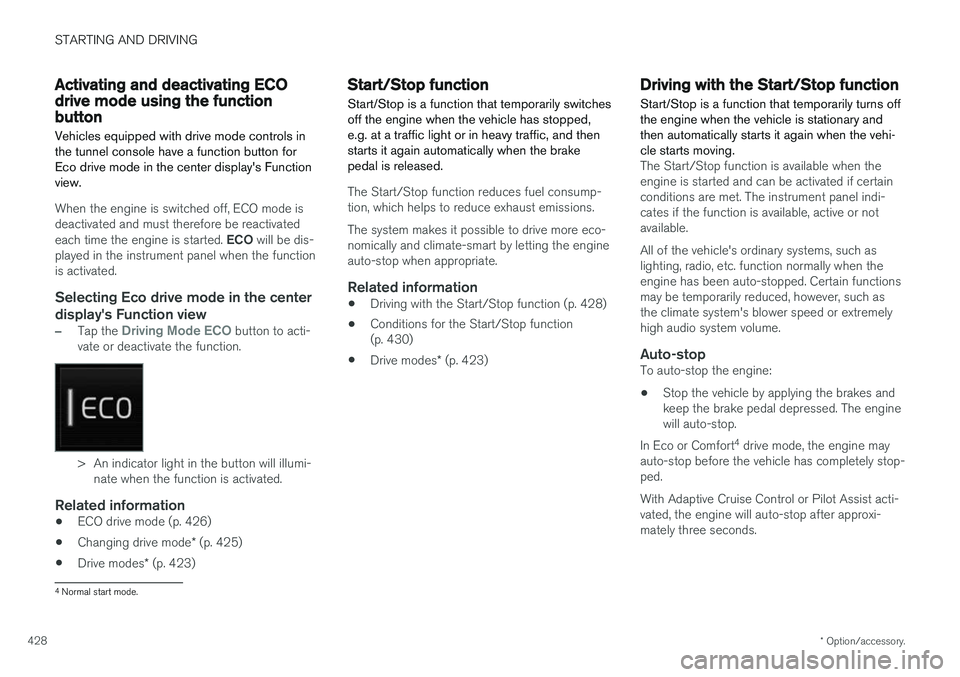
Vehicles equipped with drive mode controls in the tunnel console have a function button forEco drive mode in the center display's Functionview.
When the engine is switched off, ECO mode is deactivated and must therefore be reactivated each time the engine is started. ECO will be dis-
played in the instrument panel when the function is activated.
Selecting Eco drive mode in the center
display's Function view
–Tap the Driving Mode ECO button to acti-
vate or deactivate the function.
> An indicator light in the button will illumi- nate when the function is activated.
Related information
• ECO drive mode (p. 426)
• Changing drive mode
* (p. 425)
• Drive modes
* (p. 423)
Start/Stop function
Start/Stop is a function that temporarily switches off the engine when the vehicle has stopped,e.g. at a traffic light or in heavy traffic, and thenstarts it again automatically when the brakepedal is released.
The Start/Stop function reduces fuel consump- tion, which helps to reduce exhaust emissions. The system makes it possible to drive more eco- nomically and climate-smart by letting the engineauto-stop when appropriate.
Related information
• Driving with the Start/Stop function (p. 428)
• Conditions for the Start/Stop function(p. 430)
• Drive modes
* (p. 423)
Driving with the Start/Stop function
Start/Stop is a function that temporarily turns off the engine when the vehicle is stationary andthen automatically starts it again when the vehi-cle starts moving.
The Start/Stop function is available when the engine is started and can be activated if certainconditions are met. The instrument panel indi-cates if the function is available, active or notavailable. All of the vehicle's ordinary systems, such as lighting, radio, etc. function normally when theengine has been auto-stopped. Certain functionsmay be temporarily reduced, however, such asthe climate system's blower speed or extremelyhigh audio system volume.
Auto-stopTo auto-stop the engine:
• Stop the vehicle by applying the brakes andkeep the brake pedal depressed. The enginewill auto-stop.
In Eco or Comfort 4
drive mode, the engine may
auto-stop before the vehicle has completely stop-ped. With Adaptive Cruise Control or Pilot Assist acti- vated, the engine will auto-stop after approxi-mately three seconds.
4 Normal start mode.
Page 431 of 666
STARTING AND DRIVING
* Option/accessory.429
Auto-startThe following conditions must be met for the engine to auto-start. •Release the brake pedal. The engine will auto-start and the vehicle can be driven. Onan uphill gradient, Hill Start Assist (HSA) willactivate to help prevent the vehicle from roll-ing backward.
• When Auto-hold is activated, auto-start willbe delayed until the accelerator is pressed.
• When Adaptive Cruise Control or Pilot Assistare activated, the engine will auto-start whenthe accelerator pedal is depressed or the
button on the left-side steering wheel
keypad is pressed.
• Maintain pressure on the brake pedal and press the accelerator pedal. The engine willauto-start.
• On a downhill gradient: Release the brakepedal slightly so that the vehicle begins toroll. The engine will auto-start after a slightincrease in speed.
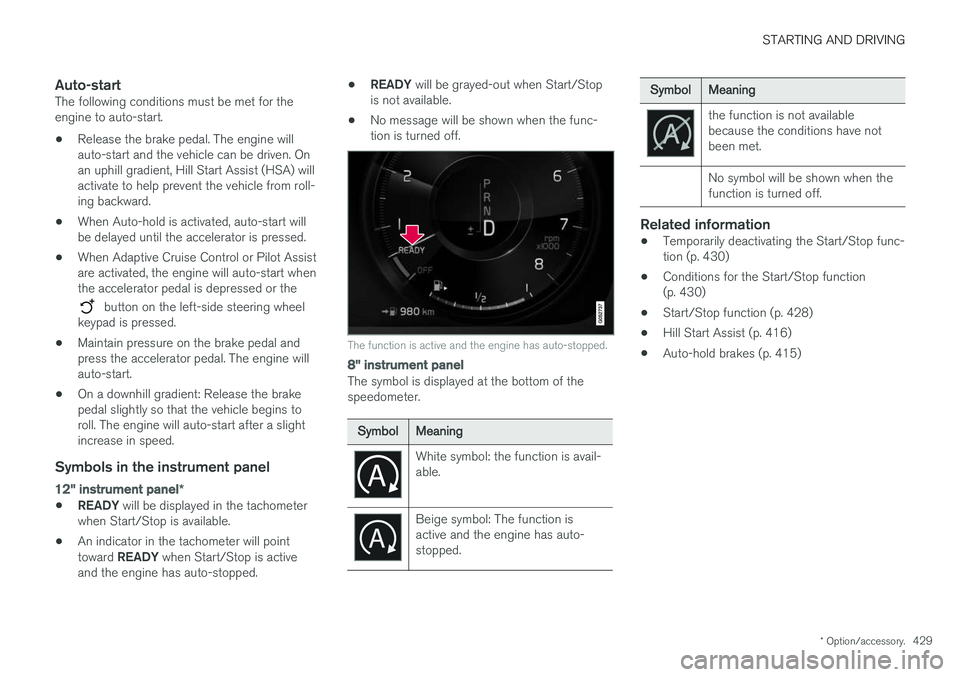
Symbols in the instrument panel
12" instrument panel
*
•READY
will be displayed in the tachometer
when Start/Stop is available.
• An indicator in the tachometer will point toward
READY when Start/Stop is active
and the engine has auto-stopped. •
READY
will be grayed-out when Start/Stop
is not available.
• No message will be shown when the func- tion is turned off.
The function is active and the engine has auto-stopped.
8" instrument panel
The symbol is displayed at the bottom of the speedometer.
SymbolMeaning
White symbol: the function is avail- able.
Beige symbol: The function is active and the engine has auto-stopped.
SymbolMeaning
the function is not available because the conditions have notbeen met. No symbol will be shown when the function is turned off.
Related information
•Temporarily deactivating the Start/Stop func- tion (p. 430)
• Conditions for the Start/Stop function(p. 430)
• Start/Stop function (p. 428)
• Hill Start Assist (p. 416)
• Auto-hold brakes (p. 415)
Page 432 of 666
STARTING AND DRIVING
430
Temporarily deactivating the Start/Stop function
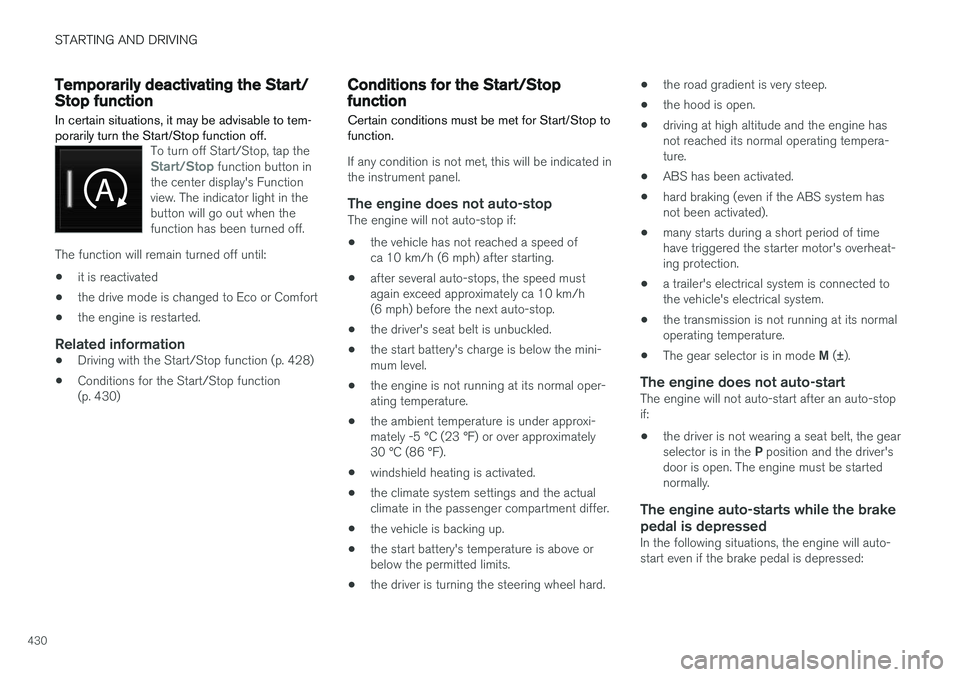
In certain situations, it may be advisable to tem- porarily turn the Start/Stop function off.
To turn off Start/Stop, tap theStart/Stop function button in
the center display's Function view. The indicator light in thebutton will go out when thefunction has been turned off.
The function will remain turned off until:
• it is reactivated
• the drive mode is changed to Eco or Comfort
• the engine is restarted.
Related information
•
Driving with the Start/Stop function (p. 428)
• Conditions for the Start/Stop function (p. 430)
Conditions for the Start/Stopfunction Certain conditions must be met for Start/Stop to function.
If any condition is not met, this will be indicated in the instrument panel.
The engine does not auto-stopThe engine will not auto-stop if: •
the vehicle has not reached a speed of ca 10 km/h (6 mph) after starting.
• after several auto-stops, the speed mustagain exceed approximately ca 10 km/h(6 mph) before the next auto-stop.
• the driver's seat belt is unbuckled.
• the start battery's charge is below the mini-mum level.
• the engine is not running at its normal oper-ating temperature.
• the ambient temperature is under approxi-mately -5 °C (23 °F) or over approximately30 °C (86 °F).
• windshield heating is activated.
• the climate system settings and the actualclimate in the passenger compartment differ.
• the vehicle is backing up.
• the start battery's temperature is above orbelow the permitted limits.
• the driver is turning the steering wheel hard. •
the road gradient is very steep.
• the hood is open.
• driving at high altitude and the engine hasnot reached its normal operating tempera-ture.
• ABS has been activated.
• hard braking (even if the ABS system hasnot been activated).
• many starts during a short period of timehave triggered the starter motor's overheat-ing protection.
• a trailer's electrical system is connected tothe vehicle's electrical system.
• the transmission is not running at its normaloperating temperature.
• The gear selector is in mode
M (±).
The engine does not auto-startThe engine will not auto-start after an auto-stopif: • the driver is not wearing a seat belt, the gear selector is in the
P position and the driver's
door is open. The engine must be started normally.
The engine auto-starts while the brake
pedal is depressed
In the following situations, the engine will auto-start even if the brake pedal is depressed:
Page 433 of 666
STARTING AND DRIVING
431
•
High levels of condensation on the inside of the windows.
• the climate system settings and the actualclimate in the passenger compartment differ.
• Electrical current consumption is temporarilyhigh or the start battery's charge is below theminimum level.
• The brake pedal is pumped repeatedly.
• The hood is open.
• The vehicle begins to roll or increases speedslightly if the engine auto-stopped before thevehicle was at a standstill.
• The driver's seat belt is unbuckled with the gear selector in the
D or N positions.
• The gear selector is moved from
D to R or M
( ± ).
• The driver's door is opened with the gearselector in
D. An audible signal and a text
message informs the driver that the ignition is on.
WARNING
Do not open the hood if the engine has auto- stopped. Turn off the engine by switching offthe ignition before lifting the hood.
Related information
• Start/Stop function (p. 428)
• Driving with the Start/Stop function (p. 428) •
Temporarily deactivating the Start/Stop func- tion (p. 430)
Page 435 of 666
STARTING AND DRIVING
}}
433
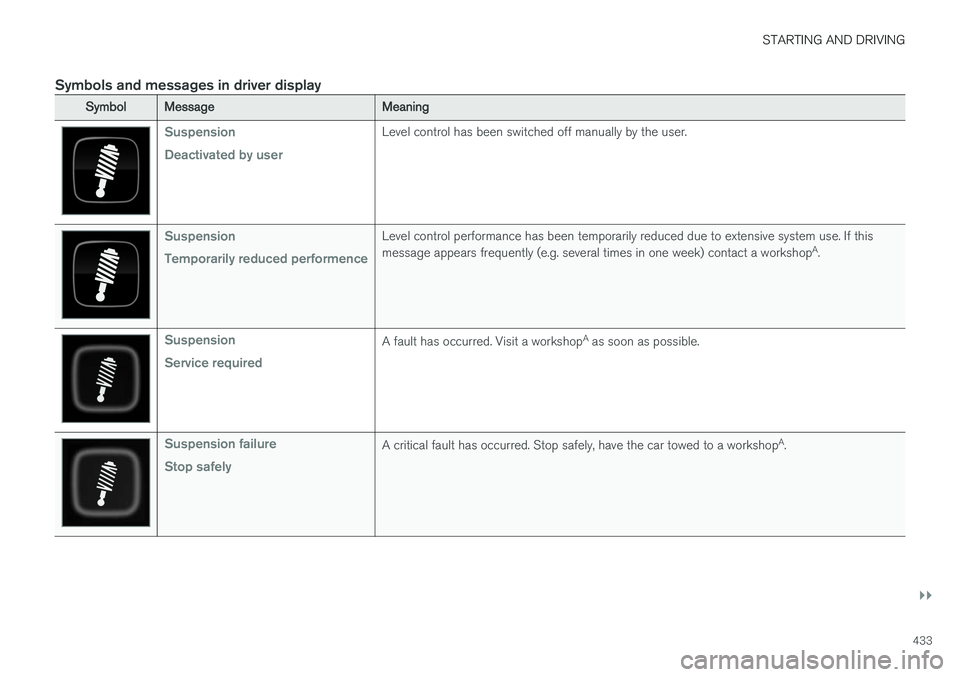
Symbols and messages in driver display
SymbolMessageMeaning
Suspension Deactivated by userLevel control has been switched off manually by the user.
Suspension Temporarily reduced performenceLevel control performance has been temporarily reduced due to extensive system use. If this message appears frequently (e.g. several times in one week) contact a workshopA
.
Suspension Service requiredA fault has occurred. Visit a workshop A
as soon as possible.
Suspension failure Stop safelyA critical fault has occurred. Stop safely, have the car towed to a workshop A
.
Page 437 of 666
STARTING AND DRIVING
}}
* Option/accessory.435
Leveling control settings *
The vehicle can be lowered or raised to make it easier to load or for passengers to get in andout. Turn off leveling control before lifting the vehicle with a jack to help avoid problems with thepneumatic suspension.
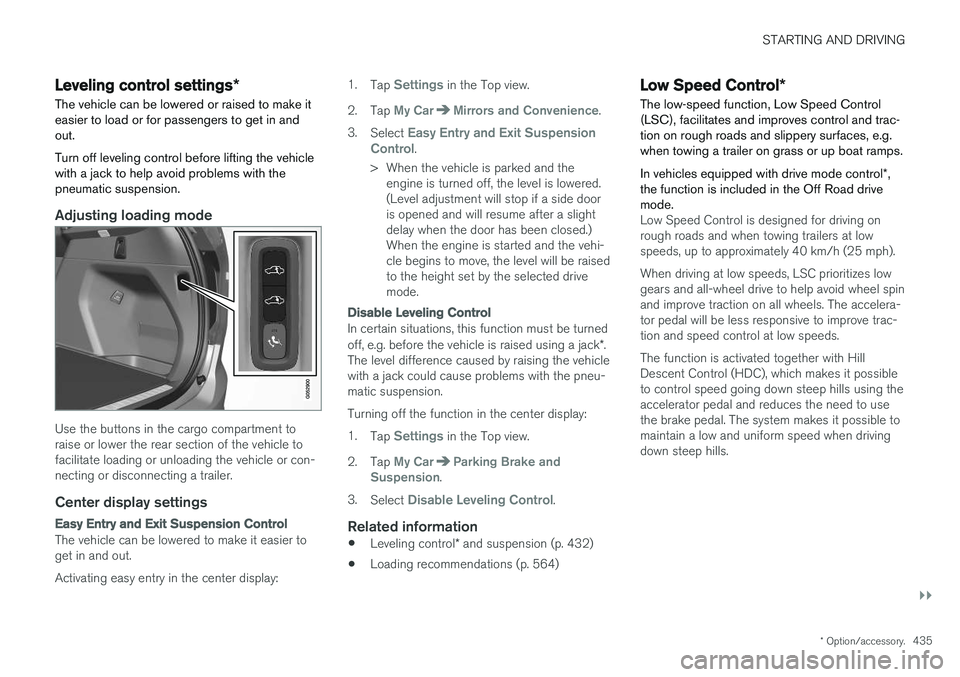
Adjusting loading mode
Use the buttons in the cargo compartment to raise or lower the rear section of the vehicle tofacilitate loading or unloading the vehicle or con-necting or disconnecting a trailer.
Center display settings
Easy Entry and Exit Suspension Control
The vehicle can be lowered to make it easier to get in and out. Activating easy entry in the center display: 1.
Tap
Settings in the Top view.
2. Tap
My CarMirrors and Convenience.
3. Select
Easy Entry and Exit Suspension
Control.
> When the vehicle is parked and the engine is turned off, the level is lowered. (Level adjustment will stop if a side dooris opened and will resume after a slightdelay when the door has been closed.)When the engine is started and the vehi-cle begins to move, the level will be raisedto the height set by the selected drivemode.
Disable Leveling Control
In certain situations, this function must be turned off, e.g. before the vehicle is raised using a jack *.
The level difference caused by raising the vehicle with a jack could cause problems with the pneu-matic suspension. Turning off the function in the center display:1. Tap
Settings in the Top view.
2. Tap
My CarParking Brake and
Suspension.
3. Select
Disable Leveling Control.
Related information
• Leveling control
* and suspension (p. 432)
• Loading recommendations (p. 564)
Low Speed Control
*
The low-speed function, Low Speed Control (LSC), facilitates and improves control and trac-tion on rough roads and slippery surfaces, e.g.when towing a trailer on grass or up boat ramps. In vehicles equipped with drive mode control *,
the function is included in the Off Road drive mode.
Low Speed Control is designed for driving on rough roads and when towing trailers at lowspeeds, up to approximately 40 km/h (25 mph). When driving at low speeds, LSC prioritizes low gears and all-wheel drive to help avoid wheel spinand improve traction on all wheels. The accelera-tor pedal will be less responsive to improve trac-tion and speed control at low speeds. The function is activated together with Hill Descent Control (HDC), which makes it possibleto control speed going down steep hills using theaccelerator pedal and reduces the need to usethe brake pedal. The system makes it possible tomaintain a low and uniform speed when drivingdown steep hills.
Page 439 of 666
STARTING AND DRIVING
* Option/accessory.437
Hill Descent Control *
The function for assisting when driving downhill, Hill Descent Control (HDC), is a low-speedfunction with increased engine braking. Thefunction makes it possible to increase ordecrease the vehicle's speed on steep downhillgradients by only using the accelerator pedal,without applying the brakes. In vehicles equipped with drive mode control *,
the function is included in the Off Road drive mode.
HDC is designed for driving on rough roads at low speeds and downhill gradients with slipperyor otherwise difficult road surfaces. The driverdoes not need to use the brake pedal but caninstead focus on steering.
WARNING
HDC is only intended to be a supplementary braking aid and it does not function in all sit-uations. The driver is always ultimately responsible for operating the vehicle in a safe manner.
FunctionHill Descent Control allows the vehicle to move forward or backward at very low speeds assistedby the brake system. The driver can increase thespeed by pressing the accelerator pedal. Whenthe accelerator pedal is released, the vehicle will return to very low speed regardless of how steepthe hill is and without the brakes needing to beapplied. The brake lights will illuminate when thefunction is activated. The driver can brake to stop or slow the vehicle at any time by depressing the brake pedal. HDC is activated along with Low Speed Control (LSC), which facilitates and improves traction andcontrol on rough and slippery surfaces. The sys-tem is intended to be used at low speeds, up toapproximately 40 km/h (25 mph).
To keep in mind when using HDC
•
If the function is switched off while driving ona steep downhill gradient, braking effect willbe gradually reduced.
• HDC can be used in gear positions
D and R,
and in manual gears 1 or 2.
• It is not possible to manually shift to thirdgear or higher when HDC is active.
NOTE
When LSC with HDC is activated, the feel of the accelerator pedal and engine responsewill change.
NOTE
This drive mode is not designed to be used for normal street driving.
NOTE
The function is deactivated when driving at high speeds and must be reactivated at lowerspeeds if so desired.
Related information
• Activating and deactivating Hill Descent Con- trol
* using the function button (p. 438)
• Changing drive mode
* (p. 425)
• Low Speed Control
* (p. 435)
• All Wheel Drive (AWD)
* (p. 423)
Page 440 of 666
STARTING AND DRIVING
* Option/accessory.
438
Activating and deactivating Hill
Descent Control * using the functionbutton
Vehicles that are not equipped with drive mode controls in the tunnel console have a function button for Hill Descent Control with
Hill
Descent Control in the center display's Func-
tion view.
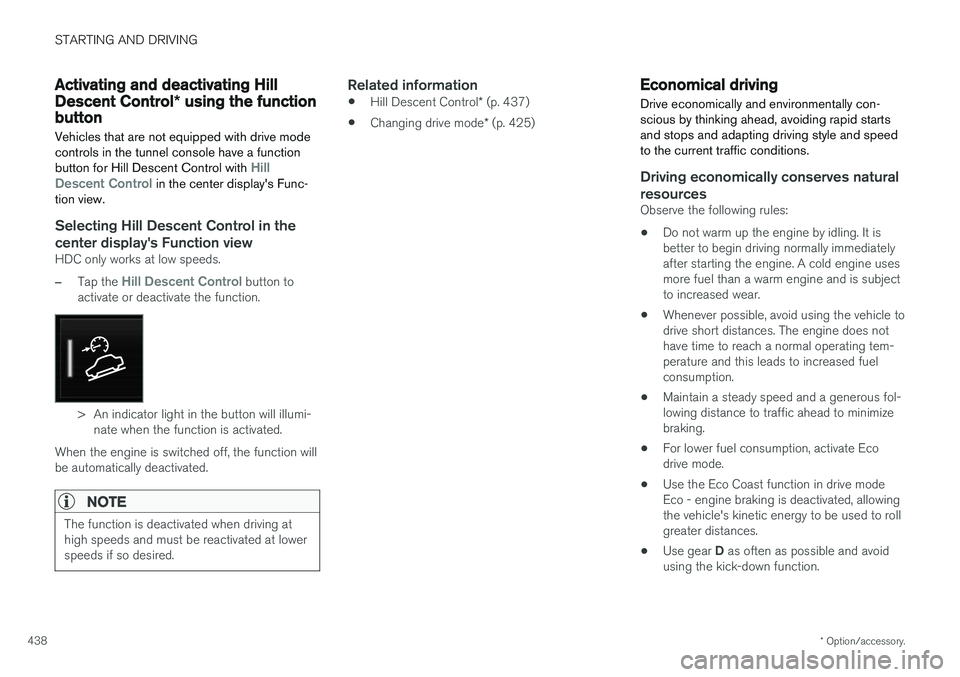
Selecting Hill Descent Control in the center display's Function view
HDC only works at low speeds.
–Tap the Hill Descent Control button to
activate or deactivate the function.
> An indicator light in the button will illumi- nate when the function is activated.
When the engine is switched off, the function will be automatically deactivated.
NOTE
The function is deactivated when driving at high speeds and must be reactivated at lowerspeeds if so desired.
Related information
• Hill Descent Control
* (p. 437)
• Changing drive mode
* (p. 425)
Economical driving
Drive economically and environmentally con- scious by thinking ahead, avoiding rapid startsand stops and adapting driving style and speedto the current traffic conditions.
Driving economically conserves natural resources
Observe the following rules:
• Do not warm up the engine by idling. It is better to begin driving normally immediately after starting the engine. A cold engine uses more fuel than a warm engine and is subject to increased wear.
• Whenever possible, avoid using the vehicle todrive short distances. The engine does nothave time to reach a normal operating tem-perature and this leads to increased fuelconsumption.
• Maintain a steady speed and a generous fol-lowing distance to traffic ahead to minimizebraking.
• For lower fuel consumption, activate Ecodrive mode.
• Use the Eco Coast function in drive mode Eco - engine braking is deactivated, allowing the vehicle's kinetic energy to be used to rollgreater distances.
• Use gear
D as often as possible and avoid
using the kick-down function.
Page 443 of 666
STARTING AND DRIVING
* Option/accessory.441
Driving through standing water
Driving the vehicle through a deep pool of stand- ing water on a water-covered roadway is calledfording. This must be done with great caution.
The vehicle can be driven through water up to a depth of 45 cm (17.7 in) at no more than walkingspeed. Be particularly careful when drivingthrough flowing water. When driving through standing water, drive slowly and do not stop the vehicle. When you havepassed the water, press lightly on the brake pedaland check that the brakes are functioning prop-erly. Water, mud, slush, etc. can make the brakelinings slippery, resulting in delayed brakingeffect.
• If the vehicle is equipped with contacts for anelectric heater or trailer coupling, clean theseafter driving in water or mud.
• Do not allow the vehicle to stand in water upto the sills any longer than absolutely neces-sary. This could result in electrical malfunc-tions.
CAUTION
•Engine damage could occur if water enters the air cleaner.
• If water enters the transmission, the lubri-cating ability of the oils is reduced andthe service life of these systems is short-ened.
• Damage to any component, engine,transmission, turbocharger, differential orits internal components caused by flood-ing, vapor lock or insufficient oil is notcovered under warranty.
• If the engine stalls while the vehicle is inwater, do not attempt to restart it. Havethe vehicle towed out of the water to aworkshop. An authorized Volvo workshopis recommended. Risk of engine failure.
Related information
• Recovery (p. 455)
• Low Speed Control
* (p. 435)
Opening/closing the fuel filler door The vehicle must be unlocked before the fuel filler door can be opened 5
.
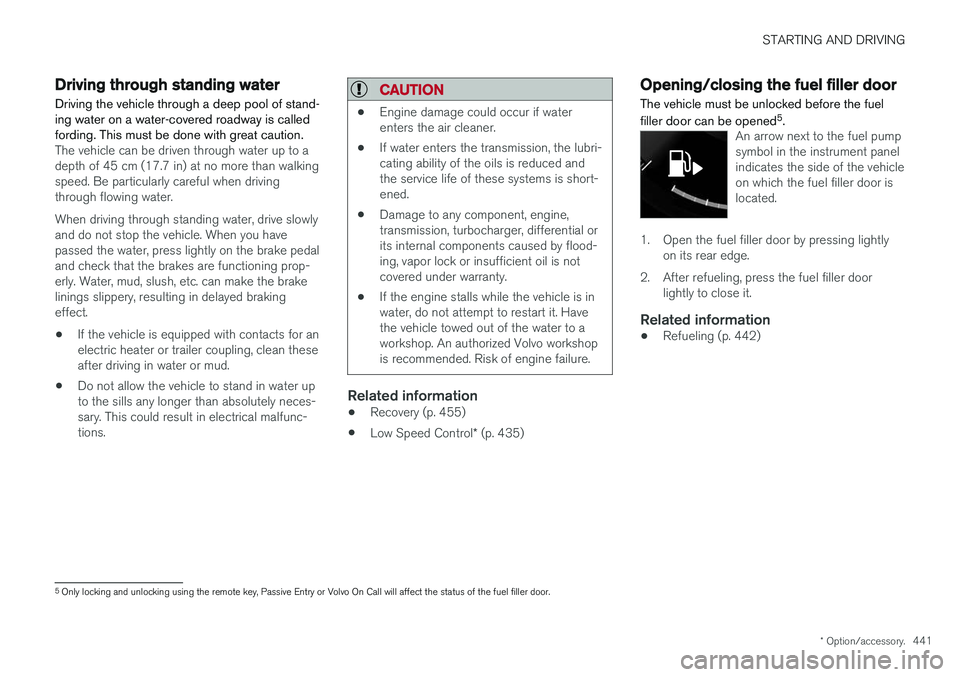
An arrow next to the fuel pump symbol in the instrument panelindicates the side of the vehicleon which the fuel filler door islocated.
1. Open the fuel filler door by pressing lightly
on its rear edge.
2. After refueling, press the fuel filler door lightly to close it.
Related information
• Refueling (p. 442)
5
Only locking and unlocking using the remote key, Passive Entry or Volvo On Call will affect the status of the fuel filler door.
Page 444 of 666
STARTING AND DRIVING
442
RefuelingThe fuel tank is equipped with a fuel filling sys- tem without a cover.
Refueling the vehicle at a service station
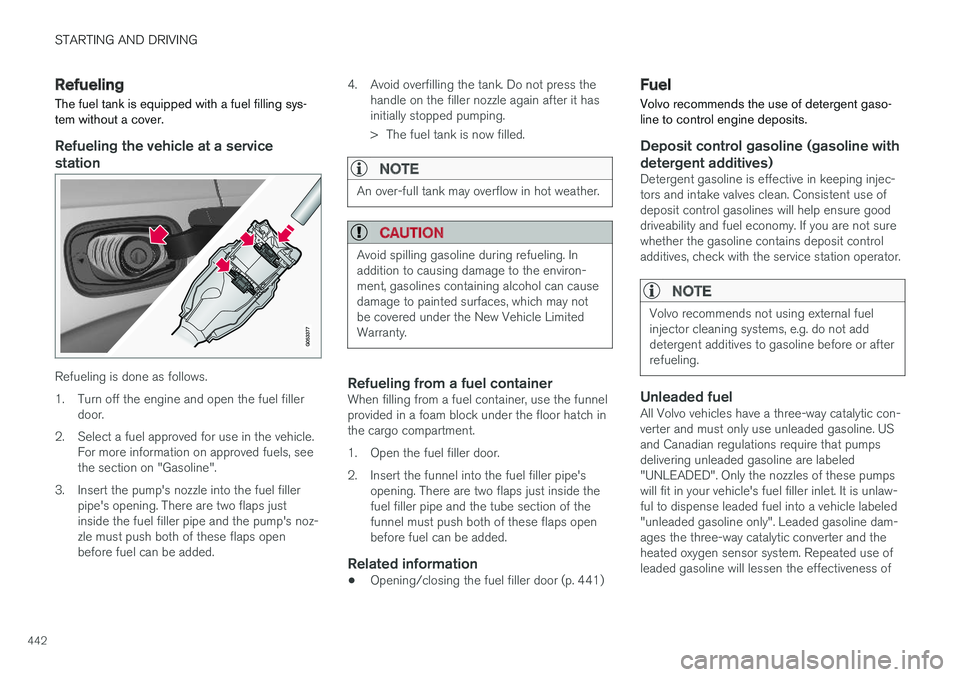
Refueling is done as follows.
1. Turn off the engine and open the fuel filler door.
2. Select a fuel approved for use in the vehicle. For more information on approved fuels, see the section on "Gasoline".
3. Insert the pump's nozzle into the fuel filler pipe's opening. There are two flaps justinside the fuel filler pipe and the pump's noz-zle must push both of these flaps openbefore fuel can be added. 4. Avoid overfilling the tank. Do not press the
handle on the filler nozzle again after it hasinitially stopped pumping.
> The fuel tank is now filled.
NOTE
An over-full tank may overflow in hot weather.
CAUTION
Avoid spilling gasoline during refueling. In addition to causing damage to the environ-ment, gasolines containing alcohol can causedamage to painted surfaces, which may notbe covered under the New Vehicle LimitedWarranty.
Refueling from a fuel containerWhen filling from a fuel container, use the funnel provided in a foam block under the floor hatch inthe cargo compartment.
1. Open the fuel filler door.
2. Insert the funnel into the fuel filler pipe'sopening. There are two flaps just inside the fuel filler pipe and the tube section of thefunnel must push both of these flaps openbefore fuel can be added.
Related information
• Opening/closing the fuel filler door (p. 441)
Fuel Volvo recommends the use of detergent gaso- line to control engine deposits.
Deposit control gasoline (gasoline with detergent additives)
Detergent gasoline is effective in keeping injec- tors and intake valves clean. Consistent use ofdeposit control gasolines will help ensure gooddriveability and fuel economy. If you are not surewhether the gasoline contains deposit controladditives, check with the service station operator.
NOTE
Volvo recommends not using external fuel injector cleaning systems, e.g. do not adddetergent additives to gasoline before or afterrefueling.
Unleaded fuelAll Volvo vehicles have a three-way catalytic con- verter and must only use unleaded gasoline. USand Canadian regulations require that pumpsdelivering unleaded gasoline are labeled"UNLEADED". Only the nozzles of these pumpswill fit in your vehicle's fuel filler inlet. It is unlaw-ful to dispense leaded fuel into a vehicle labeled"unleaded gasoline only". Leaded gasoline dam-ages the three-way catalytic converter and theheated oxygen sensor system. Repeated use ofleaded gasoline will lessen the effectiveness of