warning lights VOLVO XC90 2018 Owner´s Manual
[x] Cancel search | Manufacturer: VOLVO, Model Year: 2018, Model line: XC90, Model: VOLVO XC90 2018Pages: 666, PDF Size: 11.32 MB
Page 439 of 666
STARTING AND DRIVING
* Option/accessory.437
Hill Descent Control *
The function for assisting when driving downhill, Hill Descent Control (HDC), is a low-speedfunction with increased engine braking. Thefunction makes it possible to increase ordecrease the vehicle's speed on steep downhillgradients by only using the accelerator pedal,without applying the brakes. In vehicles equipped with drive mode control *,
the function is included in the Off Road drive mode.
HDC is designed for driving on rough roads at low speeds and downhill gradients with slipperyor otherwise difficult road surfaces. The driverdoes not need to use the brake pedal but caninstead focus on steering.
WARNING
HDC is only intended to be a supplementary braking aid and it does not function in all sit-uations. The driver is always ultimately responsible for operating the vehicle in a safe manner.
FunctionHill Descent Control allows the vehicle to move forward or backward at very low speeds assistedby the brake system. The driver can increase thespeed by pressing the accelerator pedal. Whenthe accelerator pedal is released, the vehicle will return to very low speed regardless of how steepthe hill is and without the brakes needing to beapplied. The brake lights will illuminate when thefunction is activated. The driver can brake to stop or slow the vehicle at any time by depressing the brake pedal. HDC is activated along with Low Speed Control (LSC), which facilitates and improves traction andcontrol on rough and slippery surfaces. The sys-tem is intended to be used at low speeds, up toapproximately 40 km/h (25 mph).
To keep in mind when using HDC
•
If the function is switched off while driving ona steep downhill gradient, braking effect willbe gradually reduced.
• HDC can be used in gear positions
D and R,
and in manual gears 1 or 2.
• It is not possible to manually shift to thirdgear or higher when HDC is active.
NOTE
When LSC with HDC is activated, the feel of the accelerator pedal and engine responsewill change.
NOTE
This drive mode is not designed to be used for normal street driving.
NOTE
The function is deactivated when driving at high speeds and must be reactivated at lowerspeeds if so desired.
Related information
• Activating and deactivating Hill Descent Con- trol
* using the function button (p. 438)
• Changing drive mode
* (p. 425)
• Low Speed Control
* (p. 435)
• All Wheel Drive (AWD)
* (p. 423)
Page 448 of 666
STARTING AND DRIVING
* Option/accessory.
446
Overheating of engine andtransmission
In demanding driving conditions, such as driving in mountainous areas or hot weather, there is arisk of the engine or transmission overheating,especially when carrying heavy loads.
• Engine power may be temporarily limited.
• Remove any auxiliary lights mounted in front of the grille when driving in hot weather.
• If the temperature in the engine's coolingsystem becomes too high, a warning symbolwill appear in the instrument panel along with the message
Engine temperature High
temperature Stop safely. Pull over to a
safe location and let the engine idle for a few minutes to cool down.
• If the message
Engine temperature High
temperature Turn off engine or Engine
coolant Level low, turn off engine is dis-
played, stop the vehicle and turn off the engine.
• If the transmission begins to overheat, analternative gear shifting program will beselected. An integrated protective functionwill also be activated, the warning symbol will illuminate and the message
Transmission
warm Reduce speed to lower
temperature or Transmission hot Stop
safely, wait for cooling will be displayed in
the instrument panel. Follow the recommen- dations given by reducing speed or stopping the vehicle safely and letting the engine idle for a few minutes to let the transmissioncool.
• If the vehicle begins to overheat, the air con-ditioning may be temporarily switched off.
• After a prolonged period of driving indemanding conditions, do not turn off theengine immediately after stopping.
NOTE
It is normal for the engine's cooling fan to operate for a short time after the engine isswitched off.
Symbols in the instrument panel
SymbolMeaning
High engine temperature. Follow the recommendations provided.
Low coolant level. Follow the rec- ommendations provided.
Transmission hot/overheated/cool- ing. Follow the recommendationsprovided.
Related information
• Refilling coolant (p. 590)
• Driving with a trailer (p. 449)
• Preparing for a long trip (p. 439)
• Gear indicator
* (p. 422)
Page 455 of 666
STARTING AND DRIVING
}}
453
Disabling the automatic check
The automatic light check can be disabled in the center display. 1.Tap
Settings in the Top view.
2. Tap
My CarLights and Lighting.
3. Deselect
Automatic Trailer Lamp Check.
Manual check
If the automatic check has been disabled, the check can be started manually. 1.Tap
Settings in the Top view.
2. Tap
My CarLights and Lighting.
3. Select
Manual Trailer Lamp Check.
> The light check will begin. Get out of the vehicle to perform the check.
Related information
• Driving with a trailer (p. 449)
Towing using a towline
This section refers to one vehicle being towed behind another using a towline.
Before towing another vehicle, check applicable speed limit regulations.
Preparations and towing
CAUTION
Note that the vehicle must always be towed with the wheels rolling forward.
• Do not tow a vehicle with automatictransmission at a speed greater than80 km/h (50 mph) or for a distancegreater than 80 km (50 miles).
WARNING
•
Ignition mode
II must be active – all air-
bags are deactivated in ignition mode I.
• Always have the remote key in the vehicle when it is towed.
WARNING
The brake and steering servos do not work when the engine is off – it takesabout 5 times more pressure on the brakepedal and steering requires much more effortthan normal. 1. Turn on the hazard warning flashers.
2. Attach the towline to the towing eyelet.3.
Put the vehicle in ignition mode II – without
pressing the brake pedal, turn the start knob clockwise and hold it there for about4 seconds. Release the knob, which willautomatically return to its original position.
4. Move the gear selector to neutral ( N) and
release the parking brake. If the battery charge level is too low, it may not be possible to release the parking brake.Connect an auxiliary battery to the vehicle ifthe battery is discharged.
> The towing vehicle can now start driving.
5. Keep the towline taut when the towing vehi- cle slows down by applying light pressure to the brake pedal. This will help avoid jarringmovements.
6. Be prepared to apply the brakes to stop the vehicle.
Jump startingDo not tow the vehicle to start the engine. Use anauxiliary battery if the start battery's charge levelis so low that the engine cannot be started.
Page 594 of 666
||
MAINTENANCE AND SERVICE
* Option/accessory.
592 If you are experiencing problems with any lights other than light bulbs, contact a workshop
14
. If
there is a problem with an LED 13
light, the entire
lamp unit will normally need to be replaced.
WARNING
The vehicle electrical system must be in igni- tion mode 0 when bulbs are replaced.
CAUTION
Never touch the bulb glass with your bare fin- gers. Grease and oils from your fingers vapor-ize in the heat and will leave a deposit on thereflector, which may damage it.
NOTE
If the error message persists after the defec- tive bulb has been replaced, we recommend avisit to an authorized Volvo workshop.
NOTE
Exterior lighting such as headlights and tail- lights may develop temporary condensationon the inside of the lens. This is normal. Allexterior lighting is designed to resist this.Condensation is normally vented out of thelamp housing once the light has been lit forsome period of time.
NOTE
Bulbs for active curve lighting * contain traces
of mercury and should therefore always be submitted to a certified Volvo service techni-cian.
Related information
• Location of exterior lights (p. 594)
• Removing the plastic cover to replace bulbs (p. 593)
• Removing the rectangular headlight cover(p. 593)
• Replacing the low beam headlight bulbs(p. 595)
• Replacing the high beam headlight bulbs(p. 595)
• Replacing daytime running lights/front park-ing light bulbs (p. 596) •
Replacing front turn signal bulbs (p. 597)
• Bulb specifications (p. 597)
14
An authorized Volvo workshop is recommended.
13 LED (Ligth Emitting Diode)
Page 624 of 666
||
MAINTENANCE AND SERVICE
622•
Wash using a sponge, car washing detergent and plenty of lukewarm water.
• Clean the wiper blades with lukewarm soapsolution or car washing detergent.
• Dry the vehicle using a clean, soft chamois ora squeegee. Try not to let drops of water dryin strong sunlight. This could cause waterdrying stains that may need to be polishedout.
• In areas with heavy industrial emissions,more frequent washing of the vehicle's exte-rior is recommended.
• Tar spots from asphalt may remain even afterwashing. Use a tar remover to remove thesespots after washing the vehicle.
WARNING
Always entrust engine washing to a workshop. If the engine is hot, there is a risk of fire.
CAUTION
Dirty headlights do not work as well. Clean them regularly, e.g. when refueling. Do not use corrosive cleaners. Use water and a non-abrasive sponge.
NOTE
Exterior lighting such as headlights and tail- lights may develop temporary condensationon the inside of the lens. This is normal. Allexterior lighting is designed to resist this.Condensation is normally vented out of thelamp housing once the light has been lit forsome period of time.
CAUTION
• Make sure that the panoramic roof and sun shade are closed before washing thevehicle.
• Never use abrasive polishing agents onthe panoramic roof.
• Never use wax on the rubber sealsaround the panoramic roof.
CAUTION
Remember to remove dirt from the drain holes in the doors and sills after washing thevehicle.
Related information
• Cleaning the exterior (p. 620)
• Polishing and waxing (p. 621)
• Automatic car washes (p. 623)
• High-pressure washing (p. 624) •
Cleaning the wiper blades (p. 624)
• Cleaning exterior plastic, rubber and trim components (p. 625)
• Cleaning rims (p. 626)
• Corrosion protection (p. 626)
Page 651 of 666

INDEX
649
1, 2, 3 ...
4WD 423
A
ABSanti-lock brakes 409
AC (Air conditioning) 233
ACC - Adaptive Cruise Control 293, 296, 297, 298, 299, 300, 302, 303, 304, 305, 307
Accessories and extra equipment 35 installation 36
Accessory installation warning 36
Active Bending Lights 161
Adapting driving characteristics 270, 423
Adaptive Cruise Control 293, 296, 297, 298, 299, 300, 302, 303, 304, 305, 307
change cruise control functionality 305
function 293
manage speed 297, 298
pass 302, 303
radar sensor 324
set time interval 299, 300
troubleshooting 305
Adjusting the steering wheel 203
Airbag 52 activation/deactivation 56
driver's side 53
passenger side 53, 56
Air bag, see Airbag 52
Air conditioning 233Air conditioning, fluid volume and grade 646
Air distribution 212 air vents 212, 213
changing 212
defrosting 225
recirculation 224
table showing options 214
Air quality 209, 210 allergy and asthma 210
passenger compartment filter 211
Air recirculation 224
Alarm 266 deactivating 267
Allergy and asthma-inducing substances 210
All Wheel Drive, AWD 423
All Wheel Drive (AWD) 423
All Wheel Drive (four-wheel drive) 423
Android Auto 496, 498 Antenna location 255Apple CarPlay 493, 495
Approach lighting 164
Apps 465
Assistance at risk of collision 370, 371, 372, 373, 374, 375, 376, 378
Audio and media 464Audio system HD digital radio 475 SiriusXM ® Satellite radio 476, 477, 478
Auto-climate 223
Auto hold 415
Auto-hold brakes 415 activate and deactivate 416
after collision 417
Automatic car wash 623 Automatic engine stop auto-stop 428
Automatic high beam 159
Automatic locking 259
Automatic relocking 239, 252
Automatic Speed Limiter 280, 282, 283
Automatic transmission 418 kickdown 422
oil 645
Trailer 449
INDEX
Page 652 of 666
INDEX
650
B
Backrestfront seat, adjusting 188, 189, 192, 193 , 194
rear seat, adjusting 200, 201
rear seat, folding 196, 201, 202
Battery jump-start 447
Maintenance 598
start 598
support 601
symbols on the battery 602
warning symbols 602
BLIS 346, 347, 348, 349 Blower adjusting 228, 229
air distribution 212
air vents 213
Bluetooth connect 491
connecting vehicle to Internet 509
phone 498
settings 507
Book service and repair 580
Booster cushions 71 Brake assist after collision 417
Brake fluid
grade 645
Brake functions 408
Brake light 163
Brakes 409 anti-lock brakes, ABS 409
automatic when stationary 415
Brake Assist System, BAS 410
brake lights 163
brake system 408
emergency brake lights 163
handbrake 411
Maintenance 411
on salted roads 411
on wet roads 410
brake system fluid 645
C
Camera sensor 342
Camera unit 329
Capacity weight 556, 641
Cargo compartment 564
attachment points 567
cargo net 571
electrical outlet 560, 562
Lighting 166
Cargo compartment cover 567, 568
cargo net 571
Car wash 620, 621, 623, 624, 625, 626
Catalytic converter 445 recovery 453
CD player 489
Cell phone, see Phone 499
Center console 559Center display change appearance 133
cleaning 615
climate controls 217
Function view 124
keyboard 128
messages 142, 143, 144
operation 114, 117, 121, 126
overview 111
settings 134, 135, 136
switch off and change volume 133
symbols in status bar 126
views 117
Central locking 255
Change of owner 136
Changing a wheel 542
Checking engine oil level 589
Page 653 of 666
INDEX
651
Child restraints 63, 65
booster cushions 71
convertible seats 69
infant seats 67
integrated booster cushion 76
ISOFIX/LATCH anchors 74
lower attachment points 74
recalls and registration 65
top tether anchors 72
Child safety 63
Child safety locks 257
City Safety 333, 334, 336, 337, 342, 344
City Safety in crossing traffic 339, 340 City Safety when evasive maneuver preven- ted 341
Cleaning 617, 619, 620 automatic car wash 623
car wash 620, 621, 623, 624, 625, 626
center display 615
Seat belts 617
textile upholstery 615, 617, 618
upholstery 615, 617, 618, 619, 620
wheels 626
Cleaning wheels 626
Cleaning wiper blades 624
Clean Zone 209
Clean Zone Interior Package 210
Climate 206 auto-regulation 223
blower control 228, 229
perceived temperature 207
Sensors 207
temperature control 230, 231, 232
voice control 208
zones 206
Climate controls 217 center display 217
rear seat 217
Climate system 206, 217 Refrigerant 646
repairs 586
Clock, setting 94
Collision 42, 47, 52, 61 Collision warner detection of pedestrians 337
radar sensor 324
Collision warning 333, 345
Color code, paintwork 628
Color codes 628
Compass 459, 460 calibration 460
Condensation in headlights 621, 623, 624, 625Connecting vehicle to InternetNo connection or poor connection 512
via a mobile device (WiFi) 509
via mobile device (Bluetooth) 509
via vehicle's modem 510
Connect phone 499
Contact information 26
Convertible seats 69
coolant 645
Coolant, filling 590 Cooling system overheating 446
Cornering illumination 162
Corner Traction Control 272
Corrosion protection 626Covering cargo compartment 568
Crash, see Collision 42
Crash event data 33
Cross Traffic Alert – CTA 351, 352, 353, 354
Cruise control 284, 285 manage speed 285, 286
temporary deactivation 287, 288
turn off 288
CTA – Cross Traffic Alert 351, 352, 353, 354
Curb weight 641
Page 656 of 666
INDEX
654
H
Handbrake 411, 412
Hand wash 621Hard diskspace 516
Hazard warning flashers 164
HDC 437
HD radio 472 Headlights cover 593
Head restraint 198
Head-up display 144 activate and deactivate 146
cleaning 616
replacing windshield 586
settings 146
Heated washer nozzles 181 Heating Seats 219, 220
steering wheel 222, 223
windows 226, 227
Height adjustment 432, 435
high beams 158, 159
High engine temperature 446
Hill Descent Control 436, 437, 438 activate with function button 438
Hill Start Assist 416
Hill Start Assist (HSA) 416
Hoisting the vehicle 583 HomeLink ® 456
programming 457
use 458
HomeLink ® remote control
programmable 456
Home safe lighting 164
Honk 203
Hood, opening 585
Horn 203
I
IAQS (Interior Air Quality System) 210
IC (Inflatable Curtain) 60
ID, Volvo 26
Identification number 38
Ignition mode 407, 408
Immobilizer 250 Electronic immobilizer 250
Indicator symbols 95
Individual drive mode 423
Infant seats 67
Inflatable curtain 60
Inflatable Curtain 60
Inflating tires 555Inflation pressure adjusting 536
Checking 535
recommended 537
Inflation pressure monitoring 537 action 541
Status 540
Inflation pressure table 647
Information display 84, 88
Infotainment (Audio and media) 464
Instrument cluster 84 settings 88
Instrument illumination 167
Instrument lighting 167Instrument panel App menu 104, 105
messages 106
Instruments and controls 82 Instruments overview left-hand drive vehicle 82
Integrated booster cushion 76 folding down 78
folding up 77
Page 657 of 666
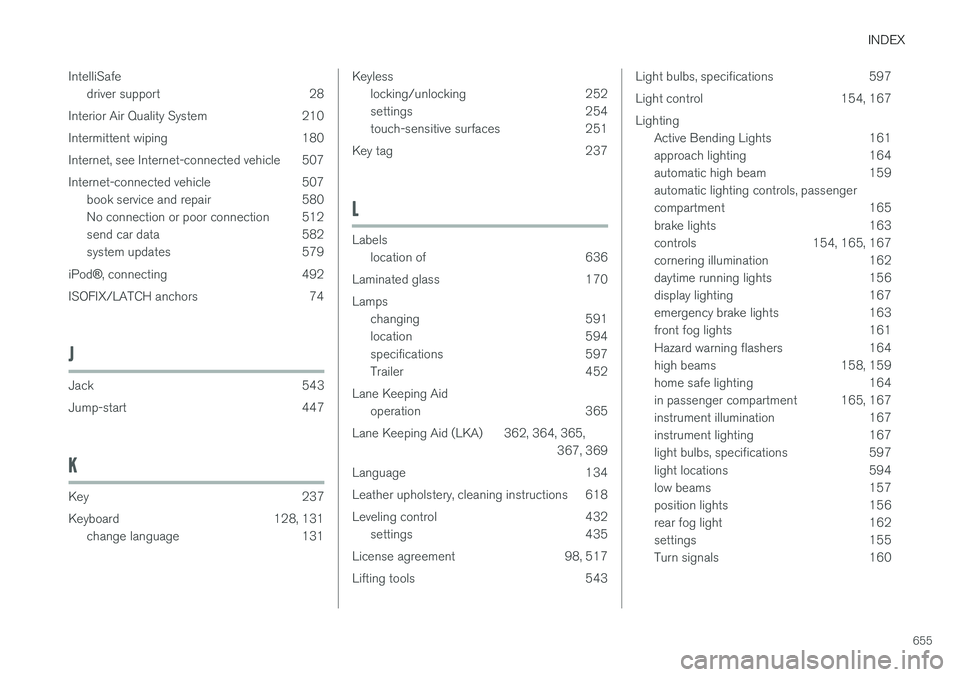
INDEX
655
IntelliSafe
driver support 28
Interior Air Quality System 210
Intermittent wiping 180
Internet, see Internet-connected vehicle 507
Internet-connected vehicle 507 book service and repair 580
No connection or poor connection 512
send car data 582
system updates 579
iPod ®, connecting 492
ISOFIX/LATCH anchors 74
J
Jack 543
Jump-start 447
K
Key 237
Keyboard 128, 131 change language 131
Keylesslocking/unlocking 252
settings 254
touch-sensitive surfaces 251
Key tag 237
L
Labels location of 636
Laminated glass 170 Lamps changing 591
location 594
specifications 597
Trailer 452
Lane Keeping Aid operation 365
Lane Keeping Aid (LKA) 362, 364, 365, 367, 369
Language 134
Leather upholstery, cleaning instructions 618
Leveling control 432 settings 435
License agreement 98, 517
Lifting tools 543
Light bulbs, specifications 597
Light control 154, 167Lighting Active Bending Lights 161
approach lighting 164
automatic high beam 159automatic lighting controls, passenger
compartment 165
brake lights 163
controls 154, 165, 167
cornering illumination 162
daytime running lights 156
display lighting 167
emergency brake lights 163
front fog lights 161
Hazard warning flashers 164
high beams 158, 159
home safe lighting 164
in passenger compartment 165, 167
instrument illumination 167
instrument lighting 167
light bulbs, specifications 597
light locations 594
low beams 157
position lights 156
rear fog light 162
settings 155
Turn signals 160