instrument panel VOLVO XC90 T8 2016 Owner´s Manual
[x] Cancel search | Manufacturer: VOLVO, Model Year: 2016, Model line: XC90 T8, Model: VOLVO XC90 T8 2016Pages: 546, PDF Size: 10.26 MB
Page 368 of 546
||
STARTING AND DRIVING
3661.
Switch the ignition off completely (mode 0).
2. Ensure that the auxiliary battery to be used is 12-volt.
3. If the 12-volt auxiliary battery to be used is in another vehicle, switch off that vehicle's igni- tion and be sure that the vehicles are nottouching each other.
4. Connect one of the red jumper cable's clamps to the auxiliary battery's positive (+)terminal (1).
CAUTION
Connect the jumper cables carefully to avoid short circuits with other components in theengine compartment.
5. Open the cover over the positive (+) jump start terminal (2).
6. Connect the red jumper cable's other clamp to your vehicle's positive (+) jump start termi- nal (2).
7. Connect one of the black jumper cable's clamps to the auxiliary battery's negative (–)terminal (3).
8. Connect the black jumper cable's other clamp to your vehicle's negative (–) jumpstart terminal (4). 9. Check that the jumper cables are securely
attached to help avoid sparks when the vehi-cle is started.
10. Start the engine in the assisting vehicle and run it for a short time at approx. 1,500 rpm.
11. Start the engine in your vehicle. If the vehicle does not start, allow an additional10 minutes of charging time and then try tostart the engine again.
NOTE
During normal starts, the electric motor is pri- oritized and the gasoline engine will not start.This means that when the start knob has been turned toward START and released, the
electric motor is activated ("started") and the vehicle is ready to be driven. The warning andinformation symbols in the instrument panelwill go out and the chosen theme will be dis-played to indicate that the electric motor hasbeen activated.
CAUTION
Do not touch the jumper cable connections while the vehicle is being started. This couldgenerate sparks.
12. After the vehicle has started, carefully remove the jumper cables in reverse order, beginning with the black one. Ensure that the black jumper cable's clamps do not come in contact with the vehicle's orthe auxiliary battery's positive terminals orthe red jumper cable's clamps while it is con-nected.
WARNING
PROPOSITION 65 WARNING! Battery posts, terminals, and related accesso- ries contain lead and lead compounds, chemi-cals known to the state of California to causecancer and reproductive harm. Wash handsafter handling.
WARNING
• Do not connect the jumper cable to any part of the fuel system or to any movingparts. Avoid touching hot manifolds.
• Batteries generate hydrogen gas, whichis flammable and explosive.
• Battery fluid contains sulfuric acid. Do notallow battery fluid to contact eyes, skin,fabrics or painted surfaces. If contactoccurs, flush the affected area immedi-ately with water. Obtain medical helpimmediately if eyes are affected.
• Never expose the battery to open flameor electric spark.
Page 371 of 546
STARTING AND DRIVING
}}
369
3. Align the hole in the ball holder with the one
in the hitch assembly.
4. Slide the locking bolt through the hitch assembly/ball holder.
5. Insert the cotter pin in the hole at the end of the locking bolt.
Removing the ball holder1. Remove the cotter pin from the locking boltand slide the locking bolt out of the ball holder/hitch assembly.
2. Pull the ball holder out of the hitch assembly.
NOTE
A cover for the hitch assembly is also included in the kit.
Stowing the ball holder
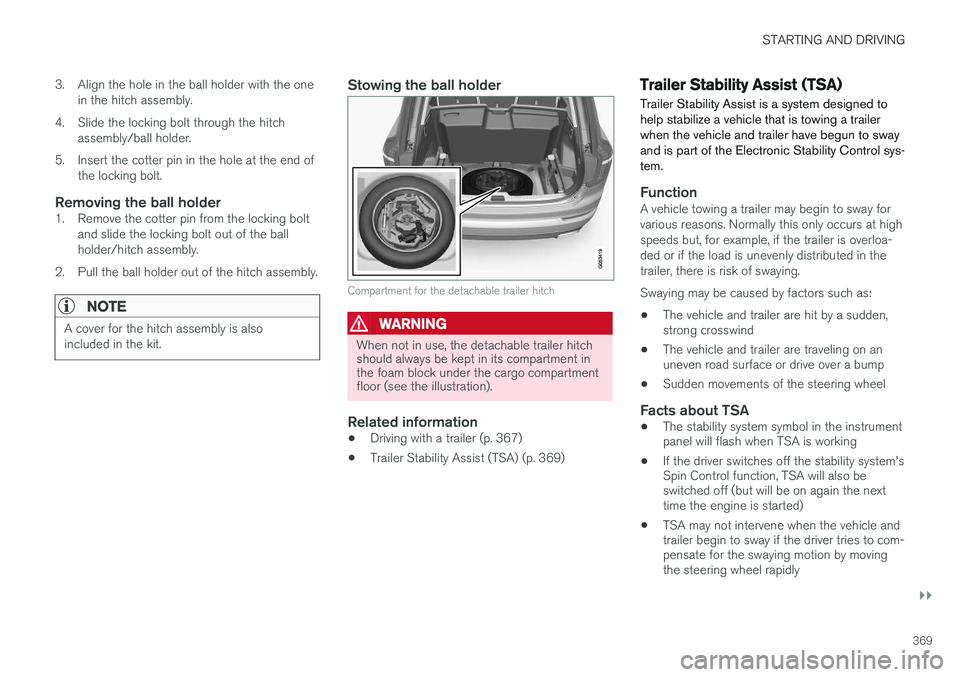
Compartment for the detachable trailer hitch
WARNING
When not in use, the detachable trailer hitch should always be kept in its compartment inthe foam block under the cargo compartmentfloor (see the illustration).
Related information
• Driving with a trailer (p. 367)
• Trailer Stability Assist (TSA) (p. 369)
Trailer Stability Assist (TSA)
Trailer Stability Assist is a system designed to help stabilize a vehicle that is towing a trailerwhen the vehicle and trailer have begun to swayand is part of the Electronic Stability Control sys-tem.
FunctionA vehicle towing a trailer may begin to sway for various reasons. Normally this only occurs at highspeeds but, for example, if the trailer is overloa-ded or if the load is unevenly distributed in thetrailer, there is risk of swaying. Swaying may be caused by factors such as:
• The vehicle and trailer are hit by a sudden, strong crosswind
• The vehicle and trailer are traveling on anuneven road surface or drive over a bump
• Sudden movements of the steering wheel
Facts about TSA
• The stability system symbol in the instrumentpanel will flash when TSA is working
• If the driver switches off the stability system'sSpin Control function, TSA will also beswitched off (but will be on again the nexttime the engine is started)
• TSA may not intervene when the vehicle andtrailer begin to sway if the driver tries to com-pensate for the swaying motion by movingthe steering wheel rapidly
Page 372 of 546
||
STARTING AND DRIVING
370
How TSA worksOnce swaying has begun, it can be very difficult to stop, which makes it difficult to control thevehicle and trailer. The TSA system continuously monitors the vehi- cle's movements, particularly lateral movement. Ifthe system detects a tendency to sway, thebrakes are applied individually on the frontwheels, which has a stabilizing effect on the vehi-cle and trailer. This is often enough to enable thedriver to regain control of the vehicle. If this is not adequate to stop the swaying motion, the brakes are applied to all of the wheels on thevehicle and on the trailer if it is equipped withbrakes, and engine power is temporarily reduced.As the swaying motion begins to decrease andthe vehicle-trailer have once again become sta-ble, TSA will now stop regulating the brakes/engine power and the driver regains control ofthe vehicle. TSA is deactivated if the driver deactivates
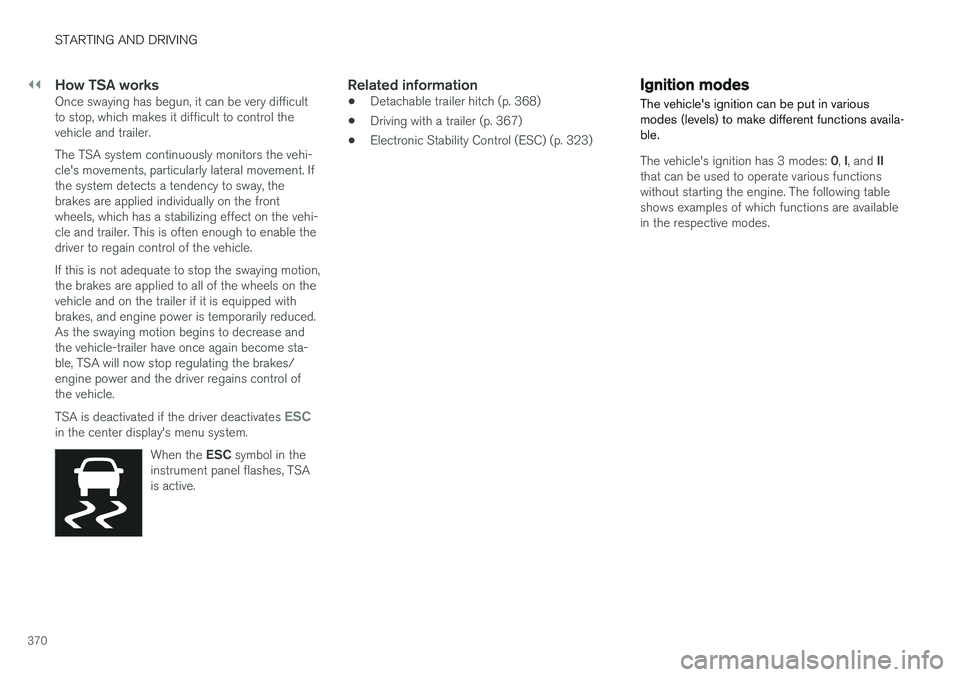
ESCin the center display's menu system.When the ESC symbol in the
instrument panel flashes, TSA is active.
Related information
• Detachable trailer hitch (p. 368)
• Driving with a trailer (p. 367)
• Electronic Stability Control (ESC) (p. 323)
Ignition modes
The vehicle's ignition can be put in various modes (levels) to make different functions availa-ble.
The vehicle's ignition has 3 modes: 0, I, and II
that can be used to operate various functions without starting the engine. The following tableshows examples of which functions are availablein the respective modes.
Page 374 of 546
STARTING AND DRIVING
372
Battery drain Your vehicle's electrical functions drain the bat- tery to varying extents.
Avoid using ignition mode II as much as posssi-
ble, or electrical functions that require a great deal of electrical current when the engine is notrunning. Using ignition mode I whenever possible con-
sumes less electrical current. Functions that require a great deal of electrical current include:
• the climate system blower
• headlights
• wipers
• infotainment system (especially at high vol- ume).
If the battery's charge level is low, a text message will appear in the instrument panel. The vehicle'senergy-saving function will then turn off orreduce certain functions that are currently con-suming electrical current. If the battery needs to be recharged, start the engine and let it idle for at least 15 minutes ordrive the vehicle (driving charges the batteryfaster than letting the engine idle).
Related information
• Ignition modes (p. 370)
Starting the engine
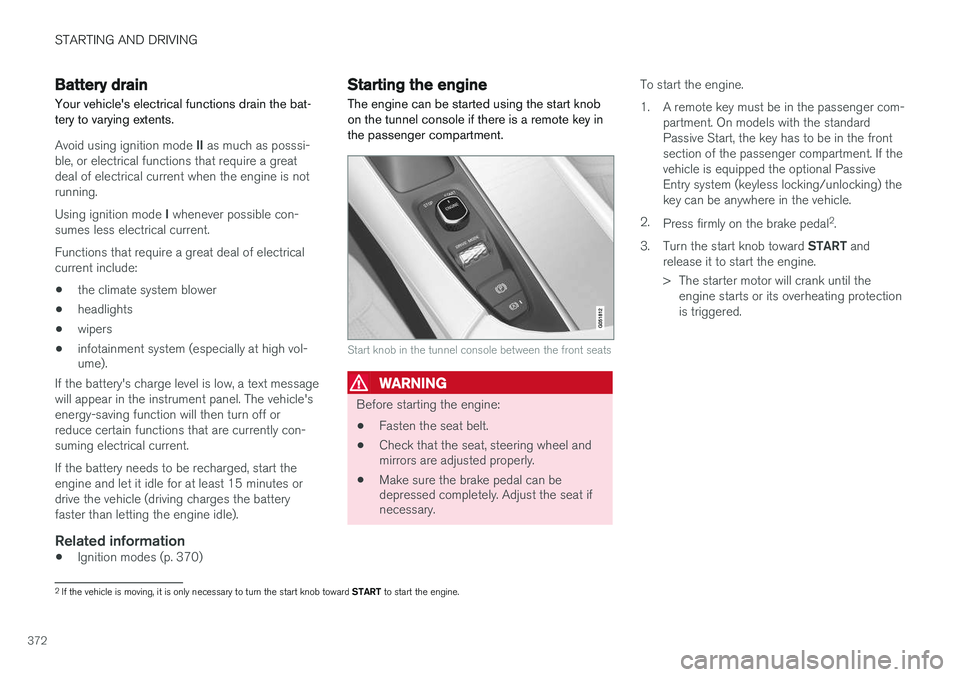
The engine can be started using the start knob on the tunnel console if there is a remote key inthe passenger compartment.
Start knob in the tunnel console between the front seats
WARNING
Before starting the engine:
• Fasten the seat belt.
• Check that the seat, steering wheel and mirrors are adjusted properly.
• Make sure the brake pedal can bedepressed completely. Adjust the seat ifnecessary. To start the engine.
1. A remote key must be in the passenger com-
partment. On models with the standard Passive Start, the key has to be in the frontsection of the passenger compartment. If thevehicle is equipped the optional PassiveEntry system (keyless locking/unlocking) thekey can be anywhere in the vehicle.
2. Press firmly on the brake pedal 2
.
3. Turn the start knob toward START and
release it to start the engine.
> The starter motor will crank until the engine starts or its overheating protection is triggered.
2If the vehicle is moving, it is only necessary to turn the start knob toward START to start the engine.
Page 375 of 546
STARTING AND DRIVING
}}
373
WARNING
•Never use more than one floor mat at a time on the driver's floor. Before driving,remove the original mat from the driver'sseat floor before using any other type offloor mat. Any mat used in this positionshould be securely and properly anchoredin the attaching pins. An extra mat on thedriver's floor can cause the acceleratorand/or brake pedal to catch. Check thatthe movement of these pedals is notimpeded.
• Volvo's floor mats are specially manufac-tured for your car. They must be firmlysecured in the clips on the floor so thatthey cannot slide and become trappedunder the pedals on the driver's side.
During normal starts, the electric motor is priori- tized and the gasoline engine will not start. Thismeans that when the start knob has been turned toward START and released, the electric motor is
activated ("started") and the vehicle is ready to be driven. The warning and information symbolsin the instrument panel will go out and thechosen theme will be displayed to indicate thatthe electric motor has been activated. However, in certain situations, such as in cold weather or if the hybrid battery is not sufficientlycharged, the gasoline engine will start instead.
NOTE
The vehicle cannot be started if the hybrid battery is discharged.
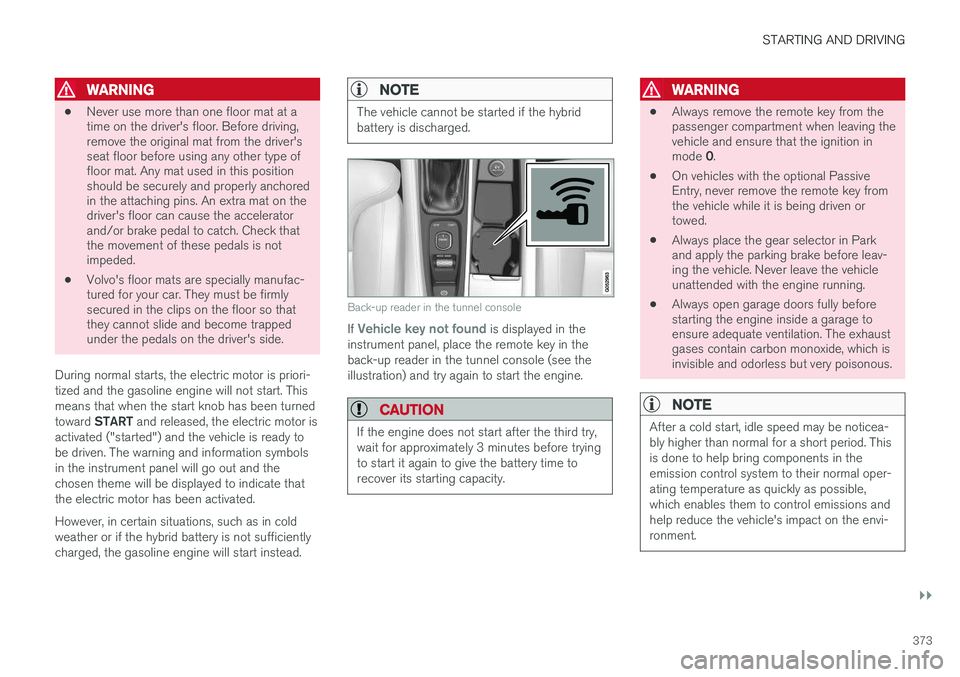
Back-up reader in the tunnel console
If Vehicle key not found is displayed in the
instrument panel, place the remote key in the back-up reader in the tunnel console (see theillustration) and try again to start the engine.
CAUTION
If the engine does not start after the third try, wait for approximately 3 minutes before tryingto start it again to give the battery time torecover its starting capacity.
WARNING
• Always remove the remote key from the passenger compartment when leaving thevehicle and ensure that the ignition in mode
0.
• On vehicles with the optional Passive Entry, never remove the remote key fromthe vehicle while it is being driven ortowed.
• Always place the gear selector in Parkand apply the parking brake before leav-ing the vehicle. Never leave the vehicleunattended with the engine running.
• Always open garage doors fully beforestarting the engine inside a garage toensure adequate ventilation. The exhaustgases contain carbon monoxide, which isinvisible and odorless but very poisonous.
NOTE
After a cold start, idle speed may be noticea- bly higher than normal for a short period. Thisis done to help bring components in theemission control system to their normal oper-ating temperature as quickly as possible,which enables them to control emissions andhelp reduce the vehicle's impact on the envi-ronment.
Page 380 of 546
STARTING AND DRIVING
378
Hybrid-related symbols and messages
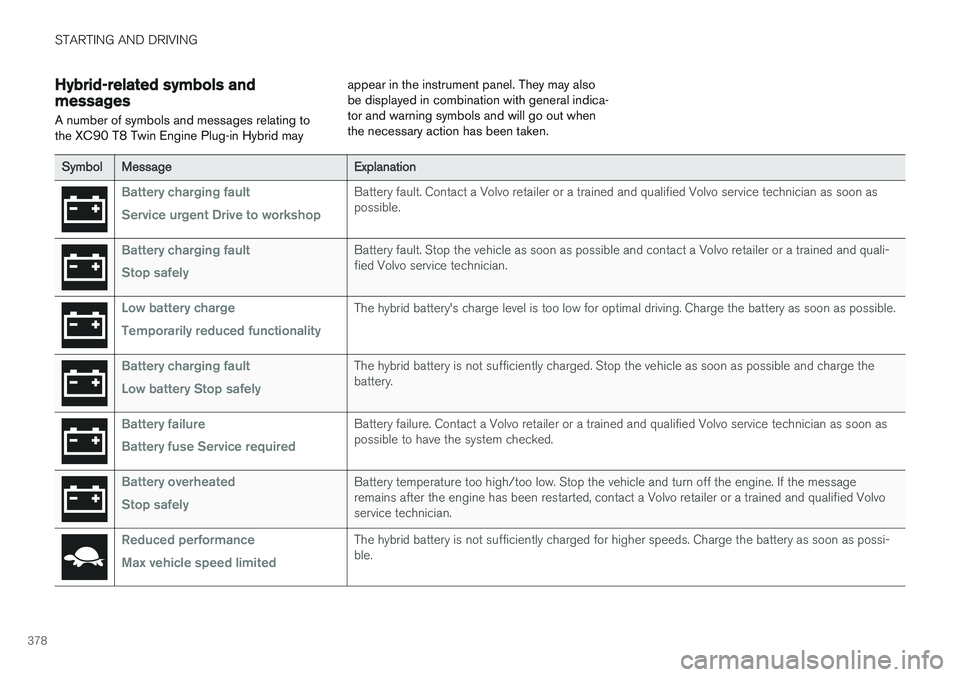
A number of symbols and messages relating to the XC90 T8 Twin Engine Plug-in Hybrid may appear in the instrument panel. They may alsobe displayed in combination with general indica-tor and warning symbols and will go out whenthe necessary action has been taken.
SymbolMessageExplanation
Battery charging fault Service urgent Drive to workshopBattery fault. Contact a Volvo retailer or a trained and qualified Volvo service technician as soon as possible.
Battery charging fault Stop safelyBattery fault. Stop the vehicle as soon as possible and contact a Volvo retailer or a trained and quali- fied Volvo service technician.
Low battery charge Temporarily reduced functionalityThe hybrid battery's charge level is too low for optimal driving. Charge the battery as soon as possible.
Battery charging fault Low battery Stop safelyThe hybrid battery is not sufficiently charged. Stop the vehicle as soon as possible and charge the battery.
Battery failure Battery fuse Service requiredBattery failure. Contact a Volvo retailer or a trained and qualified Volvo service technician as soon as possible to have the system checked.
Battery overheated Stop safelyBattery temperature too high/too low. Stop the vehicle and turn off the engine. If the message remains after the engine has been restarted, contact a Volvo retailer or a trained and qualified Volvoservice technician.
Reduced performance Max vehicle speed limitedThe hybrid battery is not sufficiently charged for higher speeds. Charge the battery as soon as possi- ble.
Page 385 of 546
STARTING AND DRIVING
}}
383
4. The charging cable's coupler will lock onto
the charging socket and charging will begin within approx. 10 seconds. The approximateremaining charging time and charging statuswill be displayed in the instrument panel. Seealso the article "Hybrid battery charge sta-tus." Charging will be temporarily interrupted if the vehicle is unlocked: •If a door is opened, charging will restart within 2 minutes.
• if no door is opened, the vehicle will auto-matically relock and charging will restartafter 1 minute.
NOTE
Charging status is shown in the instrument panel, which goes dark after a period of time.Reactivate the instrument panel by: •pressing the brake pedal
• opening one of the doors
• putting the ignition in mode
I ( without
pressing the brake pedal , turn the start
knob to START and release it).
CAUTION
Never disconnect the charging cable from the 120-/240-volt socket while charging is inprogress. This could damage the socket. Always stop the charging process (by unlock- ing the vehicle) and disconnect the chargingcable from the vehicle's charging socket before disconnecting the other end from the
120-/240-volt socket being used.
During the charging process, condensation may form under the vehicle, which is normal and iscaused by cooling the hybrid battery.
Related information
• Hybrid battery charge status (p. 385)
• Charging the hybrid battery (p. 383)
• Hybrid battery charging cable (p. 375)
• Stopping hybrid battery charging (p. 381)
Charging the hybrid battery In addition to the conventional fuel tank, the XC90 T8 Twin Engine Plug-in Hybrid is alsoequipped with a rechargeable lithium-ion hybridbattery.
The hybrid battery is recharged using a charging cable located in a storage compartment underthe floor of the cargo area. See also the article"Charging cable."
WARNING
The hybrid electrical system in your vehicle uses high voltage electrical current. Any dam-age to this system or to the hybrid batterymay result in the danger of overheating, fire,or serious injury. If the vehicle is involved in acollision or is subjected to flooding, fires, etc.,have it inspected by a trained and qualifiedVolvo service technician. Prior to this inspec-tion, the vehicle should be parked outdoors ata safe distance from any building or poten-tially flammable materials.
The hybrid battery's charging time depends on the charging current used.
Page 386 of 546
||
STARTING AND DRIVING
384
NOTE
The capacity of the hybrid battery diminishes somewhat with age and use, which couldresult in increased use of the gasoline engineand consequently, slightly higher fuel con-sumption.
Charging is indicated in three ways: •Charge module (the unit that is plugged into the wall socket): The blue indicator light onthe cable's charge module will flash red sev-eral times when the unit is plugged into awall socket while a safety check is being per-formed and will then glow steadily blue toindicate that the charger is ready to use.
• A green indicator light in the vehicle's charg-ing socket will flash green while the batteryis charging and will glow steadily green whenthe hybrid battery is fully charged. The blueindicator light in the charge module will alsoflash while charging is underway and willglow steadily blue when charging is comple-ted.
• A gauge in the instrument panel will alsoindicate the battery's charge level.
The hybrid battery charging process also charges the vehicle's start battery. If the hybrid battery's temperature is below – 13 ºF (–10 ºC) or above +104 ºF (+40 ºC), some
of the vehicle's functions may be reduced or not be available at all (e.g., drive mode may not be available). The electric motor cannot be used if the hybrid battery's temperature is too low or too high. If thePURE drive mode is selected, the gasolineengine will be used.Temperature controlDuring charging, if the temperature in the charg-ing cable becomes too high and reaches a criticallimit, charging will be interrupted.
CAUTION
If charging is interrupted repeatedly, have the charging cable and the vehicle's chargingsystem inspected by a trained and qualifiedVolvo service technician.
Charging using the gasoline engine
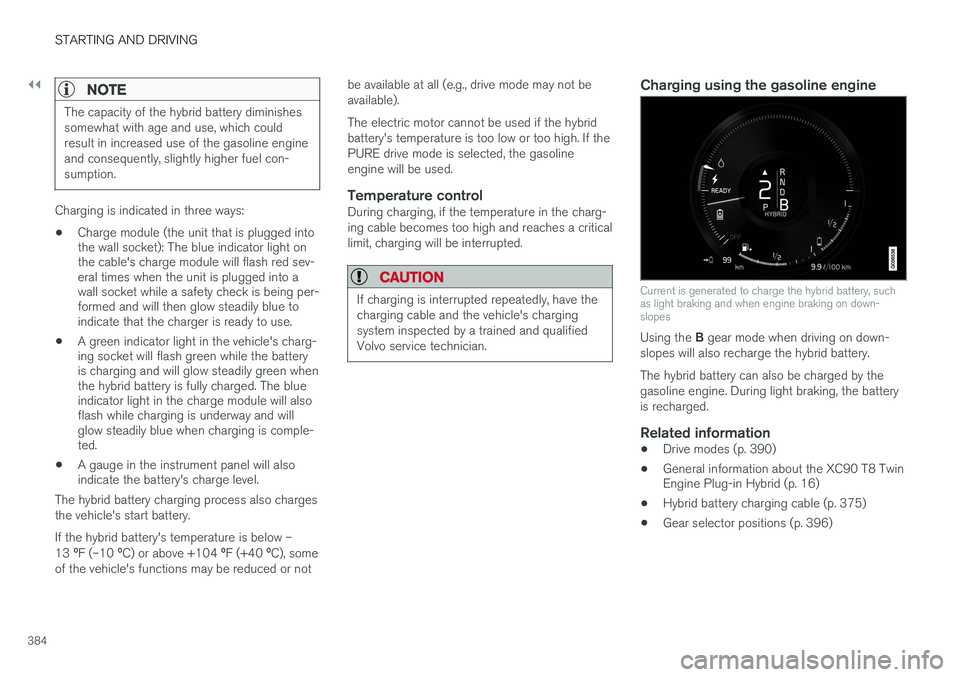
Current is generated to charge the hybrid battery, such as light braking and when engine braking on down-slopes
Using the
B gear mode when driving on down-
slopes will also recharge the hybrid battery. The hybrid battery can also be charged by the gasoline engine. During light braking, the batteryis recharged.
Related information
• Drive modes (p. 390)
• General information about the XC90 T8 Twin Engine Plug-in Hybrid (p. 16)
• Hybrid battery charging cable (p. 375)
• Gear selector positions (p. 396)
Page 387 of 546
STARTING AND DRIVING
}}
385
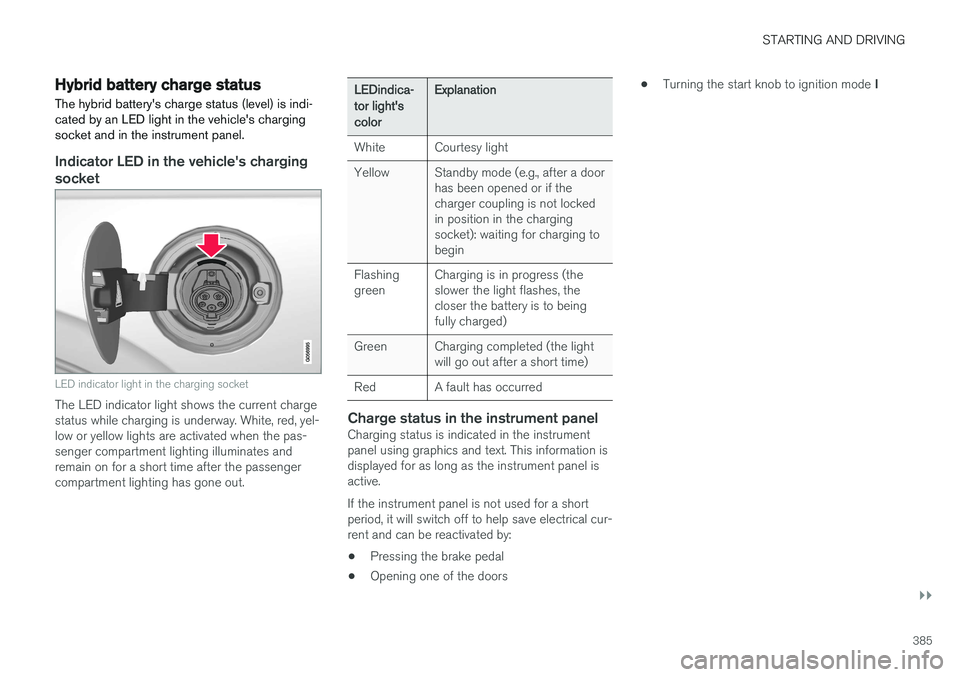
Hybrid battery charge status The hybrid battery's charge status (level) is indi- cated by an LED light in the vehicle's chargingsocket and in the instrument panel.
Indicator LED in the vehicle's charging socket
LED indicator light in the charging socket
The LED indicator light shows the current charge status while charging is underway. White, red, yel-low or yellow lights are activated when the pas-senger compartment lighting illuminates andremain on for a short time after the passengercompartment lighting has gone out.
LEDindica- tor light'scolorExplanation
WhiteCourtesy light
YellowStandby mode (e.g., after a door has been opened or if thecharger coupling is not lockedin position in the chargingsocket): waiting for charging tobegin
Flashing greenCharging is in progress (the slower the light flashes, thecloser the battery is to beingfully charged)
GreenCharging completed (the light will go out after a short time)
RedA fault has occurred
Charge status in the instrument panelCharging status is indicated in the instrument panel using graphics and text. This information isdisplayed for as long as the instrument panel isactive. If the instrument panel is not used for a short period, it will switch off to help save electrical cur-rent and can be reactivated by:
• Pressing the brake pedal
• Opening one of the doors •
Turning the start knob to ignition mode
I
Page 389 of 546
STARTING AND DRIVING
}}
387
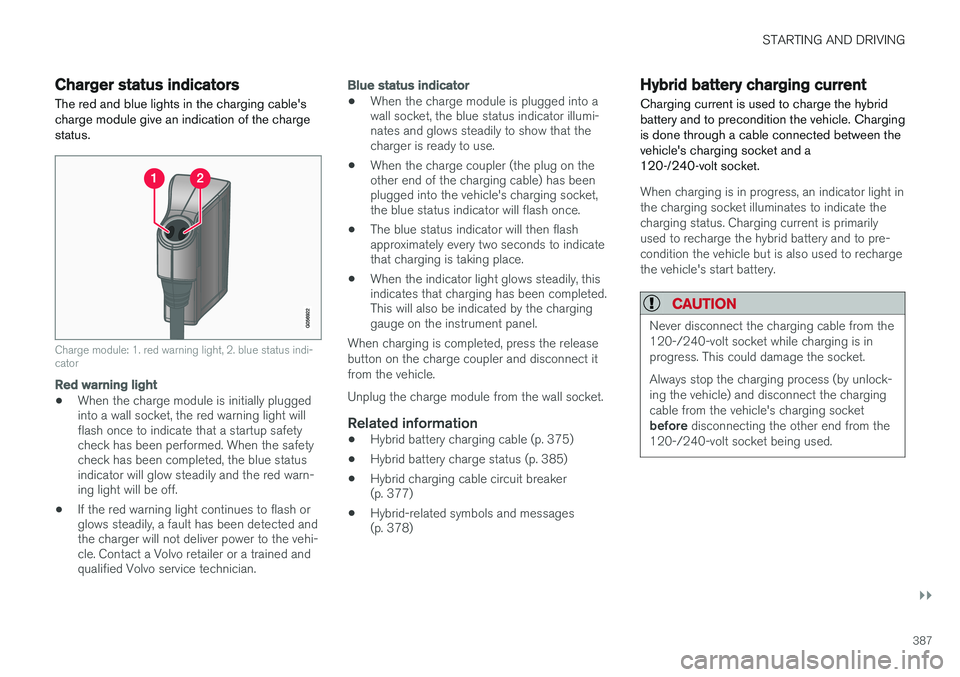
Charger status indicators
The red and blue lights in the charging cable's charge module give an indication of the chargestatus.
Charge module: 1. red warning light, 2. blue status indi- cator
Red warning light
• When the charge module is initially plugged into a wall socket, the red warning light willflash once to indicate that a startup safetycheck has been performed. When the safetycheck has been completed, the blue statusindicator will glow steadily and the red warn-ing light will be off.
• If the red warning light continues to flash orglows steadily, a fault has been detected andthe charger will not deliver power to the vehi-cle. Contact a Volvo retailer or a trained andqualified Volvo service technician.
Blue status indicator
• When the charge module is plugged into a wall socket, the blue status indicator illumi-nates and glows steadily to show that thecharger is ready to use.
• When the charge coupler (the plug on theother end of the charging cable) has beenplugged into the vehicle's charging socket,the blue status indicator will flash once.
• The blue status indicator will then flashapproximately every two seconds to indicatethat charging is taking place.
• When the indicator light glows steadily, thisindicates that charging has been completed.This will also be indicated by the charginggauge on the instrument panel.
When charging is completed, press the release button on the charge coupler and disconnect itfrom the vehicle. Unplug the charge module from the wall socket.
Related information
• Hybrid battery charging cable (p. 375)
• Hybrid battery charge status (p. 385)
• Hybrid charging cable circuit breaker (p. 377)
• Hybrid-related symbols and messages(p. 378)
Hybrid battery charging current
Charging current is used to charge the hybrid battery and to precondition the vehicle. Chargingis done through a cable connected between thevehicle's charging socket and a120-/240-volt socket.
When charging is in progress, an indicator light in the charging socket illuminates to indicate thecharging status. Charging current is primarilyused to recharge the hybrid battery and to pre-condition the vehicle but is also used to rechargethe vehicle's start battery.
CAUTION
Never disconnect the charging cable from the 120-/240-volt socket while charging is inprogress. This could damage the socket. Always stop the charging process (by unlock- ing the vehicle) and disconnect the chargingcable from the vehicle's charging socket before disconnecting the other end from the
120-/240-volt socket being used.