display VOLVO XC90 T8 2016 Owner´s Manual
[x] Cancel search | Manufacturer: VOLVO, Model Year: 2016, Model line: XC90 T8, Model: VOLVO XC90 T8 2016Pages: 546, PDF Size: 10.26 MB
Page 504 of 546
MAINTENANCE AND SERVICING
* Option/accessory, for more information, see Introduction.
502
Hoisting the vehicle When the vehicle is hoisted, the jack or garage lift must be positioned correctly under the vehi-cle.
For vehicles equipped with leveling control *, if it is
also equipped with the optional pneumatic sus- pension, this must be deactivated before thevehicle is hoisted. This is done from the centerdisplay: 1. Tap
Settings in Top view.
2. Tap
My CarSuspension .
3. Select
Deactivate Suspension & Leveling
Control.
Page 509 of 546
MAINTENANCE AND SERVICING
}}
507
CAUTION
•Not checking the oil level regularly can result in serious engine damage if the oillevel becomes too low.
• Oil that is lower than the specified qualitycan damage the engine.
• Volvo does not recommend the use of oiladditives.
• Always add oil of the same type and vis-cosity as already used.
• Oil changes should be carried out by atrained and qualified Volvo service techni-cian.
• Using oil of higher than the specifiedquality is permitted and may be neces-sary for demanding driving.
Also, refer to the Warranty and Service Records information booklet for information on oil changeintervals and oil specifications.
Related information
•
Checking and refilling engine oil (p. 507)
Checking and refilling engine oil The oil level is checked electronically.
Oil filler cap 3
It may be necessary to top up engine oil between regularly scheduled services. No action is necessary until a message is dis- played in the instrument panel.
WARNING
•
Do not allow oil to spill onto or come into contact with hot exhaust pipe surfaces.
• If
Engine oil level Service required is
displayed, have the vehicle checked by a trained and qualified Volvo service techni-cian. The oil level may be too high.
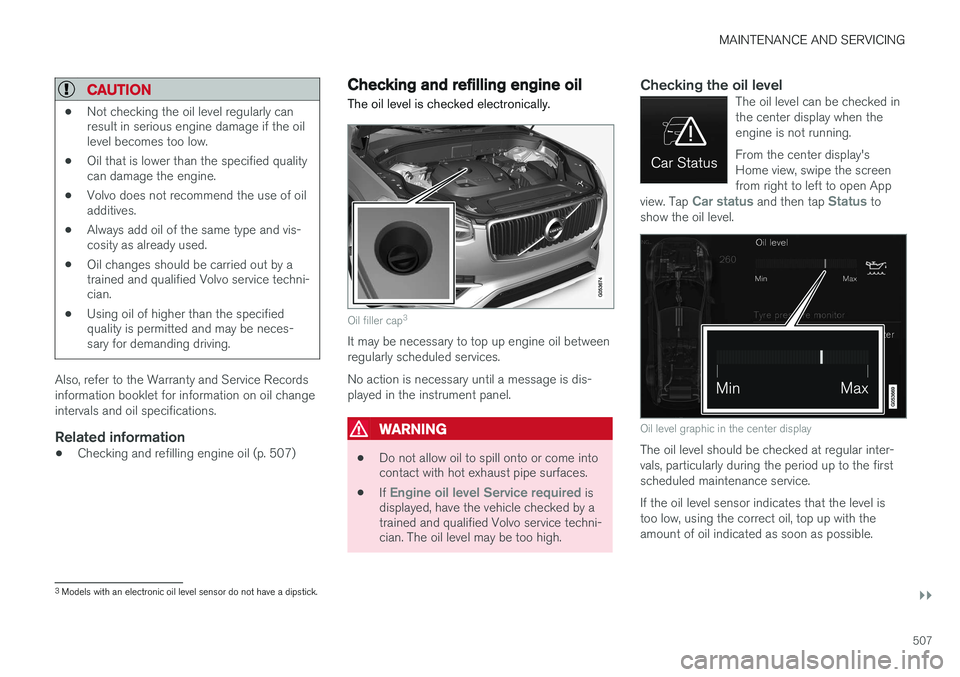
Checking the oil levelThe oil level can be checked in the center display when theengine is not running. From the center display's Home view, swipe the screenfrom right to left to open App
view. Tap
Car status and then tap Status to
show the oil level.
Oil level graphic in the center display
The oil level should be checked at regular inter- vals, particularly during the period up to the firstscheduled maintenance service. If the oil level sensor indicates that the level is too low, using the correct oil, top up with theamount of oil indicated as soon as possible.
3 Models with an electronic oil level sensor do not have a dipstick.
Page 510 of 546
||
MAINTENANCE AND SERVICING
508
NOTE
•The system cannot detect changes in the oil level immediately. The vehicle must bedriven approximately 20 miles (30 km) orhave been parked on level ground withthe engine off for 5 minutes before theoil level reading will be correct.
• If the necessary conditions are not metfor checking the oil level electronically(time interval after the engine wasswitched off, if the vehicle is parked on an incline, etc.),
No values available will
be displayed. This does not indicate a
problem with the oil level sensor.
Related information
• Engine oil (p. 506)
• Ignition modes (p. 370)
Windshield wipers in the service position
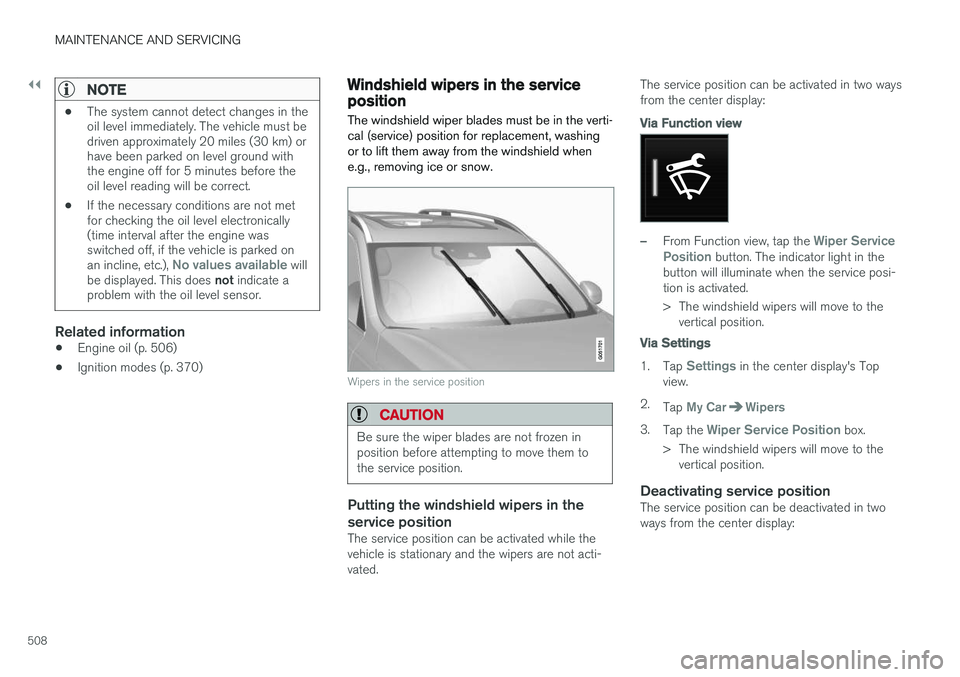
The windshield wiper blades must be in the verti- cal (service) position for replacement, washingor to lift them away from the windshield whene.g., removing ice or snow.
Wipers in the service position
CAUTION
Be sure the wiper blades are not frozen in position before attempting to move them tothe service position.
Putting the windshield wipers in the service position
The service position can be activated while the vehicle is stationary and the wipers are not acti-vated. The service position can be activated in two waysfrom the center display:
Via Function view
–From Function view, tap the Wiper Service
Position button. The indicator light in the
button will illuminate when the service posi- tion is activated.
> The windshield wipers will move to the vertical position.
Via Settings
1. Tap Settings in the center display's Top
view.
2. Tap
My CarWipers
3.Tap the Wiper Service Position box.
> The windshield wipers will move to the vertical position.
Deactivating service positionThe service position can be deactivated in two ways from the center display:
Page 511 of 546
MAINTENANCE AND SERVICING
}}
509
Via Function view
–From Function view, tap the Wiper Service
Position button. The indicator light in the
button will go out when the service position is deactivated.
Via Settings
1. Tap Settings in the center display's Top
view.
2.
My CarWipers
3. Tap the Wiper Service Position to deselect
the box.
The wipers will also leave the service position if:
• The wipers are activated.
• The windshield/headlight washers are acti- vated.
• The rain sensor is activated.
CAUTION
If the wiper arms have been folded out from the windshield while in the service position,fold them back against the windshield beforereturning the wipers to the normal position tohelp avoid scratching the paint on the hood.
Related information
•
Replacing wiper blades (p. 509)
• Using the windshield wipers (p. 156)
Replacing wiper blades
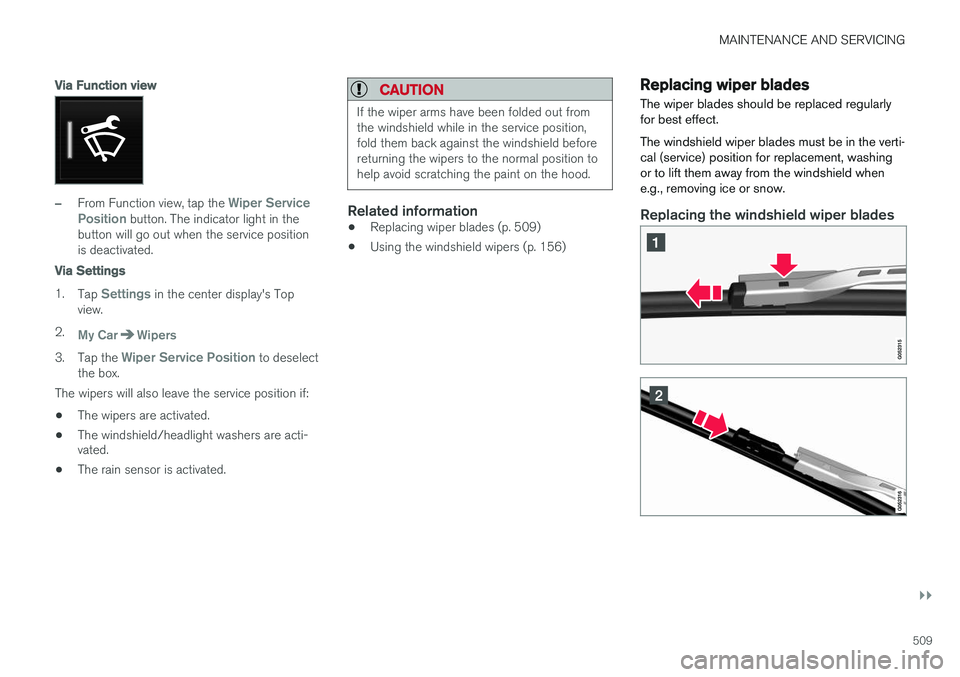
The wiper blades should be replaced regularly for best effect. The windshield wiper blades must be in the verti- cal (service) position for replacement, washingor to lift them away from the windshield whene.g., removing ice or snow.
Replacing the windshield wiper blades
Page 513 of 546
MAINTENANCE AND SERVICING
}}
* Option/accessory, for more information, see Introduction.511
Refilling the windshield washer fluid reservoir
Washer fluid helps keep the windshield and headlights clean.
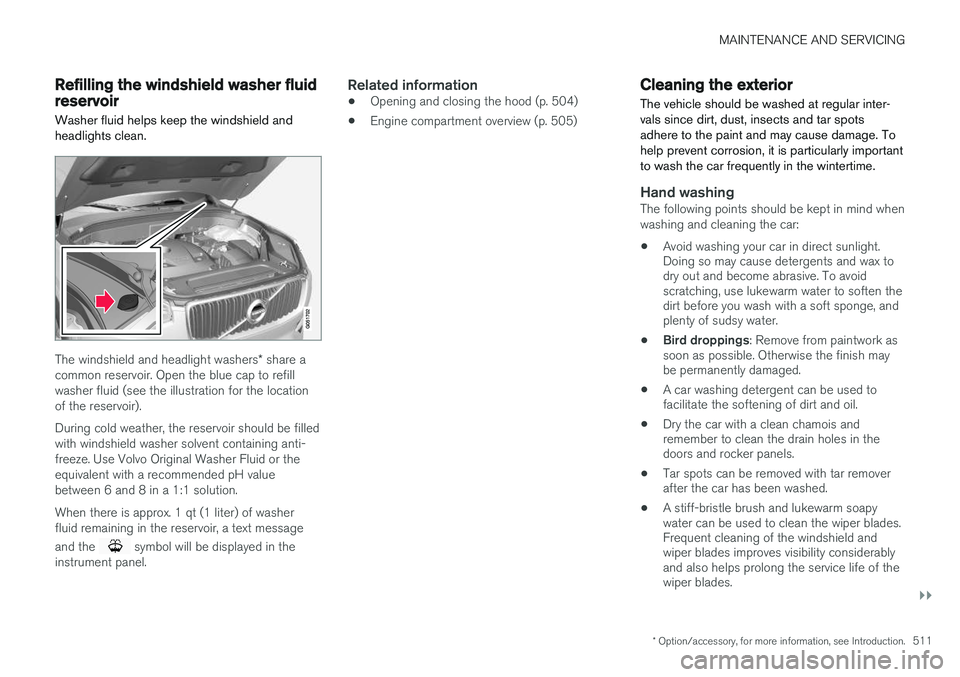
The windshield and headlight washers * share a
common reservoir. Open the blue cap to refill washer fluid (see the illustration for the locationof the reservoir). During cold weather, the reservoir should be filled with windshield washer solvent containing anti-freeze. Use Volvo Original Washer Fluid or theequivalent with a recommended pH valuebetween 6 and 8 in a 1:1 solution. When there is approx. 1 qt (1 liter) of washer fluid remaining in the reservoir, a text message and the
symbol will be displayed in the
instrument panel.
Related information
• Opening and closing the hood (p. 504)
• Engine compartment overview (p. 505)
Cleaning the exterior
The vehicle should be washed at regular inter- vals since dirt, dust, insects and tar spotsadhere to the paint and may cause damage. Tohelp prevent corrosion, it is particularly importantto wash the car frequently in the wintertime.
Hand washingThe following points should be kept in mind when washing and cleaning the car: • Avoid washing your car in direct sunlight. Doing so may cause detergents and wax todry out and become abrasive. To avoidscratching, use lukewarm water to soften thedirt before you wash with a soft sponge, andplenty of sudsy water.
• Bird droppings
: Remove from paintwork as
soon as possible. Otherwise the finish maybe permanently damaged.
• A car washing detergent can be used tofacilitate the softening of dirt and oil.
• Dry the car with a clean chamois andremember to clean the drain holes in thedoors and rocker panels.
• Tar spots can be removed with tar removerafter the car has been washed.
• A stiff-bristle brush and lukewarm soapywater can be used to clean the wiper blades.Frequent cleaning of the windshield andwiper blades improves visibility considerablyand also helps prolong the service life of thewiper blades.
Page 514 of 546
||
MAINTENANCE AND SERVICING
512•
Wash off the dirt from the underside (wheel housings, fenders, etc).
• In areas of high industrial fallout, more fre-quent washing is recommended.
CAUTION
• During high pressure washing, the spray mouthpiece must never be closer to thevehicle than 13" (30 cm). Do not sprayinto the locks.
• Dirt, snow, etc., on the headlights canreduce lighting capacity considerably.Clean the headlights regularly, for exam-ple when refueling.
Special laminated panoramic roof cau-
tions:
• Always close the laminated panoramicroof and sun shade before washing yourvehicle.
• Never use abrasive cleaning agents onthe laminated panoramic roof.
• Never use wax on the rubber sealsaround the laminated panoramic roof.
NOTE
When washing the car, remember to remove dirt from the drain holes in the doors and sills.
Automatic car washes
•We do NOT recommend washing your car in an automatic wash during the first fewmonths (because the paint will not havehardened sufficiently).
• An automatic wash is a simple and quick wayto clean your car, but it is worth rememberingthat it may not be as thorough as when youyourself go over the car with sponge andwater. Keeping the underbody clean is mostimportant, especially in the winter. Someautomatic washers do not have facilities forwashing the underbody.
NOTE
Condensation may form temporarily on the inside of the lenses of exterior lights such asheadlights or taillights. This is normal and thelights are designed to withstand moisture.Normally, condensation will dissipate after thelights have been on for a short time.
CAUTION
When using an automatic car wash in which the vehicle has to be able to roll freely, theauto-hold brake function must be deactivated.If this is not done, the brakes will automati-cally be applied when the vehicle is stationary. To deactivate this function:
1. Drive the vehicle into the car wash
2. Turn off the auto-hold function using the
control on the center console
3. Turn off the parking brake's automatic function in the center display's Top view (tap
Settings, tap My CarElectric
Parking Brake and deselect Auto
Activate Parking Brake)
4. Put the gear selector in N
5. Switch off the ignition by turning the start knob to STOP and holding it in this posi-
tion for at least 4 seconds
The vehicle will then be able to roll freely.
Page 517 of 546
MAINTENANCE AND SERVICING
}}
515
CAUTION
•Do not use cleaning agents with high alcohol content such as washer fluid toclean instrument panel glass.
• Never spray cleaning agents or waterdirectly onto components with electricalbuttons or controls. Clean components ofthis type by applying the cleaning agent/water sparingly to a cloth and wiping thecomponents so that no liquid penetratesinto these components.
Cleaning the seat beltsClean only with lukewarm water and a mild soap solution.
Cleaning floor matsThe floor mats should be vacuumed or brushedclean regularly, especially during winter whenthey should be taken out for drying. Spots on tex-tile mats can be removed with a mild detergent.For best protection in winter, Volvo recommendsthe use of Volvo rubber floor mats. Consult yourVolvo retailer.
WARNING
•
Never use more than one floor mat at a time on the driver's floor. Before driving,remove the original mat from the driver'sseat floor before using any other type offloor mat. Any mat used in this positionshould be securely and properly anchoredin the attaching pins. An extra mat on thedriver's floor can cause the acceleratorand/or brake pedal to catch. Check thatthe movement of these pedals is notimpeded.
• Volvo's floor mats are specially manufac-tured for your car. They must be firmlysecured in the clips on the floor so thatthey cannot slide and become trappedunder the pedals on the driver's side.
Related information
• Cleaning the center display (p. 515)
Cleaning the center display
Marks, stains, etc., on the center display may affect its performance and readability. Clean itregularly with a microfiber cloth.
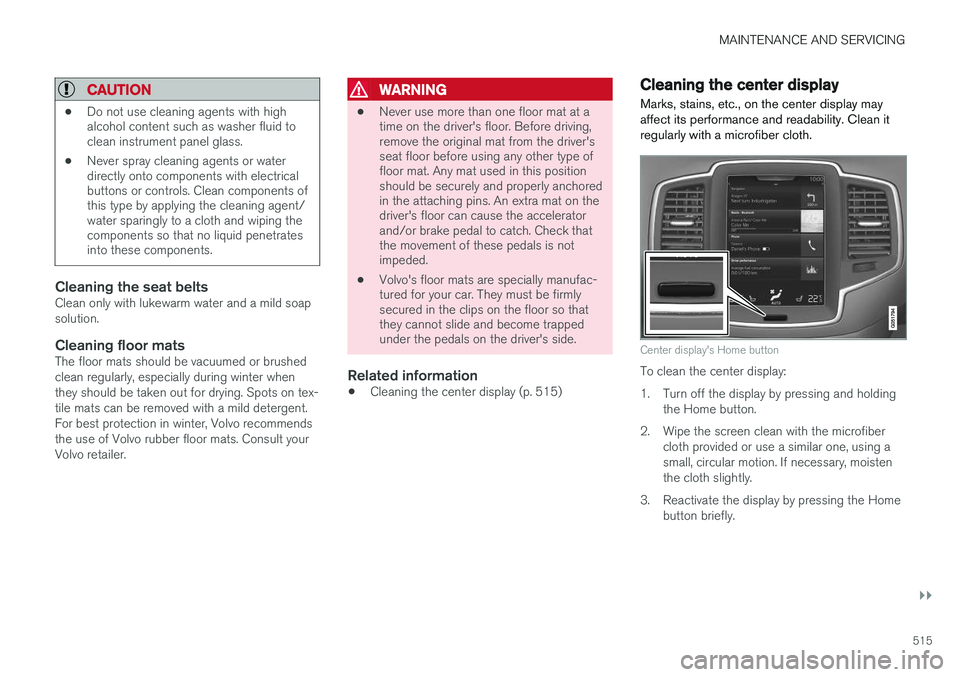
Center display's Home button
To clean the center display:
1. Turn off the display by pressing and holding the Home button.
2. Wipe the screen clean with the microfiber cloth provided or use a similar one, using a small, circular motion. If necessary, moistenthe cloth slightly.
3. Reactivate the display by pressing the Home button briefly.
Page 518 of 546
||
MAINTENANCE AND SERVICING
516
CAUTION
•The microfiber cloth used should be free of sand, dirt or anything abrasive thatmight scratch the screen.
• Do not use rough cloths, paper towels ortissues that could scratch the screen.
• When cleaning the center display, applyonly light pressure on the screen. Press-ing too hard could cause damage.
• Do not spray any liquid or corrosivechemicals directly on the screen. Do notuse window cleaning liquid, cleaningagents (particularly ones containing abra-sives), sprays, solvents, alcohol or ammo-nia to clean the screen.
Related information
• Cleaning the interior (p. 513)
• Center display overview (p. 32)
Corrosion protection
Your vehicle is constructed with effective protec- tion against corrosion.
Inspection and maintenanceThe corrosion protection does not normally require maintenance but keeping the vehicleclean helps prevent the onset of corrosion. Theuse of strong alkaline or acidic cleaning fluidsshould always be avoided on shiny body compo-nents. Any stone chips in the paint should betouched up as soon as possible.
Related information
• Paint damage (p. 516)
• Touching up paint damage (p. 517)
Paint damage
Paint damage requires immediate attention to avoid rusting. Make it a habit to check the finishregularly, for instance washing the vehicle.Touch-up if necessary.
Paint repairs require special equipment and skill. Contact your Volvo retailer for any extensive dam-age. Minor scratches can be repaired by using Volvo touch-up paint.
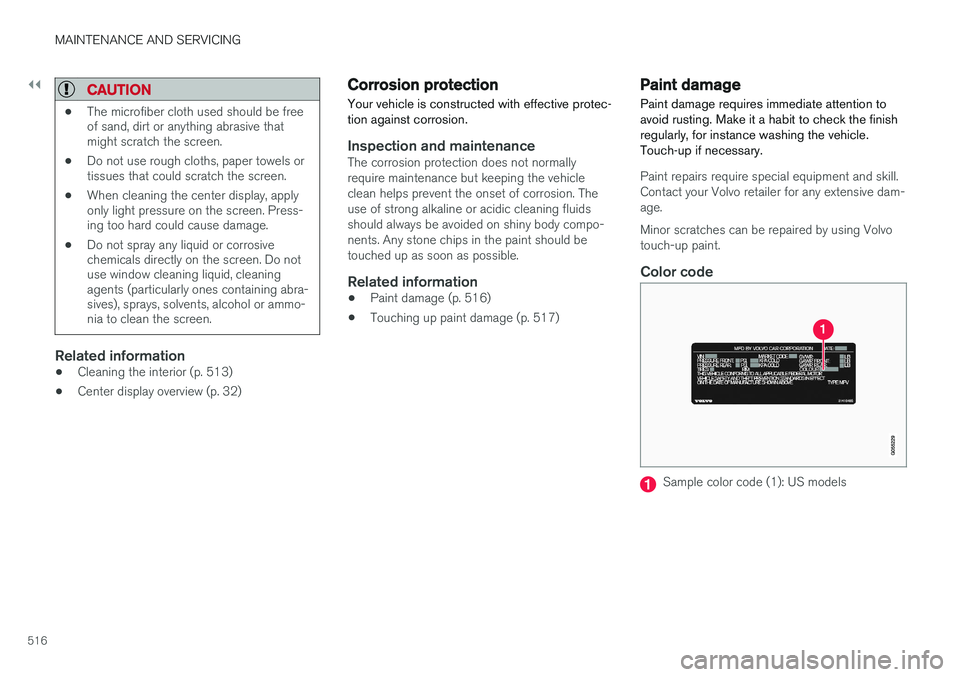
Color code
Sample color code (1): US models
Page 536 of 546
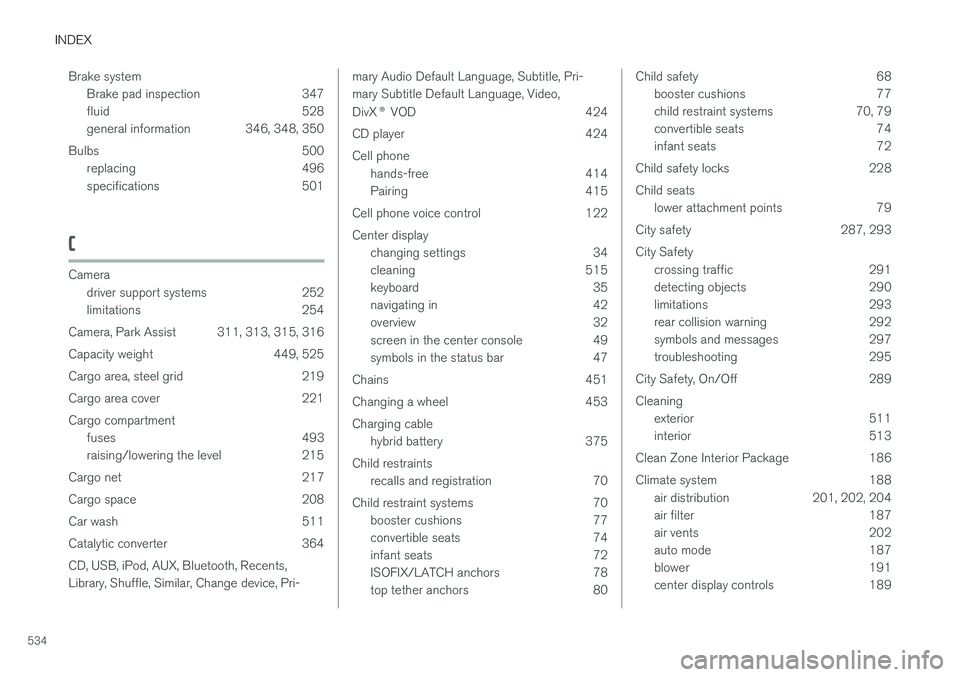
INDEX
534Brake system
Brake pad inspection 347
fluid 528
general information 346, 348, 350
Bulbs 500 replacing 496
specifications 501
C
Cameradriver support systems 252
limitations 254
Camera, Park Assist 311, 313, 315, 316
Capacity weight 449, 525
Cargo area, steel grid 219
Cargo area cover 221Cargo compartment fuses 493
raising/lowering the level 215
Cargo net 217
Cargo space 208
Car wash 511
Catalytic converter 364CD, USB, iPod, AUX, Bluetooth, Recents, Library, Shuffle, Similar, Change device, Pri-
mary Audio Default Language, Subtitle, Pri- mary Subtitle Default Language, Video, DivX ® VOD 424
CD player 424 Cell phone hands-free 414
Pairing 415
Cell phone voice control 122 Center display changing settings 34
cleaning 515
keyboard 35
navigating in 42
overview 32
screen in the center console 49
symbols in the status bar 47
Chains 451
Changing a wheel 453Charging cable hybrid battery 375
Child restraints recalls and registration 70
Child restraint systems 70 booster cushions 77
convertible seats 74
infant seats 72
ISOFIX/LATCH anchors 78
top tether anchors 80Child safety 68booster cushions 77
child restraint systems 70, 79
convertible seats 74
infant seats 72
Child safety locks 228 Child seats lower attachment points 79
City safety 287, 293City Safety crossing traffic 291
detecting objects 290
limitations 293
rear collision warning 292
symbols and messages 297
troubleshooting 295
City Safety, On/Off 289 Cleaning exterior 511
interior 513
Clean Zone Interior Package 186
Climate system 188 air distribution 201, 202, 204
air filter 187
air vents 202
auto mode 187
blower 191
center display controls 189