warning light VOLVO XC90 T8 2016 Owner´s Manual
[x] Cancel search | Manufacturer: VOLVO, Model Year: 2016, Model line: XC90 T8, Model: VOLVO XC90 T8 2016Pages: 546, PDF Size: 10.26 MB
Page 217 of 546
LOADING AND STORAGE
}}
* Option/accessory, for more information, see Introduction.215
Loading
The load carrying capacity of your vehicle is determined by factors such as the number ofpassengers, the amount of cargo, the weight ofany accessories that may be installed, etc.
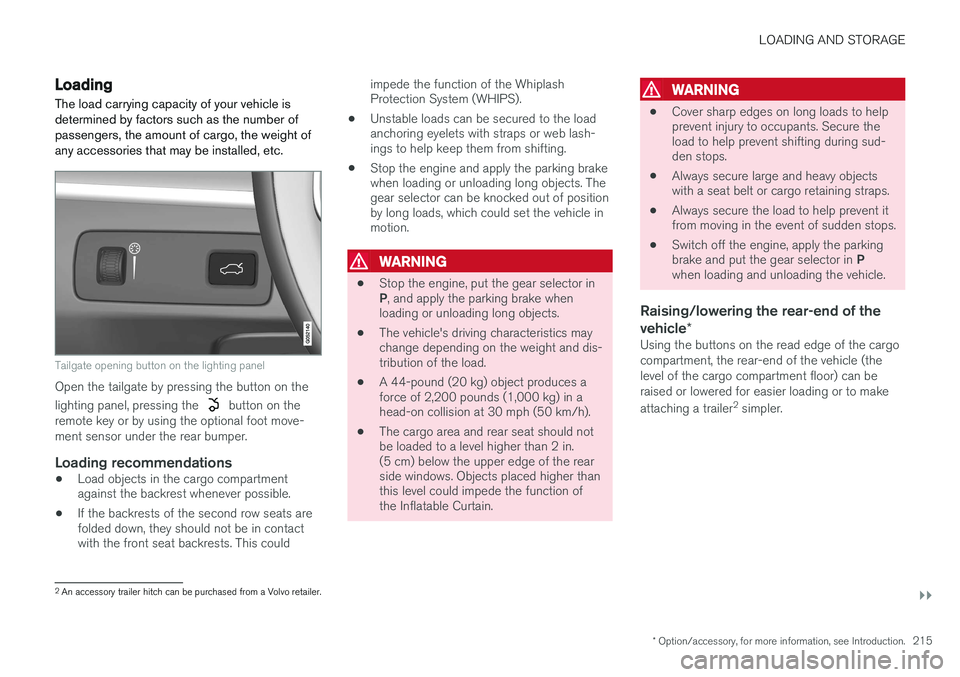
Tailgate opening button on the lighting panel
Open the tailgate by pressing the button on the lighting panel, pressing the
button on the
remote key or by using the optional foot move- ment sensor under the rear bumper.
Loading recommendations
• Load objects in the cargo compartment against the backrest whenever possible.
• If the backrests of the second row seats arefolded down, they should not be in contactwith the front seat backrests. This could impede the function of the WhiplashProtection System (WHIPS).
• Unstable loads can be secured to the loadanchoring eyelets with straps or web lash-ings to help keep them from shifting.
• Stop the engine and apply the parking brakewhen loading or unloading long objects. Thegear selector can be knocked out of positionby long loads, which could set the vehicle inmotion.
WARNING
•
Stop the engine, put the gear selector in P
, and apply the parking brake when
loading or unloading long objects.
• The vehicle's driving characteristics may change depending on the weight and dis-tribution of the load.
• A 44-pound (20 kg) object produces aforce of 2,200 pounds (1,000 kg) in ahead-on collision at 30 mph (50 km/h).
• The cargo area and rear seat should notbe loaded to a level higher than 2 in.(5 cm) below the upper edge of the rearside windows. Objects placed higher thanthis level could impede the function ofthe Inflatable Curtain.
WARNING
•
Cover sharp edges on long loads to help prevent injury to occupants. Secure theload to help prevent shifting during sud-den stops.
• Always secure large and heavy objectswith a seat belt or cargo retaining straps.
• Always secure the load to help prevent itfrom moving in the event of sudden stops.
• Switch off the engine, apply the parking brake and put the gear selector in
P
when loading and unloading the vehicle.
Raising/lowering the rear-end of the vehicle *
Using the buttons on the read edge of the cargo compartment, the rear-end of the vehicle (thelevel of the cargo compartment floor) can beraised or lowered for easier loading or to make attaching a trailer 2
simpler.
2 An accessory trailer hitch can be purchased from a Volvo retailer.
Page 220 of 546
||
LOADING AND STORAGE
218
WARNING
•Objects in the cargo compartment should always be securely anchored.
• The nets upper hooks must be securelyinserted into the ceiling mounting pointsand the lower spring hooks must besecurely hooked onto the cargo anchor-ing eyelets.
• A damaged net must never be used.
Attaching1. Fold out the cargo net and fold out the upper
rod. Be sure it locks in position.
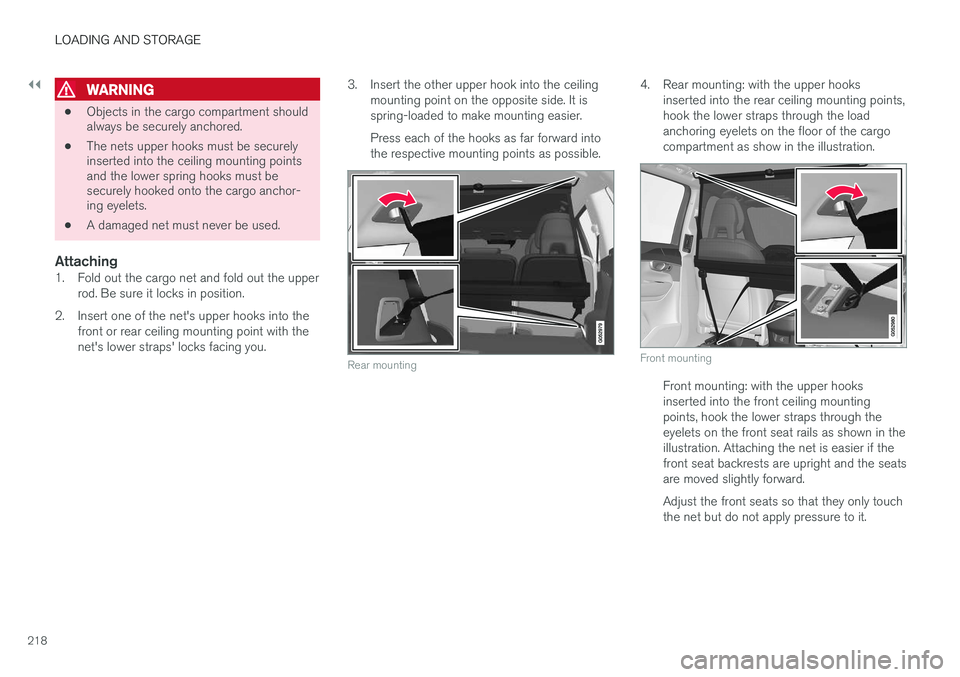
2. Insert one of the net's upper hooks into the front or rear ceiling mounting point with the net's lower straps' locks facing you. 3. Insert the other upper hook into the ceiling
mounting point on the opposite side. It isspring-loaded to make mounting easier. Press each of the hooks as far forward into the respective mounting points as possible.
Rear mounting
4. Rear mounting: with the upper hooks inserted into the rear ceiling mounting points, hook the lower straps through the loadanchoring eyelets on the floor of the cargocompartment as show in the illustration.
Front mounting
Front mounting: with the upper hooks inserted into the front ceiling mountingpoints, hook the lower straps through theeyelets on the front seat rails as shown in theillustration. Attaching the net is easier if thefront seat backrests are upright and the seatsare moved slightly forward. Adjust the front seats so that they only touch the net but do not apply pressure to it.
Page 224 of 546
||
LOADING AND STORAGE
222
Partially retracted
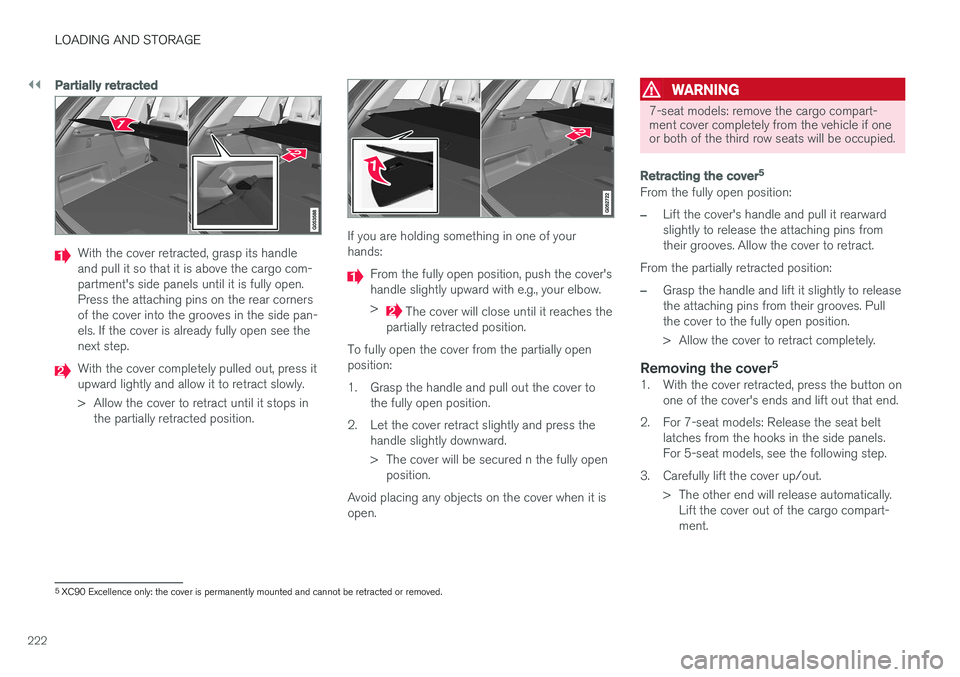
With the cover retracted, grasp its handle and pull it so that it is above the cargo com-partment's side panels until it is fully open.Press the attaching pins on the rear cornersof the cover into the grooves in the side pan-els. If the cover is already fully open see thenext step.
With the cover completely pulled out, press it upward lightly and allow it to retract slowly.
> Allow the cover to retract until it stops inthe partially retracted position.
If you are holding something in one of your hands:
From the fully open position, push the cover's handle slightly upward with e.g., your elbow. >
The cover will close until it reaches the
partially retracted position.
To fully open the cover from the partially open position:
1. Grasp the handle and pull out the cover to the fully open position.
2. Let the cover retract slightly and press the handle slightly downward.
> The cover will be secured n the fully openposition.
Avoid placing any objects on the cover when it is open.
WARNING
7-seat models: remove the cargo compart- ment cover completely from the vehicle if oneor both of the third row seats will be occupied.
Retracting the cover 5
From the fully open position:
–Lift the cover's handle and pull it rearward slightly to release the attaching pins fromtheir grooves. Allow the cover to retract.
From the partially retracted position:
–Grasp the handle and lift it slightly to release the attaching pins from their grooves. Pullthe cover to the fully open position.
> Allow the cover to retract completely.
Removing the cover 51. With the cover retracted, press the button on
one of the cover's ends and lift out that end.
2. For 7-seat models: Release the seat belt latches from the hooks in the side panels. For 5-seat models, see the following step.
3. Carefully lift the cover up/out. > The other end will release automatically.Lift the cover out of the cargo compart-ment.
5XC90 Excellence only: the cover is permanently mounted and cannot be retracted or removed.
Page 247 of 546
LOCKS AND ALARM
* Option/accessory, for more information, see Introduction.245
Keyless unlocking*
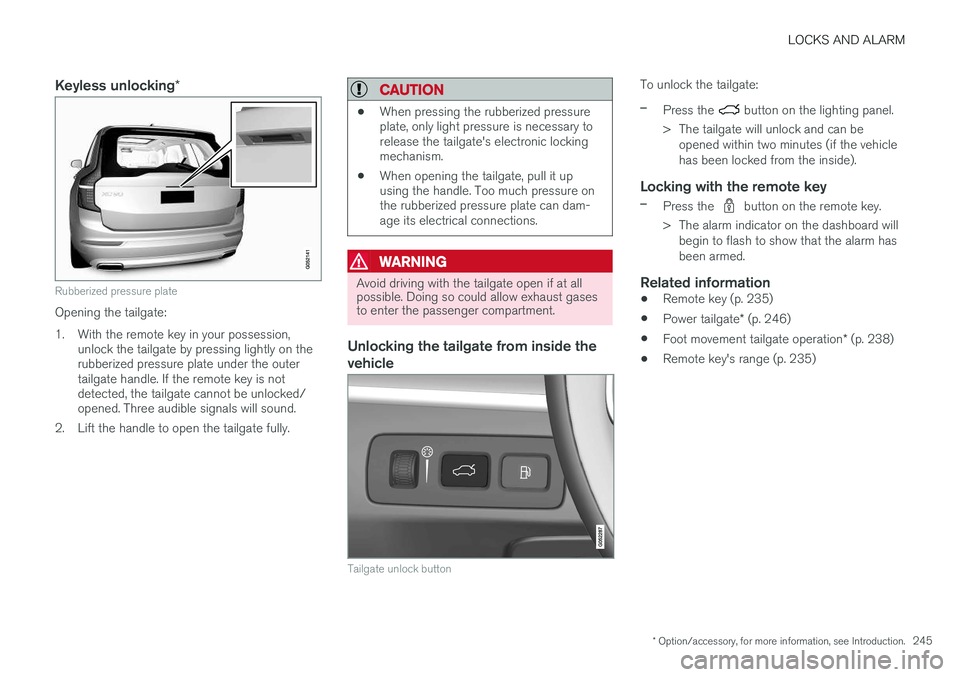
Rubberized pressure plate
Opening the tailgate:
1. With the remote key in your possession,
unlock the tailgate by pressing lightly on the rubberized pressure plate under the outertailgate handle. If the remote key is notdetected, the tailgate cannot be unlocked/opened. Three audible signals will sound.
2. Lift the handle to open the tailgate fully.
CAUTION
• When pressing the rubberized pressure plate, only light pressure is necessary torelease the tailgate's electronic lockingmechanism.
• When opening the tailgate, pull it upusing the handle. Too much pressure onthe rubberized pressure plate can dam-age its electrical connections.
WARNING
Avoid driving with the tailgate open if at all possible. Doing so could allow exhaust gasesto enter the passenger compartment.
Unlocking the tailgate from inside the vehicle
Tailgate unlock button
To unlock the tailgate:
–Press the button on the lighting panel.
> The tailgate will unlock and can be opened within two minutes (if the vehicle has been locked from the inside).
Locking with the remote key
–Press the button on the remote key.
> The alarm indicator on the dashboard will begin to flash to show that the alarm has been armed.
Related information
• Remote key (p. 235)
• Power tailgate
* (p. 246)
• Foot movement tailgate operation
* (p. 238)
• Remote key's range (p. 235)
Page 248 of 546
LOCKS AND ALARM
* Option/accessory, for more information, see Introduction.
246
Power tailgate *
The optional power tailgate can be opened/ closed in several ways.
The power tailgate can be opened/closed using the
button on the lighting panel in the pas-
senger compartment, the
on the remote key,
by moving your foot under a sensor under the rear bumper * or manually.
WARNING
When operating the tailgate manually, do not use force to open or close it. This could resultin injury.
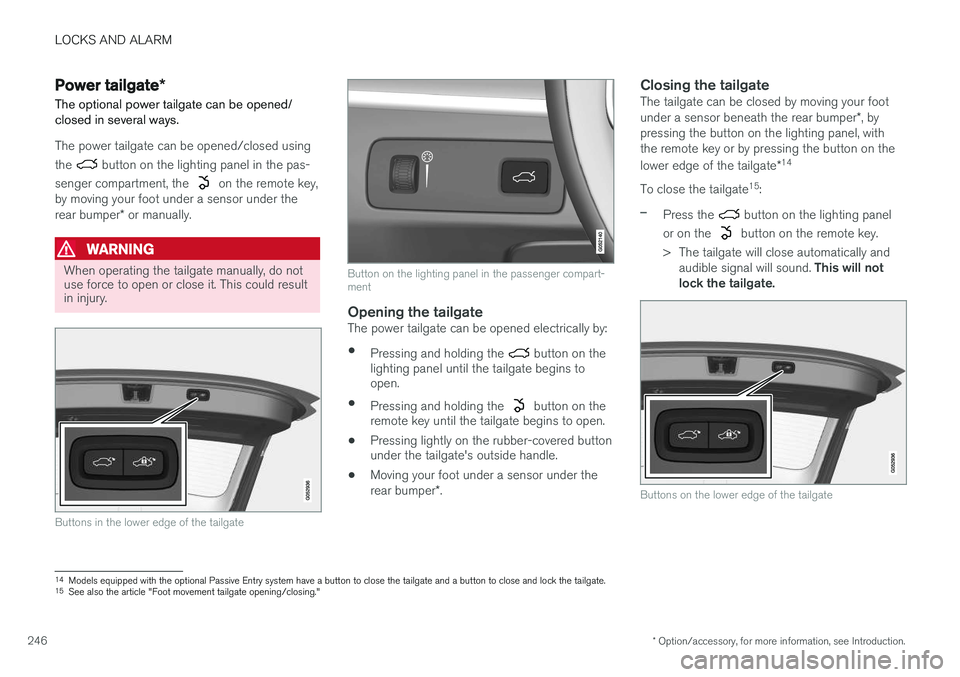
Buttons in the lower edge of the tailgate
Button on the lighting panel in the passenger compart- ment
Opening the tailgateThe power tailgate can be opened electrically by:
• Pressing and holding the
button on the
lighting panel until the tailgate begins to open.
• Pressing and holding the
button on the
remote key until the tailgate begins to open.
• Pressing lightly on the rubber-covered button under the tailgate's outside handle.
• Moving your foot under a sensor under the rear bumper
*.
Closing the tailgateThe tailgate can be closed by moving your foot under a sensor beneath the rear bumper *, by
pressing the button on the lighting panel, with the remote key or by pressing the button on the lower edge of the tailgate *14
To close the tailgate 15
:
–Press the button on the lighting panel
or on the
button on the remote key.
> The tailgate will close automatically and audible signal will sound. This will not
lock the tailgate.
Buttons on the lower edge of the tailgate
14 Models equipped with the optional Passive Entry system have a button to close the tailgate and a button to close and lock the tailgate.
15 See also the article "Foot movement tailgate opening/closing."
Page 249 of 546
LOCKS AND ALARM
}}
* Option/accessory, for more information, see Introduction.247
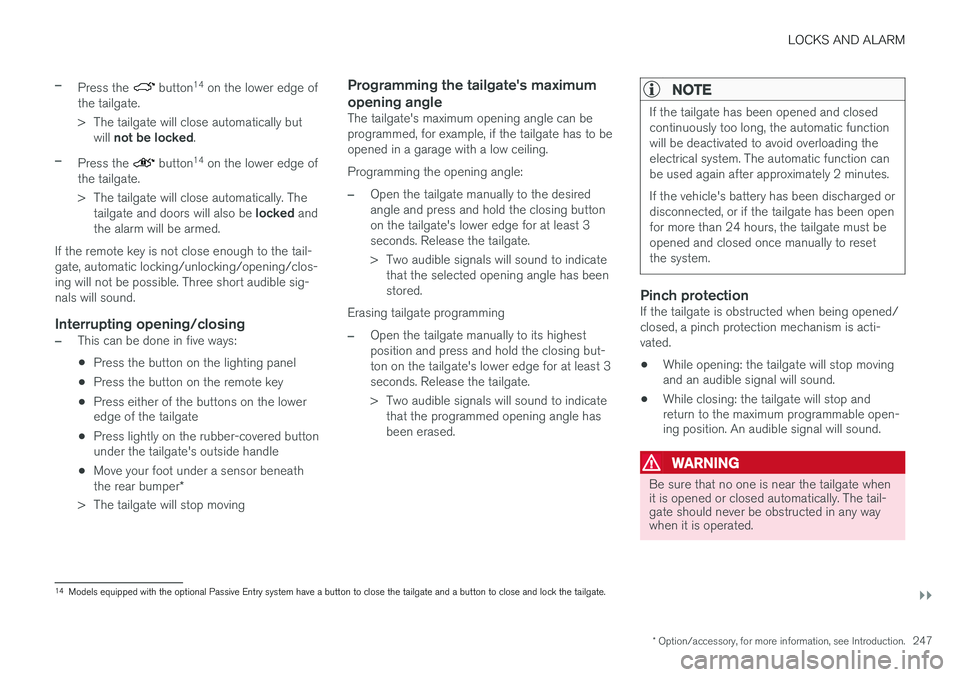
–Press the button14
on the lower edge of
the tailgate.
> The tailgate will close automatically but will not be locked .
–Press the button14
on the lower edge of
the tailgate.
> The tailgate will close automatically. The tailgate and doors will also be locked and
the alarm will be armed.
If the remote key is not close enough to the tail- gate, automatic locking/unlocking/opening/clos-ing will not be possible. Three short audible sig-nals will sound.
Interrupting opening/closing
–This can be done in five ways: • Press the button on the lighting panel
• Press the button on the remote key
• Press either of the buttons on the lower edge of the tailgate
• Press lightly on the rubber-covered buttonunder the tailgate's outside handle
• Move your foot under a sensor beneath the rear bumper
*
> The tailgate will stop moving
Programming the tailgate's maximum opening angle
The tailgate's maximum opening angle can be programmed, for example, if the tailgate has to beopened in a garage with a low ceiling. Programming the opening angle:
–Open the tailgate manually to the desired angle and press and hold the closing buttonon the tailgate's lower edge for at least 3seconds. Release the tailgate.
> Two audible signals will sound to indicate that the selected opening angle has been stored.
Erasing tailgate programming
–Open the tailgate manually to its highest position and press and hold the closing but-ton on the tailgate's lower edge for at least 3seconds. Release the tailgate.
> Two audible signals will sound to indicate that the programmed opening angle has been erased.
NOTE
If the tailgate has been opened and closed continuously too long, the automatic functionwill be deactivated to avoid overloading theelectrical system. The automatic function canbe used again after approximately 2 minutes. If the vehicle's battery has been discharged or disconnected, or if the tailgate has been openfor more than 24 hours, the tailgate must beopened and closed once manually to resetthe system.
Pinch protectionIf the tailgate is obstructed when being opened/ closed, a pinch protection mechanism is acti-vated.
• While opening: the tailgate will stop moving and an audible signal will sound.
• While closing: the tailgate will stop andreturn to the maximum programmable open-ing position. An audible signal will sound.
WARNING
Be sure that no one is near the tailgate when it is opened or closed automatically. The tail-gate should never be obstructed in any waywhen it is operated.
14
Models equipped with the optional Passive Entry system have a button to close the tailgate and a button to close and lock the tailgate.
Page 254 of 546
DRIVER SUPPORT
* Option/accessory, for more information, see Introduction.
252
Driver support systems
The vehicle is equipped with a number of driver support systems that help provide the driver withactive/passive support.
Some of these systems are standard while others are optional and they are designed to e.g., helpthe driver maintain a set speed or a set distanceto a vehicle ahead, or warn the driver of a poten-tial collision situation and in certain cases applythe brakes if necessary. Certain optional systemscan also assist in various parking situations.
Related information
• Adjustable steering force
* (p. 323)
• Electronic Stability Control (ESC) (p. 323)
• Speed limiter (SL)
* (p. 298)
• Cruise Control (CC) (p. 261)
• Adaptive Cruise Control (ACC)
* (p. 266)
• Pilot Assist
* (p. 273)
• Distance Alert
* (p. 329)
• City Safety
™ (p. 287)
• Blind Spot Information (BLIS)
* (p. 330)
• Cross Traffic Alert (CTA)
* (p. 333)
• Driver Alert Control (DAC) (p. 327)
• Driving lane assistance (p. 338)
• Road Sign Information (RSI)
* (p. 304)
• Park Assist
* (p. 306)
• Park Assist Pilot (PAP)
* (p. 316) •
Park Assist Camera (PAC)
* (p. 311)
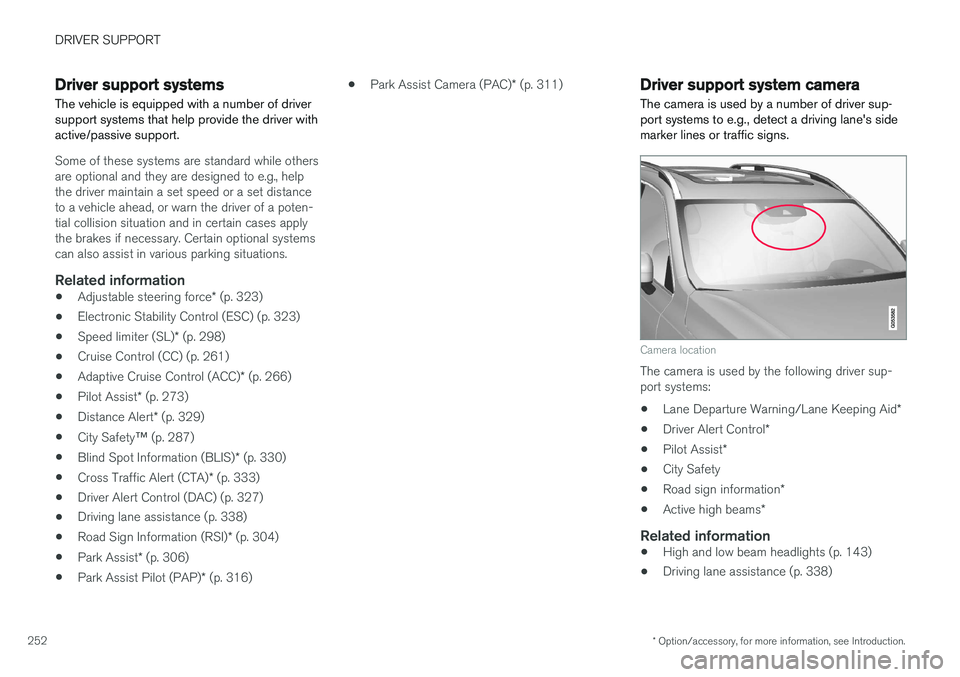
Driver support system camera
The camera is used by a number of driver sup- port systems to e.g., detect a driving lane's sidemarker lines or traffic signs.
Camera location
The camera is used by the following driver sup- port systems:
• Lane Departure Warning/Lane Keeping Aid
*
• Driver Alert Control
*
• Pilot Assist
*
• City Safety
• Road sign information
*
• Active high beams
*
Related information
•High and low beam headlights (p. 143)
• Driving lane assistance (p. 338)
Page 256 of 546
DRIVER SUPPORT
254
Camera limitations
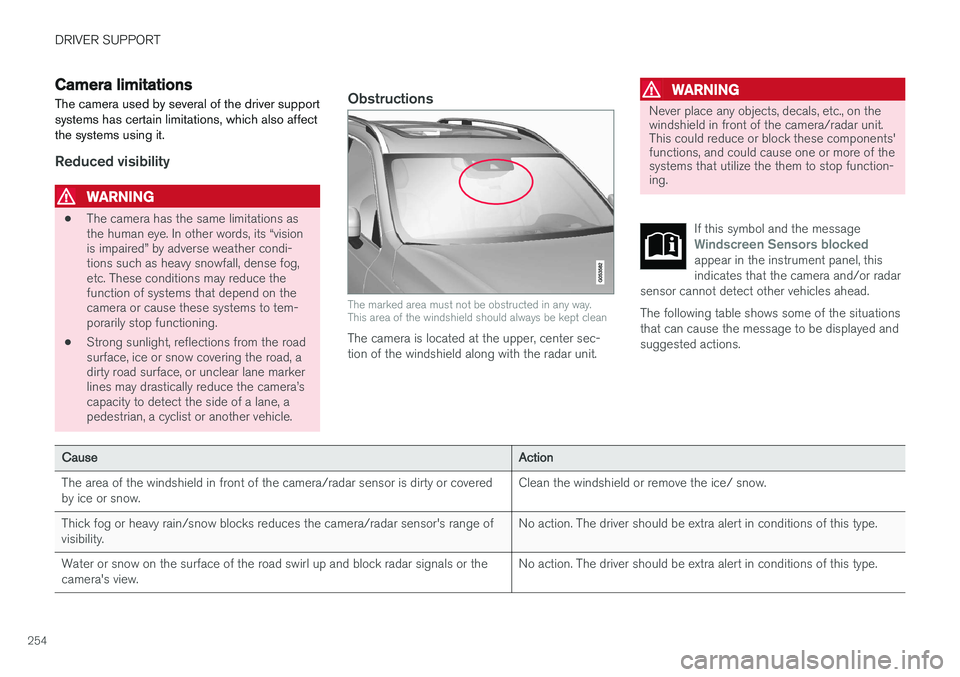
The camera used by several of the driver support systems has certain limitations, which also affectthe systems using it.
Reduced visibility
WARNING
• The camera has the same limitations as the human eye. In other words, its “visionis impaired” by adverse weather condi-tions such as heavy snowfall, dense fog,etc. These conditions may reduce thefunction of systems that depend on thecamera or cause these systems to tem-porarily stop functioning.
• Strong sunlight, reflections from the roadsurface, ice or snow covering the road, adirty road surface, or unclear lane markerlines may drastically reduce the camera
Page 269 of 546
DRIVER SUPPORT
}}
267
Controls
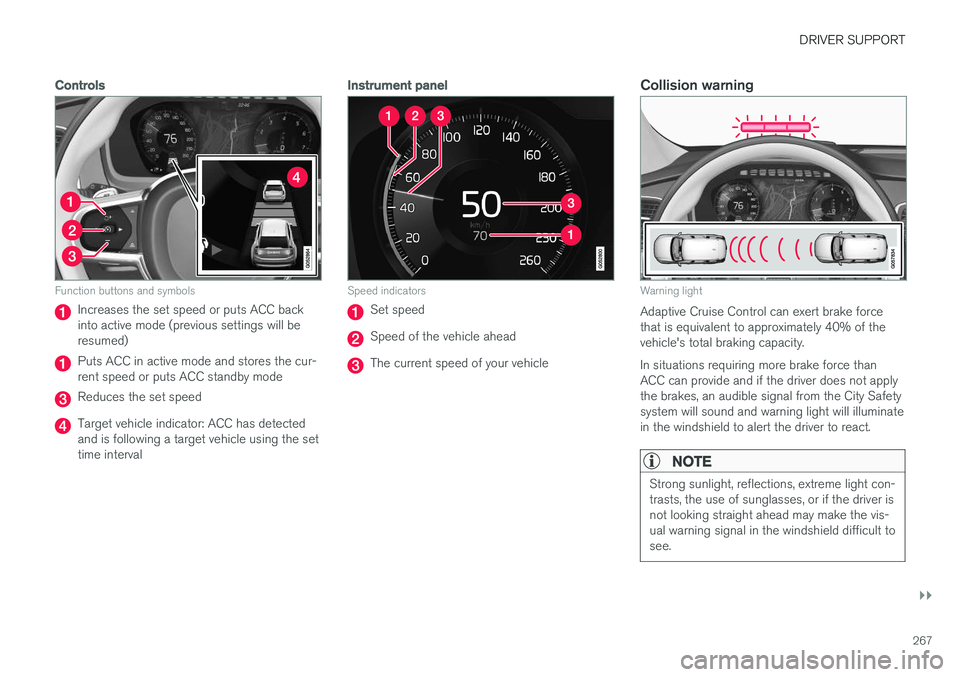
Function buttons and symbols
Increases the set speed or puts ACC back into active mode (previous settings will beresumed)
Puts ACC in active mode and stores the cur- rent speed or puts ACC standby mode
Reduces the set speed
Target vehicle indicator: ACC has detected and is following a target vehicle using the settime interval
Instrument panel
Speed indicators
Set speed
Speed of the vehicle ahead
The current speed of your vehicle
Collision warning
Warning light
Adaptive Cruise Control can exert brake force that is equivalent to approximately 40% of thevehicle's total braking capacity. In situations requiring more brake force than ACC can provide and if the driver does not applythe brakes, an audible signal from the City Safetysystem will sound and warning light will illuminatein the windshield to alert the driver to react.
NOTE
Strong sunlight, reflections, extreme light con- trasts, the use of sunglasses, or if the driver isnot looking straight ahead may make the vis-ual warning signal in the windshield difficult tosee.
Page 270 of 546
||
DRIVER SUPPORT
* Option/accessory, for more information, see Introduction.
268
Head-up-display *
A flashing light alerts the driver
A flashing icon will appear in the head-up dis- play* to alert the driver of a collision risk.
WARNING
Adaptive Cruise Control only warns of vehicles detected by the radar sensor. In some casesthere may be no warning or the warning maybe delayed. The driver should always apply thebrakes when necessary.
Related information
• Adaptive Cruise Control (ACC) - fault tracing (p. 285)
• Starting and activating Adaptive CruiseControl (ACC) (p. 268)
• Adaptive cruise control passing assistance(p. 284) •
Setting an Adaptive Cruise Control timeinterval (p. 272)
• Deactivating/resuming Adaptive CruiseControl (ACC) (p. 269)
• Adaptive Cruise Control (ACC) symbols andmessages (p. 286)
• Switching between Cruise Control (CC) and Adaptive Cruise Control (ACC)
* (p. 265)
Starting and activating Adaptive Cruise Control (ACC)
ACC must first be put in active mode before it can be started in order to regulate speed or aset time interval to the vehicle ahead.
Starting ACC (putting it in standby
mode)
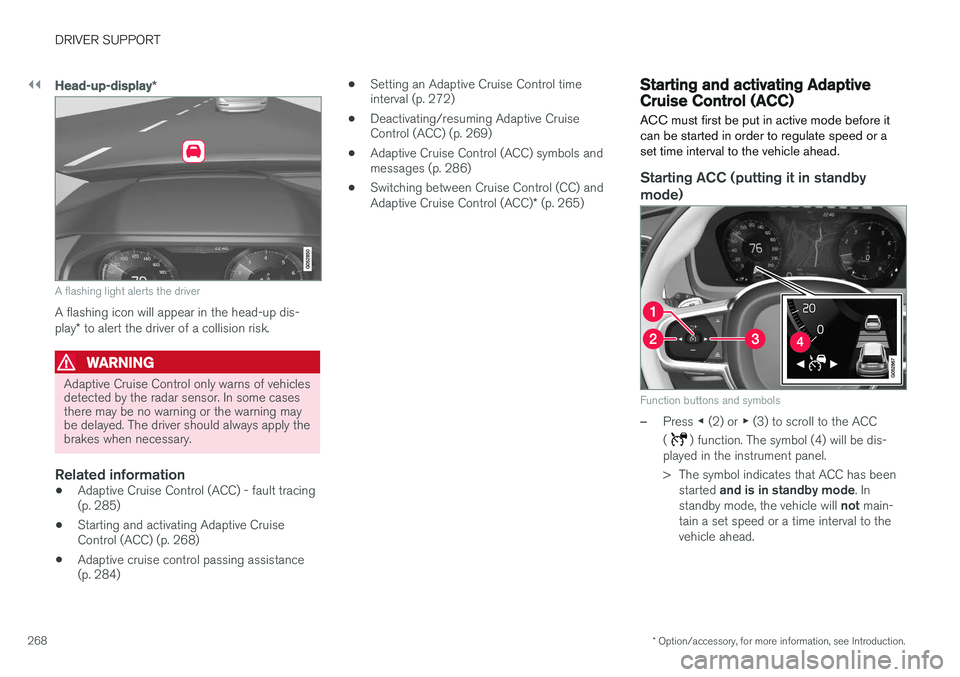
Function buttons and symbols
–Press ◀ (2) or ▶ (3) to scroll to the ACC
(
) function. The symbol (4) will be dis-
played in the instrument panel.
> The symbol indicates that ACC has been
started and is in standby mode . In
standby mode, the vehicle will not main-
tain a set speed or a time interval to the vehicle ahead.