brake VOLVO XC90 T8 2017 Owner´s Manual
[x] Cancel search | Manufacturer: VOLVO, Model Year: 2017, Model line: XC90 T8, Model: VOLVO XC90 T8 2017Pages: 580, PDF Size: 10.37 MB
Page 535 of 580
MAINTENANCE AND SERVICING
}}
533
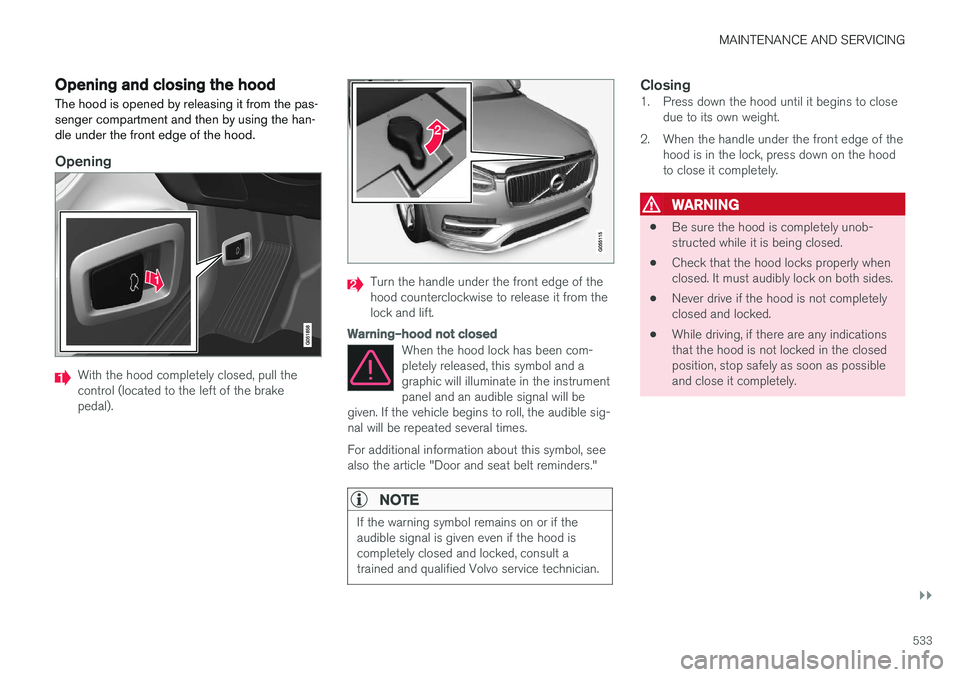
Opening and closing the hood The hood is opened by releasing it from the pas- senger compartment and then by using the han-dle under the front edge of the hood.
Opening
With the hood completely closed, pull the control (located to the left of the brakepedal).
Turn the handle under the front edge of the hood counterclockwise to release it from thelock and lift.
Warning–hood not closed
When the hood lock has been com- pletely released, this symbol and agraphic will illuminate in the instrumentpanel and an audible signal will be
given. If the vehicle begins to roll, the audible sig-nal will be repeated several times. For additional information about this symbol, see also the article "Door and seat belt reminders."
NOTE
If the warning symbol remains on or if the audible signal is given even if the hood iscompletely closed and locked, consult atrained and qualified Volvo service technician.
Closing1. Press down the hood until it begins to close due to its own weight.
2. When the handle under the front edge of the hood is in the lock, press down on the hood to close it completely.
WARNING
• Be sure the hood is completely unob- structed while it is being closed.
• Check that the hood locks properly whenclosed. It must audibly lock on both sides.
• Never drive if the hood is not completelyclosed and locked.
• While driving, if there are any indicationsthat the hood is not locked in the closedposition, stop safely as soon as possibleand close it completely.
Page 537 of 580
MAINTENANCE AND SERVICING
}}
535
any components in the engine compart- ment.
• The distributor ignition system operatesat very high voltages. Special safety pre-cautions must be followed to prevent injury. Always turn the ignition
off when
replacing distributor ignition components e.g. plugs, coil, etc.
• Do not touch any part of the distributorignition system while the engine is run-ning. This may result in unintended move-ments and body injury.
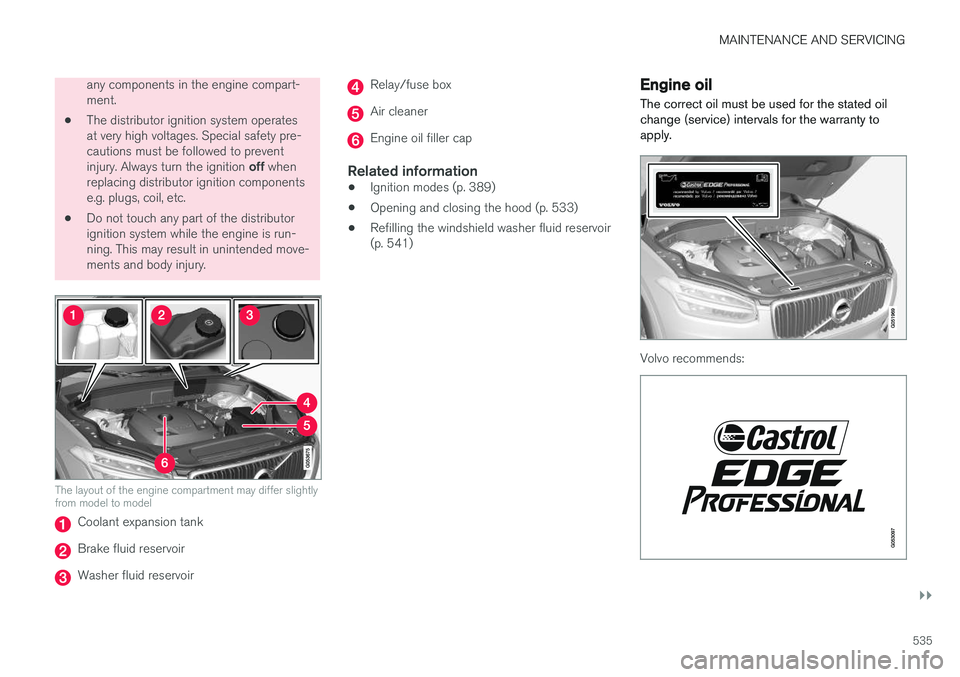
The layout of the engine compartment may differ slightly from model to model
Coolant expansion tank
Brake fluid reservoir
Washer fluid reservoir
Relay/fuse box
Air cleaner
Engine oil filler cap
Related information
•Ignition modes (p. 389)
• Opening and closing the hood (p. 533)
• Refilling the windshield washer fluid reservoir (p. 541)
Engine oil
The correct oil must be used for the stated oil change (service) intervals for the warranty toapply.
Volvo recommends:
Page 545 of 580
MAINTENANCE AND SERVICING
}}
* Option/accessory.543
CAUTION
When using an automatic car wash in which the vehicle has to be able to roll freely, theauto-hold brake function must be deactivated.If this is not done, the brakes will automati-cally be applied when the vehicle is stationary. To deactivate this function:
1. Drive the vehicle into the car wash
2. Turn off the auto-hold function using the
control on the center console
3. Turn off the parking brake's automatic function in the center display's Top view (tap
Settings, tap My CarParking
Brake and Suspension and deselectAuto Activate Parking Brake)
4. Put the gear selector in N
5. Switch off the ignition by turning the start knob to STOP and holding it in this posi-
tion for at least 4 seconds
The vehicle will then be able to roll freely.
CAUTION
• Before driving into an automatic car wash, turn off the optional rain sensor toavoid damaging the windshield wipers.
• Make sure that side view mirrors, auxiliarylamps, etc, are secure, and that anyantenna(s) are retracted or removed. Oth-erwise there is risk of the machine dis-lodging them.
• Chromed wheels:
Clean chrome-plated
wheels using the same detergents usedfor the body of the vehicle. Aggressivewheel-cleaning agents can permanentlystain chrome-plated wheels.
WARNING
• When the vehicle is driven immediately after being washed, apply the brakes,including the parking brake, several timesin order to remove any moisture from thebrake linings.
• Engine cleaning agents should not beused when the engine is warm. This con-stitutes a fire risk.
Exterior componentsVolvo recommends the use of special cleaningproducts, available at your Volvo retailer, forcleaning colored plastic, rubber, or ornamental components such as chromed strips on the exte-rior of your vehicle. The instructions for usingthese products should be followed carefully. Sol-vents or stain removers should not be used. The frames around the side windows, roof rails and door frames near the windows
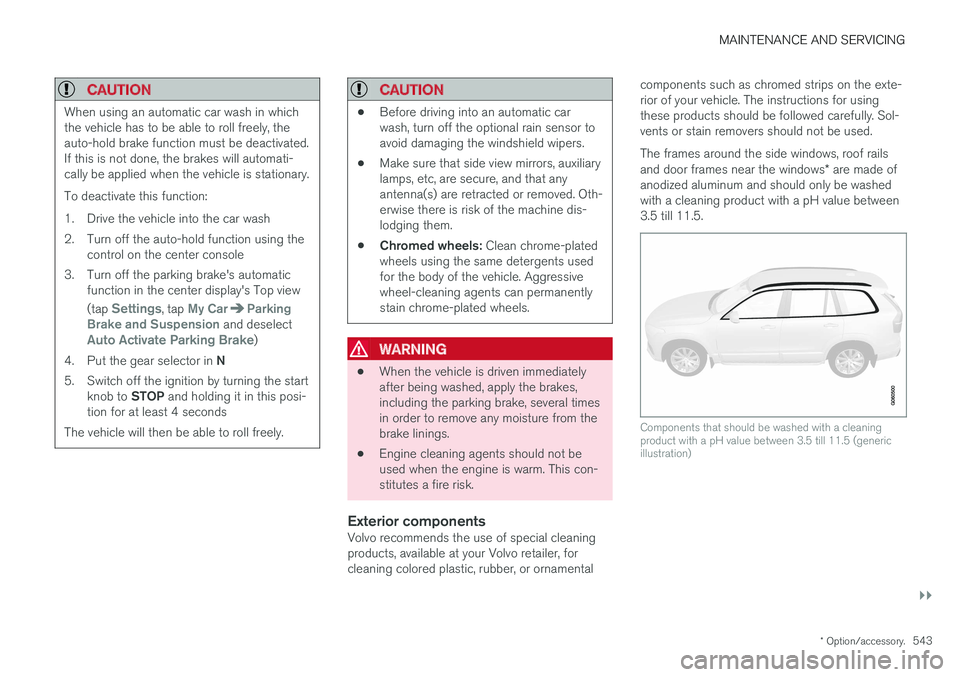
* are made of
anodized aluminum and should only be washed with a cleaning product with a pH value between3.5 till 11.5.
Components that should be washed with a cleaning product with a pH value between 3.5 till 11.5 (genericillustration)
Page 548 of 580
||
MAINTENANCE AND SERVICING
546
WARNING
•Never use more than one floor mat at a time on the driver's floor. Before driving,remove the original mat from the driver'sseat floor before using any other type offloor mat. Any mat used in this positionshould be securely and properly anchoredin the attaching pins. An extra mat on thedriver's floor can cause the acceleratorand/or brake pedal to catch. Check thatthe movement of these pedals is notimpeded.
• Volvo's floor mats are specially manufac-tured for your car. They must be firmlysecured in the clips on the floor so thatthey cannot slide and become trappedunder the pedals on the driver's side.
Related information
• Cleaning the center display (p. 546)
Cleaning the center display
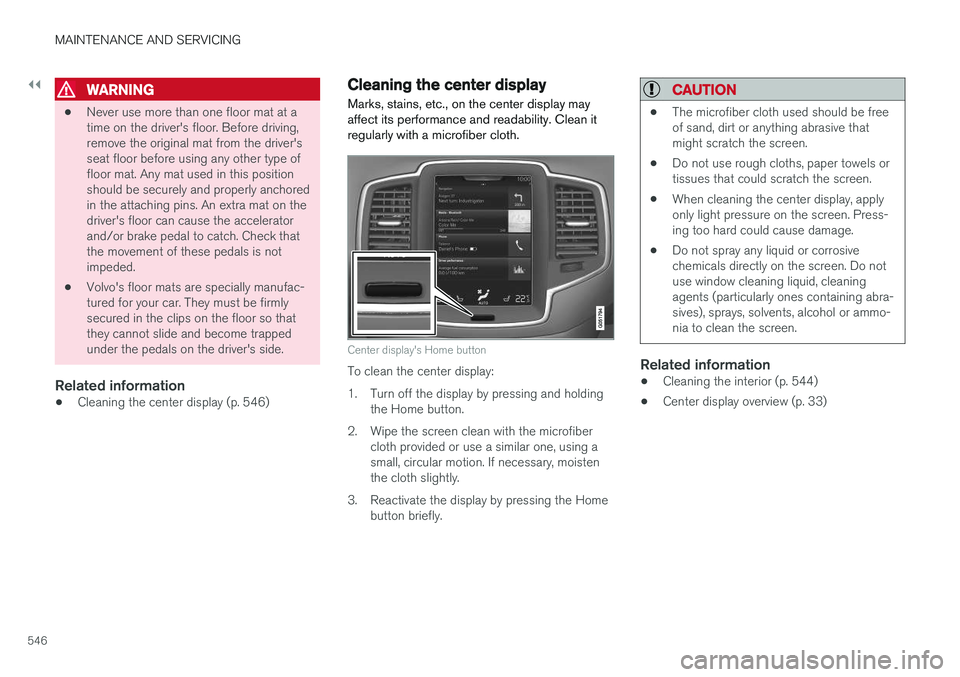
Marks, stains, etc., on the center display may affect its performance and readability. Clean itregularly with a microfiber cloth.
Center display's Home button
To clean the center display:
1. Turn off the display by pressing and holding the Home button.
2. Wipe the screen clean with the microfiber cloth provided or use a similar one, using a small, circular motion. If necessary, moistenthe cloth slightly.
3. Reactivate the display by pressing the Home button briefly.
CAUTION
• The microfiber cloth used should be free of sand, dirt or anything abrasive thatmight scratch the screen.
• Do not use rough cloths, paper towels ortissues that could scratch the screen.
• When cleaning the center display, applyonly light pressure on the screen. Press-ing too hard could cause damage.
• Do not spray any liquid or corrosivechemicals directly on the screen. Do notuse window cleaning liquid, cleaningagents (particularly ones containing abra-sives), sprays, solvents, alcohol or ammo-nia to clean the screen.
Related information
•Cleaning the interior (p. 544)
• Center display overview (p. 33)
Page 560 of 580
||
SPECIFICATIONS
558
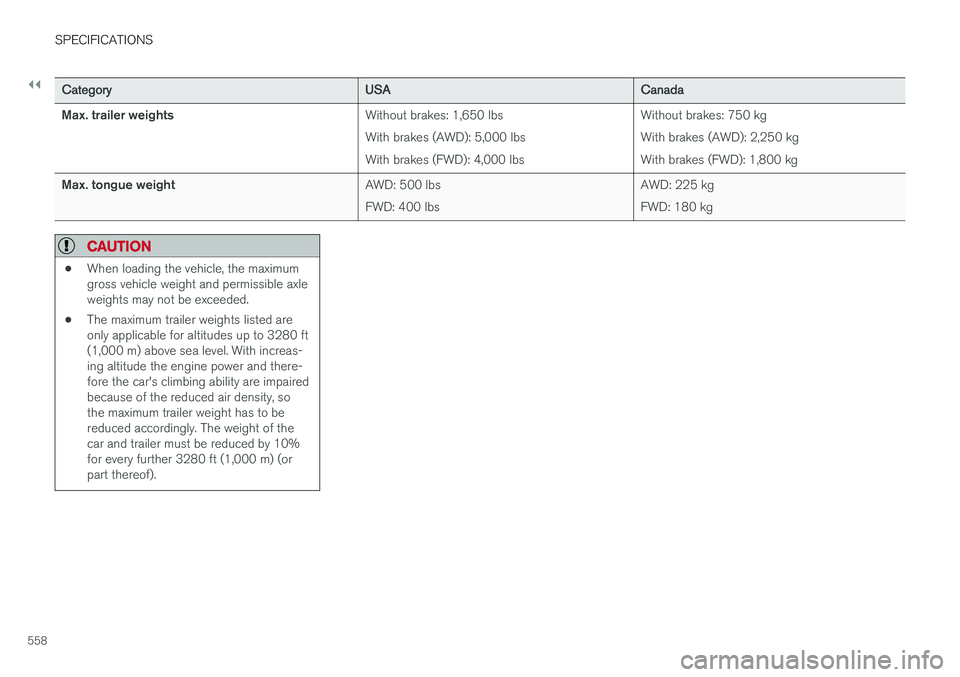
CategoryUSACanada
Max. trailer weights Without brakes: 1,650 lbs With brakes (AWD): 5,000 lbsWith brakes (FWD): 4,000 lbsWithout brakes: 750 kgWith brakes (AWD): 2,250 kgWith brakes (FWD): 1,800 kg
Max. tongue weight AWD: 500 lbsFWD: 400 lbsAWD: 225 kgFWD: 180 kg
CAUTION
•
When loading the vehicle, the maximum gross vehicle weight and permissible axleweights may not be exceeded.
• The maximum trailer weights listed areonly applicable for altitudes up to 3280 ft(1,000 m) above sea level. With increas-ing altitude the engine power and there-fore the car's climbing ability are impairedbecause of the reduced air density, sothe maximum trailer weight has to bereduced accordingly. The weight of thecar and trailer must be reduced by 10%for every further 3280 ft (1,000 m) (orpart thereof).
Page 562 of 580
SPECIFICATIONS
560
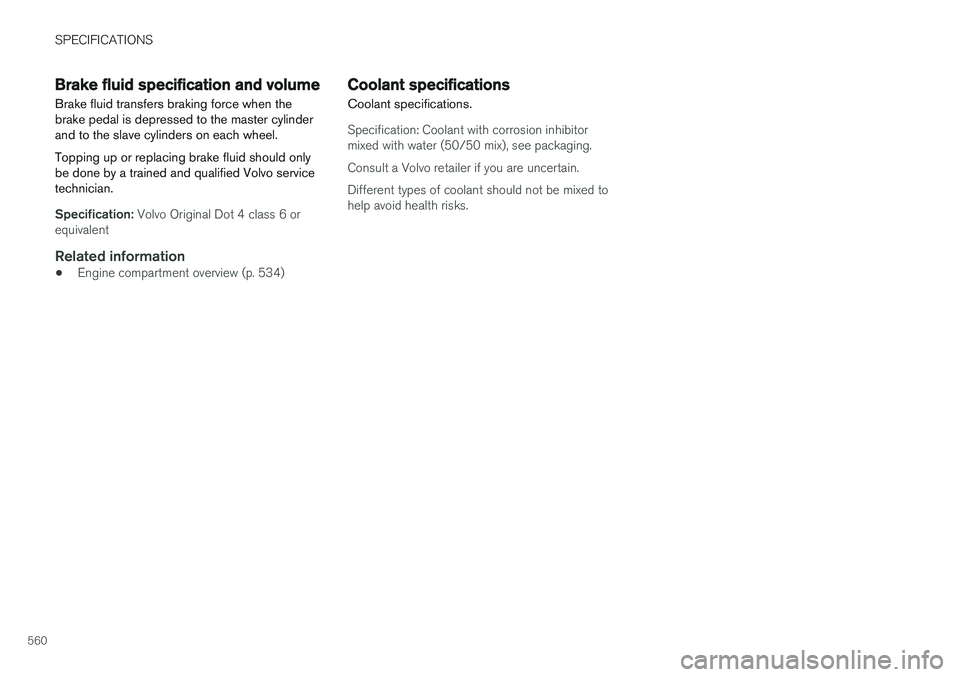
Brake fluid specification and volume
Brake fluid transfers braking force when the brake pedal is depressed to the master cylinderand to the slave cylinders on each wheel. Topping up or replacing brake fluid should only be done by a trained and qualified Volvo servicetechnician.
Specification: Volvo Original Dot 4 class 6 or
equivalent
Related information
• Engine compartment overview (p. 534)
Coolant specifications
Coolant specifications.
Specification: Coolant with corrosion inhibitor mixed with water (50/50 mix), see packaging. Consult a Volvo retailer if you are uncertain.Different types of coolant should not be mixed to help avoid health risks.
Page 567 of 580
INDEX
565
A
A/C (air conditioning) 207
Accessory installation warning 26, 29
Active high beams 147
Active yaw control 259
Adaptive brake lights 366
Adaptive cruise control 277, 280, 281,283, 284, 285, 289
passing assistance 285
pilot assist 303
Adaptive Cruise Control fault tracing 287
limitations 288
Airbags disconnecting the front passenger
Page 568 of 580
INDEX
566Booster cushions 88
Brake assist system 365
Brake lights 150, 366Brakes
auto-hold 365
Brake system Brake pad inspection 363
fluid 560
general information 362, 364, 366
Bulbs 529 replacing 524
specifications 530
C
Cameradriver support systems 308
limitations 309
Camera, Park Assist 348, 350, 352, 353
Capacity weight 478, 557
Cargo area, steel grid 223
Cargo area cover 225Cargo compartment fuses 520
raising/lowering the level 216
Cargo net 221
Cargo space 216
Car wash 541
Catalytic converter 381CD, USB, iPod, AUX, Bluetooth, Recents, Library, Shuffle, Similar, Change device,Audio Language, Off, Subtitle Language, Video, DivX ® VOD 452
CD player 451 Cell phone hands-free 438
Pairing 439
Cell phone voice control 124 Center display changing settings 35
cleaning 546
keyboard 36
navigating in 43
overview 33
screen in the center console 49
symbols in the status bar 48
Chains 479
Changing a wheel 481Charging cable hybrid battery 394
Child restraints recalls and registration 81Child restraint systems 81booster cushions 88
convertible seats 85
infant seats 83
ISOFIX/LATCH anchors 89
top tether anchors 91
Child safety 79 booster cushions 88
child restraint systems 81, 90
convertible seats 85
infant seats 83
Child safety locks 254 Child seats lower attachment points 90
City safety 312, 320City Safety crossing traffic 317
detecting objects 315
limitations 320
rear collision warning 324
symbols and messages 323
troubleshooting 318
City Safety, On/Off 314 City Safety ™
Multi Target 318
Cleaning exterior 541
interior 544
Page 573 of 580
INDEX
571
Options 26
Outside temperature sensor 118
Overhead courtesy lighting 151
Overheating, engine 375Owner's information
mobile applications 25
Owner's manual 21
Ownership, changing 118
Oxygen sensors, heated 381
P
Paint, touching up 547, 548
Park assist 344, 345, 346, 347
Park Assist Camera 348, 350, 352, 353 settings 348, 352
Park Assist Pilot 354, 355, 358, 360Parking brake electric, applying/releasing 369, 371
Parking light bulb, replacing 529Passenger compartment fuses 516
Passive Entry system location of antennas 244
Permissible axle weight 557
Phone phone book 443
receiving calls 441
text messages 444, 445
Pilot Assist 285, 291, 294, 297, 298, 300, 301
Plug-in hybrid general information 16
Polishing 549 Power front seat memory function 168
Power mirrors 106 defroster 204
Power steering adjustable 258
Power tailgate 248
Power windows 111
Preconditioning 187, 189 starting/stopping 192
symbols and messages 193
timer 190
Preconditioning, retaining climate comfort 189
Pregnancy, using seat belts during 62
PROPOSITION 65 WARNING 382R
Radar driver support systems 304, 308
Radar sensor limitations 305
Radio RBDS 424
settings 424 SiriusXM ®
Satellite radio 429, 430, 432
Radio functions HD digital radio 426, 427, 428, 429
Rain sensor 161
Rear Collision Warning 324
Rear fog lights 149
Rear park assist 344, 345, 346, 347
Rear seat head restraints 173
Rear seats 173 accessing the third row 178
adjusting backrest tilt 175
center head restraint 173
folding 176, 178
moving forward/rearward 175
Rearview mirror compass 141, 142
Rear window defroster 204
Recalls 62