brake VOLVO XC90 T8 2017 Owner´s Manual
[x] Cancel search | Manufacturer: VOLVO, Model Year: 2017, Model line: XC90 T8, Model: VOLVO XC90 T8 2017Pages: 580, PDF Size: 10.37 MB
Page 388 of 580
||
STARTING AND DRIVING
* Option/accessory.
386
Symbol Message
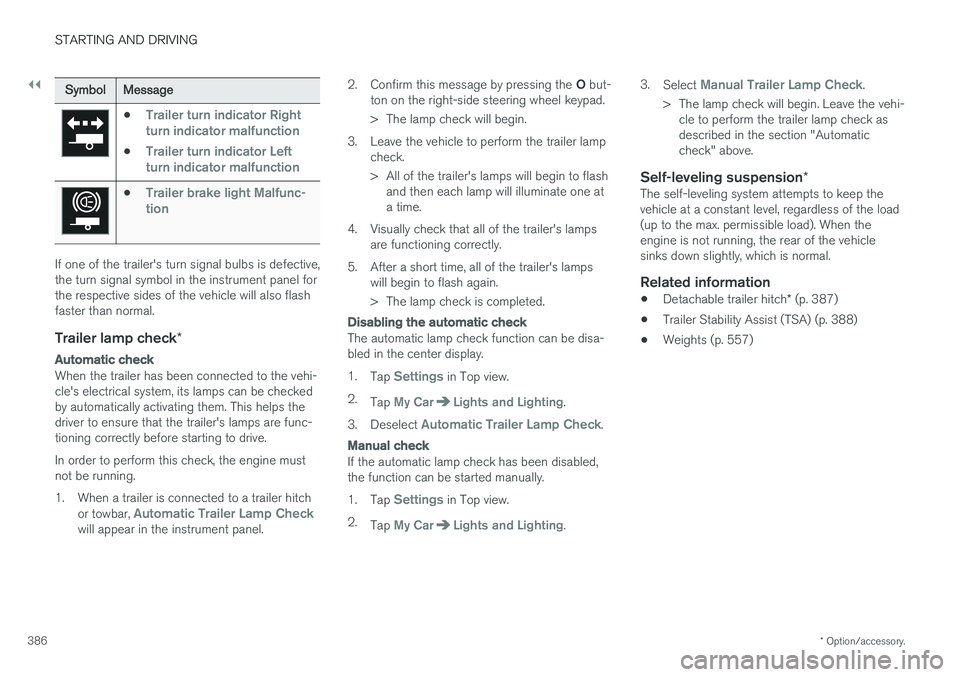
•Trailer turn indicator Right
turn indicator malfunction
•Trailer turn indicator Left
turn indicator malfunction
•Trailer brake light Malfunc-
tion
If one of the trailer's turn signal bulbs is defective, the turn signal symbol in the instrument panel forthe respective sides of the vehicle will also flashfaster than normal.
Trailer lamp check *
Automatic check
When the trailer has been connected to the vehi- cle's electrical system, its lamps can be checkedby automatically activating them. This helps thedriver to ensure that the trailer's lamps are func-tioning correctly before starting to drive. In order to perform this check, the engine must not be running.
1. When a trailer is connected to a trailer hitch
or towbar,
Automatic Trailer Lamp Checkwill appear in the instrument panel. 2.
Confirm this message by pressing the O but-
ton on the right-side steering wheel keypad.
> The lamp check will begin.
3. Leave the vehicle to perform the trailer lamp check.
> All of the trailer's lamps will begin to flashand then each lamp will illuminate one at a time.
4. Visually check that all of the trailer's lamps are functioning correctly.
5. After a short time, all of the trailer's lamps will begin to flash again.
> The lamp check is completed.
Disabling the automatic check
The automatic lamp check function can be disa- bled in the center display. 1.Tap
Settings in Top view.
2. Tap
My CarLights and Lighting.
3. Deselect
Automatic Trailer Lamp Check.
Manual check
If the automatic lamp check has been disabled, the function can be started manually. 1.Tap
Settings in Top view.
2. Tap
My CarLights and Lighting. 3.
Select
Manual Trailer Lamp Check.
> The lamp check will begin. Leave the vehi- cle to perform the trailer lamp check as described in the section "Automaticcheck" above.
Self-leveling suspension *The self-leveling system attempts to keep thevehicle at a constant level, regardless of the load(up to the max. permissible load). When theengine is not running, the rear of the vehiclesinks down slightly, which is normal.
Related information
•Detachable trailer hitch
* (p. 387)
• Trailer Stability Assist (TSA) (p. 388)
• Weights (p. 557)
Page 390 of 580
STARTING AND DRIVING
* Option/accessory.
388
Trailer Stability Assist (TSA)
Trailer Stability Assist is a system designed to help stabilize a vehicle that is towing a trailerwhen the vehicle and trailer have begun to swayand is part of the Electronic Stability Control sys-tem.
FunctionA vehicle towing a trailer may begin to sway for various reasons. Normally this only occurs at highspeeds but, for example, if the trailer is overloa-ded or if the load is unevenly distributed in thetrailer, there is risk of swaying. Swaying may be caused by factors such as:
• The vehicle and trailer are hit by a sudden, strong crosswind
• The vehicle and trailer are traveling on anuneven road surface or drive over a bump
• Sudden movements of the steering wheel
Facts about TSA
• The stability system symbol in the instrumentpanel will flash when TSA is working
• If the driver switches off the stability system'sSpin Control function, TSA will also beswitched off (but will be on again the nexttime the engine is started)
• TSA may not intervene when the vehicle andtrailer begin to sway if the driver tries to com-pensate for the swaying motion by movingthe steering wheel rapidly
How TSA worksOnce swaying has begun, it can be very difficultto stop, which makes it difficult to control thevehicle and trailer. The TSA system continuously monitors the vehi- cle's movements, particularly lateral movement. Ifthe system detects a tendency to sway, thebrakes are applied individually on the frontwheels, which has a stabilizing effect on the vehi-cle and trailer. This is often enough to enable thedriver to regain control of the vehicle. If this is not adequate to stop the swaying motion, the brakes are applied to all of the wheels on thevehicle and on the trailer if it is equipped withbrakes, and engine power is temporarily reduced.As the swaying motion begins to decrease andthe vehicle-trailer have once again become sta-ble, TSA will now stop regulating the brakes/engine power and the driver regains control ofthe vehicle. TSA is deactivated if the driver deactivates
ESCin the center display's menu system.
When the ESC symbol in the
instrument panel flashes, TSA is active.
Related information
• Detachable trailer hitch
* (p. 387)
• Driving with a trailer (p. 384)
• Electronic Stability Control (ESC) (p. 259)
Page 392 of 580
||
STARTING AND DRIVING
390
NOTE
To access ignition modes I or II without star-
ting the engine, the brake pedal must not be
depressed when these modes are selected.
• Ignition mode I
: Turn the start knob to
START and release it. The knob will return
automatically to its original position.
• Ignition mode II
: Turn the start knob to
START and hold it there for approx.
4 seconds. Release the knob.
• Returning to ignition mode 0
: To return to
mode 0 from mode II or I, turn the start knob
to STOP and release it.
Related information
•Starting the engine (p. 390)
• Turning the engine off (p. 393)
Battery drain Your vehicle's electrical functions drain the bat- tery to varying extents.
Avoid using ignition mode
II as much as posssi-
ble, or electrical functions that require a great deal of electrical current when the engine is notrunning. Using ignition mode I whenever possible con-
sumes less electrical current. Functions that require a great deal of electrical current include:
• the climate system blower
• headlights
• wipers
• infotainment system (especially at high vol-ume).
If the battery's charge level is low, a text messagewill appear in the instrument panel. The vehicle'senergy-saving function will then turn off orreduce certain functions that are currently con-suming electrical current. If the battery needs to be recharged, start the engine and let it idle for at least 15 minutes ordrive the vehicle (driving charges the batteryfaster than letting the engine idle).
Related information
• Ignition modes (p. 389)
Starting the engine
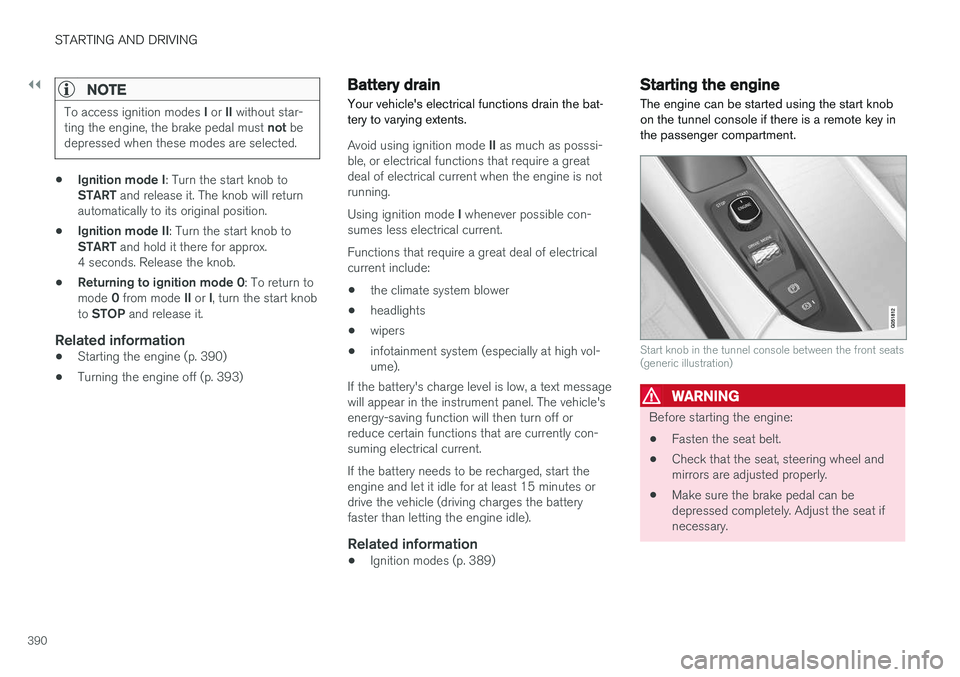
The engine can be started using the start knob on the tunnel console if there is a remote key inthe passenger compartment.
Start knob in the tunnel console between the front seats (generic illustration)
WARNING
Before starting the engine:
• Fasten the seat belt.
• Check that the seat, steering wheel and mirrors are adjusted properly.
• Make sure the brake pedal can bedepressed completely. Adjust the seat ifnecessary.
Page 393 of 580
STARTING AND DRIVING
}}
391
To start the engine.
1. A remote key must be in the passenger com-
partment. On models with the standard Passive Start, the key has to be in the frontsection of the passenger compartment. If thevehicle is equipped the optional PassiveEntry system (keyless locking/unlocking) thekey can be anywhere in the vehicle.
2. Press firmly on the brake pedal 2
.
3. Turn the start knob toward START and
release it to start the engine.
> The starter motor will crank until the engine starts or its overheating protection is triggered.
WARNING
• Never use more than one floor mat at a time on the driver's floor. Before driving,remove the original mat from the driver'sseat floor before using any other type offloor mat. Any mat used in this positionshould be securely and properly anchoredin the attaching pins. An extra mat on thedriver's floor can cause the acceleratorand/or brake pedal to catch. Check thatthe movement of these pedals is notimpeded.
• Volvo's floor mats are specially manufac-tured for your car. They must be firmlysecured in the clips on the floor so thatthey cannot slide and become trappedunder the pedals on the driver's side.
During normal starts, the electric motor is priori-tized and the gasoline engine will not start. Thismeans that when the start knob has been turned toward START and released, the electric motor is
activated ("started") and the vehicle is ready to be driven. The warning and information symbolsin the instrument panel will go out and thechosen theme will be displayed to indicate thatthe electric motor has been activated. However, in certain situations, such as in coldweather or if the hybrid battery is not sufficientlycharged, the gasoline engine will start instead. The vehicle should not be started if the charging cable is connected.
However, if the
cable cannot be disconnected or if the vehicleincorrectly detects a cable that is not connected,the vehicle can be started using an override pro-cedure:
1. Press the brake pedal and turn the start
knob to START.
2.
Remove charge cable to start will appear
in the instrument panel.
3. Turn the start knob to START again.
4.
Charge cable removed? Press start button 7s to start will be displayed. Turn
the start knob to START again and hold it for
7 seconds to start the vehicle.
NOTE
The vehicle cannot be started if the hybrid battery is discharged.
2 If the vehicle is moving, it is only necessary to turn the start knob toward START to start the engine.
Page 394 of 580
||
STARTING AND DRIVING
392
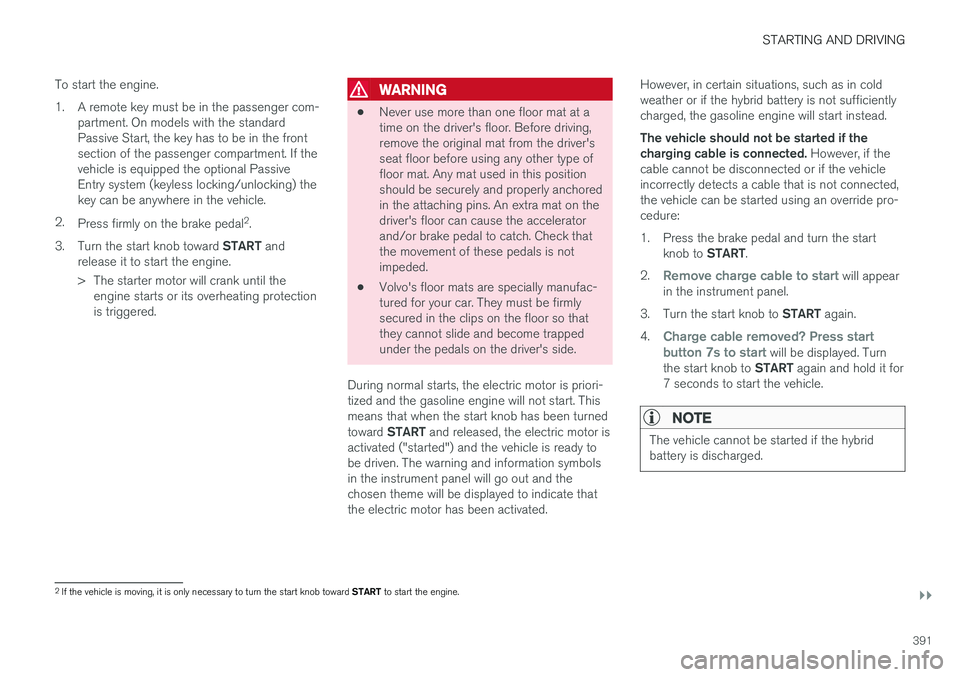
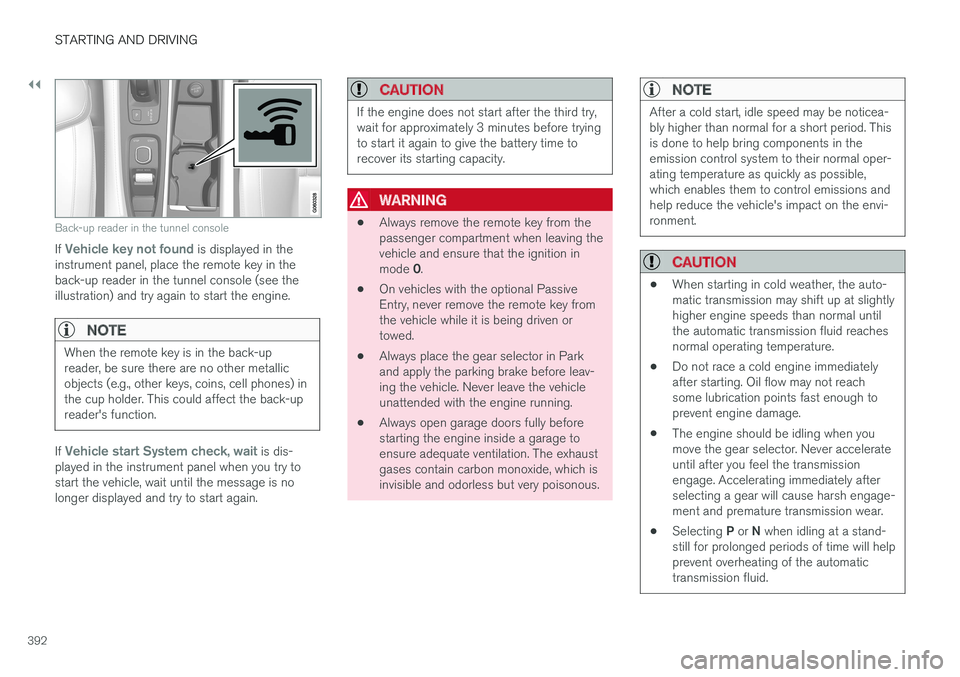
Back-up reader in the tunnel console
If Vehicle key not found is displayed in the
instrument panel, place the remote key in the back-up reader in the tunnel console (see theillustration) and try again to start the engine.
NOTE
When the remote key is in the back-up reader, be sure there are no other metallicobjects (e.g., other keys, coins, cell phones) inthe cup holder. This could affect the back-upreader's function.
If Vehicle start System check, wait is dis-
played in the instrument panel when you try to start the vehicle, wait until the message is nolonger displayed and try to start again.
CAUTION
If the engine does not start after the third try, wait for approximately 3 minutes before tryingto start it again to give the battery time torecover its starting capacity.
WARNING
• Always remove the remote key from the passenger compartment when leaving thevehicle and ensure that the ignition in mode
0.
• On vehicles with the optional Passive Entry, never remove the remote key fromthe vehicle while it is being driven ortowed.
• Always place the gear selector in Parkand apply the parking brake before leav-ing the vehicle. Never leave the vehicleunattended with the engine running.
• Always open garage doors fully beforestarting the engine inside a garage toensure adequate ventilation. The exhaustgases contain carbon monoxide, which isinvisible and odorless but very poisonous.
NOTE
After a cold start, idle speed may be noticea- bly higher than normal for a short period. Thisis done to help bring components in theemission control system to their normal oper-ating temperature as quickly as possible,which enables them to control emissions andhelp reduce the vehicle's impact on the envi-ronment.
CAUTION
•
When starting in cold weather, the auto- matic transmission may shift up at slightlyhigher engine speeds than normal untilthe automatic transmission fluid reachesnormal operating temperature.
• Do not race a cold engine immediatelyafter starting. Oil flow may not reachsome lubrication points fast enough toprevent engine damage.
• The engine should be idling when youmove the gear selector. Never accelerateuntil after you feel the transmissionengage. Accelerating immediately afterselecting a gear will cause harsh engage-ment and premature transmission wear.
• Selecting
P or N when idling at a stand-
still for prolonged periods of time will helpprevent overheating of the automatictransmission fluid.
Page 404 of 580
||
STARTING AND DRIVING
402
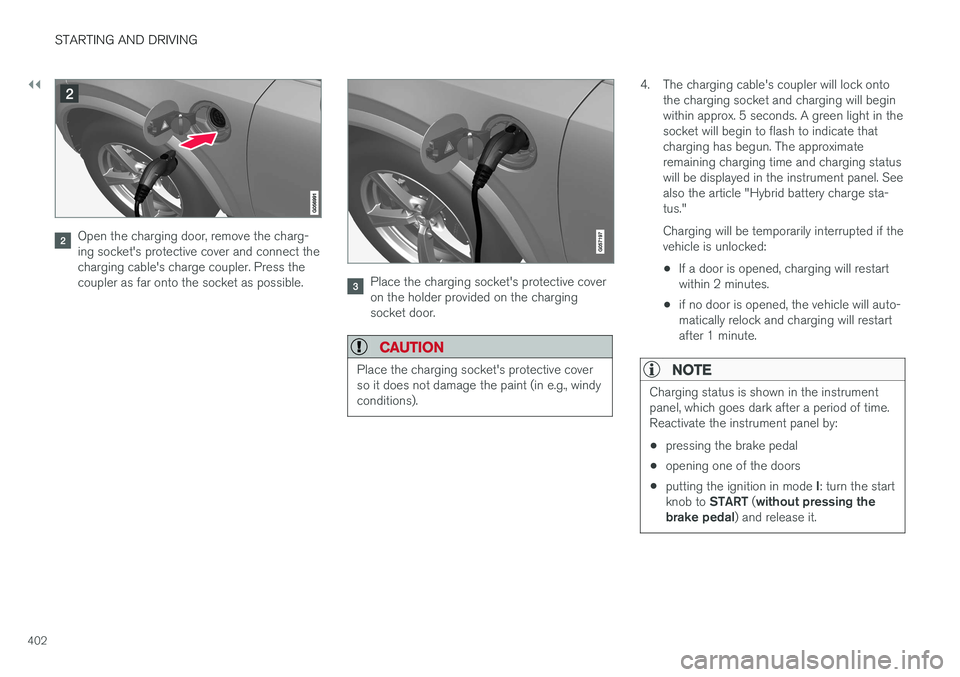
Open the charging door, remove the charg- ing socket's protective cover and connect thecharging cable's charge coupler. Press thecoupler as far onto the socket as possible.
Place the charging socket's protective cover on the holder provided on the chargingsocket door.
CAUTION
Place the charging socket's protective cover so it does not damage the paint (in e.g., windyconditions).
4. The charging cable's coupler will lock ontothe charging socket and charging will begin within approx. 5 seconds. A green light in thesocket will begin to flash to indicate thatcharging has begun. The approximateremaining charging time and charging statuswill be displayed in the instrument panel. Seealso the article "Hybrid battery charge sta-tus." Charging will be temporarily interrupted if the vehicle is unlocked: •If a door is opened, charging will restart within 2 minutes.
• if no door is opened, the vehicle will auto-matically relock and charging will restartafter 1 minute.
NOTE
Charging status is shown in the instrument panel, which goes dark after a period of time.Reactivate the instrument panel by: •
pressing the brake pedal
• opening one of the doors
• putting the ignition in mode
I: turn the start
knob to START (without pressing the
brake pedal ) and release it.
Page 407 of 580
STARTING AND DRIVING
405
LEDindica- tor light'scolorExplanation
White Courtesy light
Yellow Standby mode (e.g., after a door has been opened or if the charger coupling is not lockedin position in the chargingsocket): waiting for charging tobegin
Flashinggreen Charging is in progress (theslower the light flashes, thecloser the battery is to beingfully charged)
Green Charging completed (the light will go out after a short time)
Red A fault has occurred
Charge status in the instrument panelCharging status is indicated in the instrument panel using graphics and text. This information isdisplayed for as long as the instrument panel isactive. If the instrument panel is not used for a short period, it will switch off to help save electrical cur-rent and can be reactivated by:
• Pressing the brake pedal
• Opening one of the doors •
Turning the start knob to ignition mode
I
GraphicMessageExplanation
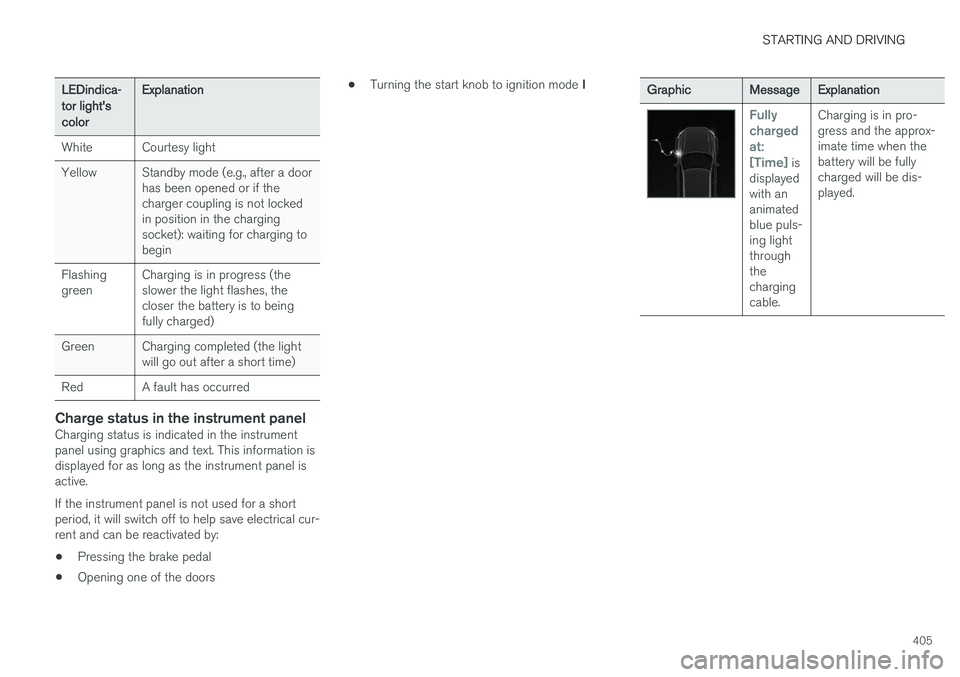
Fully chargedat:[Time]
is
displayed with ananimatedblue puls-ing lightthroughthechargingcable. Charging is in pro-gress and the approx-imate time when thebattery will be fullycharged will be dis-played.
Page 413 of 580
STARTING AND DRIVING
}}
* Option/accessory.411
Drive modes
Selecting a drive mode affects the vehicle's driv- ing characteristics to help make driving moreenjoyable or easier in certain types of situations.
The following systems are adapted to help pro- vide the best vehicle performance in the respec-tive drive modes: • Steering
• Engine/transmission/All Wheel Drive
*
• Brakes
• Pneumatic suspensionSuspension control
• Instrument panel
• Climate system settings
Select the drive mode best suited to the current driving conditions. Please be aware that not all modes can be selected in all driving situations. The selectedmode will be displayed in the instrument panel.
Selecting a drive mode
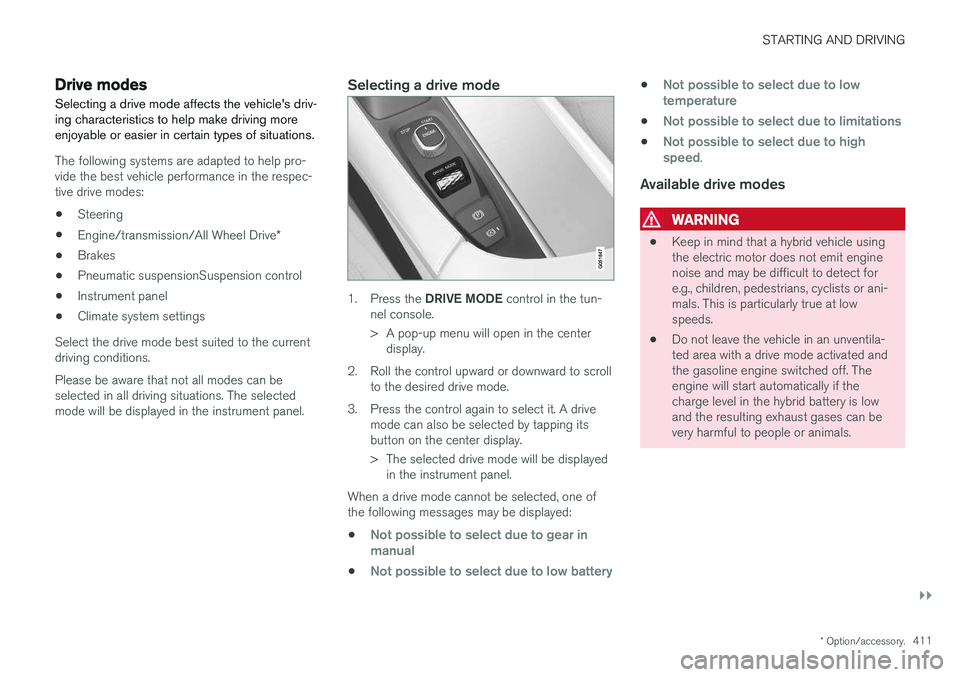
1. Press the DRIVE MODE control in the tun-
nel console.
> A pop-up menu will open in the center display.
2. Roll the control upward or downward to scroll to the desired drive mode.
3. Press the control again to select it. A drive mode can also be selected by tapping its button on the center display.
> The selected drive mode will be displayedin the instrument panel.
When a drive mode cannot be selected, one of the following messages may be displayed:
•
Not possible to select due to gear in manual
•Not possible to select due to low battery
•Not possible to select due to low temperature
•Not possible to select due to limitations
•Not possible to select due to high speed.
Available drive modes
WARNING
• Keep in mind that a hybrid vehicle using the electric motor does not emit enginenoise and may be difficult to detect fore.g., children, pedestrians, cyclists or ani-mals. This is particularly true at lowspeeds.
• Do not leave the vehicle in an unventila-ted area with a drive mode activated andthe gasoline engine switched off. Theengine will start automatically if thecharge level in the hybrid battery is lowand the resulting exhaust gases can bevery harmful to people or animals.
Page 414 of 580
||
STARTING AND DRIVING
412
HYBRID
This is the default mode in which the electric motor and gasoline engine are both utilized. The vehicle starts in
Hybrid mode. The control
system uses the electric motor and the gasoline engine, separately or in tandem, and calculatesoptimal use with respect to performance, fuelconsumption and comfort. At higher speeds,ground clearance is lowered automatically to helpreduce wind resistance. Driving capacity on theelectric motor alone is determined by the hybridbattery's charge level and e.g., the need for heat-ing/cooling in the passenger compartment. If sufficient electrical energy is available, only the electric motor will be activated when the driverpresses the accelerator pedal up to a certainlevel. Above this level, the gasoline engine willstart. Charge the hybrid battery using the charg- ing cable or activate the vehicle's
Charge func-
tion in the center display's Top view in order to drive using the electric motor only. See also thearticle "Maintaining/increasing hybrid batterycharge while driving" for additional information. Information in the instrument panel When driving in
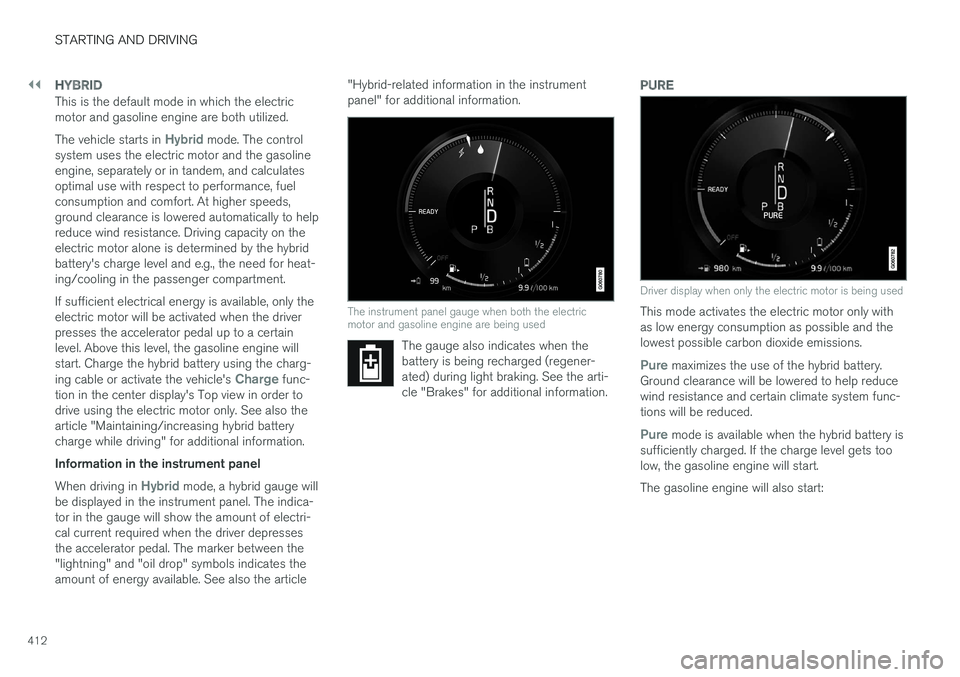
Hybrid mode, a hybrid gauge will
be displayed in the instrument panel. The indica- tor in the gauge will show the amount of electri-cal current required when the driver depressesthe accelerator pedal. The marker between the"lightning" and "oil drop" symbols indicates theamount of energy available. See also the article "Hybrid-related information in the instrumentpanel" for additional information.
The instrument panel gauge when both the electric motor and gasoline engine are being used
The gauge also indicates when the battery is being recharged (regener-ated) during light braking. See the arti-cle "Brakes" for additional information.
PURE
Driver display when only the electric motor is being used
This mode activates the electric motor only with as low energy consumption as possible and thelowest possible carbon dioxide emissions.
Pure maximizes the use of the hybrid battery.
Ground clearance will be lowered to help reduce wind resistance and certain climate system func-tions will be reduced.
Pure mode is available when the hybrid battery is
sufficiently charged. If the charge level gets too low, the gasoline engine will start. The gasoline engine will also start:
Page 416 of 580
||
STARTING AND DRIVING
* Option/accessory.
414
INDIVIDUAL
This setting allows you to adapt a drive mode to your personal preferences. Select one of the other drive modes as a basis and change the settings to provide the drivingcharacteristics that you prefer. These settingscan be saved in a driver profile. INDIVIDUAL is only available if it has been acti- vated in the center display. 1.
Tap
Settings in the center display's Top
view.
2. Tap
My CarIndividual Drive Mode and
tap Individual Drive Mode.
3. Under
Presets, select: Pure, Hybrid orPower.
The following settings can be modified: •
Driver Display
•Steering force
•Powertrain Characteristics
•Brake Characteristics
•Pneumatic suspension and shock absorbers
•ECO Climate
Use of the gasoline engineAn advanced control system determines the dis- tance that the vehicle can be driven using the gasoline engine, electric motor or both at thesame time. Its primary function is to use the motor/engine and the current available in the hybrid battery asefficiently as possible based on the characteris-tics of the various drive modes and the poweroutput requested by the driver by pressing theaccelerator pedal. In certain cases, temporary limitations in the sys- tem or mandatory functions to help maintain alow overall emissions level may result in greateruse of the gasoline engine.
Related information
•
Adjustable steering force
* (p. 258)
• Loading (p. 216)
• Driver profiles (p. 179)
• General information about Twin Engine Plug-in Hybrid vehicles (p. 16)
• All Wheel Drive (AWD) (p. 419)
• Hill Descent Control (HDC) (p. 366)
• Brakes (p. 362)
• Hybrid-related information in the instrumentpanel (p. 133)
• Maintaining/increasing the hybrid battery'scharge while driving (p. 410)
Automatic transmission
The automatic transmission has 8 forward gears and an electric motor that powers the rear wheels. Steering wheel paddles * make it possi-
ble to shift manually. The gear indicator in the instrument panel shows the gear currently beingused or gear shift mode.
CAUTION
The transmission