light VOLVO XC90 T8 2017 Owner´s Manual
[x] Cancel search | Manufacturer: VOLVO, Model Year: 2017, Model line: XC90 T8, Model: VOLVO XC90 T8 2017Pages: 580, PDF Size: 10.37 MB
Page 547 of 580
MAINTENANCE AND SERVICING
}}
* Option/accessory.545
Protecting leather upholstery
1. Put a small amount of protectant cream on a
cloth and apply a thin coating of cream to the upholstery with light circular movements.
2. Allow the leather to dry for 20 minutes. This will help the leather resist staining and pro- tect against sunlight's harmful UV rays.
Cleaning a leather-covered steering
wheel
• Remove soil, dust, etc., with a damp spongeand a neutral soap solution.
• Leather should be allowed to breath. Nevercover the steering wheel with a plastic pro-tector.
• Volvo recommends cleaning, protecting andconditioning the steering wheel with Volvo'sLeather Care Kit 951 0251 and LeatherSoftener 943 7429.
If there are stains on the steering wheel: Type 1 (ink, wine, coffee, milk, sweat or blood)
–Use a soft cloth or sponge. Wipe the wheel with a solution with 5% ammonia. For bloodstains, mix approx. 1 cup (2 dl) of water andone ounce (25g) of salt and wipe the stain.
Type 2 (fat, oil, sauces, or chocolate)
1. Same procedure as for type I stains.
2. Finish by rubbing the wheel with absorbent paper or a towel. Type 3
(dry soil or dust)
1. Remove the soil/dust with a soft brush.
2. Same procedure as for type I stains.
CAUTION
Sharp objects, such as rings, could damage the leather on the steering wheel.
Leather panels *Leather should be allowed to breath. Never cover the upper side of the dashboard or door panelswith a plastic protector. Ask your Volvo retailerabout Leather Care Kit 951 0251 and LeatherSoftener 943 7429.
Spots on interior plastic, metal, or wood
surfaces
Cleaning interior plastic components should bedone with a moist microfiber cloth. Consult yourVolvo retailer.
CAUTION
• Do not use cleaning agents with high alcohol content such as washer fluid toclean instrument panel glass.
• Never spray cleaning agents or waterdirectly onto components with electricalbuttons or controls. Clean components ofthis type by applying the cleaning agent/water sparingly to a cloth and wiping thecomponents so that no liquid penetratesinto these components.
Cleaning the seat beltsClean only with lukewarm water and a mild soap solution.
Cleaning floor matsThe floor mats should be vacuumed or brushedclean regularly, especially during winter whenthey should be taken out for drying. Spots on tex-tile mats can be removed with a mild detergent.For best protection in winter, Volvo recommendsthe use of Volvo rubber floor mats. Consult yourVolvo retailer.
Page 548 of 580
||
MAINTENANCE AND SERVICING
546
WARNING
•Never use more than one floor mat at a time on the driver's floor. Before driving,remove the original mat from the driver'sseat floor before using any other type offloor mat. Any mat used in this positionshould be securely and properly anchoredin the attaching pins. An extra mat on thedriver's floor can cause the acceleratorand/or brake pedal to catch. Check thatthe movement of these pedals is notimpeded.
• Volvo's floor mats are specially manufac-tured for your car. They must be firmlysecured in the clips on the floor so thatthey cannot slide and become trappedunder the pedals on the driver's side.
Related information
• Cleaning the center display (p. 546)
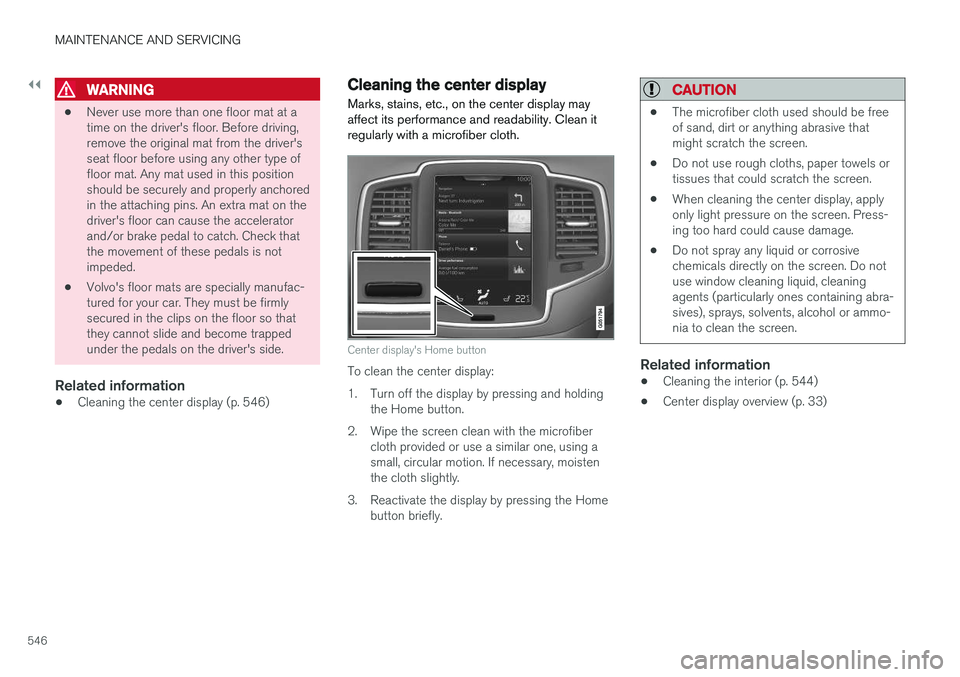
Cleaning the center display
Marks, stains, etc., on the center display may affect its performance and readability. Clean itregularly with a microfiber cloth.
Center display's Home button
To clean the center display:
1. Turn off the display by pressing and holding the Home button.
2. Wipe the screen clean with the microfiber cloth provided or use a similar one, using a small, circular motion. If necessary, moistenthe cloth slightly.
3. Reactivate the display by pressing the Home button briefly.
CAUTION
• The microfiber cloth used should be free of sand, dirt or anything abrasive thatmight scratch the screen.
• Do not use rough cloths, paper towels ortissues that could scratch the screen.
• When cleaning the center display, applyonly light pressure on the screen. Press-ing too hard could cause damage.
• Do not spray any liquid or corrosivechemicals directly on the screen. Do notuse window cleaning liquid, cleaningagents (particularly ones containing abra-sives), sprays, solvents, alcohol or ammo-nia to clean the screen.
Related information
•Cleaning the interior (p. 544)
• Center display overview (p. 33)
Page 551 of 580
MAINTENANCE AND SERVICING
549
Polishing and waxingNormally, polishing is not required during the first year after delivery, however, waxing may bebeneficial.
• Before applying polish or wax the vehicle must be washed and dried. Tar spots can beremoved with kerosene or tar remover. Diffi-cult spots may require a fine rubbing com-pound.
• After polishing use liquid or paste wax.
• Several commercially available products con-tain both polish and wax.
• Waxing alone does not substitute for polish-ing a dull surface.
• A wide range of polymer-based waxes canbe purchased today. These waxes are easy touse and produce a long-lasting, high-glossfinish that protects the bodywork against oxi-dation, road dirt and fading.
• Do not polish or wax your vehicle in directsunlight (the surface of the vehicle shouldnot be warmer than 113 °F (45 °C).
CAUTION
Volvo does not recommend the use of long- life or durable paint protection coatings, someof which may claim to prevent pitting, fading,oxidation, etc. These coatings have not beentested by Volvo for compatibility with yourvehicle's clear coat. Some of them may causethe clear coat to soften, crack, or cloud. Dam-age caused by application of paint protectioncoatings may not be covered under your vehi-cle's paint warranty. Do not use metal polishing agents on ano- dized aluminum surfaces. Doing so couldresult in discoloring and damage the surfacefinish.
Related information
•
Paint damage (p. 547)
• Touching up paint damage (p. 548)
Page 558 of 580
||
SPECIFICATIONS
556
DimensionIn.
(mm)
H Track, front (mod- els without pneu- matic suspension) 65.9 (1673)
G
65.6 (1665) H
Track, front (mod-els with pneumaticsuspension) 66.0 (1676)
G
65.7 (1668) H
I Track, rear (models without pneumaticsuspension) 65.8 (1675)
G
66.1 (1667) H
Track, rear (modelswith pneumaticsuspension) 66.1 (1679)
G
65.8 (1671) H
J Load width, floor 46.9 (1192)
K Width 75.7 (1923)I
76.0 (1931) J
77.1 (1958) KDimension
In.
(mm)
L Width incl. door mirrors (folded out) 84.3 (2140)
M Width incl. door mirrors (folded in) 79.1 (2008)
A
Varies slightly depending on tire size, chassis options, etc.
B Not 4-seat models
C From the second row of seats *.
D 7-seat model
E 5-seat model
F 4-seat models
G Models with 20, 21 and 22 in. wheels.
H Models with 18 and 19 in. wheels.
I Chassis width.
J Width on models with 18 and 19 in. wheels.
K Width on models with 20, 21 and 22 in. wheels.
Related information
• Weights (p. 557)
Page 561 of 580
SPECIFICATIONS
* Option/accessory.559
Air conditioning refrigerant
The air conditioning system in your car contains a CFC-free refrigerant.
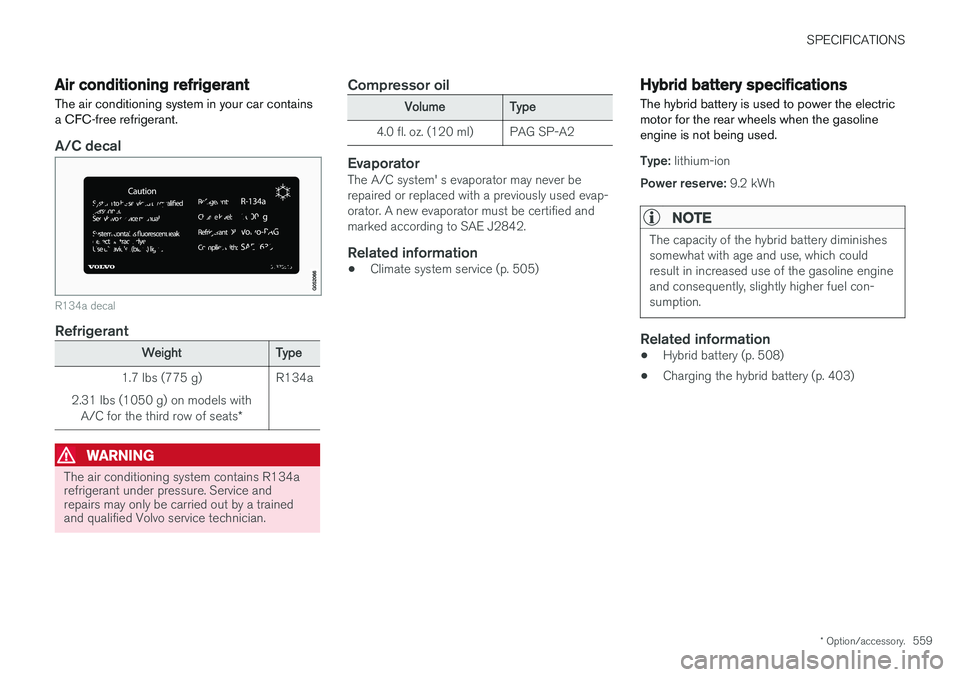
A/C decal
R134a decal
Refrigerant
Weight Type
1.7 lbs (775 g)
2.31 lbs (1050 g) on models with A/C for the third row of seats *R134a
WARNING
The air conditioning system contains R134a refrigerant under pressure. Service andrepairs may only be carried out by a trainedand qualified Volvo service technician.
Compressor oil
Volume
Type
4.0 fl. oz. (120 ml) PAG SP-A2
EvaporatorThe A/C system' s evaporator may never be repaired or replaced with a previously used evap-orator. A new evaporator must be certified andmarked according to SAE J2842.
Related information
• Climate system service (p. 505)
Hybrid battery specifications
The hybrid battery is used to power the electric motor for the rear wheels when the gasolineengine is not being used.
Type: lithium-ion
Power reserve: 9.2 kWh
NOTE
The capacity of the hybrid battery diminishes somewhat with age and use, which couldresult in increased use of the gasoline engineand consequently, slightly higher fuel con-sumption.
Related information
•Hybrid battery (p. 508)
• Charging the hybrid battery (p. 403)
Page 567 of 580
INDEX
565
A
A/C (air conditioning) 207
Accessory installation warning 26, 29
Active high beams 147
Active yaw control 259
Adaptive brake lights 366
Adaptive cruise control 277, 280, 281,283, 284, 285, 289
passing assistance 285
pilot assist 303
Adaptive Cruise Control fault tracing 287
limitations 288
Airbags disconnecting the front passenger
Page 568 of 580
INDEX
566Booster cushions 88
Brake assist system 365
Brake lights 150, 366Brakes
auto-hold 365
Brake system Brake pad inspection 363
fluid 560
general information 362, 364, 366
Bulbs 529 replacing 524
specifications 530
C
Cameradriver support systems 308
limitations 309
Camera, Park Assist 348, 350, 352, 353
Capacity weight 478, 557
Cargo area, steel grid 223
Cargo area cover 225Cargo compartment fuses 520
raising/lowering the level 216
Cargo net 221
Cargo space 216
Car wash 541
Catalytic converter 381CD, USB, iPod, AUX, Bluetooth, Recents, Library, Shuffle, Similar, Change device,Audio Language, Off, Subtitle Language, Video, DivX ® VOD 452
CD player 451 Cell phone hands-free 438
Pairing 439
Cell phone voice control 124 Center display changing settings 35
cleaning 546
keyboard 36
navigating in 43
overview 33
screen in the center console 49
symbols in the status bar 48
Chains 479
Changing a wheel 481Charging cable hybrid battery 394
Child restraints recalls and registration 81Child restraint systems 81booster cushions 88
convertible seats 85
infant seats 83
ISOFIX/LATCH anchors 89
top tether anchors 91
Child safety 79 booster cushions 88
child restraint systems 81, 90
convertible seats 85
infant seats 83
Child safety locks 254 Child seats lower attachment points 90
City safety 312, 320City Safety crossing traffic 317
detecting objects 315
limitations 320
rear collision warning 324
symbols and messages 323
troubleshooting 318
City Safety, On/Off 314 City Safety ™
Multi Target 318
Cleaning exterior 541
interior 544
Page 569 of 580
INDEX
567
Clean Zone Interior Package 195
Climate system 197
air distribution 210, 211, 213
air filter 196
air vents 211
auto mode 196
blower 199
center display controls 197
Electronic Climate Control 197
introduction 186, 197
passenger compartment filter 195
preconditioning 187, 189
rear controls 197, 199
recirculation 203
refrigerant 559
service 505
setting the temperature 201
voice commands 126
Clock 119
Cold weather driving 376
Collision warning system 313
Compass in rearview mirror 141 calibrate 142
Connected service booking 502
Convertible seats 85
Coolant 560 refilling 540
Corrosion protection 547
Courtesy lighting 151
Crash event data 31
Crash mode 78
Cross Traffic Alert 327, 328, 329, 331
Cruise control 270, 271, 272, 273, 274 adaptive 274, 277, 280, 281, 283, 284 , 285 , 287 , 288 , 289 , 296
Curb weight 478, 557 Curtain sun 113
D
Daytime running lights 143, 145 Defrosterrear window and mirrors 204
Detachable key blade 239, 251
Digital owner's manual 55, 56
Dimensions 555
Disconnecting the front passenger
Page 570 of 580
INDEX
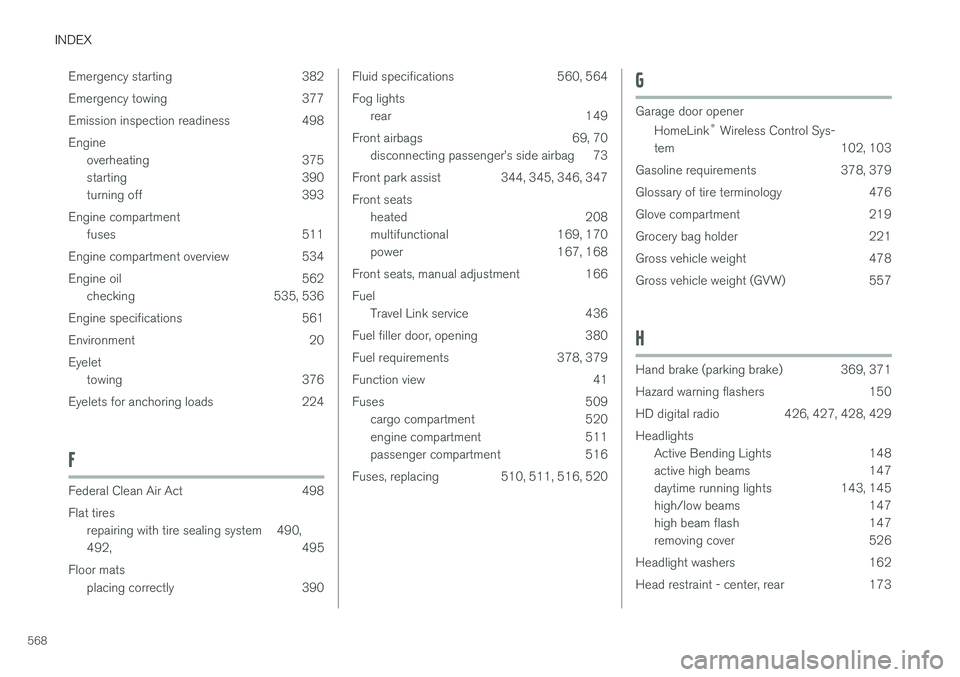
568Emergency starting 382
Emergency towing 377
Emission inspection readiness 498Engine
overheating 375
starting 390
turning off 393
Engine compartment fuses 511
Engine compartment overview 534
Engine oil 562 checking 535, 536
Engine specifications 561
Environment 20Eyelet towing 376
Eyelets for anchoring loads 224
F
Federal Clean Air Act 498 Flat tires repairing with tire sealing system 490, 492 , 495
Floor mats placing correctly 390
Fluid specifications 560, 564 Fog lightsrear 149
Front airbags 69, 70 disconnecting passenger
Page 571 of 580
INDEX
569
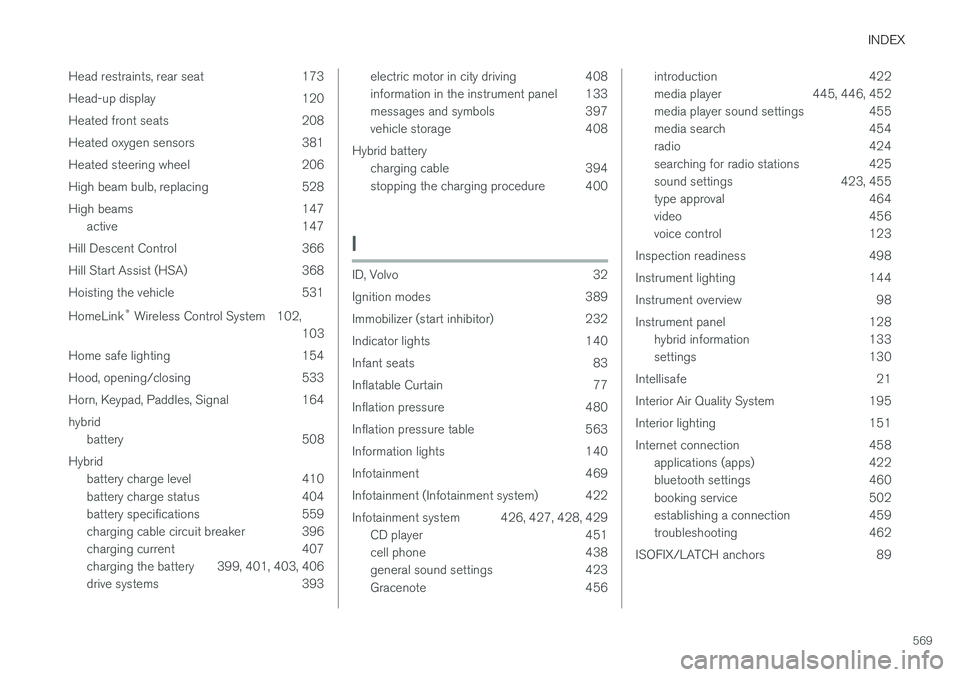
Head restraints, rear seat 173
Head-up display 120
Heated front seats 208
Heated oxygen sensors 381
Heated steering wheel 206
High beam bulb, replacing 528
High beams 147
active 147
Hill Descent Control 366
Hill Start Assist (HSA) 368
Hoisting the vehicle 531 HomeLink ®
Wireless Control System 102,
103
Home safe lighting 154
Hood, opening/closing 533
Horn, Keypad, Paddles, Signal 164hybrid battery 508
Hybrid battery charge level 410
battery charge status 404
battery specifications 559
charging cable circuit breaker 396
charging current 407
charging the battery 399, 401, 403, 406
drive systems 393
electric motor in city driving 408
information in the instrument panel 133
messages and symbols 397
vehicle storage 408
Hybrid battery charging cable 394
stopping the charging procedure 400
I
ID, Volvo 32
Ignition modes 389
Immobilizer (start inhibitor) 232
Indicator lights 140
Infant seats 83
Inflatable Curtain 77
Inflation pressure 480
Inflation pressure table 563
Information lights 140
Infotainment 469
Infotainment (Infotainment system) 422
Infotainment system 426, 427, 428, 429CD player 451
cell phone 438
general sound settings 423
Gracenote 456
introduction 422
media player 445, 446, 452
media player sound settings 455
media search 454
radio 424
searching for radio stations 425
sound settings 423, 455
type approval 464
video 456
voice control 123
Inspection readiness 498
Instrument lighting 144
Instrument overview 98
Instrument panel 128 hybrid information 133
settings 130
Intellisafe 21
Interior Air Quality System 195
Interior lighting 151
Internet connection 458 applications (apps) 422
bluetooth settings 460
booking service 502
establishing a connection 459
troubleshooting 462
ISOFIX/LATCH anchors 89