transmission VOLVO XC90 T8 2017 Owner´s Manual
[x] Cancel search | Manufacturer: VOLVO, Model Year: 2017, Model line: XC90 T8, Model: VOLVO XC90 T8 2017Pages: 580, PDF Size: 10.37 MB
Page 394 of 580
||
STARTING AND DRIVING
392
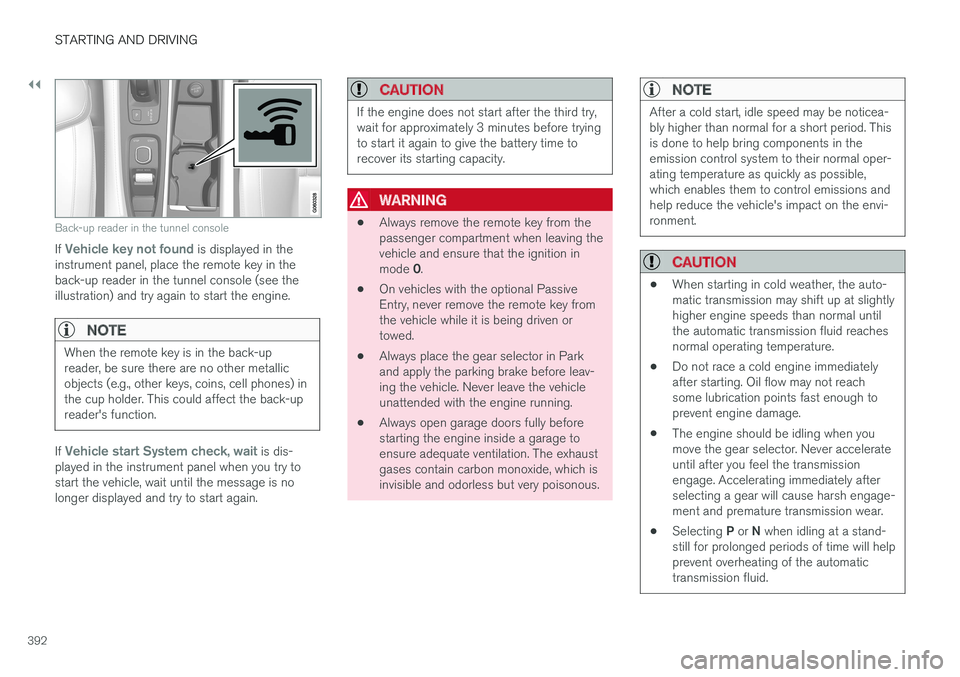
Back-up reader in the tunnel console
If Vehicle key not found is displayed in the
instrument panel, place the remote key in the back-up reader in the tunnel console (see theillustration) and try again to start the engine.
NOTE
When the remote key is in the back-up reader, be sure there are no other metallicobjects (e.g., other keys, coins, cell phones) inthe cup holder. This could affect the back-upreader's function.
If Vehicle start System check, wait is dis-
played in the instrument panel when you try to start the vehicle, wait until the message is nolonger displayed and try to start again.
CAUTION
If the engine does not start after the third try, wait for approximately 3 minutes before tryingto start it again to give the battery time torecover its starting capacity.
WARNING
• Always remove the remote key from the passenger compartment when leaving thevehicle and ensure that the ignition in mode
0.
• On vehicles with the optional Passive Entry, never remove the remote key fromthe vehicle while it is being driven ortowed.
• Always place the gear selector in Parkand apply the parking brake before leav-ing the vehicle. Never leave the vehicleunattended with the engine running.
• Always open garage doors fully beforestarting the engine inside a garage toensure adequate ventilation. The exhaustgases contain carbon monoxide, which isinvisible and odorless but very poisonous.
NOTE
After a cold start, idle speed may be noticea- bly higher than normal for a short period. Thisis done to help bring components in theemission control system to their normal oper-ating temperature as quickly as possible,which enables them to control emissions andhelp reduce the vehicle's impact on the envi-ronment.
CAUTION
•
When starting in cold weather, the auto- matic transmission may shift up at slightlyhigher engine speeds than normal untilthe automatic transmission fluid reachesnormal operating temperature.
• Do not race a cold engine immediatelyafter starting. Oil flow may not reachsome lubrication points fast enough toprevent engine damage.
• The engine should be idling when youmove the gear selector. Never accelerateuntil after you feel the transmissionengage. Accelerating immediately afterselecting a gear will cause harsh engage-ment and premature transmission wear.
• Selecting
P or N when idling at a stand-
still for prolonged periods of time will helpprevent overheating of the automatictransmission fluid.
Page 413 of 580
STARTING AND DRIVING
}}
* Option/accessory.411
Drive modes
Selecting a drive mode affects the vehicle's driv- ing characteristics to help make driving moreenjoyable or easier in certain types of situations.
The following systems are adapted to help pro- vide the best vehicle performance in the respec-tive drive modes: • Steering
• Engine/transmission/All Wheel Drive
*
• Brakes
• Pneumatic suspensionSuspension control
• Instrument panel
• Climate system settings
Select the drive mode best suited to the current driving conditions. Please be aware that not all modes can be selected in all driving situations. The selectedmode will be displayed in the instrument panel.
Selecting a drive mode
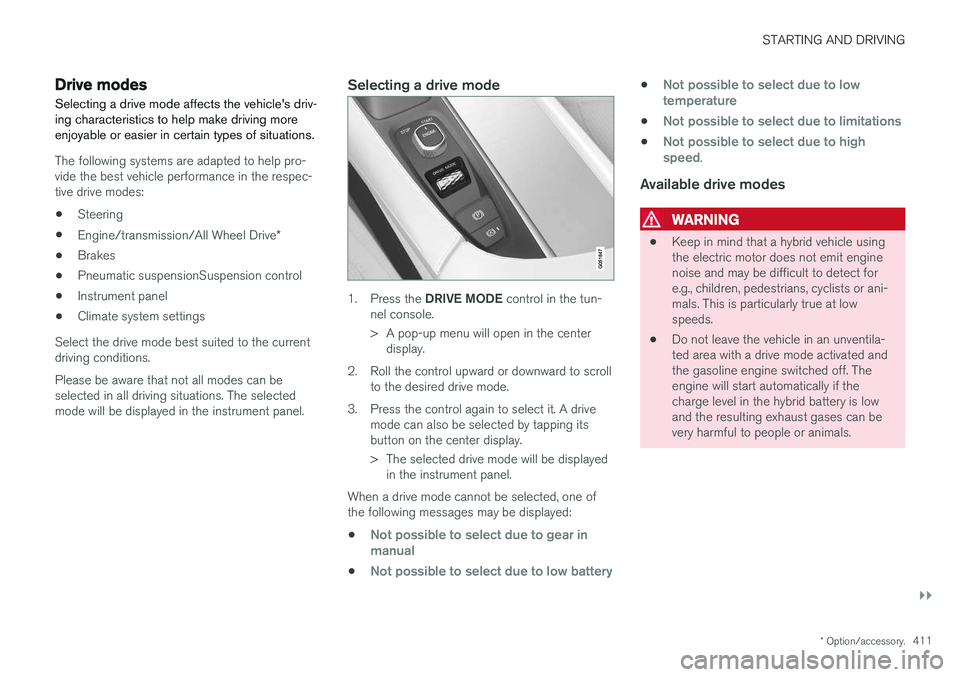
1. Press the DRIVE MODE control in the tun-
nel console.
> A pop-up menu will open in the center display.
2. Roll the control upward or downward to scroll to the desired drive mode.
3. Press the control again to select it. A drive mode can also be selected by tapping its button on the center display.
> The selected drive mode will be displayedin the instrument panel.
When a drive mode cannot be selected, one of the following messages may be displayed:
•
Not possible to select due to gear in manual
•Not possible to select due to low battery
•Not possible to select due to low temperature
•Not possible to select due to limitations
•Not possible to select due to high speed.
Available drive modes
WARNING
• Keep in mind that a hybrid vehicle using the electric motor does not emit enginenoise and may be difficult to detect fore.g., children, pedestrians, cyclists or ani-mals. This is particularly true at lowspeeds.
• Do not leave the vehicle in an unventila-ted area with a drive mode activated andthe gasoline engine switched off. Theengine will start automatically if thecharge level in the hybrid battery is lowand the resulting exhaust gases can bevery harmful to people or animals.
Page 415 of 580
STARTING AND DRIVING
}}
413
•
If the vehicle's speed goes above approx. 78 mph (125 km/h)
• If the driver wants more response than theelectric motor alone can provide
• If factors such as cold weather, etc., affectthe system or components
ECO climate
In the Pure drive mode, ECO climate in the pas-
senger compartment is activated automatically to help reduce energy consumption.
NOTE
When the Pure drive mode is activated, set-
tings for certain climate system/electricity- consuming functions are reduced. Some ofthese settings can be reset manually but fullfunctionality will only be restored by leaving the
Pure drive mode or by adapting the set-
tings in the Individual drive mode to full cli-
mate system functionality.
If condensation forms on the windows, tap the max. defroster button, which will function nor-mally.
OFF ROAD
This mode helps maximize the vehicle's capacity to traverse difficult terrain or poor roads. In OFF ROAD, ground clearance is maximized, the steering is light, All Wheel Drive and HillDescent Control are activated and a compass will be displayed between the speedometer and tach-ometer in the instrument panel. This drive mode can only be activated at low speeds (the permissible speed range will beshown on the speedometer). At higher speeds,OFF ROAD mode will be cancelled and AWD willbe activated.
CAUTION
OFF ROAD drive mode may not be used if the vehicle is towing a trailer without an elec-trical connection. This could result in damageto the pneumatic suspension system's bel-lows.
NOTE
•
This mode is not intended for normal street driving.
• Due to the increased ground clearance, ifthe OFF ROAD mode was selected whenthe engine was switched off, the suspen-sion will lower when the engine is restar-ted.
AWD
This mode offers improved traction on slippery surfaces by using four-wheel drive. It also helpsincrease directional stability at higher speeds, forexample when towing a trailer. In this mode, both the electric motor and the gas-oline engine are utilized, which results in higherfuel consumption. In the other drive modes, the vehicle automati- cally adapts the need for all-wheel drive accord-ing to the road surface and may activate the elec-tric motor or start the gasoline engine asrequired.
POWER
Power mode is intended for sportier, more active
driving. This mode maximizes the combined effects of the electric motor and the gasoline engine andprovides power to all four wheels. Response topressure on the accelerator pedal is more imme-diate and the transmission shifts up at higherrpm. Steering response is also more immediate,the suspension is stiffer and lower ground clear-ance reduces body roll when cornering. In this mode, both the electric motor and the gas- oline engine are utilized, which results in higherfuel consumption.
Page 416 of 580
||
STARTING AND DRIVING
* Option/accessory.
414
INDIVIDUAL
This setting allows you to adapt a drive mode to your personal preferences. Select one of the other drive modes as a basis and change the settings to provide the drivingcharacteristics that you prefer. These settingscan be saved in a driver profile. INDIVIDUAL is only available if it has been acti- vated in the center display. 1.
Tap
Settings in the center display's Top
view.
2. Tap
My CarIndividual Drive Mode and
tap Individual Drive Mode.
3. Under
Presets, select: Pure, Hybrid orPower.
The following settings can be modified: •
Driver Display
•Steering force
•Powertrain Characteristics
•Brake Characteristics
•Pneumatic suspension and shock absorbers
•ECO Climate
Use of the gasoline engineAn advanced control system determines the dis- tance that the vehicle can be driven using the gasoline engine, electric motor or both at thesame time. Its primary function is to use the motor/engine and the current available in the hybrid battery asefficiently as possible based on the characteris-tics of the various drive modes and the poweroutput requested by the driver by pressing theaccelerator pedal. In certain cases, temporary limitations in the sys- tem or mandatory functions to help maintain alow overall emissions level may result in greateruse of the gasoline engine.
Related information
•
Adjustable steering force
* (p. 258)
• Loading (p. 216)
• Driver profiles (p. 179)
• General information about Twin Engine Plug-in Hybrid vehicles (p. 16)
• All Wheel Drive (AWD) (p. 419)
• Hill Descent Control (HDC) (p. 366)
• Brakes (p. 362)
• Hybrid-related information in the instrumentpanel (p. 133)
• Maintaining/increasing the hybrid battery'scharge while driving (p. 410)
Automatic transmission
The automatic transmission has 8 forward gears and an electric motor that powers the rear wheels. Steering wheel paddles * make it possi-
ble to shift manually. The gear indicator in the instrument panel shows the gear currently beingused or gear shift mode.
CAUTION
The transmission
Page 417 of 580
STARTING AND DRIVING
* Option/accessory.415
Related information
•Gear selector positions (p. 416)
• Gear shift indicator (p. 415)
• Shiftlock (p. 415)
• Steering wheel paddles
* (p. 418)
• All Wheel Drive (AWD) (p. 419)
Shiftlock The automatic transmission's shiftlock feature helps prevent inadvertently moving the gearselector between different positions.
Automatic shiftlock
From Park –
P
In order to move the gear selector from the P
position, the brake pedal must be depressed and the ignition must be in mode II.
From neutral – N
If the gear selector is in N and the vehicle has
been stationary for more than 3 seconds (regard- less of whether or not the engine is running), theshiftlock feature will lock the gear selector in thisposition. In order to move the gear selector from the N
position, the brake pedal must be depressed and the ignition must be in mode II.
Messages in the instrument panelIf the gear selector is locked in position, a mes- sage such as: Gear lever Press brake pedal
to activate gear lever will be displayed.
There is no mechanical shiftlock function.
Related information
• Gear selector positions (p. 416)
• Automatic transmission (p. 414)
Gear shift indicator
The gear shift indicator in the instrument panel shows the current gear (in manual shiftingmode) and will prompt the driver to shift up ordown to help get the best possible fuel econ-omy.
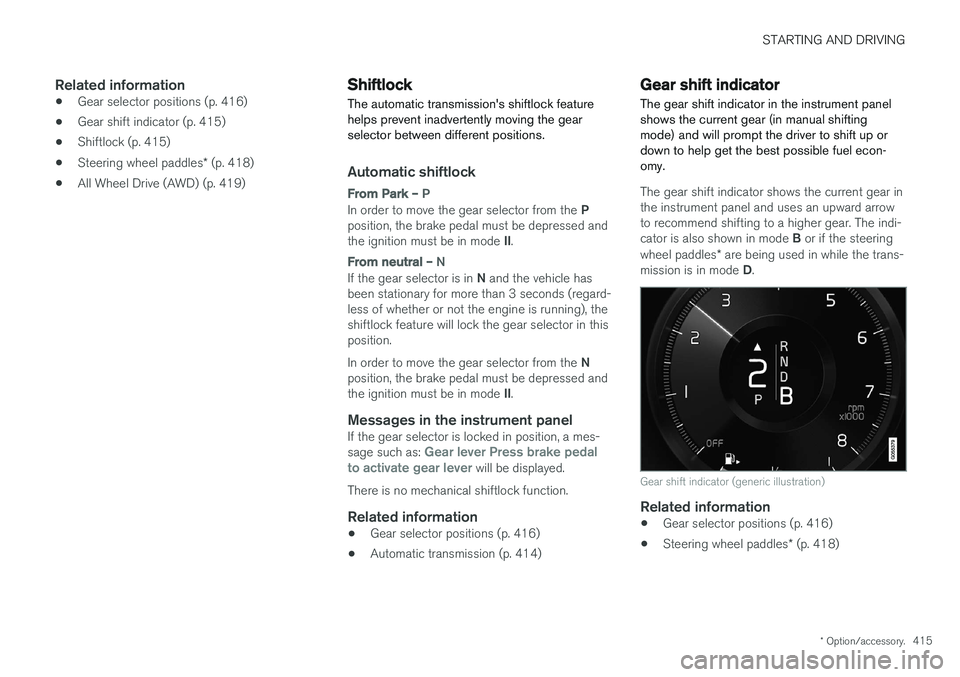
The gear shift indicator shows the current gear in the instrument panel and uses an upward arrowto recommend shifting to a higher gear. The indi- cator is also shown in mode B or if the steering
wheel paddles * are being used in while the trans-
mission is in mode D.
Gear shift indicator (generic illustration)
Related information
• Gear selector positions (p. 416)
• Steering wheel paddles
* (p. 418)
Page 418 of 580
STARTING AND DRIVING
416
Gear selector positions
The shift-by-wire gear transmission shifts gears electronically instead of mechanically for fasterand more distinct gear shifting.
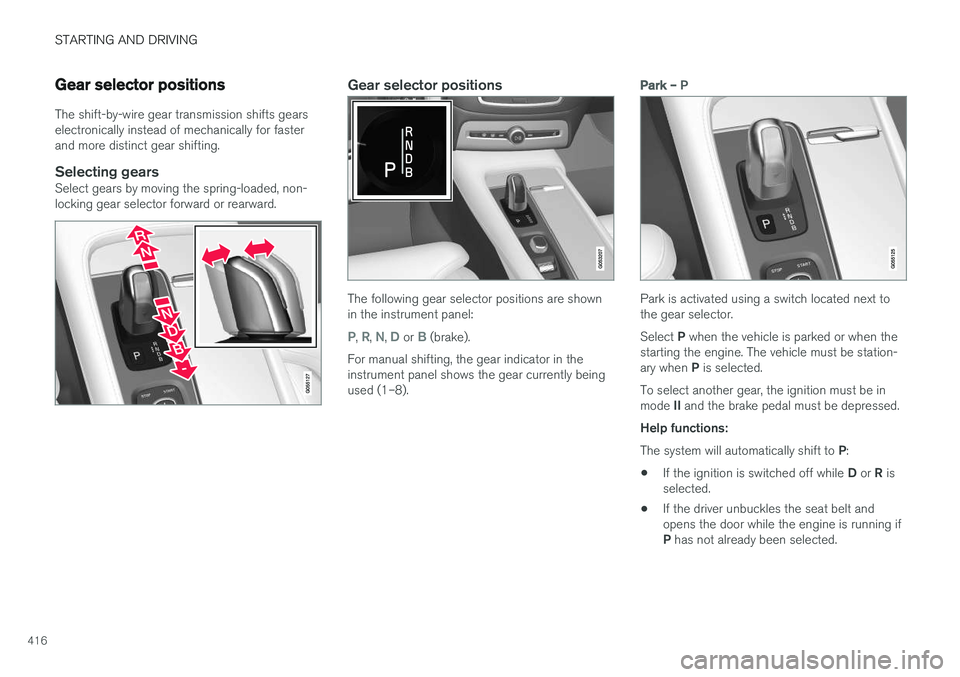
Selecting gearsSelect gears by moving the spring-loaded, non-locking gear selector forward or rearward.
Gear selector positions
The following gear selector positions are shown in the instrument panel:
P, R, N, D or B (brake).
For manual shifting, the gear indicator in the instrument panel shows the gear currently beingused (1–8).
Park – P
Park is activated using a switch located next to the gear selector. Select P when the vehicle is parked or when the
starting the engine. The vehicle must be station- ary when P is selected.
To select another gear, the ignition must be inmode II and the brake pedal must be depressed.
Help functions: The system will automatically shift to P:
• If the ignition is switched off while
D or R is
selected.
• If the driver unbuckles the seat belt and opens the door while the engine is running if P
has not already been selected.
Page 419 of 580
STARTING AND DRIVING
* Option/accessory.417
In position
P, the transmission is mechanically
locked. Always apply the parking brake when the vehicle is parked.
NOTE
The gear selector must be in the P position
before the vehicle can be locked and the alarm set.
WARNING
Always apply the parking brake when the vehicle is parked, particularly when parking on a hill. The transmission's P mode may not be
able to keep the vehicle stationary if it is parked on an incline.
Reverse – R
The vehicle must be stationary before R can be
selected.
Neutral – N
No gear is selected and the engine can be started. Always apply the parking brake if thevehicle is not moving and the gear selector is in the N position.
The ignition must be in mode II and the brake
pedal must be depressed before the gear selec-tor can be moved from N.
Drive – D
D is the normal driving position and gear shifting
is fully automatic. The vehicle must be stationary when the gear selector is moved from R to D.
Brake – B
B can be selected at any time during a drive. In
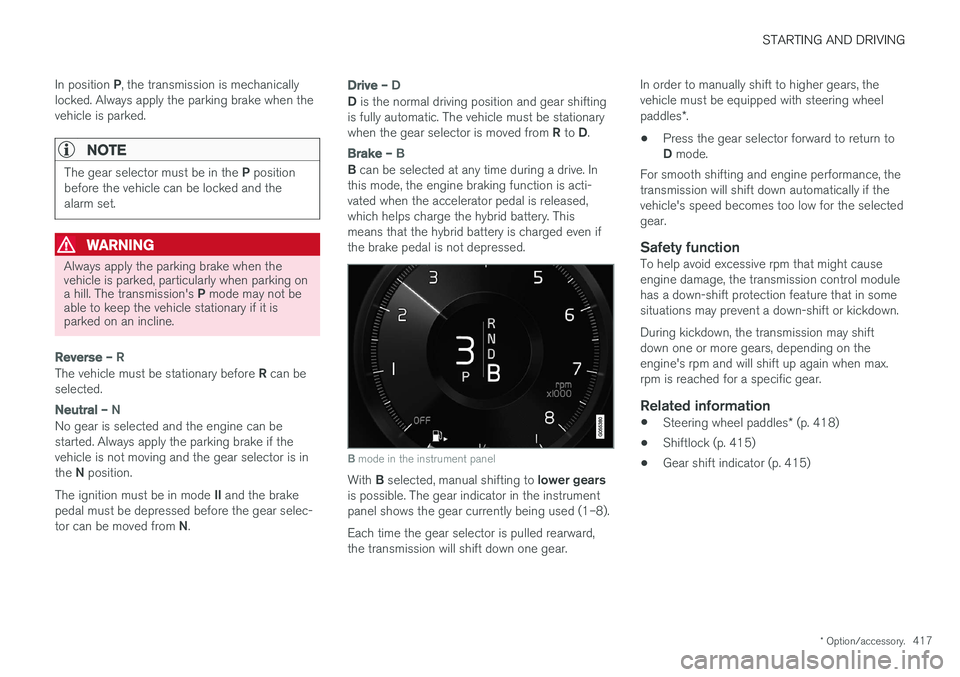
this mode, the engine braking function is acti- vated when the accelerator pedal is released,which helps charge the hybrid battery. Thismeans that the hybrid battery is charged even ifthe brake pedal is not depressed.
B mode in the instrument panel
With B selected, manual shifting to lower gears
is possible. The gear indicator in the instrument panel shows the gear currently being used (1–8). Each time the gear selector is pulled rearward, the transmission will shift down one gear. In order to manually shift to higher gears, thevehicle must be equipped with steering wheel paddles
*.
• Press the gear selector forward to return to D
mode.
For smooth shifting and engine performance, the transmission will shift down automatically if thevehicle's speed becomes too low for the selectedgear.
Safety functionTo help avoid excessive rpm that might causeengine damage, the transmission control modulehas a down-shift protection feature that in somesituations may prevent a down-shift or kickdown. During kickdown, the transmission may shift down one or more gears, depending on theengine's rpm and will shift up again when max.rpm is reached for a specific gear.
Related information
• Steering wheel paddles
* (p. 418)
• Shiftlock (p. 415)
• Gear shift indicator (p. 415)
Page 420 of 580
STARTING AND DRIVING
* Option/accessory.
418
Steering wheel paddles *
In addition to the manual gearshift function using the gear selector, the paddles make it possibleto manually shift gears from the steering wheel.
Activating the paddlesIn order to shift gears with the paddles, they have to first be activated. To do so:
–Pull either paddle toward the steering wheel and release it.
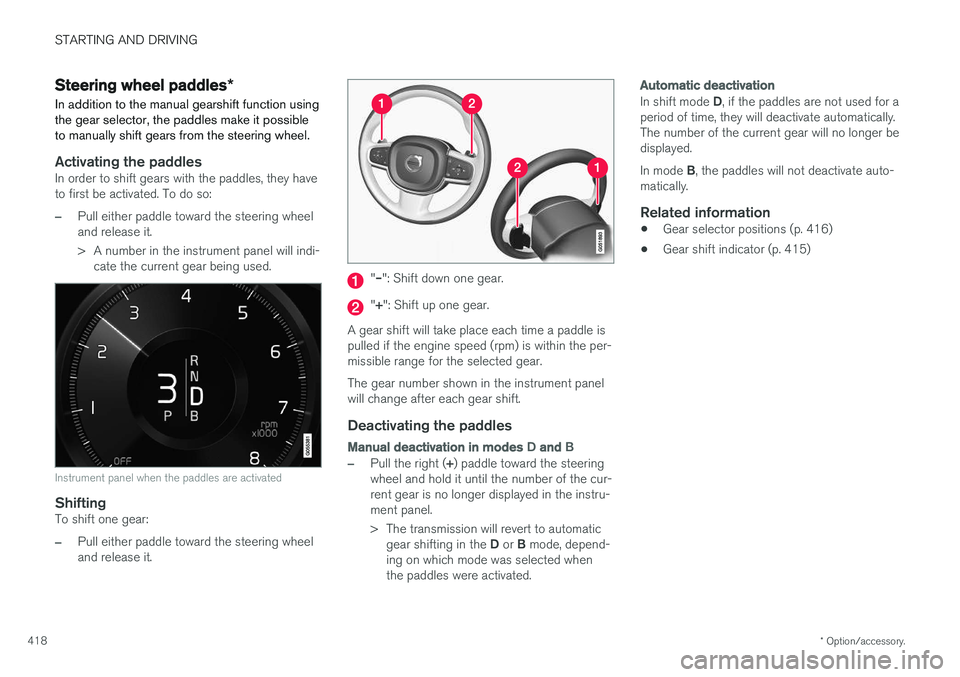
> A number in the instrument panel will indi- cate the current gear being used.
Instrument panel when the paddles are activated
ShiftingTo shift one gear:
–Pull either paddle toward the steering wheel and release it.
"– ": Shift down one gear.
"+ ": Shift up one gear.
A gear shift will take place each time a paddle is pulled if the engine speed (rpm) is within the per-missible range for the selected gear. The gear number shown in the instrument panel will change after each gear shift.
Deactivating the paddles
Manual deactivation in modes D and B
–Pull the right ( +) paddle toward the steering
wheel and hold it until the number of the cur- rent gear is no longer displayed in the instru-ment panel.
> The transmission will revert to automatic
gear shifting in the D or B mode, depend-
ing on which mode was selected when the paddles were activated.
Automatic deactivation
In shift mode D, if the paddles are not used for a
period of time, they will deactivate automatically. The number of the current gear will no longer bedisplayed. In mode B, the paddles will not deactivate auto-
matically.
Related information
• Gear selector positions (p. 416)
• Gear shift indicator (p. 415)
Page 464 of 580
INFOTAINMENT
462
Internet connection troubleshooting The following are factors that may affect the vehicle's Internet connection.
The amount of data being transmitted depends on the services or apps that are currently in use.For example, streaming audio requires a greatdeal of data to be transmitted, which requires agood connection and a strong signal.
Cell phone to the vehicleConnection speed may vary depending on thelocation of the cell phone in the vehicle. Move thephone closer to the center display to increasesignal strength. Be sure that there are noobstructing/screening objects between thephone and the screen.
Cell phone to the network operatorThe speed of the mobile network may varydepending on coverage/reception in the vehicle'slocation. Reception is generally poorer in tunnels,in mountainous areas, in deep valleys or indoors.Connection speed may also depend on the typeof subscription that you have with the serviceprovider. Contact your service provider in the event of data transmission problems.
Restarting the phone
If you experience problems making a connection, it may to help to restart the phone.
Related information
•Internet connected vehicle (p. 458)
• Connecting to the Internet (p. 459)
Tethering (Wi-Fi sharing)
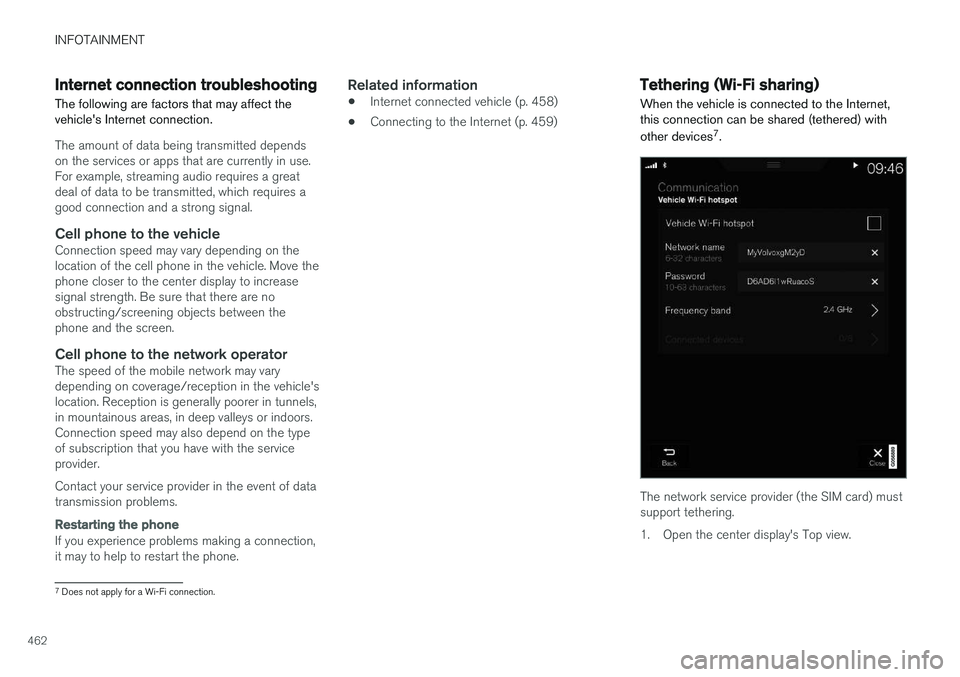
When the vehicle is connected to the Internet, this connection can be shared (tethered) with other devices 7
.
The network service provider (the SIM card) must support tethering.
1. Open the center display's Top view.
7 Does not apply for a Wi-Fi connection.
Page 505 of 580
MAINTENANCE AND SERVICING
}}
503
Sending an appointment request
1.Open the Car status app in the center dis-
play's App view.
2. Tap
Appointments.
3. Under
Appointments, tap Request
appoint..
4. Check that your
Volvo ID is correct.
5. Check that the correct preferred retailer is listed. If you prefer, simply tap the button to initiate a call to the retailer.
6. Tap
Send appointment request. Your
request and vehicle data will be sent to your retailer through the vehicle's Internet con-nection.
> Volvo will send a booking invitation to your email address with a link to your preferred workshop's On-Line Service Scheduler.
7. Open the email and click the link to book your workshop appointment at a convenienttime with your preferred service advisor. Addany additional preferences and free text toyour booking. 8. When you have submitted your workshop
booking, your appointment will be confirmedonline directly by email. The booking informa- tion will also appear in the
Car status app in
the center display after a period of time as well as in your My Volvo personal website,where you can make changes to yourappointment at any time.
9. Several days prior to your appointment, you will receive a reminder via email from yourretailer. A notification will also appear on thecenter display one day prior to the appoint-ment. You can set the interval for otherreminders (e.g., two days, three days) at yourMy Volvo personal website.
10. On the day of your appointment, a reminder will appear again on the center display andthe retailer's address can be set in your navi-gation system if you require directions to theworkshop.
Sending vehicle-related information
Information about the vehicle can be sent at any time using its Internet connection. Using this function does not send a workshop
appointment request to your retailer ; only
vehicle data will be transmitted to Volvo. This vehicle data can be accessed by any retailer ifyou call the retailer and provide your VehicleIdentification Number (VIN).
1. Open the Car status app in the center dis-
play's App view.
2. Tap
Appointments.
3. Under
Appointments, tap Send vehicle
data.
> A message confirming that vehicle infor- mation has been sent via the Internet connection will appear on the center dis-play. Transmission of the vehicle informa-tion can be cancelled at any time by tap-ping the X in the activity indicator.