remote start VOLVO XC90 T8 2017 Owner´s Manual
[x] Cancel search | Manufacturer: VOLVO, Model Year: 2017, Model line: XC90 T8, Model: VOLVO XC90 T8 2017Pages: 580, PDF Size: 10.37 MB
Page 395 of 580
STARTING AND DRIVING
}}
393
Related information
•Ignition modes (p. 389)
• Turning the engine off (p. 393)
• Changing the remote key's battery (p. 233)
• Jump starting (p. 382)
• Charging the hybrid battery (p. 403)
• Hybrid-related symbols and messages (p. 397)
Turning the engine off
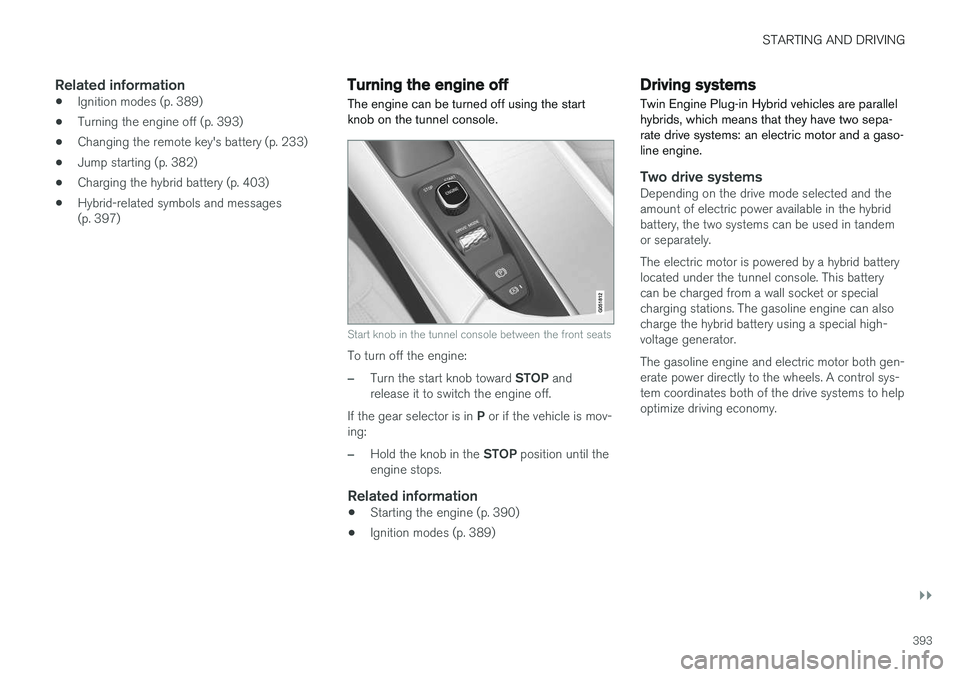
The engine can be turned off using the start knob on the tunnel console.
Start knob in the tunnel console between the front seats
To turn off the engine:
–Turn the start knob toward STOP and
release it to switch the engine off.
If the gear selector is in P or if the vehicle is mov-
ing:
–Hold the knob in the STOP position until the
engine stops.
Related information
• Starting the engine (p. 390)
• Ignition modes (p. 389)
Driving systems
Twin Engine Plug-in Hybrid vehicles are parallel hybrids, which means that they have two sepa-rate drive systems: an electric motor and a gaso-line engine.
Two drive systemsDepending on the drive mode selected and the amount of electric power available in the hybridbattery, the two systems can be used in tandemor separately. The electric motor is powered by a hybrid battery located under the tunnel console. This batterycan be charged from a wall socket or specialcharging stations. The gasoline engine can alsocharge the hybrid battery using a special high-voltage generator. The gasoline engine and electric motor both gen- erate power directly to the wheels. A control sys-tem coordinates both of the drive systems to helpoptimize driving economy.
Page 402 of 580
||
STARTING AND DRIVING
400
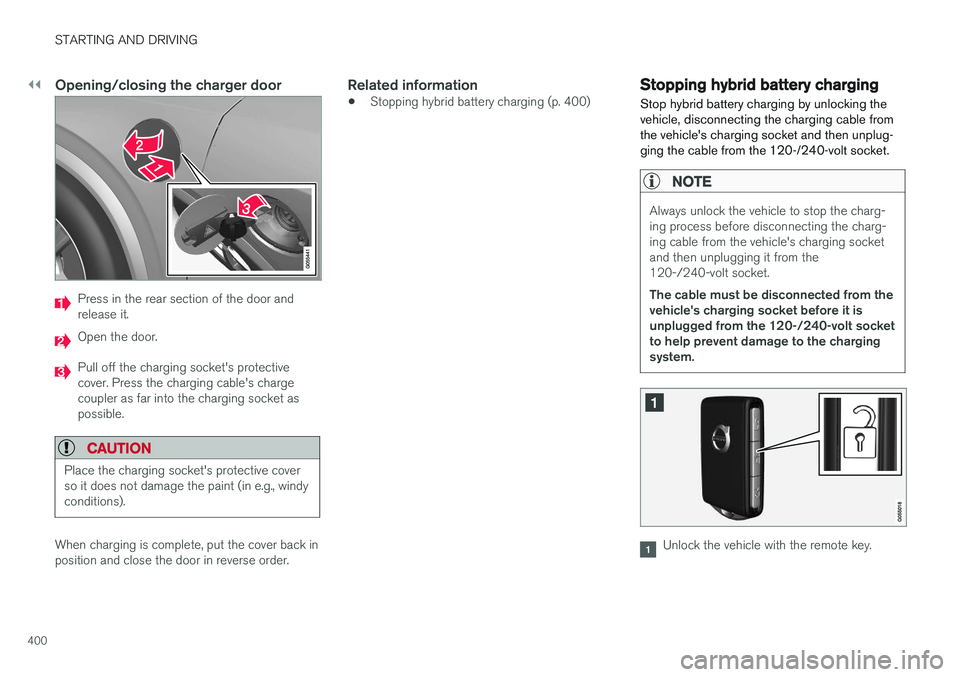
Opening/closing the charger door
Press in the rear section of the door and release it.
Open the door.
Pull off the charging socket's protective cover. Press the charging cable's chargecoupler as far into the charging socket aspossible.
CAUTION
Place the charging socket's protective cover so it does not damage the paint (in e.g., windyconditions).
When charging is complete, put the cover back in position and close the door in reverse order.
Related information
•Stopping hybrid battery charging (p. 400)
Stopping hybrid battery charging
Stop hybrid battery charging by unlocking the vehicle, disconnecting the charging cable fromthe vehicle's charging socket and then unplug-ging the cable from the 120-/240-volt socket.
NOTE
Always unlock the vehicle to stop the charg- ing process before disconnecting the charg-ing cable from the vehicle's charging socketand then unplugging it from the120-/240-volt socket. The cable must be disconnected from the vehicle's charging socket before it isunplugged from the 120-/240-volt socketto help prevent damage to the chargingsystem.
Unlock the vehicle with the remote key.
Page 503 of 580
MAINTENANCE AND SERVICING
501
Keep in mind that a download can be cancelled but an installation that has already begun cannotbe interrupted.
Allowing background searches or
software updates
This function can be deactivated from the centerdisplay:
1. Go to the Settings in the center display's Top view and select
Download Center.
2. Tap
SystemDownload Center.
3. Tap to deselect
Auto Software Update.
If an update is available,
New software updates
available will appear in the center display's sta-
tus bar. Tap the message to start a download app in Home view's lower sub-view. As soon as the download app has started, an icon in the
System
updates button will indicate the number of
downloads available.
Related information
• Center display overview (p. 33)
• Navigating in the center display's views (p. 43)
Remote updates With the vehicle connected to the Internet, updates for a number of the vehicle's systemscan be downloaded from the center display.
The Download Center app is
started from the center dis- play's App view and makes itpossible to:
• search for and update system software
• update the Sensus Navigation maps
• download, update and uninstall apps
Related information
•Downloading, updating and uninstalling apps (p. 461)
• System updates (p. 500)
Vehicle status
The vehicle's general status can be displayed in the center display along with the possibility to book service 1
The Car status app is started
in the center display's App view and has three tabs:
•Messages: stored messages
•
Status: tire pressure and engine oil level
•
Appointments: booking service or repairs 1
Related information
•
Using the center display (p. 49)
• Booking service and repairs (p. 502)
• Checking tire inflation pressure (p. 487)
• Checking and refilling engine oil (p. 536)
1
Certain markets only.
Page 536 of 580
||
MAINTENANCE AND SERVICING
534
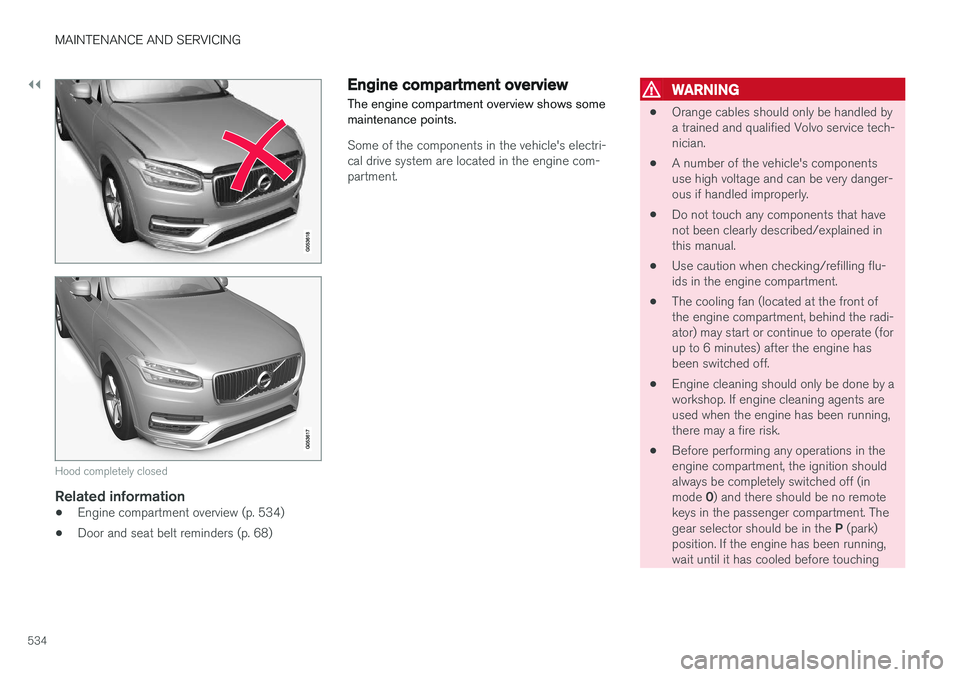
Hood completely closed
Related information
•Engine compartment overview (p. 534)
• Door and seat belt reminders (p. 68)
Engine compartment overview
The engine compartment overview shows some maintenance points.
Some of the components in the vehicle's electri- cal drive system are located in the engine com-partment.
WARNING
• Orange cables should only be handled by a trained and qualified Volvo service tech-nician.
• A number of the vehicle's componentsuse high voltage and can be very danger-ous if handled improperly.
• Do not touch any components that havenot been clearly described/explained inthis manual.
• Use caution when checking/refilling flu-ids in the engine compartment.
• The cooling fan (located at the front ofthe engine compartment, behind the radi-ator) may start or continue to operate (forup to 6 minutes) after the engine hasbeen switched off.
• Engine cleaning should only be done by aworkshop. If engine cleaning agents areused when the engine has been running,there may a fire risk.
• Before performing any operations in theengine compartment, the ignition shouldalways be completely switched off (in mode
0) and there should be no remote
keys in the passenger compartment. Thegear selector should be in the P (park)
position. If the engine has been running, wait until it has cooled before touching
Page 572 of 580
INDEX
570
J
Jack 482location of 482, 483
Jump starting 378, 382
K
Key remote 181, 235
Key blade 239, 251
Keys 238
L
Labels list of 553
location of 553
Laminated panoramic roof 108, 109
Lane Keeping Aid 336, 339 settings 338
LATCH anchors 89
Leather care 544
Lighting panel 143
Load anchoring eyelets 224
Loading the vehicle 216, 478
Locking 241, 243
Locks and alarm 232
Low beam bulb, replacing 527
Low beams 146, 147
Low Speed Control 367
M
Maintenance 498 hoisting the vehicle 531
performed by the owner 498
Malfunction indicator light 131
Manual front seat adjustment 166
Media player 445, 446 compatible file formats 457
Media player (infotainment system) 452Menus instrument panel 154, 156, 157, 160
Mirrors defroster 204
power door 106
retractable 106
Mirrors, rearview mirror 112
Modem 464Motor oil checking 535, 536
MP3 files 457
Multifunctional front seats 169, 170
MY CAR 113, 114
N
Navigation systemvoice commands 127
Net cargo 221
O
Occupant safety 60
Occupant weight sensor 73
Octane recommendations 379
Odometer 99Oilchecking 535, 536
Oil quality 562
On-board diagnostics 498
On-board Diagnostic socket 26
On Call Roadside Assistance 14
Opening the hood 533
Option/accessory 53
Page 574 of 580
INDEX
572Recalls, child restraints 81
Recirculation (climate system) 203
Refrigerant (A/C system) 559
Refueling 378, 379
fuel filler door 380
Registering child restraints 81
Remote key 235, 238, 245 immobilizer 232
linking to a driver profile 181
range 237
replacing the battery 233
restricted (red) key 238
Remote updates 501
Replacing bulbs 524
Replacing fuses 510, 511, 516, 520
Reporting safety defects 61
Roadside Assistance 14
Road sign information (RSI) 332, 334
Rollover Protection System (ROPS) 263
Roll Stability Control (RSC) 263
Run-off mitigation 341, 343
S
Safety, occupant 60
Safety defects, reporting 61
Safety locks, child 254
Safety mode 78Seat adjusting the passenger's seat from the
driver's seat 168
Seat belt reminder 68
Seat belts Automatic locking retractor/Emergency
locking retractor 81
buckling 66
pretensioners 64, 65
reminder 68
securing child restraint systems 83, 85, 88
unbuckling 66
use during pregnancy 62
using 64
Seats rear 173
Sensus 22 Service connected service booking 502
Settings view
categories 114
resetting 117
system settings 116
Shiftlock override 415
Side door mirrors 106
Side impact airbags 76Sirius Satellite radio Travel link 433
SiriusXM ®
Satellite radio
traffic information 429, 430, 432
Snow chains 479
Snow tires 479Sound settings media 455
ringtones 445
Sound settings, audio system 423, 455 Specifications bulbs 530
Speed camera alert 332
Speed limiter 263, 265, 269 automatic 265, 267
deactivating/reactivating 268
starting/activating 264
Spin control 259