steering VOLVO XC90 T8 2017 Owner´s Manual
[x] Cancel search | Manufacturer: VOLVO, Model Year: 2017, Model line: XC90 T8, Model: VOLVO XC90 T8 2017Pages: 580, PDF Size: 10.37 MB
Page 164 of 580
||
INSTRUMENTS AND CONTROLS
* Option/accessory.
162
Activating/deactivating the memory function
The rain sensor's memory function can be set to activate the rain sensor each time the engine isstarted: 1.
In the center display, select
SettingsMy
Car
Wipers
2. Activate by selecting the Rain Sensor
Memory box.
Deactivate by deselecting the
Rain Sensor
Memory box.
Related information
• Using the windshield wipers (p. 160)
• Windshield wipers in the service position (p. 537)
• Tailgate window wiper and washer (p. 163)
Windshield and headlight washers
Use the windshield/headlight washers to help improve visibility.
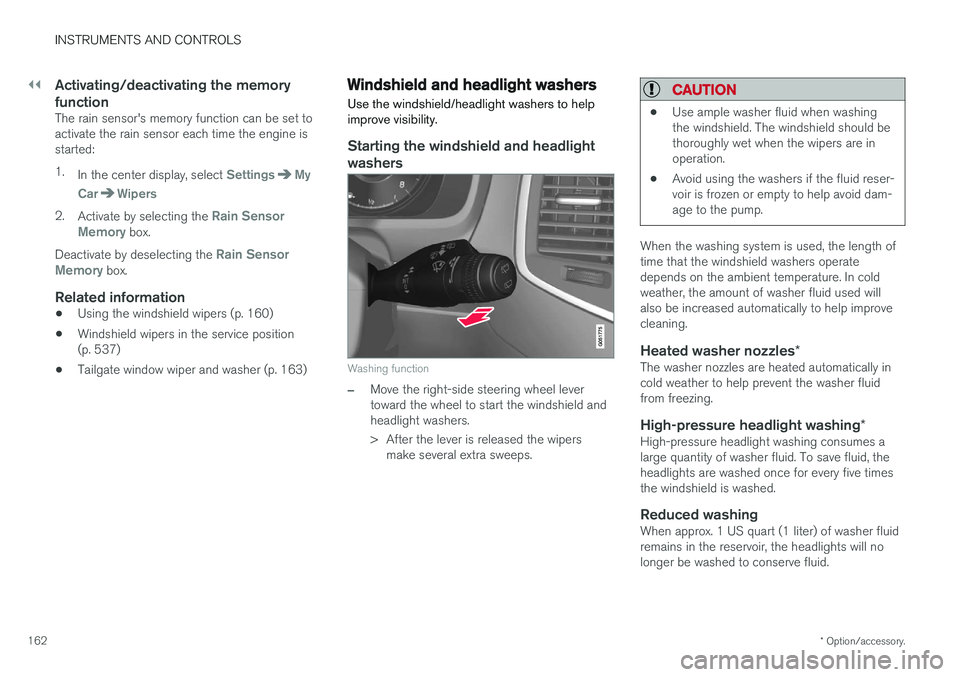
Starting the windshield and headlight washers
Washing function
–Move the right-side steering wheel lever toward the wheel to start the windshield andheadlight washers.
> After the lever is released the wipers make several extra sweeps.
CAUTION
• Use ample washer fluid when washing the windshield. The windshield should bethoroughly wet when the wipers are inoperation.
• Avoid using the washers if the fluid reser-voir is frozen or empty to help avoid dam-age to the pump.
When the washing system is used, the length of time that the windshield washers operatedepends on the ambient temperature. In coldweather, the amount of washer fluid used willalso be increased automatically to help improvecleaning.
Heated washer nozzles
*The washer nozzles are heated automatically incold weather to help prevent the washer fluidfrom freezing.
High-pressure headlight washing *High-pressure headlight washing consumes alarge quantity of washer fluid. To save fluid, theheadlights are washed once for every five timesthe windshield is washed.
Reduced washingWhen approx. 1 US quart (1 liter) of washer fluidremains in the reservoir, the headlights will nolonger be washed to conserve fluid.
Page 165 of 580
INSTRUMENTS AND CONTROLS
163
A text message and the
symbol will be dis-
played in the instrument panel to remind the driver to fill the washer fluid reservoir.
Related information
• Refilling the windshield washer fluid reservoir(p. 541)
• Using the windshield wipers (p. 160)
• Tailgate window wiper and washer (p. 163)
Tailgate window wiper and washer
Start the tailgate window wiper/washer with con- trols on the right-side steering wheel lever.
NOTE
The rear wiper is equipped with a cut-off function, which means that it will not operateif its electric motor overheats. The wiper willfunction again after a cool-down period(30 seconds or longer, depending on the heatof the motor and ambient temperature condi-tions).
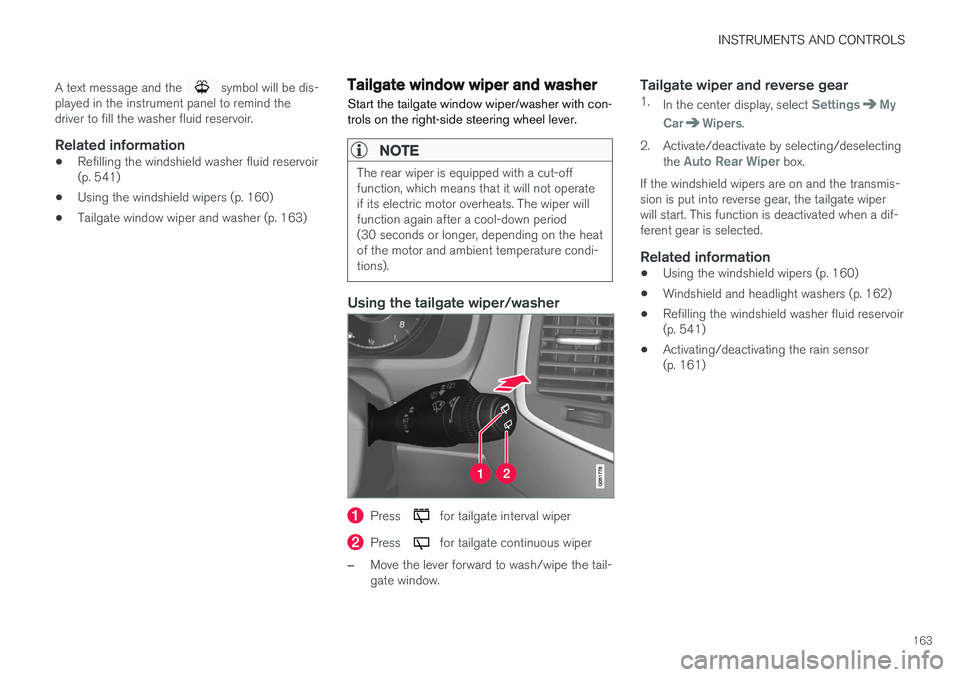
Using the tailgate wiper/washer
Press for tailgate interval wiper
Press for tailgate continuous wiper
–Move the lever forward to wash/wipe the tail- gate window.
Tailgate wiper and reverse gear1. In the center display, select SettingsMy
Car
Wipers.
2. Activate/deactivate by selecting/deselecting the
Auto Rear Wiper box.
If the windshield wipers are on and the transmis- sion is put into reverse gear, the tailgate wiperwill start. This function is deactivated when a dif-ferent gear is selected.
Related information
• Using the windshield wipers (p. 160)
• Windshield and headlight washers (p. 162)
• Refilling the windshield washer fluid reservoir(p. 541)
• Activating/deactivating the rain sensor(p. 161)
Page 166 of 580
INSTRUMENTS AND CONTROLS
* Option/accessory.
164
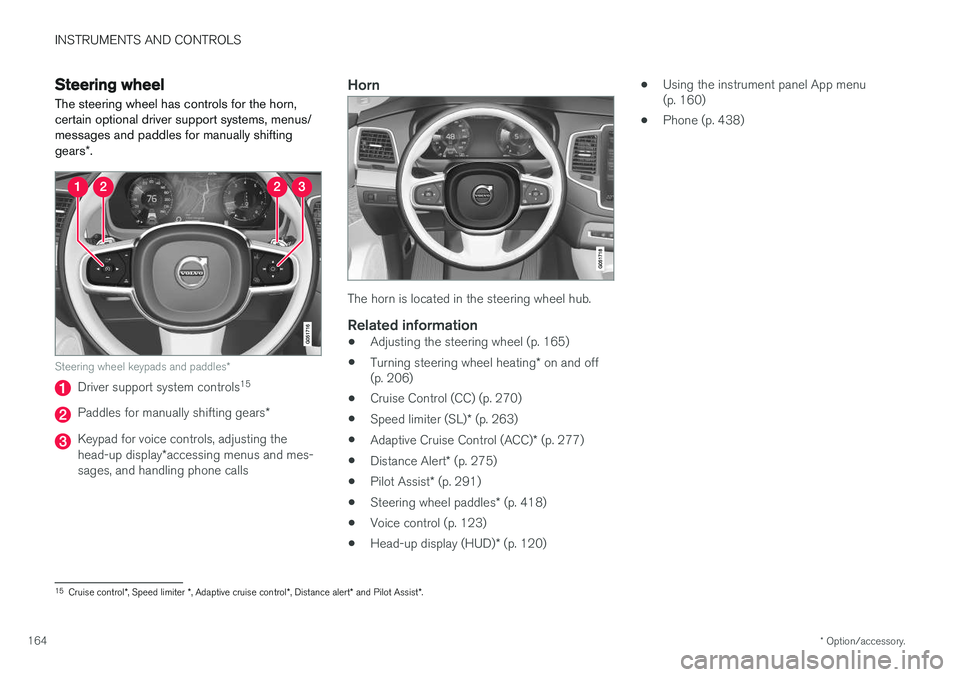
Steering wheel The steering wheel has controls for the horn, certain optional driver support systems, menus/messages and paddles for manually shifting gears *.
Steering wheel keypads and paddles *
Driver support system controls15
Paddles for manually shifting gears
*
Keypad for voice controls, adjusting the head-up display*accessing menus and mes-
sages, and handling phone calls
Horn
The horn is located in the steering wheel hub.
Related information
• Adjusting the steering wheel (p. 165)
• Turning steering wheel heating
* on and off
(p. 206)
• Cruise Control (CC) (p. 270)
• Speed limiter (SL)
* (p. 263)
• Adaptive Cruise Control (ACC)
* (p. 277)
• Distance Alert
* (p. 275)
• Pilot Assist
* (p. 291)
• Steering wheel paddles
* (p. 418)
• Voice control (p. 123)
• Head-up display (HUD)
* (p. 120) •
Using the instrument panel App menu (p. 160)
• Phone (p. 438)
15
Cruise control *, Speed limiter *, Adaptive cruise control *, Distance alert * and Pilot Assist *.
Page 167 of 580
INSTRUMENTS AND CONTROLS
}}
* Option/accessory.165
Adjusting the steering wheel
The steering wheel can be adjusted to various positions.
WARNING
Never adjust the steering wheel while driving.
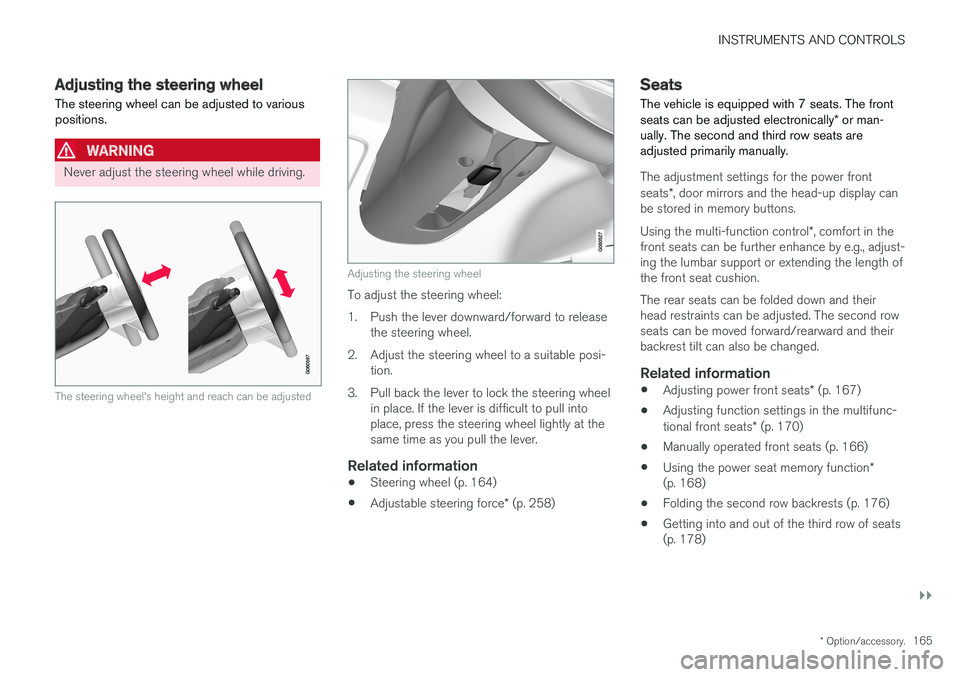
The steering wheel's height and reach can be adjusted
Adjusting the steering wheel
To adjust the steering wheel:
1. Push the lever downward/forward to release the steering wheel.
2. Adjust the steering wheel to a suitable posi- tion.
3. Pull back the lever to lock the steering wheel in place. If the lever is difficult to pull into place, press the steering wheel lightly at thesame time as you pull the lever.
Related information
• Steering wheel (p. 164)
• Adjustable steering force
* (p. 258)
Seats
The vehicle is equipped with 7 seats. The front seats can be adjusted electronically * or man-
ually. The second and third row seats are adjusted primarily manually.
The adjustment settings for the power front seats *, door mirrors and the head-up display can
be stored in memory buttons. Using the multi-function control *, comfort in the
front seats can be further enhance by e.g., adjust- ing the lumbar support or extending the length ofthe front seat cushion. The rear seats can be folded down and their head restraints can be adjusted. The second rowseats can be moved forward/rearward and theirbackrest tilt can also be changed.
Related information
• Adjusting power front seats
* (p. 167)
• Adjusting function settings in the multifunc- tional front seats
* (p. 170)
• Manually operated front seats (p. 166)
• Using the power seat memory function
*
(p. 168)
• Folding the second row backrests (p. 176)
• Getting into and out of the third row of seats (p. 178)
Page 190 of 580
||
CLIMATE
* Option/accessory.
188
PreconditioningPreconditioning the vehicle before driving can help reduce wear and reduce energy consump-tion during a trip.
NOTE
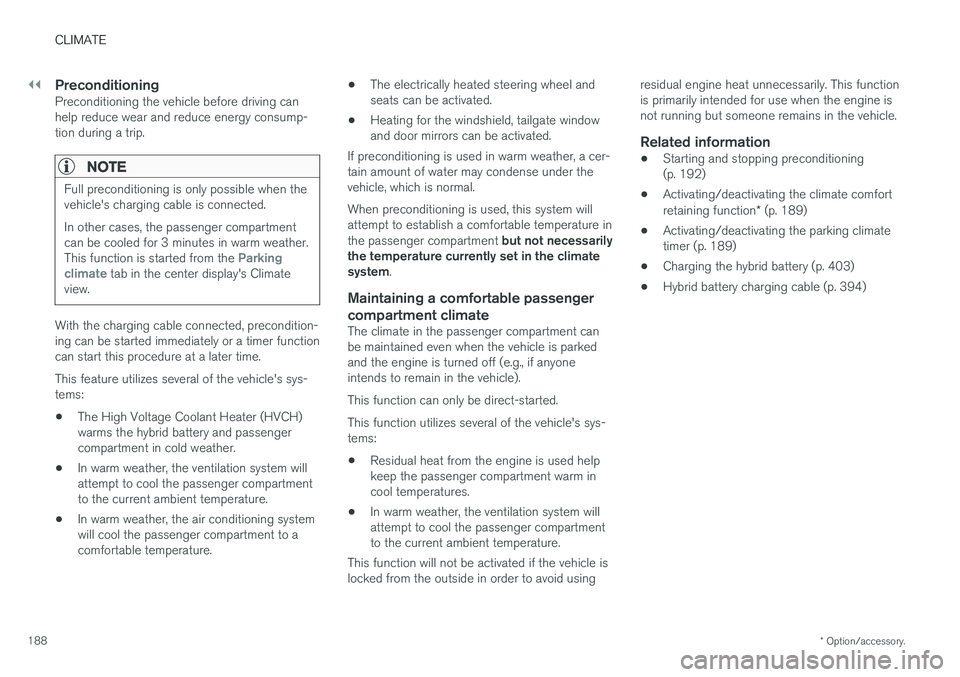
Full preconditioning is only possible when the vehicle's charging cable is connected. In other cases, the passenger compartment can be cooled for 3 minutes in warm weather. This function is started from the
Parking
climate tab in the center display's Climate
view.
With the charging cable connected, precondition- ing can be started immediately or a timer functioncan start this procedure at a later time. This feature utilizes several of the vehicle's sys- tems:
• The High Voltage Coolant Heater (HVCH)warms the hybrid battery and passengercompartment in cold weather.
• In warm weather, the ventilation system willattempt to cool the passenger compartmentto the current ambient temperature.
• In warm weather, the air conditioning systemwill cool the passenger compartment to acomfortable temperature. •
The electrically heated steering wheel andseats can be activated.
• Heating for the windshield, tailgate windowand door mirrors can be activated.
If preconditioning is used in warm weather, a cer-tain amount of water may condense under thevehicle, which is normal. When preconditioning is used, this system will attempt to establish a comfortable temperature in the passenger compartment but not necessarily
the temperature currently set in the climate system .
Maintaining a comfortable passenger compartment climate
The climate in the passenger compartment can be maintained even when the vehicle is parkedand the engine is turned off (e.g., if anyoneintends to remain in the vehicle). This function can only be direct-started.This function utilizes several of the vehicle's sys- tems:
• Residual heat from the engine is used helpkeep the passenger compartment warm incool temperatures.
• In warm weather, the ventilation system willattempt to cool the passenger compartmentto the current ambient temperature.
This function will not be activated if the vehicle islocked from the outside in order to avoid using residual engine heat unnecessarily. This functionis primarily intended for use when the engine isnot running but someone remains in the vehicle.
Related information
•
Starting and stopping preconditioning(p. 192)
• Activating/deactivating the climate comfort retaining function
* (p. 189)
• Activating/deactivating the parking climate timer (p. 189)
• Charging the hybrid battery (p. 403)
• Hybrid battery charging cable (p. 394)
Page 194 of 580
CLIMATE
* Option/accessory.
192
Starting and stopping preconditioning
Preconditioning heats/cools the passenger com- partment prior to driving. Please note that thecharging cable must be connected.
Starting/stopping from the centerdisplay
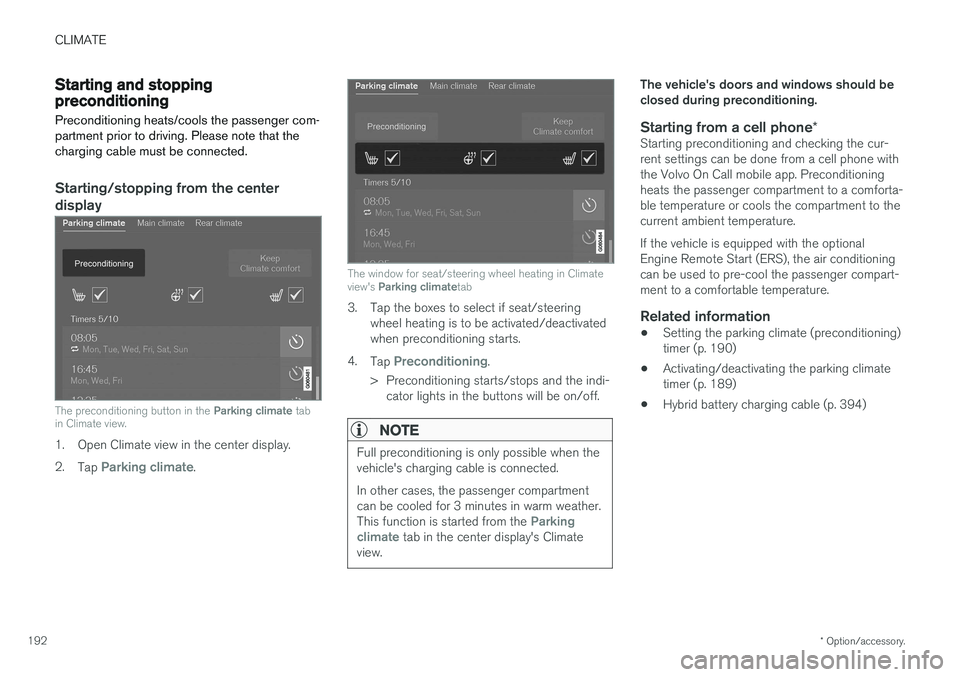
The preconditioning button in the Parking climate tab
in Climate view.
1. Open Climate view in the center display. 2. Tap
Parking climate.
The window for seat/steering wheel heating in Climate view's Parking climate tab
3. Tap the boxes to select if seat/steering
wheel heating is to be activated/deactivated when preconditioning starts.
4. Tap
Preconditioning.
> Preconditioning starts/stops and the indi- cator lights in the buttons will be on/off.
NOTE
Full preconditioning is only possible when the vehicle's charging cable is connected. In other cases, the passenger compartment can be cooled for 3 minutes in warm weather. This function is started from the
Parking
climate tab in the center display's Climate
view.
The vehicle's doors and windows should be closed during preconditioning.
Starting from a cell phone *Starting preconditioning and checking the cur-rent settings can be done from a cell phone withthe Volvo On Call mobile app. Preconditioningheats the passenger compartment to a comforta-ble temperature or cools the compartment to thecurrent ambient temperature. If the vehicle is equipped with the optional Engine Remote Start (ERS), the air conditioningcan be used to pre-cool the passenger compart-ment to a comfortable temperature.
Related information
•Setting the parking climate (preconditioning)timer (p. 190)
• Activating/deactivating the parking climatetimer (p. 189)
• Hybrid battery charging cable (p. 394)
Page 199 of 580
CLIMATE
}}
* Option/accessory.197
Climate system controls
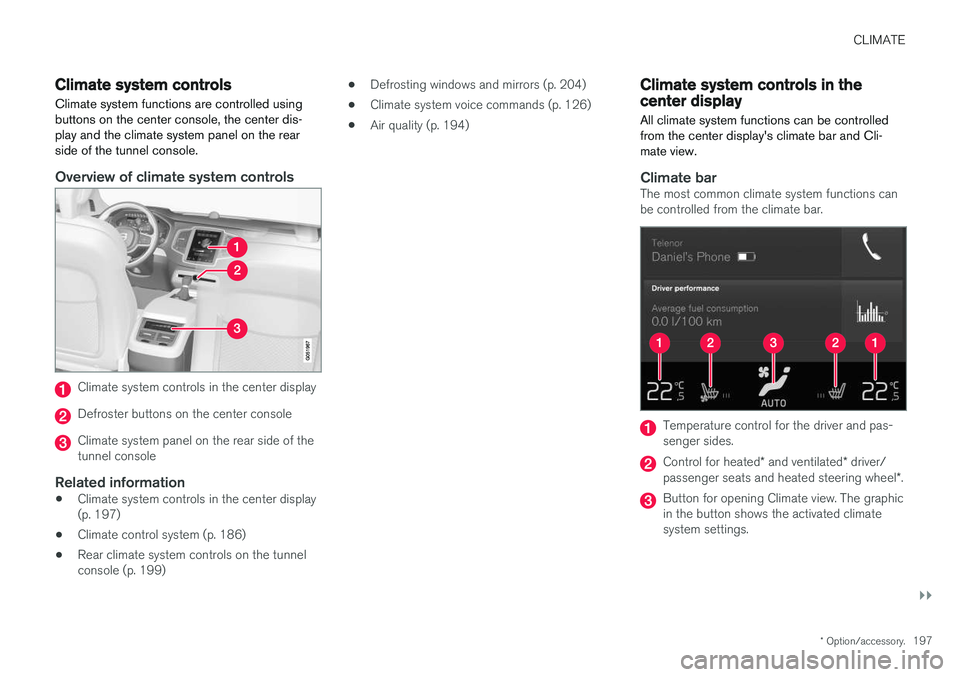
Climate system functions are controlled using buttons on the center console, the center dis-play and the climate system panel on the rearside of the tunnel console.
Overview of climate system controls
Climate system controls in the center display
Defroster buttons on the center console
Climate system panel on the rear side of the tunnel console
Related information
• Climate system controls in the center display(p. 197)
• Climate control system (p. 186)
• Rear climate system controls on the tunnelconsole (p. 199) •
Defrosting windows and mirrors (p. 204)
• Climate system voice commands (p. 126)
• Air quality (p. 194)
Climate system controls in the center display
All climate system functions can be controlled from the center display's climate bar and Cli-mate view.
Climate barThe most common climate system functions can be controlled from the climate bar.
Temperature control for the driver and pas- senger sides.
Control for heated * and ventilated * driver/
passenger seats and heated steering wheel *.
Button for opening Climate view. The graphic in the button shows the activated climatesystem settings.
Page 201 of 580
CLIMATE
}}
* Option/accessory.199
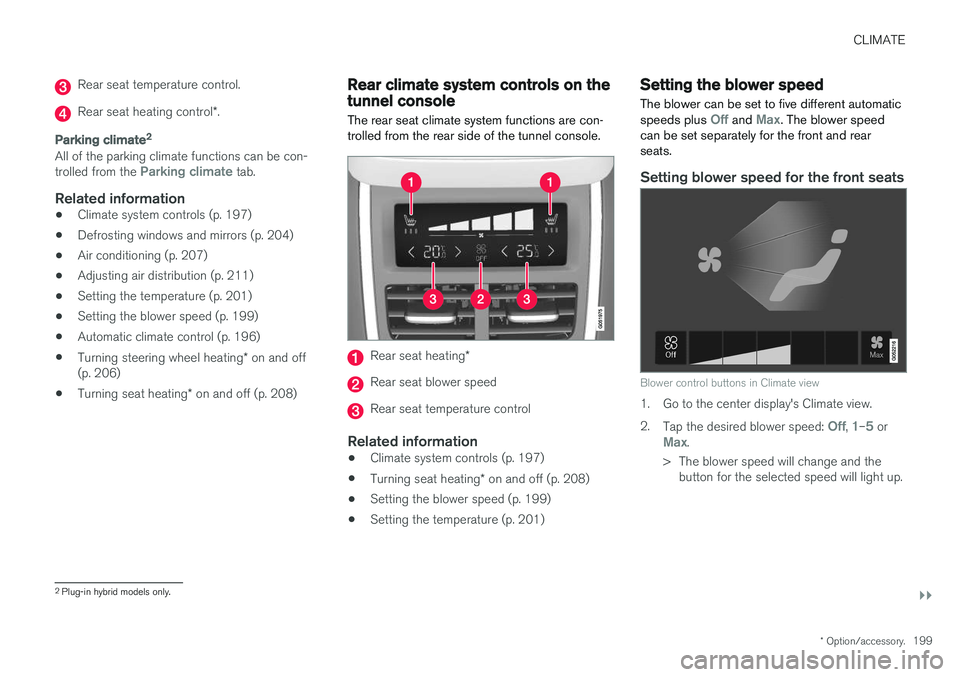
Rear seat temperature control.
Rear seat heating control *.
Parking climate 2
All of the parking climate functions can be con- trolled from the Parking climate tab.
Related information
•
Climate system controls (p. 197)
• Defrosting windows and mirrors (p. 204)
• Air conditioning (p. 207)
• Adjusting air distribution (p. 211)
• Setting the temperature (p. 201)
• Setting the blower speed (p. 199)
• Automatic climate control (p. 196)
• Turning steering wheel heating
* on and off
(p. 206)
• Turning seat heating
* on and off (p. 208)
Rear climate system controls on the tunnel console
The rear seat climate system functions are con- trolled from the rear side of the tunnel console.
Rear seat heating *
Rear seat blower speed
Rear seat temperature control
Related information
•Climate system controls (p. 197)
• Turning seat heating
* on and off (p. 208)
• Setting the blower speed (p. 199)
• Setting the temperature (p. 201)
Setting the blower speed The blower can be set to five different automatic speeds plus
Off and Max. The blower speed
can be set separately for the front and rear seats.
Setting blower speed for the front seats
Blower control buttons in Climate view
1. Go to the center display's Climate view. 2. Tap the desired blower speed:
Off, 1–5 orMax.
> The blower speed will change and the button for the selected speed will light up.
2Plug-in hybrid models only.
Page 208 of 580
||
CLIMATE
* Option/accessory.
206 1.
Tap
Settings in the center display's Top
view and select Climate.
2. Activate/deactivate the respective defroster functions when the engine is started by selecting/deselecting the boxes for
Auto
Front Defroster and Auto Rear Defroster.
The heating function will switch off automatically when the window/mirror is sufficiently warm andthe ice/condensation has disappeared.
Related information
• Climate system controls (p. 197)
• Climate system controls in the center display(p. 197)
• Defrosting windows and mirrors (p. 204)
• Air conditioning (p. 207)
• Turning recirculation on and off (p. 203)
• Adjusting air distribution (p. 211)
• Setting the blower speed (p. 199)
• Automatic climate control (p. 196)
• Turning front seat ventilation
* on and off
(p. 209)
• Turning steering wheel heating
* on and off
(p. 206)
Turning steering wheel heating * on
and off
The steering wheel can be heated electrically for added comfort in cold weather.
Activating/deactivating steering wheel
heating
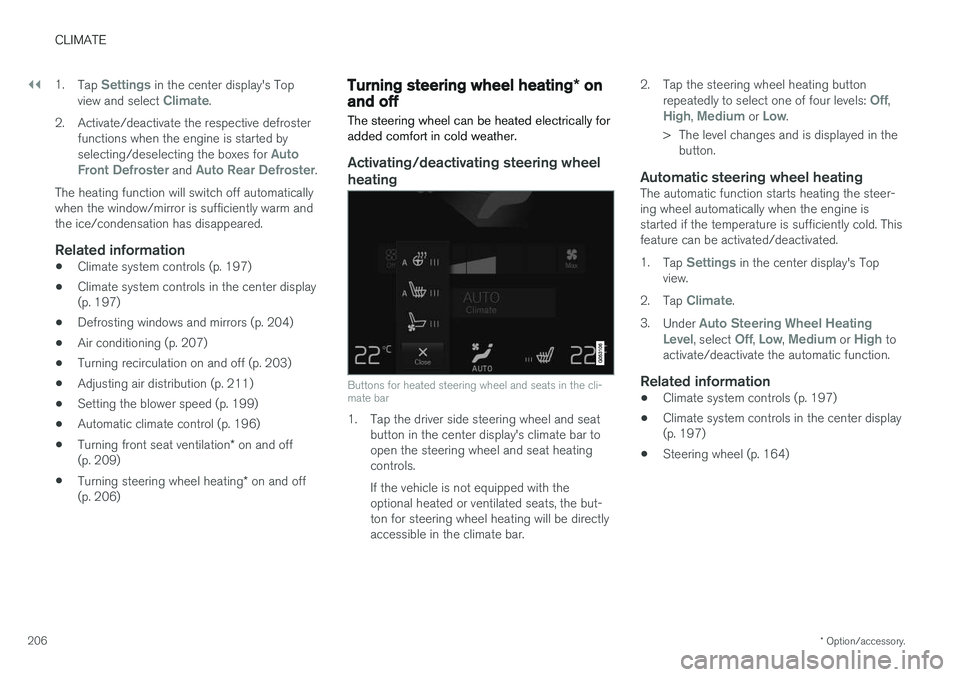
Buttons for heated steering wheel and seats in the cli- mate bar
1. Tap the driver side steering wheel and seat button in the center display's climate bar to open the steering wheel and seat heatingcontrols. If the vehicle is not equipped with the optional heated or ventilated seats, the but-ton for steering wheel heating will be directlyaccessible in the climate bar. 2. Tap the steering wheel heating button
repeatedly to select one of four levels:
Off,High, Medium or Low.
> The level changes and is displayed in the button.
Automatic steering wheel heatingThe automatic function starts heating the steer- ing wheel automatically when the engine isstarted if the temperature is sufficiently cold. Thisfeature can be activated/deactivated. 1. Tap
Settings in the center display's Top
view.
2. Tap
Climate.
3. Under
Auto Steering Wheel Heating
Level, select Off, Low, Medium or High to
activate/deactivate the automatic function.
Related information
• Climate system controls (p. 197)
• Climate system controls in the center display (p. 197)
• Steering wheel (p. 164)
Page 210 of 580
CLIMATE
* Option/accessory.
208
Turning seat heating * on and off
The seats can be heated for added comfort in cold weather.
Activating/deactivating front seat heating
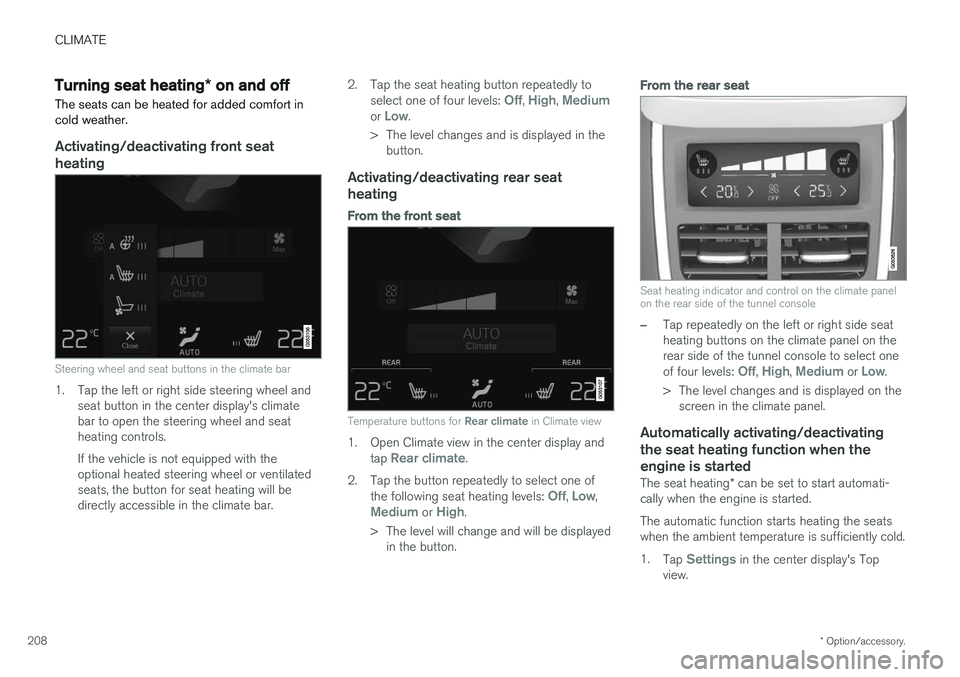
Steering wheel and seat buttons in the climate bar
1. Tap the left or right side steering wheel and seat button in the center display's climate bar to open the steering wheel and seatheating controls. If the vehicle is not equipped with the optional heated steering wheel or ventilatedseats, the button for seat heating will bedirectly accessible in the climate bar. 2. Tap the seat heating button repeatedly to
select one of four levels:
Off, High, Mediumor Low.
> The level changes and is displayed in the button.
Activating/deactivating rear seat heating
From the front seat
Temperature buttons for Rear climate in Climate view
1. Open Climate view in the center display and
tap Rear climate.
2. Tap the button repeatedly to select one of the following seat heating levels:
Off, Low,Medium or High.
> The level will change and will be displayed in the button.
From the rear seat
Seat heating indicator and control on the climate panel on the rear side of the tunnel console
–Tap repeatedly on the left or right side seat heating buttons on the climate panel on therear side of the tunnel console to select one of four levels:
Off, High, Medium or Low.
> The level changes and is displayed on the screen in the climate panel.
Automatically activating/deactivating the seat heating function when theengine is started
The seat heating * can be set to start automati-
cally when the engine is started. The automatic function starts heating the seats when the ambient temperature is sufficiently cold. 1. Tap
Settings in the center display's Top
view.