ignition VOLVO XC90 TWIN ENGINE 2019 Owner's Guide
[x] Cancel search | Manufacturer: VOLVO, Model Year: 2019, Model line: XC90 TWIN ENGINE, Model: VOLVO XC90 TWIN ENGINE 2019Pages: 697, PDF Size: 10.33 MB
Page 275 of 697
KEY, LOCKS AND ALARM
}}
273
Related information
Private Locking (p. 271) Alarm
The alarm emits sound and light signals if any-
one without a valid remote key attempts to break
into the vehicle or interferes with the start battery
or alarm siren.
When armed, the alarm will be triggered if:
the hood, tailgate or any door is opened.
a battery cable is disconnected.
the alarm siren is disconnected.
Alarm signalsThe following occurs if the alarm is triggered:
A siren will sound for 30 seconds or until the
alarm is turned off.
All turn signals will flash for 5 minutes or
until the alarm is turned off.
If the reason the alarm was triggered is not recti-
fied, the alarm cycle will repeat up to 10 times 20
.
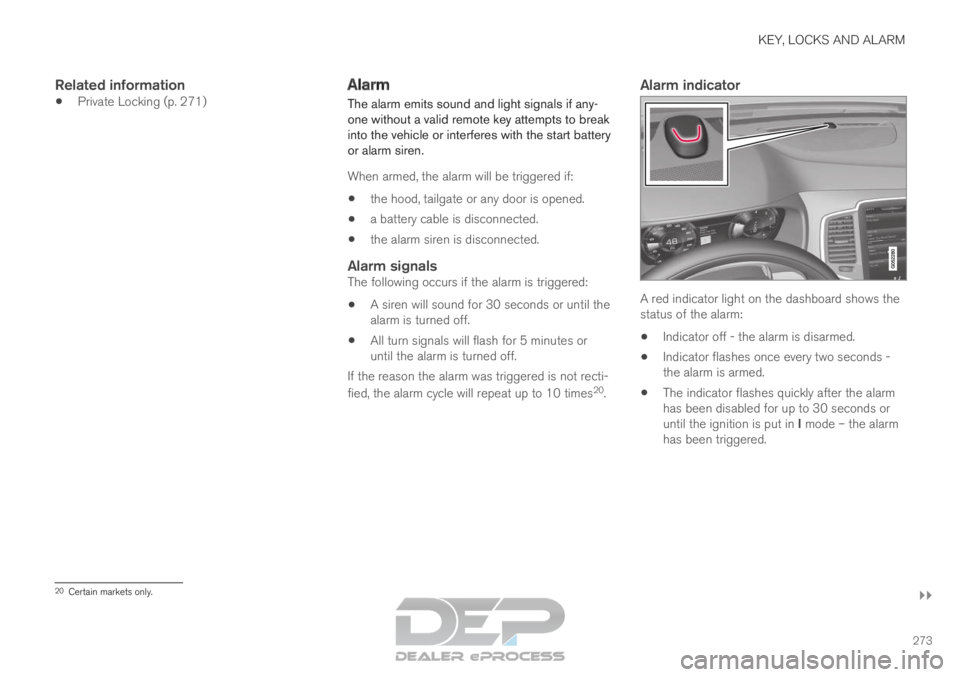
Alarm indicator A red indicator light on the dashboard shows the
status of the alarm:
Indicator off - the alarm is disarmed.
Indicator flashes once every two seconds -
the alarm is armed.
The indicator flashes quickly after the alarm
has been disabled for up to 30 seconds or
until the ignition is put in I mode – the alarm
has been triggered. 20
Certain markets only.
Page 277 of 697
KEY, LOCKS AND ALARM
275
Disarming the alarm without a functioning
remote key
The vehicle can be unlocked and disarmed even
if the remote key is not functioning, e.g. if the
battery is discharged.
1. Open the driver's door using the detachablekey blade.
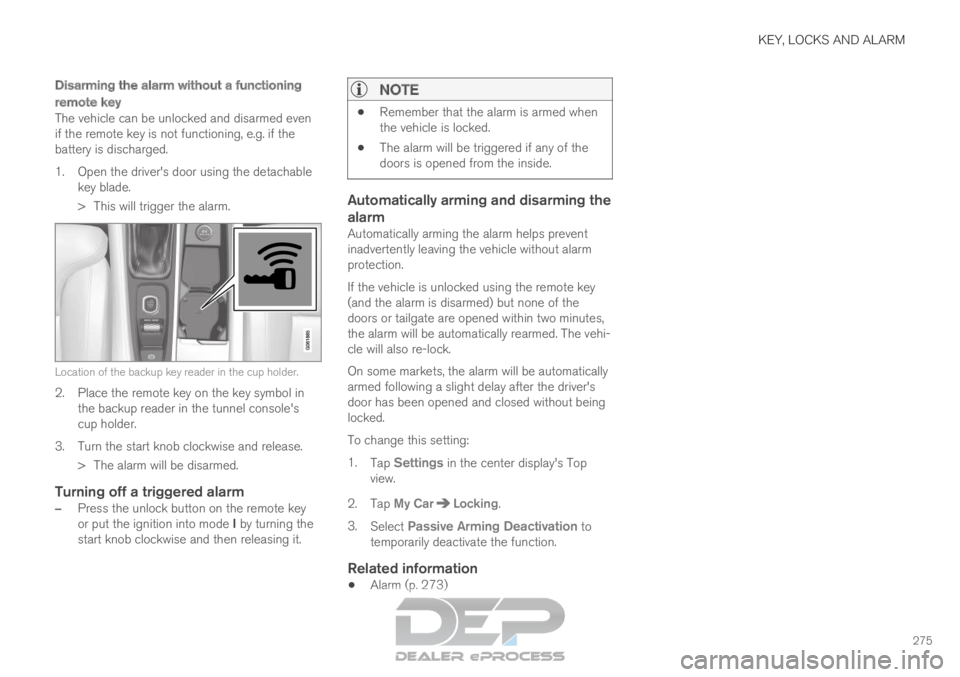
> This will trigger the alarm. Location of the backup key reader in the cup holder.
2. Place the remote key on the key symbol in
the backup reader in the tunnel console's
cup holder.
3.
Turn the start knob clockwise and release.
> The alarm will be disarmed.
Turning off a triggered alarm
– Press the unlock button on the remote key
or put the ignition into mode I by turning the
start knob clockwise and then releasing it.
NOTE
Remember that the alarm is armed when
the vehicle is locked.
The alarm will be triggered if any of the
doors is opened from the inside.
Automatically arming and disarming the
alarm
Automatically arming the alarm helps prevent
inadvertently leaving the vehicle without alarm
protection.
If the vehicle is unlocked using the remote key
(and the alarm is disarmed) but none of the
doors or tailgate are opened within two minutes,
the alarm will be automatically rearmed. The vehi-
cle will also re-lock.
On some markets, the alarm will be automatically
armed following a slight delay after the driver's
door has been opened and closed without being
locked.
To change this setting:
1.
Tap Settings in the center display's Top
view.
2.
Tap My Car Locking
.
3. Select Passive Arming Deactivation to
temporarily deactivate the function.
Related information
Alarm (p. 273)
Page 418 of 697
HYBRID INFORMATION
416General information about Twin
Engine
Twin Engine vehicles are driven just like any
other vehicle, but certain functions differ from a
vehicle powered exclusively by gasoline. The
electric motor powers the vehicle primarily at low
speeds; the gasoline engine is used at higher
speeds or during more active driving.
The instrument panel displays Twin Engine-spe-
cific information - charging information, selected
drive mode, distance to discharged battery and
hybrid battery charge level.
Different drive modes can be selected while driv-
ing, e.g. electric power only or, if more power is
needed, a combination of electric and gasoline
power. The vehicle calculates the optimal combi-
nation of driveability, driving experience, environ-
mental impact and fuel economy for the selected
drive mode.
In order to function optimally, the hybrid battery
(and its electrical drive systems) and the gasoline
engine (and its drive systems) must be at the
correct operating temperature. Battery capacity
can be considerably reduced if the battery is too
cold or too hot. Preconditioning prepares the
vehicle's drive systems and passenger compart-
ment before driving to help reduce both wear and
energy consumption. It also helps increase the
hybrid battery's range.
The hybrid battery which powers the electric
motor is recharged using the charging cable. It can also be recharged during light braking and
through engine braking in gear position B. The
combustion engine can also help recharge the
hybrid battery.
Important
No electrical current
Keep in mind that if there is no electrical current
to the vehicle, i.e. the ignition is switched off or
the start battery is discharged, certain functions
such as brakes, power steering, etc. will not work.
WARNING If the vehicle does not have electrical current
and both the electric motor and the gasoline
engine are switched off, the brakes cannot be
used to stop the vehicle.
Towing not permitted
Never tow a Twin Engine vehicle behind another
vehicle, as this could damage the electric motor.
Exterior engine noise
WARNING
Please be aware that there is no sound from
the engine when the vehicle is being powered
by the electric motor and it may be difficult to
detect by children, pedestrians, cyclists and
animals. This is especially true at low speeds.
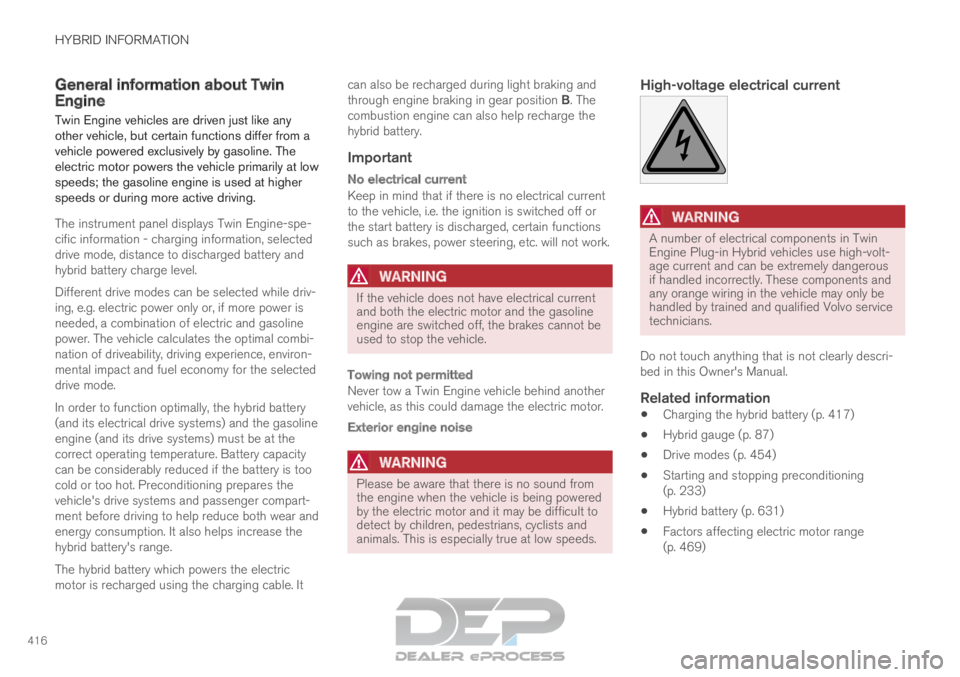
High-voltage electrical current
WARNING A number of electrical components in Twin
Engine Plug-in Hybrid vehicles use high-volt-
age current and can be extremely dangerous
if handled incorrectly. These components and
any orange wiring in the vehicle may only be
handled by trained and qualified Volvo service
technicians.
Do not touch anything that is not clearly descri-
bed in this Owner's Manual.
Related information
Charging the hybrid battery (p. 417)
Hybrid gauge (p. 87)
Drive modes (p. 454)
Starting and stopping preconditioning
(p. 233)
Hybrid battery (p. 631)
Factors affecting electric motor range
(p. 469)
Page 425 of 697
HYBRID INFORMATION
}}
423
Initiating hybrid battery charging
The hybrid battery is charged by connecting a
charging cable between the vehicle and a
120/240 V outlet (alternating current).
Only use the charging cable supplied with the
car or a replacement cable recommended by
Volvo.
CAUTION Never connect the charging cable if there is a
risk of a thunderstorm or there is lightning.
WARNING
The charging cable must be grounded
when in use. It is equipped with a cord
with a grounding conductor and a
grounding plug. The plug must be
inserted into an appropriate outlet that is
properly installed and grounded in
accordance with all local codes and ordi-
nances and is not damaged in any way.
Children should be supervised when in
the vicinity of the charging cable when it
is plugged in.
High voltage is present in your electric
meter housing and power distribution
service panel. Contact with high voltage
can cause death or serious personal
injury.
Do not use the charging cable if it is
damaged in any way. A damaged or mal-
functioning charging cable may only be
repaired by a workshop – an authorized
Volvo workshop is recommended.
Always position the charging cable so
that it will not be driven over, stepped on,
tripped over or otherwise damaged, or
cause personal injury.
Disconnect the charger from the wall out-
let before cleaning it.
Never connect the charging cable to an
extension cord or a multiple plug socket.
Also, refer to the manufacturer's instructions
for using the charging cable and its compo-
nents.
CAUTION Make sure that the 120/240 V outlet (AC,
alternating current) has a power capacity suf-
ficient for charging electric vehicles. If you are
uncertain of the capacity, have the outlet
checked by a licensed electrician.
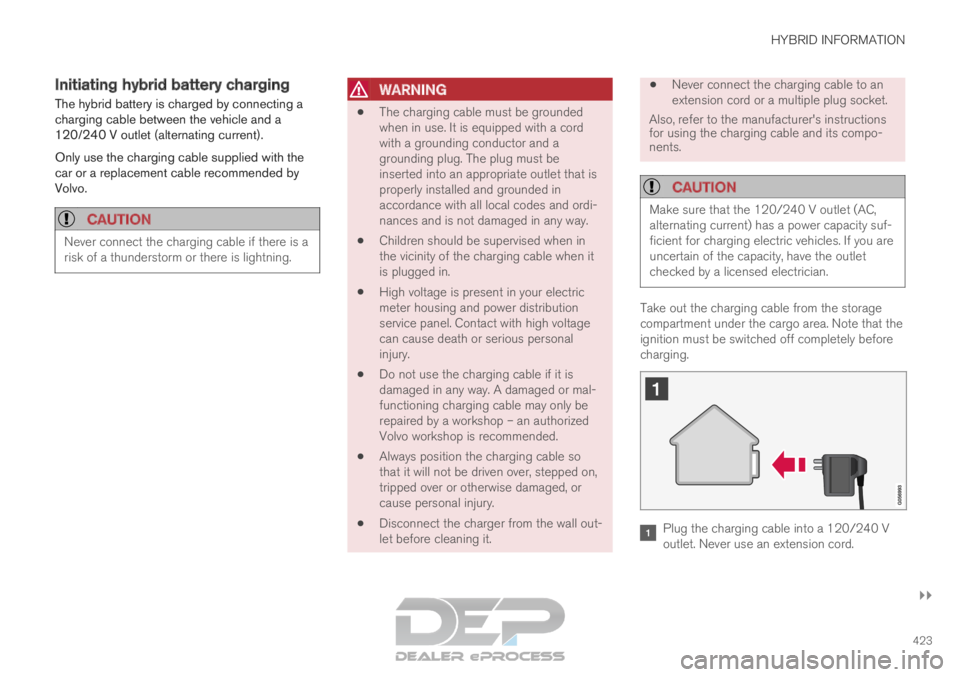
Take out the charging cable from the storage
compartment under the cargo area. Note that the
ignition must be switched off completely before
charging.
Plug the charging cable into a 120/240 V
outlet. Never use an extension cord.
Page 430 of 697

||HYBRID INFORMATION
428
NOTE
If the instrument panel is not used, it will go
dark after a period of time. To reactivate the
display:
depress the brake pedal,
open one of the doors, or
put the ignition in mode I by turning the
START knob clockwise and then releas-
ing.
Related information
Charging the hybrid battery (p. 417)
Twin Engine symbols and messages in the
instrument panel (p. 430)
Charging status in the vehicle's charging
socket (p. 425)
Charging status in the charging cable's
charging module (p. 425)
Stopping hybrid battery charging (p. 429)
Page 436 of 697
STARTING AND DRIVING
* Option/accessory.
434 Starting the vehicle
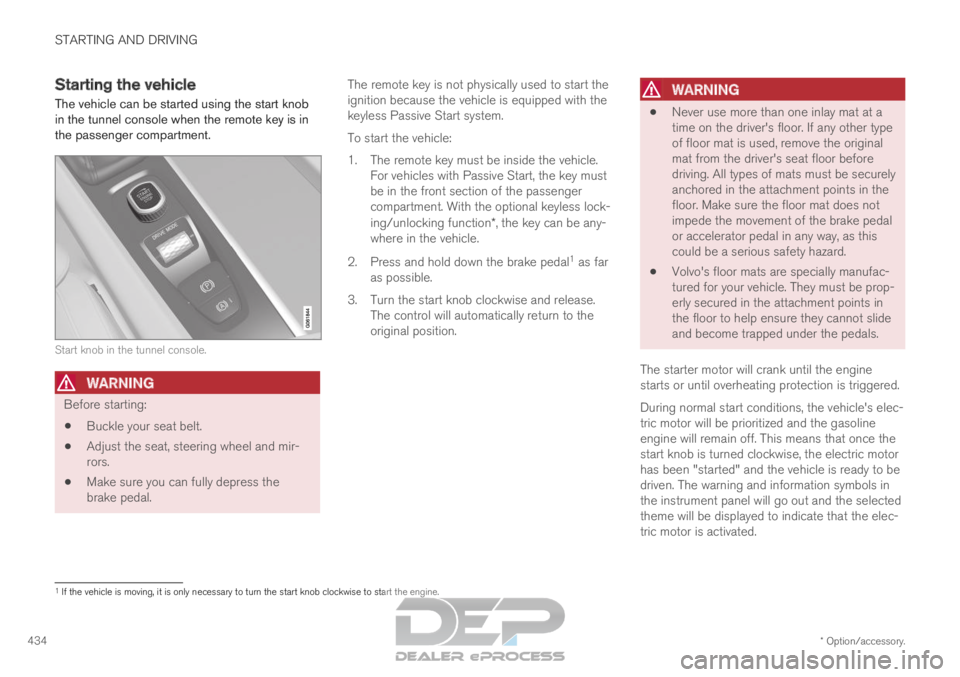
The vehicle can be started using the start knob
in the tunnel console when the remote key is in
the passenger compartment. Start knob in the tunnel console.
WARNING
Before starting:
Buckle your seat belt.
Adjust the seat, steering wheel and mir-
rors.
Make sure you can fully depress the
brake pedal. The remote key is not physically used to start the
ignition because the vehicle is equipped with the
keyless Passive Start system.
To start the vehicle:
1.
The remote key must be inside the vehicle.
For vehicles with Passive Start, the key must
be in the front section of the passenger
compartment. With the optional keyless lock-
ing/unlocking function*, the key can be any-
where in the vehicle.
2. Press and hold down the brake pedal 1
as far
as possible.
3. Turn the start knob clockwise and release. The control will automatically return to the
original position.
WARNING
Never use more than one inlay mat at a
time on the driver's floor. If any other type
of floor mat is used, remove the original
mat from the driver's seat floor before
driving. All types of mats must be securely
anchored in the attachment points in the
floor. Make sure the floor mat does not
impede the movement of the brake pedal
or accelerator pedal in any way, as this
could be a serious safety hazard.
Volvo's floor mats are specially manufac-
tured for your vehicle. They must be prop-
erly secured in the attachment points in
the floor to help ensure they cannot slide
and become trapped under the pedals.
The starter motor will crank until the engine
starts or until overheating protection is triggered.
During normal start conditions, the vehicle's elec-
tric motor will be prioritized and the gasoline
engine will remain off. This means that once the
start knob is turned clockwise, the electric motor
has been "started" and the vehicle is ready to be
driven. The warning and information symbols in
the instrument panel will go out and the selected
theme will be displayed to indicate that the elec-
tric motor is activated. 1
If the vehicle is moving, it is only necessary to turn the start knob cl\
ockwise to start the engine.
Page 437 of 697

STARTING AND DRIVING
}}
435
In some situations, such as in cold weather or if
the hybrid battery's charge level is too low, the
gasoline engine will start instead.
The vehicle should not be started with the charg-
ing cable connected. However, if the cable can-
not be pulled out or if the vehicle incorrectly
detects a cable that is not connected, the vehicle
can be started using an override procedure:
1.
Press the brake pedal and turn the start
knob clockwise.
2. Charge cable Remove before start will
appear in the instrument panel.
3.
Turn the start knob clockwise again.
4. Removed? Turn and hold start knob 7s
will appear. Turn the knob clockwise and hold
it for 7 seconds to start the vehicle. Location of the backup reader in the tunnel console. If the
Vehicle key not found message is shown
in the instrument panel at start, place the remote
key at the backup reader and then make a new
start attempt.
NOTE When the remote key is placed in the backup
reader, make sure that no other vehicle keys,
metal objects or electronic devices (e.g. cellu-
lar phones, tablets, laptops or chargers) are in
the backup reader. Multiple vehicle keys close
to each other in the backup reader can dis-
rupt their functionality.
If Vehicle start System check, wait is dis-
played in the instrument panel while attempting
to start the vehicle, wait until the message disap-
pears and try again to start the vehicle.
CAUTION If the engine has not responded after 3
attempts – wait for 3 minutes before starting
a new attempt. Starting capability increases if
the starter battery is given time to recover.
NOTE
The vehicle cannot be started if the hybrid
battery is discharged.
WARNING Never remove the remote control key from
the vehicle while driving.
WARNING
Always remove the remote key from the
passenger compartment when you leave
the vehicle and make sure the ignition is
in mode 0.
Always put the gear selector in P and
apply the parking brake before leaving
the vehicle. Never leave the vehicle unsu-
pervised while the engine is running.
Always open the garage door fully and
make sure that ventilation is very good
before starting the engine in a garage.
The exhaust fumes produced by the vehi-
cle contain carbon monoxide, which is
invisible and odorless but very toxic.
NOTE With a cold start, idling speed may be consid-
erably higher than normal for certain engine
types. This is done to get the emissions sys-
tem up to normal operating temperature as
quickly as possible, which minimizes exhaust
emissions and protects the environment.
Page 438 of 697
||STARTING AND DRIVING
436
CAUTION
When starting in cold weather, the auto-
matic transmission may shift up at slightly
higher engine speeds than normal until
the automatic transmission fluid reaches
normal operating temperature.
Do not race a cold engine immediately
after starting. This could prevent fluids
from properly lubricating vital compo-
nents in the engine before it has reached
the proper operating temperature.
The engine should be idling when the
gear selector is moved. Never accelerate
until the gear is fully engaged. Accelerat-
ing rapidly before a gear is properly
engaged could lead to harder wear of
components.
To help prevent the transmission oil from
overheating, select P or N when idling at
a standstill for prolonged periods of time.
Related information
Switching off the vehicle (p. 436)
Ignition modes (p. 437)
Adjusting the steering wheel (p. 201)
Jump starting using another battery (p. 481)
Selecting ignition mode (p. 438) Switching off the vehicle
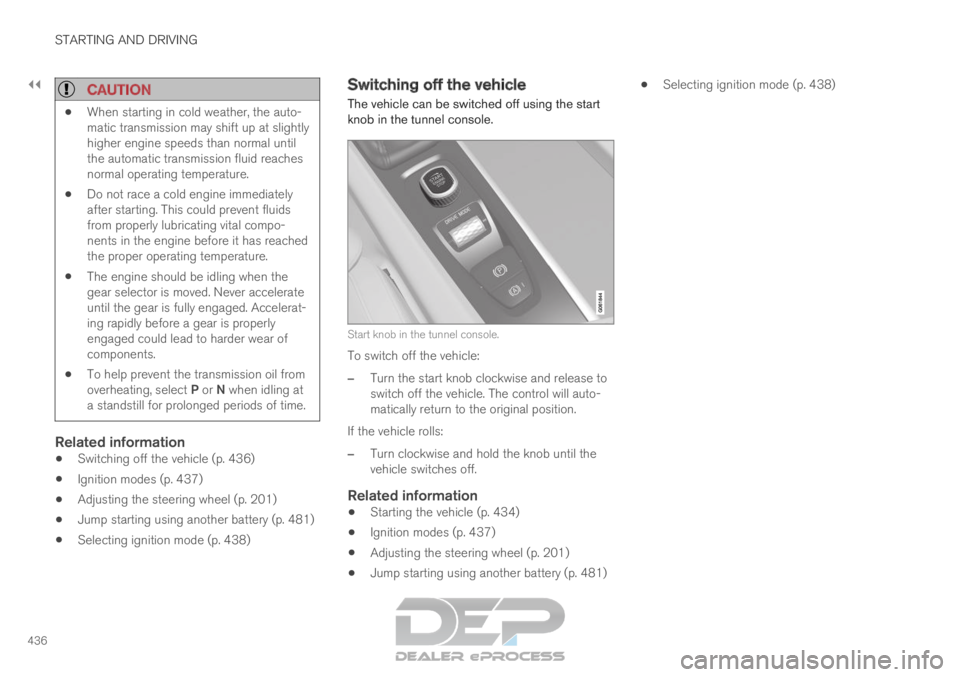
The vehicle can be switched off using the start
knob in the tunnel console.
Start knob in the tunnel console.
To switch off the vehicle:
– Turn the start knob clockwise and release to
switch off the vehicle. The control will auto-
matically return to the original position.
If the vehicle rolls:
– Turn clockwise and hold the knob until the
vehicle switches off.
Related information
Starting the vehicle (p. 434)
Ignition modes (p. 437)
Adjusting the steering wheel (p. 201)
Jump starting using another battery (p. 481)
Selecting ignition mode (p. 438)
Page 439 of 697
STARTING AND DRIVING
* Option/accessory.437
Ignition modes
The vehicle's ignition can be put in various
modes (levels) to make different functions availa-
ble.
To enable the use of a limited number of func-
tions when the engine is not running, the ignition
can be put in one of three different levels: 0, I
and II. These levels are referred to as "ignition
modes" in the Owner's Manual.
The following table shows which functions are
available in each ignition mode: Mode
Functions
0 The odometer, clock and tem-
perature gauge are illuminated A
.
The power* seats can be
adjusted.
The power windows can be used.
The center display is activated
and can be used A
.
The infotainment system can be
used A
.
In this mode, the functions are availa-
ble for a limited time and then switch
off automatically.
I The panoramic roof, power win-
dows, 12-volt electrical socket in
the passenger compartment,
Bluetooth, navigation, phone,
blower and windshield wipers can
be used.
The power seats can be adjusted.
The 12-volt electrical socket* in
the cargo compartment can be
used.
Electrical current will be taken
from the battery in this ignition
mode. Mode
Functions
II The headlights illuminate.
Warning/indicator lights illumi-
nate for 5 seconds.
A number of other systems are
activated. However, seat and rear
window heating can only be acti-
vated when the engine is running.
This ignition mode uses a lot of
current from the battery and
should be avoided whenever pos-
sible! A
Also activated when the door is opened.
Related information
Starting the vehicle (p. 434)
Adjusting the steering wheel (p. 201)
Jump starting using another battery (p. 481)
Selecting ignition mode (p. 438)
Page 440 of 697
STARTING AND DRIVING
438Selecting ignition mode
The vehicle's ignition can be put in various
modes (levels) to make different functions availa-
ble.
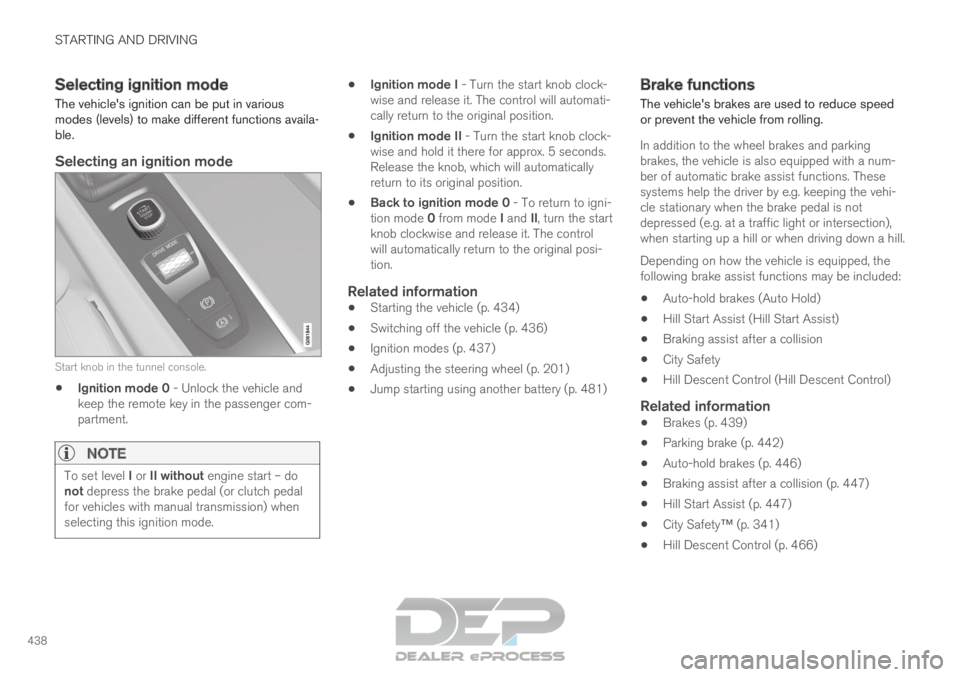
Selecting an ignition mode Start knob in the tunnel console.
Ignition mode 0 - Unlock the vehicle and
keep the remote key in the passenger com-
partment.
NOTE To set level I or II without engine start – do
not depress the brake pedal (or clutch pedal
for vehicles with manual transmission) when
selecting this ignition mode.
Ignition mode I - Turn the start knob clock-
wise and release it. The control will automati-
cally return to the original position.
Ignition mode II - Turn the start knob clock-
wise and hold it there for approx. 5 seconds.
Release the knob, which will automatically
return to its original position.
Back to ignition mode 0 - To return to igni-
tion mode 0 from mode I and II, turn the start
knob clockwise and release it. The control
will automatically return to the original posi-
tion.
Related information
Starting the vehicle (p. 434)
Switching off the vehicle (p. 436)
Ignition modes (p. 437)
Adjusting the steering wheel (p. 201)
Jump starting using another battery (p. 481) Brake functions
The vehicle's brakes are used to reduce speed
or prevent the vehicle from rolling.
In addition to the wheel brakes and parking
brakes, the vehicle is also equipped with a num-
ber of automatic brake assist functions. These
systems help the driver by e.g. keeping the vehi-
cle stationary when the brake pedal is not
depressed (e.g. at a traffic light or intersection),
when starting up a hill or when driving down a hill.
Depending on how the vehicle is equipped, the
following brake assist functions may be included:
Auto-hold brakes (Auto Hold)
Hill Start Assist (Hill Start Assist)
Braking assist after a collision
City Safety
Hill Descent Control (Hill Descent Control)
Related information
Brakes (p. 439)
Parking brake (p. 442)
Auto-hold brakes (p. 446)
Braking assist after a collision (p. 447)
Hill Start Assist (p. 447)
City Safety™ (p. 341)
Hill Descent Control (p. 466)