ignition VOLVO XC90 TWIN ENGINE 2019 Workshop Manual
[x] Cancel search | Manufacturer: VOLVO, Model Year: 2019, Model line: XC90 TWIN ENGINE, Model: VOLVO XC90 TWIN ENGINE 2019Pages: 697, PDF Size: 10.33 MB
Page 493 of 697
STARTING AND DRIVING
}}
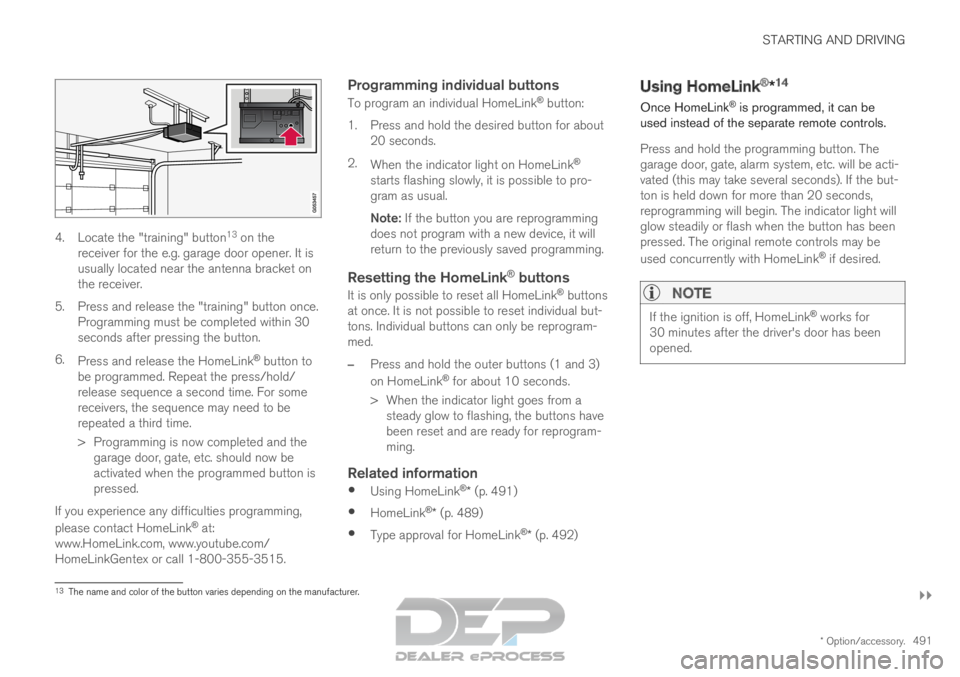
* Option/accessory. 4914. Locate the "training" button
13
on the
receiver for the e.g. garage door opener. It is
usually located near the antenna bracket on
the receiver.
5.
Press and release the "training" button once.
Programming must be completed within 30
seconds after pressing the button.
6. Press and release the HomeLink ®
button to
be programmed. Repeat the press/hold/
release sequence a second time. For some
receivers, the sequence may need to be
repeated a third time.
> Programming is now completed and the garage door, gate, etc. should now be
activated when the programmed button is
pressed.
If you experience any difficulties programming,
please contact HomeLink ®
at:
www.HomeLink.com, www.youtube.com/
HomeLinkGentex or call 1-800-355-3515.
Programming individual buttons
To program an individual HomeLink ®
button:
1. Press and hold the desired button for about 20 seconds.
2. When the indicator light on HomeLink ®
starts flashing slowly, it is possible to pro-
gram as usual.
Note: If the button you are reprogramming
does not program with a new device, it will
return to the previously saved programming.
Resetting the HomeLink ®
buttons
It is only possible to reset all HomeLink ®
buttons
at once. It is not possible to reset individual but-
tons. Individual buttons can only be reprogram-
med.
– Press and hold the outer buttons (1 and 3)
on HomeLink ®
for about 10 seconds.
>
When the indicator light goes from a
steady glow to flashing, the buttons have
been reset and are ready for reprogram-
ming.
Related information
Using HomeLink ®
* (p. 491)
HomeLink ®
* (p. 489)
Type approval for HomeLink ®
* (p. 492) Using HomeLink
®
*14
Once HomeLink ®
is programmed, it can be
used instead of the separate remote controls.
Press and hold the programming button. The
garage door, gate, alarm system, etc. will be acti-
vated (this may take several seconds). If the but-
ton is held down for more than 20 seconds,
reprogramming will begin. The indicator light will
glow steadily or flash when the button has been
pressed. The original remote controls may be
used concurrently with HomeLink ®
if desired.
NOTE If the ignition is off, HomeLink
®
works for
30 minutes after the driver's door has been
opened. 13
The name and color of the button varies depending on the manufacturer.
Page 498 of 697
AUDIO, MEDIA AND INTERNET
* Option/accessory.
496 Audio, media and Internet
The audio and media system consists of a media
player and a radio. A cellular phone can also be
connected through Bluetooth to use hands-free
functions or play music in the vehicle. When the
vehicle is connected to the Internet, it is also
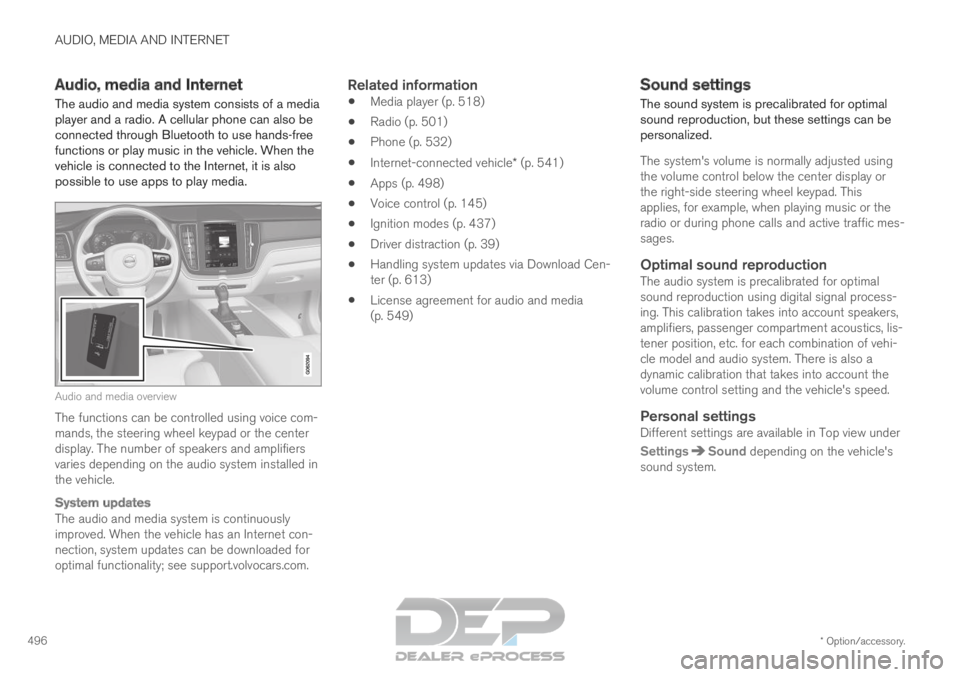
possible to use apps to play media. Audio and media overview
The functions can be controlled using voice com-
mands, the steering wheel keypad or the center
display. The number of speakers and amplifiers
varies depending on the audio system installed in
the vehicle.
System updates
The audio and media system is continuously
improved. When the vehicle has an Internet con-
nection, system updates can be downloaded for
optimal functionality; see support.volvocars.com.
Related information
Media player (p. 518)
Radio (p. 501)
Phone (p. 532)
Internet-connected vehicle* (p. 541)
Apps (p. 498)
Voice control (p. 145)
Ignition modes (p. 437)
Driver distraction (p. 39)
Handling system updates via Download Cen-
ter (p. 613)
License agreement for audio and media
(p. 549) Sound settings
The sound system is precalibrated for optimal
sound reproduction, but these settings can be
personalized.
The system's volume is normally adjusted using
the volume control below the center display or
the right-side steering wheel keypad. This
applies, for example, when playing music or the
radio or during phone calls and active traffic mes-
sages.
Optimal sound reproductionThe audio system is precalibrated for optimal
sound reproduction using digital signal process-
ing. This calibration takes into account speakers,
amplifiers, passenger compartment acoustics, lis-
tener position, etc. for each combination of vehi-
cle model and audio system. There is also a
dynamic calibration that takes into account the
volume control setting and the vehicle's speed.
Personal settingsDifferent settings are available in Top view under
Settings Sound
depending on the vehicle's
sound system.
Page 526 of 697
AUDIO, MEDIA AND INTERNET
* Option/accessory.
524 Streaming media via Bluetooth
®
The vehicle's media player is equipped with
Bluetooth and can play audio files from
Bluetooth-enabled external devices such as cel-
lular phones and tablets.
In order for the media player to be able to wire-
lessly play audio files from an external device, the
device must be connected to the vehicle via
Bluetooth.
Related information
Connecting a device via Bluetooth ®
(p. 524)
Connecting a phone to the car via Bluetooth
for the first time (p. 533)
Playing media (p. 518)
Compatible file formats for media (p. 526) Connecting a device via Bluetooth
®
Connect a Bluetooth ®
device to the vehicle to
wirelessly play media and give the vehicle an
Internet connection if it is available.
Many cellular phones on the market currently
offer wireless Bluetooth ®
technology, but not all
phones are fully compatible with the vehicle. For
additional information on compatibility, see
support.volvocars.com.
The procedure for connecting a media device is
the same as for connecting a cellular phone to
the vehicle via Bluetooth ®
.
Related information
Streaming media via Bluetooth ®
(p. 524)
Connecting a phone to the car via Bluetooth
for the first time (p. 533)
Playing media (p. 518) Playing media via the USB port
External audio sources, such as an iPod® or
MP3 player, can be connected to the audio sys-
tem via the vehicle's USB port.
Devices with rechargeable batteries can be
charged when they are connected via the USB
port and the ignition is in mode I, II or the engine
is running.
The content on the external source can be read
faster if it only contains data of a compatible for-
mat. Video files can also be played via the USB
port.
Some MP3 players have their own file system
that the vehicle has support for.Related information
Connecting a device via the USB port
(p. 525)
Playing media (p. 518)
Video (p. 522)
Ignition modes (p. 437)
Technical specifications for USB devices
(p. 525)
Apple ®
CarPlay ®
* (p. 527)
Android Auto* (p. 530)
Page 537 of 697
AUDIO, MEDIA AND INTERNET
* Option/accessory.535
Connecting a phone to the car via
Bluetooth automatically
A phone can be automatically connected to the
vehicle via Bluetooth. The phone must have first
been paired with the vehicle.
Only the two most recently connected phones
can be connected automatically.
1.
Activate Bluetooth in the phone before turn-
ing the vehicle's ignition to mode I.
2. Turn the ignition to I or higher.
> The phone will be connected.
Related information
Phone (p. 532)
Connecting a phone to the car via Bluetooth
for the first time (p. 533)
Connecting a phone to the car via Bluetooth
manually (p. 535)
Disconnecting a Bluetooth-connected phone
(p. 536)
Switch between phones connected via Blue-
tooth (p. 536)
Disconnecting Bluetooth-connected devices
(p. 536)
Settings for Bluetooth devices (p. 541)
Internet-connected vehicle* (p. 541)
Connecting the vehicle to the Internet via a
Bluetooth-connected phone (p. 543)
Ignition modes (p. 437)
Connecting a phone to the car via
Bluetooth manually
A phone can be manually connected to the vehi-
cle via Bluetooth. The phone must have first
been paired with the vehicle.
1. Activate Bluetooth in the phone.
2.
Open the phone tile.
> A list of available phones will be displayed.
3. Tap the name of the phone you would like to connect.
> The phone will be connected.
Related information
Phone (p. 532)
Connecting a phone to the car via Bluetooth
for the first time (p. 533)
Connecting a phone to the car via Bluetooth
automatically (p. 535)
Disconnecting a Bluetooth-connected phone
(p. 536)
Switch between phones connected via Blue-
tooth (p. 536)
Disconnecting Bluetooth-connected devices
(p. 536)
Settings for Bluetooth devices (p. 541)
Internet-connected vehicle* (p. 541)
Connecting the vehicle to the Internet via a
Bluetooth-connected phone (p. 543)
Page 573 of 697
WHEELS AND TIRES
}}
* Option/accessory. 571
Calibrating the tire pressure
monitoring system*
In order for the tire pressure monitoring system 9
to function correctly, tire pressure reference val-
ues must be set correctly. This must be done
each time the tires are changed or the tire pres-
sure is adjusted.
For example, when driving with a heavy load or at
high speeds (over 160 km/h (100 mph)), tire
pressure should be adjusted to the Volvo-recom-
mended tire pressure values. The system should
then be recalibrated.
1.
Switch off the ignition.
2. Inflate the tire to the correct inflation pres- sure; see the tire pressure placard on the
driver's side B pillar for recommended pres-
sures for factory-mounted tires.
3. Start the vehicle.
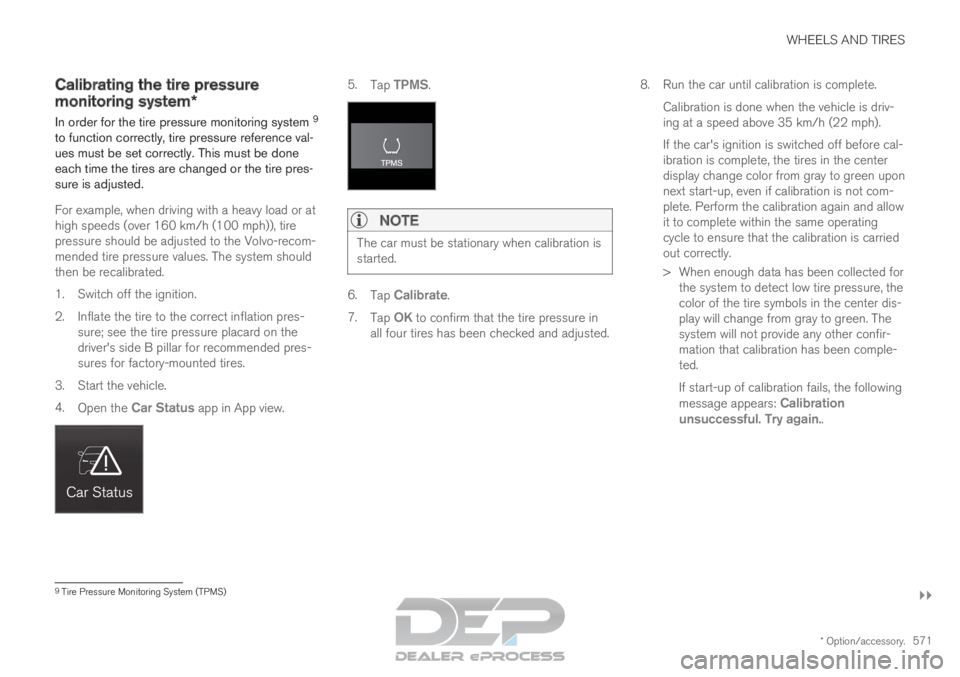
4. Open the Car Status app in App view. 5.
Tap TPMS.NOTE The car must be stationary when calibration is
started.
6.
Tap Calibrate.
7. Tap OK to confirm that the tire pressure in
all four tires has been checked and adjusted. 8.
Run the car until calibration is complete.
Calibration is done when the vehicle is driv-
ing at a speed above 35 km/h (22 mph).
If the car's ignition is switched off before cal-
ibration is complete, the tires in the center
display change color from gray to green upon
next start-up, even if calibration is not com-
plete. Perform the calibration again and allow
it to complete within the same operating
cycle to ensure that the calibration is carried
out correctly.
> When enough data has been collected for the system to detect low tire pressure, the
color of the tire symbols in the center dis-
play will change from gray to green. The
system will not provide any other confir-
mation that calibration has been comple-
ted.
If start-up of calibration fails, the following
message appears: Calibration
unsuccessful. Try again.. 9
Tire Pressure Monitoring System (TPMS)
Page 575 of 697
WHEELS AND TIRES
}}
* Option/accessory. 573
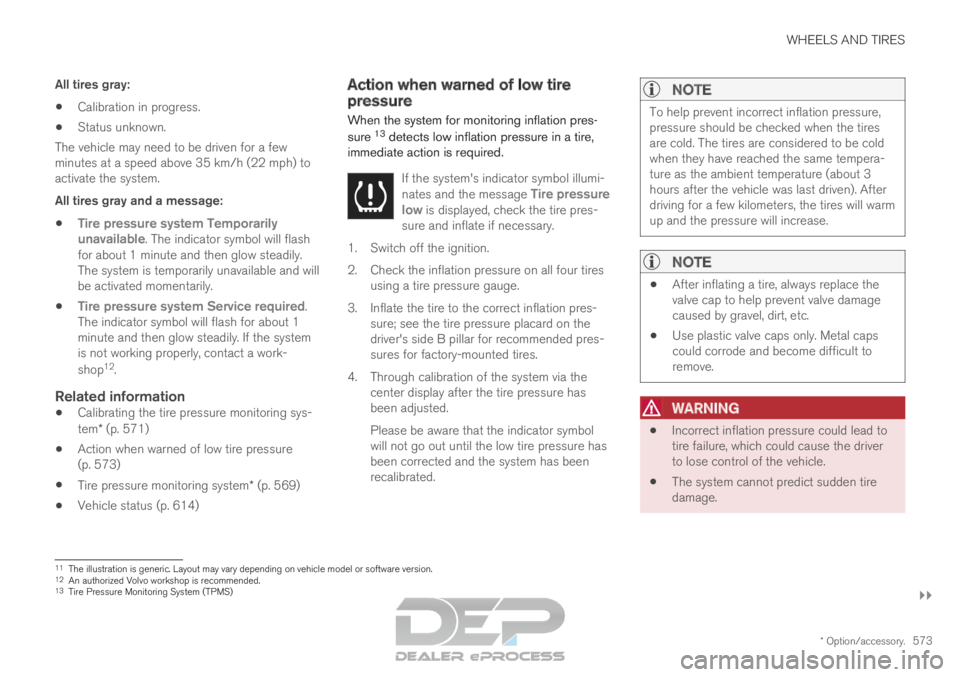
All tires gray:
Calibration in progress.
Status unknown.
The vehicle may need to be driven for a few
minutes at a speed above 35 km/h (22 mph) to
activate the system.
All tires gray and a message:
Tire pressure system Temporarily
unavailable. The indicator symbol will flash
for about 1 minute and then glow steadily.
The system is temporarily unavailable and will
be activated momentarily.
Tire pressure system Service required.
The indicator symbol will flash for about 1
minute and then glow steadily. If the system
is not working properly, contact a work-
shop 12
.
Related information
Calibrating the tire pressure monitoring sys-
tem* (p. 571)
Action when warned of low tire pressure
(p. 573)
Tire pressure monitoring system* (p. 569)
Vehicle status (p. 614) Action when warned of low tire
pressure
When the system for monitoring inflation pres-
sure 13
detects low inflation pressure in a tire,
immediate action is required.
If the system's indicator symbol illumi-
nates and the message Tire pressure
low is displayed, check the tire pres-
sure and inflate if necessary. 1. Switch off the ignition.
2.
Check the inflation pressure on all four tires
using a tire pressure gauge.
3. Inflate the tire to the correct inflation pres- sure; see the tire pressure placard on the
driver's side B pillar for recommended pres-
sures for factory-mounted tires.
4. Through calibration of the system via the center display after the tire pressure has
been adjusted.
Please be aware that the indicator symbol
will not go out until the low tire pressure has
been corrected and the system has been
recalibrated.
NOTE To help prevent incorrect inflation pressure,
pressure should be checked when the tires
are cold. The tires are considered to be cold
when they have reached the same tempera-
ture as the ambient temperature (about 3
hours after the vehicle was last driven). After
driving for a few kilometers, the tires will warm
up and the pressure will increase.
NOTE
After inflating a tire, always replace the
valve cap to help prevent valve damage
caused by gravel, dirt, etc.
Use plastic valve caps only. Metal caps
could corrode and become difficult to
remove.
WARNING
Incorrect inflation pressure could lead to
tire failure, which could cause the driver
to lose control of the vehicle.
The system cannot predict sudden tire
damage. 11
The illustration is generic. Layout may vary depending on vehicle model \
or software version.
12 An authorized Volvo workshop is recommended.
13 Tire Pressure Monitoring System (TPMS)
Page 597 of 697

LOADING, STORAGE AND PASSENGER COMPARTMENT
595Status indicator light
Cause Action
Steady green light
The outlet is providing electrical current to a connected device. None.
Flashing orange light The outlet's voltage converter is too hot (e.g. if the device draws \
too much cur- rent or if the temperature in the passenger compartment is very high). Unplug the device, let the voltage converter cool
down and plug in the device again.
The connected device is drawing too much current (at the moment or con-\
stantly) or is not functioning properly. None. The device cannot be used in the outlet.
Indicator light off The outlet has not detected a device plugged into the outlet. Make sure the device is correctly plugged into
the outlet.
The outlet is not active. Make sure the vehicle's ignition is in at least
mode I.
The outlet has been active but has been deactivated. Start the engine and/or charge the start battery.
Related information
Passenger compartment interior (p. 592)
Using the electrical outlets (p. 596)
Page 598 of 697

LOADING, STORAGE AND PASSENGER COMPARTMENT
* Option/accessory.
596 Using the electrical outlets
The 12 V outlet can be used for devices
intended for this such as MP3 players, coolers
and cellular phones.
The high-voltage outlet* can be used for devices
intended for this, such as chargers, laptops, etc.
The ignition must be in at least mode I for the
outlets to supply current. The outlets will then be
active as long as there is sufficient charge in the
start battery.
If the engine is turned off and the vehicle is
locked, the outlets will be deactivated. If the
engine is turned off and the vehicle remains
unlocked, the sockets will remain active for up to
7 minutes.
NOTE Bear in mind that using the electrical outlets
when the engine is off could cause the starter
battery to have too low of a charge level,
which could limit other functionality.
Accessories connected to the electrical out-
lets can be activated even when the vehicle
electrical system is off or if preconditioning is
used. For this reason, disconnect plugs when
they are not in use to prevent the starter bat-
tery from becoming discharged.
WARNING
Do not use accessories with large or
heavy plugs – they could damage the out-
let or come loose while you are driving.
Do not use accessories that could cause
disruptions to e.g. the vehicle's radio
receiver or electrical system.
Position the accessory so that there is no
risk of it injuring the driver or passengers
in the event of heavy braking or a colli-
sion.
Pay attention to connected accessories
as they can generate heat that could burn
passengers or the interior.
Using 12 V outlets1. Remove the stopper (tunnel console) or fold
down the cover (trunk/cargo compartment)
over the socket and plug in the device.
2. Unplug the device and put the stopper back in (tunnel console) or fold up the cover
(trunk/cargo compartment) when the socket
is not in use or left unattended.
CAUTION The maximum power is 120 W (10 A) per
outlet.
Using high-voltage outletsThe ignition must be in at least mode I for outlets
to supply current. The outlets will then be active
as long as there is sufficient charge in the start
battery.
1. Slide down the cover over the outlet and plug
in the device.
>
The LED 2
light on the outlet will indicate
its status.
2. The outlet is supplying electrical current when the light is glowing steadily green.
3. Disconnect the device by pulling out the plug (do not pull on the cord).
Pull up the cover when the outlet is not in
use or is left unattended.
CAUTION The maximum power is 150 W.
WARNING
Do not attempt to alter or repair the high-volt-
age outlet on your own. Volvo recommends
contacting an authorized Volvo workshop.
2
LED (Light Emitting Diode)
Page 599 of 697

LOADING, STORAGE AND PASSENGER COMPARTMENT
597
WARNING
Only use accessories that are not dam-
aged or malfunctioning. The accessories
must be designed for 120 V and 60 Hz,
with plugs intended for the outlet. The
accessories must be CE marked, UL
marked or have an equivalent safety
marking.
New let outlets, plugs or accessories
come into contact with water or another
fluid. Do not touch or use the outlet if it
appears damaged or has been in contact
with water or another fluid.
Do not connect power strips, adapters or
extension cords to the outlet has this
could cause the outlet's safety functions
to malfunction.
The outlet is equipped with a pet guard.
Make sure that no one picks at or dam-
ages the outlet in such a way that the
guard is disabled. Children should not be
left unsupervised in the vehicle when the
outlet is active.
Failure to follow the above could lead to
severe or fatal electrical shocks.
Related information
Electrical outlets (p. 594)
Passenger compartment interior (p. 592) Using the glove compartment
The glove compartment is located on the pas-
senger side. The glove compartment can be
used to store the Owner's Manual, maps, etc.
There is also room for a pen and a card holder. Glove compartment and opening button on the center
console.
The glove compartment is opened by pressing
the opening button in the center console.
Locking and unlocking the glove box
The glove compartment can be locked ("private
locking") when the vehicle is left at a workshop,
hotel, etc. When private locking is activated, the
tailgate is also locked.
Using the glove box as a cooled area
The glove compartment can be used to cool e.g.
drinks or food. Cooling is possible when the cli-mate system is active (i.e. when the ignition is in
mode II or when the engine is running).
The illustration is generic – the design may vary.
Activate cooling
Deactivate cooling
– Activate or deactivate cooling by moving the
control as far as possible toward the passen-
ger compartment/glove compartment.
Related information
Passenger compartment interior (p. 592)
Private Locking (p. 271)
Page 624 of 697
MAINTENANCE AND SERVICE
622Engine compartment overview
This overview shows some service-related com-
ponents.
Some of the components included in the vehi-
cle's electric drive system are located in the
engine compartment. Exercise caution when
accessing the engine compartment and only
touch what is required for normal maintenance.
WARNING Orange wiring may only be handled by quali-
fied personnel.
WARNING
Several components in the vehicle work with
high voltage that can be hazardous in case of
an incorrect procedure.
Do not touch anything that is not clearly
described in this Owner's Manual.
Be careful when checking/filling fluids in
the engine compartment. The layout of the engine compartment may vary depend-
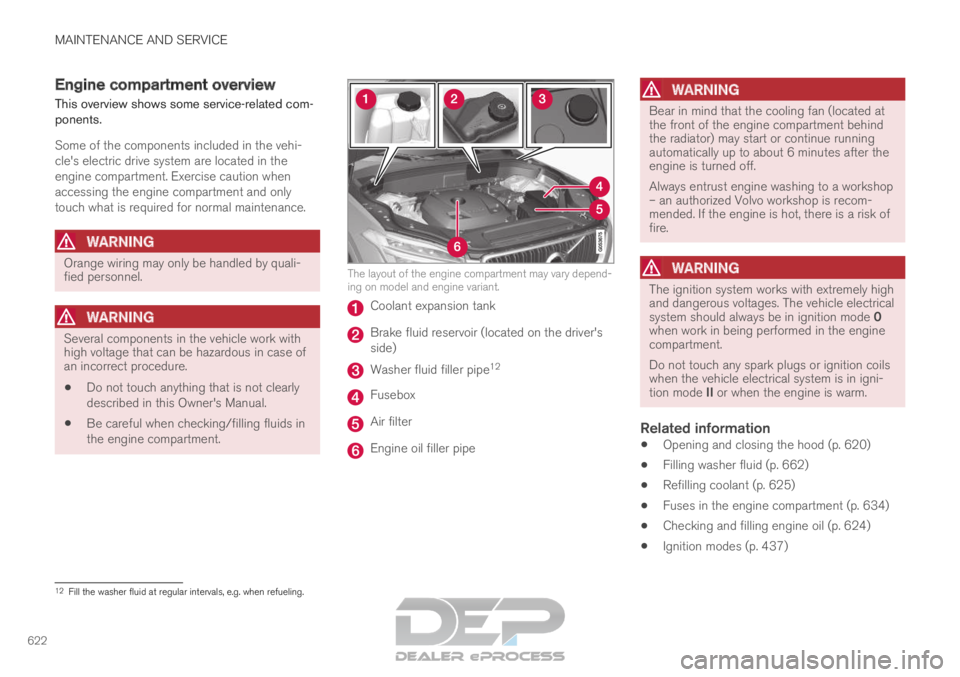
ing on model and engine variant.
Coolant expansion tank
Brake fluid reservoir (located on the driver's
side)
Washer fluid filler pipe
12 Fusebox
Air filter
Engine oil filler pipe
WARNING Bear in mind that the cooling fan (located at
the front of the engine compartment behind
the radiator) may start or continue running
automatically up to about 6 minutes after the
engine is turned off.
Always entrust engine washing to a workshop
– an authorized Volvo workshop is recom-
mended. If the engine is hot, there is a risk of
fire.
WARNING
The ignition system works with extremely high
and dangerous voltages. The vehicle electrical
system should always be in ignition mode 0
when work in being performed in the engine
compartment.
Do not touch any spark plugs or ignition coils
when the vehicle electrical system is in igni-
tion mode II or when the engine is warm.
Related information
Opening and closing the hood (p. 620)
Filling washer fluid (p. 662)
Refilling coolant (p. 625)
Fuses in the engine compartment (p. 634)
Checking and filling engine oil (p. 624)
Ignition modes (p. 437) 12
Fill the washer fluid at regular intervals, e.g. when refueling.