change wheel VOLVO XC90 TWIN ENGINE 2019 Service Manual
[x] Cancel search | Manufacturer: VOLVO, Model Year: 2019, Model line: XC90 TWIN ENGINE, Model: VOLVO XC90 TWIN ENGINE 2019Pages: 697, PDF Size: 10.33 MB
Page 467 of 697
STARTING AND DRIVING
465
NOTEWhen LSC with HDC is activated in the OFF
ROAD drive mode, the feel of the accelerator
pedal and engine response will change.
NOTE
This drive mode is not designed to be used
for normal street driving.
NOTE
The function is deactivated when driving at
high speeds and must be reactivated at lower
speeds if so desired.
Related information
Activating and deactivating Low Speed Con-
trol using the function button (p. 465)
Changing drive mode (p. 459)
Hill Descent Control (p. 466)
All Wheel Drive (AWD) (p. 452) Activating and deactivating Low
Speed Control using the function
button
There is a function button for driving at low
speeds with Hill Descent Control in the center
display's Function view if the vehicle is not
equipped with a drive mode control in the tunnel
console.
Selecting Low Speed Control in the
center display's Function view
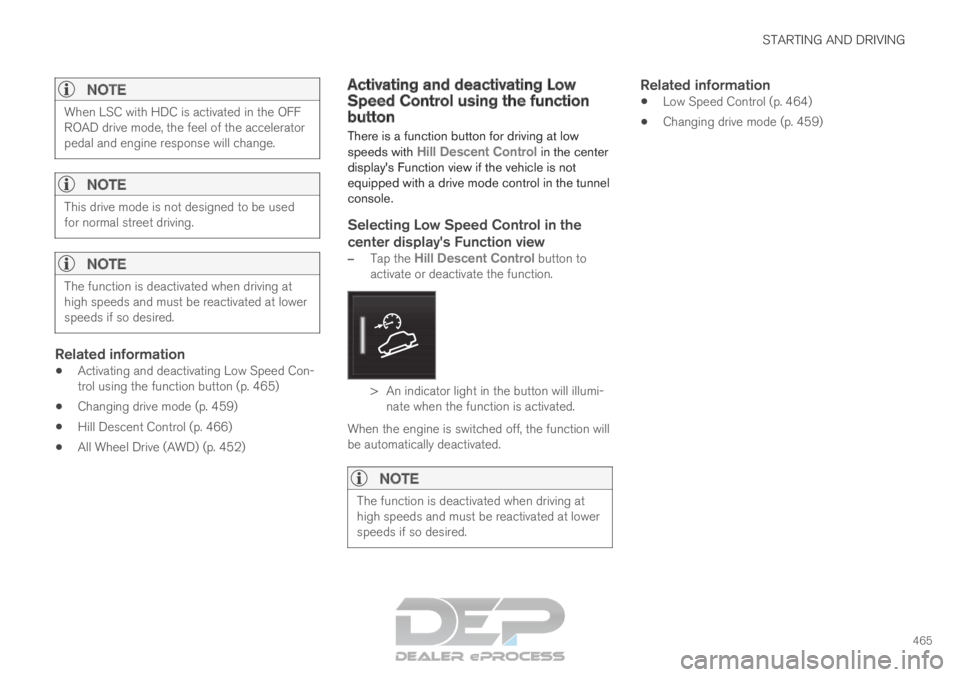
– Tap the Hill Descent Control button to
activate or deactivate the function. > An indicator light in the button will illumi-
nate when the function is activated.
When the engine is switched off, the function will
be automatically deactivated.
NOTE The function is deactivated when driving at
high speeds and must be reactivated at lower
speeds if so desired.
Related information
Low Speed Control (p. 464)
Changing drive mode (p. 459)
Page 468 of 697
STARTING AND DRIVING
466Hill Descent Control
The function for assisting when driving downhill,
Hill Descent Control (HDC), is a low-speed
function with increased engine braking. The
function makes it possible to increase or
decrease the vehicle's speed on steep downhill
gradients by only using the accelerator pedal,
without applying the brakes.
The function is included in the Off Road drive
mode.
HDC is designed for driving on rough roads at
low speeds and downhill gradients with slippery
or otherwise difficult road surfaces. The driver
does not need to use the brake pedal but can
instead focus on steering.
WARNING
HDC is only intended to be a supplementary
braking aid and it does not function in all sit-
uations.
The driver is always ultimately responsible for
operating the vehicle in a safe manner.
FunctionHill Descent Control allows the vehicle to move
forward or backward at very low speeds assisted
by the brake system. The driver can increase the
speed by pressing the accelerator pedal. When
the accelerator pedal is released, the vehicle will
return to very low speed regardless of how steep the hill is and without the brakes needing to be
applied. The brake lights will illuminate when the
function is activated.
The driver can brake to stop or slow the vehicle
at any time by depressing the brake pedal.
HDC is activated along with Low Speed Control
(LSC), which facilitates and improves traction and
control on rough and slippery surfaces. The sys-
tem is intended to be used at low speeds, up to
approximately 40 km/h (25 mph).
To keep in mind when using HDC
If the function is switched off while driving on
a steep downhill gradient, braking effect will
be gradually reduced.
HDC can be used in gear positions D and R,
and in manual gears 1 or 2.
It is not possible to manually shift to third
gear or higher when HDC is active.
NOTE When LSC with HDC is activated in the OFF
ROAD drive mode, the feel of the accelerator
pedal and engine response will change.
NOTE
This drive mode is not designed to be used
for normal street driving.
NOTE The function is deactivated when driving at
high speeds and must be reactivated at lower
speeds if so desired.
Related information
Activating and deactivating Hill Descent Con-
trol using the function button (p. 467)
Changing drive mode (p. 459)
Low Speed Control (p. 464)
All Wheel Drive (AWD) (p. 452)
Page 504 of 697
AUDIO, MEDIA AND INTERNET
502
Changing waveband and radio station
(p. 502)
Storing radio favorites (p. 503)
Radio settings (p. 504)
Voice control for radio and media (p. 148) Changing waveband and radio
station
Instructions for changing wavebands, waveband
lists and radio stations in the selected list are
provided here.
Changing wavebandsSwipe from App view on the center display and
select the desired waveband (e.g. FM) or open
the App menu in the instrument panel with the
right-side steering wheel keypad and make your
selection there.
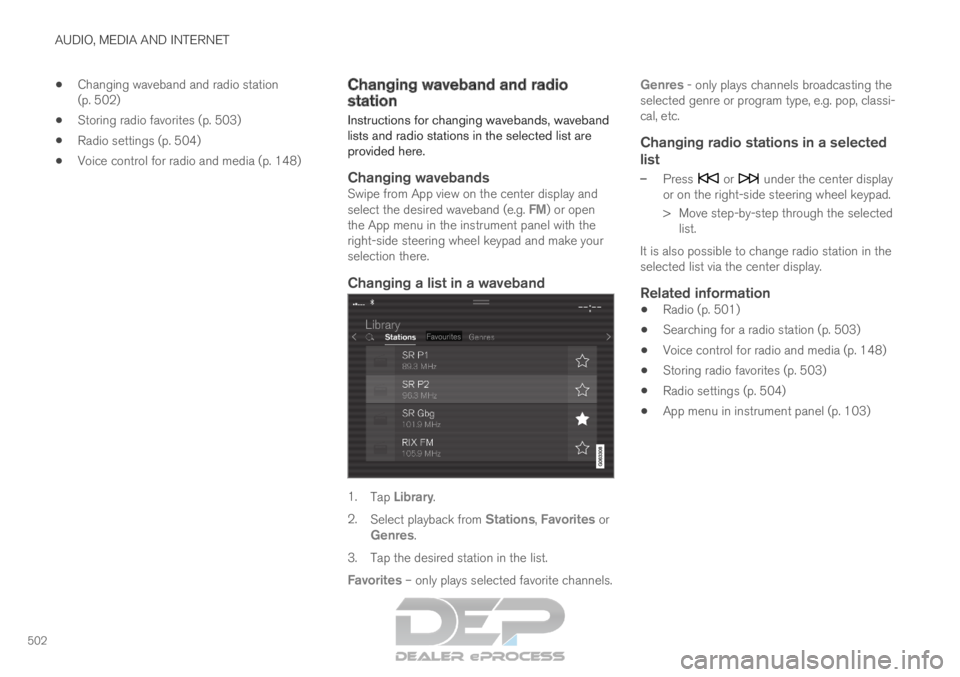
Changing a list in a waveband 1.
Tap Library.
2. Select playback from Stations, Favorites or
Genres.
3.
Tap the desired station in the list.
Favorites – only plays selected favorite channels. Genres - only plays channels broadcasting the
selected genre or program type, e.g. pop, classi-
cal, etc.
Changing radio stations in a selected
list
– Press or under the center display
or on the right-side steering wheel keypad.
>
Move step-by-step through the selected
list.
It is also possible to change radio station in the
selected list via the center display.
Related information
Radio (p. 501)
Searching for a radio station (p. 503)
Voice control for radio and media (p. 148)
Storing radio favorites (p. 503)
Radio settings (p. 504)
App menu in instrument panel (p. 103)
Page 505 of 697
AUDIO, MEDIA AND INTERNET
}}
503
Searching for a radio station
The radio automatically compiles a list of the
radio stations that are sending out the strongest
signals in the vehicle's current location. Searching is performed in different ways depend-
ing on the waveband selected:
FM, stations, genres and frequency.
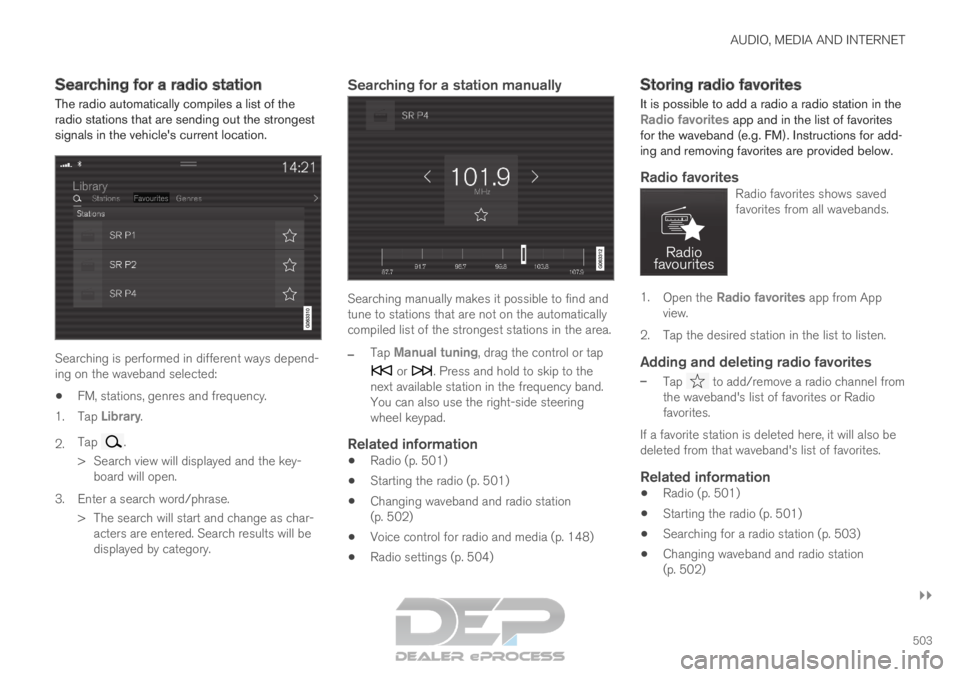
1. Tap Library.
2. Tap .
>
Search view will displayed and the key-
board will open.
3. Enter a search word/phrase. > The search will start and change as char-acters are entered. Search results will be
displayed by category.
Searching for a station manually Searching manually makes it possible to find and
tune to stations that are not on the automatically
compiled list of the strongest stations in the area.
–
Tap
Manual tuning, drag the control or tap or . Press and hold to skip to the
next available station in the frequency band.
You can also use the right-side steering
wheel keypad.
Related information
Radio (p. 501)
Starting the radio (p. 501)
Changing waveband and radio station
(p. 502)
Voice control for radio and media (p. 148)
Radio settings (p. 504) Storing radio favorites
It is possible to add a radio a radio station in the Radio favorites app and in the list of favorites
for the waveband (e.g. FM). Instructions for add-
ing and removing favorites are provided below.
Radio favoritesRadio favorites shows saved
favorites from all wavebands. 1.
Open the Radio favorites app from App
view.
2.
Tap the desired station in the list to listen.
Adding and deleting radio favorites
– Tap to add/remove a radio channel from
the waveband's list of favorites or Radio
favorites.
If a favorite station is deleted here, it will also be
deleted from that waveband's list of favorites.
Related information
Radio (p. 501)
Starting the radio (p. 501)
Searching for a radio station (p. 503)
Changing waveband and radio station
(p. 502)
Page 522 of 697
AUDIO, MEDIA AND INTERNET
520Controlling and changing media
Media playback can be controlled using voice
commands, the steering wheel keypad or the
center display.
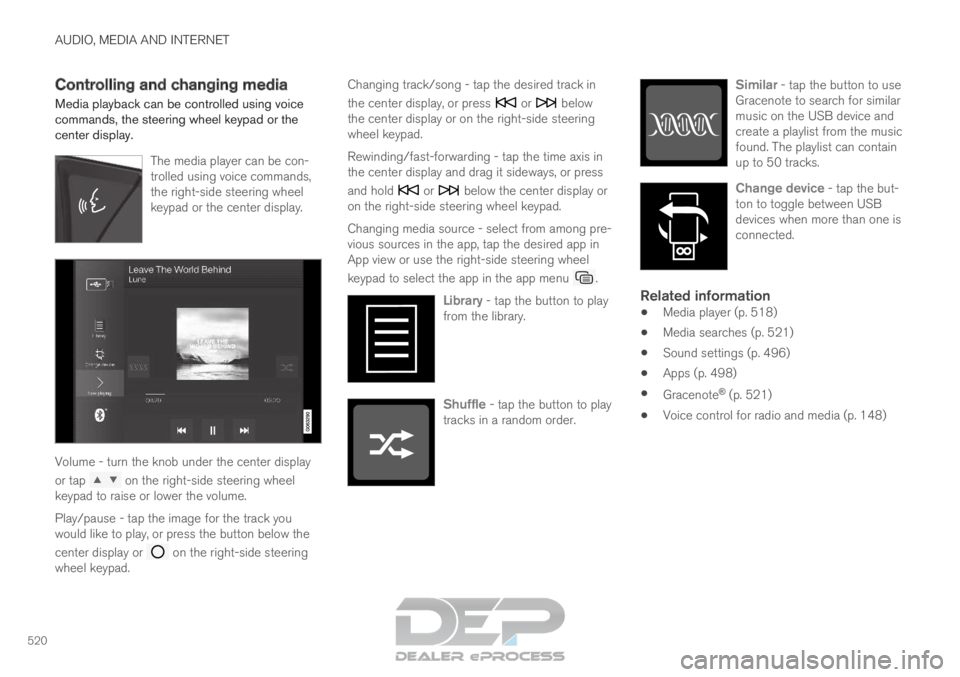
The media player can be con-
trolled using voice commands,
the right-side steering wheel
keypad or the center display.Volume - turn the knob under the center display
or tap
on the right-side steering wheel
keypad to raise or lower the volume.
Play/pause - tap the image for the track you
would like to play, or press the button below the
center display or on the right-side steering
wheel keypad. Changing track/song - tap the desired track in
the center display, or press or below
the center display or on the right-side steering
wheel keypad.
Rewinding/fast-forwarding - tap the time axis in
the center display and drag it sideways, or press
and hold or below the center display or
on the right-side steering wheel keypad.
Changing media source - select from among pre-
vious sources in the app, tap the desired app in
App view or use the right-side steering wheel
keypad to select the app in the app menu .
Library - tap the button to play
from the library. Shuffle - tap the button to play
tracks in a random order. Similar - tap the button to use
Gracenote to search for similar
music on the USB device and
create a playlist from the music
found. The playlist can contain
up to 50 tracks. Change device - tap the but-
ton to toggle between USB
devices when more than one is
connected.
Related information
Media player (p. 518)
Media searches (p. 521)
Sound settings (p. 496)
Apps (p. 498)
Gracenote ®
(p. 521)
Voice control for radio and media (p. 148)
Page 569 of 697
WHEELS AND TIRES
* Option/accessory.567
Checking tire pressure
Correct inflation pressure helps improve driving
stability, save fuel and increase the service life of
the tires.
Tire pressure decreases over time, which is nor-
mal. Tire pressure also varies depending on the
ambient temperature. Driving on under-inflated
tires could cause the vehicle to overheat and lead
to damage. Tire pressure affects traveling com-
fort, road noise and driving characteristics.
Check the pressure in the tires every month. Use
the recommended inflation pressure for cold tires
for optimal tire performance and wear. Under-
inflated or over-inflated tires could cause uneven
tread wear.
Use an air pressure gauge and check the infla-
tion pressure on all the tires, including the spare
tire 4
, at least once a month and before long trips.
Volvo strongly recommends buying a reliable air
pressure gauge, as the automatic gauges provi-
ded at service stations may be inaccurate.
WARNING
Under-inflation is the most common
cause of tire failure and may result in
severe tire cracking, tread separation, or
"blow-out," with unexpected loss of vehi-
cle control and increased risk of injury.
Under-inflated tires reduce the load car-
rying capacity of your vehicle.
Cold tiresInflation pressure should be checked when the
tires are cold.
The tires are considered to be cold when they
have the same temperature as the surrounding
(ambient) air.
This temperature is normally reached after the
vehicle has been parked for at least 3 hours.
After driving for approximately 1.6 km (1 mile),
the tires are considered to be warm. If you need
to drive longer than that to inflate the tires, check
and record the inflation pressure of the tires first
and inflate accordingly when you arrive at the
pump.
When the ambient temperature changes, so does
the inflation pressure. A 10-degree temperature
drop causes a corresponding drop in inflation
pressure of 1 psi (7 kPa). Check the inflation
pressure of the tires regularly and adjust to the correct pressure, which can be found on the vehi-
cle's tire information placard or certification label.
If you check inflation pressure when the tires are
warm, you should never release air. The tires
become warm after driving and it is normal for
warm tires to have an inflation pressure above
the recommended pressure for cold tires. A warm
tire with an inflation pressure equal to or under
the recommended pressure for cold tires could
be significantly under-inflated.Related information
Adjusting tire pressure (p. 568)
Recommended tire pressure (p. 569)
Tire pressure monitoring system* (p. 569)
Tires (p. 560) 4
Not available in all models.
Page 571 of 697
WHEELS AND TIRES
}}
* Option/accessory. 569
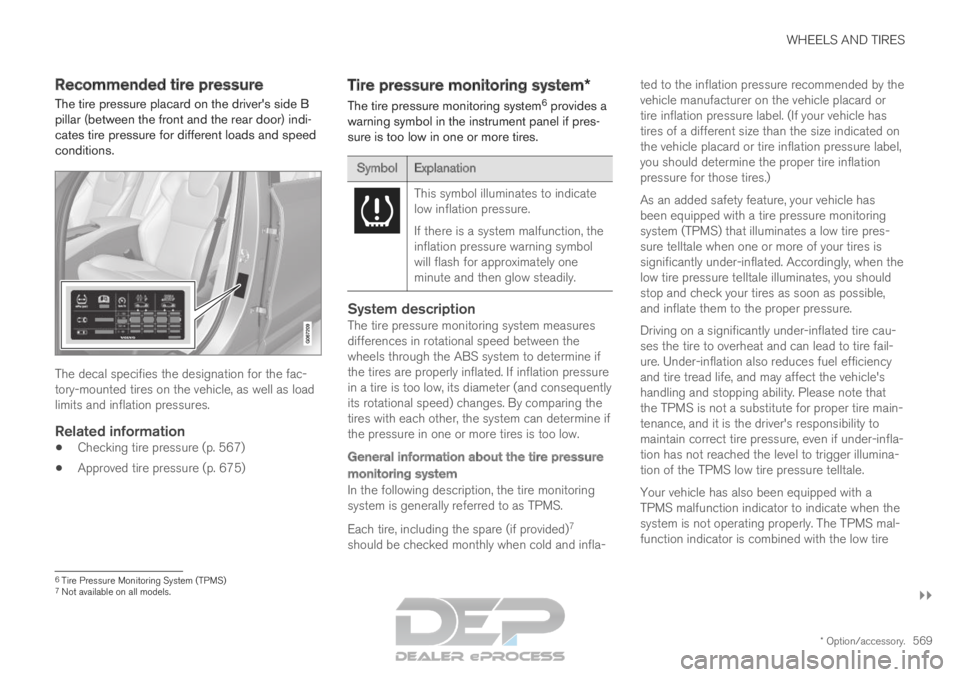
Recommended tire pressure
The tire pressure placard on the driver's side B
pillar (between the front and the rear door) indi-
cates tire pressure for different loads and speed
conditions. The decal specifies the designation for the fac-
tory-mounted tires on the vehicle, as well as load
limits and inflation pressures.
Related information
Checking tire pressure (p. 567)
Approved tire pressure (p. 675) Tire pressure monitoring system*
The tire pressure monitoring system 6
provides a
warning symbol in the instrument panel if pres-
sure is too low in one or more tires. Symbol
Explanation This symbol illuminates to indicate
low inflation pressure.
If there is a system malfunction, the
inflation pressure warning symbol
will flash for approximately one
minute and then glow steadily.
System descriptionThe tire pressure monitoring system measures
differences in rotational speed between the
wheels through the ABS system to determine if
the tires are properly inflated. If inflation pressure
in a tire is too low, its diameter (and consequently
its rotational speed) changes. By comparing the
tires with each other, the system can determine if
the pressure in one or more tires is too low.
General information about the tire pressure
monitoring system
In the following description, the tire monitoring
system is generally referred to as TPMS.
Each tire, including the spare (if provided)
7
should be checked monthly when cold and infla- ted to the inflation pressure recommended by the
vehicle manufacturer on the vehicle placard or
tire inflation pressure label. (If your vehicle has
tires of a different size than the size indicated on
the vehicle placard or tire inflation pressure label,
you should determine the proper tire inflation
pressure for those tires.)
As an added safety feature, your vehicle has
been equipped with a tire pressure monitoring
system (TPMS) that illuminates a low tire pres-
sure telltale when one or more of your tires is
significantly under-inflated. Accordingly, when the
low tire pressure telltale illuminates, you should
stop and check your tires as soon as possible,
and inflate them to the proper pressure.
Driving on a significantly under-inflated tire cau-
ses the tire to overheat and can lead to tire fail-
ure. Under-inflation also reduces fuel efficiency
and tire tread life, and may affect the vehicle's
handling and stopping ability. Please note that
the TPMS is not a substitute for proper tire main-
tenance, and it is the driver's responsibility to
maintain correct tire pressure, even if under-infla-
tion has not reached the level to trigger illumina-
tion of the TPMS low tire pressure telltale.
Your vehicle has also been equipped with a
TPMS malfunction indicator to indicate when the
system is not operating properly. The TPMS mal-
function indicator is combined with the low tire
6
Tire Pressure Monitoring System (TPMS)
7 Not available on all models.
Page 573 of 697
WHEELS AND TIRES
}}
* Option/accessory. 571
Calibrating the tire pressure
monitoring system*
In order for the tire pressure monitoring system 9
to function correctly, tire pressure reference val-
ues must be set correctly. This must be done
each time the tires are changed or the tire pres-
sure is adjusted.
For example, when driving with a heavy load or at
high speeds (over 160 km/h (100 mph)), tire
pressure should be adjusted to the Volvo-recom-
mended tire pressure values. The system should
then be recalibrated.
1.
Switch off the ignition.
2. Inflate the tire to the correct inflation pres- sure; see the tire pressure placard on the
driver's side B pillar for recommended pres-
sures for factory-mounted tires.
3. Start the vehicle.
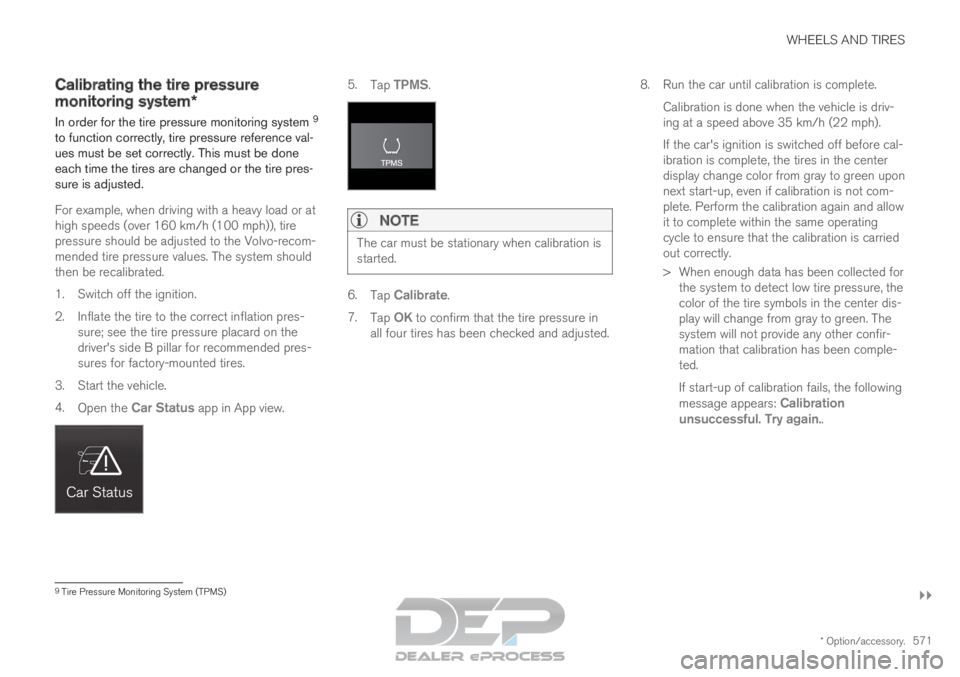
4. Open the Car Status app in App view. 5.
Tap TPMS.NOTE The car must be stationary when calibration is
started.
6.
Tap Calibrate.
7. Tap OK to confirm that the tire pressure in
all four tires has been checked and adjusted. 8.
Run the car until calibration is complete.
Calibration is done when the vehicle is driv-
ing at a speed above 35 km/h (22 mph).
If the car's ignition is switched off before cal-
ibration is complete, the tires in the center
display change color from gray to green upon
next start-up, even if calibration is not com-
plete. Perform the calibration again and allow
it to complete within the same operating
cycle to ensure that the calibration is carried
out correctly.
> When enough data has been collected for the system to detect low tire pressure, the
color of the tire symbols in the center dis-
play will change from gray to green. The
system will not provide any other confir-
mation that calibration has been comple-
ted.
If start-up of calibration fails, the following
message appears: Calibration
unsuccessful. Try again.. 9
Tire Pressure Monitoring System (TPMS)
Page 574 of 697
||WHEELS AND TIRES
* Option/accessory.
572
NOTE Always remember to calibrate the Tire Pres-
sure Monitoring System when the wheels
have been changed or the tire inflation pres-
sure has been corrected according to the tire
pressure decal or tire inflation pressure table.
If correct reference values have not been set,
the system cannot issue low tire pressure
alerts correctly.
The vehicle must be stationary with the
engine running to access the calibration but-
ton and to start the calibration process.
WARNING
The exhaust gases contain carbon monoxide,
which is invisible and odorless but very poi-
sonous. For this reason, always perform the
calibration procedure outdoors or in a work-
shop with exhaust gas evacuation equipment.
Related information
Recommended tire pressure (p. 569)
Adjusting tire pressure (p. 568)
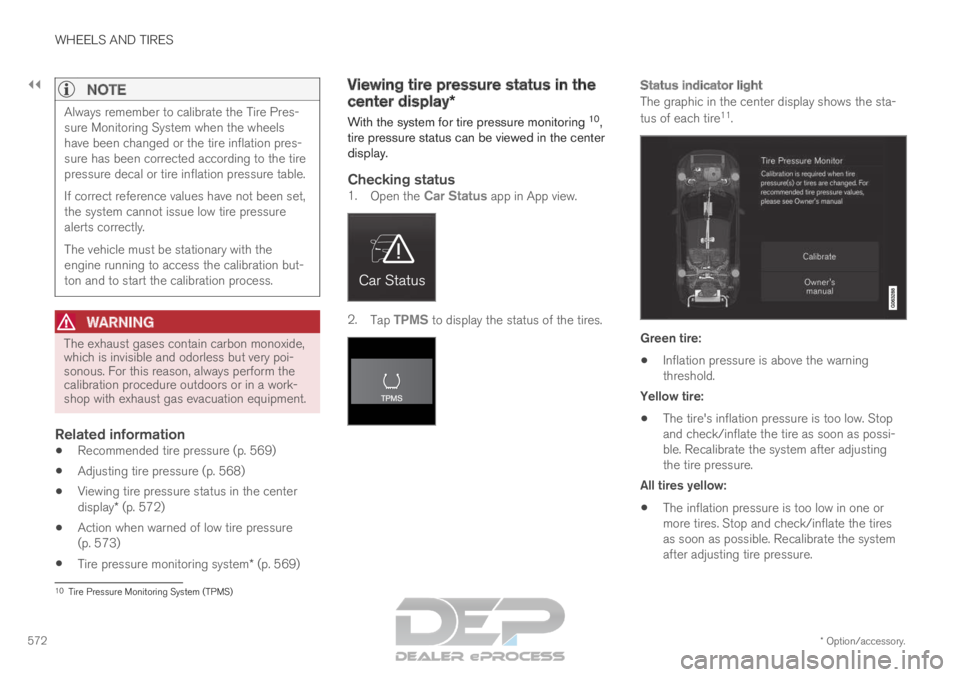
Viewing tire pressure status in the center
display* (p. 572)
Action when warned of low tire pressure
(p. 573)
Tire pressure monitoring system* (p. 569) Viewing tire pressure status in the
center display*
With the system for tire pressure monitoring 10
,
tire pressure status can be viewed in the center
display.
Checking status1. Open the Car Status app in App view. 2.
Tap TPMS to display the status of the tires.
Status indicator light
The graphic in the center display shows the sta-
tus of each tire 11
. Green tire:
Inflation pressure is above the warning
threshold.
Yellow tire:
The tire's inflation pressure is too low. Stop
and check/inflate the tire as soon as possi-
ble. Recalibrate the system after adjusting
the tire pressure.
All tires yellow:
The inflation pressure is too low in one or
more tires. Stop and check/inflate the tires
as soon as possible. Recalibrate the system
after adjusting tire pressure. 10
Tire Pressure Monitoring System (TPMS)
Page 576 of 697

||WHEELS AND TIRES
* Option/accessory.
574
Related information
Recommended tire pressure (p. 569)
Adjusting tire pressure (p. 568)
Calibrating the tire pressure monitoring sys-
tem* (p. 571)
Viewing tire pressure status in the center
display* (p. 572)
Tire pressure monitoring system* (p. 569)
Inflate tires with the compressor included in
the tire sealing system (p. 587) When changing wheels
The wheels can be changed, e.g. to switch to
snow tires or spare tires. Follow the applicable
instructions for removing and installing the
wheel.
Changing to tires of another dimensionMake sure that the tire dimension is approved for
use on the vehicle.
If you change to tires of another dimension, con-
tact an authorized Volvo workshop to update the
vehicle's software. A software update may be
necessary when changing to tires of larger/
smaller dimensions or when changing to or from
snow tires.
Related information
Removing a wheel (p. 576)
Installing a wheel (p. 578)
Tool kit (p. 574)
Snow tires (p. 581)
Spare wheel (p. 579)
Wheel bolts (p. 575) Tool kit
Tools for e.g. towing or changing wheels are
provided in the vehicle's cargo compartment.
The foam block under the cargo compartment
floor contains the towing eyelet, the tire sealing
system, the tool for removing plastic wheel bolt
covers and the tool for removing the locking
wheel bolts.
If the vehicle is equipped with a spare wheel*
14
, a
jack, lug wrench, and a package with
disposable gloves and a bag for the damaged
wheel are also provided.
Related information
When changing wheels (p. 574)
Jack* (p. 575) 14
Not available on all models.