instrument panel VOLVO XC90 TWIN ENGINE 2020 Owners Manual
[x] Cancel search | Manufacturer: VOLVO, Model Year: 2020, Model line: XC90 TWIN ENGINE, Model: VOLVO XC90 TWIN ENGINE 2020Pages: 693, PDF Size: 13.34 MB
Page 412 of 693
HYBRID INFORMATION
410
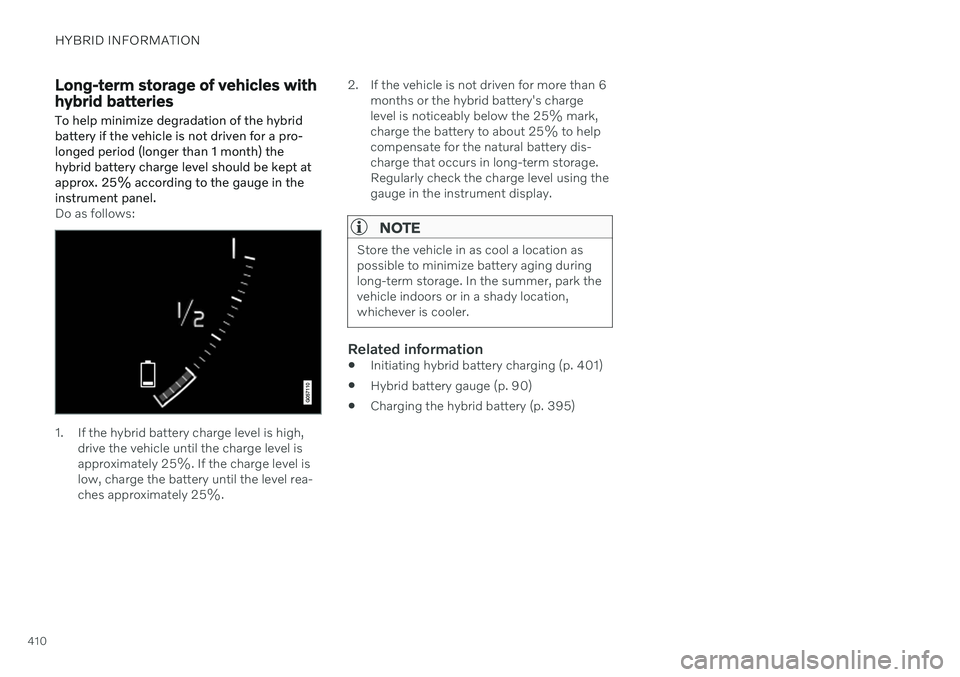
Long-term storage of vehicles with hybrid batteries To help minimize degradation of the hybrid battery if the vehicle is not driven for a pro-longed period (longer than 1 month) thehybrid battery charge level should be kept atapprox. 25% according to the gauge in theinstrument panel.
Do as follows:
1. If the hybrid battery charge level is high,drive the vehicle until the charge level is approximately 25%. If the charge level islow, charge the battery until the level rea-ches approximately 25%. 2. If the vehicle is not driven for more than 6
months or the hybrid battery's chargelevel is noticeably below the 25% mark,charge the battery to about 25% to helpcompensate for the natural battery dis-charge that occurs in long-term storage.Regularly check the charge level using thegauge in the instrument display.
NOTE
Store the vehicle in as cool a location as possible to minimize battery aging duringlong-term storage. In the summer, park thevehicle indoors or in a shady location,whichever is cooler.
Related information
Initiating hybrid battery charging (p. 401)
Hybrid battery gauge (p. 90)
Charging the hybrid battery (p. 395)
Page 414 of 693
STARTING AND DRIVING
* Option/accessory.
412
Starting the vehicle
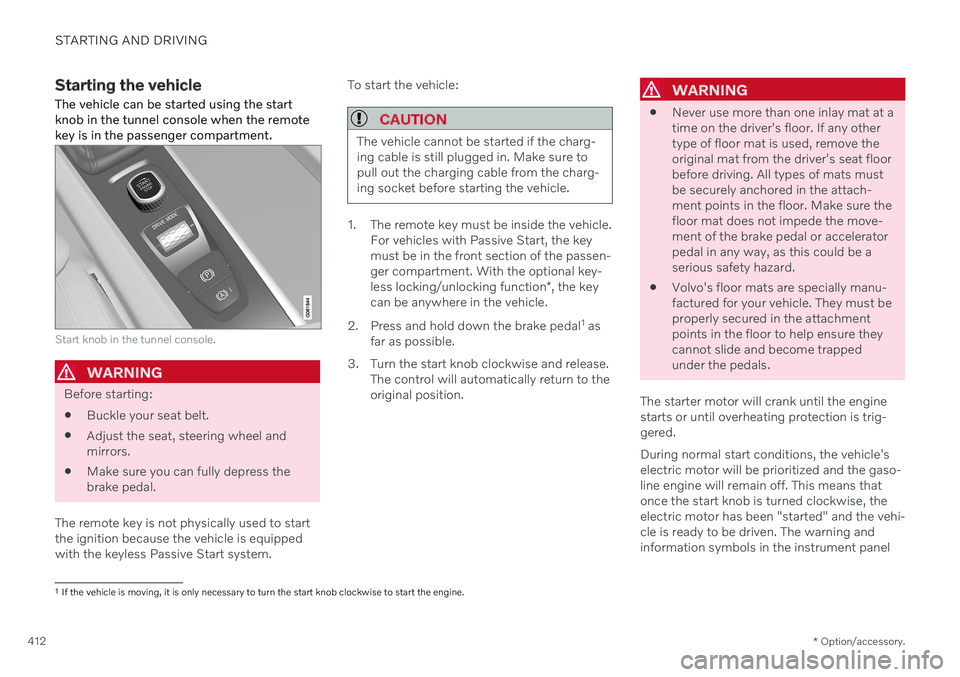
The vehicle can be started using the start knob in the tunnel console when the remotekey is in the passenger compartment.
Start knob in the tunnel console.
WARNING
Before starting:
Buckle your seat belt.
Adjust the seat, steering wheel and mirrors.
Make sure you can fully depress thebrake pedal.
The remote key is not physically used to startthe ignition because the vehicle is equippedwith the keyless Passive Start system. To start the vehicle:
CAUTION
The vehicle cannot be started if the charg- ing cable is still plugged in. Make sure topull out the charging cable from the charg-ing socket before starting the vehicle.
1. The remote key must be inside the vehicle.
For vehicles with Passive Start, the key must be in the front section of the passen-ger compartment. With the optional key- less locking/unlocking function *, the key
can be anywhere in the vehicle.
2. Press and hold down the brake pedal 1
as
far as possible.
3. Turn the start knob clockwise and release. The control will automatically return to the original position.
WARNING
Never use more than one inlay mat at a time on the driver's floor. If any othertype of floor mat is used, remove theoriginal mat from the driver's seat floorbefore driving. All types of mats mustbe securely anchored in the attach-ment points in the floor. Make sure thefloor mat does not impede the move-ment of the brake pedal or acceleratorpedal in any way, as this could be aserious safety hazard.
Volvo's floor mats are specially manu-factured for your vehicle. They must beproperly secured in the attachmentpoints in the floor to help ensure theycannot slide and become trappedunder the pedals.
The starter motor will crank until the enginestarts or until overheating protection is trig-gered. During normal start conditions, the vehicle's electric motor will be prioritized and the gaso-line engine will remain off. This means thatonce the start knob is turned clockwise, theelectric motor has been "started" and the vehi-cle is ready to be driven. The warning andinformation symbols in the instrument panel
1 If the vehicle is moving, it is only necessary to turn the start knob clockwise to start the engine.
Page 415 of 693
STARTING AND DRIVING
}}
413
will go out and the selected theme will be dis- played to indicate that the electric motor isactivated. In some situations, such as in cold weather or if the hybrid battery's charge level is too low,the gasoline engine will start instead.
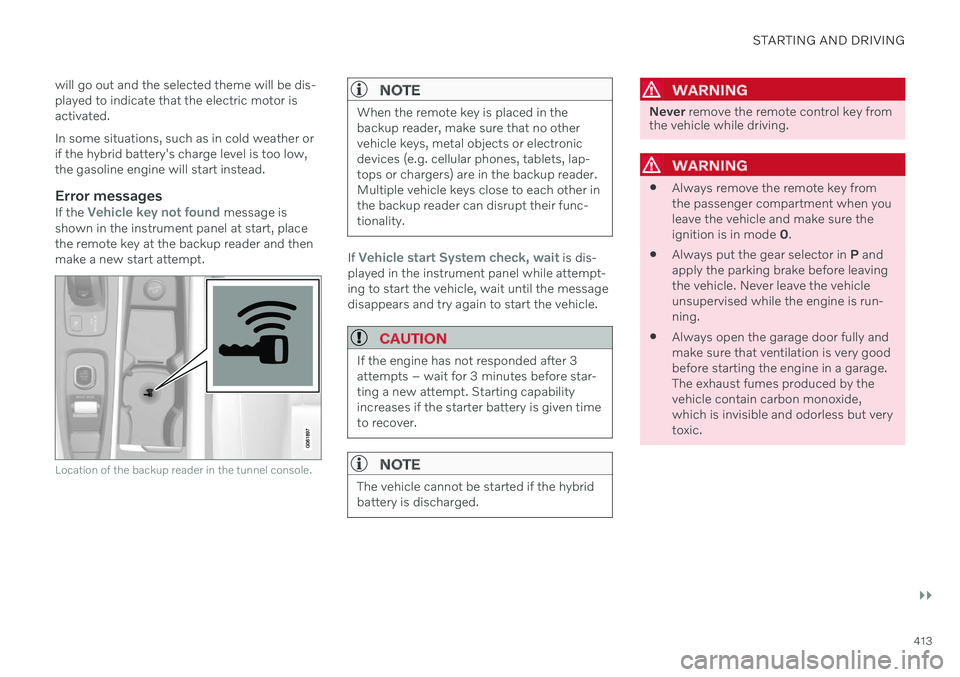
Error messagesIf the Vehicle key not found message is
shown in the instrument panel at start, place the remote key at the backup reader and thenmake a new start attempt.
Location of the backup reader in the tunnel console.
NOTE
When the remote key is placed in the backup reader, make sure that no othervehicle keys, metal objects or electronicdevices (e.g. cellular phones, tablets, lap-tops or chargers) are in the backup reader.Multiple vehicle keys close to each other inthe backup reader can disrupt their func-tionality.
If Vehicle start System check, wait is dis-
played in the instrument panel while attempt- ing to start the vehicle, wait until the messagedisappears and try again to start the vehicle.
CAUTION
If the engine has not responded after 3 attempts – wait for 3 minutes before star-ting a new attempt. Starting capabilityincreases if the starter battery is given timeto recover.
NOTE
The vehicle cannot be started if the hybrid battery is discharged.
WARNING
Never remove the remote control key from
the vehicle while driving.
WARNING
Always remove the remote key from the passenger compartment when youleave the vehicle and make sure theignition is in mode
0.
Always put the gear selector in
P and
apply the parking brake before leavingthe vehicle. Never leave the vehicleunsupervised while the engine is run-ning.
Always open the garage door fully andmake sure that ventilation is very goodbefore starting the engine in a garage.The exhaust fumes produced by thevehicle contain carbon monoxide,which is invisible and odorless but verytoxic.
Page 420 of 693

||
STARTING AND DRIVING
418be felt from the brake pedal when ABS is operating, which is normal. After the vehicle is started, a brief test of the ABS system is automatically performed whenthe driver releases the brake pedal. An addi-tional automatic test of the system may beperformed when the vehicle is traveling at alow speed. During the test, the brake pedalmay feel as though it is pulsating.
Light braking charges the hybrid
battery
When the brakes are applied lightly, the elec-tric motor braking function is used. This con-verts the vehicle's kinetic energy into electricalenergy, which is used to charge the hybridbattery. When the battery is being chargedwith the electric motor braking function, thiswill be indicated in the instrument panel.When the battery is being charged with the electric motor braking function, this will be indicated in theinstrument panel.
This function is active at speeds in the range of 150-5 km/h (93-3 mph). When braking atspeeds outside of this range, or during harderbraking, the hydraulic braking system is usedto augment braking. This is indicated in theinstrument panel with the pointer down in thered area.
Symbols in the instrument panel
Symbol Meaning
A
B Check the brake fluid level. If the level is low, fill brake fluid andcheck to determine the reasonfor the loss of brake fluid.
A
BFault in pedal sensor.
2
Anti-lock Braking System
Page 423 of 693
STARTING AND DRIVING
}}
421
Parking brake
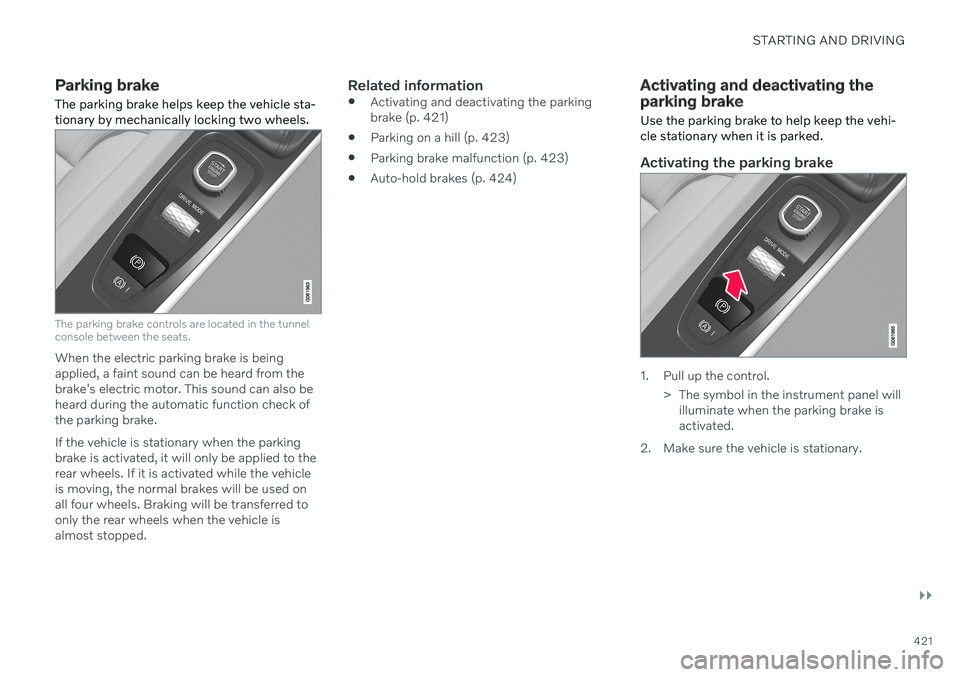
The parking brake helps keep the vehicle sta- tionary by mechanically locking two wheels.
The parking brake controls are located in the tunnel console between the seats.
When the electric parking brake is being applied, a faint sound can be heard from thebrake's electric motor. This sound can also beheard during the automatic function check ofthe parking brake. If the vehicle is stationary when the parking brake is activated, it will only be applied to therear wheels. If it is activated while the vehicleis moving, the normal brakes will be used onall four wheels. Braking will be transferred toonly the rear wheels when the vehicle isalmost stopped.
Related information
Activating and deactivating the parkingbrake (p. 421)
Parking on a hill (p. 423)
Parking brake malfunction (p. 423)
Auto-hold brakes (p. 424)
Activating and deactivating the parking brake
Use the parking brake to help keep the vehi- cle stationary when it is parked.
Activating the parking brake
1. Pull up the control.
> The symbol in the instrument panel willilluminate when the parking brake is activated.
2. Make sure the vehicle is stationary.
Page 424 of 693
||
STARTING AND DRIVING
422
Symbol in the instrument panel
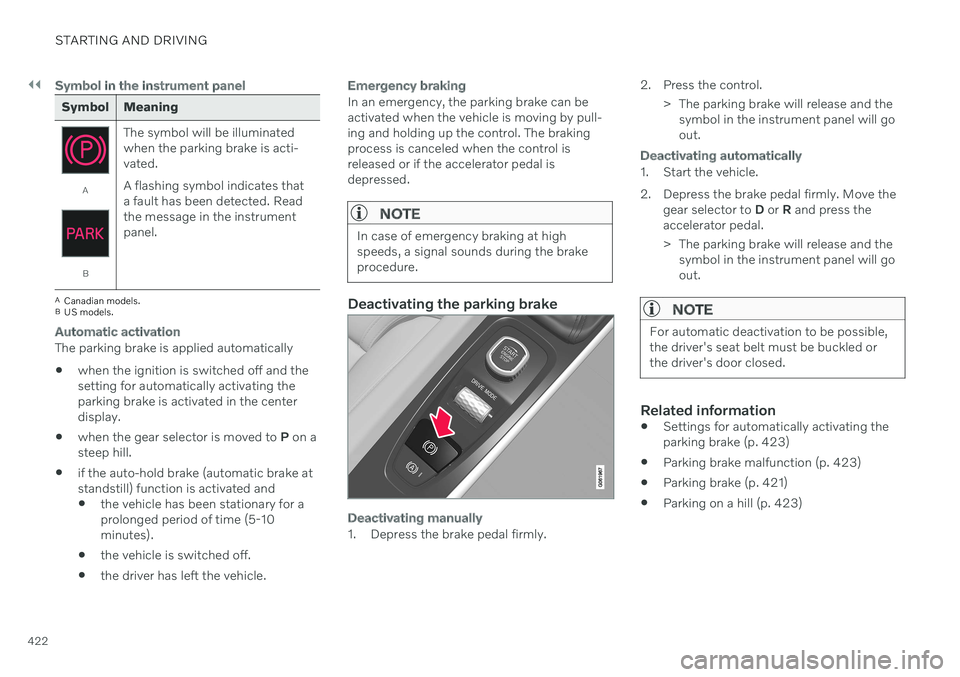
Symbol Meaning
A
BThe symbol will be illuminated when the parking brake is acti-vated. A flashing symbol indicates that a fault has been detected. Readthe message in the instrumentpanel.
A
Canadian models.
B US models.
Automatic activation
The parking brake is applied automatically when the ignition is switched off and the setting for automatically activating theparking brake is activated in the centerdisplay.
when the gear selector is moved to
P on a
steep hill.
if the auto-hold brake (automatic brake atstandstill) function is activated and
the vehicle has been stationary for aprolonged period of time (5-10minutes).
the vehicle is switched off.
the driver has left the vehicle.
Emergency braking
In an emergency, the parking brake can be activated when the vehicle is moving by pull-ing and holding up the control. The brakingprocess is canceled when the control isreleased or if the accelerator pedal isdepressed.
NOTE
In case of emergency braking at high speeds, a signal sounds during the brakeprocedure.
Deactivating the parking brake
Deactivating manually
1. Depress the brake pedal firmly. 2. Press the control.
> The parking brake will release and thesymbol in the instrument panel will go out.
Deactivating automatically
1. Start the vehicle.
2. Depress the brake pedal firmly. Move the gear selector to D or R and press the
accelerator pedal.
> The parking brake will release and the symbol in the instrument panel will go out.
NOTE
For automatic deactivation to be possible, the driver's seat belt must be buckled orthe driver's door closed.
Related information
Settings for automatically activating the parking brake (p. 423)
Parking brake malfunction (p. 423)
Parking brake (p. 421)
Parking on a hill (p. 423)
Page 426 of 693
||
STARTING AND DRIVING
424
Symbols in the instrument panel
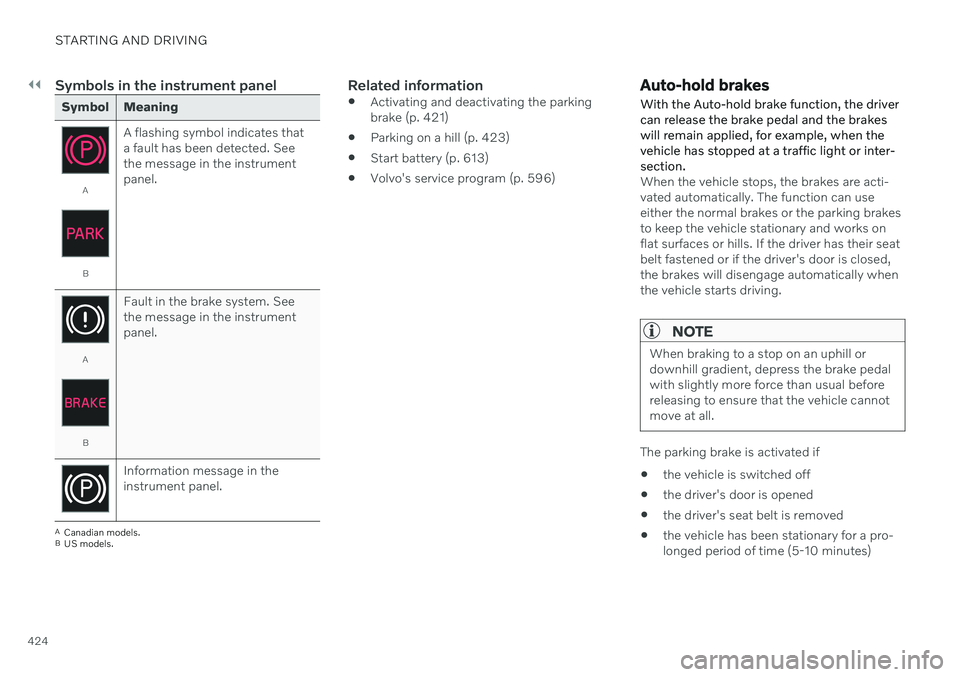
Symbol Meaning
A
BA flashing symbol indicates that a fault has been detected. Seethe message in the instrumentpanel.
A
BFault in the brake system. See the message in the instrumentpanel.
Information message in the instrument panel.
A
Canadian models.
B US models.
Related information
Activating and deactivating the parking brake (p. 421)
Parking on a hill (p. 423)
Start battery (p. 613)
Volvo's service program (p. 596)
Auto-hold brakes
With the Auto-hold brake function, the driver can release the brake pedal and the brakeswill remain applied, for example, when thevehicle has stopped at a traffic light or inter-section.
When the vehicle stops, the brakes are acti- vated automatically. The function can useeither the normal brakes or the parking brakesto keep the vehicle stationary and works onflat surfaces or hills. If the driver has their seatbelt fastened or if the driver's door is closed,the brakes will disengage automatically whenthe vehicle starts driving.
NOTE
When braking to a stop on an uphill or downhill gradient, depress the brake pedalwith slightly more force than usual beforereleasing to ensure that the vehicle cannotmove at all.
The parking brake is activated if
the vehicle is switched off
the driver's door is opened
the driver's seat belt is removed
the vehicle has been stationary for a pro- longed period of time (5-10 minutes)
Page 427 of 693
STARTING AND DRIVING
425
Symbols in the instrument panel
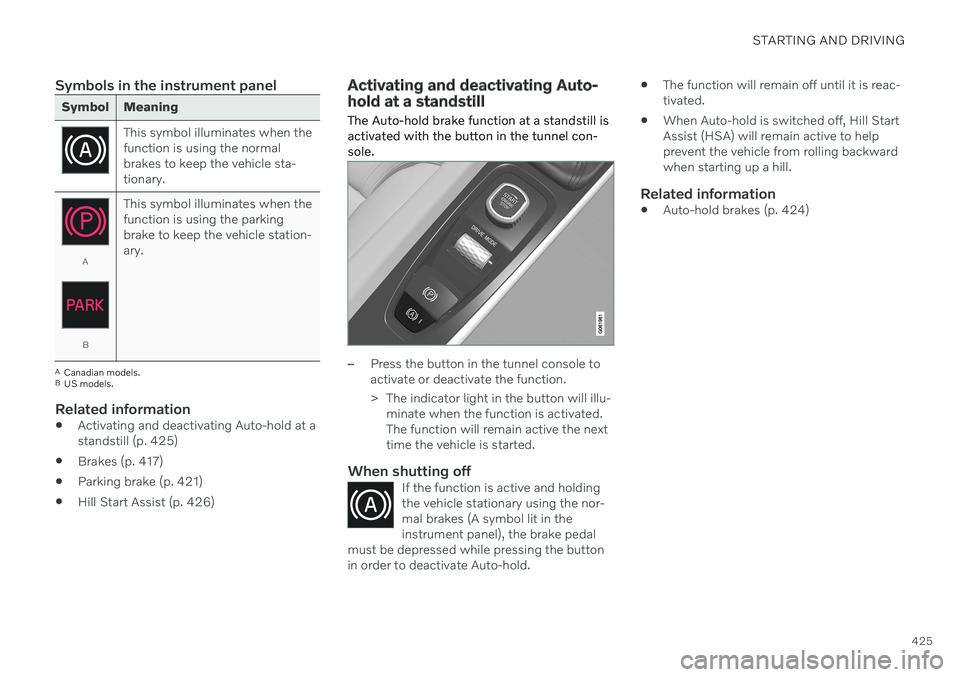
Symbol Meaning
This symbol illuminates when the function is using the normalbrakes to keep the vehicle sta-tionary.
A
BThis symbol illuminates when the function is using the parkingbrake to keep the vehicle station-ary.
A
Canadian models.
B US models.
Related information
Activating and deactivating Auto-hold at a standstill (p. 425)
Brakes (p. 417)
Parking brake (p. 421)
Hill Start Assist (p. 426)
Activating and deactivating Auto- hold at a standstill
The Auto-hold brake function at a standstill is activated with the button in the tunnel con-sole.
–Press the button in the tunnel console to activate or deactivate the function.
> The indicator light in the button will illu- minate when the function is activated. The function will remain active the nexttime the vehicle is started.
When shutting offIf the function is active and holdingthe vehicle stationary using the nor-mal brakes (A symbol lit in theinstrument panel), the brake pedal
must be depressed while pressing the buttonin order to deactivate Auto-hold.
The function will remain off until it is reac- tivated.
When Auto-hold is switched off, Hill StartAssist (HSA) will remain active to helpprevent the vehicle from rolling backwardwhen starting up a hill.
Related information
Auto-hold brakes (p. 424)
Page 428 of 693
STARTING AND DRIVING
* Option/accessory.
426
Hill Start Assist
The function for assisting when starting the vehicle on inclines (HSA 4
) helps prevent the
vehicle from rolling backward when starting on an uphill gradient. When backing up a hill,HSA helps prevent the vehicle from rollingforward.
The function retains pressure from the brake pedal in the brake system for several secondsafter the brake pedal has been released. This temporary braking effect is released after a few seconds or when the driver begins driv-ing. Hill Start Assist is available even when the Auto-hold brake function is switched off.
Related information
Auto-hold brakes (p. 424)
Brakes (p. 417)
Braking assist after a collision
In a collision in which the activation level is reached for the pyrotechnic seat belt tension-ers or airbags, or if a collision with a large ani-mal is detected, the vehicle's brakes will beautomatically activated. This function isintended to help prevent or reduce the effectsof any subsequent collision.
After a serious collision, it may no longer be possible to control and steer the vehicle. Inorder to avoid or mitigate a possible furthercollision with a vehicle or an object in the vehi-cle's path, the brake assist system is activatedautomatically to help stop the vehicle safely. If braking is not appropriate, e.g. if there is a risk of being hit by passing traffic, the drivercan override the system by depressing theaccelerator pedal. This function assumes that the brake system is intact after a collision.
Related information
Rear Collision Warning
* (p. 341)
BLIS
* (p. 342)
Brake functions (p. 417)
Transmission
The transmission is part of the vehicle's drive- line (power transmission) between the engineand the drive wheels. The function of thetransmission is to change gears dependingon speed and power needs.
The vehicle has an 8-speed automatic trans- mission and an electric motor for rear-wheeldrive. The number of gears allows the engine'storque and power band to be effectively uti-lized. Two of the gears are overdrive gears thatsave fuel when driving at a constant enginespeed. Manual shifting is also possible. Theinstrument panel shows the gear currently inuse.
Related information
Automatic transmission (p. 427)
4
Hill Start Assist
Page 429 of 693
STARTING AND DRIVING
* Option/accessory.427
Automatic transmission
In vehicles with an automatic transmission, the system selects the gear so that drivingwill be as energy-efficient as possible. Thetransmission also has a manual mode.
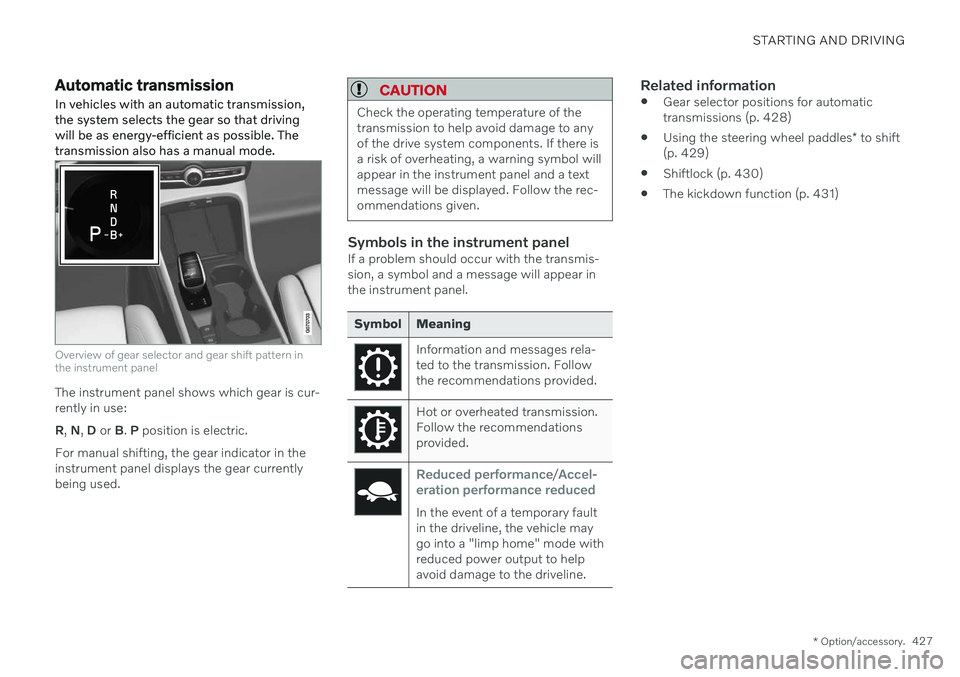
Overview of gear selector and gear shift pattern in the instrument panel
The instrument panel shows which gear is cur- rently in use: R , N , D or B. P position is electric.
For manual shifting, the gear indicator in the instrument panel displays the gear currentlybeing used.
CAUTION
Check the operating temperature of the transmission to help avoid damage to anyof the drive system components. If there isa risk of overheating, a warning symbol willappear in the instrument panel and a textmessage will be displayed. Follow the rec-ommendations given.
Symbols in the instrument panelIf a problem should occur with the transmis- sion, a symbol and a message will appear inthe instrument panel.
Symbol Meaning
Information and messages rela- ted to the transmission. Followthe recommendations provided.
Hot or overheated transmission. Follow the recommendationsprovided.
Reduced performance/Accel-
eration performance reduced
In the event of a temporary fault in the driveline, the vehicle maygo into a "limp home" mode withreduced power output to helpavoid damage to the driveline.
Related information
Gear selector positions for automatic transmissions (p. 428)
Using the steering wheel paddles
* to shift
(p. 429)
Shiftlock (p. 430)
The kickdown function (p. 431)