USB port VOLVO XC90 TWIN ENGINE 2020 User Guide
[x] Cancel search | Manufacturer: VOLVO, Model Year: 2020, Model line: XC90 TWIN ENGINE, Model: VOLVO XC90 TWIN ENGINE 2020Pages: 693, PDF Size: 13.34 MB
Page 516 of 693
AUDIO, MEDIA AND INTERNET
* Option/accessory.
514
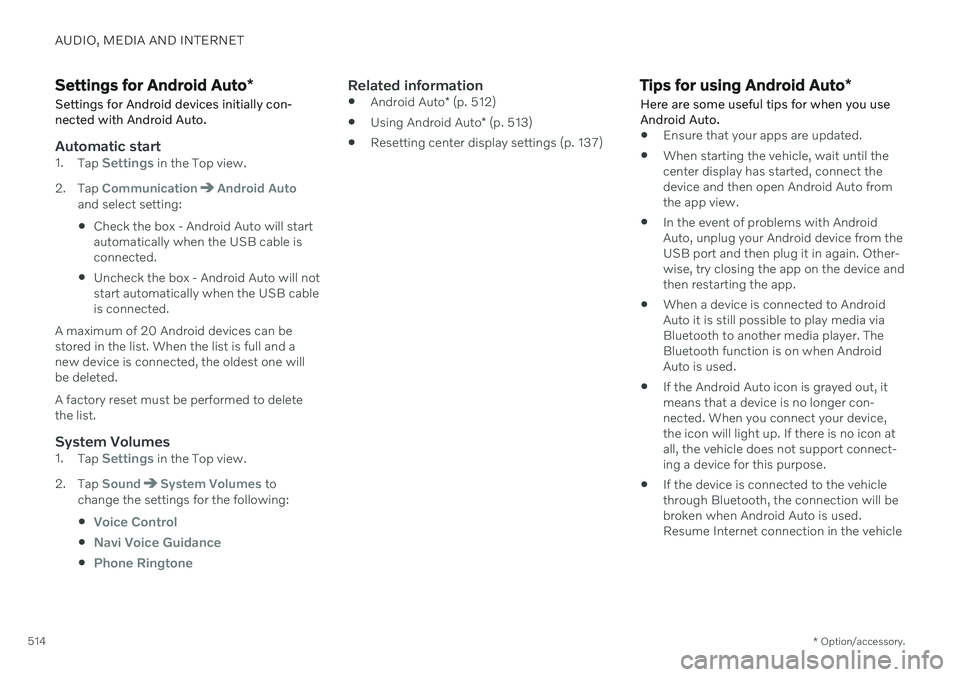
Settings for Android Auto *
Settings for Android devices initially con- nected with Android Auto.
Automatic start1. Tap Settings in the Top view.
2. Tap
CommunicationAndroid Autoand select setting: Check the box - Android Auto will start automatically when the USB cable isconnected.
Uncheck the box - Android Auto will notstart automatically when the USB cableis connected.
A maximum of 20 Android devices can bestored in the list. When the list is full and anew device is connected, the oldest one willbe deleted. A factory reset must be performed to delete the list.
System Volumes1. Tap Settings in the Top view.
2. Tap
SoundSystem Volumes to
change the settings for the following:
Voice Control
Navi Voice Guidance
Phone Ringtone
Related information
Android Auto
* (p. 512)
Using Android Auto
* (p. 513)
Resetting center display settings (p. 137)
Tips for using Android Auto
*
Here are some useful tips for when you use Android Auto.
Ensure that your apps are updated.
When starting the vehicle, wait until the center display has started, connect thedevice and then open Android Auto fromthe app view.
In the event of problems with AndroidAuto, unplug your Android device from theUSB port and then plug it in again. Other-wise, try closing the app on the device andthen restarting the app.
When a device is connected to AndroidAuto it is still possible to play media viaBluetooth to another media player. TheBluetooth function is on when AndroidAuto is used.
If the Android Auto icon is grayed out, itmeans that a device is no longer con-nected. When you connect your device,the icon will light up. If there is no icon atall, the vehicle does not support connect-ing a device for this purpose.
If the device is connected to the vehiclethrough Bluetooth, the connection will bebroken when Android Auto is used.Resume Internet connection in the vehicle
Page 580 of 693

LOADING, STORAGE AND PASSENGER COMPARTMENT
* Option/accessory.
578
Passenger compartment interior
Overview of the passenger compartment interior and storage spaces.
Front seats
Storage compartment in the door panel and near the steering wheel, glove compartment and sun visors.
Storage compartments with cup holders, net pocket *, electrical outlets and USB ports in the tun-
nel console.
Second row of seats
In vehicles with six * seats
Storage compartment in the door panel, cup holders on the floor of the tunnel console, storage pocket in the front seat's backrest * and electrical outlets in the
tunnel console.
In vehicles with seven * seats
Storage compartment in the door panel, cup holders *
in the center seat's backrest, storage pocket * in the
front seat's backrest and electrical outlets in the tun- nel console.
Third row of seats *
Storage compartment and cup holders in the side panel and storage compartment between the seats.
Page 581 of 693

LOADING, STORAGE AND PASSENGER COMPARTMENT
* Option/accessory.579
WARNING
Store loose objects, such as cell phone, camera, remote control for extra equip-ment, etc., in the glove compartment oranother compartment. Otherwise, thesecould injure people in the vehicle in theevent of hard braking or a collision.
CAUTION
Keep in mind that glossy surfaces can be easily scratched by e.g. metal objects. Donot place keys, phones or similar items onsensitive surfaces.
Related information
Electrical outlets (p. 580)
Using the glove compartment (p. 583)
Sun visors (p. 584)
Tunnel console (p. 579)
Connecting a device via the USB port (p. 506)
Tunnel console
The tunnel console is located between the front seats.
Storage compartment with cover *. The
cover can be opened/closed by pressing the handle.
Storage compartment with cup holder and 12 V socket.
Storage compartment and USB port under the armrest.
Climate control panel for the rear seats * or
storage compartment.
WARNING
Store loose objects, such as cell phone, camera, remote control for extra equip-ment, etc., in the glove compartment oranother compartment. Otherwise, thesecould injure people in the vehicle in theevent of hard braking or a collision.
CAUTION
Keep in mind that glossy surfaces can be easily scratched by e.g. metal objects. Donot place keys, phones or similar items onsensitive surfaces.
NOTE
One of the sensors for the alarm * is located
under the cup holder in the center console. Avoid placing coins, keys and other metalobjects in the cup holder as this could trig-ger the alarm.
Related information
Passenger compartment interior (p. 578)
Electrical outlets (p. 580)
Climate system controls (p. 219)
Page 625 of 693
MAINTENANCE AND SERVICE
}}
* Option/accessory.623
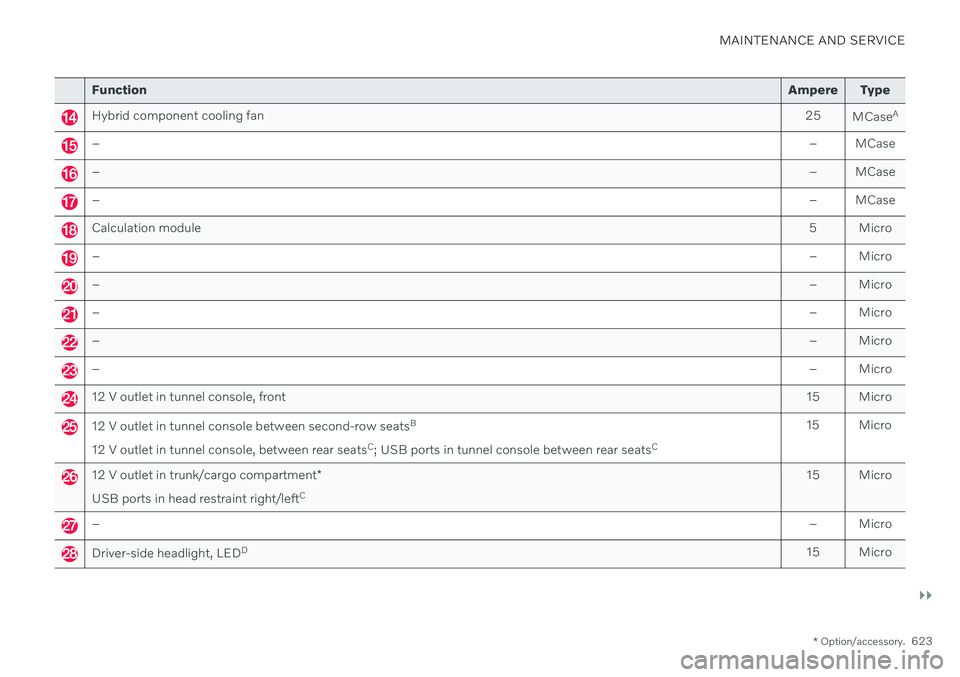
Function Ampere Type
Hybrid component cooling fan 25
MCaseA
–
– MCase
–– MCase
–– MCase
Calculation module 5 Micro
–– Micro
–– Micro
–– Micro
–– Micro
–– Micro
12 V outlet in tunnel console, front15 Micro
12 V outlet in tunnel console between second-row seatsB
12 V outlet in tunnel console, between rear seats C
; USB ports in tunnel console between rear seats C15 Micro
12 V outlet in trunk/cargo compartment
*
USB ports in head restraint right/left C 15 Micro
–
– Micro
Driver-side headlight, LEDD
15 Micro
Page 633 of 693
MAINTENANCE AND SERVICE
}}
* Option/accessory.631
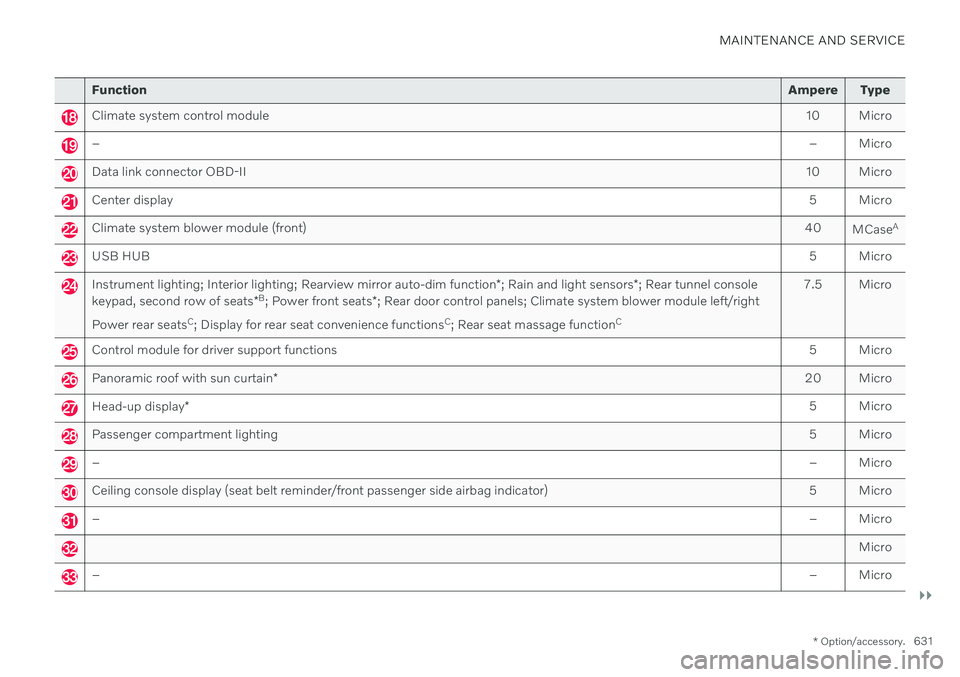
Function Ampere Type
Climate system control module 10 Micro
– – Micro
Data link connector OBD-II10 Micro
Center display 5 Micro
Climate system blower module (front)40
MCaseA
USB HUB
5 Micro
Instrument lighting; Interior lighting; Rearview mirror auto-dim function*; Rain and light sensors *; Rear tunnel console
keypad, second row of seats *B
; Power front seats *; Rear door control panels; Climate system blower module left/right
Power rear seats C
; Display for rear seat convenience functions C
; Rear seat massage function C 7.5 Micro
Control module for driver support functions
5 Micro
Panoramic roof with sun curtain* 20 Micro
Head-up display
* 5 Micro
Passenger compartment lighting
5 Micro
–– Micro
Ceiling console display (seat belt reminder/front passenger side airbag indicator) 5 Micro
–– Micro
Micro
–– Micro
Page 639 of 693

MAINTENANCE AND SERVICE
}}
* Option/accessory.637
Function Ampere Type
– – Micro
Power rear seat, left side B
20
Door module left side, rear 20 Micro
USB hub/accessory port – Micro
Module for electrically folding third-row seats* 20 Micro
Towbar
* control module 25
MCaseA
Accessory module 40
MCaseA
Power driver seat
*
Door module left side, front 20
MCaseA
Seat belt tensioner module (left side)
40
MCaseA
Park Assist Camera
* 5 Micro
–
– Micro
–– Micro
–– Micro
Feed when ignition is on10 Micro
– – Micro
CoolerB
; Heated/cooled cup holder (rear) B
Accessory module 10
B
5 Micro
Page 688 of 693
INDEX
686rotation when changing 546
specifications 550, 672
storage 546
tread wear indicator 549
winter tires 567
Tire sealing system Inflating tires 573
use 569
Tire tread 549
Tools 560 Top tether anchors (child restraint sys-
tems) 75
Top view 135
Total airing function 246
Towbar 463 removable, attaching, installing,
mounting 463
removable, removing, detaching 463
retractable 461
Towing 469
Towing capacity and towball load 667
Towing eyelet 469 TPMS - Tire Pressure Monitoring Sys-
tem 555
Traction control 281
Traffic information 486
Trailer driving with a trailer 465
Lamps 468
swaying 467
Trailer Stability Assist 282 trailer 467
Trailer stabilizer 282, 467 Trailer towing trailer hitch 463
Transmission 426 automatic 427, 428
Transmission fluid grade 670
Travel Link 494 Fuel 497
Notifications 496
Sports 498
weather 495
Tread depth 549 winter tires 567
Tread wear indicator 549
Trip computer 91 display in instrument panel 93
Trip odometer 91
Trip odometer resetting 94
Trip statistics 94 settings 95TroubleshootingAdaptive Cruise Control 296
Camera unit 322
City Safety 337
Radar unit 322
TSA - Trailer Stability Assist 467
Tunnel detection 159
Turn off engine 414
Turn signals 162Twin Engine general 394
Type approval HomeLink ® 474
radar system 319
U
Uniform Tire Quality Grading 552
Units 135 Unlocking settings 249
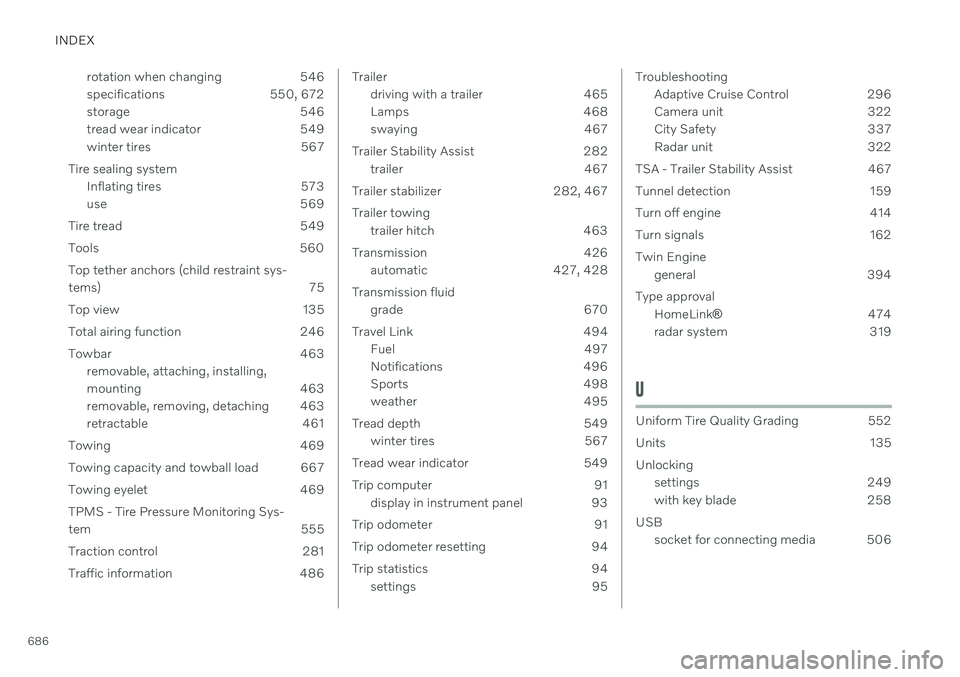
with key blade 258
USB socket for connecting media 506