brake light VOLVO XC90 TWIN ENGINE 2020 User Guide
[x] Cancel search | Manufacturer: VOLVO, Model Year: 2020, Model line: XC90 TWIN ENGINE, Model: VOLVO XC90 TWIN ENGINE 2020Pages: 693, PDF Size: 13.34 MB
Page 293 of 693
DRIVER SUPPORT
* Option/accessory.291
vehicles ahead, the vehicle will return to the set speed. If the Curve Speed Assist (CSA)
* function is
activated, it may also affect the vehicle's speed.
WARNING
The function is supplementary driver support intended to facilitate drivingand help make it safer – it cannot han-dle all situations in all traffic, weatherand road conditions.
The driver is advised to read all sec-tions in the Owner's Manual about thisfunction to learn of its limitations,which the driver must be aware ofbefore using the function.
Driver support functions are not a sub-stitute for the driver's attention andjudgment. The driver is always respon-sible for ensuring the vehicle is drivenin a safe manner, at the appropriatespeed, with an appropriate distance toother vehicles, and in accordance withcurrent traffic rules and regulations.
Adaptive Cruise Control regulates speed byaccelerating and braking. It is normal for thebrakes to emit a slight sound when they arebeing used to adjust speed. Adaptive Cruise Control always attempts toregulate speed smoothly. The driver mustapply the brakes in situations requiring imme-diate braking. For example, when there aregreat differences in speed between vehicles orif the vehicle ahead brakes suddenly. Due tolimitations in the radar sensor, braking mayoccur unexpectedly or not at all. Adaptive Cruise Control is designed to follow a vehicle ahead in the same lane and maintaina time interval to that vehicle set by the driver.If the radar sensor does not detect a vehicleahead, it will instead maintain the speed setby the driver. This will also happen if the speedof the vehicle ahead exceeds the set speed foryour vehicle.
CAUTION
Only a workshop may perform mainte- nance on driver support components – anauthorized Volvo workshop is recom-mended.
Related information
Driver support systems (p. 280)
Adaptive Cruise Control
* controls and dis-
play (p. 292)
Selecting and activating Adaptive Cruise Control
* (p. 293)
Adaptive Cruise Control
* limitations
(p. 296)
Symbols and messages for AdaptiveCruise Control
* (p. 298)
Collision risk warning from driver support (p. 309)
Setting time interval to the vehicle ahead(p. 312)
Adjusting set speed for driver support(p. 311)
Auto-hold braking with driver support(p. 313)
Switching target vehicles with driver sup-port (p. 310)
Passing assistance (p. 317)
Page 303 of 693
DRIVER SUPPORT
}}
* Option/accessory.301
WARNING
The function is supplementary driver support intended to facilitate drivingand help make it safer – it cannot han-dle all situations in all traffic, weatherand road conditions.
The driver is advised to read all sec-tions in the Owner's Manual about thisfunction to learn of its limitations,which the driver must be aware ofbefore using the function.
Driver support functions are not a sub-stitute for the driver's attention andjudgment. The driver is always respon-sible for ensuring the vehicle is drivenin a safe manner, at the appropriatespeed, with an appropriate distance toother vehicles, and in accordance withcurrent traffic rules and regulations.
Pilot Assist regulates speed by acceleratingand braking. It is normal for the brakes to emita slight sound when they are being used toadjust speed. Pilot Assist attempts to smoothly regulate speed. The driver must apply the brakes in sit-uations requiring immediate braking. Forexample, when there are great differences in speed between vehicles or if the vehicle aheadbrakes suddenly. Due to limitations in the camera and radar sensor, braking may occur unexpectedly or not at all. Pilot Assist attempts to follow a vehicle ahead in the same lane and maintain a time intervalto that vehicle set by the driver. If the radarsensor does not detect a vehicle ahead, it willinstead maintain the speed set by the driver.This will also happen if the speed of the vehi-cle ahead exceeds the set speed for your vehi-cle.
CAUTION
Only a workshop may perform mainte- nance on driver support components – anauthorized Volvo workshop is recom-mended.
In curves and forks in the roadPilot Assist is designed to interact with the driver. The driver should never wait for steer-ing assistance from Pilot Assist, but insteadshould always be ready to increase his or herown steering efforts, particularly in curves.
When the vehicle is approaching an off-ramp or a fork in the road, the drivershould steer toward the desired lane toindicate to Pilot Assist the desired direc-tion of travel.
Pilot Assist strives to keep the vehicle in the center of the lane
When Pilot Assist provides steering assis- tance, it strives to position the vehicle in thecenter of the lane between the lane markings.To make the driving experience as smooth aspossible, the driver should permit the vehicleto find good positioning. The driver shouldcheck that the vehicle is positioned safely inthe lane and can always adjust the vehicle'sposition by applying more force to the steeringwheel. If Pilot Assist does not position the vehicle appropriately in the lane, the driver shouldturn off Pilot Assist or switch to Adaptive Cruise Control
*.
Hands on the steering wheelPilot Assist only functions if the driver's hands are on the steering wheel.
If Pilot Assist detects that thedriver's hands are not on thesteering wheel, a symbol andtext message will appear toinstruct the driver to activelysteer the vehicle.
If the driver's hands are still not detected on the steering wheel after a few seconds havepassed, the instructions to actively steer thevehicle will be repeated, accompanied by anaudible signal.
Page 311 of 693

DRIVER SUPPORT
}}
* Option/accessory.309
The previous illustration shows that Pilot Assist is set to maintain a speed of 110 km/h(68 mph) and is following a target vehicleahead that is traveling at the same speed. In this example, Pilot Assist will also provide steering assistance because it can detect thelane's side marking lines.
The previous illustration shows that Pilot Assist is set to maintain a speed of 110 km/h(68 mph) and that there is no target vehicleahead to follow. Pilot Assist will provide steering assistance because it can detect the lane's side markinglines.
Related information
Pilot Assist
* (p. 300)
Pilot Assist
* limitations (p. 306)
Collision risk warning from driver support
The driver support systems Adaptive Cruise Control * and Pilot Assist * can help alert the
driver if the distance to the vehicle ahead suddenly decreases to an unsafe distance.
Collision warning audible signal and symbol.
Acoustic collision warning signal
Collision warning symbol
Camera/radar sensor distance monitoring
Adaptive Cruise Control and Pilot Assist use approx. 40% of the braking capacity. If a sit-uation requires more braking force than driversupport can provide, and if the driver does not apply the brakes, a warning light and audible warning signal will be activated to alert thedriver that immediate action is required.
Page 312 of 693
||
DRIVER SUPPORT
* Option/accessory.
310
WARNING
The driver support system only issues a warning for vehicles detected by its radarunit – thus, a warning may come after adelay or not at all. Never wait for a warning.Apply the brakes when necessary.
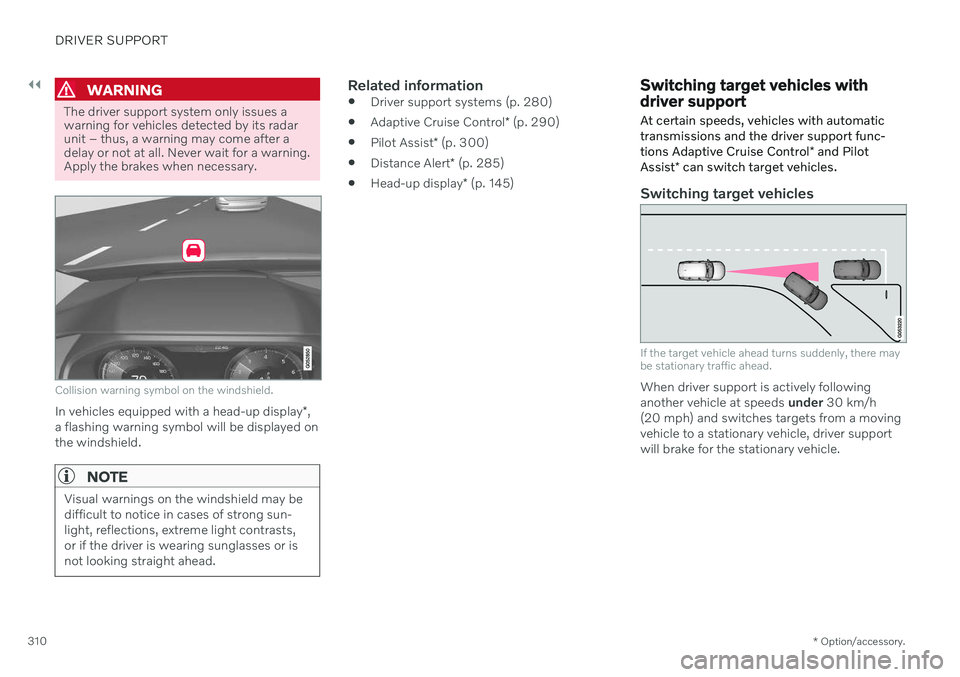
Collision warning symbol on the windshield.
In vehicles equipped with a head-up display *,
a flashing warning symbol will be displayed on the windshield.
NOTE
Visual warnings on the windshield may be difficult to notice in cases of strong sun-light, reflections, extreme light contrasts,or if the driver is wearing sunglasses or isnot looking straight ahead.
Related information
Driver support systems (p. 280)
Adaptive Cruise Control
* (p. 290)
Pilot Assist
* (p. 300)
Distance Alert
* (p. 285)
Head-up display
* (p. 145)
Switching target vehicles with driver support
At certain speeds, vehicles with automatic transmissions and the driver support func- tions Adaptive Cruise Control * and Pilot
Assist * can switch target vehicles.
Switching target vehicles
If the target vehicle ahead turns suddenly, there may be stationary traffic ahead.
When driver support is actively following another vehicle at speeds under 30 km/h
(20 mph) and switches targets from a movingvehicle to a stationary vehicle, driver supportwill brake for the stationary vehicle.
Page 315 of 693

DRIVER SUPPORT
}}
* Option/accessory.313
In order to help your vehicle follow the vehicle ahead as smoothly and comfortably as possi-ble, Adaptive Cruise Control allows the timeinterval to vary noticeably in certain situations.At low speeds, when the distance to the vehi-cle ahead is short, Adaptive Cruise Controlincreases the time interval slightly.
NOTE
The greater the vehicles' speed, the greater the distance between them fora set time interval.
Only use the time intervals permittedby local traffic regulations.
If driver support does not seem torespond with a speed increase whenactivated, it may be because the timeinterval to the vehicle ahead is shorterthan the set time interval.
WARNING
Only use a time interval suitable for the current traffic conditions.
The driver should be aware that shorttime intervals give them limited time toreact and act to any unforeseen trafficsituation.
Related information
Driver support systems (p. 280)
Adaptive Cruise Control
* (p. 290)
Pilot Assist
* (p. 300)
Distance Alert
* (p. 285)
Head-up display
* (p. 145)
Auto-hold braking with driver support
The driver support functions Adaptive Cruise Control * and Pilot Assist * have a special brake
function in slow traffic and while stationary.
Braking function in slow traffic and at a standstill
In slow-moving, stop-and-go traffic or when stopped at a traffic light, driving will resumeautomatically if the vehicle is stopped for lessthan approx. 3 seconds. If it takes more than 3seconds for the vehicle ahead to begin movingagain, the driver support function will go intostandby mode and the auto-hold brake func-tion will activate.
–The function can be reactivated by:
Pressing the
button on the steer-
ing wheel keypad.
Pressing the accelerator pedal.
> The function will resume following the vehicle ahead if it begins to move within approx. 6 seconds.
WARNING
A noticeable increase in speed may follow when the speed is resumed with the
steering wheel button.
Page 329 of 693

DRIVER SUPPORT
}}
327
City Safety™
City Safety 55
can alert the driver with light,
sound and pulsations in the brake pedal to help the driver detect pedestrians, cyclists,large animals and vehicles that appear sud-denly.
Location of the camera and radar sensor.
City Safety can help prevent a collision or lower the vehicle's speed at the point ofimpact. City Safety is an aid intended to assist the driver if a collision with a pedestrian, large ani-mal, cyclist or vehicle is imminent. City Safety can help the driver avoid a collision when e.g. driving in stop-and-go traffic, whenchanges in the traffic ahead and driver distrac-tion could lead to an incident. The function assists the driver by automati-cally applying the brakes if there is an immi-nent risk of a collision and the driver does notreact in time by braking and/or steering away. City Safety activates a brief, forceful braking in an attempt to stop your vehicle immediatelybehind the vehicle or object ahead. City Safety is activated in situations in which the driver should have applied the brakesmuch earlier, which means that the systemwill not be able to assist the driver in all situa-tions. City Safety is designed to be activated as late as possible to help avoid unnecessary inter-vention. Automatic braking will only be appliedafter or during a collision warning. Normally, the occupants of the vehicle will not be aware of City Safety except when the sys-tem intervenes when a collision is imminent.
WARNING
The function is supplementary driver support intended to facilitate drivingand help make it safer – it cannot han-dle all situations in all traffic, weatherand road conditions.
The driver is advised to read all sec-tions in the Owner's Manual about thisfunction to learn of its limitations,which the driver must be aware ofbefore using the function.
Driver support functions are not a sub-stitute for the driver's attention andjudgment. The driver is always respon-sible for ensuring the vehicle is drivenin a safe manner, at the appropriatespeed, with an appropriate distance toother vehicles, and in accordance withcurrent traffic rules and regulations.
Related information
Driver support systems (p. 280)
City Safety sub-functions (p. 328)
Setting a warning distance for City Safety(p. 330)
Detecting obstacles with City Safety(p. 331)
55
This function is not available on all markets.
Page 331 of 693
DRIVER SUPPORT
}}
* Option/accessory.329
1 - Collision warning
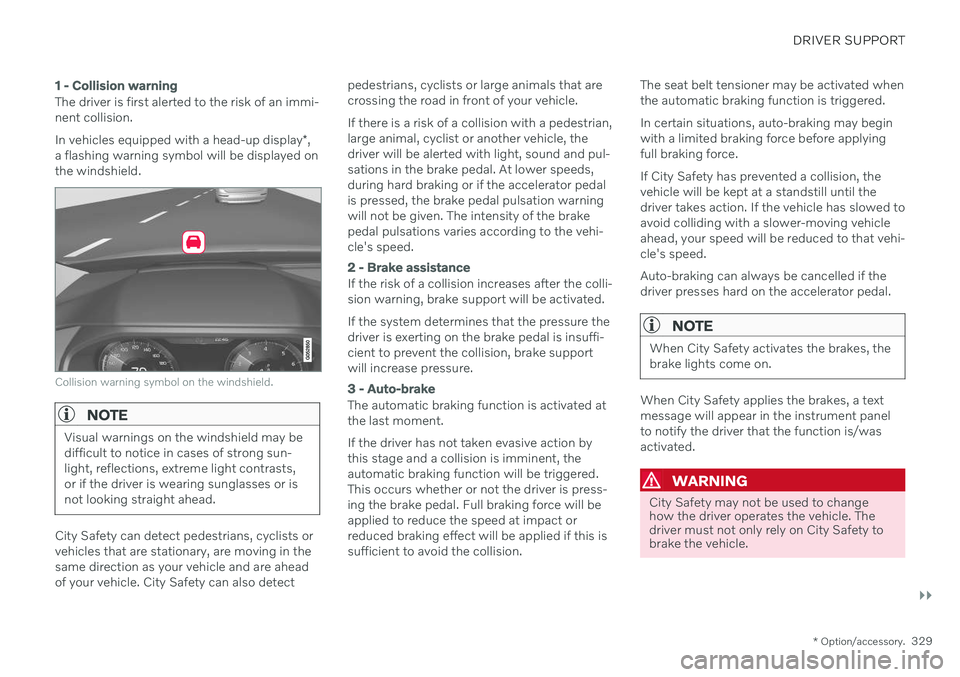
The driver is first alerted to the risk of an immi- nent collision. In vehicles equipped with a head-up display *,
a flashing warning symbol will be displayed on the windshield.
Collision warning symbol on the windshield.
NOTE
Visual warnings on the windshield may be difficult to notice in cases of strong sun-light, reflections, extreme light contrasts,or if the driver is wearing sunglasses or isnot looking straight ahead.
City Safety can detect pedestrians, cyclists or vehicles that are stationary, are moving in thesame direction as your vehicle and are aheadof your vehicle. City Safety can also detect pedestrians, cyclists or large animals that arecrossing the road in front of your vehicle. If there is a risk of a collision with a pedestrian, large animal, cyclist or another vehicle, thedriver will be alerted with light, sound and pul-sations in the brake pedal. At lower speeds,during hard braking or if the accelerator pedalis pressed, the brake pedal pulsation warningwill not be given. The intensity of the brakepedal pulsations varies according to the vehi-cle's speed.
2 - Brake assistance
If the risk of a collision increases after the colli- sion warning, brake support will be activated. If the system determines that the pressure the driver is exerting on the brake pedal is insuffi-cient to prevent the collision, brake supportwill increase pressure.
3 - Auto-brake
The automatic braking function is activated at the last moment. If the driver has not taken evasive action by this stage and a collision is imminent, theautomatic braking function will be triggered.This occurs whether or not the driver is press-ing the brake pedal. Full braking force will beapplied to reduce the speed at impact orreduced braking effect will be applied if this issufficient to avoid the collision.
The seat belt tensioner may be activated whenthe automatic braking function is triggered. In certain situations, auto-braking may begin with a limited braking force before applyingfull braking force. If City Safety has prevented a collision, the vehicle will be kept at a standstill until thedriver takes action. If the vehicle has slowed toavoid colliding with a slower-moving vehicleahead, your speed will be reduced to that vehi-cle's speed. Auto-braking can always be cancelled if the driver presses hard on the accelerator pedal.
NOTE
When City Safety activates the brakes, the brake lights come on.
When City Safety applies the brakes, a text message will appear in the instrument panelto notify the driver that the function is/wasactivated.
WARNING
City Safety may not be used to change how the driver operates the vehicle. Thedriver must not only rely on City Safety tobrake the vehicle.
Page 332 of 693

||
DRIVER SUPPORT
* Option/accessory.
330
Related information
City Safety
™ (p. 327)
City Safety in crossing traffic (p. 333)
City Safety braking for oncoming vehicles (p. 336)
City Safety limitations (p. 337)
Head-up display
* (p. 145)
Seat belt tensioners (p. 52)
Setting a warning distance for City Safety
City Safety 57
is always active, but the func-
tion's warning distance can be adjusted.
NOTE
The City Safety function cannot be deacti- vated. It is activated automatically eachtime the engine/electric motor is started.
The alert distance determines the sensitivity of the system and regulates the distance atwhich the light, sound and brake pulsationswill be activated. To select warning distance:
1. Select
SettingsMy CarIntelliSafein the center display's Top view.
2. Under
City Safety Warning, tap Late,Normal or Early to set the desired warn-
ing distance.
If the driver feels that the
Early setting is giv-
ing too many warnings or finds them irritating, the
Normal or Late warning distance settings
can be selected instead. If the driver feels that the warnings are too fre- quent and distracting, the warning distancecan be reduced. This will reduce the total number of warnings, but it will also result inCity Safety providing warnings at a later stage. The
Late warning distance setting should
therefore only be used in exceptional cases, such as when a more dynamic driving style ispreferred.
57 This function is not available on all markets.
Page 333 of 693
DRIVER SUPPORT
}}
* Option/accessory.331
WARNING
No automatic system can guarantee 100% correct function in all situations.You should therefore never test use ofCity Safety in the direction of people,animals or vehicles – this could lead tosevere damage, serious personal injuryor even death.
City Safety warns the driver if there is arisk of collision, but the function cannotreduce the driver's reaction time.
Even if the warning distance has been set to
Early, warnings may be per-
ceived as late in certain situations – e.g. when there are large speed differ-ences or if the vehicle ahead suddenlybrakes heavily.
With the warning distance set to
Early,
warnings come further in advance. This may cause the warnings to come morefrequently than with warning distance
Normal, but is recommended since it
can make City Safety more effective.
NOTE
The warning with direction indicators for Rear Collision Warning * is deactivated if
the collision warning distance in the City Safety function is set to the lowest level "
Late".
The seat belt tensioning and braking func- tions remain active.
Related information
City Safety
™ (p. 327)
City Safety limitations (p. 337)
Rear Collision Warning
* (p. 341)
Detecting obstacles with City Safety
City Safety 58
can help the driver detect other
vehicles, cyclists, large animals and pedes- trians.
VehiclesCity Safety can detect most vehicles that are stationary or are moving in the same directionas your vehicle. In some cases, it can alsodetect oncoming vehicles and crossing traffic. For City Safety to be able to detect a vehicle in the dark, its headlights and taillights must beon and clearly visible.
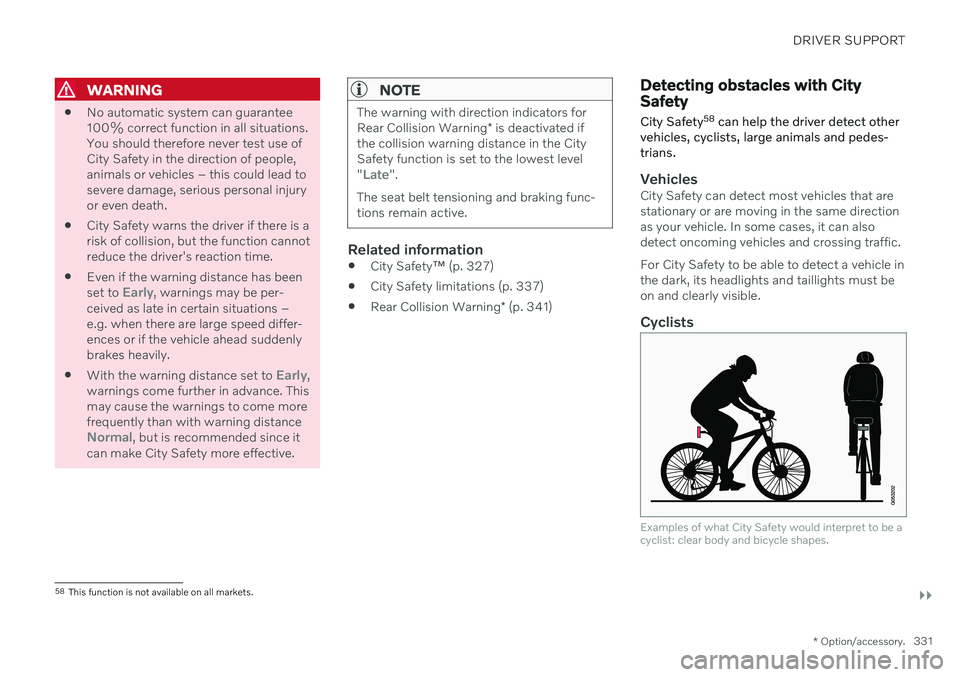
Cyclists
Examples of what City Safety would interpret to be a cyclist: clear body and bicycle shapes.
58 This function is not available on all markets.
Page 334 of 693
||
DRIVER SUPPORT
332For good performance, the system's function for cyclist detection needs the clearest possi-ble information about the contours of the bicy-cle and of the cyclist's head, arm, shoulders,legs, torso and lower body in combinationwith normal human movements. If large portions of the cyclist's body or the bicycle itself are not visible to the function'scamera, it will not be able to detect a cyclist. The system can only detect adult cyclists rid- ing on bicycles intended for adults.
WARNING
City Safety is supplementary driver sup- port, but it cannot detect all cyclists in allsituations and, for example, cannot see:
partially obscured cyclists.
cyclists if the background contrast of the cyclist is poor - warning and brakeinterventions may then be late or notoccur at all.
cyclists in clothing that hides theirbody contour.
bikes loaded with large objects.
The driver is always responsible for ensur- ing that the vehicle is driven correctly andwith a safety distance suitable for thespeed.
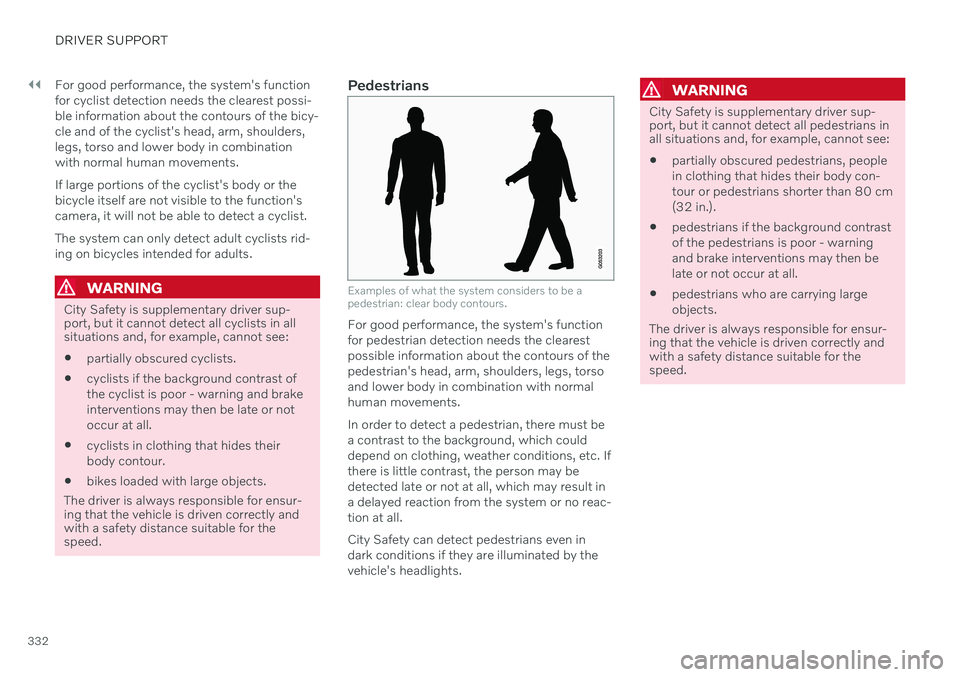
Pedestrians
Examples of what the system considers to be a pedestrian: clear body contours.
For good performance, the system's function for pedestrian detection needs the clearestpossible information about the contours of thepedestrian's head, arm, shoulders, legs, torsoand lower body in combination with normalhuman movements. In order to detect a pedestrian, there must be a contrast to the background, which coulddepend on clothing, weather conditions, etc. Ifthere is little contrast, the person may bedetected late or not at all, which may result ina delayed reaction from the system or no reac-tion at all. City Safety can detect pedestrians even in dark conditions if they are illuminated by thevehicle's headlights.
WARNING
City Safety is supplementary driver sup- port, but it cannot detect all pedestrians inall situations and, for example, cannot see:
partially obscured pedestrians, people in clothing that hides their body con-tour or pedestrians shorter than 80 cm(32 in.).
pedestrians if the background contrastof the pedestrians is poor - warningand brake interventions may then belate or not occur at all.
pedestrians who are carrying largeobjects.
The driver is always responsible for ensur- ing that the vehicle is driven correctly andwith a safety distance suitable for thespeed.