maintenance YAMAHA EC-03 2012 Owner's Manual
[x] Cancel search | Manufacturer: YAMAHA, Model Year: 2012, Model line: EC-03, Model: YAMAHA EC-03 2012Pages: 78, PDF Size: 2.19 MB
Page 66 of 78
PERIODIC MAINTENANCE AND ADJUSTMENT
8-17
1
2
3
4
5
6
78
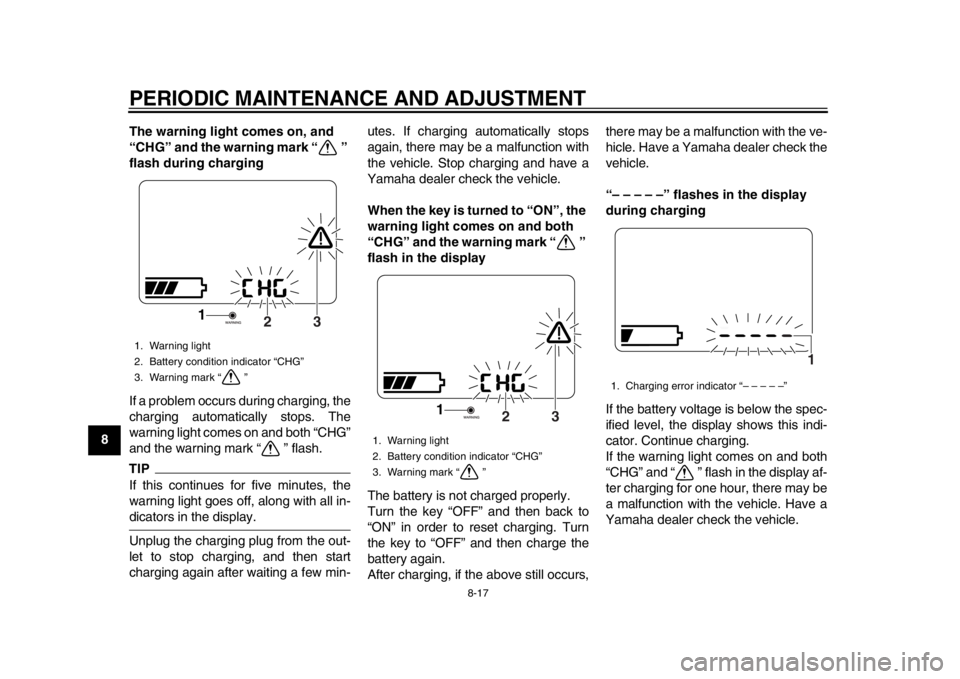
9The warning light comes on, and
“CHG” and the warning mark “ ”
flash during charging
If a problem occurs during charging, the
charging automatically stops. The
warning light comes on and both “CHG”
and the warning mark “ ” flash.
TIPIf this continues for five minutes, the
warning light goes off, along with all in-dicators in the display.
Unplug the charging plug from the out-
let to stop charging, and then start
charging again after waiting a few min- utes. If charging automatically stops
again, there may be a malfunction with
the vehicle. Stop charging and have a
Yamaha dealer check the vehicle.
When the key is turned to “ON”, the
warning light comes on and both
“CHG” and the warning mark “ ”
flash in the display
The battery is not charged properly.
Turn the key “OFF” and then back to
“ON” in order to reset charging. Turn
the key to “OFF” and then charge the
battery again.
After charging, if the above still occurs,there may be a malfunction with the ve-
hicle. Have a Yamaha dealer check the
vehicle.
“– – – – –” flashes in the display
during charging
If the battery voltage is below the spec-
ified level, the display shows this indi-
cator. Continue charging.
If the warning light comes on and both
“CHG” and “ ” flash in the display af-
ter charging for one hour, there may be
a malfunction with the vehicle. Have a
Yamaha dealer check the vehicle.1. Warning light
2. Battery condition indicator “CHG”
3. Warning mark “ ”
3
2
1
1. Warning light
2. Battery condition indicator “CHG”
3. Warning mark “ ”
3
2
1
1. Charging error indicator “– – – – –”
1
1CB-9-EA.book 17 ページ 2012年4月11日 水曜日 午前9時34分
Page 67 of 78

PERIODIC MAINTENANCE AND ADJUSTMENT
8-18
2
3
4
5
6
789
“HEAT” flashes in the display dur-
ing charging
This is not a malfunction. The charging process is in the standby
mode because the battery temperature
is higher than 50
C. Allow the battery
to cool down.
When the battery temperature falls to
the specified temperature, “HEAT”
goes off and charging starts automati-
cally. (See page 6-1 for more informa-
tion about “Battery charging place”.)
“COOL” flashes in the display dur-
ing charging
This is not a malfunction.
The charging process is in the standby
mode because the battery temperature
is lower than –5 C.
If this occurs, start recharging in a warm place.
When the battery temperature reaches
the specified temperature, “COOL”
goes off and charging starts automati-
cally. (See page 6-1 for more informa-
tion about “Battery charging place”.)
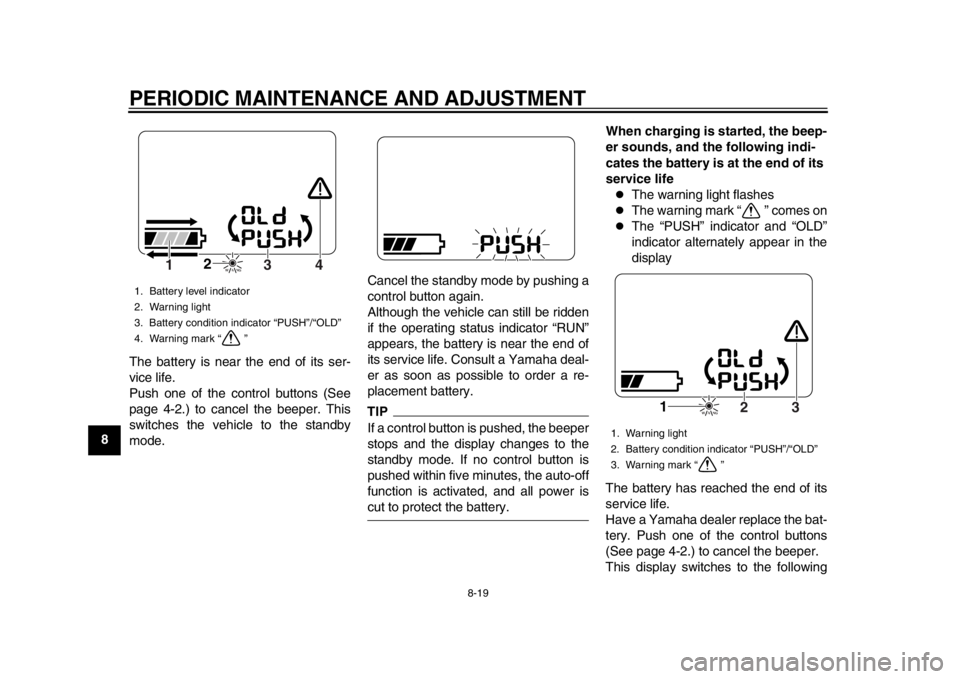
When the key is turned to “ON”, the
beeper sounds and the following
occurs
The warning light flashes
The warning mark “ ” comes on
The battery level indicator seg-
ments move from side to side
“PUSH” indicator and “OLD” indi-
cator alternately appear
1. Warning light
2. Battery condition indicator “CHG”
3. Warning mark “ ”
1. Temperature indicator “HEAT”
3
2
1
1
1. Temperature indicator “COOL”
1
1CB-9-EA.book 18 ページ 2012年4月11日 水曜日 午前9時34分
Page 68 of 78
PERIODIC MAINTENANCE AND ADJUSTMENT
8-19
1
2
3
4
5
6
78
9The battery is near the end of its ser-
vice life.
Push one of the control buttons (See
page 4-2.) to cancel the beeper. This
switches the vehicle to the standby
mode. Cancel the standby mode by pushing a
control button again.
Although the vehicle can still be ridden
if the operating status indicator “RUN”
appears, the battery is near the end of
its service life. Consult a Yamaha deal-
er as soon as possible to order a re-
placement battery.
TIPIf a control button is pushed, the beeper
stops and the display changes to the
standby mode. If no control button is
pushed within five minutes, the auto-off
function is activated, and all power iscut to protect the battery.When charging is started, the beep-
er sounds, and the following indi-
cates the battery is at the end of its
service life
The warning light flashes
The warning mark “ ” comes on
The “PUSH” indicator and “OLD”
indicator alternately appear in the
display
The battery has reached the end of its
service life.
Have a Yamaha dealer replace the bat-
tery. Push one of the control buttons
(See page 4-2.) to cancel the beeper.
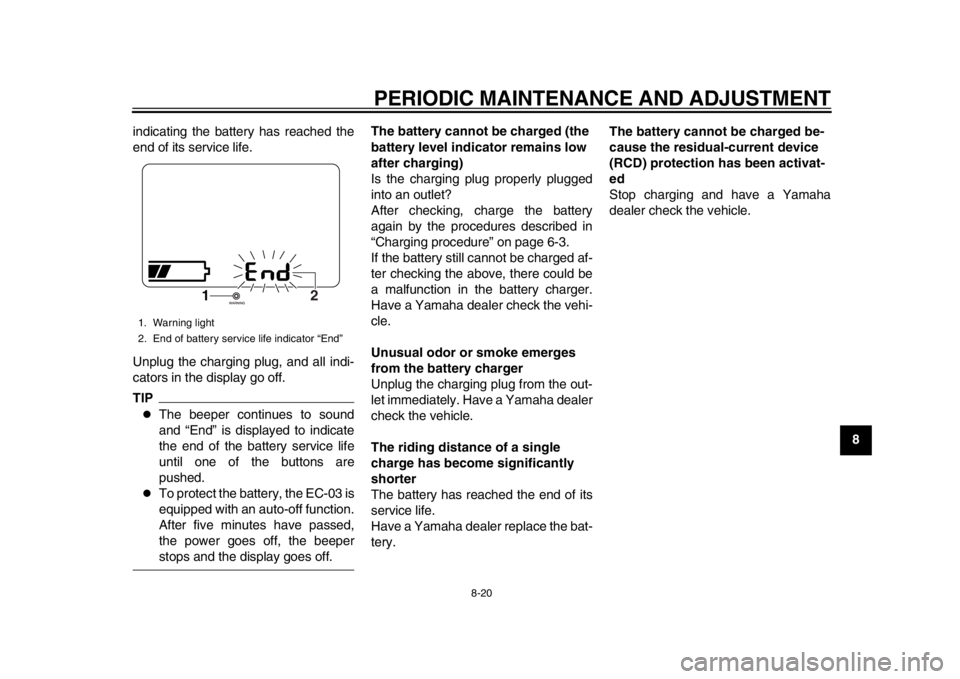
This display switches to the following
1. Battery level indicator
2. Warning light
3. Battery condition indicator “PUSH”/“OLD”
4. Warning mark “ ”
2
4
3
1
1. Warning light
2. Battery condition indicator “PUSH”/“OLD”
3. Warning mark “ ”
1
3
2
1CB-9-EA.book 19 ページ 2012年4月11日 水曜日 午前9時34分
Page 69 of 78
PERIODIC MAINTENANCE AND ADJUSTMENT
8-20
2
3
4
5
6
789
indicating the battery has reached the
end of its service life.
Unplug the charging plug, and all indi-
cators in the display go off.
TIP
The beeper continues to sound
and “End” is displayed to indicate
the end of the battery service life
until one of the buttons are
pushed.
To protect the battery, the EC-03 is
equipped with an auto-off function.
After five minutes have passed,
the power goes off, the beeperstops and the display goes off. The battery cannot be charged (the
battery level indicator remains low
after charging)
Is the charging plug properly plugged
into an outlet?
After checking, charge the battery
again by the procedures described in
“Charging procedure” on page 6-3.
If the battery still cannot be charged af-
ter checking the above, there could be
a malfunction in the battery charger.
Have a Yamaha dealer check the vehi-
cle.
Unusual odor or smoke emerges
from the battery charger
Unplug the charging plug from the out-
let immediately. Have a Yamaha dealer
check the vehicle.
The riding distance of a single
charge has become significantly
shorter
The battery has reached the end of its
service life.
Have a Yamaha dealer replace the bat-
tery.
The battery cannot be charged be-
cause the residual-current device
(RCD) protection has been activat-
ed
Stop charging and have a Yamaha
dealer check the vehicle.
1. Warning light
2. End of battery service life indicator “End”
1
2
1CB-9-EA.book 20 ページ 2012年4月11日 水曜日 午前9時34分
Page 76 of 78

INDEXAAcceleration and deceleration....................7-4
Accelerator grip, checking..........................8-4BBattery, charging location ..........................6-1
Battery, charging procedure.......................6-3
Battery, charging safely .............................1-5
Battery, charging time ................................6-8
Battery, effective use of .............................3-2
Battery level ...............................................3-3
Battery type, about .....................................6-9
Beeper .......................................................4-1
Brake lever, front......................................4-11
Brake lever, rear ......................................4-11
Brake levers, lubricating.............................8-9
Brake shoes, checking ...............................8-8
Braking .......................................................7-5CCables, checking and lubricating ...............8-8
Care ...........................................................9-1
Centerstand, checking and lubricating .......8-9
Charging cord and pl ug, checking ...........8-14
Charging display, progress status..............6-9FFeatures .....................................................3-1
Front and rear brak e lever free play,
adjusting ..................................................8-6
Front fork, checking .................................8-10GGrab bar ...................................................4-13HHandlebar switches..................................4-11
Headlight bulb, replacing .........................8-11
Helmet holder...........................................4-12 Horn switch .............................................. 4-11
IIdentification numbers ............................. 11-1LLuggage hook .......................................... 4-13MMain switch/steering lock........................... 4-1
Maintenance and lubrication, periodic ....... 8-2
Matte color, caution ................................... 9-1
Model label .............................................. 11-1
Motor, checking for irregular sounds ......... 8-4
Multi-function display ................................. 4-2PParking ...................................................... 7-5
Part locations ............................................. 2-1SSafe-riding points....................................... 1-5
Safety information...................................... 1-1
Seat ......................................................... 4-12
Security lock, using.................................... 4-7
Specifications .......................................... 10-1
Starting off ................................................. 7-3
Starting off, preparations ........................... 7-1
Steering, checking ................................... 8-10
Storage ...................................................... 9-3TTail/brake light bulb, replacing ................. 8-12
Tires........................................................... 8-5
Traveling distance ..................................... 3-1
Troubleshooting ....................................... 8-15
Turn signal light bulb, replacing ............... 8-13
Turn signal switch .................................... 4-11VVehicle identification number................... 11-1
WWheel bearings, checking ....................... 8-11
Wheels ...................................................... 8-6
1CB-9-EA.book 2 ページ 2012年4月11日 水曜日 午前9時34分